Text Remover logo

Text Remover Review

Visit

Browser-based AI tool that removes text and watermarks from images

Text Remover is a web-based AI tool for erasing text and watermarks from images.

AI Panel Score

7.0/10

6 AI reviews

Reviewed

Facts checked against text-remover.org

AI Editor Approved

About Text Remover

To use Text Remover, a user uploads an image and brushes over the text or overlay they want to eliminate using a built-in selection tool. The AI then inpaints the marked region, reconstructing the background to match the surrounding image, and the result can be reviewed and downloaded once processing completes. The workflow requires no account creation and runs directly in the browser.

The tool is positioned for several specific use cases: clearing watermarks and promotional text from social media images, removing price tags or labels from product photography, redacting personal information such as addresses or phone numbers for privacy purposes, and wiping existing text from memes or templates to make room for new content. It accepts PNG, JPG, JPEG, and WebP formats, and the website states that results depend on the complexity of the hidden background, noting that simple or repetitive backgrounds are generally reconstructed more reliably than faces, fine lines, or detailed textures.

Text Remover offers a free tier limited to 5 edits per hour and 10 edits per day with standard processing, where results are automatically deleted after completion. Paid plans are called Priority ($29.90 per 30 days, 300 credits, up to 2x faster processing, high-resolution exports) and Priority Pro ($99.90 per 30 days, 1200 credits), both aimed at users with higher-volume or time-sensitive editing needs.

Features

AI

  • AI Inpainting Removal

    Uses an AI inpainting process to reconstruct the brushed-over area so it matches the surrounding background.

Automation

  • Priority Processing Tiers

    Offers paid plans with up to 2x faster and priority processing during busy periods, plus credit-based usage limits.

Core

  • Brush-Based Text Selection

    Lets users paint over visible text or watermarks with a brush tool to mark exactly which area should be removed.

  • Clean Background Generation

    Removes text overlays and watermarks to produce clean background plates for templates or professional use.

  • Content Re-editing / Clearing

    Clears existing text content from an image to make space for new text or fresh information.

  • Multiple Format Support

    Accepts image uploads in PNG, JPG, JPEG, and WebP formats up to 10 MB.

  • Quality Preservation

    Keeps the rest of the image unchanged while only reconstructing the selected text area.

  • Result Review Before Download

    Lets users review the reconstructed image once processing completes before downloading the result.

Security

  • Privacy Redaction

    Removes personal data such as addresses and phone numbers from images to protect privacy before sharing.

  • Task Access Protection

    Protects task access and explains via a Privacy Policy how uploaded images are handled.

Preview

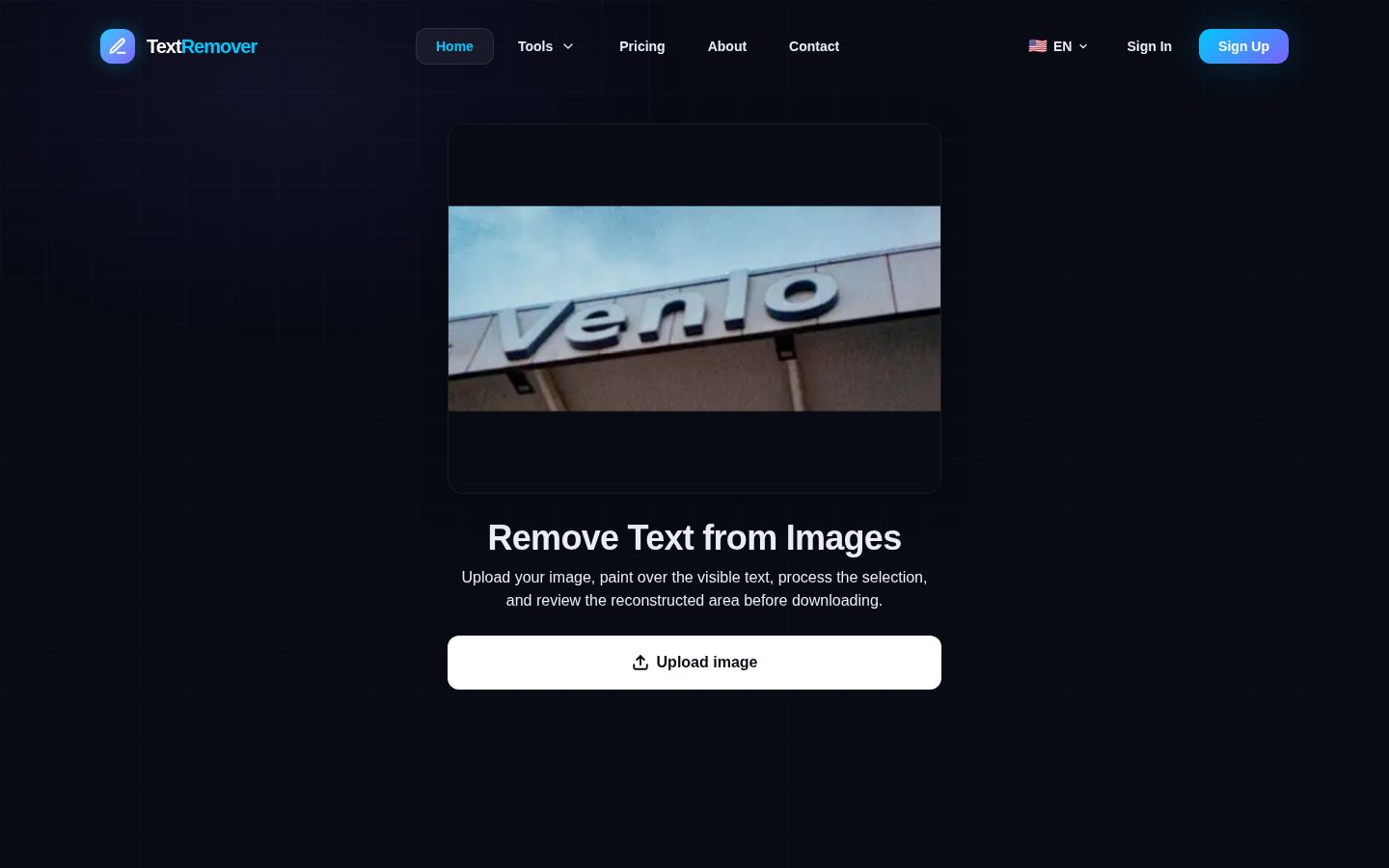
Text Remover desktop previewText Remover mobile preview

Pricing Plans

Free

Free

For occasional cleanups when time is on your side.

  • Up to 5 edits each hour
  • Up to 10 edits each day
  • Standard processing
  • Results are automatically deleted
Popular

Priority

$29.90/every 30 days

For edits you need to finish now.

  • Up to 2x faster processing
  • Priority processing during busy periods
  • More reliable completion
  • 300 credits valid for 30 days
  • High-resolution exports

Priority Pro

$99.90/every 30 days

For high-volume work that cannot wait.

  • Up to 2x faster processing
  • Priority processing during busy periods
  • More reliable completion
  • 1200 credits valid for 30 days
  • Built for high-volume work

AI Panel Reviews

The Decision Maker

The Decision Maker

Strategic bet, vendor viability, timing, adoption approval
7.2/10

A single-purpose inpainting tool that does one job at a real price, nothing more.

“Text Remover brushes out watermarks and text, reconstructs the background, and charges $29.90 for 300 credits a month. It's narrow by design, which is both the pitch and the risk.”

This is a one-trick tool, and the trick is clear: brush over text, let AI inpainting rebuild what's behind it. The free tier caps you at 5 edits an hour, 10 a day, auto-deletes results. Fine for a one-off, not for a workflow.

Priority at $29.90 per 30 days gets you 300 credits and 2x faster processing. Priority Pro at $99.90 jumps to 1200 credits for volume work. That's a real price ladder, not a vague 'contact sales' page, and credits scale sensibly with use.

The tradeoff: accuracy depends on what's hidden. Simple backgrounds reconstruct cleanly, faces and fine textures won't. I couldn't find docs or an API reference, so this reads as a point solution, not a platform you build around. Fine for creators and template makers, thin for anyone needing to embed this in a pipeline.

Competitive Positioning7.3

Dedicated brush-based inpainting with tiered speed and credit limits is a clear niche play against general-purpose photo editors doing this as one feature among many.

Reputation Risk6.8

A Privacy Policy and automatic deletion of free-tier results are noted, but there's no detail on data retention for paid plans or compliance posture.

Speed to Value8.0

Upload, brush, download — the workflow pays back in minutes, with the free tier letting you test before paying $29.90.

Strategic Fit6.5

Solves a narrow, recurring task (watermark/text removal) rather than advancing a broader creative or content pipeline.

Vendor Viability6.8

A working pricing page and defined credit system suggest active operation, but I couldn't find docs, an API, or a changelog to confirm ongoing development.

Pros

  • Simple upload-brush-download workflow with result review before download
  • Clear credit-based pricing: 300 credits for $29.90, 1200 for $99.90
  • Supports PNG, JPG, JPEG, WebP up to 10 MB

Cons

  • Free plan limited to 5 edits/hour, 10/day with auto-deleted results
  • Accuracy drops on complex backgrounds like faces or fine textures
  • No visible docs or API, so integration into broader workflows is unclear

Right for

Creators and template makers who need occasional, clean watermark or text removal without building a pipeline.

Avoid if

Skip it if you need API access or guaranteed accuracy on detailed, textured backgrounds.

The Domain Strategist

The Domain Strategist

Craft and strategy in the product's domain — adapts identity per category, same lens
6.8/10

A single-feature utility with a real ceiling once your library hits detailed textures or faces.

“Text Remover does one job in a brush stroke, and the pricing scales cleanly with volume. But it's a point tool, not a system you build a production pipeline around.”

This isn't a design system, it's a single utility bolted to a credit meter. The brush-based selection is the right interaction model for this job — you're marking intent, not hand-painting pixels — but the entire craft ceiling rests on one inpainting model with no visible control over style matching, seed variation, or regional retries if the first pass misreads a texture. For a template maker clearing watermarks off stock photography, that's plenty. For anyone cleaning product shots with reflections, patterned fabric, or skin, the tool admits its own limits around complexity.

The credit math — 300 for $29.90, 1200 for $99.90 — tells me this is priced for marketing ops and social teams doing batches, not studios running thousands of assets through a pipeline nightly. There's no documented API, so plugging this into an actual production workflow alongside Photoshop or a DAM stays manual.

Three years out, this is a bookmark, not infrastructure. Fine for that role, but know what you're buying.

Category Positioning7.0

A focused point solution in a category full of general-purpose inpainting suites; it wins on simplicity, not on power.

Domain Fit7.5

Brush-and-review matches how creators actually clear watermarks and timestamps fast, without needing layer-based editing skills.

Integration Surface5.5

I couldn't find a documented API, so this sits outside any broader creative pipeline as a standalone step.

Long-term Implications6.0

Credit-based tiers at $29.90 and $99.90 per 30 days work for steady volume but lock you into renting access rather than owning a reusable asset.

Strategic Depth6.0

One inpainting model with no visible controls beyond brush size; functional but shallow against anything built for serious retouching.

Pros

  • Brush interaction matches how creators actually think about marking removal zones
  • Credit tiers scale predictably for teams doing batch cleanup work
  • High-resolution exports on paid tiers suit professional reuse

Cons

  • Single-model inpainting with no visible fallback or regeneration control
  • No documented API limits how this fits into a larger production pipeline
  • Free tier's auto-deleted results rule out it as any kind of archive

Right for

A social content creator or template maker who needs fast, occasional watermark cleanup without opening Photoshop.

Avoid if

Avoid if you need API-level integration into a production asset pipeline rather than a one-off browser tool.

The Finance Lead

The Finance Lead

Money, total cost of ownership, contracts, procurement math
7.2/10

$29.90 for 300 credits. $99.90 for 1200. Math favors the bigger tier.

“Pricing is on the page, no sales call needed. The unit economics punish light users and reward volume.”

300 credits for $29.90 is $0.0997 per credit. 1200 for $99.90 is $0.0833. Priority Pro is 16% cheaper per credit. If a cleanup costs one credit, that's real savings at volume. If it costs five, run the math before you commit.

Both paid plans renew every 30 days. No term length stated beyond that, no mention of auto-renewal cancellation windows or refund policy. I couldn't find an annual option — monthly-only billing means no multi-year discount to negotiate.

ROI is easy to size for a known volume: redact 50 images a month, know your credit burn, know your cost. Harder to size against a human editor's hourly rate, which isn't in the pricing anywhere. Free tier's 10-edits-a-day cap works for sampling the tool, not for building a cost model.

Billing & Procurement7.0

Simple self-serve billing at $29.90 and $99.90 per 30 days, low-friction for a small team, but no invoicing details for procurement teams that need POs.

Contract Flexibility6.5

30-day cycles imply low lock-in, but renewal and cancellation terms aren't spelled out anywhere I could find.

Pricing Transparency8.5

Two paid tiers, exact prices, exact credit counts — no quote wall, no sales call.

ROI Clarity6.5

Cost per edit is calculable once credit burn is known, but there's no baseline to compare against manual editing time or cost.

Total Cost of Ownership7.0

Per-credit cost drops 16% at the Pro tier, but credit-per-edit consumption rate isn't stated, so 3-year volume cost is a guess.

Pros

  • Exact per-credit cost is calculable and favors the higher tier (16% cheaper per credit at Pro)
  • No sales call required to see or buy any tier
  • 30-day cycles keep commitment short if the workflow doesn't pan out

Cons

  • Credit cost per edit isn't stated, making true monthly spend a guess until you test it
  • No stated refund or auto-renewal cancellation terms
  • No annual pricing option to negotiate against

Right for

A team with a predictable monthly edit volume that wants to size cost without a sales call.

Avoid if

Avoid if you need annual billing terms or a clear refund policy in writing before you commit.

The Domain Practitioner

The Domain Practitioner

Daily hands-on reality in the product's domain — adapts identity per category, same lens
7.2/10

One brush, one inpaint pass, no layers — fine for a quick fix, not a retouch suite

“Text Remover does one job: paint, reconstruct, download. There's no undo-and-nudge pass, no mask refinement, no way to touch up what the AI gets wrong.”

The whole tool lives on a single brush and a single inpainting call. There's no visible mask feathering control, no opacity slider on the brush, no way to zoom into a 200% view and clean up edge artifacts by hand once the AI returns its guess. For a watermark on a flat sky, fine. For anything where the reconstruction is 90% right and 10% wrong, you're stuck re-running the whole region rather than patching the sliver that failed. That's a real gap against any tool with layer-based cleanup. Credits reset every 30 days (300 on Priority, 1200 on Priority Pro at $99.90), so there's no banking unused runs for a slow month. The interface reads built for one-shot jobs, not iterative retouching, and I couldn't find anything suggesting batch upload or folder-level processing exists yet.

Day-3 Reality7.0

Fine for occasional watermark removal; the lack of mask refinement becomes visible once you hit a tricky edge.

Documentation Practitioner-Fit6.5

I found pricing and plan answers but couldn't locate anything written for someone troubleshooting a bad reconstruction.

Friction Surface7.3

Upload-brush-download is low-friction per image, but single-shot inpainting with no touch-up pass adds re-do cycles on failures.

Power-User Depth6.0

No feathering, opacity, or regeneration controls surfaced, so there's little room to grow past the basic brush-and-go flow.

Workflow Integration6.0

No batch or folder processing visible, so it sits outside any multi-image pipeline a template maker would run.

Pros

  • Clear credit reset cycle (300/1200 credits per 30 days) makes cost planning simple
  • High-resolution exports on paid tiers suit handoff to a layout or template file
  • Brush selection is the right mental model for marking removal zones

Cons

  • No visible mask refinement or brush opacity control for partial fixes
  • Single inpainting pass with no regenerate option if the result misses
  • No batch or folder upload surfaced for multi-image jobs

Right for

A social content creator clearing an occasional watermark or caption off a flat-background image.

Avoid if

You need iterative retouching control or batch processing across a folder of images.

The Power User

The Power User

Daily human experience, onboarding, polish, learning curve, reliability
7.2/10

A one-job tool that does the one job, if your hourly limit doesn't run out first

“Text Remover is exactly what it says: paint, wait, download. Whether it survives month three depends on how often you hit that 5-edits-an-hour ceiling.”

First ten minutes here is about as low-homework as it gets. Upload, brush, wait, review, download. No account setup theater, no feature tour you have to click through five times before it lets you touch anything. That's a real onboarding win and it doesn't get enough credit in tools like this.

Where it gets interesting is what happens after that first image. The Free plan caps you at 5 edits an hour, 10 a day, and auto-deletes your results. That's fine for a one-off redaction job, annoying the moment you're cleaning up a batch of product photos for a shop listing. Jumping to Priority at $29.90 for 300 credits over 30 days is the logical next step, but there's no visible way to tell, before you pay, whether the 2x faster processing actually matters for your file size or just for the queue during busy hours.

I couldn't find anything on mobile behavior or an app, which for a brush-based tool makes me nervous — painting over a timestamp with a fingertip on a phone screen is a very different experience than with a mouse, and nothing on the site tells me which one I'm getting.

Daily Polish6.8

The core loop (upload, brush, review, download) is tight, but I couldn't find anything about empty states, error handling, or what happens when inpainting visibly fails.

Learning Curve7.0

The brush model scales fine from first use, but credit math (300 vs 1200) adds a planning step once you're doing volume work.

Mobile Parity5.5

I couldn't find any mention of a mobile app or responsive brush tool, which matters a lot for a touch-based editing task.

Onboarding Experience8.0

Brush-over-text is about as self-explanatory as an interaction model gets; no setup friction before the first edit.

Reliability Feel6.5

Free tier auto-deletes results and nothing on the site describes retry or fallback behavior if the reconstruction looks wrong.

Pros

  • Brush-based selection is the fastest way to tell the tool exactly what to erase
  • Clear, predictable credit system across two paid tiers ($29.90 for 300, $99.90 for 1200)
  • Review step before download stops a bad reconstruction from silently going out the door

Cons

  • Free plan's hourly cap (5 edits) makes it hard to evaluate the tool on anything but a single image
  • No mobile experience details, which matters for a touch-driven brushing task
  • Accuracy is explicitly tied to background complexity, so results on faces or fine textures are a gamble

Right for

Someone who needs to clean watermarks or timestamps off a handful of images a week and doesn't need an archive of past edits.

Avoid if

Skip it if you need to batch-process dozens of images or work primarily from a phone.

The Skeptic

The Skeptic

Contrarian. Watch-outs, deal-breakers, broken promises, category patterns
6.2/10

A single-feature tool wrapped in a brush interface. Does it survive one bad quarter?

“Inpainting-to-remove-text is a narrow, well-understood category now. The pricing is honest and specific, but nothing here tells me why this survives past the next funding cycle.”

No company name attached. No founder story. Just a tagline and a pricing page. That's not disqualifying — plenty of single-purpose tools run lean — but it means I'm pricing risk on a product with zero public track record beyond its own claims.

The credit math checks out: $29.90 for 300 credits, $99.90 for 1200. Fine. What's missing is anything that locks you in or sets this apart technically. Inpainting-to-remove-watermarks is a feature I've seen bundled free inside larger suites before they ate standalone tools like this one. No API, no docs I could find, no stated uptime or support channel.

Exit is actually easy here — it's a one-shot image tool, no project files, no lock-in. That's the one genuinely reassuring thing. Everything else is a bet on a team I know nothing about staying around.

Competitive Differentiation5.0

AI inpainting for watermark removal is a widely available capability; nothing in the feature list points to a technical edge over the obvious alternative.

Exit Portability7.5

Single-image, no-lock-in workflow with no project format to migrate out of, which is about as clean an exit as this category gets.

Long-term Viability5.5

No visible changelog, docs, or company info; the only maintenance signal is a Privacy Policy and a two-tier pricing page.

Marketing Honesty6.5

The meta description's claims (instant, seconds) are standard category language, but the long description is upfront that faces and fine textures are a gamble.

Track Record Match6.0

Specific limits (10MB, 300/1200 credits) back the claims, but there's no evidence of performance at scale beyond the stated tiers.

Pros

  • Transparent, specific credit pricing across two paid tiers
  • No lock-in format, so leaving costs nothing
  • Upfront that result quality depends on background complexity

Cons

  • No company name or team info attached to the product
  • No visible API or docs for anyone wanting more than a single-image workflow
  • Differentiation from other inpainting tools isn't demonstrated anywhere

Right for

Someone who needs a one-off watermark removed today and doesn't care who's behind the tool.

Avoid if

Avoid if you need a vendor with a visible track record before trusting it with client work.

Buyer Questions

Common questions answered by our AI research team

Pricing

What's the difference between Free and Priority plans?

The Free plan costs $0 and allows up to 5 edits per hour, 10 edits per day, with standard processing and automatic deletion of results. The Priority plan costs $29.90 per 30 days, offering up to 2x faster processing, priority processing during busy periods, more reliable completion, 300 credits valid for 30 days, and high-resolution exports.

Features

What image file types does Text Remover accept?

Text Remover accepts PNG, JPG, JPEG, and WebP image files.

Setup

Is there a maximum image file size?

Yes, uploaded images must be no larger than 10 MB.

Features

Does Priority processing finish faster than Free?

Yes, Priority plans offer up to 2x faster processing along with priority handling during busy periods, compared to standard processing on the Free plan.

Pricing

How many edits can I do on the free plan?

The Free plan allows up to 5 edits per hour and up to 10 edits per day.

Also in AI Creative Tools