Aikido Security logo

Aikido Security Review

Visit

Scans code, cloud and runtime, then opens the pull request that fixes it

Aikido Security is an application security platform for development and security teams, covering code, cloud, runtime and developer devices.

Aikido Security·Founded 2022·From $350/moFree PlanAI SecurityAI ComplianceAI DevOps

AI Panel Score

8.3/10

6 AI reviews

Reviewed

AI Editor Approved

What is Aikido Security?

Aikido Security is an application security platform that scans source code, open-source dependencies, containers, infrastructure as code, cloud accounts and running applications from a single workspace. It is built for development teams that want findings filtered before they reach a backlog, and for security teams consolidating separate point tools. A free Developer plan covers two users and 10 repositories, paid platform plans start at $350 per month for 10 developers, and Enterprise modules are quoted on request. Coverage spans SAST, software composition analysis, secrets detection, cloud posture management, DSPM and container scanning, while AI agents open AutoFix pull requests, run autonomous pentests against deployed applications and APIs, and block malicious packages at install time on developer machines. Zen in-app runtime protection, Safe Chain and Opengrep are published as open source. It fits teams whose security work has to travel through pull requests rather than tickets.

About Aikido Security

Aikido connects to a Git provider and scans the repositories it is given read-only access to, cloning them into temporary containers that are destroyed after each analysis. One workspace carries the Code suite (SAST and AI SAST, dependency scanning, secrets, licences and SBOMs, container images, outdated and end-of-life runtimes), the Cloud suite (misconfiguration checks, virtual machine and Kubernetes scanning, infrastructure as code, and code-first DSPM), the Attack suite (AI pentesting, DAST, API scanning and attack surface monitoring) and the Protect suite (in-app runtime protection, malware detection and device protection). Findings from every scanner land in one deduplicated queue, ranked by reachability, exposure and EPSS rather than raw CVE severity, and surface in GitHub, GitLab, Bitbucket, Azure DevOps, Jira, Slack and the IDE instead of a separate dashboard.

Remediation is the part the platform is built around. AutoFix generates fixes for SAST, SCA, IaC, container and pentest findings and opens them as pull requests, with a preview and a validation step; Deep PR Review reads each pull request against full-codebase context to catch logic flaws a pattern matcher misses; and four named agents (Detect, Fix, Deploy, Verify) chain discovery, patch, staging deploy and re-test. Where no upstream patch exists, Aikido Libraries and Aikido Images supply security-patched builds of the package or base image version already in use, so a CVE can be closed without a forced major-version migration. On the offensive side, AI Pentesting attacks a deployed application and reports only findings it reproduced, Aikido Infinite repeats that continuously on every release, and Aikido Machine runs the same offensive models on a GPU server inside the customer's own network for air-gapped work. Zen, the in-app firewall, plus Safe Chain and Opengrep are published as open source.

It is aimed at engineering organisations that want AppSec to arrive as a pull request rather than a ticket, and at security teams replacing several point tools — Aikido publishes comparison pages against Snyk, Wiz, Veracode, Checkmarx, SonarQube, Semgrep, Mend, Orca, Black Duck, GitHub Advanced Security, GitLab Ultimate and Socket. Pricing is freemium: a free Developer plan for two users and 10 repositories, then Basic, Pro and Advanced plans priced by the number of developers covered, with Enterprise modules and pentests quoted separately. Advanced AI work — AI pentesting, Deep PR Review, full-codebase AI Code Analysis — is metered in monthly credits on top of the plan.

Technically, scanning runs against 30-plus languages with Node.js, Python, PHP, Java, .NET, Ruby and Go covered by the Zen runtime agent, and device protection ships for macOS, Windows and Linux with MDM deployment through Jamf, Fleet or Iru. There is a public REST API, an MCP server that exposes findings and AutoFix inside Claude Code, Cursor, Codex CLI and Copilot, CI gating that can block a merge on policy breach, and a local scanner that keeps source code inside the customer's own infrastructure for data-residency and FedRAMP-sensitive workloads. Aikido reports SOC 2 Type II and ISO 27001:2022 certification and automates evidence for ISO 27001, SOC 2, PCI DSS, DORA, NIS2 and HIPAA through integrations with Drata, Vanta, Thoropass and Sprinto.

Features

AI

  • AI Code Analysis

    Agentic audit that reasons across files, repositories, permission boundaries and data flows to find IDOR, broken access control and business-logic bypasses without needing a running application.

  • AI Pentesting

    Autonomous agents attack deployed applications and APIs over REST, GraphQL, gRPC and SOAP and report only findings they reproduced, with evidence and an audit-grade PDF; Aikido Infinite repeats the tests on every release.

  • Deep PR Review

    Reviews every pull request against full-codebase context and static-analysis results to catch security-relevant logic flaws introduced by the change, and can block the merge.

Automation

  • AI AutoFix pull requests

    Generates remediation for SAST, SCA, IaC, container and pentest findings and opens it as a pull request with a fix preview and validation step, in the IDE or across the backlog.

Compliance

  • SBOM generation and compliance reporting

    Produces SBOMs in CycloneDX, SPDX or CSV and automates technical controls and evidence for ISO 27001, SOC 2, PCI DSS, DORA, NIS2 and HIPAA, with Drata, Vanta, Thoropass and Sprinto integrations.

Core

  • Aikido Libraries and Aikido Images

    Supplies security-patched builds of the open-source package versions and container base images a team already runs, so a CVE can be closed without a forced major-version migration.

Integration

  • IDE, CI/CD and MCP integrations

    Surfaces findings and AutoFix inside VS Code, Cursor, JetBrains IDEs, GitHub, GitLab, Bitbucket, Azure DevOps, Jira and Slack, and exposes them to AI coding assistants through an MCP server.

Security

  • Cloud posture management (CSPM)

    Detects cloud misconfigurations, exposed assets and attack paths across AWS, GCP, Azure and DigitalOcean, with a searchable cloud asset graph and cross-cloud rules.

  • Code-first DSPM

    Maps how sensitive data enters, moves through and leaves an application by reading source code, schemas, ORM models, APIs and infrastructure config rather than production data.

  • Dependency scanning with reachability analysis

    Monitors open-source dependencies for known CVEs, malware, licence risk and end-of-life runtimes, and ranks them by reachability and EPSS instead of raw severity.

  • Device Protection

    Reviews and blocks malicious packages, IDE plugins, browser extensions, AI tools and MCP servers on developer workstations running macOS, Windows or Linux, deployed through MDM tools such as Jamf or Fleet.

  • SAST with AI false-positive reduction

    Scans source code for SQL injection, XSS, path traversal, SSRF and related vulnerability classes across 30+ languages using deterministic and AI-native engines with cross-function taint analysis and custom rules.

  • Safe Chain install-time blocking

    Open-source guard that blocks malicious or typosquatted packages at install time for individual developers and CI environments, including freshly published releases.

  • Secrets detection with liveness checks

    Finds leaked API keys, passwords, tokens and certificates across the IDE, pre-commit, CI and Git history, and tests whether each exposed secret is still active.

  • Zen in-app firewall

    Open-source runtime protection embedded in the application that blocks SQL/NoSQL injection, command injection and path traversal at execution, with rate limiting and bot controls, for Node.js, Python, PHP, Java, .NET, Ruby and Go.

Preview

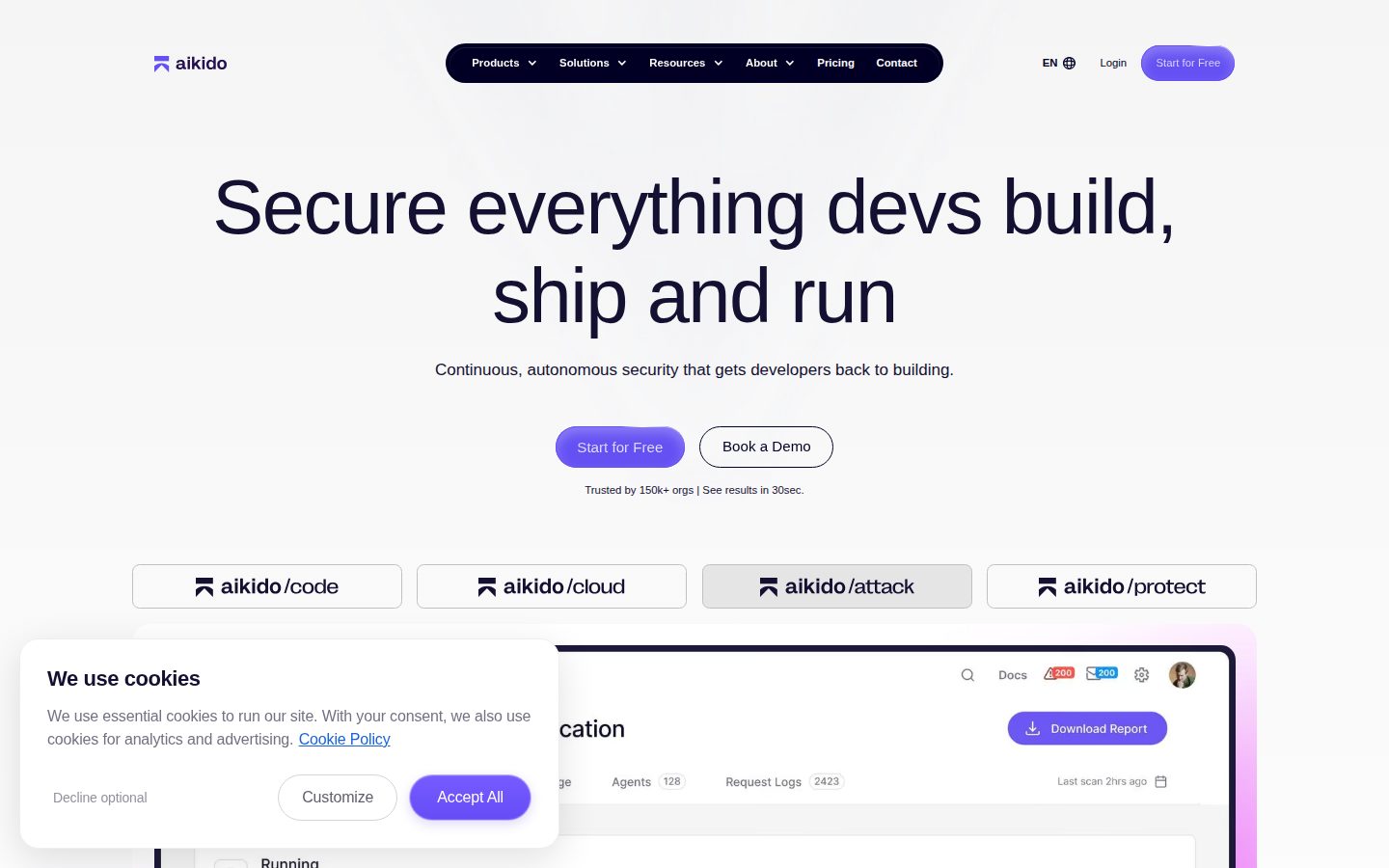
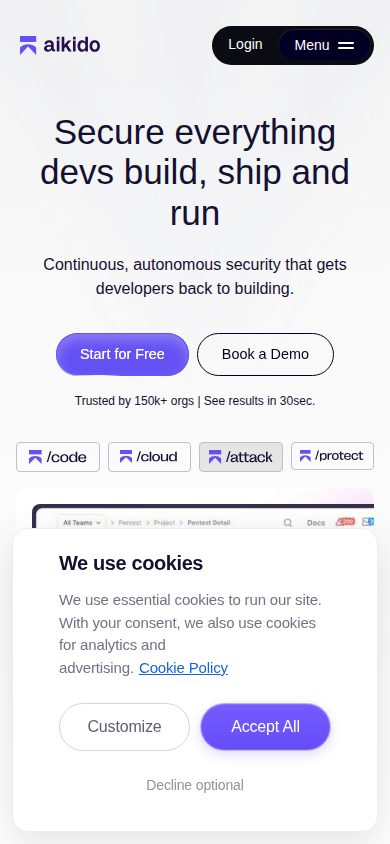
Aikido Security desktop previewAikido Security mobile preview

Pricing Plans

Developer

Free

Free forever plan for individual developers, covering 2 users and 10 repositories with fair-usage limits; no credit card required.

  • Dependency scanning (SCA) with reachability and AutoFix
  • SAST and AI SAST with custom rules
  • Secrets detection across IDE, CI and Git
  • Cloud misconfiguration, container and VM scanning
  • 10 repos, 1 cloud account, 1 domain, 10 AI AutoFixes/mo
  • 250k protected requests/mo, rescans every 3 days

Basic

$350/monthly

Entry paid plan, priced per block of developers covered: $350/month includes 10 developers, $525 for 15 and $700 for 20. Annual billing takes 10% off ($3,780/year for 10 developers, about $315/month).

  • PR security review
  • Sync issues to Jira, Linear and more
  • Sync to Drata, Vanta and other GRC platforms
  • Reports and analytics, PR code quality checks
  • AI and bot protection, device protection
  • 100 repos, 3 cloud accounts, 10M protected requests/mo
Popular

Pro

$700/monthly

Marked Most popular. Priced per block of developers covered: $700/month includes 10 developers, rising to $3,500/month for 50; 50+ developers is quoted. Includes 100 AI credits per month for AI pentesting, Deep PR Review and AI Code Analysis.

  • On-prem scanning
  • Virtual machine scanning
  • Attack surface monitoring
  • Malware detection in dependencies
  • Aikido Images (CVE-free base images)
  • 200 repos, 10 cloud accounts, 20M protected requests/mo

Advanced

$1,050/monthly

Top self-serve tier, priced per block of developers covered: $1,050/month includes 10 developers, rising to $5,250/month for 50. Includes 200 AI credits per month.

  • Broker for internal apps
  • Private registry proxy
  • FIPS base images
  • FedRAMP ATO
  • Priority support in Slack or MS Teams
  • 500 repos, 20 cloud accounts, 50M protected requests/mo

Enterprise

Contact sales

Quote-only tier sold as modules (Code, Cloud, Attack, Protect) with tailored pricing; the pricing page lists Get a Quote rather than a figure.

  • Custom SLA with guaranteed response and resolution times
  • Multi-tenant portal for business units or customers
  • Local (on-prem) deployment
  • Broker for internal apps
  • Training, onboarding and enterprise support
  • SSO (SAML) and SIEM integration

Typical Pentest

$4,000/custom

One-off AI pentest priced per assessment at $4,000 (listed as €3,500 / £3,000 / ₹265,000), covering one application and its primary APIs.

  • Time-boxed, fixed-scope assessment of one application and its APIs
  • Whitebox testing (black-box and grey-box at extra cost)
  • Audit-grade PDF report for SOC 2 and ISO 27001
  • Free re-testing of findings for up to 6 months
  • No high or critical finding = don't pay
Popular

Rightsized Pentest

Contact sales

Marked Most popular among the pentest options. Priced per assessment on a published range of $50 to $30,000+, scoped automatically from the repositories, endpoints and roles Aikido analyses, so no single list price applies.

  • Scope set automatically from repos, endpoints and roles
  • Coverage scales with application complexity
  • Multi-service and multi-repo applications
  • Audit-grade PDF report for SOC 2 and ISO 27001
  • No high or critical finding = don't pay

Continuous Testing

Contact sales

Quote-only continuous pentesting tailored to the organisation, testing every release as it deploys.

  • Pentest on every deploy
  • Continuous reports and real-time findings
  • Broker support for internal applications
  • Enterprise SLA and support
  • Dedicated success manager

AI Panel Reviews

The Decision Maker

The Decision Maker

Strategic bet, vendor viability, timing, adoption approval
8.6/10

Code, cloud and runtime in one workspace — but $350 a month covers ten developers, not one.

Aikido scans code, cloud and runtime from one workspace and opens the fix as a pull request. Paid plans start at $350 a month for ten developers, with the AI work metered in credits on top.

No high or critical finding, no charge. That's the term attached to a $4,000 AI pentest, and it's a rare thing for a security vendor to put in writing.

The consolidation case is stronger than the scanning case. Aikido Libraries and Aikido Images supply security-patched builds of the package and base-image versions a team already runs, so a CVE closes without a forced major-version upgrade — engineering weeks you don't spend. Their own comparison pages line the platform up against Snyk, Wiz and Checkmarx, which tells you which budget lines they expect to retire.

But the sticker isn't a seat price. Basic is $350 a month for ten developers and $700 for twenty, and the AI work — pentesting, Deep PR Review — meters separately in monthly credits. Start free on ten repos, then price Basic against the tools it replaces.

Competitive Positioning8.6

Security-patched builds through Aikido Libraries and Aikido Images, plus the open-source Zen in-app firewall, go past what a scanner-only alternative offers.

Reputation Risk8.2

Read-only repository access, scan containers that are destroyed afterwards and SBOM export in CycloneDX or SPDX limit lock-in, though Enterprise modules are quote-only.

Speed to Value8.5

A free plan with no credit card, scans that finish in one to five minutes and AutoFix pull requests mean the first fix can land before procurement opens a file.

Strategic Fit8.4

It retires several point scanners and adds pentesting and runtime protection on top, so it moves the security programme rather than just trimming its cost.

Vendor Viability8.7

A public REST API, an MCP server, IDE plugins and a pricing page that spells out repo, cloud-account and request limits per tier all read as actively built.

Pros

  • The free Developer plan covers two users and 10 repositories with no credit card, so you can size the platform before a sales call.
  • Aikido Libraries and Aikido Images close a CVE on the package and base-image versions you already run, avoiding a forced major-version migration.
  • Published pentest pricing at $4,000 per assessment, with no charge if nothing high or critical is found and free re-testing for up to six months.
  • SOC 2 Type II and ISO 27001:2022 attestation, plus SBOM export in CycloneDX, SPDX or CSV if you ever leave.
  • Findings land in GitHub, Jira, Slack and the IDE instead of another dashboard nobody opens.

Cons

  • The headline price buys a block of ten developers, so cost tracks engineering headcount — $700 a month at twenty on Basic.
  • AI pentesting, Deep PR Review and AI Code Analysis meter in monthly credits on top of the plan fee.
  • Enterprise modules and continuous pentesting are quote-only, so the top of the range can't be budgeted from the pricing page.
  • The Rightsized Pentest range runs from $50 to $30,000+, which is a wide band to plan a security budget against.

Right for

Engineering teams who want to replace several separate security scanners.

Avoid if

Security teams who work outside the developer pull-request workflow.

The Domain Strategist

The Domain Strategist

Craft and strategy in the product's domain — adapts identity per category, same lens
8.6/10

Aikido's perimeter runs from the laptop to production traffic, a wider remit than a scanner purchase.

Aikido's coverage runs from the developer's workstation through the repo to the running application, with Zen embedded in the process and Device Protection deployed through MDM. The plans price that by developer band, but runtime protection carries its own monthly request ceiling.

Zen runs inside the application process. Device Protection runs on the laptop, deployed by MDM. The scanners sit between them, which makes this a perimeter question rather than a tooling one — it takes in the developer's workstation at one end and production traffic at the other.

Their MCP server pushes findings into Claude Code and Cursor; Device Protection screens the MCP servers and IDE plugins those same developers install, through Jamf or Fleet. Safe Chain blocks bad packages at install — Socket's lane, and one of twelve tools their comparison pages name.

But the plans meter two things that don't move together. Developer bands set the fee, while runtime protection carries an inbound-request ceiling — 10M a month on Basic, 50M on Advanced. Traffic grows with users, not with headcount, and that's the line that reprices you.

Category Positioning8.6

Aikido runs comparison pages against twelve tools, Socket and GitHub Advanced Security among them, and adds autonomous pentesting most posture platforms skip.

Domain Fit8.6

Repositories are cloned read-only into containers destroyed after each one-to-five-minute scan, and findings route to Jira, Slack and the IDE.

Integration Surface9.0

Four Git providers, VS Code through JetBrains, MDM through Jamf or Fleet, plus an MCP server for AI coding assistants.

Long-term Implications7.5

One platform ends up holding the merge gate and the workstation policy, which is a wider ownership question than a scanner purchase.

Strategic Depth8.7

Zen is an in-process firewall across seven language runtimes, and AI Code Analysis reasons over permission boundaries without needing a running application.

Pros

  • Zen embeds runtime protection in the application process for Node.js, Python, PHP, Java, .NET, Ruby and Go.
  • Device Protection screens malicious packages, IDE plugins, browser extensions and MCP servers on developer workstations.
  • Findings from every scanner land in one deduplicated queue ranked by reachability, exposure and EPSS rather than raw severity.
  • An MCP server exposes findings and AutoFix inside Claude Code, Cursor, Codex CLI and Copilot.
  • Aikido Machine runs the offensive models on a GPU server inside the customer's own network for air-gapped work.

Cons

  • Runtime protection is capped at 10M inbound requests a month on Basic, so that ceiling tracks traffic rather than team size.
  • Adopting the Protect suite moves workstation and MDM policy into the application-security team's remit.
  • One vendor's ranking model decides which findings a developer never sees, with no second scanner to disagree.
  • I couldn't find Zen support beyond seven runtimes, so a service outside that list gets scanning without in-process protection.

Right for

Platform teams who want runtime protection and workstation policy in one place.

Avoid if

Security teams who already run a separate endpoint management stack.

The Finance Lead

The Finance Lead

Money, total cost of ownership, contracts, procurement math
8.3/10

Basic, Pro and Advanced work out to $35, $70 and $105 per developer, above a ten-developer floor.

Aikido's three paid tiers divide out to flat per-developer rates of $35, $70 and $105 a month, steady at every developer count published. The floor is what bites: ten developers minimum, so a four-person team pays the same $350 as a ten-person one.

Divide each tier by the developers it covers and the rate stops moving. Basic is $35 a developer. Pro is $70: $700 at 10 developers, $3,500 at 50. Advanced is $105. Flat rates, published in public, no call required.

The floor is ten developers, not one. A four-person team on Basic still pays $350, or $87.50 a head. Fifty developers on Pro: $42,000 a year, or $37,800 with the 10% annual discount. Three years, $113,400. The Developer plan is free forever, not a trial.

However, the AI work is metered. Pro includes 100 credits a month for AI Pentesting and Deep PR Review; I couldn't find a rate for credits beyond that. Pentests bill separately at $4,000 typical, and no high or critical finding means you don't pay. Aikido keeps a comparison page aimed at Snyk. Price Snyk yourself.

Billing & Procurement7.5

Self-serve signup with no card on the free plan, but SSO (SAML) sits in the quote-only Enterprise tier.

Contract Flexibility7.5

Monthly billing sits alongside a 10% annual discount, though I couldn't find published renewal or cancellation terms.

Pricing Transparency9.0

Three paid tiers publish dollar figures at multiple developer counts and a typical pentest lists at $4,000, with only Enterprise quote-only.

ROI Clarity8.5

AutoFix pull requests and closed findings are countable, and a pentest that finds nothing high or critical costs nothing.

Total Cost of Ownership8.0

Fifty developers on Pro models cleanly at $42,000 a year, but I couldn't find a rate for AI credits past the 100 included each month.

Pros

  • Three paid tiers carry dollar figures, so procurement can model the cost before the first call.
  • Each tier divides out to a flat per-developer rate, $35 on Basic and $70 on Pro, at 10 developers or 50.
  • Annual billing takes 10% off, which is $3,780 a year for 10 developers on Basic.
  • The Developer plan is free forever for 2 users and 10 repositories, not a countdown trial.
  • A typical pentest lists at $4,000 and charges nothing when no high or critical finding lands.

Cons

  • The entry price covers ten developers, so a four-person team pays $350 for headroom it won't use.
  • AI Pentesting and Deep PR Review run on monthly credits, and I couldn't find a rate for credits beyond the included allowance.
  • SSO (SAML) sits in the quote-only Enterprise tier rather than in a priced plan.
  • Rightsized Pentest publishes a $50 to $30,000+ range, which is not a budget line you can set in advance.

Right for

Engineering teams of ten or more developers who want AppSec priced without a sales call.

Avoid if

Teams under five developers who would be paying for ten regardless.

The Domain Practitioner

The Domain Practitioner

Daily hands-on reality in the product's domain — adapts identity per category, same lens
8.5/10

AutoFix lands as a pull request, and Aikido Libraries spares you the major version bump

One workspace covers code, cloud, runtime and developer laptops, with findings ranked by reachability instead of raw CVE severity. The agentic half runs on metered AI credits, so plan that budget before leaning on Deep PR Review.

The worst item in a dependency queue isn't the critical CVE. It's the one whose only patch is a major version bump. Aikido Libraries ships a patched build of the version you already run; Aikido Images does the same for base images.

Findings rank by reachability and EPSS, not raw severity, and land in GitHub, Jira and the IDE instead of one more dashboard. Repos clone into a throwaway container and scan in one to five minutes. AutoFix opens the fix as a pull request with a preview.

The catch is metering. Deep PR Review and AI Pentesting draw on AI credits: 100 a month on Pro, which is $700 for 10 developers. Its own comparison pages aim at Snyk and GitHub Advanced Security — vendor framing, read accordingly. Free Developer covers 10 repos with no card, rescanned every three days.

Day-3 Reality8.5

Repos clone into temporary containers, scans finish in roughly one to five minutes, and remediation arrives as an AutoFix pull request rather than a ticket.

Documentation Practitioner-Fit8.2

The help site is organised by job — PR and release gating, device protection, compliance — and the API reference covers 20-plus endpoint groups with a Markdown version of every page.

Friction Surface7.6

Free Developer rescans every three days and the AI features are metered at 100 credits a month on Pro, so the daily surface carries real ceilings.

Power-User Depth8.7

A public REST API, on-prem local scanning, a broker for internal apps, and Zen, Safe Chain and Opengrep published as open source give advanced users somewhere to go.

Workflow Integration8.8

Plugins for VS Code, Cursor, Windsurf and JetBrains, merge gating in GitHub, GitLab, Bitbucket and Azure DevOps, and an MCP server that puts findings inside AI coding assistants.

Pros

  • A free Developer plan covers two users and 10 repositories with no credit card, so you can judge finding quality before talking to anyone.
  • Aikido Libraries and Aikido Images supply patched builds of the package and base-image versions already in use, closing CVEs without a forced major-version migration.
  • Findings are ranked by reachability, exposure and EPSS instead of raw CVE severity, and route to GitHub, Jira, Slack and the IDE.
  • The API reference spans 20-plus endpoint groups including AutoFix, Zen, local scanning and custom SAST rules.
  • Repositories are cloned into temporary containers destroyed after each scan, with read-only access to the Git provider.

Cons

  • AI credits cap the agentic features at 100 a month on Pro and 200 on Advanced, so heavy Deep PR Review use needs planning.
  • The free plan rescans every three days, slower than the merge cadence of an active team.
  • Paid plans are sold in blocks of developers covered, so a team of 11 pays for the next block up rather than for 11 seats.
  • Pentests are quoted per assessment across a $50 to $30,000-plus range, so that spend cannot be sized from the pricing page alone.

Right for

Engineering teams who want security findings to arrive as pull requests.

Avoid if

Teams who expect unmetered AI pentesting on every release.

The Power User

The Power User

Daily human experience, onboarding, polish, learning curve, reliability
8.2/10

The free tier is real, but it rescans every three days instead of on every push.

The Developer plan is genuinely free for 2 users and 10 repositories, and Safe Chain blocks bad packages at install time before they reach a machine. But free workspaces only rescan every three days, which makes it a way to judge the product rather than a way to work in it.

You can point this at a demo repo without giving it access to a single line of your own code. Somebody put that option there after watching developers hesitate at the permissions screen. That's not a marketing decision.

Safe Chain is the piece I'd install first: open source, blocks typosquatted packages at install time, works on your own machine and in CI. Device Protection extends that to IDE plugins, browser extensions and MCP servers across macOS, Windows and Linux, pushed out through Jamf or Fleet. Both aim at the install nobody reads.

The free Developer plan is real — 2 users, 10 repos, no card. But free workspaces rescan every three days and you can't trigger a scan yourself, so after you push a fix you wait. Good enough to judge the thing. Not good enough to work in it.

Daily Polish8.6

Findings from every scanner land in one deduplicated queue ranked by reachability and EPSS, and show up in GitHub, Jira, Slack and the IDE instead of one more dashboard.

Learning Curve7.7

The first hour is easy, but four suites — Code, Cloud, Attack and Protect — across 30-plus languages leave plenty still unopened in month three.

Mobile Parity7.3

I couldn't find a mobile app, so alerts reach a phone through the Slack and Jira integrations rather than a native one.

Onboarding Experience8.8

The Developer plan needs no credit card, you can scan a demo repo before granting access to your own, and a scan finishes in one to five minutes.

Reliability Feel7.4

Repos are cloned into throwaway containers destroyed after each one-to-five-minute scan, but I couldn't see how the console itself behaves day to day.

Pros

  • The Developer plan is free forever for 2 users and 10 repositories, with no credit card asked for.
  • You can start against a demo repo instead of handing over access to your own code.
  • Safe Chain blocks typosquatted and malicious packages at install time, on a workstation or in CI, and it is open source.
  • Device Protection covers macOS, Windows and Linux and rolls out through MDM tools like Jamf or Fleet.
  • Findings surface in GitHub, GitLab, Jira, Slack and the IDE rather than in a separate console you have to remember to open.

Cons

  • Free workspaces rescan every three days and cannot start a scan on demand, so verifying a fix means waiting.
  • Four suites and fifteen-plus scanners mean month three still has menus you haven't opened.
  • Device Protection blocks malicious packages before they land but won't clean up a machine that is already infected.
  • I couldn't find a mobile app, so an alert at 11pm reaches you through Slack and the laptop answers it.

Right for

Developers who want typosquatted packages blocked at install time on their own laptop.

Avoid if

Developers who need every push scanned on a free plan.

The Skeptic

The Skeptic

Contrarian. Watch-outs, deal-breakers, broken promises, category patterns
7.6/10

Two different org counts on one homepage, and a pricing page that shows stale prices without JavaScript.

The platform breadth is real and the free Developer tier is genuinely free, with a changelog still shipping this quarter. Aikido's own pages are less careful: two conflicting org counts on the homepage, and stale prices served before the pricing page's scripts run.

The homepage claims 150k+ orgs. Two lines below, 50k orgs and 100K devs. Same fold, their own copy, and I can't use either. They publish 37 comparison pages — Snyk, Wiz, Checkmarx — scored by Aikido.

What's checkable holds up. The changelog runs to #55 and is still shipping this quarter. Developer really is free forever: two users, 10 repos, no card. The pricing page is sloppier: before its scripts run, Advanced reads 600. The real figure is $1,050, and that buys ten developers. Ten, not one. A block, not a seat.

The catch is Aikido Libraries and Aikido Images. Both close a CVE by shipping a patched build of what you already run — useful, and sticky. Leave, and those CVEs come back. The AI work is metered too: 100 credits a month on Pro, 200 on Advanced.

Competitive Differentiation8.2

One workspace covering code, cloud, runtime and developer devices, plus patched package builds and pentests that report only reproduced findings, is not a copy of the incumbent category tool.

Exit Portability7.0

SBOMs export as CycloneDX or SPDX and Zen and Opengrep are open source, but CVEs closed through Aikido Libraries and Aikido Images reopen the day you leave.

Long-term Viability8.5

The changelog runs to release #55 in the current quarter, alongside public API docs, SOC 2 Type II attestation and support channels named per tier.

Marketing Honesty6.0

The homepage puts 150k+ orgs and 50k orgs two lines apart, and the pricing page still shows old figures before its scripts run.

Track Record Match8.3

Named capabilities come with stated limits: read-only repository access, clones destroyed after a one-to-five-minute scan, and pentests that cost nothing if no high or critical finding turns up.

Pros

  • Developer is free forever for two users and 10 repositories, with no credit card.
  • The changelog is numbered and still shipping in the current quarter, through release #55.
  • Aikido Libraries and Aikido Images close CVEs with patched builds of the versions already running, avoiding a forced major upgrade.
  • AI pentesting reports only findings it reproduced against a running app, not a list of maybes.
  • Zen, Opengrep and Safe Chain are published as open source.

Cons

  • The homepage claims 150k+ orgs in one line and 50k orgs in the next, so neither figure is usable.
  • The pricing page shows stale prices before its scripts run: Advanced reads 600 there against a real $1,050 a month.
  • Paid plans are sold in blocks of ten developers, so a team of four still pays the full $350 a month.
  • The Rightsized Pentest, their most popular pentest option, is published as a $50 to $30,000+ range rather than a price.

Right for

Teams who want to judge finding quality on the free Developer tier before paying.

Avoid if

Four-person teams who would still pay for a ten-developer block.

Buyer Questions

Common questions answered by our AI research team

Pricing

How much does Aikido Security cost?

Aikido has a free Developer plan covering two users and 10 repositories. Paid plans are priced by developers covered and start at $350 a month for 10 developers on Basic, $700 on Pro and $1,050 on Advanced, with 10% off annual billing.

Features

Does Aikido fix vulnerabilities automatically?

AutoFix generates remediation for SAST, SCA, IaC, container and pentest findings and opens it as a pull request with a preview. Its Detect, Fix, Deploy and Verify agents carry a confirmed issue through the patch, a staging deploy and a re-test.

Security

Is Aikido SOC 2 and ISO 27001 certified?

Aikido holds SOC 2 Type II and ISO 27001:2022 attestation, with FedRAMP authorization in progress. It also automates technical evidence for SOC 2, ISO 27001, PCI DSS, DORA, NIS2 and HIPAA through Drata, Vanta, Thoropass and Sprinto.
Setup

Does Aikido keep a copy of my source code?

Repositories are cloned into temporary containers unique to your account, and those containers are destroyed once the scan finishes, which takes roughly one to five minutes. Access is read-only, so Aikido cannot modify your codebase.

Integration

Which IDEs and CI systems does Aikido support?

Aikido has plugins for VS Code, Cursor, Windsurf, JetBrains IDEs, Visual Studio and Android Studio, and gates builds in GitHub, GitLab, Bitbucket and Azure DevOps. Findings route to Jira, Linear and Slack, and an MCP server feeds AI coding assistants.

Also in AI Security