AI-powered monitoring for your digital infrastructure
Fortwatch is an AI-driven monitoring and alerting platform for websites and infrastructure.
AI Panel Score
6 AI reviews
AI Editor ApprovedApproved and published by our AI Editor-in-Chief after full panel analysis.Fortwatch is a monitoring tool that uses AI to track the availability, performance, and security of websites and digital infrastructure. It provides real-time alerts and reporting to help teams identify and respond to issues quickly. The platform is designed to reduce downtime and improve operational visibility.
Analyzes real risk context for every finding, suggests specific fixes, and tracks remediation progress over time.
Provides a unified dashboard showing every vulnerability across web apps, infrastructure, and cloud prioritized by real business risk.
Continuously scans the entire attack surface — web apps, servers, and cloud infrastructure — on scheduled or on-demand intervals depending on plan.
Provides actionable fix suggestions ranked by business impact rather than raw CVE exports.
Connects with Jira, GitHub, PagerDuty, AWS, Slack, and Datadog to fit into existing workflows for issue tracking, CI/CD, incident response, and alerting.
Finds public S3 buckets, misconfigured IAM policies, and exposed cloud resources before attackers can exploit them.
Scans open ports, service versions, and OS-level vulnerabilities across servers and IPs.
Automatically scans for XSS, SQL injection, CSRF, and all other OWASP Top 10 vulnerabilities.
Monitors SSL certificates and TLS misconfigurations, alerting teams to expiring certificates before they cause outages.
Detects CVEs, misconfigurations, exposed admin panels, and SSL issues across all domains and subdomains with continuous monitoring for new vulnerabilities.
For startups and small teams getting started with vulnerability management.
Full coverage for growing teams that need continuous protection.
Advanced security for teams that need compliance and deeper visibility.
Custom solutions for organizations with advanced security requirements.
Solid SMB security scanner, but asset-based pricing will bite you fast.
“Fortwatch covers real attack surface ground — OWASP Top 10, cloud exposure, SSL — without requiring an agent install. The pricing model has a trap in it that most buyers won't notice until invoice two.”
Eleven scanners, one AI explainer. That's the pitch, and it's honest. The feature list — OWASP Top 10, cloud bucket exposure, subdomain takeover detection, emerging threat re-scans on Pro — is legitimately useful for teams that've outgrown UptimeRobot but can't staff a Datadog deployment. No agents, no self-hosting. You paste a domain and scanning starts. That's real speed to value.
The asset pricing is where this gets expensive quietly. Each subdomain is a separate billable asset. A mid-size SaaS with api., app., admin., staging. is already at four assets before they've added a single IP. At $149/month for Pro, that math compounds fast, and Slack integration doesn't even unlock until that tier.
No public funding data. No changelog. The website is Next.js, the support email is hello@fortwatch.ai, and the enterprise tier is listed as free with 'direct access to engineering.' That last detail either means a small, founder-led team — which I'd consider a positive — or it means they haven't figured out enterprise sales yet.
For a 10-to-50 person team that needs external attack surface coverage without a security hire, pilot the Pro tier at $149/month. Watch the asset count in month two before you commit to Business.
AI prioritization differentiates from Pingdom and UptimeRobot, but Datadog and Snyk cover overlapping ground with more mature enterprise track records.
Unknown brand in a category where Datadog and Qualys are the board-recognized names — neutral at best, requires explanation if something goes wrong.
Agentless setup with no installation means scanning begins immediately after domain entry, per the docs.
External attack surface monitoring with AI prioritization advances security posture rather than just automating an existing manual check.
No public funding data, no changelog, and an enterprise tier promising direct engineering access suggests very early stage — 36-month durability is genuinely unclear.
A 10-to-50 person engineering team that needs external vulnerability coverage without a dedicated security hire.
You're running a domain-heavy architecture where subdomain count will push monthly costs above what a Datadog security module would cost.
Solid external attack surface coverage, but enterprise compliance depth isn't there yet.
“Fortwatch gives SMB security teams agentless EASM with AI-assisted prioritization at a price point Tenable and Qualys can't touch. The ceiling on compliance posture and audit-readiness is the real question for anyone beyond the 25-seat Business tier.”
Eleven scanners, no agents, and a $149/month Pro entry point. For a lean security team protecting a mid-market attack surface, that's a defensible starting position. The agentless architecture is the right call — reducing deployment friction means teams actually use it, and cloud-based external scanning doesn't require privileged access grants that create their own risk surface. OWASP Top 10 coverage plus SSL/TLS monitoring plus cloud exposure detection in one dashboard is a coherent threat model for the SMB segment Fortwatch is targeting.
The per-asset billing model is where procurement conversations get complicated. Each subdomain counts as a separate billable asset — api.example.com and example.com are two line items. If we're managing a sprawling SaaS product with 40 subdomains, the $229/month Business plan math changes fast, and we're still capped at 25 team members. Emerging threat scanning — the automatic re-scan triggered by critical new CVEs — is locked to Pro and above, which means the $99 Essential tier has a meaningful gap in continuous coverage posture. That's not a minor footnote; that's the difference between detecting a Log4Shell-style event in hours versus the next weekly scan window.
Compared to Datadog's security module or Qualys VMDR, Fortwatch's compliance reporting surface looks thin in the public evidence. No changelog is visible, and there's no mention of SOC 2, ISO 27001, or PCI DSS reporting outputs — category-standard capabilities for any tool entering enterprise procurement. The Enterprise tier pricing is listed as free in the public page, which suggests custom negotiation, but without published SLA guarantees or audit log depth details, I can't assess where the accountability controls live.
If we adopt this for an SMB or growth-stage company, in three years we likely have good external visibility but we're rebuilding the compliance reporting workflow separately. The Jira, GitHub, and PagerDuty integrations are the right connective tissue for a DevSecOps motion, and that's genuinely useful. But any organization approaching a SOC 2 Type II audit or enterprise customer security reviews will hit the ceiling of what Fortwatch's current evidence supports.
Fortwatch occupies a defensible SMB niche below Qualys and Tenable on price, but the AI differentiation claim needs more public evidence to hold against Datadog's expanding security surface.
Agentless scanning, CVE-triggered re-scans on Pro, and one-click remediation guides match how resource-constrained SMB security teams actually operate.
Jira, GitHub, PagerDuty, AWS, Slack, and Datadog integrations cover the core DevSecOps workflow, though Slack is gated behind the $149/month Pro tier.
Per-subdomain billing and a 25-member Business tier cap create scaling friction; if asset sprawl grows, the pricing model becomes a recurring renegotiation problem.
OWASP Top 10 and cloud exposure detection show intentional threat modeling, but no public evidence of compliance framework outputs or audit trail depth that mature security programs require.
Growth-stage or SMB teams that need agentless external attack surface coverage without a dedicated vulnerability management program.
Your organization is approaching a SOC 2 Type II audit or managing more than 30 subdomains where per-asset billing compounds quickly.
$99/month sticker hides a per-subdomain billing model that compounds fast.
“Pricing page is fully visible — no sales call required. But per-asset pricing on subdomains turns a $99 entry point into a moving target by month 3.”
Three paid tiers published without a sales call: $99, $149, $229/month. Enterprise is listed as 'Free' — that means custom, not zero. Procurement won't fight the transparency here. Compare to Datadog, where you're pricing via quote before you see real numbers. Fortwatch wins on visibility alone.
The subdomain billing is the real number. Every subdomain is a separate asset. A mid-size SaaS with api., app., admin., staging., and docs. plus root domain is already at 6 assets before they add cloud IPs. No published per-asset rate beyond the seat-and-tier structure, which means invoice predictability is low. Year 1 at Pro is $149 × 12 = $1,788. Asset creep at 10 subdomains could push that number materially depending on overage logic — and there's no public overage rate. That's the gap in the model.
Essential locks Slack integration out entirely — email only. Meaningful Slack alerting requires Pro at $149/month minimum. Emerging threat scanning, the CVE auto-rescan feature, is also Pro-gated. A team that buys Essential thinking it's full-featured will hit that wall by week 2. Contract terms and auto-renewal windows aren't publicly documented, which is a procurement friction point.
Monthly subscription, no agent install, web-only — procurement friction is low at the SMB level.
Auto-renewal terms and cancellation policy aren't publicly documented — standard procurement risk.
All four tiers visible on the pricing page without a demo; per-asset subdomain billing is disclosed in the FAQ but not prominently surfaced.
One-click remediation guides and AI prioritization offer measurable reduction in analyst triage time, but no published benchmark data to anchor an ROI model.
No published per-asset overage rate makes 3-year TCO modeling unreliable for teams with more than 5 assets.
SMB DevOps teams with fewer than 10 assets who want agentless vulnerability scanning and can absorb a $149/month Pro commitment.
Your domain footprint includes more than 5 subdomains and you can't model per-asset costs before signing.
Eleven scanners, solid signal — but the asset pricing will quietly sting you
“Fortwatch lands in a real gap: external attack surface coverage for teams that can't hire a dedicated AppSec engineer. The agentless setup and AI prioritization are genuine wins, but the per-subdomain billing model and Essential plan's weekly scan cadence create friction that compounds fast.”
Agentless is the right call. No agent deployment means no change management, no server access negotiation, no oncall wake-up because someone pushed an agent update. You point it at your domains and IPs and scanning starts. For a small security team — or a solo engineer wearing the security hat — that's not a small thing. The docs indicate everything flows through the web dashboard, which is fine until you need to script asset ingestion at scale.
The per-asset billing is where day-three reality sets in. Each subdomain is a separate billable asset. A typical SaaS shop with api., app., auth., admin., staging. — you're at five assets before you've covered one product. At $149/month on Pro, that math gets ugly fast compared to Datadog's infrastructure pricing, which at least bundles hosts. Emerging threat scanning, the CVE-triggered re-scan feature, is Pro-only. Running Essential and a critical CVE drops? Weekly scheduled scans. That's the exposure window.
The integration list is credible — Jira, GitHub, PagerDuty, Slack, AWS, Datadog. Slack and webhooks gating to Pro ($149/month) is annoying but defensible. What's harder to forgive is no changelog. For a security tool, changelog absence means I can't track when scanner logic changes, can't correlate a new finding spike to a product update. Tenable publishes plugin update counts daily. That's the bar.
OWASP Top 10 coverage and cloud exposure detection — public S3 buckets, misconfigured IAM — are the right attack surface priorities for 2024. The AI prioritization layered over raw CVE output is exactly what's needed when you're triaging alone. 'Basic' risk scoring on Essential versus 'Advanced' on Pro is vague enough to be a buying concern without being specific enough to evaluate.
Per-subdomain asset billing and weekly-only scans on the $99 Essential plan will surface as daily frustrations the moment your asset inventory grows beyond a handful of domains.
Docs exist and API is confirmed, but the absence of a public changelog suggests documentation may lag behind actual scanner behavior changes.
No changelog, no agent alternatives for internal assets, and asset-level billing create a slow accumulation of small weekly fights that compound once the team scales.
API availability and custom scan schedules on Business tier ($229/month) give power users room, but subdomain takeover detection being Business-only limits mid-tier practitioners.
Jira, GitHub, PagerDuty, and Slack integrations cover the standard SecOps loop, though Slack being locked to Pro ($149/month) means Essential teams are email-only.
A small engineering team or startup that needs external attack surface coverage without standing up their own scanner infrastructure.
Your asset inventory runs more than 10 subdomains or you need real-time CVE detection — the per-asset billing and Essential scan cadence will both work against you.
Eleven scanners, one dashboard, and a $99 starting price that hides a per-asset trap
“Fortwatch looks like the no-fuss security layer that small dev teams have been waiting for. But the per-subdomain billing and the Slack integration locked behind $149/month are the kinds of details that sting after the free trial ends.”
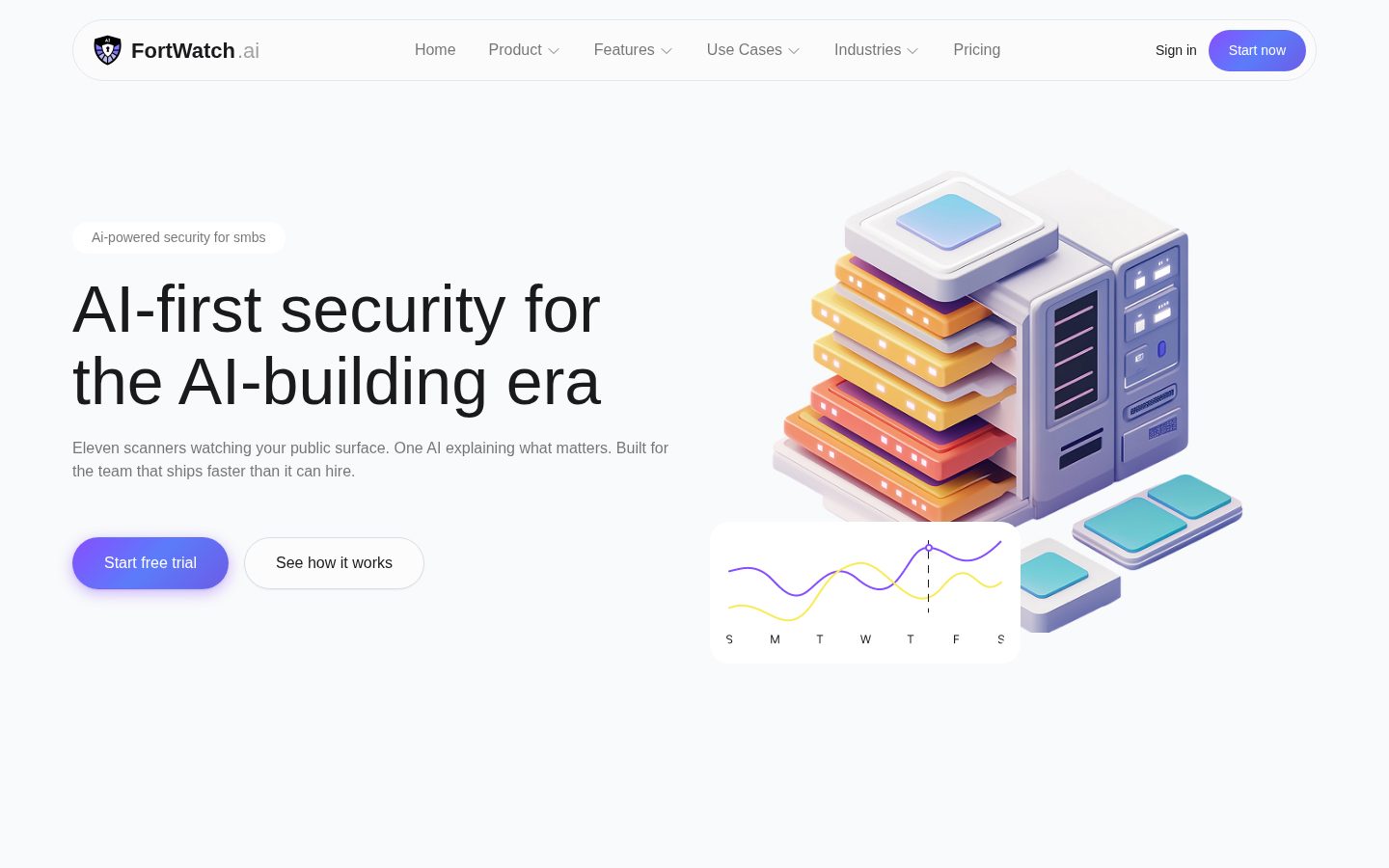
The meta description — 'Eleven scanners watching your public surface. One AI explaining what matters.' — is one of the more honest product pitches I've seen in this category. No vague promises. Just a clear statement of what it does. That kind of specificity usually means someone on the team actually thought about what buyers care about, which is a decent sign for how the rest of the product might feel day to day.
The agentless setup is real, and it matters. You enter domains and scanning begins. No installs, no maintenance, no YAML files to argue with. For a three-person team that doesn't have a dedicated security hire, that's not a small thing. OWASP Top 10 coverage plus SSL/TLS monitoring plus cloud exposure detection — finding open S3 buckets before someone else does — that's meaningful coverage for $99 a month. Except the per-asset pricing means api.example.com and staging.example.com and dev.example.com are each a separate billable asset. That bill quietly grows.
Also: Slack notifications require the $149 Pro plan. On the Essential tier you get email only. In 2024, requiring an upgrade for Slack feels like the kind of choice that makes a team feel punished for using the product normally. UptimeRobot gives Slack on free. That comparison isn't flattering.
The product is web-only, which is fine for a security dashboard — nobody's triaging CVEs from their phone. But no changelog is a yellow flag for a security tool. Knowing what changed last Tuesday matters when your job is knowing what's exposed.
The 'one AI explaining what matters' framing and one-click remediation guides suggest real UX thought, but no changelog means you can't tell if polish is improving.
Docs and API are confirmed available, risk scoring escalates from Basic to Advanced across tiers, which gives teams room to grow without getting lost early.
Web-only platform with no mentioned mobile app; acceptable for a security dashboard but worth knowing going in.
Agentless setup with no installs — enter a domain and scanning begins — is about as low-friction as this category gets.
No public SLA data and no changelog make it hard to assess track record; the evidence doesn't surface uptime guarantees or error-state behavior.
Small dev or DevOps teams that want serious external attack surface coverage without hiring a security person to run it.
Your infrastructure has many subdomains and you're expecting the $99 price to hold once you add them all.
Eleven scanners, zero changelog — new vendor asking for real trust
“Fortwatch pitches AI-first external attack surface monitoring at $99-$229/month for SMBs. Solid feature breadth on paper. Missing signals I'd want before committing.”
Three flags before I get into features. One: no changelog visible — I can't tell if this thing ships or stalls. Two: 'Enterprise — Free' pricing is a placeholder, not a plan. Three: no funding data anywhere public. Could be bootstrapped and profitable. Could be pre-revenue and fragile. Can't tell.
The per-asset pricing is the buried trap here. Each subdomain counts as a separate billable asset. A mid-size company with api., app., staging., admin. subdomains hits $229/month fast — maybe faster than the Business plan's feature set justifies. Slack integration locked to Pro at $149/month is also a friction point that Datadog and even UptimeRobot don't pull. Emerging threat scanning — automatic CVE re-scans — is genuinely useful and clearly gated to Pro and above. That's honest tiering, at least.
The AI positioning is the kind of claim that ages poorly if the underlying scanners are commodity wrappers. 'Eleven scanners, one AI explaining what matters' is a good line. Whether it's differentiated from Detectify or Intruder in practice, based on what's visible here, is unclear. API exists. Docs exist. Blog exists. That's more than most new entrants show.
Fair summary: real product, real features, real pricing transparency on tiers. Viability signals are thin. Watch the changelog cadence in month three.
SMB-focused external attack surface monitoring with no-agent setup is a real gap vs. Datadog's complexity, but Intruder.io covers similar ground at comparable price points.
Cloud-based with no agents is clean to exit, but vulnerability scan history and remediation tracking data portability aren't documented publicly.
API and docs exist which is positive, but no changelog, no public funding, and a support email of hello@fortwatch.ai suggests a very early-stage team.
The meta description ('eleven scanners') is specific and verifiable — less aspirational than most AI security pitches, though 'AI-first' is doing heavy lifting without benchmarks.
No changelog, no named investors, no founding date — matches the pattern of tools that quietly disappear rather than tools like Detectify that built category durability.
A small DevOps team that needs external attack surface monitoring without standing up Datadog's complexity.
You're betting a compliance workflow on a vendor with no visible track record or funding signals.
Common questions answered by our AI research team
Yes, each subdomain counts as a separate billable asset. The pricing FAQ explicitly states: 'example.com and api.example.com are two separate assets,' and defines an asset as 'any domain, subdomain, IP address, or server you add to FortWatch for scanning.'
AI-powered prioritization and AI scan analysis are included on the Essential plan, but AI remediation guidance is also listed in the plan comparison table for Essential. However, the risk scoring on Essential is listed as 'Basic' compared to 'Advanced' on Pro and Business tiers. The cyber hygiene score feature is not included on Essential.
Yes, FortWatch automatically re-scans assets when critical new CVEs are published. This feature — called 'emerging threat scanning' — is available on Pro plans and above, and you'll be notified immediately if any of your assets are affected, with no manual action required.
No installation is required. FortWatch is fully cloud-based — you simply enter your domains, IPs, or cloud accounts and scanning begins. There are no agents to install, no self-hosting, and no maintenance needed.
Slack and webhook integrations are available on the Pro plan and above. The Essential plan only includes email notifications, so you need to be on Pro or higher to access Slack and webhook integrations.
Company
FortWatch.aiPricing
Subscription from 79.00Free Trial
AvailableAI-first cybersecurity platform that provides external attack surface monitoring, vulnerability scanning, SSL/TLS monitoring, DNS security checks, and cloud exposure detection for small and medium businesses.