Miro logo

Miro Review

Visit

Visual collaboration platform for teams to brainstorm, plan, and create together

Miro is an online visual collaboration platform for creating interactive whiteboards and diagrams.

AI Panel Score

8.0/10

6 AI reviews

Reviewed

AI Editor Approved

About Miro

Miro is a cloud-based visual collaboration platform that enables teams to work together on an infinite digital whiteboard. The platform allows users to create, edit, and share visual content including flowcharts, mind maps, user journey maps, wireframes, and brainstorming boards in real-time.

The platform serves design teams, product managers, consultants, educators, and remote teams who need to collaborate visually. Miro offers an extensive template library covering use cases like agile workflows, design thinking sessions, strategic planning, and project management. Users can add sticky notes, shapes, images, and freehand drawings to their boards.

Key capabilities include real-time collaboration with unlimited participants, video conferencing integration, presentation mode, and commenting systems. Miro integrates with popular tools like Slack, Microsoft Teams, Jira, and Figma. The platform supports both synchronous and asynchronous collaboration, allowing team members to contribute from different time zones.

Miro competes in the visual collaboration space alongside tools like Figma, Lucidchart, and Conceptboard. The platform has gained significant adoption among remote and hybrid teams, particularly following increased demand for digital collaboration tools. Miro serves over 50 million users across various industries and team sizes.

Features

AI

  • Miro AI

    Collaborative AI workflows that help teams move from brainstorm to breakthrough faster within the canvas.

Automation

  • Blueprints

    Automates key processes and ensures workflows are scalable, repeatable, and efficient across teams.

Core

  • Agile Tools

    Includes Kanban boards, roadmapping, and sprint planning tools to support agile product development workflows.

  • Diagrams

    Diagramming tool for creating flowcharts, org charts, process maps, and other visual diagrams on the canvas.

  • Docs

    Structured document creation tool within the canvas supporting templates like Product Brief, Research Synthesis, and Meeting Notes.

  • Intelligent Canvas

    An infinite, multiplayer canvas that empowers teamwork and visual collaboration in real time.

  • Mind Map

    Visual mind mapping tool for brainstorming and organizing ideas directly on the canvas.

  • Slides

    Presentation slide format integrated into the canvas for sharing structured visual content.

  • Tables

    Tabular data format available within the canvas for organizing and structuring information.

Customization

  • Templates

    Library of 6,000+ templates to help teams get started fast on projects like retrospectives, roadmaps, and more.

Integration

  • Apps & Integrations

    Connects with 250+ apps so teams stay aligned and productive in one scalable, secure workspace.

Security

  • Enterprise Guard

    Enterprise-grade security and scalability controls for secure collaboration at scale.

Preview

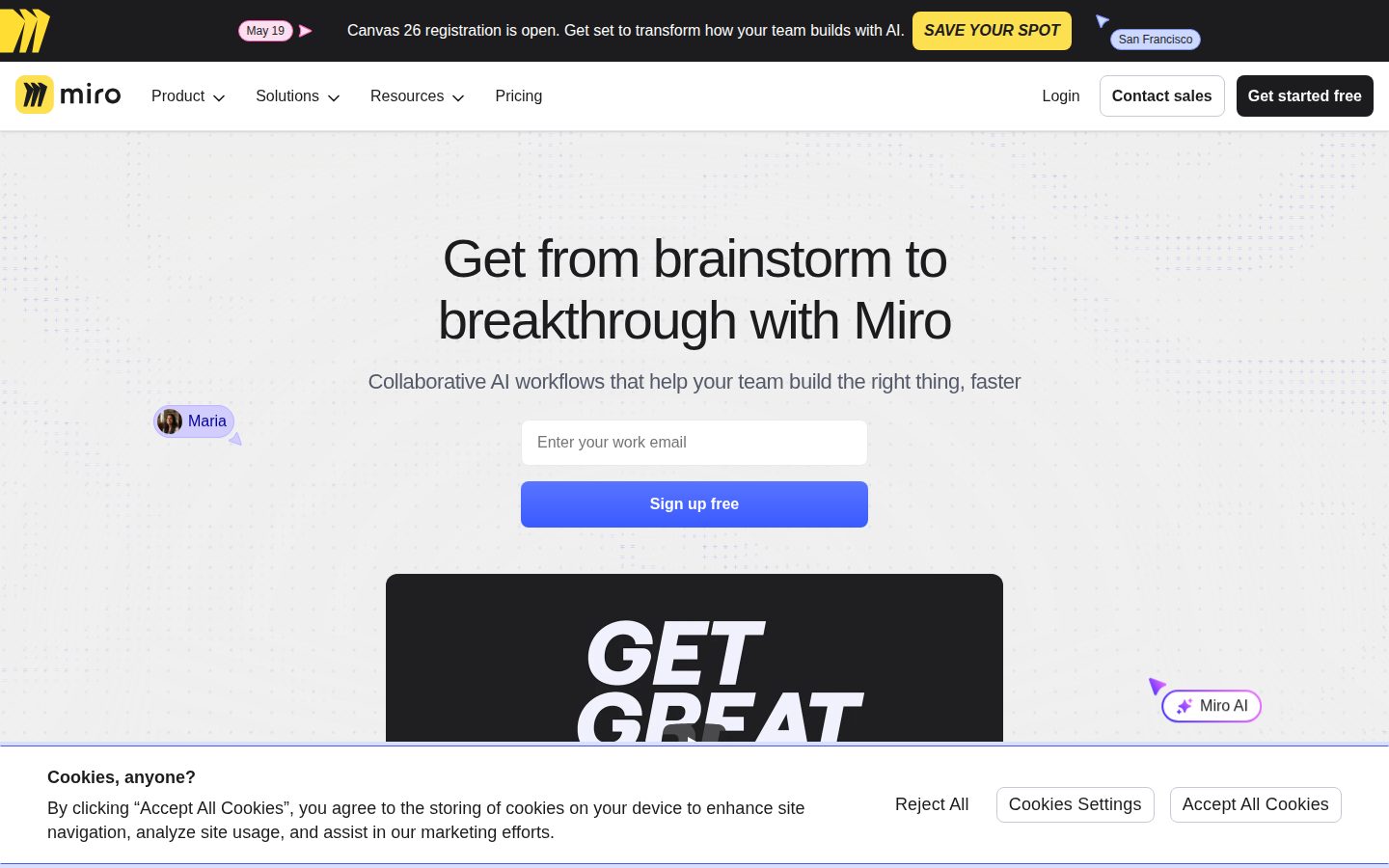
Miro desktop previewMiro mobile preview

Pricing Plans

Free

Free

For teams discovering visual collaboration

  • 3 editable boards with unlimited members
  • 5,000+ templates
  • 10 Miro AI credits/month per team
  • 160+ app integrations
  • 5 Talktracks

Starter

$8/monthly

Unlimited and private boards with essential collaboration features (billed annually)

  • Unlimited boards and workspaces
  • 25 Miro AI credits/month per member
  • Unlimited Talktracks and Visitors
  • Brand Center and custom templates
  • Facilitation tools (Timer, Voting, Video)
Popular

Business

$20/monthly

AI collaboration with advanced features and security (billed annually)

  • Multiple workspaces with unlimited boards
  • 50 Miro AI credits/month per member
  • AI Workflows with Sidekicks and Flows
  • Jira, Azure DevOps, and Asana integrations
  • Single Sign-On (SSO)

Enterprise

Contact sales

Organization-wide governance, security, and dedicated support (30+ members)

  • Flexible licensing and SCIM automation
  • Custom Miro AI credits with admin control
  • Enterprise-grade security and regional data hosting
  • Premium 24/7 support with SLAs
  • Paid add-ons: AI Workflows, Insights, Portfolios

AI Panel Reviews

The Decision Maker

The Decision Maker

Strategic bet, vendor viability, timing, adoption approval
8.4/10

Fifteen years in, Miro is still founder-led and still the default visual collaboration buy for a hybrid org.

Andrey Khusid still runs Miro 15 years after RealtimeBoard, and the $400M Series C at $17.5B in January 2022 settled vendor viability. The harder question is whether Miro AI extends the moat against FigJam and Mural before the next renewal cycle.

Andrey Khusid is still CEO 15 years in. That's the first thing on a vendor diligence call for a 2011-era SaaS, and it's the easy box to check here. The rebrand from RealtimeBoard to Miro in 2019 was real, not cosmetic.

Miro AI and Talktrack do real work on the canvas, and async video on top of multiplayer whiteboarding isn't something Mural or FigJam ship cleanly. Microsoft Teams Whiteboard isn't close. The $400M Series C at $17.5B in January 2022 — ICONIQ Growth and Accel — set a bar they still have to grow into.

But October 2024's 18% cut (about 275 people) was the second round in 20 months, and the docs indicate Business at $20/seat is where AI Workflows and SSO actually unlock. Pilot one product team for 90 days on Business. Don't standardize the org until the AI credit math holds against your Figma and Notion spend.

Competitive Positioning8.5

Clear category leader against Mural, FigJam, Lucidspark, and Microsoft Teams Whiteboard in the multiplayer-canvas segment.

Reputation Risk8.5

Board-friendly choice with 50M+ users — peers already use it, so adoption needs no defense.

Speed to Value8.3

6,000+ templates and 250+ integrations make week-one adoption realistic without heavy enablement.

Strategic Fit8.4

Visual collaboration is a recognized hybrid-work buy, and Miro AI plus Blueprints push beyond the whiteboard category.

Vendor Viability8.2

Founder-led since 2011, $476M raised through Series C, but two layoff rounds in 20 months signal margin discipline.

Pros

  • Founder Andrey Khusid still runs the company 15 years in — vendor viability is the settled part of the conversation.
  • 6,000+ templates and 250+ integrations including Jira, Slack, and Figma make week-one adoption realistic.
  • Miro AI and Talktrack add async-video and AI workflows on the canvas, not as bolt-on side panels.
  • Free plan with 3 editable boards lets a team trial the platform before procurement gets involved.

Cons

  • SSO is gated to Business at $20/seat — a common mid-market pricing trap.
  • Two layoff rounds in 20 months (February 2023, October 2024) signal real margin pressure.
  • Enterprise pricing is contact-sales with no public anchor — get the quote in writing before the board meeting.

Right for

Hybrid product teams who run regular workshops and retros.

Avoid if

Solo users who only need a one-off flowchart.

The Domain Strategist

The Domain Strategist

Craft and strategy in the product's domain — adapts identity per category, same lens
8.4/10

Miro's moat is distribution depth — 6,000 templates, 250+ integrations, Fortune-100 ubiquity — not the new AI layer.

The Innovation Workspace and Sidekicks make Miro a real AI collaboration platform, not just a whiteboard, and the 6,000-template library plus 250+ integrations keep switching costs high. The catch is competitive pressure from Confluence Whiteboards inside Jira and FigJam adjacent to design — neither replaces Miro yet, but both narrow the moat.

6,000 templates and 99% of the Fortune 100 isn't a feature list — it's a network. For a VP of Design Ops standardizing facilitation across 30 chapters, that ubiquity is the moat. Miro's Innovation Workspace, launched October 2024, was the platform's biggest reframe since 2012.

The AI layer earns its keep. Sidekicks read sticky-note clustering on the canvas and propose next steps, Flows automate multi-step processes, and Smart Mining surfaces decision logic embedded in wireframes. Business sits at $20 per member with 50 AI credits monthly; SCIM and regional data hosting move to Enterprise.

The strategic pressure is real. Atlassian Confluence Whiteboards ships inside the Jira footprint, FigJam owns the design-adjacent crowd, and Microsoft Whiteboard rides M365 distribution. Miro's defense is workflow depth — Apps & Integrations covers 250+ tools — but the catch is that depth assumes your org keeps standardizing visual work as a discipline, not a fad.

Category Positioning8.3

Visual-collab leader with $17.5B 2022 valuation, now defending three flanks at once.

Domain Fit8.5

6,000+ templates and facilitation tools match how distributed senior ops leaders actually run workshops.

Integration Surface8.5

250+ apps including Jira, Azure DevOps, Asana, Slack, and Figma keep Miro inside the work graph.

Long-term Implications8.0

Network ubiquity protects the seat, but the AI canvas race against FigJam and Mural is open.

Strategic Depth8.4

Innovation Workspace plus Sidekicks and Flows is a real platform reframe, not a feature drop.

Pros

  • Innovation Workspace and Sidekicks ship AI directly inside the canvas, not as a separate tool.
  • 6,000+ templates and 250+ integrations make Miro the default standard for distributed orgs.
  • Enterprise Guard delivers SSO, SCIM, and regional data hosting at the tier serious buyers expect.
  • Apps & Integrations including Jira, Azure DevOps, and Asana keep agile workflows inside one canvas.

Cons

  • Atlassian Confluence Whiteboards and FigJam are narrowing the moat from the engineering and design ends.
  • AI credits are metered per tier, so heavy automation gets expensive at Business level fast.
  • Real value lives at Business ($20/seat) and above — Free and Starter feel like funnel tiers.

Right for

Design ops leaders who standardize facilitation across distributed teams.

Avoid if

Solo creators who need only basic whiteboard sketching.

The Finance Lead

The Finance Lead

Money, total cost of ownership, contracts, procurement math
7.8/10

Starter at $8 lands the procurement sweet spot, but Business at $20 has to outwork Mural and FigJam.

Miro Business sits at $20/user/month annual, above Mural at $17.99 and well above FigJam at $5/editor. Starter at $8 is where most teams should land, with SSO gated behind Business as the standard tax.

Miro Business runs $20/user/month annual, $25 monthly. Mural Business sits at $17.99. FigJam undercuts both at $5/editor. The premium has to earn itself on the Intelligent Canvas and the 6,000+ template library, not the meter.

Starter at $8 is the procurement sweet spot — unlimited boards, 25 Miro AI credits/member, Brand Center. Free caps at 3 editable boards, which forces the upgrade fast. SSO sits on Business, not Starter. The SSO-tax gate is here, but at least it's named on the pricing page.

Enterprise floors at 30 seats with custom pricing — call it $25K+/year before AI Workflows and Insights, both paid add-ons. Miro raised $400M Series C in January 2022 at $17.5B, co-led by ICONIQ Growth and Accel. Vendor risk is low. Watch the auto-renewal window and the AI credit overage rate.

Billing & Procurement7.8

No sales call needed below Enterprise and SSO included on Business, which clears most procurement gates without negotiation.

Contract Flexibility7.2

Starter and Business discounts require annual billing; Enterprise floors at 30 seats with no published exit terms.

Pricing Transparency8.2

Full Free, Starter, Business tiers visible with per-seat math; only Enterprise sits behind a sales call.

ROI Clarity7.6

6,000+ templates and Blueprints automation give measurable workflow savings; Miro AI credit value is harder to model.

Total Cost of Ownership7.5

Business at $20/seat carries a premium over Mural at $17.99, plus paid add-ons like AI Workflows and Insights at Enterprise.

Pros

  • Three self-serve tiers with per-seat pricing visible — Free, Starter at $8, Business at $20.
  • SSO included on Business at $20/seat, no separate security tax.
  • Starter unlocks unlimited boards at $8/seat, well-positioned against Mural Team+ at $9.99.
  • Durable vendor — $400M Series C in January 2022 at $17.5B valuation, 99% of Fortune 100 as customers.

Cons

  • Free tier caps at 3 editable boards, which pushes teams to Starter within weeks.
  • AI Workflows, Insights, and Portfolios are paid Enterprise add-ons with no published rate-card.
  • Enterprise floors at 30 seats — mid-market teams of 15-25 get pushed up the stack or stay on Business.

Right for

Hybrid teams who collaborate on visual planning daily.

Avoid if

Solo users who need only occasional whiteboarding.

The Domain Practitioner

The Domain Practitioner

Daily hands-on reality in the product's domain — adapts identity per category, same lens
7.9/10

Talktrack plus Timer-Voting facilitation tools make Miro the workshop default, but $20-per-editor Business pricing scales fast.

Miro's Talktrack async video, Frame-anchored facilitation pack, and 6,000-template library make it the default board for workshops and retrospectives. The catch is Business-tier pricing at $20 per editor and Jira plus Asana integrations gated behind that tier.

Sticky-note clustering with thirty participants is where most whiteboards crack. Miro's Mind Map and the Frame-anchored facilitation pack — Timer, Voting, Estimation — handle a sixty-person retrospective without the board going jelly. 6,000+ templates means workshops start with a frame you don't rebuild Monday morning.

Talktrack is the feature competitors haven't matched. Recording a board walkthrough that plays back in-place — viewers pan and zoom inside the recording — beats Loom-then-paste-the-link for async handoffs. Miro Assist handles summarization and sticky clustering, but for content synthesis on the canvas, FigJam's AI sits closer to where teams want this.

The catch is Business-tier pricing. $20/month per editor adds up for a forty-person product org, and Jira plus Asana integrations sit behind that tier. Mural lands closer on price for facilitation-only teams. Smart Drawing cleans handwritten shapes into diagrams — useful when an iPad sketch needs to ship.

Day-3 Reality8.0

Frame anchors plus Timer and Voting keep large workshops manageable past the demo glow.

Documentation Practitioner-Fit7.8

Miro Academy and the Help Center read practitioner-written, with community templates filling gaps.

Friction Surface7.4

Board performance with 1000+ shapes degrades, and key integrations sit behind the Business tier.

Power-User Depth8.0

Miro Developer Platform plus Blueprints automation reward power users building custom workflows.

Workflow Integration7.8

250+ integrations including Jira, Asana, Slack, Microsoft Teams, Zoom, and Figma cover most product stacks.

Pros

  • Talktrack records board walkthroughs that play back in-place, beating Loom-paste-link for async handoffs.
  • 6,000+ templates cover retros, roadmaps, and design sprints — most workshops start from an existing frame.
  • Frame-anchored Timer, Voting, and Estimation tools handle sixty-person facilitated sessions cleanly.
  • 250+ integrations span Jira, Asana, Slack, Microsoft Teams, Zoom, Figma, and Confluence.

Cons

  • Business tier at $20 per editor scales steeply for forty-plus-person product organizations.
  • Jira and Asana integrations gate behind Business, leaving Starter teams without core connectors.
  • Board performance with 1000+ shapes still degrades on dense canvases.

Right for

Facilitators who run distributed workshops weekly.

Avoid if

Solo users who need basic diagramming only.

The Power User

The Power User

Daily human experience, onboarding, polish, learning curve, reliability
7.9/10

Miro rewards teams who treat the canvas as a system, not a Friday whiteboard substitute.

Miro is the default visual collaboration canvas at the size where 'visual collaboration' becomes a job. The catch is the performance cliff once a board crosses a few thousand objects, where the infinite canvas stops feeling infinite.

Miro's hard ceiling is 100,000 objects per board, but community threads tell a different story — boards get sluggish well past 5,000 objects, which is the number Miro's own performance guidance points at.

Where it pulls ahead is the surface around the canvas. Talktrack records walkthroughs that play back on the board itself, not as a separate Loom link. The Developer Platform ships a Web SDK plus REST API with webhooks, so teams can sync Jira tickets onto stickies or push events to Slack. FigJam is faster for quick design jams but doesn't come close to Miro's 6,000 templates or 250+ integrations.

Miro Free caps at three boards and 10 AI credits per team per month, so any serious team is on $8 Starter within a week — and Mind Map auto-layout, Smart Frames, and Miro AI aren't always discoverable until someone shows you they exist.

Daily Polish8.2

Templates, frames, and stickies all feel sweated — micro-copy and empty states hold up.

Learning Curve7.5

Approachable on day one; Smart Frames, Mind Map auto-layout, and the Developer Platform reward month three.

Mobile Parity7.0

iOS and Android apps support viewing and light editing, but real authoring stays on desktop.

Onboarding Experience7.6

6,000+ templates lower the blank-canvas problem, but deep features like Talktrack take a nudge to find.

Reliability Feel7.4

Autosave and multiplayer are solid until the 5,000-object performance cliff bites.

Pros

  • Talktrack lets teams hand off context async without leaving the board.
  • 6,000+ templates and 250+ integrations cover almost any team workflow.
  • Developer Platform with Web SDK, REST API, and webhooks supports real custom apps.
  • Infinite canvas plus Frames keeps complex projects organized as they grow.

Cons

  • Boards get sluggish well before the 100,000-object hard cap, often past 5,000.
  • Free plan caps at three editable boards and 10 AI credits per team per month.
  • Deep features like Smart Frames and Mind Map auto-layout are not surfaced well.

Right for

Cross-functional teams who plan and design visually together.

Avoid if

Solo users who need a quick whiteboard for one-off notes.

The Skeptic

The Skeptic

Contrarian. Watch-outs, deal-breakers, broken promises, category patterns
7.3/10

$17.5B unicorn cut 18% of staff in October 2024 — moat against FigJam is segment, not depth.

Miro raised $400M at a $17.5B valuation in January 2022, then cut 18% of headcount in October 2024 as FigJam squeezed pricing from below. The whiteboard category is real, the competitive moat is thinner than the valuation suggests.

The relocation tells you something. Founded 2011 in Perm as RealtimeBoard, Miro now headquarters in Amsterdam and San Francisco — Andrey Khusid and Oleg Shardin built distance from the Russian origin before it became existential. The Series C closed at $17.5B in January 2022 with ICONIQ, Accel, and Atlassian leading.

Intelligent Canvas is the real product. 6,000+ templates, 250+ integrations, 90 million users by 2025. Starter is $8/seat, Business $20/seat with SSO plus Jira and Azure DevOps. But FigJam sits at $5/seat for teams already inside Figma, and Microsoft Teams Whiteboard ships bundled with E3.

October 2024, 275 people gone — 18% of headcount. Khusid's note cited 'too many layers.' Translation: the $17.5B mark needs growth Miro hasn't shown. Enterprise Guard and Blueprints hold the workshop floor. Moat against Figma is segment fit, not depth.

Competitive Differentiation6.9

FigJam undercuts at $5/seat from below and Microsoft Teams Whiteboard bundles from above, squeezing the segment.

Exit Portability7.2

Boards export to image and PDF, but workshop assets and custom templates are sticky once accumulated.

Long-term Viability7.0

Still shipping Miro AI and Blueprints, but the $17.5B mark from January 2022 needs growth the layoffs suggest hasn't arrived.

Marketing Honesty7.5

90M-user claim and 6,000+ template count match what the product actually ships.

Track Record Match7.0

Survived 12+ years in the category, but the October 2024 layoff of 275 fits the post-2022 valuation-correction pattern.

Pros

  • Intelligent Canvas anchors 6,000+ templates and 250+ integrations in one workspace.
  • Business tier at $20/seat includes SSO, Jira, and Azure DevOps without enterprise quotation.
  • Free plan ships 10 Miro AI credits and 160+ app integrations with no card.
  • 90 million users by 2025 makes Miro the category default for cross-functional workshops.

Cons

  • FigJam undercuts at $5/seat for teams already inside Figma.
  • Microsoft Teams Whiteboard ships bundled with E3 and squeezes the upper segment.
  • October 2024 layoff of 275 (18% of headcount) signals pressure on the $17.5B mark.

Right for

Cross-functional teams who run structured workshops on a shared canvas.

Avoid if

Design-led teams who already live inside Figma.

Buyer Questions

Common questions answered by our AI research team

Pricing

What is the difference in Miro AI credits between the Free, Starter, and Business plans?

The Free plan includes 10 Miro AI credits per month per team, the Starter plan includes 25 Miro AI credits per month per member, and the Business plan includes 50 Miro AI credits per month per member. Enterprise plans have custom AI credit amounts with admin control.

Integration

Does the Business plan include Jira and Azure DevOps integrations, or is Azure DevOps only available on Enterprise?

The Business plan includes both Jira and Azure DevOps integrations. According to the pricing page, Business includes 'Core, plus Jira and Azure DevOps' integrations, while Azure DevOps is not exclusive to Enterprise.

Security

Is Single Sign-On (SSO) available on the Starter plan, or do I need to upgrade to Business?

SSO is not available on the Starter plan. Single Sign-On (SSO) is listed as a Business plan feature, meaning you need to upgrade to Business or higher to access it.

Features

Can visitors and guests collaborate on boards without being paid members, and which plans support each role?

Visitors and Guests have different plan availability. Visitors are supported on Starter, Business, and Enterprise plans, while Guests are only available on Business and Enterprise plans. The Free plan does not support either role.

Pricing

How many editable boards do I get on the Free plan, and is there a way to get unlimited boards without paying annually?

The Free plan includes one workspace with 3 editable boards. You can get unlimited boards on the Starter plan, which is billed at $8/month per member annually or $10/month if billed monthly — so unlimited boards are available without an annual commitment by choosing the monthly billing option.

Also in Project Management