Jira logo

Jira Review

Visit

Agile project management and issue tracking for software teams

Jira is an agile project management and issue tracking tool for software and business teams.

Atlassian·Founded 2002·From $8/moFree PlanFree TrialProject ManagementAI DevOpsCollaboration Tools

AI Panel Score

8.2/10

6 AI reviews

Reviewed

AI Editor Approved

What is Jira?

Jira is Atlassian’s agile project management and issue tracking tool, used by software teams to plan sprints and track work across Scrum and Kanban boards. It also serves marketing, operations, and other business teams that need structured task tracking. Pricing is freemium: the Free plan supports up to 10 users, paid plans start at $7.91 per user per month, and the Standard and Premium tiers include a 7-day free trial. Core capabilities include customizable workflows with per-project statuses and transitions, timeline and roadmap views for release planning, no-code automation rules, reports and dashboards for progress tracking, and integrations with more than 3,000 other tools; Atlassian is also building AI agents into the product to help orchestrate work at scale. Jira is the best fit for development teams running agile processes, especially teams already invested in Atlassian products such as Confluence or Bitbucket. Alternatives include Asana, monday.com, ClickUp, and Linear.

About Jira

Work in Jira is organized into issues — tasks, bugs, stories, and epics — that teams move through workflow stages on Scrum or Kanban boards. Sprint-based teams prioritize and estimate items in the backlog, pull them into sprints, and track them on the board until done, while the timeline view maps epics against dates for release planning. Reports and dashboards sit on top of this activity, giving leads a live view of progress without chasing status updates.

Workflows are fully customizable: each project can define its own statuses, transitions, and approval steps rather than adopting a fixed pipeline. No-code automation rules take over repetitive updates, and the product integrates with more than 3,000 other tools through the Atlassian Marketplace. Atlassian’s current positioning adds AI agents that help orchestrate and plan project work at scale, and the Premium plan extends the core feature set with advanced roadmaps for multi-team planning, sandbox environments, release tracks, IP allowlisting, and unlimited storage.

Jira is built first for software development teams running agile processes, though Atlassian also positions it for marketing, operations, and other business teams. The pricing model is freemium: the Free plan covers up to 10 users, Standard costs $7.91 per user per month, Premium $14.54, and an Enterprise tier is quote-based; Standard and Premium come with a 7-day free trial. In the project management category it competes with Asana, monday.com, ClickUp, and Linear.

Jira runs in the browser with native apps for iOS and Android. A REST API supports custom integrations and reporting, and the product connects to the rest of the Atlassian suite, including Confluence for documentation and Bitbucket for code.

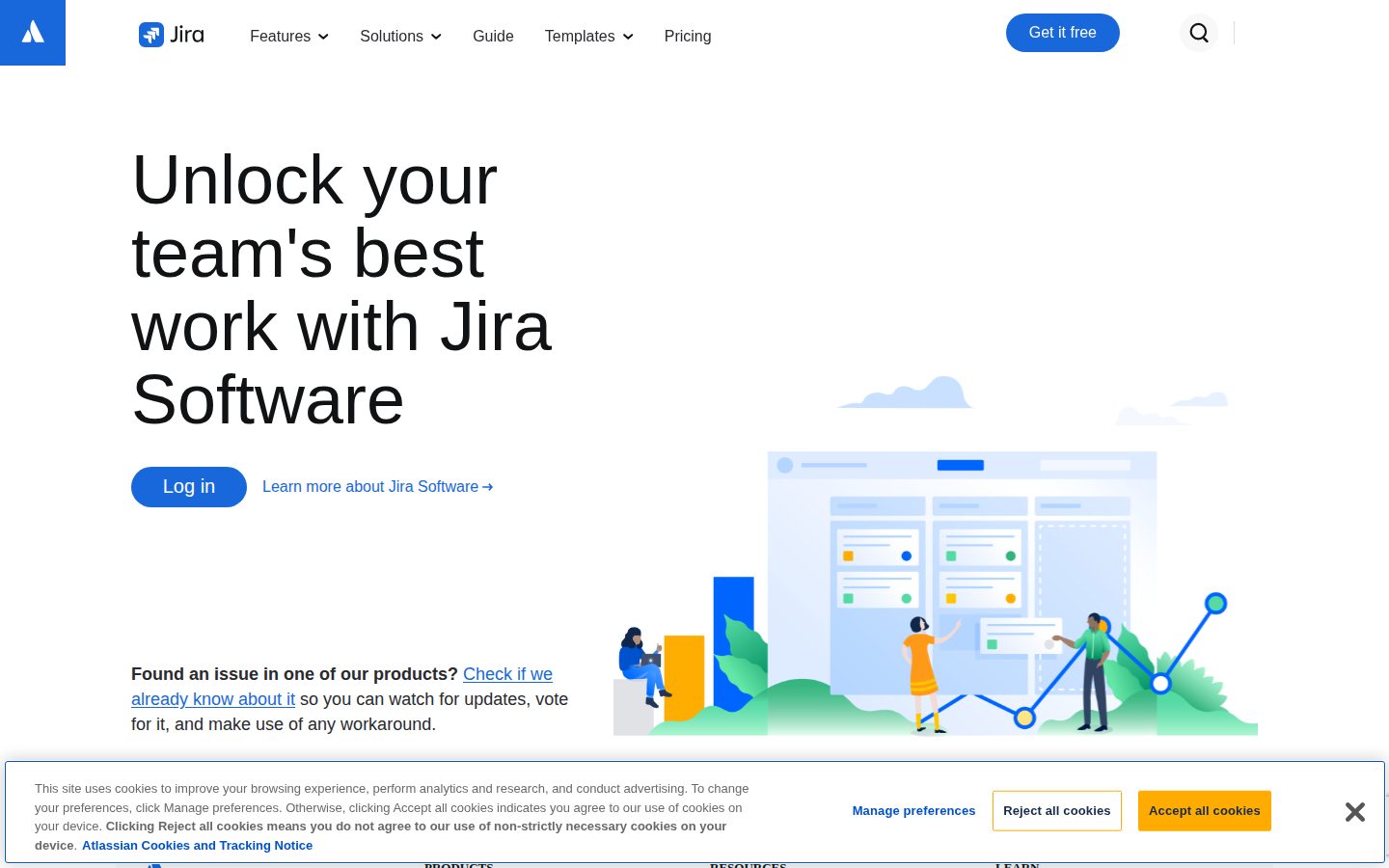
Features

AI

  • Rovo AI task breakdown and assignment

    Breaks big ideas down into actionable tasks and automatically assigns each one to the right person.

Automation

  • Automation rules and custom workflows

    Rovo AI builds custom automations — automated reminders and rules that move work forward — on top of customizable workflows that integrate with your tech stack.

Boards

  • Scrum and Kanban boards

    Scrum boards display a prioritized set of work committed for a sprint, while kanban boards move each work item through columns from creation to completion.

Collaboration

  • Request intake forms

    Lets partner teams submit requests through forms and track their progress toward completion.

Integration

  • Slack, Figma, and Gmail integrations

    Keeps work up to date by tracking progress directly from Slack, Figma, and Gmail with an AI assist, while Rovo AI pulls rich data from Confluence and third-party apps.

Planning

  • Backlog management

    Houses all of a team's potential work items so you can drag-and-drop to rank priorities and assign items to sprints, epics, or versions.

  • Cross-team dependency management

    Connects engineering, product, and marketing initiatives to coordinate big launches across every team.

Product Management

  • Jira Product Discovery

    Captures product ideas, prioritizes them with custom fields and formulas, and aligns stakeholders with roadmaps linked to Jira delivery work.

Reporting

  • Agile reports and performance insights

    Tracks engineering cycle time, burndown charts, velocity, and team capacity, with AI agents that proactively flag risks and Rovo AI surfacing trends and bottlenecks.

  • Goal alignment and tracking

    Aligns work to company goals and shows progress toward top priorities as projects advance.

Setup

  • Project templates

    Pre-built, customizable templates for any project type, from agile sprints to marketing campaigns, jumpstart new projects.

Views

  • Timeline, calendar, and list views

    Monitors progress in the view each team prefers — timeline for mapping the big picture to stakeholders, plus list, calendar, board, and summary layouts.

Preview

Jira desktop previewJira mobile preview

Pricing Plans

Free

Free

For small teams getting started — free forever for up to 10 users.

  • Unlimited goals, projects, tasks, and forms
  • Backlog, list, board, timeline, and calendar views
  • Reports and dashboards
  • 100 automation rule runs per month
  • 2 GB storage with community support

Standard

$8/monthly

For growing teams that need permissions and more capacity; per user/month, up to 100,000 users per site.

  • Rovo Search, Chat, and Agents (integrated AI)
  • User roles and permissions
  • External collaboration and anonymous access
  • Multi-region data residency
  • 1,700 automation rule runs per month
  • 250 GB storage with 9/5 regional support
Popular

Premium

$15/monthly

For organizations scaling collaboration across teams; per user/month, unlimited users. Marked "Recommended" on the pricing page.

  • Cross-team planning and dependency management
  • Customizable approval processes for workflows
  • 1,000 automation rule runs per user per month
  • Unlimited storage
  • 24/7 support with 1-hour response time and 99.9% uptime SLA

Enterprise

Contact sales

Sales-led plan for global enterprises (annual billing only) — pricing requires contacting Atlassian sales.

  • Atlassian Analytics and Data Lake for cross-product insights
  • Advanced admin controls and security governance
  • Atlassian Guard identity and access management
  • Unlimited automation rule runs
  • Up to 150 sites for data isolation
  • 24/7 support with 30-min response and 99.95% uptime SLA

AI Panel Reviews

The Decision Maker

The Decision Maker

Strategic bet, vendor viability, timing, adoption approval
8.4/10

Jira is the incumbent no board questions, and administrative drag is the real price.

Jira pairs a bulletproof public vendor with $7.91-a-seat pricing and Rovo AI bundled into Standard. The tax is admin overhead that keeps sending small teams to Linear.

Jira is the vendor bet nobody second-guesses and the tool engineers grumble about loudest. Both facts are load-bearing. Atlassian's been public since 2015, with over 300,000 companies on its products.

Standard runs $7.91 a seat, free up to 10 users, and Rovo — Atlassian's AI search, chat, and agents — now ships in that plan instead of as a separate upsell. The reference check takes one email. Vendor viability isn't the conversation with this one.

The catch is drag: custom workflows sprawl, admin overhead compounds, and startups keep defecting to Linear because Jira feels heavy at 20 engineers. Past a couple hundred people with cross-team dependencies, that weight turns into structure — renew it there. Under 50 engineers, pilot Linear alongside it for a quarter before you commit.

Competitive Positioning8.3

Still the reference point Asana, monday.com, and Linear position against, though startups increasingly start elsewhere.

Reputation Risk8.8

Boards and peers treat Jira as the default pick, so adoption raises zero eyebrows.

Speed to Value7.2

Templates start teams fast, but workflow configuration and admin tuning stretch real payback past the first quarter.

Strategic Fit8.0

Cross-team dependency management and goal tracking advance multi-team delivery rather than just replacing a cheaper tracker.

Vendor Viability9.4

Public on the Nasdaq since 2015 with 300,000-plus customers, so three-year existence risk is effectively zero.

Pros

  • Public-company vendor with two decades in market takes viability risk off the table.
  • Rovo Search, Chat, and Agents are bundled from the $7.91 Standard plan.
  • Cross-team dependency management and 3,000-plus integrations scale with the organization.
  • Free plan covers 10 users, so a pilot costs nothing.

Cons

  • Workflow and admin sprawl create ongoing overhead that lighter rivals avoid.
  • Small teams find it heavy, and Linear keeps winning those defections.
  • Automation rule runs are capped at 1,700 per month on Standard.

Right for

Engineering organizations past 100 people who need cross-team planning on one system of record.

Avoid if

Small startups who want a lightweight tracker with near-zero admin overhead.

The Domain Strategist

The Domain Strategist

Craft and strategy in the product's domain — adapts identity per category, same lens
8.5/10

Jira remains the engineering system of record, with Rovo modernizing a moat Linear can't easily cross.

Jira's customizable workflow engine and 3,000-plus integrations make it the durable system of record for multi-team software delivery. Rovo AI and Jira Product Discovery extend the platform, though configuration sprawl remains the standing tax.

A tracker decision is really a records-retention decision: a decade of tickets, workflows, and audit trails lives wherever engineering files its work. Jira's workflow engine justifies that custody — per-project statuses, transitions, and approval gates instead of a rented fixed pipeline. It's the depth Linear trades away for speed.

The three-year bet runs through Rovo — Search, Chat, and Agents ship in Standard at $7.91 a seat — and Jira Product Discovery, which links roadmap intent to delivery work. The moat is the integration surface: 3,000-plus Marketplace apps, Confluence, Bitbucket, a REST API. Atlassian has been public since 2015, so vendor viability is nearly a solved question.

The catch is configuration sprawl: the same engine that models any process lets admins build mazes, and untangling an overgrown instance is a quarter of real work. For multi-team agile under governance requirements, though, it stays the defensible default over Asana or monday.com.

Category Positioning8.5

The incumbent standard in agile project management, pressured at the craft end by Linear.

Domain Fit8.6

Scrum and Kanban boards, backlog management, and sprint reports map directly onto how software orgs run agile.

Integration Surface8.8

3,000-plus Marketplace integrations plus Confluence, Bitbucket, and a REST API make it the hub of the stack.

Long-term Implications8.0

Atlassian has been public since 2015, but accumulated workflows and Marketplace apps become real switching costs.

Strategic Depth8.5

Custom statuses, transitions, and approval workflows give it the deepest process engine in the category.

Pros

  • Workflow engine models any process with per-project statuses, transitions, and approval steps.
  • Rovo Search, Chat, and Agents included from the $7.91 Standard tier.
  • 3,000-plus Atlassian Marketplace integrations plus native Confluence and Bitbucket ties.
  • Premium adds cross-team planning and a 99.9% uptime SLA at $14.54 per user.

Cons

  • Configuration sprawl makes overgrown instances slow to use and hard to untangle.
  • Depth carries a learning curve that lighter rivals like Linear avoid.
  • Free plan caps automation at 100 rule runs a month and 2 GB storage.

Right for

Engineering organizations that need a deeply customizable system of record for software delivery.

Avoid if

Small teams that want an opinionated tracker with zero admin overhead.

The Finance Lead

The Finance Lead

Money, total cost of ownership, contracts, procurement math
8.4/10

At $7.91 a seat with Rovo AI included, Jira undercuts Asana's $10.99 Starter.

Jira Standard costs $7.91 per user with Rovo AI bundled, cheaper than Asana's $10.99 Starter. The real spend arrives at the $14.54 Premium tier and in Marketplace add-ons.

Atlassian folded Rovo Search, Chat, and Agents into the $7.91 Standard seat. No separate AI SKU. That's the line item worth noticing in 2026 — the AI charge that isn't there.

The math favors Jira at the low end. 50 users × $7.91 × 12 = $4,746 a year on Standard. Asana's Starter at $10.99 runs the same team $6,594. But the Premium cliff is real. Cross-team planning, approvals, and the 99.9% SLA sit at $14.54. That's an 84% seat jump. Standard's pooled 1,700 automation runs a month is the usual tripwire.

Contract mechanics are clean. Monthly billing, self-serve cancellation, ten free seats forever. Atlassian has traded on Nasdaq since 2015 — vendor durability isn't a question. Budget the Marketplace, though. Tempo, ScriptRunner, and friends each add their own per-user line, and mature Jira instances rarely run bare.

Billing & Procurement8.5

Self-serve card billing from a Nasdaq-listed vendor keeps procurement friction low.

Contract Flexibility8.3

Monthly billing and self-serve cancellation on Cloud; only Enterprise locks into annual terms.

Pricing Transparency8.8

Three of four tiers publish exact per-user rates; only Enterprise requires a sales call.

ROI Clarity8.0

Velocity, cycle time, and burndown reports make sprint throughput measurable.

Total Cost of Ownership7.9

The $7.91 sticker is honest, but Marketplace add-ons and the Premium jump drive year-3 spend.

Pros

  • Rovo AI is included in the $7.91 Standard tier at no extra charge.
  • Free plan covers 10 users with unlimited projects, forever.
  • Entry-tier seat price undercuts Asana and monday.com.
  • Public per-user pricing for every tier except Enterprise.

Cons

  • Premium costs 84% more per seat than Standard.
  • Standard caps pooled automation at 1,700 runs per month.
  • Marketplace add-ons carry their own per-user fees that inflate real TCO.

Right for

Software teams who run agile sprints on a per-seat budget.

Avoid if

Teams who need cross-team planning without the $14.54 Premium spend.

The Domain Practitioner

The Domain Practitioner

Daily hands-on reality in the product's domain — adapts identity per category, same lens
8.0/10

Jira's custom workflows fit any team's process, but daily issue handling is heavier than Linear's.

Custom workflows and 3,000+ integrations make Jira the most configurable tracker in the category, with Rovo AI bundled from the $7.91 Standard tier. The daily cost is click-heavy issue handling and admin upkeep that lighter tools like Linear skip.

Every Jira board ends up shaped like the org that configured it. Custom statuses, transitions, and approval steps per project are why engineering, product, and marketing can share one tracker — and why an issue form can carry six required fields nobody remembers adding.

The paid tiers pull weight. Standard is $7.91 per user with Rovo Search, Chat, and Agents bundled, plus 1,700 automation rule runs a month — enough to auto-transition tickets when pull requests merge. Free's 100 runs vanish in one busy sprint. Jira Product Discovery links ideas to delivery work, and 3,000+ Marketplace integrations cover whatever the stack already uses.

The catch is the daily handling: next to Linear's keyboard-first triage, Jira's issue view reads like paperwork, and heavyweight workflows need a part-time admin to stay sane. Yet when a team's process genuinely won't fit a preset, nothing else in the category bends this far.

Day-3 Reality7.2

Configurable statuses and approval steps mean the admin's choices define your daily clicks.

Documentation Practitioner-Fit8.0

Atlassian's docs and Community forums cover configuration edge cases at a depth few vendors match.

Friction Surface7.0

Field-heavy issue forms, workflow ceremony, and Free's 100 automation runs add up across a week.

Power-User Depth9.0

JQL, custom workflows, and cross-team dependency planning give it the deepest power-user ceiling in the category.

Workflow Integration8.5

3,000+ Marketplace integrations plus Slack, Figma, and Gmail tracking keep it wired into an existing stack.

Pros

  • Workflows, statuses, and approval steps are fully customizable per project.
  • Rovo Search, Chat, and Agents are included from the $7.91 Standard tier.
  • 3,000+ Atlassian Marketplace integrations connect it to nearly any stack.
  • Free plan covers 10 users with unlimited projects and tasks.

Cons

  • Issue handling is click-heavy next to keyboard-first trackers like Linear.
  • Free plan's 100 automation rule runs per month exhaust quickly.
  • Deep configurability demands ongoing admin attention to stay usable.

Right for

Software teams who need deeply customizable workflows across many departments.

Avoid if

Small teams who want lightweight keyboard-driven issue tracking.

The Power User

The Power User

Daily human experience, onboarding, polish, learning curve, reliability
7.8/10

Jira's ceiling is huge, but your daily experience depends on whoever configured it.

Jira packs boards, backlogs, and bundled Rovo AI into a $7.91 Standard plan. How it feels day to day depends heavily on how your admin sets it up.

Two teams can run the same Jira and have completely different days. One gets a clean Kanban board and tickets that take seconds to file. The other gets five required fields, an approval step, and a workflow nobody remembers designing. Twenty-four years of configuration options since 2002 will do that.

The pricing is friendlier than the reputation. Free covers 10 users, Standard runs $7.91 a head, and Rovo — Atlassian's AI for search, chat, and task breakdown — now comes bundled instead of costing extra, which the licensing page confirms. Automation rules quietly handle the status-nudging nobody enjoys.

Next to Linear, Jira feels heavier — more clicks, more loading, more places to get lost. But Linear won't do request intake forms or cross-team dependency maps, and Jira will. The iOS and Android apps handle the check-and-comment stuff fine. Month three, it's either invisible or it's a grudge. Your admin decides which.

Daily Polish7.5

Board, timeline, and calendar views are refined, though issue screens can get dense with custom fields.

Learning Curve7.5

Deep once learned, but customizable workflows and agile concepts make the first weeks feel like homework.

Mobile Parity7.6

Native iOS and Android apps cover checking, commenting, and updates well, short of full desktop parity.

Onboarding Experience7.2

Pre-built project templates and a 10-user free plan ease entry, but configuration decisions arrive early.

Reliability Feel8.0

Mature cloud infrastructure with a 99.9% uptime SLA on Premium makes it feel dependable.

Pros

  • Free plan covers 10 users with boards, backlog, and reports included.
  • Rovo AI search, chat, and agents now bundle into paid plans at no extra cost.
  • Connects to more than 3,000 tools through the Atlassian Marketplace.
  • Workflows, statuses, and approval steps bend to fit almost any process.

Cons

  • Daily experience varies wildly with how admins configure workflows and required fields.
  • Feels heavier than Linear for quick ticket-in, ticket-out work.
  • Free tier caps automation at 100 rule runs a month and 2 GB of storage.

Right for

Software teams who need customizable agile workflows at scale.

Avoid if

Small teams who want a lightweight tracker they can set up in an afternoon.

The Skeptic

The Skeptic

Contrarian. Watch-outs, deal-breakers, broken promises, category patterns
8.0/10

Twenty-four years of anti-Jira pitches later, the incumbent still sets the terms.

Jira's durability is as proven as it gets in this category — 2002 launch, public parent, and challengers that keep defining themselves against it. The catch is the exit, since workflows, automations, and marketplace apps don't leave with your issues.

Every few years a new tool runs the same play: be the anti-Jira. Linear is running it now. Asana and ClickUp ran versions of it. Jira is still here — 2002 launch, public parent, 300,000+ companies on Atlassian products. The challengers keep proving the incumbent matters.

The evidence is mostly honest. Standard at $7.91 a seat, per the pricing page, with Rovo Search, Chat, and Agents included — cheaper than the category norm. 'Project Management for the AI Era' is aspirational, but the boards, backlogs, and 3,000-tool marketplace underneath are real and battle-tested.

The yellow flag is the exit. Issues export clean over the REST API; a decade of custom workflows, automation rules, and marketplace apps doesn't. And remember February 2024 — Atlassian ended Server support and set the migration terms itself. You'll stay. Just know it's partly because leaving hurts.

Competitive Differentiation7.8

Deepest workflow engine and a 3,000-tool marketplace, though Linear beats it on speed and simplicity.

Exit Portability6.2

Issues export via REST API and CSV, but custom workflows, automation rules, and marketplace apps don't port.

Long-term Viability9.4

Public company with 300,000+ customers and an active shipping cadence, including Rovo AI across paid tiers.

Marketing Honesty7.0

The 'AI Era' tagline is aspirational, but the pricing page states exact prices, user limits, and SLAs.

Track Record Match9.2

Launched 2002 with a public parent since 2015 — it has outlasted every challenger wave in the category.

Pros

  • A 2002 launch and public parent company remove vendor-shutdown risk almost entirely.
  • Standard plan at $7.91 per user includes Rovo Search, Chat, and Agents.
  • More than 3,000 marketplace integrations cover nearly any stack.
  • Free plan covers up to 10 users with unlimited projects and tasks.

Cons

  • Custom workflows, automation rules, and marketplace apps create heavy exit friction.
  • Atlassian ended Server support in February 2024, setting migration terms on its own schedule.
  • Configuration depth makes it heavier than Linear for small teams.

Right for

Software teams who run structured agile processes at scale.

Avoid if

Small teams who want a lightweight tracker without setup overhead.

Buyer Questions

Common questions answered by our AI research team

Pricing

How much does Jira cost per user?

Jira's Free plan covers up to 10 users. Standard costs $7.91 per user/month and includes Rovo AI Search, Chat, and Agents; Premium is $14.54 per user/month with a 99.9% uptime SLA. Both paid plans offer a 7-day free trial.

Features

Does Jira support Scrum and Kanban boards?

Yes. Jira includes scrum boards for sprint-based delivery and kanban boards that move work items through columns from creation to completion, plus backlog, list, timeline, calendar, and summary views.

Integration

Does Jira integrate with Slack and Figma?

Yes. Teams can track progress directly from Slack, Figma, and Gmail with an AI assist, and Rovo AI pulls relevant assets and rich data from Confluence, Figma, and third-party apps into Jira work.

Setup

Does Jira have templates for new projects?

Yes. Jira offers pre-built, customizable templates for any project type, from agile sprints to marketing campaigns, so teams can start quickly instead of configuring projects from scratch.

Security

Does Jira support data residency requirements?

Yes. Multi-region data residency is included from the Standard plan ($7.91/user/month), alongside user roles and permissions. Enterprise adds advanced admin controls, security, and identity management with Atlassian Guard included.

Also in Project Management