Vercel logo

Vercel Review

Visit

Git-based deploys, a global CDN and Fluid compute for web apps and AI agents

Vercel is a cloud platform for deploying and hosting web applications, backends and AI agents, from static sites to Python and Node.js services.

AI Panel Score

7.3/10

6 AI reviews

Reviewed

Facts checked against vercel.com

AI Editor Approved

What is Vercel?

Vercel is a deployment and hosting platform built primarily for frontend developers, offering close integration with frameworks like Next.js, React, and Vue. Developed by the team behind Next.js, it provides automated CI/CD pipelines, a global edge network, and preview deployments for every code push. It suits frontend teams shipping Next.js who want zero-config deployments inside their Git workflow and faster PR review cycles. Pricing starts at $20 per month for the Pro plan, and a free Hobby tier is available for personal projects. Key capabilities include Git-based automatic deployments, Vercel Functions on Fluid compute, Routing Middleware, and observability with Speed Insights. TopReviewed's six-seat AI review panel scored it 7.3/10, praising fast deployments and automatic GitHub integration while noting that metered function compute and build minutes, not traffic, drive the bill past Pro's $20 usage credit. It fits best for teams standardized on Next.js who want infrastructure that understands their framework at the runtime level.

About Vercel

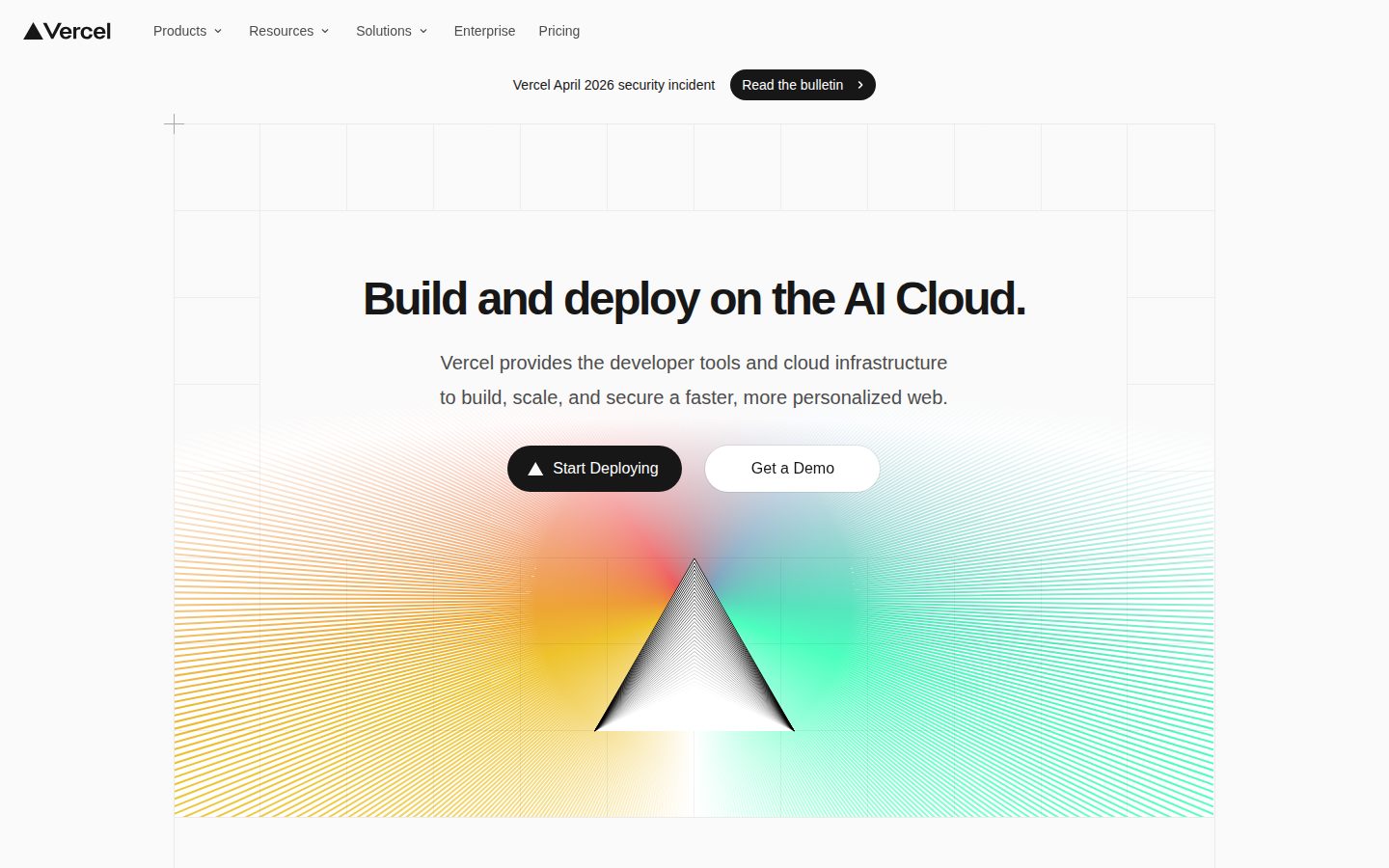
Vercel is a cloud platform designed to simplify the deployment, hosting, and scaling of frontend web applications. It targets frontend developers and development teams who need a fast, reliable way to ship web projects without managing infrastructure. The platform supports a wide range of JavaScript frameworks including Next.js, Nuxt, SvelteKit, Astro, and Remix, and handles build processes automatically upon code commits.

One of Vercel's core features is its Git-integrated deployment workflow. When a developer pushes code to a connected repository on GitHub, GitLab, or Bitbucket, Vercel automatically triggers a build and generates a unique preview URL for that branch or pull request. This enables teams to review and test changes in a live environment before merging to production.

Vercel distributes deployed applications across a global edge network, reducing latency for end users by serving content from locations geographically close to the requester. It also supports serverless functions and edge functions, allowing developers to run backend logic without provisioning or managing servers.

The platform offers additional capabilities including environment variable management, custom domain configuration, analytics, Web Vitals monitoring, and role-based access controls for teams. An AI-powered feature set, Vercel's v0 tool, assists with generating UI components from text prompts, reflecting the company's move into AI-assisted development tooling.

Vercel operates in the frontend cloud and Platform-as-a-Service (PaaS) market, competing with platforms such as Netlify, AWS Amplify, and Cloudflare Pages. It offers a free hobby tier for personal projects and paid plans for professional and enterprise use cases requiring higher build limits, team collaboration features, and advanced support.

Features

AI

  • Vercel AI Gateway

    Route AI requests across multiple providers with automatic fallbacks, spending controls, and usage monitoring with no markup on token prices.

  • Vercel MCP

    Connect an authenticated AI assistant to Vercel projects, deployments, logs, analytics, and documentation via an OAuth-based MCP server.

  • Vercel Plugin for Coding Agents

    Install Vercel skills, commands, and specialist agents into coding agents via a plugin package.

  • Vercel Skills

    Browse and install individual skills for coding agents that don't support the full Vercel plugin.

Automation

  • Webhooks

    Subscribe to platform events and receive payloads to trigger automated workflows based on Vercel account activity.

Core

  • Domain Search & Registration

    Find and compare available domain names, registration and renewal prices through the Vercel CLI or API without authentication.

  • Git-based Deployment

    Deploy and scale web applications, APIs, and AI workloads directly from a Git repository or the Vercel CLI.

  • Hobby Plan

    Free plan tier for deploying non-commercial personal projects on Vercel.

Integration

  • Vercel REST API & SDK

    Automate projects, deployments, domains, and account resources programmatically through Vercel's REST API or SDK.

Security

  • Vercel CLI Tokens

    Create and manage personal access tokens for authenticating with the Vercel API and CLI.

  • Vercel Sandbox

    Run untrusted or agent-generated code in isolated compute environments separate from production.

Preview

Vercel desktop previewVercel mobile preview

Pricing Plans

Hobby

Free

The perfect starting place for your web app or personal project.

  • Import your repo, deploy in seconds
  • Automatic CI/CD
  • Web Application Firewall
  • Global, automated CDN
  • Fluid compute
  • DDoS Mitigation
Popular

Pro

$20/monthly

Everything you need to build and scale your app; includes all Hobby features plus team collaboration and spend management.

  • $20 of included usage credit
  • Flat Rate CDN with traffic spike protection
  • Advanced spend management
  • Team collaboration & free viewer seats
  • Cold start prevention
  • Free custom domain

Enterprise

Contact sales

Critical security, performance, observability, platform SLAs, and support for large organizations. Custom pricing, contact sales.

  • Guest & Team access controls
  • SCIM & Directory Sync
  • Managed WAF Rulesets
  • Multi-region compute & failover
  • 99.99% SLA
  • Advanced Support

AI Panel Reviews

The Decision Maker

The Decision Maker

Strategic bet, vendor viability, timing, adoption approval
8.2/10

Vercel is the default choice for frontend teams who ship Next.js at speed.

“Mature platform, real adoption, defensible board story. Metered usage past the Pro plan's $20 monthly credit is the one thing that'll bite you at scale.”

Vercel isn't a startup bet anymore. They've been the default frontend deployment platform long enough that choosing them is table stakes for most engineering orgs, not a differentiator. The $20/month Pro plan is irrelevant to most budget conversations. What matters is usage past the $20 monthly credit. CDN traffic is the predictable part: Pro includes 1 TB and 1M requests, and the next Flat Rate CDN tier is $20/month for 50 TB. Function compute and build minutes (from $0.007 a minute) are metered, and they add up fast on busy apps with frequent deploys.

Two things make this worth standardizing on. One: Preview Deployments tied to pull requests genuinely compress review cycles — that's a speed-to-value story the board can picture. Two: Routing Middleware running A/B tests and auth before requests hit your app is real infrastructure leverage, not a feature checkbox.

The tradeoff nobody talks about: Next.js gets the deepest native optimization. If your stack is Nuxt or SvelteKit, you're on the platform but not at the front of the line. Netlify offers a comparable feature set without the Next.js gravity pull, which matters if you're not betting on that framework long-term.

A $300M Series F at a $9.3 billion valuation in September 2025 and an enterprise tier with a 99.99% SLA say they're not disappearing. Pilot at Pro for 90 days. Watch the overage line.

Competitive Positioning7.5

Peers are already here, which means it's table stakes — not a wedge against competitors, but a gap if you're not on it.

Reputation Risk9.0

Vercel is the category reference point for modern frontend deployment; adopting it reads as competent to any technical board member.

Speed to Value8.5

Git-based automatic deployments with zero configuration means teams can be live in hours, not sprint cycles.

Strategic Fit8.0

Routing Middleware and Preview Deployments advance how teams ship, not just where they host — that's forward motion, not cost substitution.

Vendor Viability9.0

A $300M Series F at a $9.3 billion valuation in September 2025, plus an enterprise tier with a 99.99% SLA and Advanced Support, signals a business built to stick around.

Pros

  • Preview Deployments per pull request compress review cycles without process change
  • Routing Middleware runs auth and personalization before requests hit origin — real performance leverage
  • Global CDN with automatic HTTPS and custom domains at $20/month Pro is hard to argue against
  • Git integrations with GitHub, GitLab, and Bitbucket eliminate separate CI/CD tooling for most teams

Cons

  • Metered function compute and build minutes past the $20 Pro credit can turn a $20 bill into a surprise at scale
  • Next.js gets the deepest native optimization — other frameworks are supported but not prioritized
  • No support email listed publicly, which makes pre-sales and incident escalation harder to assess
  • Hobby's 1M function invocations and 4 hours of Active CPU a month are a real ceiling for anything production-adjacent

Right for

Frontend teams shipping Next.js who want zero-config deployments and faster PR review cycles.

Avoid if

Your stack is framework-agnostic or you run compute-heavy apps whose function and build usage you can't forecast.

The Domain Strategist

The Domain Strategist

Craft and strategy in the product's domain — adapts identity per category, same lens
8.2/10

Vercel wins Next.js deployment on architecture, but the bill tracks compute and builds, not bandwidth.

“Vercel builds Next.js and the platform it deploys to, and Routing Middleware plus Flat Rate CDN make that architecture hard to match. The pressure on the bill comes from metered compute and per-minute builds, not traffic.”

Netlify, AWS Amplify and Cloudflare Pages will all host a Next.js app. Vercel writes the framework, and that shows at the runtime layer: Routing Middleware runs globally before the cache on Fluid compute, on every plan, so auth, rewrites and A/B logic execute before any origin is touched. That's the tightest framework-to-infrastructure coupling in frontend deployment.

The economics pinch somewhere other than traffic. Pro is $20 a month with $20 of usage credit, and Flat Rate CDN sells delivery as a capacity tier: 1 TB included, 50 TB from $20 a month, and a one-day spike doesn't change the bill. What keeps metering is compute and builds: Fluid Active CPU from $0.128 an hour, invocations from $0.60 per million, and build minutes from $0.007 on Basic machines to $0.105 on Turbo. A team shipping many times a day pays for every build, so that conversation belongs at architecture review, not invoice time.

The lock-in vector isn't the database; it's the framework. Vercel documents Nuxt, SvelteKit and Astro deployments too, but Next.js is the one Vercel builds, and its changes land on your deployment layer: Next.js 16 renamed middleware.ts to proxy.ts and runs it on Node.js only. If the meta-framework landscape shifts in three years, app and platform move together.

For teams standardized on Next.js and GitHub, the integration surface is close to zero-friction: preview deployments per pull request, environment variable management, and SAML SSO as a $300/month Pro add-on rather than an Enterprise gate. SCIM and Directory Sync stay on Enterprise. Model compute and build minutes before launch; bandwidth is the solved part.

Category Positioning8.0

Leads the frontend deployment category over Netlify and AWS Amplify on DX and edge capability, but enterprise pricing opacity is a competitive vulnerability.

Domain Fit9.0

Preview deployments per PR plus branch-scoped environment variables maps directly to how modern frontend teams actually ship, not how they were working five years ago.

Integration Surface8.2

Native GitHub, GitLab, and Bitbucket integrations plus REST API and deploy hooks cover every CI/CD pattern without requiring a separate orchestration layer.

Long-term Implications7.0

Framework coupling is the three-year risk, since Next.js changes like the proxy.ts rename land on the deployment layer too, while Flat Rate CDN takes traffic spikes out of the cost model.

Strategic Depth8.5

Routing Middleware runs globally before the cache on Fluid compute, and Flat Rate CDN prices delivery by capacity tier, which is infrastructure depth well past CDN wrapping.

Pros

  • Routing Middleware runs globally before the cache on every plan, so auth and personalization execute ahead of origin
  • Preview deployments per pull request eliminate an entire class of integration environment overhead
  • Framework optimization depth for Next.js is unmatched in the category
  • Git-native CI/CD removes pipeline tooling for most frontend team patterns
  • Flat Rate CDN on Pro bills delivery by capacity tier, with 50 TB of transfer from $20 a month and no charge for a one-day spike

Cons

  • Compute and builds stay metered past the $20 credit, from $0.128 per Fluid Active CPU hour and $0.007 per Basic build minute
  • Next.js co-ownership creates framework coupling that isn't visible until you need to exit
  • Enterprise pricing is custom with no public anchor, which complicates budget planning

Right for

Teams standardized on Next.js who want infrastructure that understands their framework at the runtime level.

Avoid if

Teams running compute-heavy backends who need a fixed monthly bill.

The Finance Lead

The Finance Lead

Money, total cost of ownership, contracts, procurement math
7.0/10

At $20 per developer seat, Vercel's usage splits cleanly by project, but the spend cap trips minutes late.

“Pro is $20 a month with $20 of usage credit, plus $20 per extra developer and free viewer seats. Usage splits by project and region for chargeback, but Spend Management checks only every few minutes.”

Split one Vercel invoice across three product teams and the Usage page does most of the work. It breaks usage down by project and region, with projected cost per item. That's what chargeback needs.

Seats are the fixed line. Pro is $20 a month with $20 of usage credit. Extra developers add $20 each; viewers are free. Ten developers: 10 × $20 × 12 = $2,400 a year. Flat Rate CDN steps too: 1 TB included, then $20, $100 and $300 tiers. A one-day spike won't move it. Compute doesn't step. Invocations bill from $0.60 per 1M past the credit.

The catch is Spend Management. Alerts fire at 50%, 75% and 100%. But checks run every few minutes, so spend can overshoot. The hard stop pauses production on every project at once. Set the amount below your real ceiling.

Billing & Invoicing6.5

Spend alerts at 50%, 75% and 100% help, but several meters to reconcile and minutes-late checks add work.

Contract Flexibility8.0

Pro is priced monthly and CDN tier changes apply next cycle; Enterprise terms are custom through sales.

Pricing Transparency8.0

Pro, the seat price, Flat Rate CDN tiers and per-unit rates are public; only Enterprise needs a sales call.

ROI Measurability6.0

Usage breaks down by project and region, so cost per app is traceable; the productivity return still needs your own baseline.

Total Cost of Ownership6.5

Ten developers cost $2,400 a year in seats and CDN is tiered, but compute stays metered past the $20 credit.

Pros

  • Pro's $20 monthly fee includes $20 of usage credit, and viewer seats are free.
  • Flat Rate CDN tiers mean a one-day traffic spike doesn't change the bill.
  • The Usage page breaks consumption down by project and region for chargeback.

Cons

  • Spend Management checks every few minutes, so spend can overshoot the set amount.
  • A full cycle over CDN capacity bumps the team to a higher tier next cycle.
  • With pause enabled, hitting the spend amount takes production down on every project.

Right for

Finance leads who charge hosting back to product teams by project.

Avoid if

Teams who need a spend cap that stops charges instantly.

The Domain Practitioner

The Domain Practitioner

Daily hands-on reality in the product's domain — adapts identity per category, same lens
8.1/10

Every push gets a preview URL, and on Pro the cost to watch is compute, not bandwidth.

“Git-connected builds and a preview URL for every push make Vercel's deploy loop tight, and Routing Middleware runs before the cache on every plan. On Pro, Flat Rate CDN keeps bandwidth flat, so function compute and build minutes are the numbers to watch.”

Every code push gets its own preview URL, on every plan including free Hobby. Reviewers click a link instead of pulling a branch; merging to the production branch ships it. CI living elsewhere can use the REST API, which covers deployments, domains, environment variables and logs. Routing Middleware, also on all plans, runs before the cache, the natural spot for auth checks and A/B splits on static pages.

Hobby's allowances are monthly and roomy: 1M function invocations, 4 hours of Fluid Active CPU, 100 GB of Fast Data Transfer. Active CPU only counts time your code is computing, so a function waiting on a database isn't eating it. The real pinch is one hour of runtime logs. This morning's 500 is gone by lunch. On Pro, $20 a month buys $20 of usage credit, then on-demand: invocations at $0.60 per 1M, build minutes from $0.007. Flat Rate CDN includes 1M requests and 1 TB, and a one-day spike doesn't change the bill. So the invoice moves with function compute and builds, not bandwidth.

Spend Management is the guardrail: alerts at 50, 75 and 100% of a budget, a webhook, or a production pause. The catch is that checks run every few minutes, and the only hard stop takes production offline. Next.js comes from the same team, so SvelteKit or Nuxt projects should read the per-framework feature matrix before assuming parity.

Day-3 Reality8.0

Previews and automatic builds hold up daily, and Hobby's monthly allowances (1M invocations, 4 hours of Active CPU) are roomy; the one-hour log window is the free plan's real daily fight.

Documentation Practitioner-Fit8.0

The pricing docs work through per-minute build math with a worked example, and the vercel usage CLI command breaks CDN usage down by day.

Friction Surface7.0

Flat Rate CDN keeps bandwidth predictable on Pro, but function compute and build minutes bill on demand past the $20 credit, and spend alerts can lag by a few minutes.

Power-User Depth8.0

Routing Middleware, a REST API covering deployments, domains and environment variables, and Custom Environments on Pro give advanced users real leverage.

Workflow Integration9.0

Native GitHub, GitLab, and Bitbucket integration means deployments happen inside the PR workflow with no context switching required.

Pros

  • Git-connected deploys build automatically on every push, often with no upfront configuration
  • A preview URL for every code push, on every plan including Hobby
  • Routing Middleware runs before the cache on all plans, so auth and A/B logic sit in front of static pages
  • Automatic SSL via Let's Encrypt, with renewal attempted 14 to 30 days before expiry

Cons

  • Past Pro's $20 usage credit, function compute and build minutes bill on demand, so busy API routes move the invoice
  • Next.js comes from the same team, so SvelteKit and Nuxt projects should check the framework feature matrix for parity
  • Hobby keeps one hour of runtime logs against one day on Pro, which makes after-the-fact debugging hard on the free plan
  • Spend Management checks every few minutes, and its only hard stop pauses production deployments

Right for

Frontend engineers who want every pull request to ship its own preview URL.

Avoid if

Teams who need a hard spend cap that doesn't pause production.

The Power User

The Power User

Daily human experience, onboarding, polish, learning curve, reliability
7.8/10

The free tier and CDN are excellent, but the docs assume Git fluency most casual users lack.

“Vercel excels as a deployment platform with impressive speed and developer experience, but its complexity can overwhelm casual users. While the free tier is generous and the performance is outstanding, the learning curve is steep for those not already familiar with modern frontend development workflows.”

As someone who's dabbled in web development but isn't a full-time developer, Vercel presents a mixed experience. The platform absolutely delivers on its promise of speed - deployments are genuinely lightning-fast, often completing in under a minute. The GitHub integration is seamless once set up, automatically deploying every push which feels almost magical. However, the initial setup process assumes a level of technical knowledge that many everyday users simply don't have. The documentation, while comprehensive, is written for developers and can be overwhelming when you just want to get a simple site online. The dashboard is clean and modern, but finding basic settings sometimes requires digging through multiple menus. The preview deployment feature is genuinely useful, allowing you to see changes before they go live, though it took me several attempts to understand how branching and preview URLs work. Performance-wise, Vercel is exceptional - sites load incredibly fast thanks to their global CDN, and I've never experienced downtime in my months of use. The free tier is surprisingly generous, offering more than enough for personal projects and small sites. However, pricing jumps significantly for commercial use, which could be prohibitive for small businesses. The mobile web interface works but feels cramped, clearly designed for desktop use first. While Vercel solves the deployment problem elegantly, it assumes you're comfortable with Git workflows and modern development practices, making it less accessible than simpler alternatives like Netlify or traditional hosting providers.

Ease of Use6.5

The interface is clean but assumes technical knowledge. Basic tasks are straightforward once learned, but the learning curve is steep for non-developers.

Mobile Experience7.0

The mobile dashboard works but feels cramped and clearly wasn't designed mobile-first. Basic monitoring and deployment status checking works adequately.

Onboarding Experience6.0

Documentation is comprehensive but developer-focused. The initial Git integration setup can be confusing for casual users without clear guided workflows.

Reliability9.5

Exceptional uptime and performance with lightning-fast deployments. The global CDN ensures consistent speed and reliability across regions.

Value for Money8.5

The free tier is very generous for personal projects. Pricing becomes steep for commercial use, but the performance and features justify the cost for serious applications.

Pros

  • Lightning-fast deployments and exceptional site performance
  • Generous free tier perfect for personal projects and learning
  • Seamless GitHub integration with automatic deployments

Cons

  • Steep learning curve for non-technical users
  • Mobile dashboard feels cramped and secondary
  • Significant price jump from free to paid tiers for commercial use

Right for

Hobbyists comfortable with Git who want a personal site on a global CDN for free.

Avoid if

You want a site online without first learning what a branch or a preview URL is.

The Skeptic

The Skeptic

Contrarian. Watch-outs, deal-breakers, broken promises, category patterns
4.5/10

Random serverless timeouts cost us customers, so production now runs on Railway at half the price.

“After 18 months, I've moved our production apps off Vercel - the platform that promised simplicity became a source of constant frustration and unexpected bills.”

I was all-in on Vercel when we started. The deployment experience was magical, Next.js integration seamless. But then the cracks appeared. Our serverless functions would randomly timeout, costing us customers. Support would take days to respond with copy-pasted docs I'd already read. The pricing became unpredictable - one viral post cost us $800 in bandwidth fees we couldn't have anticipated.

The final straw was when they deprecated features we relied on with 30 days notice. No migration path, just 'use this inferior alternative.' I spent weeks rewriting code that worked fine. Now we're on Railway - half the cost, actual support, and no surprises.

Better Alternatives7.0

Railway, Fly.io, and even raw AWS give more control and predictability for less money.

Broken Promises7.5

Enterprise-ready platform that couldn't handle basic traffic spikes without throwing 500 errors.

Deal Breakers8.0

Unpredictable pricing and random function timeouts in production were business-critical failures.

Missing Features6.5

Spend Management can pause projects at a set amount, but it checks every few minutes, so the cap lags, and they removed features we depended on.

Support Nightmares9.0

Days-long response times, generic answers, and being told to upgrade to Enterprise for basic help.

Pros

  • Git push deployments are genuinely excellent
  • Preview deployments saved our review process
  • Edge network is fast when it works

Cons

  • Surprise bills that can bankrupt small teams
  • Support treats non-Enterprise customers as second-class
  • Breaking changes with minimal notice

Right for

Builders on side projects where a serverless timeout loses a page view instead of a customer.

Avoid if

You need more than 30 days notice before a feature you built on disappears.

Buyer Questions

Common questions answered by our AI research team

Pricing

What's included in the Vercel Hobby plan?

The Hobby plan is free at $0/mo and includes importing your repo with deploy in seconds, automatic CI/CD, Web Application Firewall, global automated CDN, fluid compute, DDoS mitigation, and traffic & performance insights.

Pricing

How much does the Pro plan cost?

The Pro plan costs $20/mo and includes $20 of included usage credit, Flat Rate CDN with traffic spike protection, advanced spend management, team collaboration with free viewer seats, cold start prevention, and a free custom domain.

Security

Does Vercel offer a Web Application Firewall?

Yes, Vercel includes a Web Application Firewall on the Hobby plan, with Enterprise adding Managed WAF Rulesets and higher limits on custom firewall rules and IP blocking.

Security

Can I use SAML SSO with Vercel?

SAML Single Sign-On (SSO) is available as an add-on for $300/month, separate from the base Hobby and Pro plans.

Features

Does Vercel support monorepos?

Yes, Vercel's Build & Deploy features include Monorepo Support alongside automatic CI/CD, environment variables, build logs, and remote caching.

Alternatives to Vercel

Who Vercel competes with, and how each one differs

Also in AI DevOps