bitdrift.ai logo

bitdrift.ai Review

Visit

Give AI agents unsampled, real-time visibility into mobile apps

bitdrift is a mobile observability platform that gives AI agents real-time, unsampled access to device-level data.

bitdrift·Founded 2021·Contact for pricingFree PlanAI DevOpsAI AnalyticsAI Security

AI Panel Score

7.5/10

6 AI reviews

Reviewed

Facts checked against bitdrift.ai

About bitdrift.ai

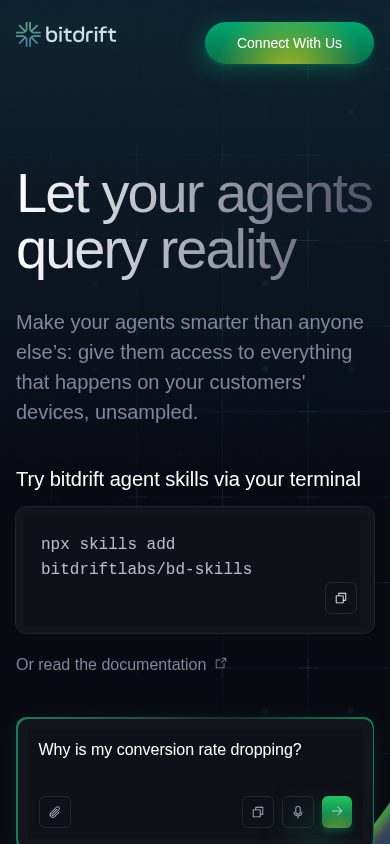
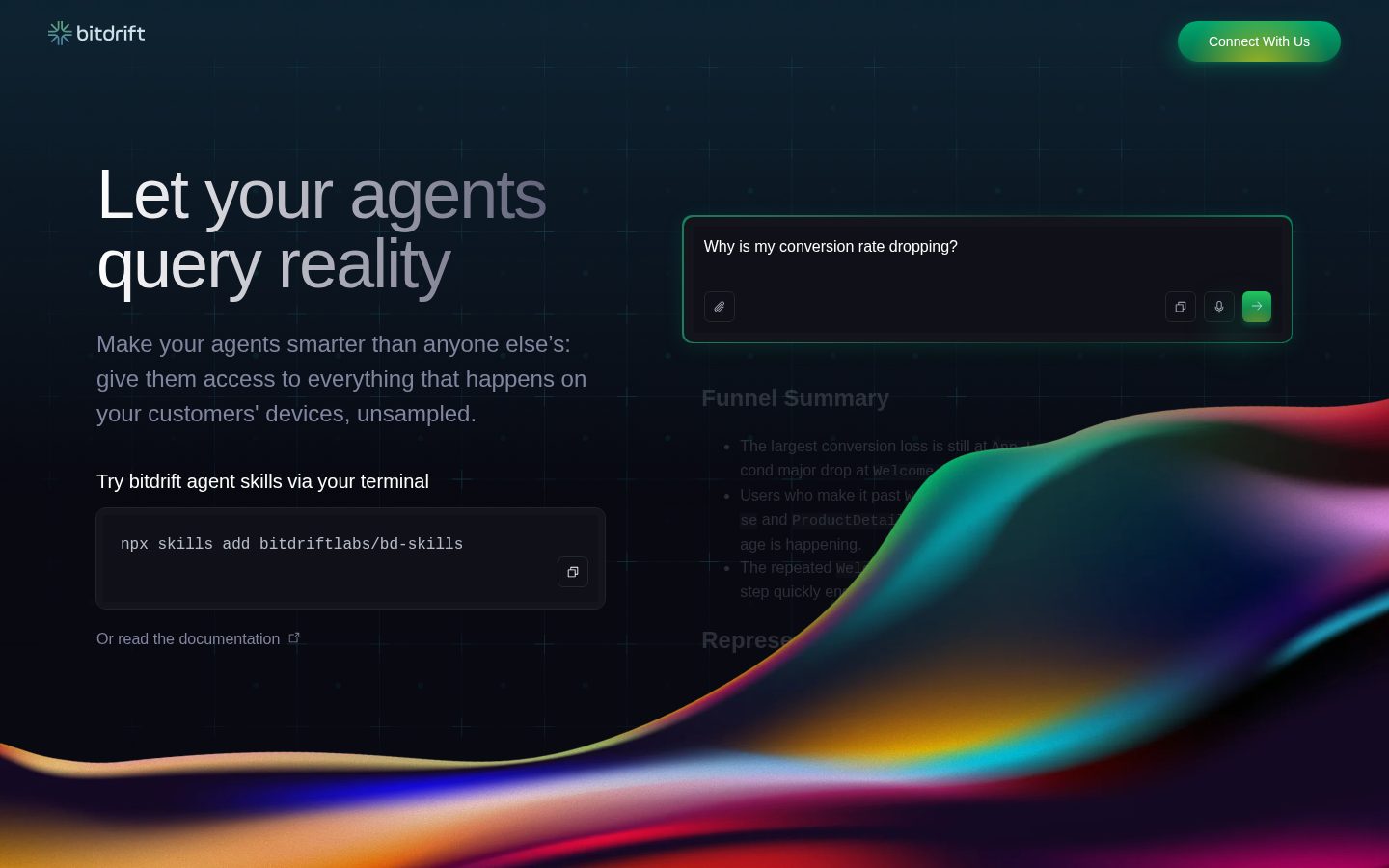
bitdrift gives AI agents direct access to what is happening on a mobile app's installed base, so they can query device behavior instead of relying on backend logs or sampled telemetry. Agents can be installed via a terminal command (npx skills add bitdriftlabs/bd-skills) and then used to ask questions about crashes, performance problems, or user journeys, with the system targeting relevant devices and pulling additional signal automatically to produce answers and proposed fixes.

The platform emphasizes unsampled visibility, reporting the ability to handle over 52 million concurrent streams and data from more than 1 billion installs without log or metrics limits. Its control plane can push instrumentation to an entire device fleet instantly, without requiring a new app release or app store review. bitdrift describes an agentic investigation workflow in which AI agents reason over real-time data continuously, detect anomalies and patterns in customer behavior, and triage or diagnose issues so that proposed fixes are ready for an engineer to review.

bitdrift is positioned for engineering and support teams at companies running mobile apps at scale. ThredUp is cited as a customer, reporting that bitdrift allowed it to resolve 60% of mobile issues and help 90-95% of customers experiencing minor problems, up from 20-30% previously. The site has a public pricing page, though specific plan names or prices are not stated in the available content.

Features

AI

  • AI As Your Oncall

    Triages, diagnoses, and fixes performance issues, crashes, and alerts, preparing results for an engineer to review within minutes.

  • Agentic Investigations

    Lets users ask any question and watch agents target relevant devices, pull additional signal, and return concise answers and proposed fixes without a human in the loop.

  • Instant Insights

    A continuously learning, real-time reasoning layer that finds anomalies and patterns in customer journeys and automatically reacts to changes in customer behavior.

Analytics

  • Build Your Own Data Moat

    Captures customer decisions and behavior as context for training models, enabling answers to questions no backend system can address.

Automation

  • Automatic Instrumentation

    Uses a control plane to add visibility to the entire device fleet instantly, without requiring a new app release or App Store approval.

Core

  • Unsampled Data Access

    Gives AI agents access to 100% of device and user data without sampling, removing log and metrics limits even across millions of devices.

Integration

  • Agent Skills via Terminal

    Allows developers to install bitdrift agent skills directly via terminal using npx, connecting AI agents to bitdrift's mobile observability data.

Preview

bitdrift.ai desktop previewbitdrift.ai mobile preview

Pricing Plans

Popular

Free Tier

Free

Basic crash reporting and performance monitoring for small teams and solo devs.

  • 5 users
  • 100,000 crash reports / month (unlimited devices)
  • 50,000 active applications / month (basic performance monitoring)
  • 14-day data retention
  • 3 custom workflows
  • Slack-based alerting
  • Out-of-the-box mobile health metrics

Enterprise

Contact sales

End-to-end mobile observability with advanced analytics, integrations, and free crash reporting, for teams needing unlimited scale and support. Pricing requires contacting bitdrift sales.

  • Unlimited users
  • Unlimited active applications / month
  • Configurable data retention (180-day default)
  • Unlimited workflows
  • Unlimited crashes & exceptions
  • Alerting w/ Slack, PagerDuty, custom SLOs
  • Advanced performance monitoring
  • Custom dimensions
  • Session replay
  • Custom integrations
  • Role-based access controls (RBAC)
  • Dedicated 24/7 support

AI Panel Reviews

The Decision Maker

The Decision Maker

Strategic bet, vendor viability, timing, adoption approval
7.9/10

Unsampled device data for AI agents, not another dashboard with sampling caps.

“bitdrift lets agents query 100% of device data instead of backend logs, with instant fleet-wide instrumentation and no app release needed. Real customer proof point, thin public pricing beyond the free tier.”

52 million concurrent streams, 1 billion+ installs, zero sampling. That's the pitch, and it's a real architectural claim, not a feature checkbox — most mobile observability tools sample at scale because unsampled ingestion is expensive to build.

ThredUp's numbers are specific: 60% of mobile issues resolved by bitdrift, 90-95% customer resolution on minor issues versus 20-30% before. That's a usable proof point, not marketing fluff.

Free tier caps at 100,000 crash reports and 5 users with 14-day retention — fine for a pilot. Enterprise is contact-sales only, so you won't know real cost until you're in the room. Install is a terminal command, which is a good sign for engineering-led adoption.

Competitive Positioning8.3

Unsampled access across a billion-plus installs and instant fleet instrumentation without App Store review is a capability sampled, release-gated tools can't match.

Reputation Risk7.0

RBAC and SLO-based alerting exist at the enterprise tier, but contract terms and data retention outside the default 180 days aren't stated anywhere I could see.

Speed to Value8.0

No-release instrumentation push and a terminal-install agent skill mean a team could get first answers within days, not a quarter.

Strategic Fit8.2

This replaces sampled backend log review with agent-driven device queries — an architectural shift, not a cost swap on existing tooling.

Vendor Viability7.6

A working free tier, a named enterprise customer, and OpenTelemetry integration suggest active building, though I couldn't find docs depth beyond the pricing page.

Pros

  • Unsampled data across 52 million+ concurrent streams, no log or metrics limits
  • Instant fleet-wide instrumentation without an app release or App Store approval
  • Documented customer outcome: ThredUp resolved 60% of mobile issues
  • Free tier covers 100,000 crash reports/month for small teams

Cons

  • Enterprise pricing is contact-sales only, so real cost is unknown upfront
  • Free tier's 14-day retention is thin for longer investigation windows
  • Compliance and data handling detail wasn't visible beyond the pricing page

Right for

Mobile engineering teams at scale who need agents investigating device-level issues without waiting on app releases.

Avoid if

Skip it if you're a small app shop where the free tier's 5-user cap and basic monitoring already cover your fleet.

The Domain Strategist

The Domain Strategist

Craft and strategy in the product's domain — adapts identity per category, same lens
7.9/10

Fleet-wide instrumentation without a release cycle is the real architectural bet here, not the AI layer.

“bitdrift's control plane lets you push instrumentation changes to a running fleet without an app store review, which changes your incident response math. The agent layer on top is compelling, but the dependency you're actually taking on is the data plane underneath it.”

The control plane is the headline feature for me, not the agents. Removing the app-store-approval step from instrumentation changes shortens your mean-time-to-diagnosis loop in a way no amount of dashboard tooling can — that's a genuine architectural advantage for mobile, where release cadence is usually your bottleneck, not your tooling.

The agent workflow (npx skills add, ask questions, get proposed fixes) is a thin, composable layer on top of that data plane. That's the right call technically — it means your actual lock-in risk is the telemetry pipeline, not the AI tooling, which you can swap or supplement later via OpenTelemetry support.

What I can't assess from here is how this plays with existing crash reporting and APM you've already standardized on. If bitdrift becomes your primary mobile observability layer rather than a bolt-on, you're making a 3-year bet on their pipeline reliability at 52 million+ concurrent streams, not just their AI agents.

Category Positioning7.9

Positions itself against backend-log-reliant APM tools by querying devices directly, a distinct lane within mobile observability.

Domain Fit8.0

Agent-driven investigation via terminal-installed skills matches how engineering teams already script incident response.

Integration Surface7.8

OpenTelemetry support plus Slack and PagerDuty alerting on the enterprise tier gives a real path into existing on-call tooling.

Long-term Implications7.5

Adopting the control plane as your instrumentation layer is a multi-year commitment to their pipeline, even if the agent tooling stays swappable.

Strategic Depth8.2

Unsampled, fleet-wide instrumentation without a release cycle is a hard engineering problem most observability vendors haven't solved.

Pros

  • Control plane pushes instrumentation to the full fleet without an app release
  • OpenTelemetry integration keeps the data layer portable
  • Terminal-based agent install (npx skills add) fits existing engineering workflows

Cons

  • Enterprise tier's real cost and support SLAs aren't visible without a sales call
  • Agent layer's value depends entirely on trusting their underlying data pipeline at scale

Right for

Engineering leaders running mobile apps at real device-fleet scale who need instrumentation changes faster than their release cycle allows.

Avoid if

Avoid if your team already has a mature APM stack and isn't ready to make the telemetry pipeline itself a dependency.

The Finance Lead

The Finance Lead

Money, total cost of ownership, contracts, procurement math
7.6/10

Free tier is real. Enterprise math is a phone call away.

“Five users, 100,000 crash reports a month, free. Everything past that has no number attached.”

Free tier: 5 users, 100,000 crash reports/month, unlimited devices, 14-day retention, 3 workflows. Real plan, not a lead-gen trial. $0/month for a solo dev or small team is an honest number.

Enterprise flips to contact-sales. Unlimited users, unlimited workflows, 180-day default retention, dedicated 24/7 support — all priced invisibly. Team of 50 on mobile at scale: you're negotiating blind. No seat price, no overage schedule, no way to model year-3 spend without a rep on the phone.

ROI story leans on one customer's 60% issue-resolution stat, which is a support-team KPI, not a cost figure — tells you value, not cost. Procurement will want to know how 52 million concurrent streams gets billed: per-device, per-stream, flat enterprise fee? Unclear from what's public. Budget the free tier with confidence. Budget Enterprise with a placeholder until the quote lands.

Billing & Procurement6.5

Free tier needs no procurement cycle; Enterprise requires a sales call with no visible invoicing or payment-terms detail.

Contract Flexibility6.5

No term length, auto-renewal, or cancellation terms visible for either tier.

Pricing Transparency6.5

Free tier terms are fully specified; Enterprise tier lists features but no price point.

ROI Clarity7.0

ThredUp's resolution-rate improvement is a concrete outcome, though it measures support efficiency, not cost offset.

Total Cost of Ownership6.0

No seat or usage-based pricing visible for Enterprise, so a 3-year model can't be built without a quote.

Pros

  • Free tier has real limits stated, not a stripped-down trial
  • 100,000 crash reports/month at $0 covers small team needs
  • 180-day default retention on Enterprise beats the free tier's 14 days

Cons

  • Enterprise pricing requires a sales call with no published starting point
  • No visible usage-based pricing for the 52 million concurrent stream capacity
  • Hard to model overage cost before scaling past free-tier limits

Right for

Small teams that fit inside the free tier's 5-user, 100,000-crash-report ceiling.

Avoid if

Avoid if you need a fixed 3-year cost model before talking to sales.

The Domain Practitioner

The Domain Practitioner

Daily hands-on reality in the product's domain — adapts identity per category, same lens
7.6/10

Fleet-wide instrumentation without a release is the real pager win here, not the AI layer

“Pushing instrumentation to a billion-install fleet without shipping a new build changes the incident-response math more than the agent framing does. The agentic triage piece is the part I'd want to watch closely before trusting it unattended.”

What gets my attention as the person holding the pager isn't the AI agent pitch, it's that the control plane can add instrumentation fleet-wide without an app release or App Store review. That's the difference between waiting two days for a build to clear review while a crash climbs, and querying the fleet this afternoon. OpenTelemetry integration means I'm not locked into a proprietary query language during an incident at 2am.

Where I get cautious: 'Agentic Investigations' explicitly runs without a human in the loop, producing proposed fixes. Fine for triage, but I want an audit trail showing what the agent queried and why before I let it touch anything closer to remediation. Postmortems need that trail.

Five users and 3 custom workflows on the free tier is workable for a small on-call rotation, but real fleets will hit Enterprise fast, and SLO-based alerting with PagerDuty only shows up there.

Day-3 Reality7.8

Terminal install via npx skills add is low-friction for a first query, but trusting unattended agent triage during a live incident takes longer than three days to earn.

Documentation Practitioner-Fit6.8

I couldn't find deep docs or an API reference, so I can't judge whether the agent's reasoning steps are inspectable mid-incident.

Friction Surface7.0

No app-release cycle to push instrumentation removes a classic friction point, but custom workflows are capped at 3 on the free tier, which forces early tier decisions.

Power-User Depth7.4

Custom dimensions, session replay, and RBAC on Enterprise suggest real depth, but those sit behind a sales call rather than a visible upgrade path.

Workflow Integration7.9

PagerDuty and Slack alerting plus OpenTelemetry support mean it slots into an existing on-call stack rather than forcing a new one.

Pros

  • Fleet-wide instrumentation changes without an app release, cutting incident response lag
  • PagerDuty and SLO-based alerting on Enterprise fits existing on-call tooling
  • OpenTelemetry support keeps the data layer from becoming a lock-in risk

Cons

  • Agent-proposed fixes run without a human in the loop by default, which needs a trust model for production use
  • Free tier's 3 custom workflows will force a tier decision for any team running real on-call rotations

Right for

Mobile engineering teams running on-call rotations who need to push instrumentation mid-incident without waiting on a release cycle.

Avoid if

You need full audit visibility into autonomous agent actions before you'll let them anywhere near production triage.

The Power User

The Power User

Daily human experience, onboarding, polish, learning curve, reliability
7.3/10

The agent pulling your crash data needs a trust layer nobody's shown me yet.

“bitdrift gives AI agents unsampled, fleet-wide device data instead of sampled logs, which is a genuinely different pitch for mobile observability. Whether that feels good day to day depends entirely on how it behaves when you're staring at a dashboard at 2am wondering if the agent's fix is right.”

Ten minutes in, you're running npx skills add bitdriftlabs/bd-skills and talking to an agent in your terminal. That's a low-friction start for engineers who live in a shell, but it also means your first impression of this tool is entirely text-based. No screenshots of a UI, no tour. If you're a support team lead rather than a backend engineer, that onboarding path might feel like someone else's homework.

Daily polish is hard to judge without seeing the actual dashboard, but the free tier's Slack-based alerting and 'out-of-the-box mobile health metrics' suggest they know teams want answers in the channel they already live in, not a new tab to check.

The real question is reliability of trust, not uptime. Agents proposing fixes without a human in the loop by default is a bold design choice, and it's the kind of thing that feels magical on day one and nerve-wracking by month three if you haven't built review habits around it. Mobile parity is about the data pipeline, not an app, so that's less of a concern here than usual.

Daily Polish6.8

Terminal-first workflow and Slack alerting suggest practical focus, but I couldn't find detail on the actual dashboard's day-to-day feel.

Learning Curve7.2

Asking agents plain questions about crashes is discoverable early, but 3 custom workflows on the free tier caps how far you explore before hitting a wall.

Mobile Parity7.5

iOS and Android are both first-class targets since the product's entire job is reading device-level data from them.

Onboarding Experience7.0

npx skills add is fast for engineers but offers little for non-technical stakeholders on a support team.

Reliability Feel7.0

52 million+ concurrent streams and 1 billion+ installs without sampling signals real infrastructure, though agent-proposed fixes running unsupervised need a trust model that isn't shown.

Pros

  • Terminal install via npx fits engineers who don't want a new UI to learn
  • Slack-based alerting on the free tier meets teams where they already work
  • OpenTelemetry integration listed among product configurations

Cons

  • No visible UI walkthrough, so non-engineers face a steeper first look
  • Trusting unsupervised agent fixes requires a review habit most teams haven't built yet

Right for

Mobile engineering teams comfortable letting an AI agent query devices directly from a terminal.

Avoid if

You need a polished visual dashboard experience for non-technical stakeholders on day one.

The Skeptic

The Skeptic

Contrarian. Watch-outs, deal-breakers, broken promises, category patterns
6.9/10

52 million concurrent streams is a big number. Who audits the agent's fixes?

“The unsampled-at-scale pitch is backed by concrete numbers and a real customer story. The part that worries me is the agent shipping fixes with nobody required to check its work first.”

"Let your agents query reality" is a confident H1. The 1 billion+ install figure and 52 million concurrent stream claim back it up with something more specific than vibes — that's rarer than it should be in this category.

But the core workflow — agents triage, diagnose, and produce fixes 'without a human in the loop' — is also the thing I'd stress test longest before trusting it on a production fleet. Mobile observability has a graveyard full of vendors promising zero-sampling at scale and quietly adding limits later. OpenTelemetry integration is the one thing keeping this from being a one-way door if bitdrift's roadmap drifts.

The free tier (5 users, 100K crash reports/month) is a real product, not bait. Enterprise sits behind a sales call with no visible floor. Fine for evaluation, annoying for budgeting before you've committed engineering time to the npx install.

Competitive Differentiation7.5

Instant fleet-wide instrumentation without an app release is a genuinely distinct mechanism versus backend-log-dependent tooling.

Exit Portability6.5

OpenTelemetry integration helps, but device-level instrumentation pushed via a proprietary control plane isn't a clean lift-and-shift.

Long-term Viability6.8

A changelog and public pricing page exist; I couldn't find docs or an API reference to confirm depth of ongoing support.

Marketing Honesty7.2

Claims like 'unsampled' and '52 million concurrent streams' are specific enough to be checked, not just superlative filler.

Track Record Match7.0

The ThredUp resolution-rate figures are concrete, but the agentic 'fix without a human' claim has less verification behind it than the data-volume claims.

Pros

  • Concrete scale numbers (52M+ concurrent streams, 1B+ installs) instead of vague superlatives
  • ThredUp outcome data gives a real before/after rather than a testimonial quote
  • OpenTelemetry integration reduces lock-in risk on the data layer

Cons

  • Fixes proposed without a human in the loop by default raises a trust question for production use
  • Enterprise pricing has no visible floor, so true cost at scale is unknown until a sales call

Right for

Mobile teams with real incident volume who want device-level visibility without shipping a new app version.

Avoid if

Avoid if your team isn't ready to build a review process around agent-proposed fixes before they ship.

Buyer Questions

Common questions answered by our AI research team

Features

Does bitdrift sample device data?

No. bitdrift works without sampling across its full fleet of devices, giving unsampled visibility with no log limits and no metrics limits, even across millions or billions of devices.

Setup

Can bitdrift add instrumentation without an app release?

Yes. The bitdrift control plane can add instrumentation to the entire fleet instantly, with no new app release and no App Store approval required, removing delays to fixing customer issues.

Features

How do AI agents investigate crashes with bitdrift?

Agents target relevant devices and pull additional signal to answer any question, triaging, diagnosing, and fixing performance issues, crashes, and alerts, producing concise answers and proposed fixes refined without a human in the loop.

Integration

Does bitdrift support OpenTelemetry?

Yes. OpenTelemetry integration is listed among bitdrift's product configurations and integrations.

Features

How many devices can bitdrift monitor concurrently?

bitdrift supports 52 million+ concurrent streams and has been used across 1 billion+ installs, operating without sampling even at billions-of-devices scale.

Also in AI DevOps