Box logo

Box Review

Visit

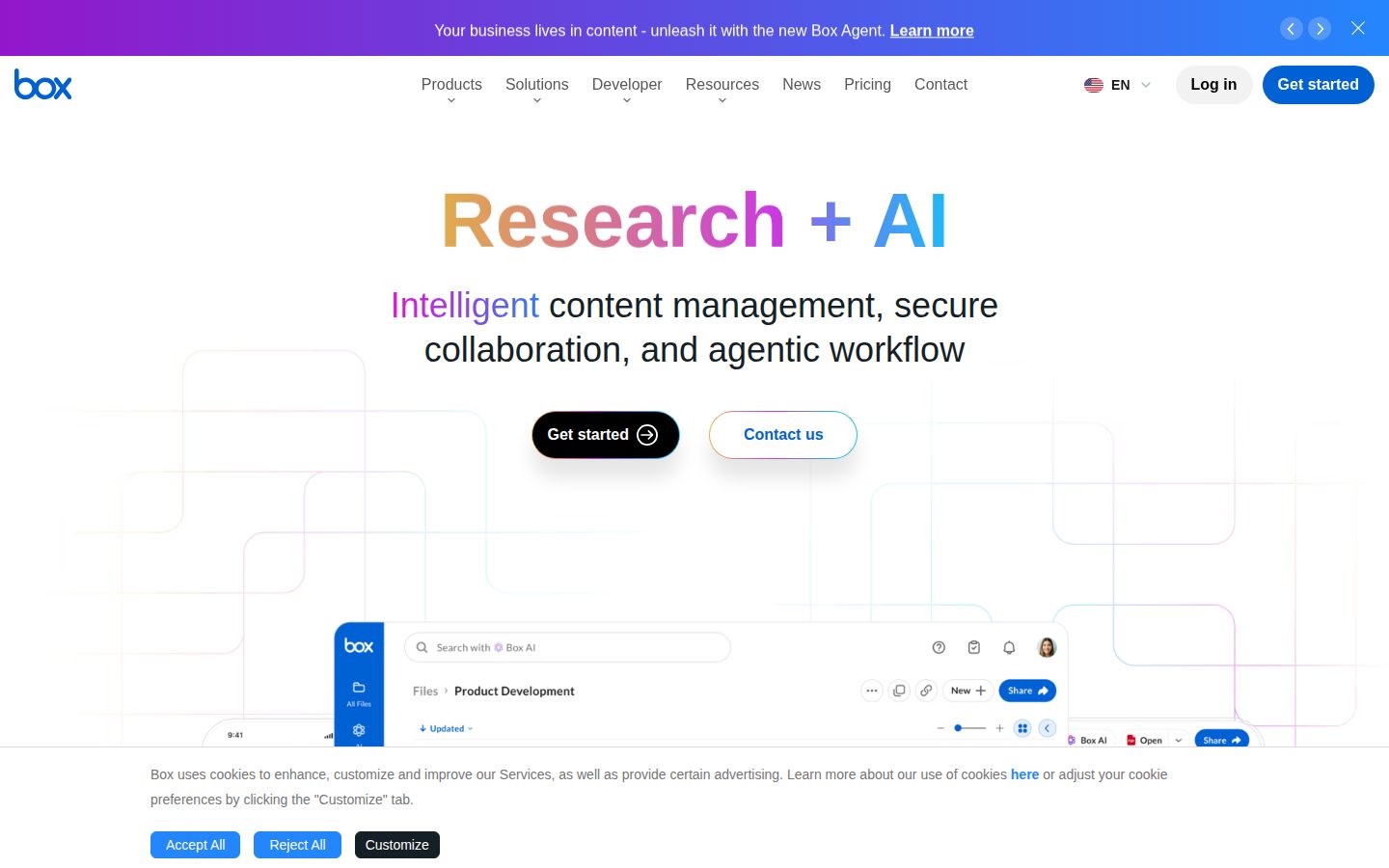
Intelligent content management, secure collaboration, and agentic workflow for the enterprise

Box is a cloud content management platform for enterprises that store, share, and automate work on files.

AI Panel Score

8.1/10

6 AI reviews

Reviewed

AI Editor Approved

What is Box?

Box is a cloud content management platform that gives organizations one secure place to store, share, govern, and automate work on files. It serves teams collaborating on documents internally and with outside partners, from small businesses up to regulated enterprises in healthcare, government, and financial services. A permanently free Individual plan includes 10 GB of storage, and paid team plans start at $5 per user per month with annual billing, with free trials offered on the business tiers. Core capabilities include Box AI for querying and summarizing stored documents, Box Sign for unlimited native e-signatures on Business plans, Box Shield for threat detection and content classification, and Box Relay for no-code workflow automation. It fits best for organizations that need compliance controls such as FedRAMP Moderate and HIPAA alongside 1,500+ app integrations and developer APIs. Alternatives include Dropbox, Microsoft SharePoint, Google Drive, and Egnyte.

About Box

Box gives organizations a single cloud where all files live and work happens around them. Teams upload or sync content into shared folders, set granular permissions for internal and external collaborators, and edit documents from the browser, from Box Drive on Mac and Windows, or from the Box mobile app on iPhone, iPad, and Android. Version history and built-in e-signatures through Box Sign keep contracts, creative assets, and records moving without leaving the platform.

The distinguishing layer is Box AI, which answers questions about stored documents, summarizes long files, and generates drafts using models from OpenAI, Anthropic, and Google. Box Extract pulls structured fields out of contracts and invoices, Box AI Agents provides a drag-and-drop builder for multi-step agentic workflows, and Box Hubs publishes curated, AI-searchable content portals. On the governance side, Box Shield classifies sensitive content and flags threats, while Box Relay automates review and approval workflows without code.

Box is aimed at businesses and regulated enterprises in healthcare, government, and financial services. Pricing is freemium: a free Individual plan offers 10 GB of storage, Personal Pro costs $10 per month, and team plans run from $5 per user per month for Business Starter on annual billing through $15 for Business, $25 for Business Plus, and $35 for Enterprise, with quoted pricing for Enterprise Plus and Enterprise Advanced. It competes with Dropbox, Microsoft SharePoint and OneDrive, Google Drive, and Egnyte.

Developers build on the Box Content Platform through REST APIs documented at developer.box.com, with plan allotments from 50K to 200K API calls per month and add-ons priced per use: $2.35 per 1,000 extra API calls, $10 per 1,000 AI Units, $0.15 per generated document, and $1.20 per Sign API request. More than 1,500 prebuilt integrations connect Box to the rest of a company's stack, and Enterprise tiers add FedRAMP Moderate support.

Features

AI

  • Box AI

    Answers questions about stored documents, summarizes files, and generates drafts using models from OpenAI, Anthropic, and Google.

Automation

  • Box AI Agents

    Drag-and-drop builder for AI agents that execute multi-step tasks and agentic workflows across stored content.

  • Box Relay

    No-code workflow automation for routing content through reviews and approvals, included from Business Plus.

Document Processing

  • Box Extract

    Pulls structured data fields out of contracts, invoices, and other documents at scale.

  • Document Generation API

    Generates documents automatically from templates and data as an API add-on priced at $0.15 per document.

Integration

  • 1,500+ App Integrations

    Prebuilt connections to more than 1,500 business applications, available on Business plans and above.

  • Content Platform APIs

    REST APIs for building custom apps on Box content, with 50K to 200K API calls per month included by plan.

Knowledge Management

  • Box Hubs

    Curated, AI-powered content portals that publish selected documents for teams to browse and query.

Platform

  • Box Drive

    Desktop app for Mac and Windows that streams Box files into the local file system without consuming disk space.

  • Box Tools

    Lets users create and edit any file type, including Office, CAD, and Photoshop files, directly from the web browser.

Security

  • Box Shield

    AI-driven threat detection and smart access controls that classify and protect sensitive content.

Workflow

  • Box Sign

    Native e-signatures with unlimited signature requests on Business plans and above, plus Sign APIs for embedding.

Preview

Box desktop previewBox mobile preview

Pricing Plans

Individual

Free

Free plan for personal use with basic secure storage and sharing.

  • 10 GB storage
  • 250 MB file upload limit
  • 1 file version
  • 5 Box Sign requests per month

Personal Pro

$10/yearly

Single-user plan with more storage and upload headroom.

  • 100 GB storage
  • 5 GB file uploads
  • 10 file versions
  • 15 Box Sign requests per month

Business Starter

$5/yearly

Secure file collaboration, storage, and native e-signatures for teams of up to 10 users.

  • 100 GB storage
  • 2 GB file uploads
  • 25 file versions
  • 10 Box Sign requests per month
  • Technical support

Business

$15/yearly

Team collaboration with unlimited storage and Box AI included.

  • Unlimited storage
  • 5 GB file uploads
  • Box AI included
  • Unlimited e-signature requests
  • 1,500+ app integrations
  • 50K API calls per month

Business Plus

$25/yearly

Content management and unlimited external collaboration with Box AI.

  • Unlimited storage
  • 15 GB file uploads
  • Unlimited external collaborators
  • Box Relay workflow automation
  • Unlimited e-signature requests

Enterprise

$35/yearly

Content management and advanced compliance with Box AI for regulated organizations.

  • Unlimited storage
  • 50 GB file uploads
  • 1K AI Units per month
  • Box Hubs
  • FedRAMP Moderate compliance
  • 100K API calls per month

Enterprise Plus

Contact sales

Advanced content management, security, and Box AI, sold on annual billing with quoted pricing.

  • Unlimited storage
  • 150 GB file uploads
  • Box Agent
  • 2K AI Units per month
  • 24-hour support
  • 100K API calls per month

Enterprise Advanced

Contact sales

AI-powered workflows, automation, and custom agents for large deployments of 35+ users.

  • Box Agent Pro Mode and custom AI agents
  • Multi-step task execution
  • Automated document generation
  • Connected forms
  • 500 GB file uploads
  • 200K API calls per month

AI Panel Reviews

The Decision Maker

The Decision Maker

Strategic bet, vendor viability, timing, adoption approval
8.4/10

Box turned twenty years of compliance trust into a defensible AI bet worth piloting now.

Box is a public, $1.09B-revenue survivor selling governed content with an increasingly credible AI layer. Pilot it where compliance pressure is highest before standardizing.

Regulated customers kept paying Box through two decades of Microsoft handing out OneDrive free inside the bundle. That retention isn't inertia. It's governance that survives audits, and boards understand exactly that.

The growth story is AI layered on already-governed content. Box AI ships in the $15 Business tier, and Box Shield keeps the audit story intact while it rolls out. They've been public since 2015 and posted $1.09B in FY2025 revenue — the three-year vendor question answers itself.

The catch is metering. Enterprise at $35 per user includes just 1K AI Units a month, and the deeper agent features sit in quote-only Enterprise Plus and Advanced. Pilot Box AI on legal's contracts for a quarter, measure the actual unit burn, then standardize.

Competitive Positioning8.2

Differentiated from OneDrive and Google Drive on governance depth, though Microsoft's bundle pressure is permanent.

Reputation Risk8.5

FedRAMP Moderate and HIPAA support make the choice defensible in regulated boardrooms.

Speed to Value7.8

Box AI works from the Business tier on day one, but agent workflows need quote-only tiers and setup time.

Strategic Fit8.3

Governed AI over existing content advances the stack rather than duplicating storage.

Vendor Viability9.0

Public since 2015, $1.09B FY2025 revenue, two decades in market.

Pros

  • Twenty-year public track record removes vendor-viability guesswork.
  • Box AI and Box Shield pair AI rollout with audit-ready governance.
  • FedRAMP Moderate and HIPAA support keep regulators satisfied.
  • Entry at $5 per user makes piloting cheap.

Cons

  • AI Units are metered and thin at 1K per month on Enterprise.
  • The most differentiated agent features hide behind quote-only tiers.

Right for

Enterprise buyers who need AI features on compliance-heavy content.

Avoid if

Small teams who just need cheap file sync inside an existing Microsoft bundle.

The Domain Strategist

The Domain Strategist

Craft and strategy in the product's domain — adapts identity per category, same lens
8.3/10

The rare content platform where AI inherits governance instead of routing around it.

For a CIO planning governed AI, Box's permission-aware AI layer and model neutrality are the strategic draw. The lock-in risk shifts from storage to workflows as agents take hold.

Model neutrality is the spec most AI rollout plans skip. Box AI brokers OpenAI, Anthropic, and Google models behind one permission layer, which means the AI inherits the access controls you already run instead of tunneling around them. For a governed rollout, that inheritance is the whole game.

Microsoft shops will ask why not SharePoint plus Copilot, and it's a fair question. The answer is primitives: Box Hubs publishes curated, queryable corpora and Box AI Agents builds multi-step workflows with governance attached, where Copilot inherits whatever mess the tenant already is. FedRAMP Moderate on the $35 Enterprise tier settles the public-sector conversation.

The three-year exposure is gravity: standardize on Box AI Agents and exit cost stops being storage migration and becomes workflow rebuild. However, 1,500+ prebuilt integrations and open REST APIs keep the surface interoperable enough to hedge that bet.

Category Positioning8.2

Coined the Intelligent Content Management category it now defends against SharePoint and Egnyte.

Domain Fit8.6

Permission-inheriting AI over classified content is precisely what a governed rollout requires.

Integration Surface8.4

1,500+ prebuilt integrations plus documented REST APIs with 50K-200K monthly calls by tier.

Long-term Implications7.8

Agent workflows deepen lock-in beyond files, though open APIs soften the exit.

Strategic Depth8.4

Box Hubs, Box Extract, and Box AI Agents form a coherent AI product line, not a single feature.

Pros

  • AI answers inherit folder permissions rather than bypassing them.
  • Model choice spans OpenAI, Anthropic, and Google, avoiding single-lab dependency.
  • Box Shield classification plus FedRAMP Moderate covers regulated content end to end.
  • Integration surface is broad enough to fit an existing stack.

Cons

  • Agentic workflows concentrate switching costs in Box's proprietary layer.
  • Deepest AI capabilities require quote-only Enterprise Plus or Advanced.
  • Microsoft's Copilot bundle will pressure the value story in M365 shops.

Right for

CIOs who want AI rollouts constrained by existing content permissions.

Avoid if

IT leaders who already trust Copilot's governance inside Microsoft 365.

The Finance Lead

The Finance Lead

Money, total cost of ownership, contracts, procurement math
8.0/10

Published meter rates down to $2.35 per 1,000 API calls make Box's AI costs modelable.

Box prices seats transparently from $5 to $35 and publishes every AI and API overage rate. The quote-only top tiers are where cost visibility ends.

Unlimited Box Sign requests arrive at the $15 Business tier. That can retire a separate DocuSign contract outright. Consolidation is the quiet ROI line here.

The seat math is clean. 50 users on Enterprise: $35 × 50 × 12 = $21K/year, annual billing, three-user minimum. The meters stack on top — 1K AI Units included, then $10 per 1,000 units, $2.35 per 1,000 extra API calls, $0.15 per generated document. Every overage rate is published. Rare, and worth something.

But the top of the lineup goes dark: Enterprise Plus and Enterprise Advanced are quote-only, and that's where Box Agent and the custom AI live. Model AI Unit burn on a 90-day pilot before signing anything multi-year. You can't negotiate a meter you haven't measured.

Billing & Procurement8.0

Self-serve tiers up to $35 keep procurement light until Enterprise Plus.

Contract Flexibility7.3

Advertised rates require annual billing and a three-user minimum; top tiers are quote-only.

Pricing Transparency8.4

Four public tiers plus published add-on rates: $2.35/1K API calls, $10/1K AI Units, $0.15 per document.

ROI Clarity7.9

Box Sign consolidation and unlimited storage from $15 give tangible offsets.

Total Cost of Ownership7.6

Seats are predictable, but metered AI Units make heavy-use TCO variable.

Pros

  • Every overage meter is published, including AI Units and API calls.
  • Unlimited Box Sign requests from $15 can replace a standalone e-signature vendor.
  • Unlimited storage starts at the $15 Business tier.

Cons

  • AI-heavy usage turns a fixed seat cost into a variable invoice.
  • Enterprise Plus and Advanced pricing requires a sales call.
  • Advertised prices assume annual commitment and a three-user minimum.

Right for

Finance teams who want AI spend on published per-unit rates.

Avoid if

Budget owners who expect one flat per-seat price with no meters.

The Domain Practitioner

The Domain Practitioner

Daily hands-on reality in the product's domain — adapts identity per category, same lens
8.1/10

Granular permissions and Box Shield make governance the day job, not the afterthought.

Box gives content admins seven-role permissions, auto-classification, and no-code approval routing that hold up in regulated workflows. Expect to manage AI Unit consumption as closely as folder inheritance.

Seven collaboration roles per folder is real granularity — and a real inheritance waterfall to untangle when a subfolder picks up the wrong editor. Permission hygiene is the actual job in Box, and the admin console treats it that way.

The governance tooling earns its keep. Box Shield auto-classifies sensitive content and flags anomalous downloads, and Box Relay routes approvals without code — though Relay only shows up at the $25 Business Plus tier. Egnyte ships comparable governance lower in its lineup.

Unlimited external collaborators from Business Plus is the feature compliance teams feel daily: auditors and vendors get scoped folder access instead of email attachments. The friction is in the metering, however — 1K AI Units a month on Enterprise disappears fast once Box Extract starts batch-processing invoices.

Day-3 Reality7.9

Folder inheritance and role sprawl need early discipline, but the admin tooling anticipates it.

Documentation Practitioner-Fit8.2

developer.box.com and mature admin guides cover the permission model thoroughly.

Friction Surface7.6

Relay gated to Business Plus and thin AI Unit allotments create avoidable friction.

Power-User Depth8.3

Shield classification, metadata extraction, and 50 GB uploads on Enterprise reward deep admins.

Workflow Integration8.4

Box Relay approvals plus Box Sign keep contracts and reviews inside the platform.

Pros

  • Seven collaboration roles give precise external-access control.
  • Box Shield classification and threat detection run without manual tagging.
  • Box Relay automates approval chains without scripting.
  • Unlimited external collaborators from Business Plus fits vendor-heavy workflows.

Cons

  • Permission inheritance takes ongoing hygiene at scale.
  • Workflow automation is absent below the $25 tier.
  • AI Unit metering forces admins to ration Box Extract jobs.

Right for

Content administrators who run permissions and compliance across external-facing repositories.

Avoid if

Admins who manage a small internal team without compliance requirements.

The Power User

The Power User

Daily human experience, onboarding, polish, learning curve, reliability
8.0/10

Box Drive earns its keep by making the cloud feel like your own disk.

Day to day, Box feels like a native file system with unusually good manners. The free tier is cramped, but paid plans remove the ceilings quickly.

Box's best trick is disappearing. Box Drive streams the whole company's files into Finder or Explorer without eating local disk, and pretty soon you forget the cloud is even there. That's the kind of feature you only notice when it's missing.

The free plan is more of a business card than a workspace — 10 GB is generous next to Dropbox's 2 GB, but the 250 MB upload cap dies the first time someone hands you a video file. Paid tiers fix it fast: 5 GB uploads at $15, and Box Tools opens CAD and Photoshop files right in the browser.

Mobile actually holds up — real apps on iPhone, iPad, and Android, not a wrapped website. The learning curve lives in admin land with roles and retention policies; regular humans just see folders that behave.

Daily Polish8.2

Box Drive's streaming model and in-browser editing keep daily work smooth.

Learning Curve7.6

Basic use is instant, but permissions and workflow features demand admin help.

Mobile Parity8.1

Native iPhone, iPad, and Android apps cover real work, not just viewing.

Onboarding Experience7.7

Familiar folder metaphors start easy; role and sharing options take longer to internalize.

Reliability Feel8.3

Two decades of enterprise uptime expectations show in the platform's maturity.

Pros

  • Box Drive streams files without consuming local storage.
  • Box Tools edits Office, CAD, and Photoshop files in the browser.
  • Mobile apps are full-featured across iPhone, iPad, and Android.

Cons

  • The 250 MB free-tier upload cap is restrictive.
  • Advanced sharing options can overwhelm casual users.

Right for

Everyday workers who live in shared folders across desktop and mobile.

Avoid if

Casual users who want a roomy free plan for personal media.

The Skeptic

The Skeptic

Contrarian. Watch-outs, deal-breakers, broken promises, category patterns
7.5/10

The exit door is open for files but narrowing as Box's agents take over workflows.

Box has the survival record and published pricing that most AI-repositioned vendors lack. The workflow and agent layer is where dependency quietly accumulates.

Files leave Box easily. Workflows don't. Twenty years in, the storage is a commodity — the lock-in they're building now lives in Box Relay approvals and Box AI Agents, so plan the exit before you automate.

Credit where due: the survival evidence is real. Founded 2005, public for a decade, and the AI meter is published down to $10 per 1K AI Units — Google Drive won't even show you a meter. Based on what's visible, this is one of the more honest AI upsells in the category.

The yellow flag is tier creep. The agent features carrying the 'Intelligent Content Management' rebrand sit in quote-only Enterprise Plus and Advanced, and metered AI means sticker price isn't spend. Solid vendor. Watch the invoice.

Competitive Differentiation7.1

Governance-aware AI is real differentiation, though Microsoft can bundle its way close.

Exit Portability6.9

Files export cleanly; Relay workflows and agent automations don't.

Long-term Viability8.0

$1.09B in FY2025 revenue and FedRAMP customers don't disappear quietly.

Marketing Honesty7.4

'Intelligent Content Management' is self-coined, but pricing and limits are unusually public.

Track Record Match7.9

Two decades and public financials back the enterprise claims.

Pros

  • Published AI and API meter rates leave little pricing mystery.
  • Twenty-year public track record de-risks the vendor bet.
  • File-level exit is genuinely easy.

Cons

  • Workflow and agent lock-in grows the longer you automate.
  • The rebrand's flagship features are quote-only.
  • Metered AI Units make real spend hard to predict upfront.

Right for

Cautious buyers who want AI features from a vendor with two decades of receipts.

Avoid if

Teams who fear workflow lock-in more than they value integrated governance.

Buyer Questions

Common questions answered by our AI research team

Pricing

How much does Box cost per user per month?

Paid team plans start at $5 per user per month for Business Starter with annual billing, rising to $15 for Business, $25 for Business Plus, and $35 for Enterprise. All business tiers require a minimum of three users.

Features

What can Box AI do with my documents?

Box AI answers questions about stored content, summarizes documents, and extracts structured data through Box Extract. It runs on models from OpenAI, Anthropic, and Google, ships with Business plans and above, and Enterprise includes 1K AI Units per month.

Security

Is Box compliant for regulated industries like healthcare?

Enterprise plans carry FedRAMP Moderate and HIPAA compliance support, and Box Shield adds AI-driven threat detection and content classification. That makes the Enterprise tiers the fit for healthcare, government, and financial services.

Integration

Does Box integrate with other business apps?

Box connects to more than 1,500 apps on Business plans and above, and its Content Platform APIs support custom builds with 50K to 200K API calls per month by tier. Developer docs live at developer.box.com.

Setup

Can I use Box on desktop and mobile?

Yes. Box Drive runs on Mac and Windows and streams files without filling local storage, Box Tools enables in-browser editing of Office and CAD files, and the Box mobile app covers iPhone, iPad, and Android.

Also in Collaboration Tools