Zed logo

Zed Review

Visit

A high-performance, multiplayer code editor built in Rust

Zed is a high-performance, open-source code editor for developers who want AI-assisted coding and real-time collaboration.

AI Panel Score

8.1/10

6 AI reviews

Reviewed

AI Editor Approved

What is Zed?

Zed is a high-performance, open-source code editor built in Rust by the creators of Atom and Tree-sitter, designed for developers who want fast, AI-assisted coding on macOS, Linux, and Windows. A free Personal plan includes 2,000 accepted edit predictions and unlimited use with your own API keys or external agents like Claude Agent and Codex CLI; Pro starts at $10 per month with a two-week free trial, and Business costs $30 per seat per month. Core capabilities include Zeta2-powered Edit Prediction, agentic editing with parallel agent threads, CRDT-based real-time collaboration, a debugger built on the Debug Adapter Protocol, native Git support for staging and diffs, and first-class LSP integration for more than 50 languages. It is the best fit for individual developers and engineering teams that value raw editor speed, real-time pairing, and AI workflows built into the editor itself. Alternatives include Visual Studio Code, Cursor, Sublime Text, and JetBrains IDEs.

About Zed

Zed is a code editor written from scratch in Rust that uses GPU acceleration to keep typing, scrolling, and search effectively instant, even in large codebases. Developers install it on macOS, Linux, or Windows, open a project, and get language intelligence out of the box: first-class Language Server Protocol support for more than 50 languages, fuzzy file finding, project-wide search, outline navigation, and inlay hints. Multibuffer editing composes excerpts from across the codebase into a single surface, so project-wide refactors and diagnostics can be edited in one place.

AI is built into the editing loop rather than bolted on. Edit Prediction, powered by Zed's Zeta2 model, anticipates the next change, while Parallel Agents runs multiple threads of agents such as Claude Agent or Codex CLI across several projects at once. MCP extensions connect Model Context Protocol tools, and Remote Development runs only the UI locally while the codebase lives on a remote server. A debugger built on the Debug Adapter Protocol, native Git support for staging, committing, pushing, and viewing diffs, real-time CRDT-based collaboration, and Vim and Helix modal editing round out the workflow.

Zed targets individual developers and engineering teams on a freemium model: the Personal plan is free forever with 2,000 accepted edit predictions and unlimited use through your own API keys; Pro costs $10 per month with unlimited edit predictions and $5 of included tokens; Business adds org-wide AI model policies, data governance, and role-based access controls at $30 per seat per month. It competes with Visual Studio Code, Cursor, Sublime Text, and JetBrains IDEs.

The core editor is open source and developed in public on GitHub. An Extension API lets developers build language, theme, and MCP extensions, and the ecosystem already covers a wide range of languages and frameworks. Dev containers, a built-in REPL, a CLI, and syntax-aware selections handle the surrounding tooling.

Features

AI

  • Agentic Editing

    Native support for AI agents that edit code directly in the editor, working with external agents like Claude Agent and Codex CLI via your own API keys.

  • Edit Prediction

    Anticipates your next edit using Zed's Zeta2 model, with 2,000 accepted predictions free and unlimited predictions on paid plans.

Automation

  • Parallel Agents

    Runs multiple threads of your favorite agents across several projects at the same time.

Collaboration

  • Real-time Collaboration

    CRDT-based multiplayer editing that lets teammates share projects and edit together live.

Development

  • Debugger

    Built on the Debug Adapter Protocol (DAP) for native debugging across supported languages.

Editing

  • Vim Mode

    First-class modal editing via Vim bindings, including text objects, plus a separate Helix mode.

Extensibility

  • Extension API

    Lets developers build and publish their own language, theme, and MCP extensions to Zed's community ecosystem.

Infrastructure

  • Remote Development

    Your machine runs only the Zed UI while the actual codebase runs on a remote server; dev containers are also supported.

Integration

  • Language Server Protocol Support

    First-class LSP integration for more than 50 languages, with diagnostics, rename refactoring, and inlay hints.

  • MCP Extensions

    Model Context Protocol support that connects external AI tools and data sources to the editor.

Workflow

  • Multibuffer Editing

    Composes excerpts from across the codebase into one editable surface for project-wide refactors and diagnostics.

  • Native Git Support

    First-class staging, committing, pulling, pushing, and diff viewing without leaving the editor.

Preview

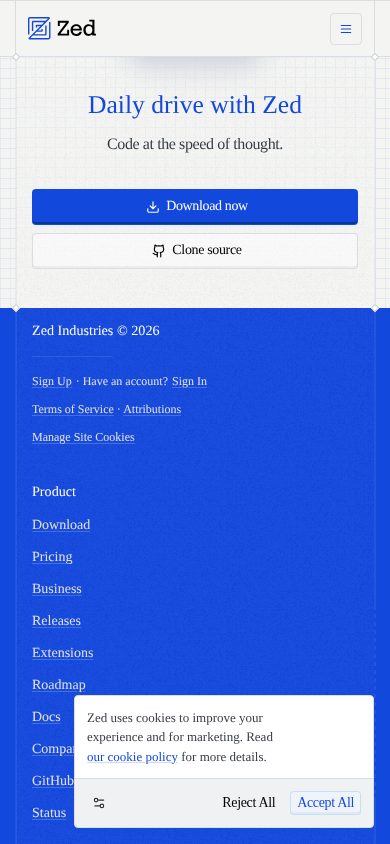
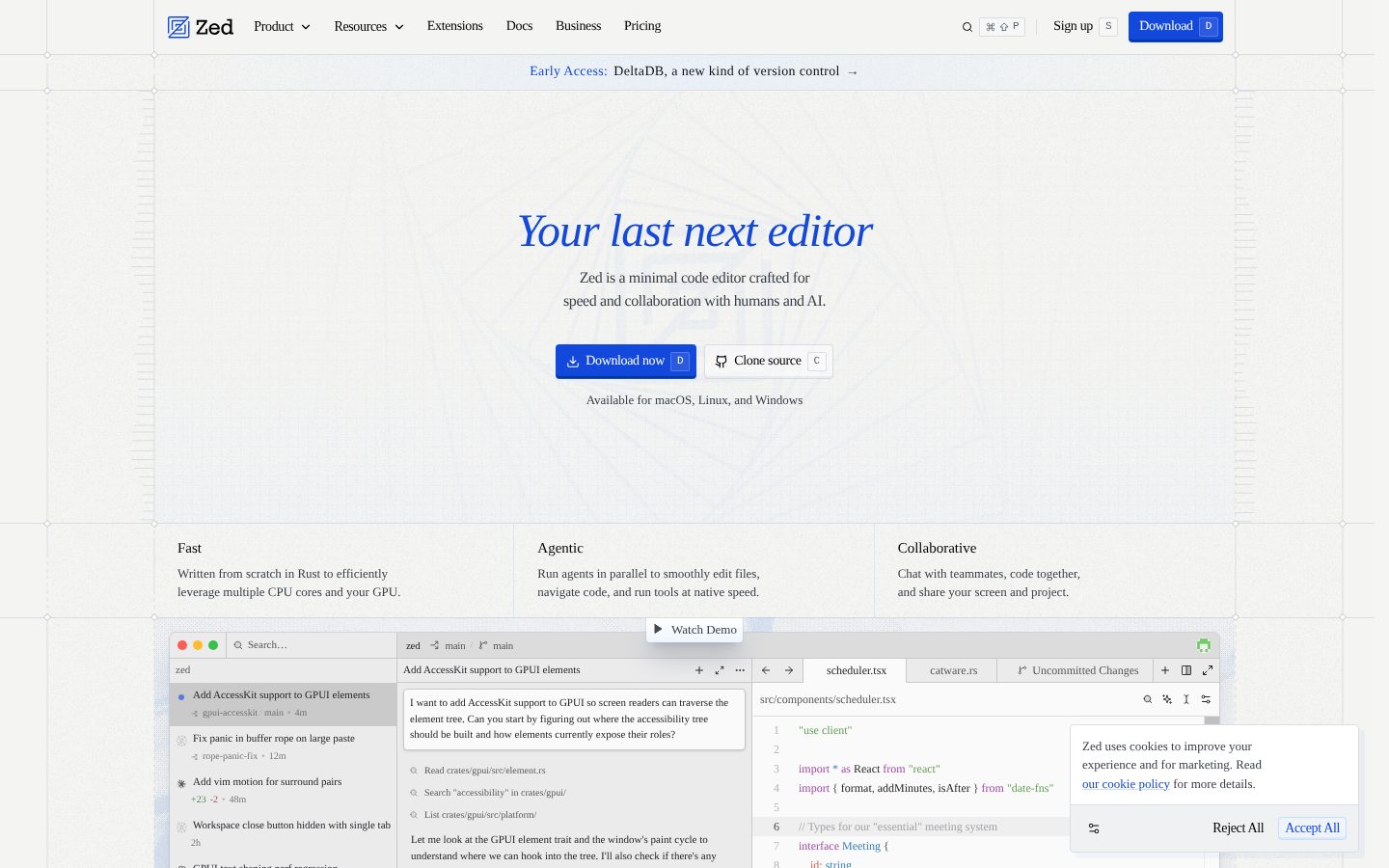
Zed desktop previewZed mobile preview

Pricing Plans

Personal

Free

Free forever for individual developers using Zed with their own API keys or external agents.

  • 2,000 accepted edit predictions
  • Unlimited use with your own API keys
  • Works with external agents like Claude Agent and Codex CLI
  • Full open-source editor on macOS, Linux, and Windows

Pro

$10/monthly

For professional developers who want unlimited edit predictions and hosted AI usage.

  • Unlimited edit predictions
  • $5 of tokens included monthly
  • Usage-based billing beyond $5 at API list price plus 10%
  • Configurable spending cap
  • Free 2-week trial with $20 in token credits

Business

$30/monthly

Per-seat plan for teams that need governance and admin controls over AI usage.

  • Org-wide AI model policies
  • Data governance controls
  • Unified spend visibility
  • Unlimited edit predictions
  • Role-based access controls
  • Order forms available at 25+ seats

AI Panel Reviews

The Decision Maker

The Decision Maker

Strategic bet, vendor viability, timing, adoption approval
8.3/10

Atom's creators, Sequoia's money, and a GPL license make Zed a low-risk editor bet.

Zed pairs a Rust-fast editor with agentic AI from the team that built Atom, backed by a $32M Sequoia-led Series B. Open-source core and cheap paid tiers make it an easy pilot with little downside.

GPL-licensed and open source since January 2024. That single fact settles most of my vendor-risk questions — if Zed Industries stumbles, the code survives and someone forks it. The team built Atom and Tree-sitter before this, so they've shipped developer tools at scale.

Funding checks out. Sequoia led a $32M Series B in August 2025, with total raised past $42M. Pricing won't scare anyone: free Personal tier, Pro at $10 a month, Business at $30 a seat with role-based access controls.

The catch is switching cost — Cursor and VS Code own the muscle memory, and Zed's extension catalog is younger. But Parallel Agents running Claude Agent threads across projects is a real capability, not a demo. Pilot it with a volunteer team this quarter.

Competitive Positioning8.0

Undercuts Cursor on price and differentiates on Rust performance, but the ecosystem is younger.

Reputation Risk8.3

Founders shipped Atom and Tree-sitter; the project is developed in public on GitHub.

Speed to Value8.0

Free Personal tier and own-API-key support mean a pilot costs nothing but time.

Strategic Fit8.2

Native agent threads and edit prediction advance AI-assisted development rather than repackaging it.

Vendor Viability8.5

Sequoia-led $32M Series B in 2025 plus a GPL-licensed core that outlives any corporate outcome.

Pros

  • Open-source GPL core removes the classic vendor-shutdown risk.
  • Sequoia-led $32M Series B gives multi-year runway.
  • Pricing tops out at $30 a seat, easy to approve.
  • Team pedigree: the same people built Atom and Tree-sitter.

Cons

  • Younger extension ecosystem than VS Code raises switching friction.
  • Monetization is early; paid AI tiers still have to prove durable revenue.

Right for

Engineering leaders who want a low-risk pilot of an AI-native editor.

Avoid if

Buyers who need a deep enterprise compliance and support organization today.

The Domain Strategist

The Domain Strategist

Craft and strategy in the product's domain — adapts identity per category, same lens
8.3/10

Zed treats the editor as an agent runtime, which is the right standardization bet.

For a DX team standardizing tooling, Zed's bet on open protocols — LSP, DAP, and MCP — keeps the platform swappable. The 3-year risk sits in its young extension ecosystem, not its architecture.

Standardizing an editor today means standardizing where agents run, and Zed's architecture reads like it was designed for that brief. MCP Extensions connect internal tools over an open protocol, and external agents like Claude Agent and Codex CLI plug in rather than lock in.

The substrate is sound. GPUI, their own GPU-accelerated UI framework, plus first-class LSP across 50-plus languages means the performance story isn't marketing. Remote Development keeps code on servers while laptops run only the UI — a clean fit for a paved-road toolchain.

However, a standardization call needs an ecosystem, and Zed's extension registry is years behind VS Code's marketplace. If we standardize now, we're betting the 1,100 open-source contributors keep closing that gap. At $30 a seat for governance controls, it's a cheap hedge.

Category Positioning8.0

Clear performance-first identity against Cursor and VS Code, though the ecosystem is smaller.

Domain Fit8.4

Purpose-built for engineering orgs running LSP, DAP, Git, and coding agents in one surface.

Integration Surface8.3

MCP Extensions, an Extension API, dev containers, and Remote Development cover the toolchain.

Long-term Implications8.0

GPL core and standard protocols keep a 3-year exit cheap if the bet sours.

Strategic Depth8.3

Agent-agnostic design and open protocols show systems thinking, not a feature checklist.

Pros

  • Open protocols — LSP, DAP, MCP — keep the toolchain swappable.
  • GPUI-based rendering holds up in large monorepos.
  • Agent-agnostic: Claude Agent and Codex CLI run natively.
  • Remote Development suits centralized, governed codebases.

Cons

  • Extension ecosystem trails VS Code's marketplace by years.
  • Business-tier governance is newer than enterprise incumbents' controls.

Right for

Platform teams who want an agent-ready editor standard without vendor lock-in.

Avoid if

Teams who depend on niche VS Code extensions with no Zed equivalent.

The Finance Lead

The Finance Lead

Money, total cost of ownership, contracts, procurement math
8.2/10

Zed's $10 Pro tier publishes its markup — API list price plus 10%.

Zed Pro runs $10 a month with $5 of tokens included and overage billed at API list price plus 10%. Free tier, published markup, and a spending cap make this one of the cleanest AI-editor invoices around.

Most AI editors hide their token margin. Zed prints it on the pricing page: usage past the included $5 bills at API list price plus 10%. Add a configurable spending cap and the invoice stays predictable.

The tiers are honest. Personal is free with 2,000 accepted Edit Prediction completions and unlimited use on your own API keys. Pro is $10 a month; Business is $30 a seat. Fifty seats on Business: 50 × $30 × 12 = $18K a year.

Compare Cursor at $20 a month or GitHub Copilot Business at $19 a seat. Zed undercuts both on sticker. The catch: token overage is the variable line, and agent-heavy teams can burn past $5 fast. Model the usage before you budget the year.

Billing & Procurement8.0

Unified spend visibility on Business; usage-based AI billing still needs a monthly watch.

Contract Flexibility8.0

Monthly billing, a free-forever tier, a spending cap, and order forms only at 25-plus seats.

Pricing Transparency8.8

All three tiers public, overage markup published at API list plus 10% — no sales call needed.

ROI Clarity7.8

Cheap sticker, but the productivity return on agents is hard to put on an invoice.

Total Cost of Ownership8.2

Business caps at $30 a seat; token overage is the only variable line.

Pros

  • Published overage markup — API list price plus 10% — is rare candor.
  • Configurable spending cap keeps token bills bounded.
  • Free Personal tier with own-key usage means $0 evaluation cost.
  • Business tops out at $30 a seat, below most enterprise dev tools.

Cons

  • Token overage makes agent-heavy budgets variable month to month.
  • $5 of included tokens is thin for daily agent use.
  • ROI case rests on productivity gains that are hard to invoice against.

Right for

Budget owners who want AI-editor spend with published rates and hard caps.

Avoid if

Teams who need fixed per-seat pricing with zero usage-based variance.

The Domain Practitioner

The Domain Practitioner

Daily hands-on reality in the product's domain — adapts identity per category, same lens
8.2/10

Multibuffer review plus native agent threads make Zed a credible daily driver for AI-heavy engineers.

Zed nails the agent-era workflow: Multibuffer review, Zeta2 completions, and native Git in a Rust-fast shell. Extension gaps are the main daily cost against VS Code.

Reviewing what an agent just changed is the real bottleneck, and Zed's answer is the Multibuffer: every touched excerpt across the repo lands in one editable surface. No tab-hopping through fifteen files to audit a refactor.

The rest of the daily loop holds up. Zeta2 edit predictions are fast enough to keep pace with typing, Vim Mode covers text objects properly, and the DAP debugger means no terminal detour for breakpoints. First-class LSP across 50-plus languages, based on their docs.

The friction shows at the edges, however: extension coverage is thinner than VS Code's, and JetBrains still wins on deep refactoring in Java or Kotlin. For a $10-a-month Pro plan running Claude Agent threads in-editor, that's a trade many engineers will take.

Day-3 Reality8.2

Editor, Git, debugger, and agents in one window — the daily loop rarely leaves it.

Documentation Practitioner-Fit8.0

Docs are task-oriented and the open GitHub repo doubles as a reference.

Friction Surface7.8

Missing long-tail extensions is the recurring fight for workflows built on VS Code plugins.

Power-User Depth8.3

Vim and Helix modes, Multibuffer editing, a CLI, and a built-in REPL reward investment.

Workflow Integration8.4

Native Git staging, DAP debugging, and agent threads remove the usual tool-switching tax.

Pros

  • Multibuffer turns cross-repo agent diffs into one reviewable surface.
  • Zeta2 predictions and GPU rendering keep the editor at typing speed.
  • Vim Mode with real text objects, plus a separate Helix mode.
  • Git staging, DAP debugging, and agent threads without leaving the editor.

Cons

  • Extension catalog misses long-tail tools VS Code users lean on.
  • Deep refactoring still trails JetBrains in JVM-heavy stacks.

Right for

Senior engineers who drive coding agents daily and review their diffs in-editor.

Avoid if

Developers who rely on JetBrains-grade refactoring for large Java codebases.

The Power User

The Power User

Daily human experience, onboarding, polish, learning curve, reliability
8.0/10

Zed feels instant everywhere, and the free plan doesn't hold your workflow hostage.

Zed's whole pitch is that nothing ever makes you wait, and the evidence backs it up. The free tier is real, the polish is real, and the extension catalog is still growing.

An editor is like an office chair. You don't notice a good one — you just stop hurting by Friday. Everything written about Zed circles the same feel: it opens instantly, scrolls instantly, and never makes you wait on your own keystrokes.

The free plan is genuinely usable, not a teaser: 2,000 accepted Edit Prediction completions, unlimited AI on your own API keys, and a $10 Pro upgrade that feels like a want, not a ransom. Sublime Text charges $99 for this kind of calm; VS Code gives it away but drags more.

The rough edge: you'll miss some extensions. The catalog is young, however, and a workflow built on niche VS Code plugins will hit gaps by Wednesday. But the core — Vim Mode, split panes, themes — feels finished, and finished is rare at this age.

Daily Polish8.4

GPU-accelerated rendering and a Rust core make speed the product's personality.

Learning Curve7.8

Sane defaults out of the box; Vim and Helix modes are optional depth, not homework.

Mobile Parity7.5

Desktop dev tool where mobile isn't a use case — scored neutral.

Onboarding Experience8.0

Install, open a project, and LSP for 50-plus languages works without plugin hunting.

Reliability Feel8.2

Open development on GitHub with a fast release cadence keeps fixes visible.

Pros

  • Instant startup and keystroke response, even on big projects.
  • Free plan is usable long-term, not a trial in disguise.
  • Vim and Helix modes ship built in, no plugin roulette.

Cons

  • Niche extension gaps compared to VS Code's marketplace.
  • Windows support arrived later, so it has less mileage than macOS.

Right for

Developers who want an editor that feels instant without hours of configuration.

Avoid if

People who depend on one specific VS Code extension every day.

The Skeptic

The Skeptic

Contrarian. Watch-outs, deal-breakers, broken promises, category patterns
7.4/10

Atom died at GitHub's hands, and open source is Zed's insurance against a rerun.

Zed's team already watched one beloved editor die when GitHub sunset Atom in 2022. The GPL license and $32M from Sequoia buy real insurance, but the business model still has to prove itself.

The founders' last editor is already in the graveyard. GitHub sunset Atom in 2022 — not for lack of users, for lack of a business. That's the exact question hanging over Zed: beloved tool, unproven revenue.

The hedges are real, though. Open source under GPL since January 2024, so the code outlives the company. Sequoia led a $32M Series B in 2025. And Zeta2 predictions plus a $10 Pro tier is an actual monetization attempt, not a someday plan.

Exit story is clean: local config, standard LSP, nothing proprietary holding your code. If Zed folds, you're back on VS Code or Cursor in an afternoon. The yellow flag is the business model — editors historically don't pay for themselves. Watch the revenue signals, not the stars.

Competitive Differentiation7.0

Rust speed is real, but Cursor, Copilot, and Windsurf are all funded and moving fast.

Exit Portability8.5

GPL code, standard LSP configs, and no proprietary formats make leaving nearly free.

Long-term Viability6.8

$42M raised buys runway; editor monetization remains historically unforgiving.

Marketing Honesty7.5

Performance claims rest on visible architecture, and the pricing page states its own markup.

Track Record Match7.2

Team shipped Atom and Tree-sitter, but their last editor still got shut down.

Pros

  • GPL-licensed code means the editor survives the company.
  • Sequoia's $32M Series B signals conviction, not hype.
  • Exit costs are near zero — standard configs, no proprietary formats.

Cons

  • Code editors have a long history of dying unmonetized, Atom included.
  • AI-editor field is brutally crowded — Cursor, Copilot, Windsurf are all funded.
  • Business tier is young; enterprise track record is thin.

Right for

Cautious teams who want AI tooling with a guaranteed open-source escape hatch.

Avoid if

Risk-averse buyers who need a vendor with proven decade-long revenue.

Buyer Questions

Common questions answered by our AI research team

Pricing

How much does Zed Pro cost per month?

Zed Pro costs $10 per month with unlimited edit predictions and $5 of AI tokens included; usage beyond that is billed at API list price plus 10%. A two-week free trial adds $20 in token credits, and Business runs $30 per seat per month.

Features

Can Zed run AI coding agents like Claude?

Yes. Zed natively supports agentic editing, and Parallel Agents runs multiple agent threads across several projects at once. External agents such as Claude Agent and Codex CLI work with your own API keys, even on the free Personal plan.

Security

Does Zed offer enterprise security and admin controls?

The Business plan at $30 per seat per month includes org-wide AI model policies, data governance controls, role-based access controls, and unified spend visibility. Order forms are available for teams with 25 or more seats.

Setup

What platforms does Zed run on?

Zed runs natively on macOS, Linux, and Windows. Remote Development also lets your machine run only the Zed UI while the codebase lives on a remote server, and dev containers are supported for reproducible environments.

Integration

Does Zed support Vim keybindings and language servers?

Yes. Zed ships first-class modal editing via Vim bindings, including text objects, plus a Helix mode. Language Server Protocol support covers more than 50 languages, and the Extension API adds community-built language, theme, and MCP extensions.

Product Information

Platforms

macwindowslinux

About Zed Industries, Inc.

Zed Industries builds Zed, an open-source, Rust-based code editor with built-in AI and real-time collaboration. The company is based in Boulder, Colorado.

Resources

Documentation
API
Blog
Changelog

Also in AI Coding Tools