Google Workspace logo

Google Workspace Review

Visit

Cloud-based productivity and collaboration suite with Gmail, Docs, Drive, and more

Google Workspace is a cloud-based productivity and collaboration suite for businesses and organizations.

AI Panel Score

8.2/10

6 AI reviews

Reviewed

AI Editor Approved

About Google Workspace

Google Workspace is a comprehensive cloud-based productivity and collaboration platform designed for businesses, educational institutions, and organizations of all sizes. The suite combines familiar Google applications with enterprise-grade security, administration controls, and support services.

The platform includes core applications such as Gmail for business email, Google Drive for cloud storage and file sharing, Google Docs for word processing, Google Sheets for spreadsheets, Google Slides for presentations, and Google Meet for video conferencing. Additional tools include Google Calendar for scheduling, Google Forms for data collection, and Google Sites for website creation.

Google Workspace targets organizations seeking to move their productivity tools to the cloud while maintaining collaboration capabilities. The platform supports real-time collaboration, allowing multiple users to simultaneously edit documents, share files, and communicate across teams. Administrative features include user management, security controls, data loss prevention, and compliance tools.

The service competes with other productivity suites such as Microsoft 365 and offers different pricing tiers based on storage limits, advanced features, and administrative capabilities. Google Workspace operates entirely in the cloud, requiring internet connectivity for full functionality, though some applications offer limited offline access.

Features

AI

  • Gemini KI-Assistent

    Integrierter KI-Assistent in Gmail, Docs, Meet und weiteren Apps, der beim Erstellen von Inhalten, Auswerten von Daten und Durchführen von Recherchen unterstützt.

  • NotebookLM KI-Recherche-Assistent

    KI-gestützter Recherche-Assistent, der Nutzern hilft, umfassende Recherchen durchzuführen und Informationen strukturiert aufzubereiten.

Automation

  • AppSheet No-Code-Apps und Automatisierungen

    Ermöglicht das Erstellen von No-Code-Anwendungen und Automatisierungen ohne Programmierkenntnisse direkt innerhalb von Google Workspace.

Collaboration

  • Google Meet Videokonferenzen

    Videokonferenzen mit hoher Videoqualität, Geräuschunterdrückung sowie Aufzeichnungs- und Transkriptionsfunktion für bis zu 1.000 Teilnehmende (je nach Tarif).

  • Reservierungsseiten in Google Kalender

    Ermöglicht Kunden, über eine individuelle Reservierungsseite direkt Termine im Google Kalender des Nutzers zu buchen.

Core

  • E-Signatur-Funktionen

    Ermöglicht das Anfordern und Verwalten elektronischer Signaturen direkt in Google Docs und für PDF-Dokumente wie Verträge und Vereinbarungen.

  • Gmail mit benutzerdefinierter E-Mail-Adresse

    Ermöglicht professionelle E-Mail-Adressen unter der eigenen Unternehmens-Domain (z. B. IhrName@IhrUnternehmen.de) mit Layouts im Markendesign und personalisierten Nachrichten.

  • Google Drive Cloud-Speicher

    Stellt bis zu 5 TB Speicherplatz pro Nutzer in der sicheren Cloud-Infrastruktur von Google bereit und ermöglicht den Zugriff von überall.

Integration

  • Google Workspace Migrate

    Tool zur sicheren Migration von E-Mails, Dateien, Kalendern, Kontakten und Berechtigungen aus anderen Systemen zu Google Workspace.

Security

  • KI-basierter Datenschutz und DLP

    Identifiziert und klassifiziert sensible Daten automatisch per KI, minimiert Datenverluste und erfüllt Compliance-Anforderungen (inkl. Schutz vor Datenverlust in der Enterprise-Version).

  • Secure LDAP und Endpunktverwaltung

    Bietet Secure LDAP sowie erweiterte und unternehmensseitige Endpunktverwaltung zur zentralen Kontrolle von Gerätezugriffen (verfügbar ab Business Plus und Enterprise).

  • Vault – Datenarchivierung

    Ermöglicht das Aufbewahren, Archivieren und Durchsuchen von Unternehmensdaten für E-Discovery-Zwecke (verfügbar ab Business Plus).

Preview

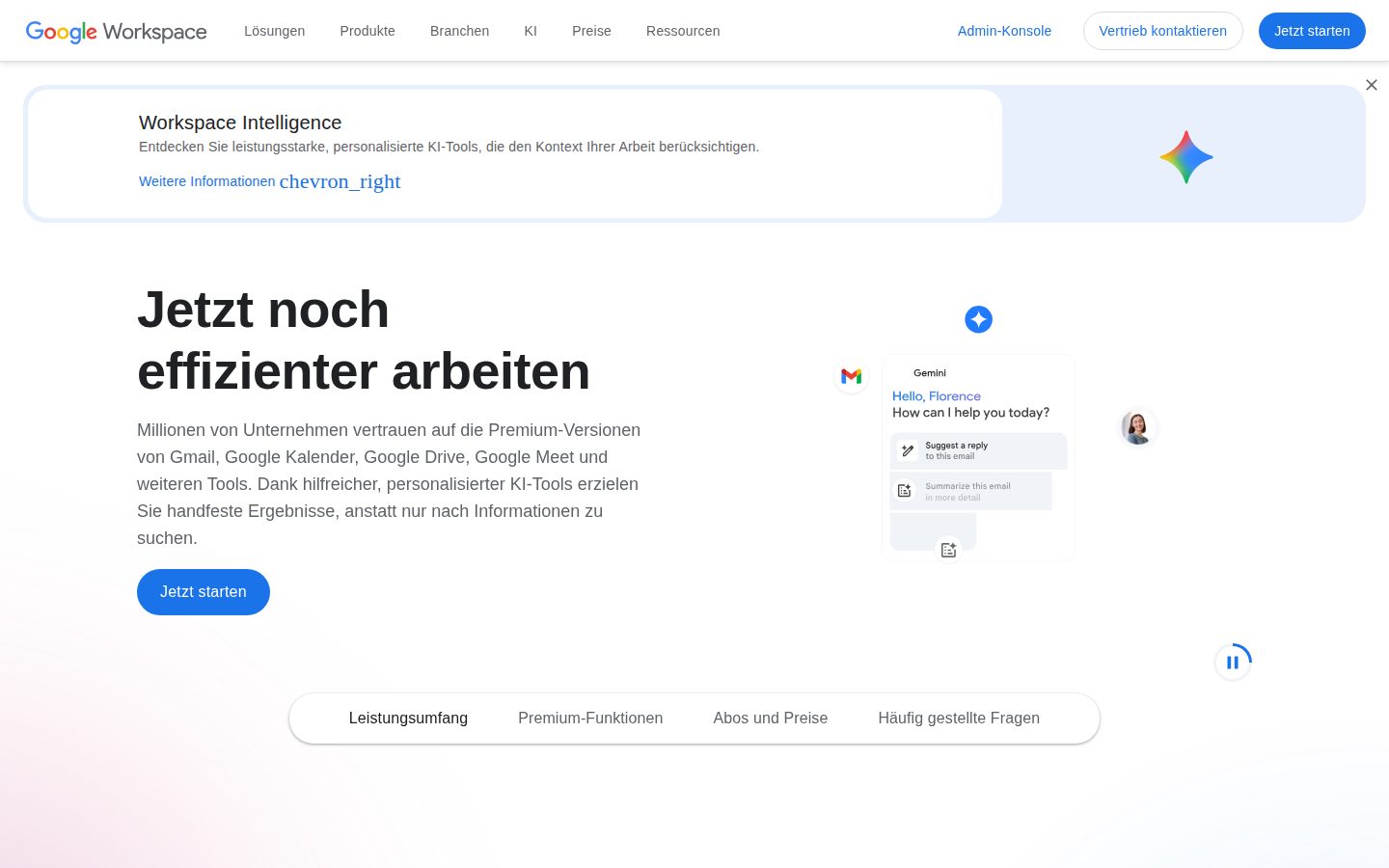
Google Workspace desktop previewGoogle Workspace mobile preview

Pricing Plans

Business Starter

$7/monthly

Small teams getting started with business email and basic collaboration tools

  • 30 GB pooled storage per user
  • Secure custom business email
  • Gemini AI assistant in Gmail
  • 100 participant video meetings
  • Google Vids AI-powered video creator
  • Security and management controls
Popular

Business Standard

$14/monthly

Growing teams needing more storage, AI features, and advanced meeting capabilities

  • 2 TB pooled storage per user
  • Gemini AI assistant in Gmail, Docs, Meet, and more
  • 150 participant video meetings with recording and noise cancellation
  • NotebookLM with expanded access
  • eSignature with Docs and PDFs
  • Appointment booking pages

Business Plus

$21/monthly

Larger teams requiring advanced security, compliance, and meeting features

  • 5 TB pooled storage per user
  • 500 participant video meetings with attendance tracking
  • Vault to retain, archive, and search data
  • Secure LDAP
  • eDiscovery and retention
  • Advanced endpoint management

Enterprise

Contact sales

Large organizations needing enterprise-grade security, compliance, and scale

  • 1000 participant video meetings with in-domain live streaming
  • Data loss prevention (DLP)
  • S/MIME email encryption
  • Context-aware access
  • Enterprise data regions
  • AI Classification for Google Drive

AI Panel Reviews

The Decision Maker

The Decision Maker

Strategic bet, vendor viability, timing, adoption approval
8.4/10

Microsoft owns 58% of the enterprise seat count, but the dual-stack reality protects Google Workspace from displacement.

Vendor existence isn't the question for a Google business unit five years past the G Suite rebrand. The board question is whether standardizing here advances the company or just locks in the cheaper of two acceptable choices.

Workspace is the rare Google product where the existential vendor question is upside down. The suite leads overall productivity market share, but Microsoft 365 holds roughly 58% of enterprise deployments — and 64% of organizations now run both. Standardizing on Workspace doesn't bet on Google. It bets that your peers' dual-stack reality holds.

The strategic substance is AppSheet and Vault. AppSheet folds no-code automation into the seat price your CFO already approved, which Microsoft splits across Power Apps licensing. Vault sits on Business Plus at $21.10/seat — eDiscovery without a separate Mimecast contract. That's the consolidation play worth defending to the board.

The catch is the 300-user cap on every Business tier. Cross it and you're in unpriced Enterprise quotes — sales-led, no published number. Pilot Business Plus on one department for 90 days. Don't move the org until you've priced the Enterprise jump in writing.

Competitive Positioning7.8

Microsoft 365 holds roughly 58% of enterprise deployments, so peer-default optics still tilt to Redmond.

Reputation Risk8.5

Workspace leads overall productivity market share, so the board defense writes itself.

Speed to Value8.2

Gmail and Drive familiarity means new-hire onboarding friction is near zero.

Strategic Fit7.8

Advances if you are already Google-native, otherwise it just consolidates Drive and Gmail under one bill.

Vendor Viability9.5

Public Google business unit five years past the G Suite rebrand — vendor risk is closed.

Pros

  • Pooled storage and Vault eliminate per-user storage policing on Business Plus.
  • AppSheet ships in-bundle, so no-code automation is not a separate license line.
  • Gmail and Drive familiarity keeps onboarding costs near zero for new hires.
  • Workspace leads overall productivity market share, so it is never a sketchy choice to defend.

Cons

  • The 300-user cap on every Business tier forces an unpriced Enterprise jump.
  • Microsoft 365 still holds the enterprise segment, so peer-default optics tilt toward Redmond.
  • AI Classification and Context-Aware Access live only on Enterprise, not Business Plus.

Right for

Mid-market companies under 300 users who already live in Gmail and Drive.

Avoid if

Enterprises over 300 seats who need published, predictable per-seat pricing.

The Domain Strategist

The Domain Strategist

Craft and strategy in the product's domain — adapts identity per category, same lens
8.3/10

Google Workspace's identity-and-browser edge is what a CIO actually buys — Microsoft 365 still wins on Office gravity.

Workspace Enterprise's value isn't Docs vs Word — it's BeyondCorp and a Chrome-managed device fleet on the same admin plane. Microsoft 365 E3 at $36/seat plus a $30 Copilot add-on shifts the TCO conversation toward Google whenever the office-document moat doesn't decide it.

The CIO question on Google Workspace isn't whether Docs replaces Word. It's whether you put the identity and browser edge on Google's stack. BeyondCorp wires Context-Aware Access, Chrome Enterprise signals, and device inventory into one policy plane — a zero-trust posture you can defend in a board review.

Enterprise data regions and Drive AI Classification close the residency and DLP gaps that used to push regulated buyers toward Microsoft 365 E3 at $36/seat. Gemini ships in-suite; Microsoft's $30 Copilot is a separate line. However, the security ceiling sits behind the Enterprise SKU — list pricing stops at $21.10 Business Plus, then it's sales-led.

The three-year catch is concentration. Identity, mail, browser, device, and now AI sit with one vendor. Workspace Migrate handles the inbound, but the exit path — pulling Gmail, Drive, and AppSheet apps back out — is the bill nobody models on signature day.

Category Positioning8.5

Durable Alphabet-owned category leader, the cloud-collab default opposite Microsoft 365.

Domain Fit8.4

Fits CIOs prioritizing zero-trust, browser-managed fleets, and cloud-native admin over on-prem Active Directory.

Integration Surface8.5

Chrome Enterprise, Cloud Identity, Workspace, and Context-Aware Access share one admin plane.

Long-term Implications7.8

Concentration risk and security features gated behind sales-led Enterprise quotes cap the 3-year upside.

Strategic Depth8.3

BeyondCorp plus in-suite Gemini is best-in-class identity and AI substrate, not just current.

Pros

  • BeyondCorp ties identity, Context-Aware Access, and device signals into one zero-trust admin plane.
  • Gemini AI is bundled in-suite — no separate Copilot-style $30/seat add-on.
  • Published pricing through Business Plus at $21.10 makes mid-market budgeting predictable.
  • Workspace Migrate handles inbound from Exchange and Microsoft 365 cleanly enough for most cutovers.

Cons

  • Vendor concentration risk: identity, mail, browser, device, and AI all sit with one provider.
  • Top-tier security (S/MIME, AI Classification, Enterprise data regions) gates behind sales-led Enterprise quotes.
  • Office-native workflows still feel like guests in Docs and Sheets rather than first-class citizens.

Right for

CIOs standardizing identity, browser, and device on a single zero-trust stack.

Avoid if

Teams whose workflows live inside Excel macros and SharePoint.

The Finance Lead

The Finance Lead

Money, total cost of ownership, contracts, procurement math
8.0/10

Workspace Business Standard runs $14/seat annual, $16.80 flex — 16% premium for monthly billing.

Three Business tiers at $7/$14/$22 annual, all visible without a sales call. The 300-user cap forces scale-ups into Enterprise — no published price.

The 300-user cap on every Business tier is the line procurement misses. Cross it and you're in an Enterprise quote — no published price, sales-led. Business Starter is $7/seat annual, $8.40 flex. Standard is $14, Plus is $22. Flex billing runs 16-17% more across all three.

50-seat team on Business Standard: 50 × $14 × 12 = $8,400/year. Add the 30% seat creep most finance teams underestimate. Year 3 lands closer to $11K. Gemini AI is bundled — no separate Copilot-style upsell. NotebookLM ships in Standard at no surcharge, which Microsoft 365 Business Standard at $12.50 doesn't match.

The catch is the annual commit. Cancel mid-term and you owe the balance. 14-day trial, no published overage on storage past the 2 TB pool. Pooled storage is the win — one heavy user doesn't torpedo the line item.

Billing & Procurement8.5

Google Cloud Billing is a standard procurement vendor with NET 30 and 14-day trial.

Contract Flexibility7.0

Annual commit locks the term; flex billing carries a 16-17% premium across all tiers.

Pricing Transparency8.5

Three Business tiers publicly priced; Enterprise is sales-led with no listed rate.

ROI Clarity7.5

Seat counts make spend measurable, but productivity ROI on Gemini features is unproven.

Total Cost of Ownership8.0

Gemini and NotebookLM bundled; no SSO surcharge; pooled storage absorbs power users.

Pros

  • Three Business tiers publicly priced from $7 to $22 per seat — no sales call required.
  • Gemini AI and NotebookLM bundled in Standard, no Copilot-style add-on bill.
  • Pooled storage (30 GB / 2 TB / 5 TB per user) means one heavy user does not break the line item.
  • 14-day free trial before any commit.

Cons

  • Annual commit locks the term — cancel mid-term and you owe the balance.
  • Flex (monthly) billing carries a 16-17% premium across all three Business tiers.
  • The 300-user cap on Business plans pushes growing teams into a sales-led Enterprise quote.

Right for

Teams under 300 seats who want bundled email, storage, and Gemini AI.

Avoid if

Organizations over 300 users who need transparent enterprise pricing upfront.

The Domain Practitioner

The Domain Practitioner

Daily hands-on reality in the product's domain — adapts identity per category, same lens
8.2/10

Pooled storage and Vault retention solve the admin spreadsheet, but Gemini access stays tier-gated below Business Standard.

Vault, Context-Aware Access, and AppSheet make Workspace defensible at the admin tier, but Gemini and DLP gating leaves the 280-seat shop choosing between $21.10 Business Plus and a custom Enterprise quote. Pooled storage and the org-unit tree carry daily admin life better than the Microsoft 365 console does.

The Admin Console still pages slower than Microsoft 365's Endpoint Manager, but the org-unit tree is where Workspace earns its keep — group-scoped policy without the Active Directory marriage. Pooled storage at 2 TB per user on Business Standard ($13.60/seat) means you stop refereeing the hoarder with 400 GB of Drive scans.

Vault for retention and eDiscovery sits behind Business Plus at $21.10. Below that, legal hold means a manual Takeout export. Context-Aware Access and S/MIME live only on Enterprise — fine for Fortune 500 admins, painful for the 280-seat shop. The 300-user cap on Business plans is the real cliff.

Gemini in Gmail is everywhere now, but NotebookLM's expanded access starts at Standard. The catch: AppSheet builds genuinely useful no-code tools, however the Migrate tool still fights Exchange calendar permissions on edge cases. Compare Microsoft 365's tenant-level DLP — AI Classification ships only on Enterprise.

Day-3 Reality8.0

Most users live in Gmail and Docs without daily friction; the Admin Console drags but that's a weekly fight, not a daily one.

Documentation Practitioner-Fit7.8

The Workspace Admin Help Center is written by people who know the product; English coverage is strong, edge-case migration docs lag.

Friction Surface7.6

Tier-gated features (Vault, DLP, S/MIME, AI Classification) create planning overhead at every renewal, especially below 300 seats.

Power-User Depth8.2

AppSheet, Apps Script, advanced Drive search, and the org-unit policy tree give admins real depth without leaving the suite.

Workflow Integration8.4

Real-time co-editing across Docs, Sheets, and Slides remains the category standard sibling tools still benchmark against.

Pros

  • Real-time co-editing in Docs, Sheets, and Slides remains the category standard for live multi-editor work.
  • Org-unit-scoped policies let admins target groups without an Active Directory dependency.
  • Pooled storage at 2 TB on Business Standard moves the per-user storage spreadsheet off the admin's desk.
  • AppSheet ships in Workspace plans and turns Sheets into internal tools without engineering tickets.

Cons

  • Vault, S/MIME, Context-Aware Access, and AI Classification gate behind Business Plus or Enterprise tiers.
  • The 300-user cap on Business plans forces growing teams into a custom Enterprise sales motion.
  • Admin Console pages render slower than Microsoft 365's Endpoint Manager for bulk operations.

Right for

IT admins running 50-300 seat organizations on cloud-native productivity.

Avoid if

Admins who need DLP and S/MIME below the Enterprise tier.

The Power User

The Power User

Daily human experience, onboarding, polish, learning curve, reliability
8.2/10

Gemini in Docs is the upgrade pressure, but Smart Compose is still why Workspace earns the day.

Gmail's Smart Compose and Docs' offline mode are the daily polish that keep Workspace sticky three months in. The catch is mobile — full editing exists, but Sheets on Android still feels like a courtesy port.

Smart Compose still finishes the sentence before you do, and that small Gmail tic is what keeps Workspace sticky three months in. It's been there since 2018, and most days it shaves a few seconds per reply. Docs' offline mode is the same kind of quiet — toggle it on, fly to Denver, the doc keeps working.

Day thirty is when the Gemini side panel stops feeling like a demo and starts replacing the second tab. Summarize a 40-message thread, draft the reply, done. It ships in Business Standard at $14/seat annual now — no separate Copilot-style upsell. NotebookLM's expanded access lands in the same tier.

The catch is mobile. Sheets on Android can edit, but pivot tables and conditional formatting still want the laptop. Notion's mobile is closer to parity. For a suite that lives in pockets between meetings, that gap nags — but the desktop polish is still best in class.

Daily Polish8.5

Smart Compose, Smart Canvas, and the Gemini side panel are the small daily details done right.

Learning Curve8.0

Familiar at hour one, but Smart Canvas chips and Gemini prompts keep revealing depth at month three.

Mobile Parity7.0

Sheets and Slides on mobile handle basics but punt advanced edits like pivot tables back to the laptop.

Onboarding Experience8.2

Most users already know Gmail and Docs, so the first ten minutes feels like welcome, not homework.

Reliability Feel8.7

Autosave is invisible, downtime is rare, and Google's infra carries the weight underneath.

Pros

  • Smart Compose, Smart Canvas, and the Gemini side panel make the daily texture quietly best-in-class.
  • Gemini bundled into Business Standard at $14/seat is a real value unlock versus the old $32 add-on.
  • Real-time co-editing in Docs and Sheets still feels smoother than any competitor in 2026.

Cons

  • Sheets on Android handles basic edits, but advanced features like pivot tables still want a laptop.
  • The 300-user cap on Business plans pushes growing teams into a sales-led Enterprise quote.

Right for

Teams who live in Gmail and Docs every day.

Avoid if

Solo users who mainly work from a phone.

The Skeptic

The Skeptic

Contrarian. Watch-outs, deal-breakers, broken promises, category patterns
7.8/10

Twenty years in market, 3 billion users, and the 300-seat cap is still where it bites.

Google Workspace cleared the survival question two decades ago — the open one is whether Gemini stays bundled or starts looking like a Copilot-style upsell. Pricing held, the rebrand didn't break adoption, and Microsoft is the only real comp at scale.

Workspace launched in 2006 as Gmail for Your Domain, became G Suite in 2016, rebranded as Google Workspace in October 2020. Two name changes, no migration nightmare. That's evidence.

Context-Aware Access is the part of the product I'd lean on. It's a real access primitive — device posture, location, IP — that Zoho Workplace doesn't match below its enterprise tier. The catch is it lives only on Workspace Enterprise, where the price disappears behind a sales call.

The yellow flag is Gemini. Bundled across tiers right now. Microsoft moved Copilot to a $30 add-on after its bundle period. Google's pricing page still says 'included' and the Cloud Next '26 messaging held the line. Bundled AI is a trust contract vendors break quietly. Worth watching the renewal.

Competitive Differentiation7.5

Web-first collaboration roots still differentiate against Microsoft 365 even as Copilot closes the AI gap.

Exit Portability7.0

Google Takeout covers data export, but Drive and Gmail gravity make a real migration painful past 50 seats.

Long-term Viability8.5

3 billion users, 13 million paying customers, public parent — viability is not the question with this one.

Marketing Honesty7.5

Pricing page is transparent on the three Business tiers; the "included" Gemini language is the part to watch.

Track Record Match8.5

Twenty years live, two rebrands, no broken contracts — pattern matches the survivors, not the casualties.

Pros

  • Twenty-year survival through two rebrands without breaking enterprise contracts.
  • Pooled storage at 2 TB on Business Standard means one heavy user does not blow the seat line item.
  • Context-Aware Access and S/MIME are genuine enterprise primitives, not marketing bolt-ons.
  • Gemini is currently bundled across all paid tiers with no Copilot-style upsell.

Cons

  • The 300-user cap on every Business tier forces an Enterprise sales call past the cliff.
  • Vault and Context-Aware Access live above Business Plus, so security depth costs another tier jump.
  • Bundled Gemini pricing has no public lock-in and could shift to a paid add-on at renewal.

Right for

Teams who already live in Gmail and Drive.

Avoid if

Organizations who need 300+ seats without a custom Enterprise contract.

Buyer Questions

Common questions answered by our AI research team

Pricing

How much storage does each plan include, and is there a difference between the Starter, Standard, and Plus tiers?

The Starter plan includes 30 GB of shared storage per user account, the Standard plan includes 2 TB (65 times more than Starter), and the Plus plan includes 5 TB (2.5 times more than Standard). The Enterprise plan also starts at 5 TB but can be upgraded to more storage.

Features

Can Google Meet record video calls and generate transcripts, and at what plan does this feature become available?

Yes, Google Meet supports video call recordings and transcriptions. This feature becomes available starting with the Standard plan, which includes 'Videokonferenzen mit Aufzeichnung und Geräuschunterdrückung' (video conferencing with recording and noise cancellation) for up to 150 participants.

Features

Does Google Workspace support electronic signatures for documents like contracts, and which plans include this functionality?

Yes, Google Workspace supports electronic signatures (E-Signatur) for Google documents and PDFs. This functionality is included in the Standard plan and higher tiers, as it is listed as a feature of the Standard plan: 'E‑Signatur-Funktionen für Google-Dokumente und PDFs'.

Security

What AI-based security features are included to protect sensitive data, and does AI automatically classify confidential files in Google Drive?

Google Workspace uses AI to automatically identify and classify sensitive data to minimize data loss and meet compliance requirements. Additionally, the Enterprise plan specifically includes 'KI‑basierte Klassifizierung für Google Drive' (AI-based classification for Google Drive) as well as Data Loss Prevention (DLP) and context-sensitive access controls.

Pricing

Is there a limit on how many users can be added under the Business Starter, Standard, or Plus plans, and when would an organization need to switch to the Enterprise tier?

Yes, the Business Starter, Standard, and Plus plans are each capped at a maximum of 300 users ('maximal 300 Nutzerinnen und Nutzern'). An organization would need to switch to the Enterprise tier when it exceeds 300 users, as Enterprise versions have no such upper limit ('haben keine solche Obergrenze').

Product Information

  • Company

    Google
  • Founded

    1998
  • Pricing

    From $6/mo
  • Free Trial

    Available

Platforms

webmacwindowslinuxiosandroid

About Google

Google is a Mountain View-based Alphabet subsidiary offering Search, YouTube, Android, Google Cloud, Workspace, and the Gemini family of AI models and products.

Resources

Documentation
API

Also in Communication Tools