Canva logo

Canva Review

Visit

Design platform for creating graphics, presentations, and marketing materials

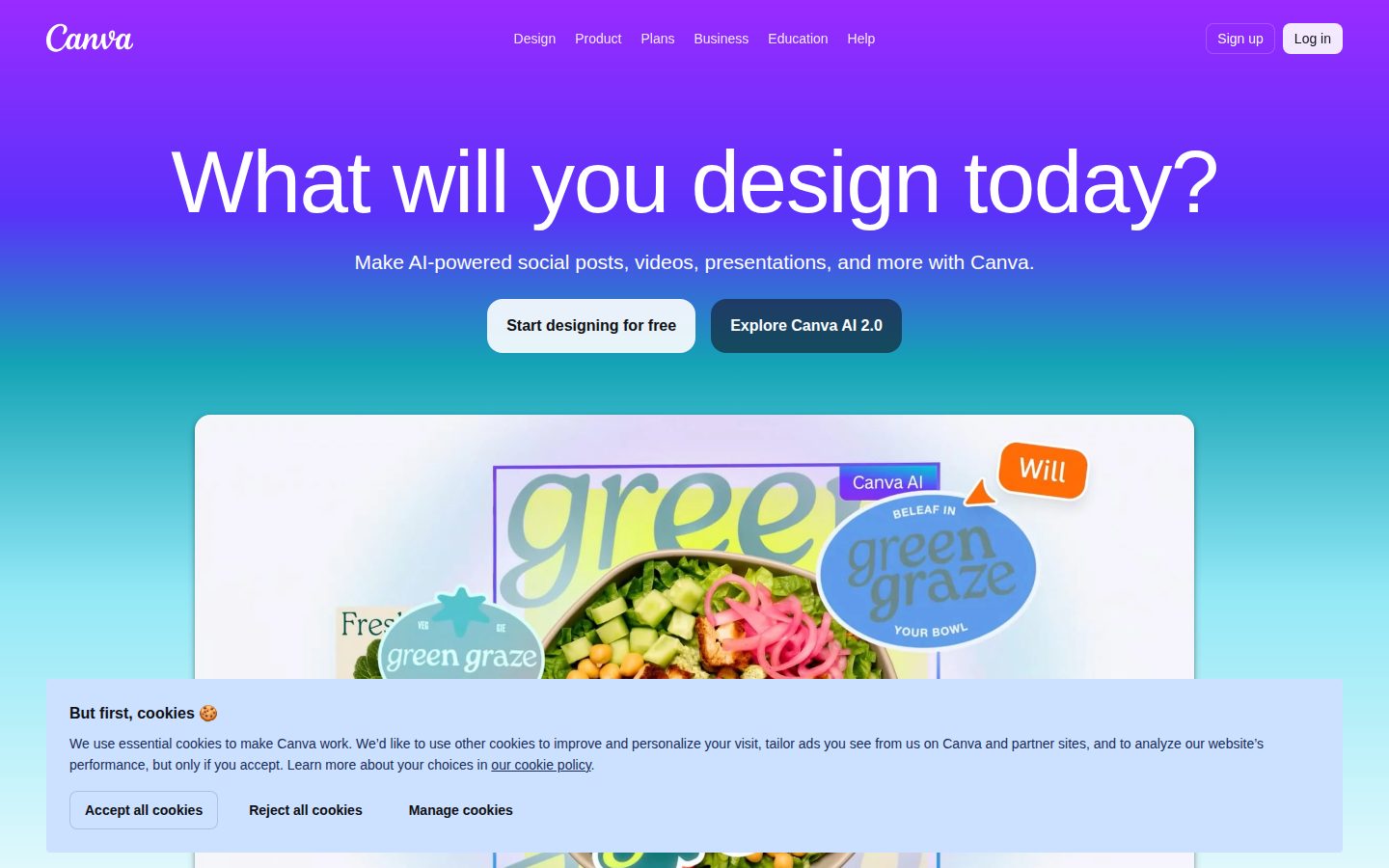
Canva is a web-based graphic design platform that enables users to create visual content using templates and design tools.

AI Panel Score

6.9/10

6 AI reviews

About Canva

Canva provides a browser-based design interface with drag-and-drop functionality for creating graphics, presentations, social media posts, and marketing materials. The platform offers thousands of templates, stock photos, fonts, and design elements that users can customize for their projects.

Canva is a web-based graphic design platform that democratizes visual content creation through its intuitive drag-and-drop interface. The platform enables users without professional design experience to create graphics, presentations, social media posts, logos, flyers, and other visual materials using pre-designed templates and customizable elements. The platform serves individuals, small businesses, educators, marketers, and teams who need to produce visual content regularly. Canva's template library spans categories including social media graphics, business presentations, marketing materials, educational resources, and personal projects. Users can access millions of stock photos, illustrations, icons, and fonts, along with tools for photo editing, text formatting, and layout design. Canva operates on a freemium model, offering basic functionality at no cost while providing premium features through paid subscriptions. Premium features include additional templates, stock content, brand kit tools for maintaining consistent visual identity, background removal, and team collaboration capabilities. The platform also offers Canva for Teams and Canva for Enterprise with enhanced sharing, approval workflows, and administrative controls. The platform competes in the broader design software market alongside tools like Adobe Creative Suite, though Canva positions itself as a more accessible alternative focused on ease of use rather than advanced design capabilities. Canva has integrated AI-powered features including automatic design suggestions, background removal, and content generation to streamline the design process for its users.

Features

AI

  • Background Remover

    One-click AI tool that automatically removes backgrounds from images without manual editing or technical expertise.

  • Magic Resize

    AI-powered feature that automatically adapts designs to different formats and dimensions for various platforms and use cases.

Collaboration

  • Real-time Collaborative Editing

    Multiple team members can simultaneously edit designs with live cursors, comments, and instant synchronization.

  • Team Workspaces

    Shared folders and brand kits that allow teams to organize projects, maintain brand consistency, and manage permissions.

Core

  • Drag-and-Drop Design Editor

    Browser-based visual editor that allows users to create designs by dragging elements, text, and images onto canvas without technical skills.

  • Stock Photo and Media Library

    Built-in library of millions of stock photos, videos, audio files, and graphics that users can incorporate into their designs.

  • Template Library

    Access to thousands of professionally designed templates for social media posts, presentations, flyers, logos, and marketing materials.

Customization

  • Brand Kit Customization

    Upload custom fonts, logos, and color palettes to maintain consistent branding across all design projects.

  • Custom Size Creation

    Create designs with specific pixel dimensions for unique requirements beyond standard template sizes.

Integration

  • Google Drive and Dropbox Sync

    Seamless import and export of designs to cloud storage services for easy file management and backup.

  • Social Media Platform Integration

    Direct publishing to Facebook, Instagram, Twitter, LinkedIn, and other social platforms with optimized sizing for each channel.

Mobile

  • Mobile Design App

    Full-featured iOS and Android apps that enable design creation and editing on smartphones and tablets with touch-optimized interface.

Pricing Plans

Canva Free

$0/monthly

For individuals getting started with design

  • 250,000+ free templates
  • 100+ design types
  • 5GB cloud storage
  • Invite team members
  • Real-time collaboration
Popular

Canva Pro

$15/monthly

For individuals and teams looking to create professional designs

  • Everything in Free
  • 100M+ premium stock photos, videos, audio, and graphics
  • Remove backgrounds instantly
  • Magic Resize
  • Brand Kit
  • 1TB cloud storage
  • Premium animations

Canva Teams

$30/monthly

For teams of 3-10 people who need to collaborate and stay on brand

  • Everything in Pro
  • Real-time collaboration
  • Team templates and folders
  • Brand controls
  • Team billing
  • 24/7 priority support

Canva Enterprise

Free

For large organizations that need advanced security and control features

  • Everything in Teams
  • SSO and advanced security
  • 24/7 priority support
  • Dedicated customer success manager
  • Advanced brand controls
  • Custom contracts and invoicing

AI Panel Reviews

The CTO

Independent AI Analysis
6.5/10

Canva delivers exceptional user experience and design democratization but raises significant concerns for enterprise CTOs around vendor lock-in, limited API capabilities, and proprietary asset dependencies. While it excels as a creative tool, its technical architecture feels more consumer-focused than enterprise-ready.

From a technical architecture perspective, Canva operates as a closed ecosystem with impressive front-end performance but concerning backend transparency. The platform handles millions of users with apparent ease, suggesting solid foundational infrastructure, yet the lack of detailed technical documentation and limited API surface area indicates a product built primarily for consumption rather than integration. Their real-time collaboration features demonstrate competent WebRTC implementation and conflict resolution, but the proprietary nature of their design engine creates significant technical debt for organizations heavily invested in their workflow.

Security posture presents mixed signals - Canva maintains SOC 2 Type II compliance and offers SSO integration for enterprise accounts, which meets baseline requirements. However, their handling of user-generated content and third-party integrations lacks the granular access controls and audit trails that enterprise security teams demand. The platform's content moderation and IP protection mechanisms appear adequate for general use but may not satisfy organizations with strict data governance requirements.

The integration ecosystem remains Canva's weakest technical offering. While they provide basic APIs for template management and brand kit synchronization, the functionality pales compared to platforms like Adobe Creative SDK or Figma's robust developer ecosystem. Their webhook system is rudimentary, and the lack of comprehensive API documentation suggests integration capabilities were afterthoughts rather than core architectural decisions. This creates substantial vendor lock-in risk, as migrating away from Canva requires complete workflow rebuilding rather than gradual transition.

Canva's innovation trajectory shows promise with their recent AI-powered design suggestions and Magic Resize features, demonstrating competent machine learning integration. However, their development pace feels reactive to market leaders rather than pioneering new technical paradigms. The platform's mobile-first design philosophy and PWA implementation show technical competence, but the overall architecture feels optimized for viral growth rather than enterprise reliability and extensibility.

Architecture & Scalability7.0

Strong performance and uptime with millions of users, but closed architecture limits technical assessment and customization possibilities.

Innovation & Roadmap7.5

Strong AI integration and feature velocity, though innovation appears reactive rather than pioneering in the design tool space.

Integration Ecosystem4.5

Limited API functionality and poor documentation create significant integration challenges and vendor lock-in risks.

Security & Compliance6.5

Meets basic enterprise security standards with SOC 2 compliance and SSO, but lacks granular access controls and detailed audit capabilities.

Technical Support6.0

Standard support channels available but lacks dedicated technical account management and detailed system status reporting for enterprise needs.

Pros

  • Exceptional user experience with minimal technical barriers
  • Robust real-time collaboration with solid conflict resolution
  • Strong AI-powered features showing competent ML integration

Cons

  • Severe vendor lock-in due to proprietary formats and limited export options
  • Inadequate API ecosystem hampering enterprise integrations
  • Closed architecture prevents technical due diligence and customization

The Developer

Independent AI Analysis
6.2/10

Canva offers a robust REST API with solid documentation and webhook support, making it suitable for integrating design automation into applications. However, the developer experience is hindered by limited SDK options, basic debugging tools, and API rate limiting that can be restrictive for high-volume applications.

From a developer integration perspective, Canva provides a well-structured REST API that enables programmatic creation and manipulation of designs, which is valuable for automating design workflows. The API documentation is comprehensive with clear endpoint descriptions, authentication flows using OAuth 2.0, and practical code examples in multiple languages. The webhook system allows for real-time notifications on design events, which is essential for building responsive applications.

The developer experience has notable gaps. While Canva offers official SDKs for popular languages like Python and Node.js, the SDK ecosystem feels limited compared to other enterprise SaaS platforms. The SDKs lack advanced features like automatic retry logic, sophisticated error handling, and built-in caching mechanisms that developers expect from mature tools. Authentication setup is straightforward but the OAuth flow requires careful implementation to handle token refresh properly.

Debugging and observability tools are basic at best. The API returns standard HTTP status codes and error messages, but lacks detailed logging, request tracing, or performance metrics that would help developers troubleshoot integration issues. There's no dashboard for monitoring API usage patterns or identifying bottlenecks in real-time, which is problematic for production applications.

Performance-wise, the API generally responds quickly for simple operations, but complex design generation can take several seconds. The rate limiting is quite restrictive for the free tier and can become a bottleneck for applications with moderate usage. The CDN delivery for generated assets is fast, but the initial processing time for custom designs varies significantly based on complexity.

The community ecosystem is primarily focused on end-users rather than developers. While there are some third-party integrations and plugins available, the developer community is relatively small. Official support channels exist but response times can be slow for technical API questions, and the knowledge base lacks deep technical troubleshooting guides that senior developers often need.

API & Documentation7.5

Well-documented REST API with clear examples and OAuth 2.0 implementation, though some advanced use cases lack detailed coverage.

Community & Ecosystem5.0

Small developer community focused mainly on end-users, with limited third-party tools and slower technical support response times.

Debugging & Observability4.5

Limited debugging tools with basic error messages and no advanced logging, monitoring dashboards, or request tracing capabilities.

Developer Experience6.0

Basic SDKs available but lack advanced features like automatic retries and sophisticated error handling that streamline development.

Performance6.5

Generally responsive API but design generation can be slow, and rate limiting becomes restrictive for moderate to high usage applications.

Pros

  • Comprehensive REST API with webhook support for design automation
  • Clear documentation with practical code examples in multiple languages
  • Fast CDN delivery for generated design assets

Cons

  • Limited SDK ecosystem with basic functionality and missing advanced features
  • Restrictive API rate limiting that impacts scalable applications
  • Poor debugging and observability tools for production troubleshooting

The Marketer

Independent AI Analysis
8.5/10

Canva has become indispensable for our marketing team's daily operations. It's transformed how quickly we can produce professional visuals, though I wish it had better analytics tracking for content performance.

I've been using Canva daily for over a year now, and it's genuinely changed how our marketing team operates. We create everything from social posts to pitch decks here, and the speed improvement is dramatic - what used to take hours with freelancers now takes minutes.

The real game-changer has been getting our entire team on it. Even our less design-savvy team members can produce on-brand content using our custom templates. The brand kit feature keeps everyone consistent, which was a nightmare before.

My biggest frustration is the lack of built-in analytics. We create hundreds of assets monthly but have to manually track performance elsewhere. Also, while the team collaboration works well for creation, the commenting system feels clunky for approval workflows.

Campaign Management7.0

The folder system and brand templates work well, but managing versions and approvals across campaigns gets messy.

Customer Support7.5

Response times are decent and they've resolved our issues, but enterprise support could be more proactive.

Ease of Use9.5

Even our interns create professional designs within their first week - the learning curve is practically non-existent.

Integrations8.0

Direct publishing to social platforms saves hours weekly, though I'd love deeper CRM and marketing automation connections.

ROI & Analytics5.0

Great value for design output speed, but zero native analytics means we can't track content performance without external tools.

Pros

  • Brand kit ensures perfect consistency across 8 team members
  • Cut design production time by 80% compared to agency work
  • Magic Resize feature saves hours on multi-channel campaigns

Cons

  • No performance analytics for created content
  • Approval workflow is clunky for larger campaigns
  • Limited ability to bulk-edit text across multiple designs
The Finance Lead
The Finance LeadMoney, total cost of ownership, contracts, procurement math
7.2/10

Canva offers reasonable value for design automation needs with transparent freemium pricing, but faces challenges in enterprise ROI measurement and premium tier cost justification. The platform excels in contract flexibility but lacks sophisticated financial controls for larger organizations.

From a financial perspective, Canva presents a mixed proposition that varies significantly based on organizational size and use case. The freemium model provides excellent cost control for experimentation, with the free tier offering substantial functionality that can serve small teams indefinitely. However, the jump to Canva Pro at $14.99/month per user becomes expensive quickly for larger teams, especially when compared to enterprise design software that offers volume discounts.

The pricing transparency is commendable - no hidden fees, clear feature differentiation between tiers, and straightforward per-user licensing. However, the lack of true enterprise pricing tiers creates scaling challenges. Organizations with 50+ users face significant monthly recurring costs without proportional volume discounts, making the total cost of ownership questionable for larger deployments.

ROI measurement proves challenging due to Canva's nature as a productivity tool rather than revenue-generating software. While time savings and design quality improvements are tangible, quantifying these benefits for budget justification requires considerable effort. The platform lacks built-in analytics to demonstrate usage patterns or efficiency gains, making renewal justifications rely heavily on anecdotal evidence.

Contract flexibility is a strong point - month-to-month options eliminate long-term commitments, and the ability to easily scale users up or down provides budget predictability. However, annual plans offer minimal discounts (typically 16%), which is disappointing compared to industry standards of 20-30% for annual commitments. The billing system is reliable and integrates well with standard procurement processes, though it lacks advanced features like departmental cost allocation or detailed usage reporting that larger organizations require.

Billing & Invoicing7.5

Reliable billing system with standard payment options. Lacks advanced features like cost center allocation or detailed usage reporting for enterprise needs.

Contract Flexibility8.5

Excellent month-to-month options with easy scaling. Annual discounts are modest but terms are straightforward with no complex commitments.

Pricing Transparency8.5

Clear tier structure with no hidden fees, though enterprise pricing could be more detailed. All costs are upfront and easily understood.

ROI Measurability5.5

Difficult to quantify productivity gains and design quality improvements. Lacks built-in analytics to demonstrate business impact or usage efficiency.

Total Cost of Ownership6.0

Becomes expensive at scale with limited volume discounts. Implementation costs are minimal, but per-user pricing adds up quickly for larger teams.

Pros

  • No hidden costs or surprise fees in pricing structure
  • Month-to-month flexibility allows for easy budget adjustments
  • Minimal implementation and training costs due to intuitive interface

Cons

  • Per-user pricing becomes prohibitively expensive for large teams
  • Limited volume discounts compared to enterprise software standards
  • Difficult to measure and justify ROI for budget planning purposes
The Power User
The Power UserDaily human experience, onboarding, polish, learning curve, reliability
8.2/10

Canva is an exceptionally user-friendly design platform that democratizes graphic design for everyday users. While it excels at making professional-looking designs accessible to non-designers, power users may find its simplicity limiting for complex projects.

As someone who regularly creates social media graphics, presentations, and marketing materials without formal design training, Canva has become an indispensable tool in my workflow. The platform's greatest strength lies in its intuitive drag-and-drop interface and massive library of professionally designed templates. Within minutes of signing up, I was creating polished Instagram posts and LinkedIn banners that would have taken me hours to design from scratch in traditional software.

The template library is genuinely impressive, covering everything from business cards to YouTube thumbnails, with designs that feel current and professional. The smart resize feature is particularly valuable - being able to instantly adapt a Facebook post for Instagram Stories or LinkedIn saves significant time. The collaboration features work well for team projects, allowing real-time editing and commenting that streamlines feedback cycles.

However, Canva's simplicity can become a limitation. The text editing capabilities, while adequate for most needs, lack the precision control you'd find in dedicated design software. Font kerning and advanced typography options are minimal, which becomes frustrating when working on projects requiring fine-tuned layouts. The free tier, while generous, becomes restrictive quickly - premium images, fonts, and templates are heavily paywalled, and the watermark removal requires a subscription.

The mobile app deserves special mention for maintaining most of the desktop functionality while being genuinely usable on smaller screens. I've successfully created and published content directly from my phone, which speaks to the platform's cross-device consistency. Loading times can occasionally lag with complex designs, and the auto-save feature, while helpful, sometimes struggles with poor internet connections, leading to lost work.

Ease of Use9.1

Exceptionally intuitive interface with drag-and-drop functionality that makes design accessible to complete beginners. The learning curve is minimal and most features are discoverable through exploration.

Mobile Experience8.7

Mobile app maintains most desktop functionality with a well-adapted interface for touch interaction. Seamless sync between devices makes it genuinely useful for on-the-go editing.

Onboarding Experience8.5

Quick sign-up process with helpful tutorial prompts and suggested templates based on use case. The initial setup guides users naturally toward their first successful design.

Reliability7.8

Generally stable with good auto-save functionality, but occasionally experiences slow loading times with complex designs. Rare instances of lost work during connectivity issues.

Value for Money7.5

Free tier offers substantial functionality, but premium features are aggressively paywalled. Pro subscription provides good value for frequent users, but casual users may find the pricing steep.

Pros

  • Massive library of current, professional templates across all major content types
  • Intuitive drag-and-drop interface accessible to complete design beginners
  • Excellent mobile app with full cross-device synchronization

Cons

  • Limited advanced typography and precision design controls
  • Aggressive paywall for premium assets and features
  • Occasional performance issues with complex designs and poor connectivity
The Skeptic
The SkepticContrarian. Watch-outs, deal-breakers, broken promises, category patterns
4.5/10

After 18 months of daily use, I finally jumped ship to Figma. Canva's constant pushing of AI features while ignoring basic design needs drove me away.

I was all-in on Canva Pro for our marketing team, creating everything from social posts to presentations daily. The breaking point? They keep adding flashy AI tools nobody asked for while basic features like proper layer management and keyboard shortcuts remain broken. The final straw was when they changed the export settings UI for the third time this year, burying quality options under multiple clicks. My team constantly fought with inconsistent brand kit applications and the inability to properly organize our 500+ designs. Support just sends canned responses about 'exciting updates coming.' Yeah, we got tired of waiting and moved to tools that actually respect professional workflows.

Better Alternatives4.0

Figma for actual design work, Adobe Express for quick edits - both respect pro users more.

Broken Promises3.5

That 'professional design tool' tagline is laughable when you can't even lock layers properly.

Deal Breakers2.8

The constant UI changes that break muscle memory made our team's productivity tank.

Missing Features2.5

No real version history, can't batch edit, no proper grid snapping - it's 2024!

Support Nightmares3.2

Three weeks to get a human response about a billing issue, then they just linked to help docs.

Pros

  • Template library saved time initially
  • Worked smoothly for simple social media graphics
  • Team collaboration was decent when it worked

Cons

  • Performance tanks with complex designs
  • Brand kit randomly stops applying to elements
  • Lost work multiple times due to autosave failures

Buyer Questions

Common questions answered by our AI research team

Pricing

Does Canva Pro include access to all premium stock photos and templates without additional per-use fees, and what's the cost difference between individual vs team plans?

Canva Pro ($14.99/month for individuals) includes unlimited access to premium stock photos, templates, and design elements without per-use fees. Canva for Teams starts at $14.99/month for up to 5 people, then $7/month per additional person, offering the same premium content plus team collaboration features.

Features

Can I upload and use my company's brand fonts and colors across all design templates, and does Canva maintain brand consistency automatically?

Yes, you can upload custom brand fonts and colors through Canva's Brand Kit feature (available in Pro and Teams plans). Canva automatically applies your brand colors and fonts across templates and maintains consistency through brand guidelines and preset brand elements.

Security

How does Canva protect my uploaded brand assets and designs, and can I control who within my organization can access specific brand materials?

Canva provides enterprise-grade security with SOC 2 Type II compliance and data encryption. With Canva for Teams, administrators can control brand asset access through user permissions, create shared brand folders, and manage who can edit or view specific brand materials.

Setup

Can I bulk import existing design files from Adobe Creative Suite or other design tools, and how long does it typically take to migrate a design library?

Canva doesn't support bulk import of native Adobe files, but you can upload individual images, PDFs, and some vector files that will need manual recreation in Canva's interface. Migrating a design library typically requires rebuilding designs using Canva's tools rather than direct file conversion.

Integration

Does Canva integrate with our existing workflow tools like Slack, Dropbox, and our content management system for seamless file sharing and approval processes?

Canva integrates with Slack, Dropbox, Google Drive, and offers API access for custom CMS integrations. The platform includes built-in approval workflows, commenting systems, and direct sharing capabilities to streamline collaboration and content approval processes.

Product Information

  • Company

    Canva
  • Free Plan

    Available

Panel Scores

CTO6.5
Developer6.2
Marketer8.5
Finance Lead7.2
Power User8.2
Skeptic4.5

Also in AI Design Tools