Webflow logo

Webflow Review

Visit

Visual web development platform for designers and developers

Webflow is a visual web design tool that generates clean HTML, CSS, and JavaScript code.

AI Panel Score

8.2/10

6 AI reviews

Reviewed

AI Editor Approved

About Webflow

Webflow is a visual web development platform that bridges the gap between design tools and code editors. Users can design websites using a drag-and-drop interface while the platform automatically generates clean, semantic HTML, CSS, and JavaScript code in the background.

The platform targets designers who want to create professional websites without extensive coding knowledge, as well as developers who prefer visual workflows. Webflow includes a built-in content management system (CMS), allowing clients to edit content without affecting the design or requiring developer intervention.

Key capabilities include responsive design tools, animation and interaction controls, SEO optimization features, and e-commerce functionality through Webflow Commerce. The platform also provides web hosting with global CDN, SSL certificates, and performance optimization.

Webflow competes in the visual web development space alongside tools like Squarespace and Wix, but differentiates itself by generating production-ready code and offering more design flexibility. The platform serves freelance designers, agencies, and businesses that need custom websites without the complexity of traditional web development workflows.

Features

AI

  • AI Assistant

    Generates page sections, copy, and layouts within brand context directly in the editor.

  • AI Site Builder

    Launches complete sites faster using generative AI to create pages and layouts.

Analytics

  • Analyze

    Native analytics for tracking site performance and user engagement insights.

  • Optimize

    AI-powered testing and personalization tools to lift conversion rates.

Collaboration

  • Collaboration

    Real-time co-editing with roles and workflow management for teams.

Core

  • Composable CMS

    Visual, composable content management system for handling structured data.

  • Hosting

    Global CDN with enterprise reliability and automated scaling for site delivery.

  • Localization

    Multi-language management with translation workflows for international sites.

Customization

  • Interactions & Animations

    Motion design tools powered by GSAP for building interactive animations.

  • Visual Design

    Complete visual control of HTML, CSS, and JavaScript without manual coding.

Integration

  • Figma to Webflow

    Imports Figma designs directly into Webflow for production-ready website output.

Security

  • Security

    SOC 2 Type II and GDPR compliance with SSO and advanced role management.

Preview

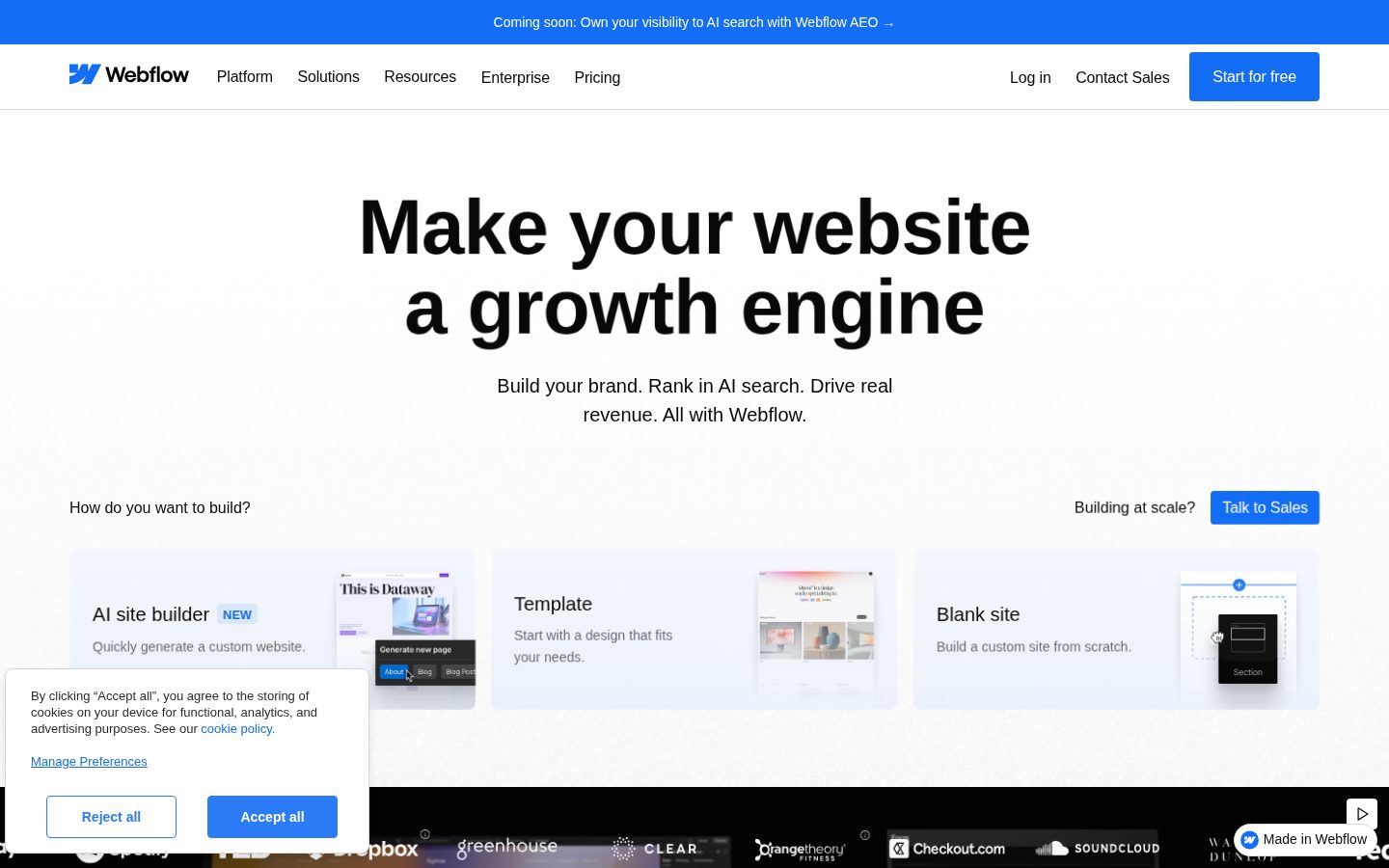
Webflow desktop previewWebflow mobile preview

Pricing Plans

Starter

Free

Free tier for prototyping with Webflow.io domain

  • Webflow.io domain
  • 2 pages
  • 20 CMS Collections
  • 1 GB bandwidth
  • Webflow AI

Basic

$14/monthly

For landing pages, portfolios, and MVPs

  • Custom domain
  • 150 pages
  • Unlimited form submits
  • 10 GB bandwidth
  • Web app hosting and surge protection
Popular

CMS

$23/monthly

Ideal for blogs and SEO-driven sites with structured content

  • Custom domain
  • 150 pages
  • 20 CMS Collections
  • 2,000 CMS items
  • Site search and 50 GB bandwidth

Business

$39/monthly

For marketing sites with more traffic and CMS scale

  • 300 pages
  • 40 CMS Collections
  • Up to 20,000 CMS items
  • Up to 2.5 TB bandwidth
  • Form file uploads

Enterprise

Contact sales

Custom solution for high-traffic and enterprise security needs

  • Enterprise-ready scale
  • Advanced collaboration
  • Guaranteed SLA
  • Enterprise security
  • Customer success and support

AI Panel Reviews

The Decision Maker

The Decision Maker

Strategic bet, vendor viability, timing, adoption approval
8.3/10

Webflow at $213M revenue isn't a startup bet anymore — the call is what to standardize on.

Webflow crossed $213M in 2024 revenue with 300,000 customers, so vendor risk is closed. The harder question is whether to standardize the marketing site stack on Webflow now, before Optimize and the MCP Server lock the agentic workflow in.

Webflow stopped being a designer-only tool somewhere around the 300,000-customer mark. Dropbox, Spotify, and TED all run their marketing sites on it. That's not the bet a CIO has to defend anymore.

What the board will ask about is the agentic pivot. Optimize, the native AI A/B testing layer, and the new MCP Server that wires Webflow CMS into Cursor and Claude — that's the repositioning under Linda Tong, the ex-AppDynamics GM who took over as CEO in June 2024. HubSpot CMS owns the marketing-ops bundle. Webflow's bet is that brand sites need agent-native plumbing first.

The catch is the billing model the agencies already complain about. Per-site CMS at $23/month plus per-seat Workspace fees stacks fast across a dozen brand properties. Run Optimize on three high-traffic pages for 90 days. Don't sign Enterprise until the AI tests beat the old A/B baseline.

Competitive Positioning8.3

300,000 brands and a clear lead on visual-first CMS over HubSpot CMS and Wix Studio.

Reputation Risk8.5

Dropbox, Spotify, and TED on the platform make this a default-safe enterprise pick.

Speed to Value7.8

AI site builder shortens MVP launch, but the full Designer canvas has a real learning curve.

Strategic Fit8.0

Optimize and the MCP Server give marketing the agent-native plumbing without a separate vendor.

Vendor Viability8.5

$213M 2024 revenue, 300K customers, 13 years old — durable enough to defend at the next board cycle.

Pros

  • 300,000 brands including Dropbox, Spotify, and TED — board-defensible enterprise reference base.
  • Optimize and the MCP Server give marketing teams native AI A/B testing without a separate Mutiny or Optimizely contract.
  • Clean HTML, CSS, and JavaScript output means no proprietary lock-in at the code layer.
  • Linda Tong's AppDynamics scale background suggests adult execution post-Series C.

Cons

  • Per-site CMS billing plus per-seat Workspace fees stacks painfully across multi-brand portfolios.
  • The agentic-AI repositioning is recent, and Optimize's pricing sits behind sales — hard to model TCO upfront.
  • No public Series D or IPO timeline four years after the 2022 round.

Right for

Marketing teams standardizing brand-site infrastructure across multiple properties.

Avoid if

Solo builders running a single low-traffic site.

The Domain Strategist

The Domain Strategist

Craft and strategy in the product's domain — adapts identity per category, same lens
8.4/10

Webflow's bet on Shared Libraries is what separates a website tool from a real design-system platform.

Webflow stopped being a per-site builder the moment Shared Libraries shipped Component Slots and Variable Modes across an entire Workspace. That's the architecture an agency or in-house brand team needs when a dozen product sites have to stay on one design language.

Webflow shipped Shared Libraries the same year most no-code competitors were still pitching template marketplaces. Component Slots, Variable Modes, and assets cascading from one source of truth across an entire Workspace — that's design-system depth, the kind Wix Studio markets but doesn't actually deliver.

The Designer canvas earns its 13 years. Real CSS grid controls, breakpoint inheritance, typography that respects type scales — what a senior creative actually wants on a brand site. However, the billing model still meters per site: Basic at $14, Business at $39, paid per project rather than per Workspace.

The durability case is what closes it. $336M raised, $120M Series C led by YC Continuity in 2022 at a $4B valuation, Linda Tong now CEO — Webflow's the rare visual platform that survives the agentic-AI shake-up. Framer is faster for motion-led launches. Webflow is built to host the brand.

Category Positioning8.5

Still the visual platform serious in-house brand teams default to over Squarespace, Wix, or Framer.

Domain Fit8.5

The Designer canvas matches how senior creatives and brand teams actually structure a multi-page site.

Integration Surface8.0

Figma-to-Webflow import, MCP server, and Content APIs cover the modern brand-team stack cleanly.

Long-term Implications8.0

Durable infrastructure for a 3-year bet, though per-site billing compounds awkwardly across an agency portfolio.

Strategic Depth8.5

Shared Libraries with Component Slots and Variable Modes signals real design-system thinking, not template marketplace depth.

Pros

  • Shared Libraries with Component Slots and Variable Modes give multi-site brand teams genuine design-system depth.
  • Designer canvas offers Figma-grade typography and breakpoint inheritance with clean semantic code output.
  • Composable CMS plus Editor mode lets clients update copy without breaking the design layer.
  • Strong durability signal — $336M raised, $4B valuation, 300,000+ brands on the platform.

Cons

  • Per-site billing means agencies write a separate check for every client project rather than one Workspace fee.
  • AI generation features feel newer than the design layer and don't yet match the canvas polish.

Right for

Brand and creative teams who run multiple sites on one design system.

Avoid if

Solo builders who want a single cheap site without per-site billing.

The Finance Lead

The Finance Lead

Money, total cost of ownership, contracts, procurement math
8.0/10

Site plans look cheap at $14, but Workspace seats add a separate bill stacking $19-$49 monthly.

Webflow bills site hosting and team workspace separately — Site Plans run $14-$39/month annual, Workspace seats run $19-$49 each. The math gets uncomfortable for a five-person agency at year 3, but yearly billing saves 25-33%.

Two bills, not one. That's the part Webflow's pricing page glosses over. Site plans cover hosting and CMS — $14 Basic, $23 CMS, $39 Business, billed yearly. Workspace plans cover the people building the site — $19 Core, $49 Growth, per seat. Procurement signs both.

Five-designer agency on Growth: 5 × $49 × 12 = $2,940/year for workspace. Ten client sites on CMS: 10 × $23 × 12 = $2,760. Optimize, the native AI A/B testing add-on, prices separately. Squarespace bills one flat plan per site. Webflow's split model rewards multi-site agencies but punishes solo builders.

The $4B valuation from the 2022 Y Combinator Continuity round bought thirteen years of compounding. 300,000+ brands, $212M revenue in 2024, no signal of a Series D reset. The catch is monthly billing — 25-33% more than annual. Lock the contract or pay the convenience tax.

Billing & Procurement7.5

Split Site-plan plus Workspace-seat invoicing increases procurement friction; per-site billing scales with project count, not team size.

Contract Flexibility7.8

Monthly billing available at 25-33% surcharge; annual locks the discount but ties up cash.

Pricing Transparency8.0

Site Plan and Workspace tiers fully published, but Enterprise and Optimize add-ons stay contact-sales.

ROI Clarity8.0

Native Analyze and Optimize products produce concrete conversion lift numbers vendors can quote in case studies.

Total Cost of Ownership7.5

Two stacked bills — Site Plan plus per-seat Workspace — and per-site billing balloons across multi-site portfolios.

Pros

  • Site Plan tiers fully visible on the pricing page without a sales call.
  • Yearly billing on Site Plans saves 25-33% over the monthly rate.
  • Free Starter tier has no time limit, so prototyping costs zero.
  • The $23/month CMS plan includes 2,000 collection items and Editor mode for clients.

Cons

  • Workspace seats and Site Plans bill separately, doubling procurement effort.
  • Enterprise pricing is contact-sales with no published rate card.
  • Optimize and other AI add-ons sit outside the standard tiers.

Right for

Multi-site agencies who can spread Workspace seat costs across client retainers.

Avoid if

Solo builders who only need one site without paying for full team seats.

The Domain Practitioner

The Domain Practitioner

Daily hands-on reality in the product's domain — adapts identity per category, same lens
8.4/10

Interactions with GSAP gives Webflow a real timeline panel — the kind motion designers actually want.

The Interactions panel got a horizontal timeline with ScrollTrigger and SplitText baked in since GSAP went open-source. Page branching closes the team gap, but per-site billing still stacks $23 CMS plans across every project.

The Interactions panel finally has a horizontal timeline. Tracks per element, time markers across the top, drag a keyframe and watch what depends on it — more useful for daily motion work than any AI feature shipped this year.

ScrollTrigger and SplitText come in free since GreenSock went open-source on April 30, 2025 — no plugin, no extra JS, and the animation scopes to a component so motion travels with the component. Framer's motion panel still wins for one-page launches, but Webflow's timeline reads like After Effects for sequenced reveals on a brand site.

Page branching is the second 2025 win. A junior designer builds on a branch, publishes to a staging subdomain, requests approval from a senior — the GitHub-style loop. The catch: per-site billing still meters CMS at $23 every project, so the agency invoice stacks before the workspace bill arrives.

Day-3 Reality8.3

Designer canvas respects class, combo class, and breakpoint cascade — rare for a visual builder.

Documentation Practitioner-Fit8.4

Webflow University tutorials read like they were written by people who actually ship sites.

Friction Surface7.7

Per-site billing plus separate Workspace seats produces two invoices for one team — real daily friction.

Power-User Depth8.6

GSAP timeline, Variable Modes, Shared Libraries, and the MCP server scale from beginner to senior designer.

Workflow Integration8.5

Figma to Webflow import, the MCP server, and page branching match how teams already work in 2026.

Pros

  • Interactions panel with horizontal timeline brings GSAP ScrollTrigger and SplitText into the canvas without a plugin.
  • Page branching with its own staging subdomain mirrors the GitHub review loop teams already know.
  • Designer canvas respects class, combo class, and breakpoint cascade — rare among visual builders.
  • Webflow University tutorials are written by practitioners, not marketers.

Cons

  • Per-site billing means every client project becomes a separate $14, $23, or $39 line.
  • Workspace seats stack on top of Site plans — two invoices for one team.
  • Editor mode for client content edits still feels less polished than the Designer.

Right for

Designers and front-end developers who ship visual brand sites for clients.

Avoid if

Solo builders running one personal site on a tight budget.

The Power User

The Power User

Daily human experience, onboarding, polish, learning curve, reliability
8.1/10

Webflow's Designer is still the only canvas built by people who actually ship sites for a living.

Webflow does the unflashy work of turning visual edits into clean HTML and CSS, and thirteen years of polish in the Designer shows. The catch is the per-site billing — your costs scale with projects, not seats.

Right-click any element in Webflow and the context menu shows the years. Figma-style spacing controls, Chrome DevTools-style inspection, a typography panel a designer clearly built. Most no-code tools have one of those. Webflow has all three, and they don't fight each other.

Composable CMS is the part most reviews undersell. The $23/month CMS plan gets you 2,000 collection items, real reference fields, and an Editor mode where clients can change copy without breaking layout. Squarespace can't do this. Framer is closer but newer. Thirteen years of compounding work shows up here.

The catch is the billing model. You pay per site, not per workspace, so an agency with twelve client sites writes twelve checks. Basic is $14, CMS is $23, Business is $39 — per project. Worth it if you're billing the client. Painful if you're learning on your own dime.

Daily Polish8.5

The Designer canvas, spacing controls, and typography panel reflect thirteen years of compounding refinement.

Learning Curve7.0

Month three is when Webflow pays off; week one is a real climb compared with Squarespace or Wix.

Mobile Parity7.5

The editor is desktop-only by design — building sites on a phone isn't the use case, so neutral.

Onboarding Experience7.5

Designer-friendly walkthroughs help, but the first ten minutes feel more like a class than a welcome.

Reliability Feel8.3

Mature autosave, stable cloud hosting, and generated HTML/CSS that actually works in production.

Pros

  • The Designer canvas after thirteen years feels uniquely thought-through compared with newer no-code tools.
  • Composable CMS at $23/month gets you 2,000 collection items and real reference fields, not toy data.
  • Generates clean HTML, CSS, and JavaScript instead of iframes or proprietary runtime junk.
  • Editor mode lets non-technical clients change copy without touching design.

Cons

  • Per-site billing means an agency with twelve client sites writes twelve checks — costs stack fast.
  • The learning curve is real; week one is harder than Squarespace or Wix.
  • Mobile is a viewer, not a builder — you cannot edit a site from a phone.

Right for

Designers who build client websites and need a real CMS.

Avoid if

Solo hobbyists who want one cheap site without per-project fees.

The Skeptic

The Skeptic

Contrarian. Watch-outs, deal-breakers, broken promises, category patterns
7.8/10

Adobe Muse died in 2018; Webflow's Designer survived thirteen years and just got Next.js hosting.

Webflow shipped Webflow Cloud GA in July 2025 — Next.js and Astro hosted on Cloudflare next to the marketing site. The yellow flag is a founder-CEO transition that hasn't been tested through a downturn yet.

Webflow rebranded its homepage to 'agentic web marketing platform.' Repositioning like this goes either way — Adobe Muse rebranded twice before Adobe killed it in March 2018. Webflow's case is different because the Designer is thirteen years old and still the canvas designers actually want.

But the substance is real. Webflow Cloud went GA July 2025 — Next.js and Astro hosted on Cloudflare with 99.99% uptime, sitting next to the brand site. That keeps developers from leaving for Vercel once a marketing site grows an app.

The yellow flag is the founder transition. Vlad Magdalin moved to Chief Innovation Officer in June 2024, Linda Tong took CEO. Founder-led conviction got this product to thirteen years. Ex-Cisco operator-CEO is a different bet. Worth watching, not selling.

Competitive Differentiation7.8

Designer plus Composable CMS plus Webflow Cloud is a rare combo — Framer is narrowing on motion, Squarespace is not close on depth.

Exit Portability7.5

Clean HTML, CSS, and JS export are real, but CMS content and Webflow Cloud apps are real rebuild work to leave.

Long-term Viability8.0

$336M raised, $4B valuation from 2022, 300,000+ brands, and a CEO transition handled in public — the durability signals are there.

Marketing Honesty6.8

The 'agentic web marketing platform' rebrand is aspirational and pricing splits site fees from per-seat workspace fees without flagging it.

Track Record Match8.5

Thirteen years shipping in a category that buried Adobe Muse, Macaw, and Froont — survival is itself the evidence.

Pros

  • Webflow Cloud GA in July 2025 closes the app-hosting gap that pushed customers toward Vercel and Netlify.
  • Designer canvas at thirteen years still ships breakpoint, typography, and grid controls competitors have not matched.
  • 99.99% uptime is backed by Cloudflare infrastructure rather than a self-rolled CDN.

Cons

  • Founder-to-operator CEO handoff in June 2024 has not been tested through a downturn yet.
  • Agentic-AI rebrand reads like marketing language getting ahead of shipped reality.

Right for

Marketing teams who want one platform for the brand site and the app behind it.

Avoid if

Solo builders who cannot justify per-site billing on top of Workspace seats.

Buyer Questions

Common questions answered by our AI research team

Pricing

How much does the CMS plan cost per month?

The CMS plan costs $23/mo billed yearly.

Features

Can I build a site without any coding skills?

Yes. Webflow's AI site builder lets you generate a custom website with no design or technical expertise needed, and visual tools mean what you design is what ships.

Security

Does Webflow Enterprise include a guaranteed uptime SLA?

Yes. Enterprise Site plans include a service-level agreement (SLA) with guaranteed uptime, plus access to Webflow's security certifications and audits.

Setup

Can I start building on Webflow for free?

Yes. The Starter plan is free with no time limit, letting you build, experiment, and prototype with AI before upgrading.

Integration

Does Webflow connect to external databases via API?

Yes. Webflow's Content Management APIs let you programmatically add, update, or delete CMS items or connect an external database with Webflow CMS.

Also in AI Design Tools