Node-based AI creation engine for visual professionals in VFX, gaming, and advertising
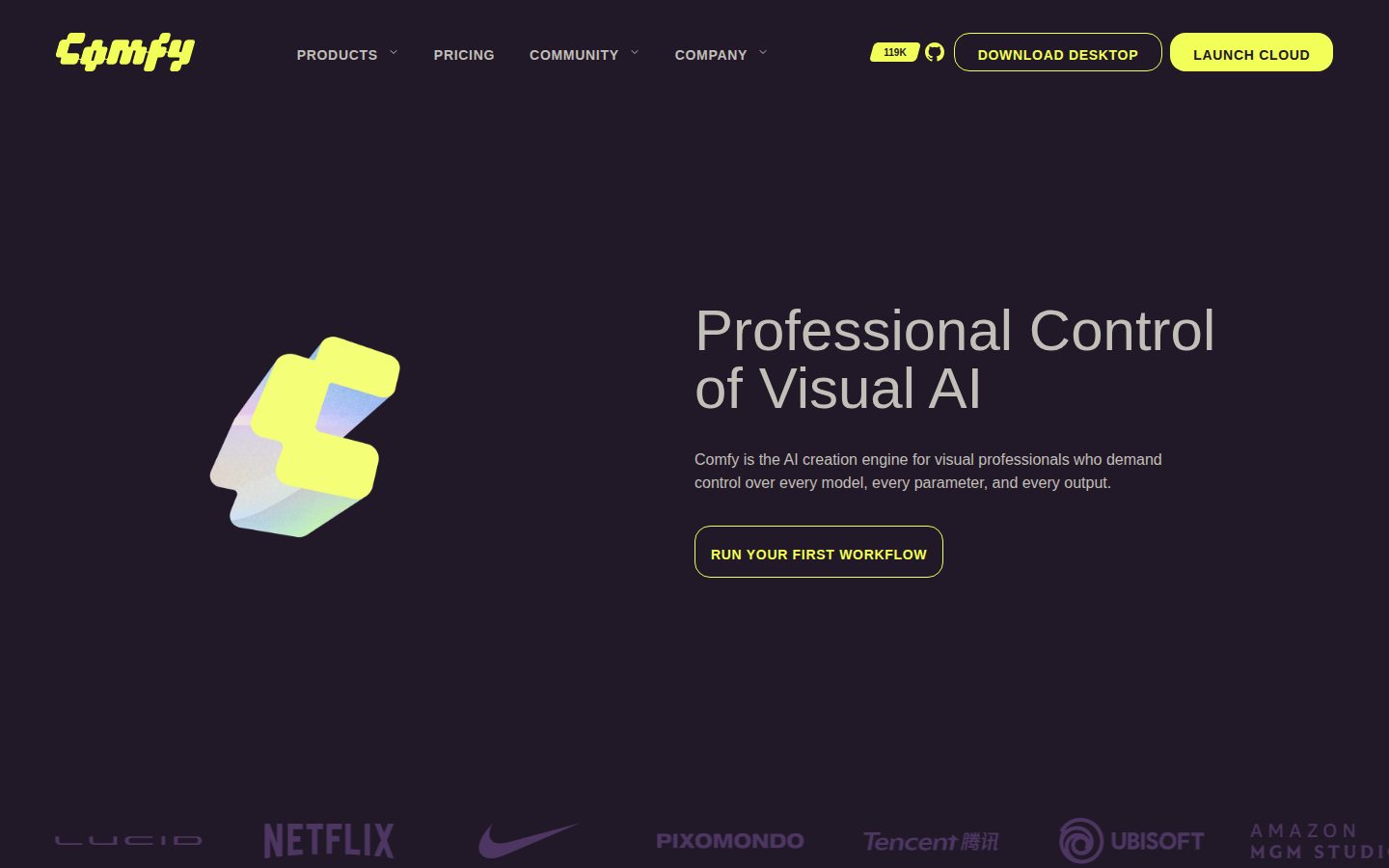
ComfyUI is an open-source node-based AI creation engine for image, video, and 3D generation workflows.
AI Panel Score
6 AI reviews
Reviewed
AI Editor ApprovedApproved and published by our AI Editor-in-Chief after full panel analysis.ComfyUI is an open-source, node-based AI creation engine for building image, video, and 3D generation workflows with control over every model, parameter, and output. It serves visual professionals in VFX, animation, advertising, gaming, and eCommerce teams who need repeatable pipelines rather than one-off prompts. The desktop app for macOS, Windows, and Linux is free under GPL-3.0 with no feature gates, while the hosted Comfy Cloud starts at $20 per month for 4,200 credits, with Creator ($35), Pro ($100), and sales-led Enterprise tiers above it. Capabilities include a visual workflow canvas backed by more than 60,000 community nodes, App Mode links that turn node graphs into simple shareable interfaces, a REST API with dynamic input injection and WebSocket live previews, and hosted models such as Flux, Wan 2.2, Kling, and Runway. It best fits studios running production visual AI; alternatives include Automatic1111, InvokeAI, Fooocus, and Midjourney.
ComfyUI is built around a node graph: you place models, samplers, processing steps, and outputs on a canvas and wire them together, so every decision is visible and every step is inspectable. Workflows run on your own hardware through the free desktop app for macOS, Windows, and Linux (with portable and CLI installs available), or in the browser on Comfy Cloud, which provides Blackwell RTX 6000 Pro GPUs with 96GB of VRAM, pre-loaded models, and the custom nodes powering roughly 90% of local workflows. App Mode wraps any finished graph in a simplified interface that teammates can use without touching nodes.
The ecosystem is the distinctive part: more than 60,000 community nodes distributed through the Comfy Registry, plus a browsable library of thousands of shared workflows you can load and remix. On Cloud, open-source models such as Flux, Wan 2.2, LTX, and Qwen sit alongside partner models including Kling, Luma, Runway, Nano Banana, and Grok, all drawing from a single credit balance, and Creator and Pro plans add LoRA imports for custom-trained styles.
ComfyUI targets visual professionals in VFX and animation, advertising and creative studios, gaming, and eCommerce and fashion; Ubisoft La Forge, Moment Factory, and Series Entertainment use it in production. The local runtime is free and open source under GPL-3.0, while Comfy Cloud runs $20 to $100 per month on credit-based plans and Enterprise deployments are sales-led. Alternatives in the category include Automatic1111 Stable Diffusion WebUI, InvokeAI, Fooocus, and hosted generators like Midjourney and Runway.
For developers, the Comfy API turns any workflow into a production REST endpoint with a single API key: inputs on any node can be injected programmatically, execution streams step-by-step updates and live previews over WebSocket, and plans allow one to five concurrent workflow runs. Runtime limits range from 30 minutes per workflow on Standard to one hour on Pro, and Comfy Enterprise offers single-tenant deployments with bring-your-own keys and data-ownership guarantees.

Runs managed ComfyUI in the browser on Blackwell RTX 6000 Pro 96GB GPUs with pre-loaded models and pre-installed custom nodes.
Lets Creator and Pro cloud users import their own LoRAs to apply custom-trained styles inside workflows.
Turns any workflow into a production REST endpoint with a single API key so external apps can trigger generation programmatically.
Overrides parameters on any node programmatically, passing a different face, product, or brand palette into the same pipeline.
Public registry of ComfyUI custom nodes and extensions with versioning and search, backing an ecosystem of 60,000+ nodes.
Ships Comfy Cloud pre-loaded with open models including Flux, Wan 2.2, LTX, and Qwen, and runs them locally on your own GPU.
Runs partner models such as Kling, Luma, Runway, Nano Banana, and Grok alongside open-source models from one credit balance.
Streams step-by-step execution updates and live previews over WebSocket while a generation is running.
Free GPL-3.0 desktop app for macOS, Windows, and Linux with a one-click installer and auto-updates, plus portable and CLI installs.
Browsable library of thousands of community-shared workflows that can be loaded and remixed directly.
Wraps any node graph in a simplified interface that teams can share via links, with the full advanced graph one switch away.
Connects models, processing steps, and outputs on a canvas where every decision is visible and every step is inspectable.
Free open-source desktop and CLI runtime for anyone running ComfyUI on their own hardware.
Entry Comfy Cloud plan for individuals running hosted workflows.
Mid-tier plan for creators who need custom styles and more concurrency.
High-volume plan for professionals running longer, heavier workflows.
For teams running Comfy in production and at scale; pricing requires contacting sales.
Production logos, fresh funding, and a free core make ComfyUI a defensible pipeline bet.
“ComfyUI pairs a free GPL-3.0 runtime with Comfy Cloud plans from $20 a month, and studios like Ubisoft La Forge already run it in production. The board question is talent readiness, not vendor survival.”
Ubisoft La Forge and Moment Factory run this in production. For an open-source creative tool, that's the reference list you want. Add the $30M round at a $500M valuation this April, and vendor risk looks manageable.
The core runtime is GPL-3.0 and free, so walking away costs almost nothing. Comfy Cloud at $20 to $100 a month adds hosted GPUs when teams outgrow their hardware. Adobe Firefly is the safer corporate pick, but it can't match this level of pipeline control.
The catch is talent — node graphs demand technical artists, and most of your org won't touch them. App Mode wraps finished workflows into simple apps for everyone else, which is what makes this deployable beyond one team. Pilot it inside a single studio group this quarter.
De facto standard for controllable generative pipelines since its 2023 launch.
Open-source standard with named studio users; unaudited community nodes are the residual risk.
Comfy Cloud removes setup entirely, but node-graph fluency takes weeks to build.
Advances pipeline capability rather than just cutting cost on work you already do.
Raised $30M at a $500M valuation in April 2026, with production customers named publicly.
Studios with technical artists who need controllable generative pipelines.
Teams without technical talent who just need quick one-off images.
The graph is the durable asset while models churn underneath — that's the right architecture.
“ComfyUI decouples pipeline investment from model churn by treating models as swappable nodes in a durable graph. The Comfy API and 60,000-node Registry give it the widest integration surface in generative tooling.”
Model churn is the structural risk in any generative pipeline — Flux today, Wan 2.2 this quarter, something better by next year. ComfyUI makes the workflow graph the durable asset and treats models as swappable nodes. If the pipeline outlives the model, you've protected the investment.
Integration surface is the strongest part of the architecture. The Comfy API exposes any graph as a REST endpoint with per-node input injection, so one pipeline can feed a render farm, an internal tool, or an eCommerce batch job. The Comfy Registry's 60,000-plus community nodes cover most glue work out of the box.
The tradeoff is governance: those nodes are unaudited third-party code, and a production pipeline needs a vetting policy before anything ships. InvokeAI offers a gentler canvas with a smaller ecosystem; ComfyUI sells control plus the responsibility that comes with it. For a team with real technical artists, that exchange favors Comfy.
The reference architecture for node-based generative work since 2023.
Built precisely for VFX, gaming, and advertising pipelines; Ubisoft La Forge validates it.
Comfy API with per-node injection and WebSocket previews covers pipeline embedding.
GPL-3.0 core caps lock-in, though cloud-dependent teams inherit credit economics.
Graph-as-asset design survives model turnover better than any prompt-box tool.
Creative technology teams who build multi-model generative pipelines.
Small teams who lack anyone comfortable owning node-level plumbing.
Free core plus $20 to $100 cloud tiers keeps the TCO math simple.
“The GPL-3.0 runtime costs nothing and Comfy Cloud tops out at $100 a month self-serve. Credits bill only during active GPU time, which keeps invoices predictable.”
Zero is the anchor number. The desktop runtime is GPL-3.0 and free — no gates, no trial clock, the only cost is your own GPU. Comfy Cloud is optional: $20, $35, or $100 a month, all self-serve.
Five artists on Creator: 5 × $35 × 12 = $2,100 a year. Credits burn only while a GPU is actively running — idle time costs nothing, which most hosted GPU vendors don't offer. Runway's Unlimited seat runs $95 monthly before you get comparable control.
The yellow flag is credit translation. Plans are denominated in 5-second videos — roughly 380 on Standard, 1,915 on Pro — so image-heavy shops must model their own burn rate, and no per-credit top-up price appears on the pricing page. Month-to-month terms, cancel anytime. Procurement clears this in a day.
One credit balance covers open and partner models, trimming the vendor count.
Month-to-month billing with a free tier below it; only Enterprise is sales-led.
Three self-serve tiers with credit counts published; the top-up rate is the one gap.
Credit-to-video conversion is published, but image workloads need their own burn model.
Free runtime plus $2,100 a year for a five-seat Creator team beats per-seat rivals.
Budget owners who want GPU spend metered to actual usage.
Finance teams who need fixed per-seat costs for headcount budgeting.
Cloud with pre-installed custom nodes fixes the dependency hell every ComfyUI artist knows.
“ComfyUI remains the deepest node-based tool for production generative work, and Comfy Cloud removes most environment pain. The remaining friction sits in unhosted nodes and runtime caps.”
Custom-node dependency hell is the tax every working ComfyUI artist pays — a downloaded workflow wants three missing nodes, and one of them fights your torch install. Comfy Cloud aims exactly there: pre-installed custom nodes covering roughly 90% of local workflows, running on 96GB Blackwell GPUs, nothing to resolve.
The graph is why professionals stay. Automatic1111 hands you a form; ComfyUI hands you the sampler chain itself, every latent inspectable, every step rewireable. LoRA Import on the $35 Creator tier means custom-trained styles carry into hosted pipelines too.
Real friction remains, however. The other 10% of nodes won't run hosted, and Standard's 30-minute runtime ceiling cuts off longer video renders before they finish. App Mode is the quiet win — hand a producer a clean interface without ever exposing the spaghetti underneath.
Cloud's pre-installed nodes remove the setup wall that kills most local starts.
Thousands of loadable community workflows teach faster than any manual.
Node conflicts and the unhosted 10% still bite on complex custom stacks.
Per-node control of samplers, latents, and LoRAs is unmatched in the category.
Graphs export to API endpoints and App Mode without rebuilding anything.
Generative artists who build repeatable multi-step production workflows.
Casual creators who want finished images from a single prompt.
The deep end of AI image tools, finally with a shallow entrance.
“ComfyUI is still the most demanding tool in the category, and the Desktop App plus Comfy Cloud finally make starting painless. The learning curve is the price of actually owning your results.”
A ComfyUI graph looks like an airport wiring diagram, and that first impression isn't lying. This is the deep end. What's changed is the Desktop App — one-click installer, auto-updates — and Comfy Cloud running the whole thing in a browser tab for $20 a month, no CUDA archaeology required.
The workflow library is the real onboarding. You load somebody's working graph, poke it, break it, learn — thousands of shared workflows, so day one starts from something that runs instead of a blank canvas. That's the kindest thing a complicated tool can do for you.
Midjourney hands you a gorgeous image from one line of text; this makes you earn it. The tradeoff is honest, though — every hour invested turns into control no prompt box gives you. No mobile story exists, but nobody's wiring node graphs on a phone anyway.
One-click installer and auto-updates show real care for the daily experience.
Steepest curve in the category, even with thousands of shared starting points.
Node-graph work isn't a phone use case; neutral by design.
Loadable community workflows soften a genuinely intimidating first hour.
Local runtime plus hosted 96GB GPUs means renders finish one way or another.
Patient tinkerers who want full control over every generation.
Casual users who want pretty results in the first ten minutes.
A free tool with a $500M valuation means watching which features drift behind the meter.
“The open-source core makes ComfyUI's exit story nearly risk-free, and the marketing claims check out. The open question is how a $500M valuation gets paid for.”
A GPL-3.0 tool carrying a $500M valuation. That gap closes somehow, and the usual way is good features drifting behind the meter. Worth watching where App Mode and new capabilities land over the next year.
The exit story, though, is about the best in software. Workflows are portable JSON, the runtime is open source, and if Comfy Org folds the community keeps shipping. Automatic1111 proved these projects outlive their maintainers — and also proved they stall without a company behind them.
Marketing mostly checks out. 60,000 nodes is verifiable, Ubisoft La Forge is a checkable logo, pricing is public down to credit counts. The yellow flag is partner dependency — Kling and Runway access rides on someone else's contract terms. Decent odds this one's still standing in five years.
No rival matches graph-level control; Automatic1111 stalled and hosted tools stay shallow.
GPL-3.0 runtime and portable workflows mean the tool outlives the company.
Fresh $30M helps, but the freemium-to-cloud conversion model is still young.
Node counts, customer logos, and pricing are all publicly checkable claims.
Three years from side project to production at Ubisoft La Forge matches the pitch.
Cautious teams who want tools that survive their vendor.
Buyers who need every capability contractually guaranteed for years.
Common questions answered by our AI research team
Comfy Cloud has three self-serve tiers: Standard at $20/month with 4,200 credits, Creator at $35 with 7,400 credits and LoRA imports, and Pro at $100 with 21,100 credits. Credits are only consumed while the GPU is actively running a workflow.
Yes. The ComfyUI desktop app is free and open source under GPL-3.0, with no feature gates or trial periods. Paid Comfy Cloud plans are optional and add hosted GPUs, pre-loaded models, and pre-installed custom nodes.
Comfy Cloud comes pre-loaded with open-source models like Flux, Wan 2.2, LTX, and Qwen, plus partner models including Kling, Luma, Runway, Nano Banana, and Grok, all billed from one credit balance. Locally you can run compatible open models on your own GPU.
The Comfy API turns any workflow into a production endpoint with one API key. It supports dynamic input injection on any node, WebSocket execution updates with live previews, and 1 to 5 concurrent workflow runs depending on your Cloud plan.
For local use a dedicated GPU is strongly recommended, since more VRAM allows bigger models and batches. Without one, Comfy Cloud runs the same workflows in your browser on Blackwell RTX 6000 Pro GPUs with 96GB VRAM and zero setup.
Company
Comfy OrgFounded
2024Pricing
From $20/moFree Trial
AvailableFree Plan
Available


Comfy Org is the San Francisco-based company behind ComfyUI, an open-source node-based platform for building generative AI image, video, and audio workflows.