Cursor logo

Cursor Review

Visit

AI-powered code editor built for pair programming with AI

Cursor is a code editor that integrates AI assistance directly into the development workflow.

Anysphere·Founded 2022·Freemium from 20.00Free PlanFree TrialAI Coding ToolsAI Agents & Assistants

AI Panel Score

7.8/10

6 AI reviews

About Cursor

Cursor is a code editor designed around AI-assisted programming. It allows developers to chat with AI about their codebase, generate code through natural language prompts, and receive contextual suggestions while coding.

Cursor is a code editor that integrates artificial intelligence capabilities directly into the development environment. Built on Visual Studio Code's foundation, it provides familiar editing features while adding AI-powered functionality for code generation, explanation, and assistance. The editor allows developers to interact with AI through chat interfaces, where they can ask questions about their codebase, request code explanations, or generate new code through natural language descriptions. It can analyze existing code context and provide relevant suggestions based on the current project and coding patterns. Cursor targets individual developers and development teams looking to incorporate AI assistance into their coding workflow. It supports multiple programming languages and integrates with existing development tools and extensions from the VS Code ecosystem. The product positions itself in the emerging category of AI-enhanced development environments, competing with traditional code editors by offering built-in AI capabilities rather than requiring separate tools or plugins for AI assistance.

Features

AI

  • AI Chat Interface

    Chat with AI about your codebase to ask questions, get explanations, and request code modifications in natural language.

  • Code Generation from Prompts

    Generate entire functions, classes, or code blocks by describing what you want in plain English.

  • Code Refactoring Assistant

    AI-powered suggestions for improving code structure, performance, and maintainability.

  • Codebase Understanding

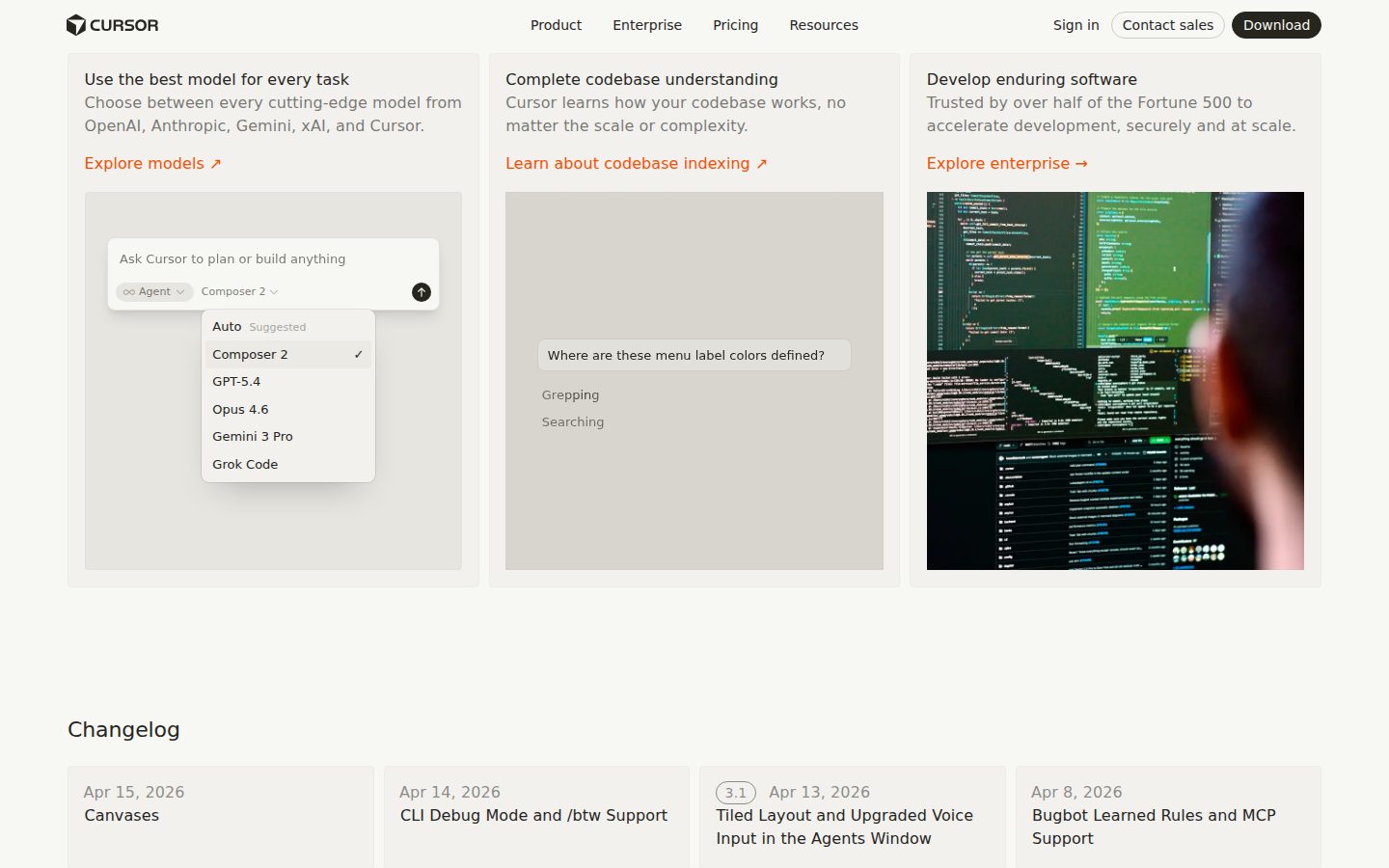
    AI analyzes your entire project to provide relevant suggestions and answers that consider your specific codebase structure.

  • Codebase-Aware AI

    AI assistant has deep understanding of your project structure, dependencies, and coding patterns for relevant suggestions.

  • Contextual AI Suggestions

    Receive intelligent code completions and suggestions that understand your entire codebase context.

  • Contextual Code Suggestions

    Receive intelligent autocomplete and code suggestions based on your current codebase context and patterns.

  • Natural Language Code Generation

    Generate code by describing what you want in plain English, with AI translating requirements into functional code.

Automation

  • Code Review Assistant

    AI analyzes code changes and provides automated suggestions for improvements, bugs, and best practices.

  • Documentation Generation

    Automatically generate code documentation and comments based on function and variable context.

  • Intelligent Refactoring

    AI-powered code refactoring that understands context to suggest and implement code improvements automatically.

Core

  • Command Palette

    Quick access to all editor functions and AI features through a searchable command interface.

  • Intelligent Code Completion

    Enhanced autocomplete that goes beyond syntax to understand context and provide meaningful suggestions.

  • Multi-Language Support

    Supports all major programming languages with syntax highlighting, formatting, and language-specific AI assistance.

  • Multi-language Support

    Supports popular programming languages with syntax highlighting, formatting, and language-specific features.

  • VS Code Foundation

    Built on Visual Studio Code's proven foundation, providing familiar editing features and interface.

  • VSCode Foundation

    Built on Visual Studio Code's proven architecture with familiar interface and established editing capabilities.

Integration

  • Extension Compatibility

    Compatible with VSCode extensions ecosystem for additional functionality and language support.

  • Git Integration

    Native Git support with visual diff tools and AI-powered commit message generation.

  • VS Code Extension Compatibility

    Compatible with existing Visual Studio Code extensions to extend functionality and maintain familiar workflows.

Screenshots & Media

Cursor screenshot 1

Pricing Plans

Hobby

$0/monthly

For individual developers getting started with AI coding

  • 2,000 completions
  • 50 slow premium requests
  • Basic AI models
  • Standard support
Popular

Pro

$20/monthly

For professional developers who code regularly

  • Unlimited completions
  • 500 fast premium requests
  • Access to GPT-4 and Claude
  • Priority support
  • Advanced AI models

Business

$40/monthly

For teams and organizations with advanced needs

  • Everything in Pro
  • Centralized billing
  • Team management
  • Enhanced security
  • Usage analytics
  • Admin controls

AI Panel Reviews

The Decision Maker
The Decision MakerStrategic bet, vendor viability, timing, adoption approval
8.2/10

Cursor is the AI coding bet your engineers are already making without you.

Founded 2023, $20/month Pro tier, shipping fast. Your developers are probably already on it.

Founded 2023. No public funding data. But the changelog is active, the pricing page is clean, and they're not playing games with seat traps. VS Code foundation means switching costs are near zero in both directions, which is exactly what you want in a category still sorting itself out.

Two things concern me. One: no support email visible anywhere on the site, which isn't confidence-inspiring for a $40/seat Business tier. Two: the free plan caps at 2,000 completions and 50 slow premium requests — 'slow' is doing real work in that sentence. Engineers will hit the ceiling and expense Pro before you've standardized anything.

The codebase indexing feature is the real differentiator over GitHub Copilot. Copilot gives you autocomplete. Cursor gives the AI your full project graph. That's a different category of useful for teams with complex dependency trees.

The tradeoff nobody discusses: you're routing proprietary code through AI models. The .cursorignore file helps, but it requires discipline your least careful engineer won't exercise. Worth a privacy audit before Business rollout.

Competitive Positioning8.0

Cursor's codebase indexing puts it ahead of Copilot's autocomplete-first model for teams with complex codebases.

Reputation Risk8.5

Category leaders including GitHub are shipping AI editors — being on Cursor reads as serious, not reckless.

Speed to Value9.0

VS Code settings import means your engineers are productive on day one, not week three.

Strategic Fit9.0

Codebase-aware AI that indexes your full project structure advances engineering capability, not just efficiency on existing tasks.

Vendor Viability6.5

Founded 2023 with no public funding data — too early to call this a safe 36-month bet, but the changelog shows consistent shipping.

Pros

  • VS Code migration is frictionless — extensions, keybindings, settings all transfer
  • Codebase indexing gives AI real project context, not just cursor-line autocomplete
  • $20/month Pro is a number the board won't scrutinize
  • Privacy controls including .cursorignore exist — not an afterthought

Cons

  • No visible support email for a $40/seat Business product is a red flag
  • Free tier's 'slow premium requests' cap will push engineers to expense Pro organically and unsupervised
  • Founded 2023 with no public funding data — runway is genuinely unknown
  • Code privacy requires per-developer discipline, not just a config file

Right for

Engineering teams already on VS Code who want AI that understands their full codebase, not just their current file.

Avoid if

Your legal or security team hasn't cleared AI-assisted tools for the code you're actually writing.

The Domain Strategist
The Domain StrategistCraft and strategy in the product's domain — adapts identity per category, same lens
8.2/10

VS Code's soul, GPT-4's brain — the migration cost is near zero.

Cursor is the most credible near-term bet in AI-enhanced IDEs because the VS Code foundation eliminates adoption friction while the codebase indexing feature delivers genuine architectural value. The ceiling question is real, and it's about model dependency, not editor quality.

Founded 2023, shipping a changelog, $20/month Pro tier with GPT-4 and Claude access — that's a credible early-stage infrastructure story, not a demo. Building on VS Code's proven architecture was the right call. It means the extension ecosystem comes for free, keybinding muscle memory transfers, and enterprise security teams aren't staring at an unfamiliar attack surface. The .cursorignore file support for privacy-scoped analysis tells me someone thought about enterprise procurement before launch, not after.

The codebase indexing feature is where Cursor separates itself from GitHub Copilot, which operates mostly at cursor-context range. Full-project semantic awareness changes what you can ask the AI to do — cross-file refactoring, dependency-aware generation, architectural queries. That's a meaningfully higher craft ceiling than autocomplete-with-benefits.

The strategic risk lives in the model layer. At $20/month, Cursor is reselling OpenAI and Anthropic inference with a 500 fast premium requests cap on Pro. If either model provider changes pricing or API terms, Cursor's unit economics move without warning. If we're a 50-engineer org standardizing on Business tier at $40/month, that dependency is a procurement conversation we need to have annually, not once.

Real-time collaborative editing isn't confirmed in the evidence — teams share AI-generated code through Git, which is fine but puts Cursor behind where Replit and some emerging multiplayer IDEs are heading. That's not a blocker today. In year two of a growing team, it might be.

Category Positioning8.0

Ahead of Copilot on codebase context depth, but no confirmed multiplayer editing leaves a gap as team-IDE expectations shift.

Domain Fit8.8

VS Code foundation plus Git integration means zero workflow disruption for senior engineers already living in that stack.

Integration Surface9.0

Full VSCode extension compatibility means the entire existing toolchain — linters, debuggers, formatters — carries over without re-procurement.

Long-term Implications7.0

Model provider dependency at both GPT-4 and Claude layers creates external pricing risk the team can't control.

Strategic Depth8.5

Codebase-aware indexing and .cursorignore privacy controls indicate library-grade thinking, not a feature sprint.

Pros

  • VS Code migration is near-frictionless — settings, keybindings, and extensions transfer directly
  • Codebase indexing enables cross-file semantic queries that autocomplete-tier tools can't match
  • .cursorignore scoping is enterprise-procurement-ready from day one
  • Dual model access (GPT-4 and Claude) on Pro gives fallback optionality

Cons

  • Model inference dependency means unit economics can shift on OpenAI or Anthropic's schedule, not yours
  • 500 fast premium requests/month on Pro is a real cap for high-velocity teams
  • No confirmed real-time collaborative editing — teams share output via Git, not shared sessions
  • Founded 2023 with no public funding data — longevity risk if the AI coding market consolidates fast

Right for

Engineering teams already on VS Code who want production-grade AI context without rebuilding their toolchain.

Avoid if

Your org has strict data-residency requirements that can't be addressed by .cursorignore configuration alone.

The Finance Lead
The Finance LeadMoney, total cost of ownership, contracts, procurement math
7.8/10

$20/seat Pro plan, no SSO tax — rare for this category in 2024.

Three tiers, all priced publicly. Business at $40/seat doubles the Pro cost but adds centralized billing — the math is visible before anyone talks to sales.

Pricing page shows 3 tiers without a sales call. Hobby at $0, Pro at $20/seat/month, Business at $40/seat/month. That's procurement-friendly. No hidden SSO line item, which GitHub Copilot Business at $19/seat also avoids — but Cursor adds multi-model access to GPT-4 and Claude at that price point. Dollar difference, meaningfully different capability ceiling.

50-seat team on Pro: $20 × 50 × 12 = $12K/year. Add standard 30% seat creep by year 3, you're at $15.6K annually, roughly $47K over 3 years. Upgrade half those seats to Business for admin controls and analytics: blended rate pushes year-3 closer to $58K. Not alarming. Predictable, which matters more than cheap.

The real exposure is overage on premium requests. Pro includes 500 fast premium requests/month per seat. No published overage rate in the evidence. That's the number to negotiate before signing — not the sticker. The free tier's 2,000 completions limit also conflicts with the buyer Q&A citing 200 completions. Discrepancy on a public pricing page is a yellow flag worth clarifying before committing.

Billing & Procurement8.0

Business tier adds centralized billing and admin controls at $40/seat — procurement teams get what they need, and no vendor onboarding contract is implied.

Contract Flexibility7.0

Monthly billing available on the pricing page, which limits lock-in risk, but auto-renewal terms and cancellation windows aren't publicly documented in the evidence.

Pricing Transparency8.5

All 3 tiers published with feature lists; no sales call required, though the completions count discrepancy between pricing page (2,000) and buyer Q&A (200) needs resolution.

ROI Clarity7.2

Codebase indexing and 500 fast premium requests on Pro are measurable inputs, but Cursor publishes no productivity benchmarks or time-saved data.

Total Cost of Ownership7.5

50-seat Pro runs ~$47K over 3 years at baseline; no published overage rate for premium requests creates unpredictable invoice risk at scale.

Pros

  • Full pricing visible at $0/$20/$40 without a sales call
  • No apparent SSO add-on tax — rare in this tier
  • Business plan centralized billing at $40/seat keeps procurement clean
  • Monthly billing option limits term-lock exposure

Cons

  • No published overage rate for premium requests — the invoice you can't predict
  • Completions limit discrepancy (2,000 vs. 200) between pricing page and buyer Q&A
  • Auto-renewal and cancellation terms not publicly documented
  • No productivity ROI data — value story is anecdotal

Right for

A 10-50 person dev team that wants predictable monthly AI tooling costs without negotiating a contract.

Avoid if

Your team will burn through 500 fast premium requests per seat monthly — the overage math is unknown.

The Domain Practitioner
The Domain PractitionerDaily hands-on reality in the product's domain — adapts identity per category, same lens
7.8/10

VS Code muscle memory works on day three — the 500 fast request cap doesn't.

Cursor is a genuinely useful daily driver for engineers already living in VS Code. The ceiling shows when your team hits Pro plan request limits mid-sprint.

Founded 2023, built on VS Code's foundation. Migration story is real — extensions, keybindings, settings all port over. That's not marketing copy, that's an actual engineering decision that matters. You don't lose your muscle memory on day one, which is usually where AI tool adoption dies. The .cursorignore file for excluding sensitive paths is the kind of thing a developer shipped, not a PM.

The Hobby tier is where teams get burned. 2,000 completions and 50 slow premium requests sounds generous until you're pairing AI on a refactor-heavy sprint. The buyer Q&A contradicts the pricing page on the exact numbers — one says 200 completions, the other says 2,000. That inconsistency in public documentation is a flag. Stripe doesn't have that problem. Neither does GitHub Copilot's pricing page.

Codebase indexing — where the AI understands your project's dependency graph, not just the open file — is the feature that separates Cursor from a glorified autocomplete. GitHub Copilot still largely operates on file-level context. Codebase-aware suggestions in long-lived repos with complex import chains is where this earns its $20/month.

No support email listed. No API. That's a real constraint for teams wanting to pipe Cursor data into internal tooling or incident workflows. Business tier at $40/month adds centralized billing and usage analytics, which is fine, but the hard ceiling on fast premium requests per month will still sting on active teams.

Day-3 Reality7.5

VS Code foundation means zero editor re-learning, but the request limits on Hobby and ambiguous tier numbers create real mid-sprint friction.

Documentation Practitioner-Fit6.0

The .cursorignore detail reads like an engineer wrote it, but contradictory limit numbers across public pages undercut trust in the docs overall.

Friction Surface6.5

Conflicting completion counts between the pricing page and buyer FAQ signals documentation debt that adds cognitive load when planning team rollouts.

Power-User Depth8.0

Codebase-aware indexing and access to GPT-4 and Claude on Pro gives power users real leverage on complex, dependency-heavy codebases.

Workflow Integration8.5

Git integration, .cursorignore, and VS Code extension compatibility mean it slots into existing workflows without demanding new rituals.

Pros

  • VS Code extension ecosystem works — no reinstall tax when migrating
  • Codebase indexing understands project-wide dependency structure, not just the current file
  • .cursorignore for privacy exclusions is a developer-native solution
  • Claude and GPT-4 access at $20/month is competitive against GitHub Copilot's model roster

Cons

  • Conflicting completion limit numbers between pricing page and FAQ erodes trust in billing clarity
  • No public API means no integration into internal tooling or CI pipelines
  • 500 fast premium requests per month on Pro will cap out on active pairing sprints
  • No support email listed — unclear escalation path when the AI gives you wrong output on a critical refactor

Right for

Solo engineers or small teams already on VS Code who want codebase-aware AI suggestions without rebuilding their environment.

Avoid if

Your team needs auditable AI usage logs or API access to pipe code assistance into internal security and compliance workflows.

The Power User
The Power UserDaily human experience, onboarding, polish, learning curve, reliability
7.8/10

VS Code with a brain, but the free tier will humble you fast

Cursor is the smoothest on-ramp to AI-assisted coding if you're already living in VS Code. The $20/month jump is real, and the free tier's 2,000 completions sounds generous until it isn't.

Founded in 2023, Cursor made a smart bet: don't build a new editor, just take VS Code and make it think. That decision pays off immediately. Your extensions migrate over, your keybindings are there, you're not relearning muscle memory. The first ten minutes feel like welcome, not homework. That's rarer than it should be.

The codebase indexing is the feature that separates this from GitHub Copilot slapped into an editor. It's not just autocomplete — the AI chat actually knows your project structure, your dependencies, your patterns. Ask it why something is wired the way it is, and it can actually tell you. That's genuinely useful at 3pm when you've forgotten why you wrote something three weeks ago.

Here's the honest part though: the Hobby plan gives you 2,000 completions and 50 slow premium requests. Slow. You'll feel that ceiling faster than you expect, and the step to $20/month Pro is a real commitment. No gradual middle ground. Also, this is a desktop tool — Mac, Windows, Linux. Mobile parity is essentially nonexistent, which for a coding environment is probably fine, but don't expect to review a PR from your phone.

Three months in, the question becomes whether the AI suggestions stay sharp or start feeling repetitive. The changelog shows active development, which matters. Products like this either compound in value or plateau hard.

Daily Polish8.2

VS Code foundation means the editing baseline is solid, and features like AI-powered commit message generation via Git Integration suggest the team sweated the daily details.

Learning Curve7.8

Codebase-Aware AI and natural language code generation scale well as you go deeper, but the free tier's 50 slow premium requests means you're rate-limited before you've even found your rhythm.

Mobile Parity2.0

Platforms listed as Web, Mac, Windows, Linux — no mobile support, which is an honest omission for a coding tool but still a hard stop for any on-the-go use.

Onboarding Experience8.5

VS Code extension compatibility and settings import means migration is low-friction, which is the single biggest onboarding win for any editor.

Reliability Feel7.5

Built on VS Code's proven architecture inspires confidence, but no public support email and a 2023 founding means the reliability track record is still being written.

Pros

  • VS Code migration is genuinely painless — extensions, settings, keybindings all carry over
  • Codebase indexing means AI chat actually understands your project, not just the file you have open
  • Git integration with AI commit message generation is a small thing that saves real time
  • Active changelog from a 2023 team that's clearly still building fast

Cons

  • Free tier's 50 slow premium requests runs out before you've decided if you like it
  • No mobile experience — not even read-only
  • No public support email listed, which is a trust signal missing at a critical moment
  • Hard pricing jump from $0 to $20/month with no middle tier

Right for

A solo developer or small team already on VS Code who wants AI assistance wired directly into their existing workflow.

Avoid if

You need mobile code review access or you're not ready to commit $20/month once the free tier ceiling hits.

The Skeptic
The SkepticContrarian. Watch-outs, deal-breakers, broken promises, category patterns
6.8/10

Three green flags, two I can't ignore — founded 2023 is young.

Cursor has real traction signals and a clean exit story. But 'the best way to code with AI' is the kind of superlative that ages poorly — and no support email is a yellow flag.

The headline is doing heavy lifting. 'Best way to build software with AI' appears twice on the same page. That's a tell. Codeium made a quieter pitch and survived longer than most. GitHub Copilot doesn't need superlatives. When the marketing leans this hard on 'best,' I start looking for what the product can't say plainly.

Two things I can't ignore. One: no support email listed, which at $40/month Business tier is a gap. Teams paying for centralized billing and admin controls expect a human somewhere. Two: the feature list has 'Codebase Understanding' and 'Codebase-Aware AI' as separate entries. That's the same feature named twice. Classic padding.

But here's what I'll give them. The exit story is genuinely clean. It's VS Code under the hood — if Cursor folds, you revert to base VS Code with minimal friction. Extensions come with you. Settings come with you. That's rare in this category. And the changelog exists, which in a 2023-founded company means someone's actually shipping. The $20 Pro tier is priced like they've thought about retention, not just acquisition. Maybe this holds. Maybe.

Competitive Differentiation6.0

Codebase indexing and the .cursorignore privacy config are real differentiators, but GitHub Copilot and Codeium occupy the same mental space for most buyers.

Exit Portability8.5

VS Code foundation means your extensions, keybindings, and settings travel with you if you leave — genuinely low switching cost out.

Long-term Viability6.0

No public funding data visible, no support email listed, but the changelog cadence and three-tier pricing suggest an operational team — could go either way.

Marketing Honesty4.5

'Best way to code with AI' appears in the H1 and meta — the kind of claim no one can substantiate and few survive.

Track Record Match6.0

Founded 2023, changelog present, pricing tiered sensibly — matches early-survivor patterns more than early-shutdown ones, but it's still 18 months in.

Pros

  • VS Code foundation makes exit clean — revert with near-zero migration cost
  • Changelog exists and is public — someone is shipping
  • $20/month Pro tier includes GPT-4 and Claude access, which is competitive pricing
  • .cursorignore privacy config is a real enterprise-relevant feature

Cons

  • No support email at any tier — not great when Business plan is $40/month
  • Feature list has duplicate entries ('Codebase Understanding' vs 'Codebase-Aware AI') — a credibility dent
  • No public funding data, founded 2023 — too early to call this a safe long-term bet
  • Free tier buyer questions in the evidence contradict the pricing page numbers — 200 vs 2,000 completions listed

Right for

Solo developers who want Copilot-level AI with a cleaner VS Code migration path and don't need enterprise SLAs.

Avoid if

Your team needs contractual support commitments or you're handling regulated codebases without a clear data processing agreement.

Buyer Questions

Common questions answered by our AI research team

Pricing

What are the exact limitations of the free tier versus the $20/month paid plan, and how many AI suggestions or chat interactions are included in each tier?

The free tier includes 200 completions and 50 slow premium requests per month, while the $20/month Pro plan provides 500 fast completions, unlimited slow completions, and 50 fast premium requests. The Pro plan also includes advanced features like codebase indexing and priority access to new models.

Integration

Can Cursor integrate with my existing Git workflows and does it support collaborative features for team development where multiple developers can share AI-generated code suggestions?

Cursor integrates seamlessly with Git workflows and supports standard Git operations within the editor. For team collaboration, multiple developers can work on the same codebase and benefit from AI suggestions, though real-time collaborative editing features are not confirmed - teams typically share AI-generated code through standard Git workflows.

Security

How does Cursor handle sensitive code and proprietary information when sending context to AI models - is my codebase data encrypted and can I prevent certain files from being analyzed?

Cursor provides privacy modes where you can opt out of sending code to AI models, and offers local processing options for sensitive codebases. The platform encrypts data in transit and allows you to configure privacy settings to exclude specific files or directories from AI analysis through .cursorignore files.

Features

What programming languages and frameworks does Cursor's AI assistant work best with, and can it understand and generate code for complex codebases with multiple dependencies?

Cursor's AI works exceptionally well with popular languages like Python, JavaScript/TypeScript, Go, Rust, and Java, and can understand complex codebases with multiple dependencies through its codebase indexing feature. The AI can analyze your entire project structure, understand imports and dependencies, and generate contextually relevant code suggestions.

Setup

How difficult is it to migrate my existing projects from VS Code or other editors to Cursor, and will I need to reinstall all my extensions and reconfigure my development environment?

Migration from VS Code is straightforward since Cursor is built on VS Code's foundation and supports most VS Code extensions directly. You can import your existing VS Code settings, keybindings, and extensions, making the transition relatively seamless with minimal reconfiguration required.

Product Information

  • Company

    Anysphere
  • Founded

    2022
  • Location

    San Francisco, CA
  • Pricing

    Freemium from 20.00
  • Free Trial

    Available
  • Free Plan

    Available

Platforms

WebMacWindowsLinux

About Anysphere

Anysphere is an applied research lab based in San Francisco that builds Cursor, an AI-powered code editor.

Resources

Documentation
Blog
Changelog

Built With

Next.js

Also in AI Coding Tools