Document Crunch logo

Document Crunch Review

Visit

AI risk intelligence for construction documents and contracts

Document Crunch is an AI-powered risk intelligence platform for construction contract and project document review.

AI Panel Score

7.5/10

6 AI reviews

Reviewed

About Document Crunch

Document Crunch works by ingesting construction project documents such as contracts, specifications, addenda, and submittals, then using its CrunchAI engine to identify risk language, flow-down clauses, and markups that shift liability or obligations. Users can ask questions about a project and receive answers grounded to the exact clause or document that supports them, rather than generic AI summaries. The platform tracks risk items as open, overdue, or done, giving project teams a running status view from initial pursuit through project closeout.

The website highlights several specific capabilities: automated contract redlining and version comparison during the pursuit phase, division checklists for pre-construction bid review, and playbooks that surface contractual obligations before work starts on site. Project Assist is described as an agentic layer that generates project artifacts like submittals and notices and supports mobile access on smartphones and tablets for field use. The company emphasizes that every risk flag is cited to its source clause, that knowledge carries across handoffs between pre-construction, operations, and field teams, and that the platform is SOC 2 compliant with an audit trail for contract data.

Document Crunch is built for construction industry roles including estimators, project controls directors, VPs of finance, and legal/compliance leads at general contractors and construction firms. Customers quoted on the site include Ben Hur Construction, S.P. McCarl, OE Construction, Hill & Wilkinson, and Balfour Beatty. Pricing is not published; prospective customers either request a demo or start a self-serve 14-day free trial, placing it in the contact-for-pricing category typical of enterprise construction software, alongside Procore and other construction contract analytics platforms. Document Crunch is now a Trimble company — Trimble closed the acquisition on 4 April 2026 for $246.4 million and is folding the platform into its Construction One ecosystem.

The platform is delivered as a web-based system with mobile access on smartphones and tablets for field teams, and it integrates into existing project document workflows spanning pursuit, pre-construction, and active construction phases.

Features

AI

  • Clause-level citation

    Every risk flag is traced back to the specific clause it came from; the stated rule is that if it cannot be cited, it is not asserted.

  • CrunchAI construction-trained review

    Document review built on construction domain expertise rather than generic text parsing — it reads how a flow-down shifts risk and where a markup changes meaning.

  • Project Assist agentic layer

    An agent layer that answers questions across every contract, spec and addendum on a project and turns findings into actions.

Analytics

  • Risk status tracking

    A running view of which risks are open, overdue, or closed across the project.

Automation

  • Submittal, notice and RFI preparation

    Prepares submittals, notices and RFIs for human review rather than drafting them from scratch each time.

Collaboration

  • Risk routing and assignment

    Surfaced risks are routed to the responsible person and assigned rather than left in a report.

  • Standards and playbooks

    Codifies in-house expert standards into reusable review playbooks so every project gets the same rigour.

Core

  • Automatic contract redlining

    Generates redlines during negotiation so contract terms can be pushed back on before signature.

  • Contract version comparison

    Compares document versions to surface what changed between drafts.

  • Full project lifecycle coverage

    Covers pursuit through closeout — pre-construction, operations and field teams work from the same project record.

Security

  • SOC 2 and audit trail

    SOC 2 compliance is stated as default, with an audit trail and the stated position that customer contracts remain the customer's.

Preview

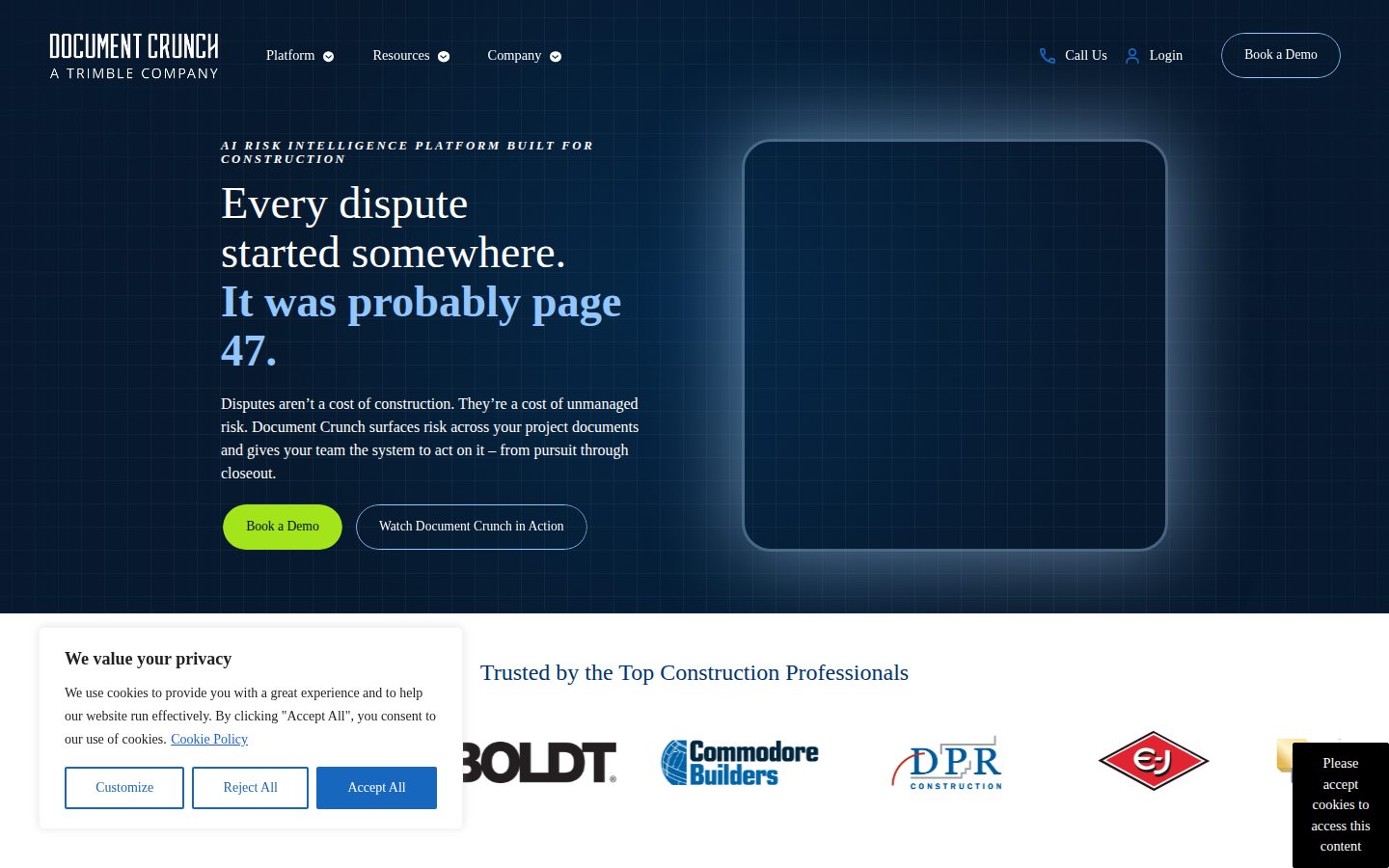
Document Crunch desktop previewDocument Crunch mobile preview

Pricing Plans

Contact Sales

Contact sales

Document Crunch is a sales-led, quote-based product for construction industry teams (general contractors, specialty contractors, insurers/sureties, preconstruction, and bid pursuit teams). There is no published price list — the vendor offers customizable price plans tailored to each organization's needs, and pricing requires contacting the vendor for a quote.

  • CrunchAI-powered contract and document risk analysis
  • Automated identification of key contract terms, risks, and unfavorable clauses
  • Project Playbooks for standardized contract review guidance
  • Integration with Microsoft Word and Procore
  • SOC 2 Type II backed security
  • Support via phone, newsletter, and resource hub

AI Panel Reviews

The Decision Maker

The Decision Maker

Strategic bet, vendor viability, timing, adoption approval
7.6/10

Clause-cited AI for construction contracts, priced and proven only through a sales call.

Document Crunch reads construction contracts and cites every risk flag to a clause. Real named customers, real workflow depth, zero public pricing.

The vendor claims 500+ companies and 10,000+ projects, with Balfour Beatty named outright. That's not nothing in construction software, where trust takes years to earn.

The clause-citation rule is the smart part: if it can't be cited, it isn't flagged. Combined with Project Assist drafting submittals and RFIs for review, this looks built by people who've actually read a flow-down clause, not a generic doc-parser with a construction skin slapped on.

One real gap. No pricing page — the 14-day trial lets you test the product, but you still can't build a budget without a sales call. SOC 2 Type II and Word/Procore integration cover the compliance basics, but you're trusting a quote-based vendor with your contract risk data before you've seen a number.

Competitive Positioning8.0

Clause-level citation and construction-trained CrunchAI differentiate it from generic contract-analytics tools that summarize rather than ground answers.

Reputation Risk7.5

SOC 2 and audit trail cover compliance basics, but contact-only pricing means terms and cancellation are unknown until a sales call.

Speed to Value7.0

A 14-day self-serve trial gets you in, but quote-based pricing slows the actual buy; playbooks and redlining suggest fast wins once live.

Strategic Fit7.8

Full lifecycle coverage from pursuit to closeout advances contract risk management rather than just automating existing manual redlining.

Vendor Viability7.0

Named customers, stated SOC 2 Type II and Trimble's April 2026 acquisition confirm real deployment, but beyond a help center no API or changelog is visible to confirm build velocity.

Pros

  • Every risk flag traced to a specific clause, not generic AI summary
  • Covers full lifecycle from pursuit through closeout with shared project record
  • Integrates with Microsoft Word and Procore
  • SOC 2 Type II with audit trail built in

Cons

  • No published pricing — the 14-day trial shows the product, never the number
  • Sales-led buying process slows evaluation for smaller GCs
  • Help center only, no API visibility to judge integration depth

Right for

General contractors and preconstruction teams who need defensible, clause-cited risk review across pursuit and construction phases.

Avoid if

Skip if you need a price before committing to a sales conversation.

The Domain Strategist

The Domain Strategist

Craft and strategy in the product's domain — adapts identity per category, same lens
7.8/10

Clause-cited risk flags and SOC 2 by default make this a defensible tool, not just a fast one.

Document Crunch grounds every risk flag to a source clause and carries audit trail evidence across the full project lifecycle. What's unproven from the outside is how it holds up under actual dispute and litigation scrutiny.

The clause-level citation rule — if it can't be cited, it isn't flagged — is the right discipline for anything I'll later need to defend in a claim or arbitration. That's the difference between risk intelligence and a generic AI summary I can't stand behind. SOC 2 Type II and an audit trail are table stakes I require anyway, so their default inclusion removes a procurement fight rather than winning one.

Where I want more is around the agentic layer. Project Assist drafting submittals, notices, and RFIs for review is useful, but nothing I could find says how those generated artifacts are versioned or logged for later audit — that gap matters once a dispute reaches page 47, to borrow their own framing.

Three years in, this becomes the system of record for flow-down and obligation tracking across pursuit through closeout. That's a real dependency, not a convenience. Word and Procore integration keeps switching costs manageable if that bet goes wrong.

Category Positioning7.8

Contact-for-pricing, enterprise construction-sector posture alongside Procore-adjacent contract analytics tools.

Domain Fit8.3

Playbooks, division checklists, and phase tracking mirror how pursuit-to-closeout teams actually structure work.

Integration Surface7.6

Microsoft Word and Procore integration is named; a help center exists but no API listed for deeper systems work.

Long-term Implications7.5

Becomes the project's obligation record over time; no pricing transparency to gauge lock-in cost.

Strategic Depth8.0

Construction-trained clause citation and flow-down detection go deeper than generic contract AI parsing.

Pros

  • Every risk flag traced to a specific clause, not generic AI summary
  • SOC 2 Type II compliance and audit trail included by default
  • Playbooks codify in-house standards across pursuit, pre-construction, and field teams

Cons

  • No published pricing; every deployment requires a sales cycle
  • Governance around Project Assist's generated submittals and notices isn't documented
  • A help center but no API listed, limiting deeper systems integration for larger GC IT stacks

Right for

General contractors and specialty contractors needing defensible, clause-cited risk tracking across pursuit through closeout.

Avoid if

Avoid if your team needs transparent self-serve pricing or deep API-level integration before committing to a sales-led evaluation.

The Finance Lead

The Finance Lead

Money, total cost of ownership, contracts, procurement math
6.9/10

Zero price on the site. Zero. Contact sales for every number that matters.

No published tiers, no starting price — a 14-day trial, but no number attached to it. Feature set is real — SOC 2, clause citation, Word and Procore integration — but the invoice is a mystery until legal signs.

No pricing page. No pricing page, and the site confirms it. One tier: Contact Sales. That's not a tier, that's a funnel.

TCO math is impossible to run from public data. Compare to Procore, named in their own integration list — Procore at least publishes some tier logic. Document Crunch gives you SOC 2 Type II, playbooks, redlining, mobile access. Good feature list. But 50-seat, 3-year cost could be $30K or $300K. No way to model it from here.

SOC 2 compliance and an audit trail help procurement move faster once quoted — security review won't be the bottleneck. The bottleneck is the sales cycle itself. Enterprise construction software norm: quote-based, negotiable, slow. Nothing here breaks that pattern. Budget for a demo call before you budget for the tool.

Billing & Procurement6.5

SOC 2 Type II and audit trail should ease security review; invoicing model itself is unstated.

Contract Flexibility6.0

Enterprise quote-based deals typically allow negotiation, but no terms are published to verify.

Pricing Transparency3.0

No pricing page, no tiers listed, single 'Contact Sales' plan.

ROI Clarity7.0

Clause-level citation and risk status tracking (open/overdue/done) give a measurable proxy for value, going by what's shown.

Total Cost of Ownership5.5

Feature set (redlining, playbooks, Project Assist) is broad but no seat price to model 3-year cost.

Pros

  • Every risk flag traces to a specific clause, per stated policy
  • SOC 2 Type II compliance with audit trail built in
  • Integrates with Microsoft Word and Procore, both named on the site
  • Covers full project lifecycle from pursuit to closeout

Cons

  • No published pricing, tiers, or starting price anywhere
  • No pricing before a sales commitment, even with the 14-day trial
  • Contract terms and auto-renewal language not disclosed

Right for

General contractors with dedicated pre-construction and legal teams who can absorb a sales-led buying cycle.

Avoid if

Avoid if you need visible pricing to build a budget before talking to sales.

The Domain Practitioner

The Domain Practitioner

Daily hands-on reality in the product's domain — adapts identity per category, same lens
7.6/10

Clause-level citations give legal a defensible audit trail, but the audit trail itself needs scrutiny before rollout.

Document Crunch cites every risk flag to a source clause and tracks SOC 2 Type II compliance as a baseline, which is the right instinct for a compliance sign-off. What's missing from the public record is any detail on how audit logs are retained, exported, or held up in an actual dispute.

The pitch that matters to me: if it can't cite the clause, it doesn't flag it. That's the difference between a tool legal will actually trust and another black-box summarizer that gets shelved after the first contract dispute. SOC 2 Type II by default is table stakes I still have to verify, but at least it's stated plainly rather than buried in a trust center I have to request access to.

My daily concern is audit trail durability, not detection accuracy. The site describes an audit trail and says customer contracts remain the customer's, but there's no retention window, no export format, no mention of how findings hold up when opposing counsel subpoenas the record during a claim. Risk status tracking (open/overdue/done) is useful for internal accountability, less so as evidence in arbitration.

No published pricing means procurement and legal review happen in parallel with a sales cycle, which slows my sign-off timeline. Integration with Microsoft Word and Procore is a real workflow win for a GC's document team, though it's a Word-and-Procore world only.

Day-3 Reality7.5

Clause citation and risk status tracking are concrete enough to survive past the demo, per the stated feature set.

Documentation Practitioner-Fit6.5

A help center exists but no changelog, so practitioner-grade reference depth is unverified.

Friction Surface7.0

No published pricing and demo-gated access adds friction before compliance can even evaluate the audit trail.

Power-User Depth7.3

Playbooks and division checklists suggest a path from basic review to codified standards, though depth beyond that is unproven here.

Workflow Integration7.8

Named Word and Procore integrations plus pursuit-through-closeout coverage fit existing GC document flows.

Pros

  • Every risk flag traces to a specific clause, useful for defensible sign-off
  • SOC 2 Type II stated as default with an audit trail
  • Native Word and Procore integration reduces tool-switching for document teams

Cons

  • No published retention or export detail for the audit trail itself
  • Pricing is fully contact-sales, adding a procurement cycle before compliance can test it
  • A help center and a dated news feed, but no changelog, so practitioner-level reference depth is unverified

Right for

Compliance leads at general contractors who need clause-cited risk flags they can defend in a dispute.

Avoid if

Avoid if you need transparent pricing before committing legal review time — the 14-day trial lets you look, but not at the contract terms.

The Power User

The Power User

Daily human experience, onboarding, polish, learning curve, reliability
7.8/10

Fourteen days of hands-on trial before you owe anyone a meeting, which is rare in construction software.

Document Crunch ties every risk flag back to the clause it came from, which is the whole game when a contract fight starts. The 14-day trial means you can judge that yourself, though the price still comes from a conversation.

Fourteen days, on your own, before anyone picks up a phone. Their trial page says explore the platform at your own pace, and in construction software that sentence is rarer than it should be. Load a contract, see whether the flags land.

Project Assist is what I'd stress-test in that window. It turns findings into submittals, notices and RFIs you review rather than draft, and every flag traces back to the clause it came from, not a vague summary you can't defend. Microsoft Word and Procore integrations put it where estimators already work.

The catch is what comes after. Only a help center, no changelog — releases land as dated news posts instead, like the Microsoft Word integration one. Trimble closed its acquisition in April 2026 and is folding this into Construction One, so the roadmap has a new owner now. SOC 2 Type II holds up, though.

Daily Polish7.2

Risk status tracking gives a clean open, overdue and done view, though nothing public shows how the empty states or micro-copy feel.

Learning Curve7.6

Playbooks codify in-house standards so the tool sharpens as a team feeds it its own expertise, and two weeks is enough to see if that clicks.

Mobile Parity7.2

Mobile access on smartphones and tablets is explicitly built for field teams, not a responsive afterthought.

Onboarding Experience6.5

A 14-day trial lets you start on your own, with a help center for the first hour.

Reliability Feel7.8

SOC 2 Type II and a built-in audit trail point to a team that treats contract data as something it has to answer for.

Pros

  • Every risk flag traces to a specific clause, not a generic AI summary
  • A 14-day trial lets you run a real contract through it before talking to anyone
  • Project Assist auto-generates submittals, notices and RFIs for review
  • SOC 2 Type II compliance with audit trail built in
  • Integrates with Microsoft Word and Procore, tools construction teams already use

Cons

  • A help center but no changelog and no pricing page — releases surface on a news feed instead
  • Built specifically for construction, so no fit outside that vertical

Right for

Project controls teams at general contractors who review construction contracts every week.

Avoid if

Buyers who need a published price before starting an evaluation.

The Skeptic

The Skeptic

Contrarian. Watch-outs, deal-breakers, broken promises, category patterns
7.0/10

Trimble owns them now, so the survival question is closed and only the exit question is left.

Clause-level citation, SOC 2 Type II, and a 14-day self-serve trial are real and checkable. Price isn't published, and there's no stated way to get your contract data back out.

Exit story first, because it's the one thing here that isn't settled. Contract data, playbooks, redlines — all of it lives in their system. No stated export format. No API. Get out how, exactly?

The rest checks out harder than expected. Clause-level citation with a stated rule — if it can't be cited, it isn't flagged. SOC 2 Type II. Document Crunch for Word has been shipping since October 2023, and the news feed is dated, so you can watch the cadence even without a changelog. There's a 14-day free trial, self-serve, no sales call needed.

The catch is price. Nothing published, quote only, so the trial tells you if it works but not what it costs. Trimble closed the acquisition on 4 April 2026, $246.4 million — viability's settled, roadmap control isn't. Narrower than general contract AI, and better for it.

Competitive Differentiation7.0

Construction-specific flow-down and markup detection is a narrower, more defensible niche than general contract AI.

Exit Portability5.5

No API and no stated export format, so contract data and playbooks likely stay where you put them.

Long-term Viability7.0

A dated news feed shows releases and Trimble now owns the platform, but beyond a help center I found no changelog to track versions.

Marketing Honesty8.0

The claims are checkable — a stated 'if it can't be cited, it isn't flagged' rule, SOC 2 Type II, and a 14-day trial that lets you test the pitch yourself.

Track Record Match7.5

Document Crunch for Word has been shipping since October 2023 and named contractors like Balfour Beatty back the pitch, though outcome numbers stay unpublished.

Pros

  • Clause-level citation with a stated no-citation-no-flag rule
  • SOC 2 Type II plus audit trail
  • Named construction customers including Balfour Beatty across GC and specialty contractor segments
  • Self-serve 14-day free trial — you can test it before any sales call

Cons

  • No published pricing at all
  • No API and no stated export format — migration path is unclear

Right for

General contractors who want construction-specific contract risk review before signing.

Avoid if

Teams who need a documented export path before putting contract data in.

Buyer Questions

Common questions answered by our AI research team

Features

Does Document Crunch cite sources for its risk flags?

Yes. Every risk flag Document Crunch surfaces is traced back to a specific clause in the source document — if it can't be cited, it isn't flagged. This gives teams defensible, source-grounded answers rather than generic AI output.

Features

What does Project Assist actually generate for you?

Project Assist generates submittals, notices, and RFIs ready for review, pulling answers from across your project documents. It also runs playbooks to surface obligations before work starts and tracks decisions across pursuit, pre-construction, and construction phases.

Security

Is Document Crunch SOC 2 compliant?

Yes, Document Crunch is SOC 2 by default, with enterprise-grade security and an audit trail built into the platform to keep your contracts contained and secure.

Features

Can I access Document Crunch on a mobile device?

Yes. Document Crunch offers mobile access on smartphones and tablets, supporting real-time risk control during the construction phase.

Features

Does Document Crunch help during contract negotiation?

Yes. During the pursuit phase, Document Crunch helps you negotiate better contracts with auto redlining, compare versions and summarize differences, and grounds every answer to the exact clause.

Also in AI Compliance