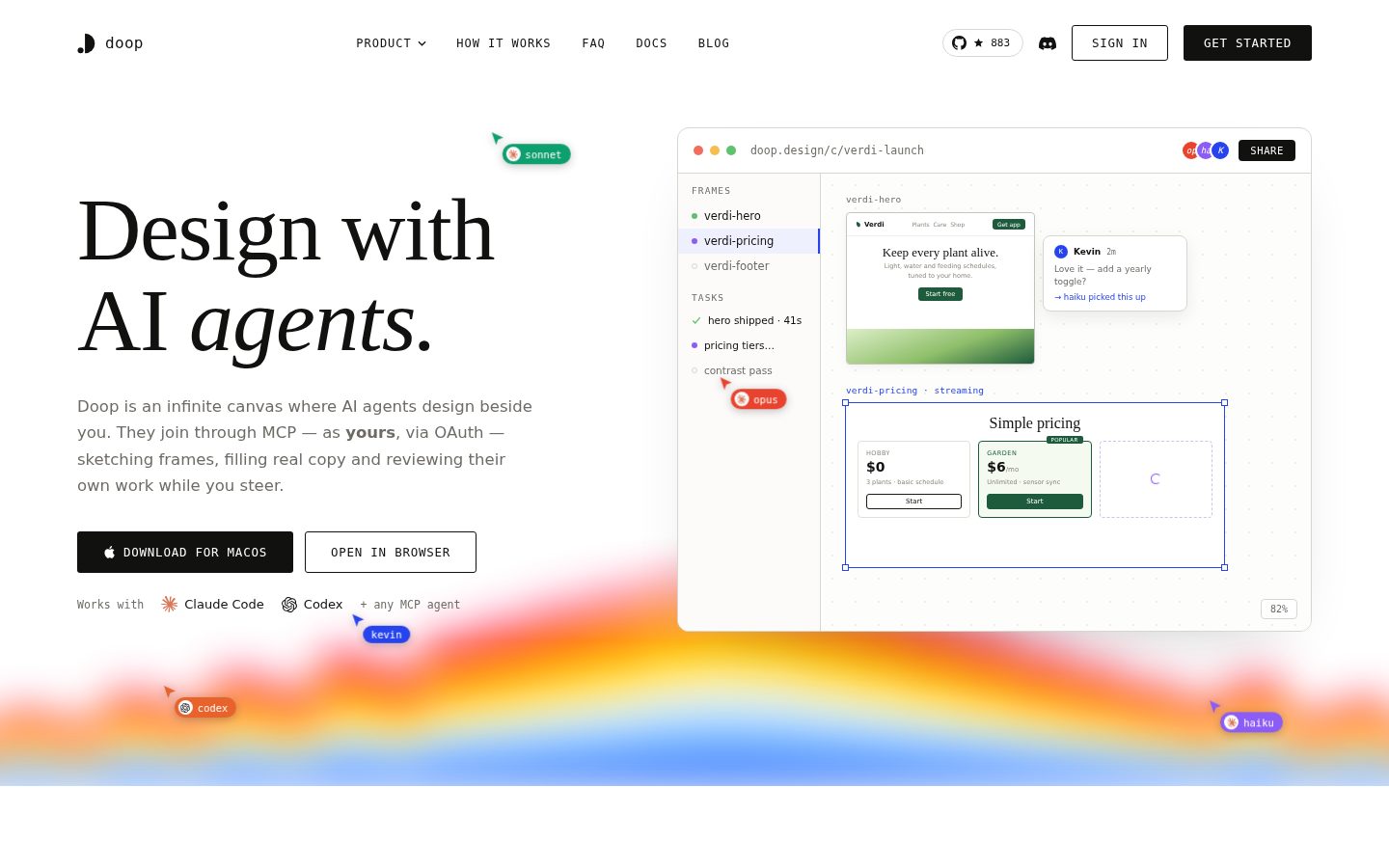
A multiplayer design canvas where AI agents build real HTML, live
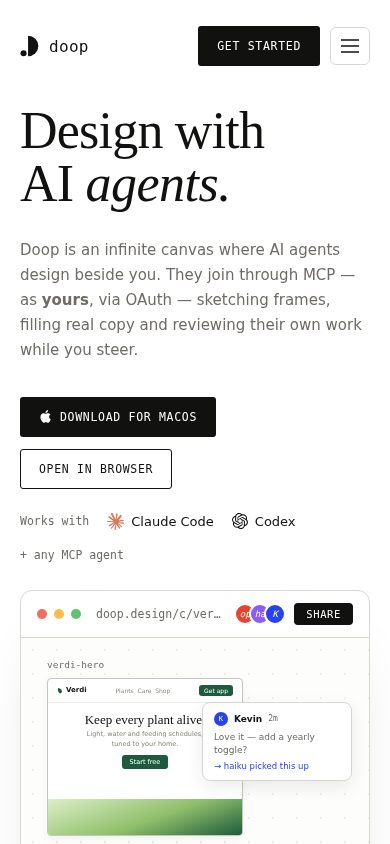
Doop is an open-source multiplayer design canvas and design MCP server for AI coding agents.
AI Panel Score
6 AI reviews
Reviewed
Facts checked against doop.design
Working in Doop starts on a canvas where frames represent pages or sections of a design. A user connects an MCP-compatible agent — Claude Code, ChatGPT, Codex, Cursor, Gemini CLI, Kimi Code, Qwen Code, DeepSeek, GitHub Copilot, Windsurf, or others — by pointing it at the Doop MCP URL and approving the connection once in a browser. From there the agent gets its own cursor on the canvas and can create frames, stream HTML directly into them, take screenshots of its own output, import existing sites, and read back the canvas's taste memory. Multiple people and multiple agents can work on the same canvas simultaneously, with changes visible live to anyone watching, including from a phone while an agent keeps streaming on a desktop.
Distinguishing features include a built-in image generation tool (GPT Image 2 at present, with other models such as Nano Banana Pro, FLUX.2 Pro, Recraft V4, and Ideogram 3 listed as coming), import of URLs, HTML exports, Figma files, Canva designs, PSDs, and GitHub repos as editable snapshots, and export of any frame as PNG, PDF, HTML, Canva, Figma, or a live image URL that re-renders when the underlying design changes. Doop can also open a GitHub pull request that turns a canvas frame into real HTML and CSS written in a project's existing conventions, for a developer to merge or hand off to Claude Code or Cursor. A memory system distills comments left on frames (e.g., "rounder corners," "keep it to the blue") into a taste profile that is automatically applied to future frames and shared across every agent that joins the canvas, regardless of the underlying model.
Doop is built for teams and individuals who want to design alongside AI agents rather than hand a prompt to a single closed tool; the site positions it as a comparable workflow to Claude Design but open to any MCP agent, and as an alternative to Paper Design, Google Stitch, Figma Make, and v0. It uses a bring-your-own-key and bring-your-own-subscription model: agents run on whichever model and subscription the user already pays for, and no usage is billed through Doop itself (an API key is only needed for image generation or the built-in Doop agent). Pricing shown includes a Hobby tier at $0 for 3 plants with a basic schedule, a Garden tier at $58 per year, and a Greenhouse tier with a price that is cut off in the available content; Doop itself is described as free while in beta.
Doop is open source under the MIT license, hosted at github.com/kgoedecke/doop. It can be self-hosted as a single Docker container plus a Postgres database, or used directly at doop.design. The canvas is available as a desktop app, an iOS app, and in the browser, with the same canvas, agents, and live cursors synced across all of them.

Users can prompt for backgrounds, illustrations, product renders, or mascots and have Doop draw them directly into the frame using models like GPT Image 2, with more models planned.
Doop distills user feedback into a shared taste profile per canvas (corners, palette, shadows, type) that is automatically applied to every new frame and read by every agent that joins, regardless of model.
Agents can be scheduled to run without a user present, such as generating a feature image for each blog post or fresh OG images every week, landing results directly on the canvas.
Comments left on a frame are turned into tasks that agents pick up and act on, visible in an activity feed.
Multiple users and agents share live cursors on the canvas and can approve or comment on frames as they stream.
An infinite canvas where AI agents stream design work frame by frame in real time, visible to anyone on the canvas, not just the agent's own operator.
Every frame can be exported as PNG, PDF, HTML, Canva, Figma, or a live re-rendering image URL that updates automatically when the design changes.
Doop is MIT-licensed open source that can be self-hosted as a single Docker container plus Postgres, or used via doop.design.
Doop runs as an MCP server so any MCP-compatible agent — Claude Code, ChatGPT, Codex, Gemini, Kimi, Qwen, DeepSeek and others — can connect and design directly on the user's canvas using the user's own subscription and keys.
Connecting a GitHub repo lets Doop open a pull request that turns a canvas frame into real HTML and CSS matching the project's conventions, ready to merge or hand off to Claude Code or Cursor.
Users can import a URL, HTML export, Figma file, Canva design, PSD, or GitHub repo onto the canvas as an editable snapshot while leaving the original untouched.
The canvas works the same across the desktop app, iOS app, and any browser, allowing users to approve frames from their phone while agents keep working on desktop.
Doop itself is free while in beta and open source under the MIT license — self-host it or use doop.design at no cost. No billing goes through Doop; you bring your own AI agent and subscription.
Free, open-source MCP canvas lets any AI agent design live — the bet is on the protocol, not the vendor.
“Doop turns MCP into a shared design surface where Claude Code, Codex, Gemini and others stream HTML onto the same canvas. Zero billing risk since it rides your existing subscriptions, but that also means no revenue signal that this team sticks around.”
MIT license, self-hostable with Docker and Postgres, free while in beta. That's a real exit ramp if the hosted version disappears — rare in this category and worth something on its own.
The taste memory feature is the interesting bet: feedback like "rounder corners" gets distilled once and applied across every agent that touches the canvas, Claude Code or Qwen alike. GitHub PR shipping turns a frame into real HTML matching a repo's conventions. That's further than a static export.
Tradeoff: bring-your-own-key means no usage revenue for Doop, so I can't tell what funds continued development past beta. Pricing shown ($0 Hobby, $58/year Garden) looks aimed at individuals, not teams who'd need the self-host path for real control.
Any-agent MCP support and shared taste memory across models is a structural difference from single-model tools like Figma Make or v0.
MIT license and self-hosting give a clean exit if the hosted product stalls, though I couldn't find security or compliance detail for team deployments.
Connecting an existing agent via MCP URL and one browser approval is a fast setup, per the described flow, with immediate live streaming into frames.
Lets any MCP agent design on a shared canvas rather than locking teams into one closed assistant like Claude Design, which advances workflow flexibility, not just cost.
Open source on GitHub with Docker self-host path shows real shipping intent, but beta pricing and a cut-off top tier suggest early-stage commercialization.
Teams already paying for Claude Code, Codex or similar who want a shared canvas instead of single-agent design tools.
Skip it if you need a vendor with committed, funded long-term support rather than a beta open-source project.
A live design canvas that treats AI agents as teammates with cursors, not prompt boxes.
“Doop's frame-by-frame streaming and comments-to-tasks loop mirror how a real studio critiques work, not how a single-prompt tool fakes it. The craft ceiling depends entirely on which agent you point at the canvas.”
Most AI design tools hide the process and hand you a finished comp. Doop does the opposite: agents get their own cursor, stream HTML frame by frame, and anyone on the canvas — including a client on their phone — watches the decision happen live. That's a real shift in how review and approval work, closer to watching a junior designer screen-share than reviewing a Figma link after the fact.
The comments-to-tasks loop is the part that matters for a studio lead. Feedback like 'rounder corners' doesn't just get read, it becomes a tracked task an agent picks up, with an activity feed showing who acted on what. That's closer to a production pipeline than a chat window, and it's the piece most single-agent tools skip entirely.
The GitHub PR export is the real craft signal — shipping HTML and CSS that match a project's existing conventions is a harder problem than generating a pretty frame. Canvas-to-code tools that output generic markup create years of cleanup; this one is clearly built by people who've had to merge that code themselves. The tradeoff: your output quality is capped by whichever model you bring, since Doop doesn't own the generation, just the workflow around it.
Positioned against Claude Design, Paper Design, Google Stitch, Figma Make, and v0, but its any-agent MCP approach is a genuinely different bet than any single one of them.
Frame-based canvas with live cursors and streaming output matches how a studio actually critiques and approves work in progress, not after the fact.
Import from Figma, Canva, PSD, and GitHub plus export to the same set means it slots alongside an existing stack instead of replacing it.
MIT license and self-hosting via Docker plus Postgres give you an exit ramp, but a $58/year Garden tier on a beta product leaves the operating model unsettled.
Taste memory and comments-to-tasks show real workflow thinking beyond a generation gimmick, but depth rides on whichever model is connected.
A studio or team already comfortable handing production work to AI agents and wanting a shared canvas to supervise and critique it live.
Avoid if your team needs a single consistent visual voice independent of whichever model happens to be connected that day.
Doop's own bill is $0. The real cost lives in your agent subscriptions.
“Doop charges nothing — the meter runs on whatever Claude, ChatGPT, or Codex subscription you already carry. Clean on paper, harder to model once five agents are streaming at once.”
Doop itself: free. Beta, MIT-licensed, self-hostable on one Docker container plus Postgres. No seat fee, no usage line.
But TCO isn't zero. Bring-your-own-key means the real spend is your Claude Code, Codex, or Gemini subscription, multiplied by however many agents run concurrently on a canvas. A team of 50 isn't $0/year — it's 50 existing AI subscriptions plus whatever image-generation API keys get used for GPT Image 2 calls. Doop doesn't bill it, but finance still has to find it, probably scattered across five different vendor invoices instead of one.
Self-hosting adds infra cost: Postgres, Docker, someone's time. Hosted at doop.design avoids that, at an unstated price past beta. No named competitor in view for a dollar comparison — the honest contrast is a single-vendor tool with one bill versus Doop's many small bills under one free roof.
Zero procurement friction for Doop itself at $0, but no invoicing shown for whatever the Greenhouse tier turns out to cost.
MIT license, no term, no auto-renewal — you can fork and walk away anytime.
The free beta tier and self-host cost are clear; what Doop charges post-beta isn't stated anywhere I found.
No usage metering through Doop makes it hard to attribute output to spend when the spend sits in separate agent bills.
No Doop invoice, but 3-year cost depends on N agent subscriptions plus image-gen API spend, which Doop doesn't model for you.
Teams who already pay for Claude Code or Codex and want a shared canvas without adding a new line item.
You need one invoice and one number to defend to finance rather than a bundle of agent subscriptions.
Watching an agent stream HTML into a frame is the demo. Living inside that same frame is the job.
“Doop replaces the Figma canvas with something agents paint onto live, which is genuinely new for design review. The question is whether a frame built by streaming HTML holds up to the same editing habits designers already have muscle memory for.”
The infinite canvas is familiar territory — frames for pages and sections, live cursors, comments. But the object inside each frame isn't a vector shape, it's streaming HTML and CSS. That's a different manipulation model than dragging a bezier handle, and the docs I found don't spell out what direct manual editing looks like once an agent has handed you a frame mid-stream. Can I nudge padding by hand, or do I have to leave another comment and wait for a task to get picked up?
Import from Figma, PSD, Canva, and GitHub repos as editable snapshots is a smart on-ramp — nobody starts a canvas from zero. Export back out to Figma, Canva, or a live-updating image URL closes the loop reasonably well.
The open question is discoverability: scheduled automations and the GitHub PR path sound powerful but buried behind agent setup, not surfaced for a designer skimming the canvas toolbar.
Watching frames stream is compelling once; whether manual touch-up on agent-built HTML is fast or fiddly isn't clear from what I could find.
The docs and blog cover MCP setup and connectors clearly, but I couldn't find detail on manual frame editing once an agent hands off work.
Comments-to-tasks and live approvals are smooth on paper; day-to-day friction likely shows up in direct editing of agent-streamed frames, which isn't documented.
Scheduled automations and GitHub PR shipping suggest real depth beyond the canvas, though both sit behind setup steps rather than being discoverable from the toolbar.
Import from Figma, PSD, and Canva lowers the on-ramp, but the core unit of work shifts from vectors to live HTML, which is a real habit change.
A designer already comfortable reviewing and annotating work rather than drawing every pixel by hand.
Skip it if your daily workflow depends on fine manual vector editing rather than reviewing and redirecting generated output.
Watching an AI stream HTML live is the demo. Whether it holds up at 3pm on a Tuesday is the real question.
“Doop turns design review into a live stream of frame-by-frame AI work instead of a thing you wait for. That's a genuinely different feel day one, but the app itself is young and it shows in the small stuff.”
First ten minutes: point an MCP agent at a URL, approve it once in browser, watch it get a cursor and start drawing HTML. That's a clean setup compared to copy-pasting prompts into a closed tool, and it genuinely feels like something new rather than a UI skin on a chatbot.
But novelty and polish are different things. I couldn't find much on what happens when an agent's stream stalls mid-frame, or what the canvas shows you while you wait for a model that's slow that day — and with seven-plus agent providers in play, behavior is going to vary a lot provider to provider. The Hobby tier caps you at 3 plants, which is a strange unit to learn on day one.
The iOS app and desktop app syncing the same live cursors is a real mobile commitment, not a stripped-down companion view, which matters once you're approving work from your phone regularly. Month three, the open question is whether the taste memory and task feed actually reduce friction or just add another surface to check. Early, promising, not yet proven.
The live streaming and comment-to-task flow show real design thought, but I couldn't find detail on error or empty states when an agent's run fails mid-frame.
Concepts like frames, taste memory, and comments-as-tasks are simple individually, but coordinating multiple agents and models at once is a new skill with no obvious ceiling shown yet.
A real iOS app sharing the same canvas, agents, and live cursors as desktop is a genuine commitment, not a read-only companion.
Pointing an existing agent at an MCP URL and approving once in browser is a lighter ask than most new tool setups.
No usage is billed through Doop and self-hosting via Docker plus Postgres suggests a sane architecture, but autosave and failure behavior during live streaming aren't clear to me.
Teams already paying for Claude Code, Codex, or similar who want to watch design happen live instead of waiting on a single prompt result.
You want one predictable visual quality bar regardless of which AI model your teammates happen to be running.
MIT license and BYO-subscription pricing are the real pitch here, not the AI.
“Doop is free, open-source, and self-hostable, which solves the lock-in question before anyone asks it. Whether the live-streaming design workflow actually sticks is a separate, unproven bet.”
No billing runs through Doop. That's unusual and worth noting on its own — most of this category wants a seat price. Instead you bring Claude Code, Codex, Gemini, whatever subscription you already pay for, and Doop just hosts the canvas. MIT license, Docker plus Postgres, github.com/kgoedecke/doop. That's a clean exit story if the hosted version ever stalls.
What I can't verify from here is retention. Hobby tier is $0 for 3 plants, Garden is $58 a year, and the top Greenhouse tier's price wasn't visible to me. Fine for a beta. But 'free while in beta' is a timer, not a business model, and I couldn't find a changelog to see how fast this ships.
The category comparison on their own site names Claude Design, Paper Design, Google Stitch, Figma Make, and v0. Being MCP-agnostic instead of model-locked is a real wedge. Whether that wedge survives contact with a funding round is the open question.
Any-MCP-agent approach stands out against the named alternatives, Claude Design and v0, which tie you to one model.
Self-hosting via a single Docker container plus Postgres under MIT license is about as clean an exit as this category gets.
No usage billed through Doop means no visible revenue engine post-beta, and I couldn't find a changelog to gauge shipping cadence.
Claims (MIT license, BYO-subscription, named agent list) are specific and checkable, not vague superlatives.
Features like GitHub PR shipping and taste memory are named with mechanics, but image generation is one model live, rest 'planned.'
Teams comfortable self-hosting or betting on an open-source beta who want to avoid locking into one AI model's design tool.
You need a stable, line-item price today rather than a beta that could reprice or stall.
Common questions answered by our AI research team
Doop connects to AI agents via MCP, including Claude Code, ChatGPT, Codex, Gemini, Kimi, Qwen, and others — all designing real HTML and CSS in real time on the same canvas.
Doop builds a shared taste memory from past feedback and applies it to every new frame, regardless of which AI model created it, so design preferences carry across agents and sessions.
Yes. The canvas shows what every agent is working on live, so you can watch anyone's agent mid-design, not just your own, as frames stream in and decisions stay visible to others.
Comments made on the canvas turn into tasks that agents can pick up, keeping feedback actionable and visible to the next agent that joins the project.
Doop connects agents through MCP (Model Context Protocol), linking tools like Claude Code, ChatGPT, Codex, Gemini, Kimi, and Qwen to the shared design canvas.
Company
DoopPricing
FreeFree Plan
AvailableDoop is an open-source multiplayer design canvas and design MCP server that lets users design alongside AI agents such as Claude Code and Codex.