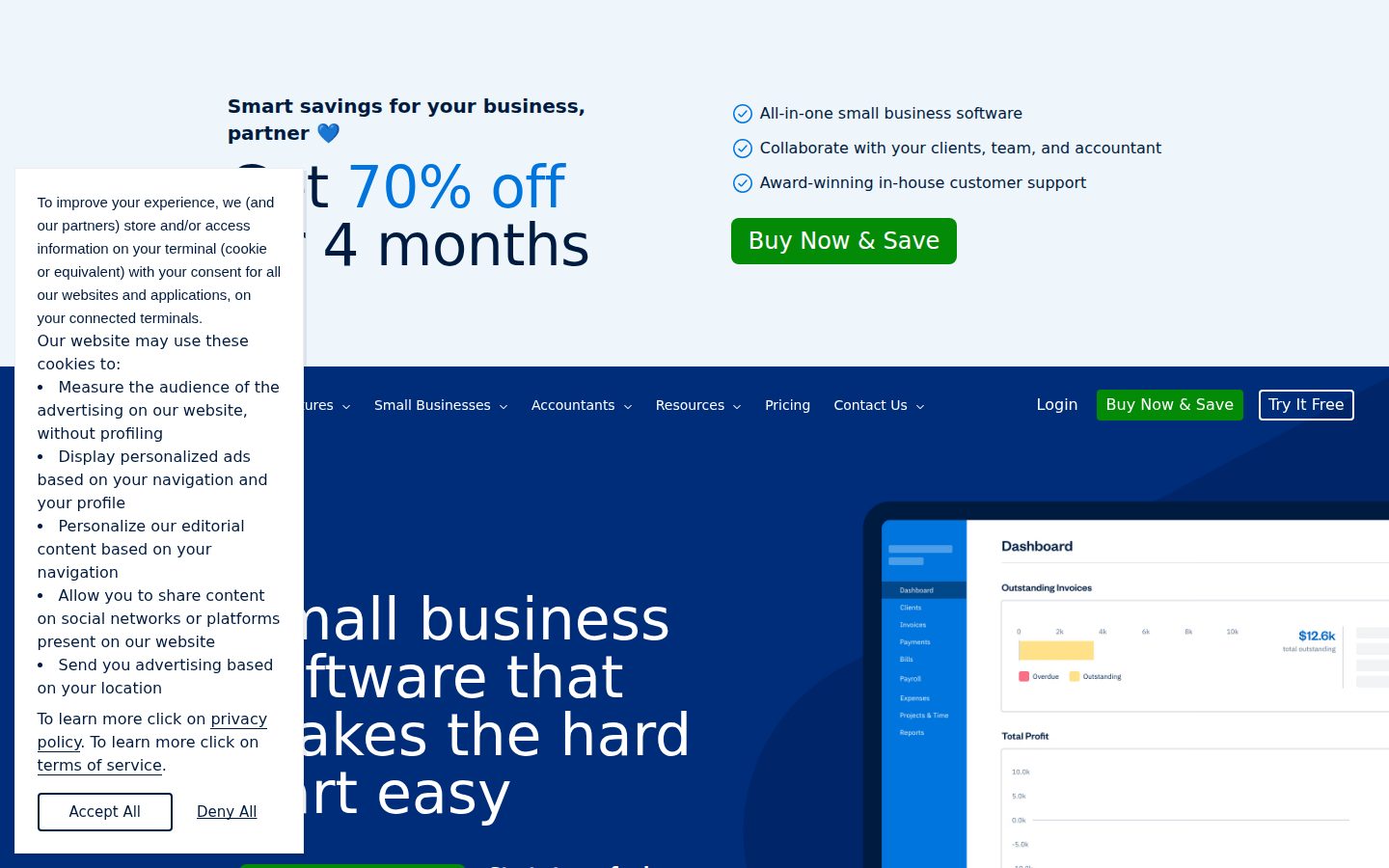
Invoicing and accounting software built for small businesses
FreshBooks is a cloud-based invoicing and accounting software for small businesses and freelancers.
AI Panel Score
6 AI reviews
Reviewed
AI Editor ApprovedApproved and published by our AI Editor-in-Chief after full panel analysis.FreshBooks is a cloud-based accounting and invoicing solution targeted at small businesses, freelancers, and service-based professionals. It provides tools to create and send invoices, accept online payments, track billable hours, manage expenses, and generate financial reports such as profit and loss statements.
The platform is built around ease of use, with a workflow that guides users from project or time tracking through to invoicing and payment collection. Clients can pay invoices directly through the platform using credit cards or bank transfers, and automated payment reminders can be configured to reduce follow-up work.
FreshBooks includes a double-entry accounting system, making it suitable for businesses that need to maintain books compliant with standard accounting practices. It also supports tax preparation workflows, including expense categorization and reports that can be shared with accountants.
The software integrates with a range of third-party tools including Stripe, PayPal, Gusto, HubSpot, and project management applications. A mobile app is available for iOS and Android, allowing users to manage invoices and expenses from mobile devices.
FreshBooks competes in the small business accounting market alongside products such as QuickBooks Online, Wave, and Xero. It is generally positioned as a more approachable option for non-accountants, particularly those in service industries who prioritize invoicing and time tracking over complex inventory or payroll features.
Generates financial reports to provide visibility into business performance and accounting data.
Allows users to collaborate directly with their accountant within the FreshBooks platform.
Enables collaboration with team members and contractors while handling accounting, billing, and payroll in one platform.
Automates invoices and billing, enables secure online payments, and sends built-in reminders to keep cash flow predictable.
Creates estimates and proposals for clients as part of the invoicing and billing workflow.
Tracks expenses using mobile receipt scanning, bank account imports, and automated expense categorization.
Creates professional invoices in minutes with automatic addition of tracked time and expenses, tax calculation, and customizable payment options.
Tracks mileage as part of the all-in-one accounting platform for small businesses.
Runs payroll, tracks expenses, and calculates taxes without requiring separate tools for paying yourself and your team.
Tracks billable time that can be automatically added to invoices for accurate client billing.
Connects with 100+ apps through the FreshBooks AppStore to extend functionality and fuel business growth.
Provides mobile applications that allow users to manage accounting, receipts, and invoicing from their devices.
For freelancers and self-employed professionals
Most popular plan for growing businesses with contractors
For businesses with employees needing advanced features
For larger businesses needing dedicated support and custom pricing
FreshBooks is a safe, unsexy choice that won't embarrass you with the board.
“Solid invoicing platform for service businesses under 50 clients. Stops being interesting the moment you need inventory, payroll complexity, or real financial depth.”
FreshBooks has been around long enough that it's not a bet, it's a commodity. No public funding data I can find, but the product is mature, the pricing page is clean, and the $6.90 Lite tier tells you exactly who they're building for. That's not a knock. Longevity in SMB accounting software is hard.
Two things concern me. One: the 5-client cap on Lite isn't a feature, it's a trap. You'll hit it fast and jump to Plus at $12.90, which is fine, but know it's coming. Two: data migration is locked to the Select tier, meaning switching away later isn't cheap or easy.
Against QuickBooks Online, FreshBooks wins on simplicity and loses on depth. If your business has inventory, complex payroll, or multiple entities, this won't hold. The Accountant Collaboration feature is genuinely useful for solopreneurs handing off to a CPA, but that's a narrow use case.
Speed to value is real here. Time tracking flows directly into invoicing, automated reminders reduce collections friction, and the 30-day free trial gives you a clean look before committing. For a solo operator or five-person service shop, pilot it. For anyone bigger, start with QuickBooks.
FreshBooks doesn't move you ahead of peers — QuickBooks Online and Xero are more scalable, Wave is free at this feature tier.
Well-known brand in SMB accounting; no board member will raise an eyebrow at this choice.
Time tracking to invoice is a single workflow, and the 30-day trial means you know within a month whether it works.
Strong fit for invoicing-heavy service businesses, weak fit the moment payroll complexity or inventory enters the picture.
No public funding data, but product maturity and broad adoption in the SMB category suggest they're not going anywhere soon.
A freelancer or small service shop under 50 clients who needs invoicing and time tracking without an accounting degree.
Your business has employees, inventory, or you expect to need real migration flexibility within two years.
FreshBooks handles invoicing cleanly but hits a ceiling before your books get serious.
“FreshBooks is purpose-built for service-based small businesses where time tracking and invoicing are the core workflow. Controllers evaluating it for anything beyond a sub-50-client operation will find the compliance and reporting depth insufficient.”
Double-entry accounting is present — the docs confirm it — which means the foundation isn't a toy ledger. That matters. But double-entry as a checkbox and double-entry with audit-ready chart-of-accounts discipline are different things, and nothing in the feature evidence suggests FreshBooks has invested in the latter. Financial reports exist, but the description is vague: 'profit and loss statements' is table stakes, not a reporting architecture. For a Controller who needs period-close confidence, that vagueness is a signal.
The client-count caps are revealing about who this product is really designed for. The Plus plan at $12.90/month caps at 50 clients. Premium at $21.00 unlocks unlimited invoicing but 'project profitability' is listed as a Premium differentiator — meaning basic margin visibility is paywalled. Xero, at a comparable price point, gives you a more mature GL and multi-currency without that kind of segmentation. If you're running a 10-person services firm with any revenue complexity, you'll feel that ceiling within 18 months.
Accountant Collaboration is a named feature, which is the right instinct — controllers need their staff accountant or external CPA inside the same data set. But data migration is locked to the Select plan's 'Easy Switch,' meaning if you outgrow FreshBooks, your exit is either expensive or manual. That's the structural constraint worth naming before you commit. The 100+ app integrations via the AppStore include Stripe, Gusto, and HubSpot, which is a reasonable stack for a small services business, but nothing in the evidence suggests deep API reliability for custom GL integrations.
For a freelancer or sub-ten-person shop where the owner is the bookkeeper, FreshBooks earns its position. For anyone running a Controller function with month-end close requirements, accrual discipline, and multi-entity exposure, this tool will create workarounds before year two is out.
Clearly differentiated from QuickBooks and Xero on ease-of-use for non-accountants, which is a real and defensible niche.
Built for owner-operators doing their own books, not for Controllers managing a close cycle or a staff accountant relationship.
100+ AppStore integrations including Stripe and Gusto cover typical small business stacks, but no evidence of robust API depth for GL-level custom work.
Client-count caps and migration locked to Select plan means growth creates either upgrade friction or a painful platform switch.
Double-entry accounting confirmed but reporting architecture is shallow — 'profit and loss' depth, not close-ready GL depth.
A solo service professional or sub-five-person shop where the owner manages their own books and invoicing is the primary workflow.
Your operation requires period-close controls, accrual-basis discipline, or multi-entity consolidation.
Lite starts at $6.90 — but 5-client cap is a real wall
“FreshBooks publishes all four tiers without a sales call. The client caps on lower tiers will force most freelancers up to Plus or Premium faster than they expect.”
Three tiers are fully priced on the page: Lite at $6.90, Plus at $12.90, Premium at $21.00. Select is listed as free but requires negotiation — that's a custom contract, not a free plan. Procurement won't fight the first three. They'll fight Select.
The client cap math matters. Lite caps at 5 clients. A freelancer with 6 active clients pays $12.90, not $6.90. That's 87% more on month one. 50-seat team model doesn't apply here the way it does for tools like QuickBooks Online or Xero, but the client-count escalation mimics seat creep. Year 3 for a growing solo operator probably lands on Premium: $21 × 12 = $252/year. Add Gusto or Stripe integrations and you're north of $600/year all-in.
Data migration via 'Easy Switch' is locked to Select. Switching costs aren't zero — they're hidden behind a sales call. Auto-renewal terms aren't published on the pricing page. That's the standard SaaS gap; assume 30-day cancellation notice minimum until the contract says otherwise.
Wave is free. QuickBooks Simple Start runs $17.50/month. FreshBooks Premium at $21 competes on time tracking and invoicing UX, not price. That's the honest positioning.
Monthly subscription with no stated minimum term on Lite through Premium keeps procurement friction low; Select introduces custom pricing complexity.
Auto-renewal terms and cancellation windows aren't published; data migration via Easy Switch is gated to Select, creating switching cost opacity.
Three of four tiers fully published with feature breakdowns; Select requires a sales call, which is a standard exception for enterprise tiers.
Billable time tracking tied directly to invoicing is a measurable loop — hours tracked convert to invoice lines, which is a legible ROI story for service businesses.
Client-cap escalation forces upgrades early; payment processing fees and third-party integration costs like Gusto aren't bundled into sticker pricing.
Solo service operators billing under 50 clients who want invoicing and time tracking without a full accounting stack.
Your team needs data migration from an existing platform without committing to a Select contract negotiation.
FreshBooks invoices beautifully but accountants will hit its ceiling fast
“Strong invoicing and time-tracking workflow for solo operators and freelancers. Double-entry accounting is there, but the client cap on Lite at 5 and the general positioning toward non-accountants means practitioners will feel underserved quickly.”
The billing and payments workflow is genuinely well-constructed. Time tracking rolls into invoices automatically, payment reminders fire without manual intervention, and ACH plus Buy Now Pay Later are included without hunting for a plugin. For a freelancer reconciling at month-end, that pipeline is tight. The $12.90 Plus plan is where most small practices will land, and at 50 clients, it works until it doesn't.
The double-entry accounting system is real, not cosmetic. Profit and loss reports generate without manual journal entries, and the Accountant Collaboration feature on Plus and above lets you hand off read access without sharing credentials. That's a legitimate workflow improvement over emailing CSV exports. But compared to QuickBooks Online's chart of accounts depth or Xero's bank rule engine, the reconciliation tooling feels thin. No public changelog makes it hard to know if that gap is closing.
Expense categorization is automated but the docs indicate categorization rules aren't customizable beyond basic buckets. For any client with industry-specific expense schedules — construction, healthcare, real estate — that's a manual cleanup job every single period. Mileage tracking is built in, which most competitors charge separately for, so that's a genuine win.
Data migration is locked behind the Select plan, which is free but custom-priced and sales-gated. Switching from QuickBooks mid-year means either a manual rebuild or a phone call. For a practitioner managing a client transition, that's not a workflow, that's a project.
Invoice-to-payment flow stays clean daily, but the 5-client Lite cap and locked data migration create hard walls that appear fast.
No public changelog and no blog in the scraped evidence suggests docs are marketing-facing, not practitioner-maintained.
Non-customizable expense categorization means manual reclassification for clients with non-standard expense schedules, a weekly friction point.
Double-entry is present but bank rule depth and chart of accounts flexibility lag behind QuickBooks Online and Xero for any client beyond basic service billing.
Time tracking to invoice automation is genuinely seamless, and accountant access on Plus avoids credential sharing, which is a real friction reduction.
A solo service-based freelancer or small shop that lives in invoicing and needs clean cash flow visibility without complex inventory or multi-entity books.
You're managing clients with industry-specific expense schedules or need a serious bank rule engine for high-volume reconciliation.
FreshBooks is the accounting tool that doesn't make you feel stupid
“Built for freelancers and small service businesses, not for anyone who needs inventory or complex payroll. Clean, approachable, but the client limits on lower tiers will catch you off guard.”
The $6.90 Lite plan sounds like a deal until you notice you can only invoice 5 clients. Five. If you're a freelancer with a modest roster, fine. If you're growing, you'll hit that wall faster than you expect and jump to Plus at $12.90. That's not a tragedy, but it's the kind of limit that feels arbitrary once you're inside the product. The pricing structure punishes momentum a little.
What FreshBooks actually does well is the time-to-invoice flow. Track your hours, attach expenses, send a professional invoice — all without leaving the platform. The Billing and Payments feature with automated reminders is the kind of thing that earns its keep quietly. You stop chasing people. That matters at 3pm when you have real work to do.
Mobile gets iOS and Android coverage, which puts it ahead of tools that treat mobile as a portal for viewing things. Receipt scanning on the go is genuinely useful, not a checkbox. Compared to Wave, which gives you more for free but feels rougher, FreshBooks feels considered. The tradeoff is you're paying monthly for that feeling.
The changelog isn't public and the blog isn't surfaced in the evidence, which suggests the product communicates through its UI rather than around it. For non-accountants, that's probably fine. For power users who want to know what changed last Tuesday, a little frustrating.
The invoicing workflow and automated reminders suggest a team that thought about the daily loop, though no public changelog makes it hard to verify how consistently they iterate.
Double-entry accounting under the hood with a non-accountant surface on top is the right call for the target user, and 100+ AppStore integrations give room to grow without forcing complexity upfront.
iOS and Android apps support receipt scanning and invoicing, which is more than read-only, but it's unclear from the evidence whether the full reporting suite is accessible on mobile.
A 30-day free trial with no free plan means you're motivated to explore, and the guided workflow from time tracking to invoicing reads like it was designed for someone without an accounting degree.
Cloud-based with SSL encryption on all plans is table stakes, but no public status page or changelog in the evidence makes reliability feel like a trust exercise.
A solo consultant or small service shop that bills by the hour and wants to stop thinking about invoicing.
You need inventory tracking, complex payroll, or you have more than a handful of clients on the Lite budget.
20-year-old invoicing tool wearing an AI badge it hasn't earned yet
“FreshBooks is a mature, stable product for freelancers who need clean invoicing — not a cutting-edge accounting platform. The 'AI Accounting' category label is doing more work than the feature set justifies.”
Three tells up front. One: the meta description still says 'best cloud based' — the kind of superlative that ages poorly. Two: no changelog visible, so I can't verify shipping cadence. Three: the Select plan is listed as 'Free' in the pricing data, which either means the evidence has a gap or the pricing page has a framing problem.
The Lite plan at $6.90/month with a 5-client cap is a real constraint. Grow past five clients and you're on Plus at $12.90, then Premium at $21. That's a deliberate ladder. Category norm for this ceiling structure is QuickBooks Online, which pulled the same move for years. Wave still undercuts both with a free tier — a genuine threat to FreshBooks' low end.
Exit portability is a yellow flag. Data migration is apparently gated behind the Select plan's 'Easy Switch' feature, based on the buyer Q&A. That's the kind of detail buried for a reason. If you're on Lite or Plus and want out, the path isn't obvious.
Fair counter: double-entry accounting, 100+ integrations, and accountant collaboration on Plus are real. This isn't vaporware. It's just a 2005-era invoicing product in a 2024 category frame, and the gap between those two things is worth watching.
Wave is free, QuickBooks has deeper integrations, Xero has stronger accountant tooling — FreshBooks' cleaner UX for non-accountants is real but thin as a moat.
Data migration via 'Easy Switch' appears locked to the Select tier, based on buyer Q&A — that's a migration moat dressed as a feature.
No public funding data visible, no support email listed, no blog — but the product is old enough that outright shutdown risk is lower than a 2-year-old startup.
The 'AI Accounting' category positioning isn't supported by any named AI feature in the evidence — invoicing automation and expense categorization aren't AI differentiators in 2024.
FreshBooks has survived longer than most SMB accounting tools, but the no-changelog signal means I can't verify whether it's shipping or coasting.
Freelancers in service industries who invoice fewer than 50 clients and want cleaner UX than QuickBooks.
You're already past the 50-client threshold or need verifiable AI features for the category premium you're paying.
Common questions answered by our AI research team
The Lite plan allows you to send invoices to up to 5 clients, while the Plus plan increases that limit to 50 clients. If you need unlimited client invoicing, you would need to upgrade to the Premium or Select plans.
Yes, FreshBooks supports Buy Now Pay Later options, specifically through both Affirm and Afterpay. Based on the pricing comparison table, these payment options appear to be available across plans that include the full client payment options suite, including the Plus plan.
FreshBooks protects your personal and client information using industry-standard SSL and encryption to keep everything safe and secure. This security applies to all plans.
Yes, data migration is available, but it appears to be limited to the Select plan, which includes a feature called 'Easy Switch' to simplify data migration from another platform.
Yes, FreshBooks has an App Store with over 100 integrations available. The content mentions '100+ apps. Infinite possibilities.' and references the FreshBooks AppStore as a way to fuel growth and save time.
Company
FreshBooksFounded
2003Pricing
From $19/moFree Trial
Available


FreshBooks is a Toronto-based cloud accounting company offering invoicing, expense tracking, time tracking, and bookkeeping for small businesses and freelancers.