Grammarly logo

Grammarly Review

Visit

AI writing assistant for grammar, clarity, and style

Grammarly is an AI-powered writing assistant that checks grammar, spelling, style, and tone.

AI Panel Score

7.8/10

9 AI reviews

Reviewed

About Grammarly

Grammarly is an AI-powered writing assistant developed to help individuals and organizations produce clearer, more accurate written communication. It works by analyzing text in real time and surfacing suggestions related to grammar, punctuation, spelling, word choice, sentence structure, and tone. Users can act on suggestions with a single click or review explanations to understand the underlying issue.

The product is designed for a broad audience, including students, professionals, non-native English speakers, and teams that produce written content at scale. It is commonly used for drafting emails, reports, essays, social media posts, and other documents where written accuracy and clarity matter.

Grammarly is available as a browser extension compatible with Chrome, Firefox, Safari, and Edge, as well as desktop applications for Windows and macOS. It also integrates directly with tools such as Microsoft Word, Google Docs, and various email clients, allowing users to receive suggestions within the platforms they already use.

The free plan covers basic grammar and spelling checks. The Premium plan adds suggestions for clarity, engagement, delivery, and style consistency. The Business plan includes team management features, shared style guides, and an admin dashboard, making it suitable for organizations that want to enforce consistent writing standards across employees.

In the writing assistance market, Grammarly competes with tools such as ProWritingAid and Microsoft Editor. Its broad platform support and large user base have made it one of the more widely recognized products in the category. In recent years, the company has expanded its feature set to include generative AI capabilities, such as text drafting and rewriting suggestions.

Features

AI

  • AI Writing Assistant and Text Generation

    Offers personalized AI guidance and can generate text suggestions to help overcome writer's block and improve content quality.

Analytics

  • Performance Insights and Writing Statistics

    Tracks writing performance metrics, productivity statistics, and provides weekly reports on writing goals and improvements.

Collaboration

  • Team Collaboration and Style Guides

    Enables teams to create shared style guides, maintain consistent brand voice, and collaborate on documents with unified writing standards.

Core

  • Plagiarism Detection

    Scans text against billions of web pages and academic papers to identify potential plagiarism and citation issues.

  • Real-time Grammar and Spelling Check

    Analyzes text as you type to identify and correct grammar errors, spelling mistakes, and punctuation issues across all writing contexts.

  • Writing Style and Tone Suggestions

    Provides recommendations to improve clarity, conciseness, and writing style while suggesting appropriate tone adjustments for different audiences.

Customization

  • Goal Setting and Writing Targets

    Allows users to set personalized writing goals, choose audience types, and customize feedback based on specific writing intentions and contexts.

Integration

  • Browser Extension Integration

    Works seamlessly across web browsers and popular websites including Gmail, LinkedIn, Twitter, and Google Docs through browser extensions.

  • Microsoft Office Integration

    Integrates directly with Microsoft Word, Outlook, and other Office applications to provide writing assistance within familiar workflows.

Mobile

  • Mobile Keyboard Integration

    Provides writing assistance through a custom mobile keyboard app that works across all mobile applications and messaging platforms.

Security

  • Document Security and Privacy Protection

    Employs enterprise-grade security measures to protect user documents and ensures that personal writing data remains confidential and encrypted.

Preview

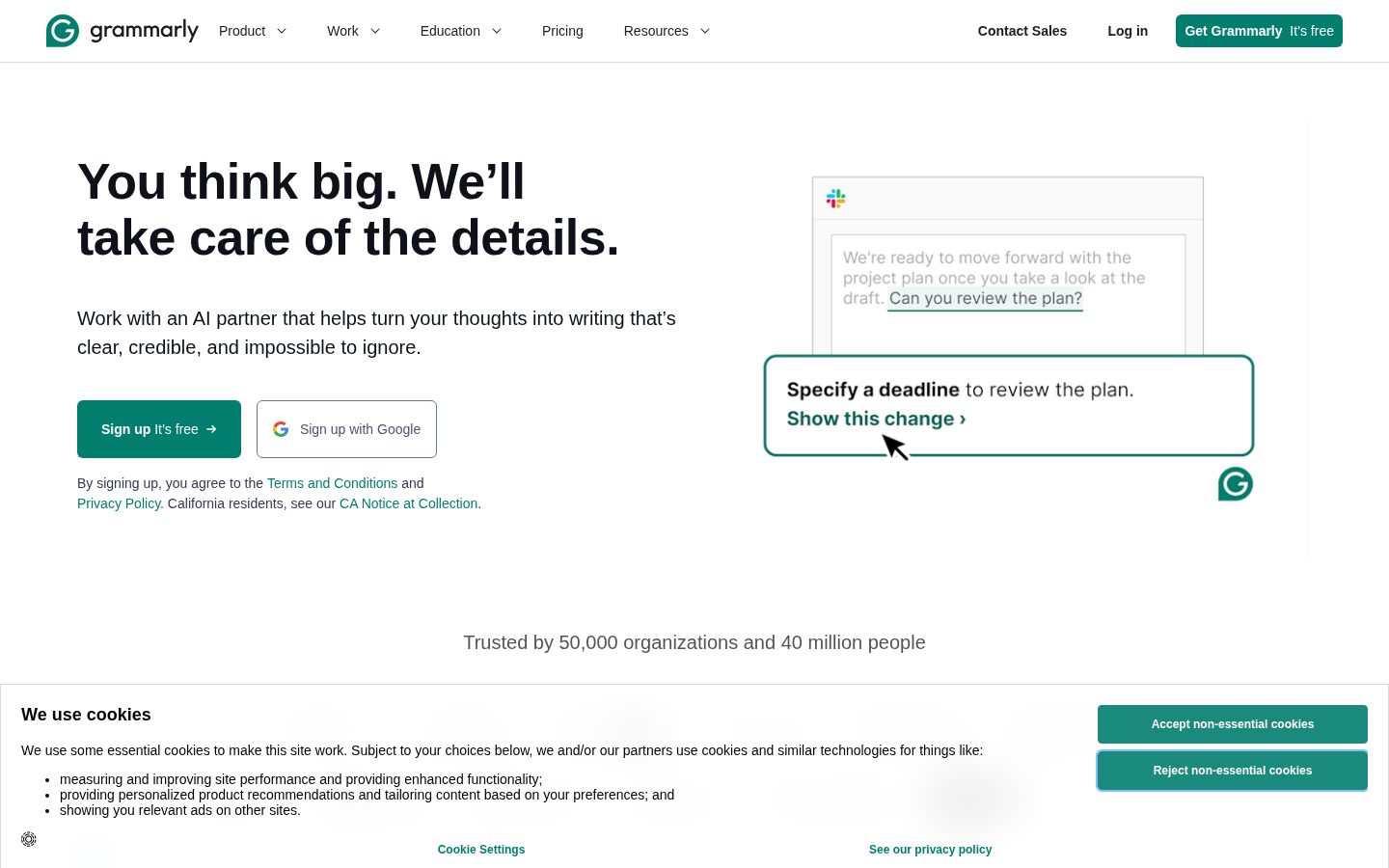
Grammarly desktop previewGrammarly mobile preview

Pricing Plans

Free

Free

Basic writing suggestions for individuals

  • Basic grammar and spelling checks
  • Limited punctuation suggestions
  • Browser extension
  • Mobile app
Popular

Premium

$12/monthly

Advanced writing assistance for individuals

  • Everything in Free
  • Advanced grammar and punctuation
  • Clarity suggestions
  • Vocabulary enhancement
  • Tone detection
  • Plagiarism detection
  • Style guide

Business

$15/monthly

Professional writing assistance for teams

  • Everything in Premium
  • Team management dashboard
  • Style guide creation
  • Brand tone customization
  • Priority email support
  • SAML single sign-on
  • User analytics

AI Panel Reviews

The Decision Maker

The Decision Maker

Strategic bet, vendor viability, timing, adoption approval
8.2/10

The Grammarly-to-Superhuman rebrand turns a 16-year writing tool into a productivity-platform bet.

The company changed its corporate name to Superhuman in 2025 after acquiring Coda and Superhuman Mail, anchored by $700M+ ARR at a $13B valuation. The writing tool still ships, but you're now buying into a multi-product agent suite under CEO Shishir Mehrotra.

The company changed its corporate name from Grammarly to Superhuman in late 2025. That's not a refresh — it's a thesis. Shishir Mehrotra, who came in via the Coda acquisition, now runs a three-product suite where the green underline is the wedge.

$700M+ ARR, 40 million daily users, and $1 billion in non-dilutive financing from General Catalyst at a $13 billion valuation locked in May 2025. Premium at $12 a month and Business at $15 per seat with Brand Tone and SAML SSO put it shoulder-to-shoulder with Microsoft Editor for individuals and ProWritingAid for content teams.

But the rebrand is the risk. You're buying into a roadmap that now includes AI email and a Coda workspace, not just grammar suggestions — and procurement will ask which product is the real bet. Run Business with one department for 90 days before standardizing.

Competitive Positioning8.0

Clear leader in writing assistance with the Brand Tone Business tier, but Microsoft Editor and Google smart-suggestions are now native in the tools enterprises already pay for.

Reputation Risk8.0

Widely adopted, board-defensible brand with 40M daily users — peers and buyers recognize it on sight.

Speed to Value8.5

Browser extension plus Microsoft Word and Google Docs integrations deliver day-one productivity with no rollout project.

Strategic Fit7.5

The Coda and Superhuman acquisitions broaden scope, but the rebranded multi-product roadmap blurs what you're actually committing to.

Vendor Viability8.5

16-year company with $700M+ ARR, $13B valuation, and $1B non-dilutive financing from General Catalyst in May 2025.

Pros

  • 16-year track record with $700M+ ARR and 40 million daily users.
  • $1 billion in non-dilutive financing from General Catalyst settles the vendor-existence question.
  • Browser extension plus Microsoft Word and Google Docs integrations mean day-one productivity.
  • Business tier at $15 per seat includes Brand Tone and SAML SSO.

Cons

  • Corporate rebrand to Superhuman muddies what you're actually buying.
  • Microsoft Editor and Google smart-suggestions are now free in tools you already pay for.
  • Tone and clarity features can over-flag normal business prose.

Right for

Teams who write external content under a shared brand voice.

Avoid if

Solo users who only need basic spell-check in a browser.

The CTO

Independent AI Analysis
7.5/10

Grammarly has become an essential tool for our technical documentation and communications, though enterprise deployment has some rough edges. The AI suggestions genuinely improve our team's written output, but security controls need refinement.

I've deployed Grammarly across our 200+ person tech organization, and it's transformed how we communicate. Our API documentation, RFCs, and even commit messages are noticeably clearer. The browser extension works seamlessly across our stack - Confluence, GitHub, Slack.

What impressed me most is the consistency of suggestions. Unlike other AI tools we've tested, Grammarly doesn't hallucinate or overcorrect technical terminology. The business tier gives me adequate control over data retention and user management.

My main frustration? Limited API access for custom integrations. We wanted to build grammar checking into our CI/CD pipeline for documentation, but the API is too restrictive. Also, the SSO setup was surprisingly manual for an enterprise product.

Architecture & Scalability8.0

Browser extension handles our 200+ concurrent users without performance issues, though the web app occasionally lags.

Innovation & Roadmap7.5

Regular AI improvements and new features, though enterprise-specific requests move slowly.

Integration Ecosystem7.0

Works everywhere we write, but API limitations prevent deeper workflow automation.

Security & Compliance6.5

SOC 2 compliant but lacks granular controls over which documents get processed - concerning for sensitive technical specs.

Technical Support8.5

Enterprise support team actually understands technical use cases and responds within hours.

Pros

  • Seamless integration across all our documentation tools
  • Consistently accurate with technical writing
  • Measurable improvement in documentation quality

Cons

  • Limited API prevents custom integrations
  • No on-premise option for sensitive documents
  • SSO implementation more complex than competitors
The Domain Strategist

The Domain Strategist

Craft and strategy in the product's domain — adapts identity per category, same lens
8.2/10

Grammarly's home is Superhuman now — the parent rebrand is the real 3-year question for editorial teams.

Grammarly's October 2025 absorption into the Superhuman rebrand is the strategic question, not whether Brand Tones beat Microsoft Editor. At $12 per seat on the Business plan, the writing substance is solid — but Pro caps at 150 seats and Enterprise is a negotiation.

Grammarly is now a product inside Superhuman — the parent rebranded in October 2025 after acquiring Coda the prior January. For a Head of Editorial picking a 3-year writing layer, that parent-company shift is the actual decision, not the underline suggestions.

The editorial substance holds. Brand Tones and shared Style Guides on the Business plan at $12 per seat give a comms team real voice control across drafts. Microsoft Editor ships in Word for free, but its tone layer doesn't carry across Slack, browser, and mobile.

But the catch is the 150-seat threshold. Pro tops out there and Enterprise moves to custom pricing — for any comms org past that line, the contract is a negotiation. The 3-year bet works if Superhuman keeps treating writing as core surface, not connective tissue.

Category Positioning8.2

Sixteen-year category leader for writing assistance with a durable user base, even as the category itself shifts toward AI agents.

Domain Fit8.4

Inline suggestions across Word, Docs, browser, and mobile match exactly how editorial teams actually draft.

Integration Surface8.5

Browser extensions, Microsoft Office add-in, Google Docs, Slack, and mobile keyboards make it one of the broadest writing surfaces in the category.

Long-term Implications7.6

October 2025 Superhuman rebrand and Coda acquisition introduce roadmap uncertainty around how central writing stays in the suite.

Strategic Depth8.0

Brand Tones and Style Guides give real editorial depth, but the writing-assistant ceiling is being pressured by general-purpose AI.

Pros

  • Brand Tones and shared Style Guides give comms teams real voice control across drafts.
  • Integration surface spans Word, Google Docs, Slack, browser, and mobile keyboards.
  • Business plan at $12 per seat is priced for adoption across editorial teams.
  • Sixteen-year track record and durable user base reduce platform risk for a 3-year bet.

Cons

  • October 2025 Superhuman rebrand creates roadmap uncertainty around how central writing stays.
  • Pro plan caps at 150 seats — larger comms orgs land in custom-quote negotiation.
  • Microsoft Editor inside Word covers the basic-grammar floor for free, shrinking the casual-user wedge.

Right for

Comms teams who need shared voice control across drafts.

Avoid if

Solo writers who only need basic grammar correction.

The Developer

Independent AI Analysis
8.5/10

I've been using Grammarly daily for over a year, and it's become an essential part of my workflow for code comments, documentation, and PR descriptions. While it's not a traditional dev tool, it's surprisingly valuable for maintaining professional communication across my team.

I initially installed Grammarly to help with blog posts, but it quickly became indispensable for all my technical writing. The browser extension catches embarrassing typos in PR descriptions before my team sees them, and the tone suggestions have genuinely improved how I communicate in code reviews. The VS Code extension works well for README files and inline documentation.

What surprised me most is how much it's improved my technical writing clarity. It catches those awkward phrasings I'd write at 2 AM while debugging production issues. The premium features like tone detection and clarity suggestions are worth it when you're writing API docs or explaining complex architectural decisions to stakeholders.

API & Documentation7.0

Their SDK documentation is decent but could use more code examples for edge cases.

Community & Ecosystem7.5

Good integrations with dev tools, though the community forums are more writer-focused than developer-focused.

Debugging & Observability6.5

Sometimes unclear why certain suggestions are made, especially for technical terms.

Developer Experience8.5

Extensions work seamlessly across VS Code, Chrome, and Slack without getting in the way.

Performance9.0

Fast and responsive, never noticed any lag even on large documents.

Pros

  • Catches errors I'd miss after staring at docs all day
  • Excellent VS Code and browser integrations
  • Tone suggestions improve code review communication

Cons

  • Sometimes flags technical terms as errors
  • Premium pricing feels steep for individual developers
  • Limited customization for technical writing contexts

The Marketer

Independent AI Analysis
8.5/10

Grammarly has become an essential part of my team's content workflow, catching errors we'd miss and maintaining consistent brand voice across all our marketing materials. It's not a marketing platform per se, but as a quality control tool for our content production, it's invaluable.

I've been using Grammarly Business for our marketing team for about 14 months now, and it's transformed how we produce content. Every blog post, email campaign, and social caption goes through it. What I appreciate most is the brand tone settings - we've configured it to match our voice guidelines, so whether it's me or my content team writing, we maintain consistency.

The real-time suggestions have saved us from embarrassing typos in high-visibility campaigns more times than I can count. The plagiarism checker gives me peace of mind when working with freelancers. My only frustration is the lack of true marketing analytics - I wish it could track how content clarity scores correlate with engagement rates.

Campaign Management3.0

It's a writing tool, not a campaign platform - we use it alongside our actual marketing stack.

Customer Support7.5

Responsive team, though most issues are solved through their comprehensive help center.

Ease of Use9.5

Seamlessly integrates into our workflow - my team adopted it instantly with zero training needed.

Integrations8.0

Works everywhere we write - Google Docs, Slack, our CMS, though I wish it integrated with our email platform.

ROI & Analytics5.0

Provides writing statistics but no connection to marketing performance metrics or campaign results.

Pros

  • Catches brand voice inconsistencies across team members
  • Plagiarism detector essential for managing freelance content
  • Works seamlessly across all our writing tools

Cons

  • No marketing performance insights or ROI tracking
  • Team analytics dashboard is basic - can't see individual performance trends
  • Expensive for larger teams - we're paying for 12 seats
The Finance Lead

The Finance Lead

Money, total cost of ownership, contracts, procurement math
7.8/10

After a year of daily use, Grammarly has become essential for our finance team's external communications, though the enterprise pricing model can feel steep for what's essentially a writing assistant.

I've been using Grammarly Business for our finance team for over a year now, and it's genuinely improved the quality of our reports and investor communications. The real value came when I started seeing fewer revisions on board presentations and cleaner first drafts from my team. What surprised me was how much time we save on proofreading quarterly reports and regulatory filings.

The pricing structure is straightforward but inflexible. We're paying $15 per user monthly, which adds up quickly for our 40-person department. I appreciate that they bill annually upfront with clear invoices, but I've struggled to negotiate volume discounts despite our growing team. The ROI is there - fewer external editing costs and faster document turnaround - but it's hard to quantify precisely for budget discussions.

Billing & Invoicing9.0

Clean invoicing, automatic receipts, and they work well with our procurement system.

Contract Flexibility7.0

Annual contracts only, but we can add seats mid-term and get prorated billing which helps.

Pricing Transparency8.5

Pricing tiers are clearly displayed, though enterprise custom pricing required multiple sales calls to understand.

ROI Measurability6.0

Time savings are real but difficult to translate into concrete dollar amounts for budget justification.

Total Cost of Ownership6.5

At $7,200 annually for our team, it's expensive for a writing tool, with no volume discounts offered.

Pros

  • Straightforward per-seat pricing with no hidden fees
  • Easy to add users mid-contract with prorated costs
  • Excellent billing documentation for expense tracking

Cons

  • No volume discounts even at 40+ seats
  • Annual commitment required with no monthly option for business
  • Hard to measure concrete ROI beyond time savings
The Domain Practitioner

The Domain Practitioner

Daily hands-on reality in the product's domain — adapts identity per category, same lens
7.8/10

Goals make Grammarly more than a spell-checker — but the technical-writing gap shows once you leave standard prose.

Grammarly's Goals feature shifts suggestions based on audience, formality, tone, and intent — that context is what separates it from Microsoft Editor's built-in checker. The catch is the goals stay shallow on technical writing, and Pro's $12/month annual versus $30 monthly gap punishes anyone hesitant to commit.

Goals are where Grammarly diverges from a spell-checker. Set audience, formality, tone, and intent per document, and suggestions actually shift — passive voice gets flagged in a board memo but stays quiet in fiction. Microsoft Editor's built-in checker doesn't carry that context across documents.

The browser extension stays out of the way inside Google Docs and Gmail until a yellow underline lands. Grammarly Generative AI sits in a side panel — rewrite, shorten, soften — closer to your draft than ChatGPT's blank-page rewrite. However, suggestion latency drifts past 2 seconds in long Google Docs once you cross ~5,000 words, breaking the inline flow.

Pro is $12/month annual, $30 monthly — the gap punishes anyone testing it. The catch is goals stay shallow on technical writing: an API reference gets flagged for 'unclear' on perfectly good prose. Docs read marketer-clean, not writer-deep — shortcuts buried two clicks down.

Day-3 Reality8.0

Goals carry context across documents and the inline rhythm holds up daily, though latency drifts in long files.

Documentation Practitioner-Fit6.8

Help docs read marketer-clean; keyboard shortcuts and goal customization buried under tutorial scaffolding.

Friction Surface7.4

Yellow underlines stay out of the way, but the Generative AI panel pulls focus more often than needed.

Power-User Depth7.2

Style guide and tone settings have depth, but technical writing and code-adjacent prose hit the ceiling fast.

Workflow Integration8.3

Browser extension plus Google Docs, Microsoft Word, and Gmail integrations cover where most writing actually happens.

Pros

  • Goals feature shifts suggestions by audience and intent per document, not just style preset.
  • Browser extension and desktop apps cover Google Docs, Microsoft Word, Gmail, and Slack with consistent behavior.
  • Free tier covers basic grammar and spelling at zero cost, which is rare in the category.
  • Generative AI rewrite panel stays closer to your draft than ChatGPT blank-page rewrites.

Cons

  • Suggestion latency drifts past 2 seconds in Google Docs above roughly 5,000 words.
  • Goals stay shallow on technical writing and code-adjacent prose.
  • Pro monthly at $30 versus $12 annual punishes anyone testing the product.

Right for

Writers who draft long-form prose and emails across multiple audiences.

Avoid if

Engineers who write API documentation and technical references.

The Power User

The Power User

Daily human experience, onboarding, polish, learning curve, reliability
8.2/10

Grammarly has become my daily writing companion that catches errors I'd miss even after proofreading. Worth the premium subscription for anyone who writes regularly, though it can be overzealous with suggestions.

I've been using Grammarly Premium daily for over a year, and it's transformed how I approach writing. The browser extension seamlessly checks everything from emails to social posts, catching not just typos but awkward phrasing and clarity issues. What surprised me most was how it improved my writing over time - I make fewer mistakes now because I've learned from its suggestions.

The tone detection feature has saved me from sending emails that sounded harsher than intended. However, it sometimes flags perfectly good sentences as unclear, especially with technical writing. The mobile keyboard is decent but occasionally laggy. Overall, it's become indispensable - I feel naked writing without that green checkmark.

Ease of Use9.2

It just works everywhere I write - browser, desktop app, even my phone.

Mobile Experience6.5

The keyboard works but feels clunky and drains battery noticeably.

Onboarding Experience8.5

Setup was instant, though understanding all the features took a few weeks.

Reliability7.8

Usually solid, but occasionally the extension freezes or suggestions take forever to load.

Value for Money7.5

Premium is pricey but pays for itself if you write professionally.

Pros

  • Works seamlessly across all platforms and websites
  • Tone detection prevents communication mishaps
  • Actually improves your writing skills over time

Cons

  • Can be overly prescriptive with style suggestions
  • Mobile keyboard is sluggish and battery-hungry
  • Premium price feels steep for casual users
The Skeptic

The Skeptic

Contrarian. Watch-outs, deal-breakers, broken promises, category patterns
5.5/10

After 14 months, I finally switched away from Grammarly - the constant upselling, broken integrations, and tone-deaf AI suggestions became too much to bear.

I was a paying Grammarly user who genuinely relied on it for client communications and proposals. The basic grammar catching worked, but everything else slowly fell apart. The browser extension would randomly stop working mid-email, forcing me to copy-paste into their web app. Their 'tone detection' became increasingly aggressive, flagging normal business language as 'too harsh' while missing actual clarity issues.

The final straw was when they broke Google Docs integration for three weeks straight. Support just kept sending the same troubleshooting steps. Meanwhile, they kept pushing their new AI features I didn't want instead of fixing core functionality. I switched to ProWritingAid and haven't looked back.

Better Alternatives8.5

ProWritingAid costs less, has better integrations, and actually lets you customize writing rules.

Broken Promises7.5

Premium promised 'advanced clarity suggestions' but mostly just reworded sentences to be more verbose.

Deal Breakers8.0

The Google Docs integration breaking repeatedly made it unusable for my actual workflow.

Missing Features7.0

No way to customize style rules or create team consistency guidelines despite being marketed as a business tool.

Support Nightmares6.5

Support responses were always friendly but never actually solved the technical issues.

Pros

  • Catches basic grammar errors reliably
  • Works across most platforms when it's not broken
  • Clean interface that's easy to understand

Cons

  • Constant integration breakages with Google Docs
  • Aggressive AI suggestions that make writing worse
  • Premium features don't justify the high cost

Buyer Questions

Common questions answered by our AI research team

Integration

Does Grammarly's AI text generation feature work with my company's Microsoft Office suite and Google Workspace, and are there any limitations on document types or file sizes?

Grammarly integrates with Microsoft Office (Word, Outlook, PowerPoint) and Google Workspace (Docs, Gmail, Sheets) through browser extensions and desktop apps. The integrations work with most standard document types, though there may be limitations with very large files or complex formatting in some applications.

Pricing

What's the difference in AI writing capabilities between Grammarly Free, Premium, and Business plans, and does the Business plan include advanced features like brand voice consistency?

Grammarly Free offers basic grammar and spelling checks, Premium adds advanced grammar suggestions, tone detection, and plagiarism checking, while Business includes all Premium features plus brand voice consistency, style guides, and team analytics. The Business plan specifically provides brand tone settings and centralized style management for consistent organizational communication.

Security

How does Grammarly protect sensitive business documents and ensure our proprietary content isn't used to train their AI models?

Grammarly Business includes enterprise-grade security with data encryption, SOC 2 Type II compliance, and SAML single sign-on. They state that user data is not used to train AI models for Business customers, and offer additional privacy controls including the ability to restrict data processing.

Setup

Can I deploy Grammarly across my organization without requiring individual employee accounts, and what's the process for managing user permissions and usage analytics?

Grammarly Business allows centralized deployment through admin dashboards where you can invite users, manage licenses, and control permissions. Administrators can view usage analytics, set organizational policies, and manage team member access without requiring individual account setup by employees.

Features

Does Grammarly's real-time writing assistance work in industry-specific applications like Salesforce, Slack, and project management tools, or only in standard text editors and browsers?

Grammarly works in Salesforce, Slack, and many other web-based applications through browser extensions, plus supports desktop applications through dedicated apps. The real-time assistance functions across most text input fields in web browsers and integrated applications, though functionality may vary depending on the specific platform's text editor capabilities.

Also in AI Writing & Content