Obsidian logo

Obsidian Review

Visit

Free, local-first Markdown notes with backlinks, graph view, and thousands of plugins

Obsidian is a local-first Markdown note-taking app for building a personal knowledge base.

AI Panel Score

8.3/10

6 AI reviews

Reviewed

AI Editor Approved

What is Obsidian?

Obsidian is a local-first Markdown note-taking app for building a personal knowledge base on Windows, macOS, Linux, iOS, and Android. It suits researchers, writers, students, and teams who want private notes stored as plain files they own rather than in a vendor database. The core app is free without limits, including commercial use, with no sign-up required; optional add-ons include Obsidian Sync from $4 per user per month billed annually and Obsidian Publish at $8 per site per month. Key capabilities include bidirectional links with an interactive graph view, Canvas for visual brainstorming and diagramming, thousands of community plugins such as Dataview and Kanban, and end-to-end encrypted sync with version history, plus a Web Clipper for saving pages from the browser. It is a strong fit for long-term knowledge management where data ownership and offline access matter. Alternatives include Notion, Evernote, Logseq, and Roam Research.

About Obsidian

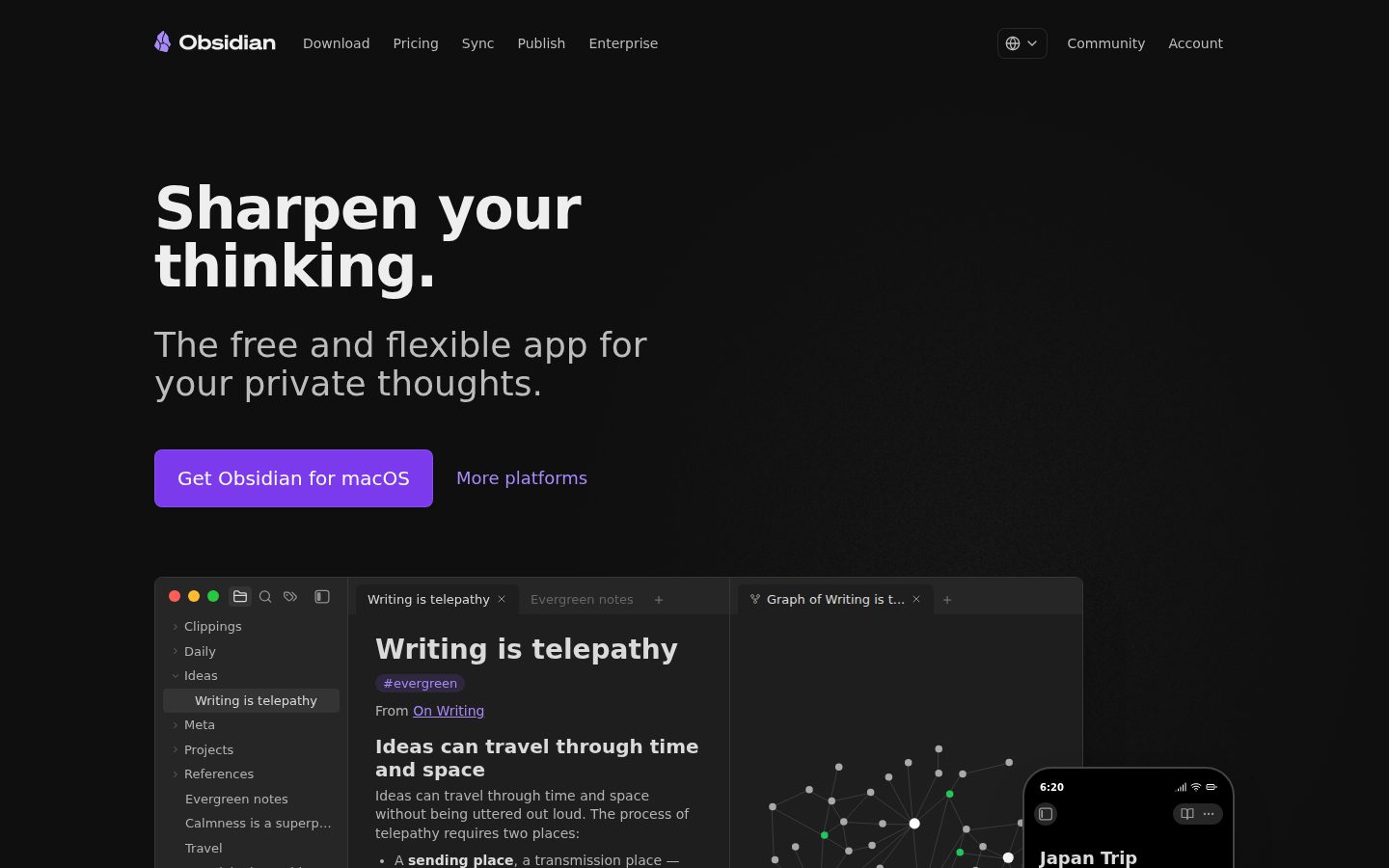
Obsidian works on vaults: folders of plain Markdown files stored locally on your device, so notes stay readable, portable, and fully available offline with no account or sign-up required. As you write, you connect ideas with bidirectional links, and the interactive graph view maps how notes relate, turning a folder of files into a navigable personal knowledge base.

Canvas provides an infinite space to research, brainstorm, diagram, and lay out ideas visually alongside your notes. The Web Clipper captures articles and pages from the browser straight into your vault, and thousands of community plugins, including Calendar, Kanban, Dataview, Outliner, and Tasks, add databases, boards, and task management on top of the core editor. Obsidian Sync adds end-to-end encrypted syncing across devices with selective sync for images, audio, video, and PDFs, version history, and collaboration on shared vaults, while Obsidian Publish turns selected notes into a public wiki or knowledge base with a customizable theme, graph, and full-text search.

Obsidian fits researchers, writers, students, and teams that want long-term ownership of their notes in open file formats. The app itself is free without limits, including for commercial use; paid add-ons start at $4 per user per month for Sync Standard on annual billing, with Sync Plus at $8 and Publish at $8 per site per month, plus an optional $50-per-year Commercial License for organizations that want to support development. It competes with Notion, Evernote, Logseq, Roam Research, and Microsoft OneNote in the note-taking and personal knowledge management category.

The app runs on Windows, macOS, Linux, iOS, and Android, with a CLI for scripted workflows. A documented plugin and theme API at docs.obsidian.md lets developers build their own extensions, and more than 10,000 organizations, including government agencies and Fortune 500 companies, hold supporter or commercial licenses.

Features

Capture

  • Web Clipper

    Captures articles and content from the web straight into your notes.

Collaboration

  • Shared Vaults

    Lets team members collaborate on the same end-to-end encrypted synced vault of notes.

Data Management

  • Open File Formats

    Stores notes as plain Markdown files on your device so data stays portable and readable outside the app.

  • Version History

    Tracks note revisions with one month of history on Sync Standard and twelve months on Sync Plus.

Developer

  • Obsidian CLI

    Command-line interface for working with Obsidian vaults from the terminal.

Extensibility

  • Community Plugins

    Thousands of user-built plugins such as Calendar, Kanban, Dataview, Outliner, and Tasks extend the editor.

Knowledge

  • Bidirectional Links

    Connects notes to each other so related ideas are linked in both directions across the vault.

Publishing

  • Obsidian Publish

    Turns notes into a public wiki or knowledge base with a customizable theme, graph, and full-text search.

Sync

  • Obsidian Sync

    Syncs vaults across devices with end-to-end encryption, available as a paid add-on with priority support.

  • Selective Sync

    Controls which file types sync across devices, including images, audio, video, and PDFs.

Visualization

  • Graph View

    Interactive graph that visualizes the relationships between all the notes in a vault.

Workflow

  • Canvas

    An infinite space to research, brainstorm, diagram, and lay out ideas visually.

Preview

Obsidian desktop previewObsidian mobile preview

Pricing Plans

Free

Free

The full Obsidian app, free without limits for personal and commercial use with no sign-up required.

  • All core note-taking features
  • Local Markdown file storage
  • Community plugins and themes
  • Runs on desktop and mobile
  • No account required

Sync Standard

$4/monthly

Add-on for individuals who want encrypted sync of one vault across devices.

  • 1 GB total storage
  • 1 synced vault
  • 5 MB max file size
  • 1 month version history
  • End-to-end encryption
Popular

Sync Plus

$8/monthly

Add-on for power users and teams syncing multiple vaults with larger files.

  • 10 GB total storage, upgradable to 100 GB
  • 10 synced vaults
  • 200 MB max file size
  • 12 month version history
  • Collaborate on shared vaults

Publish

$8/monthly

Per-site add-on for publishing notes to the web as a wiki or knowledge base.

  • Publish notes to the web
  • No technical knowledge required
  • Customizable theme
  • Graph and full-text search
  • Priority support

Catalyst

$25/custom

One-time supporter license for early access to new builds.

  • Early access to beta versions
  • Community badges
  • VIP Discord channel

Commercial License

$50/yearly

Optional annual license for organizations that want to support development.

  • Support Obsidian development
  • Become a featured organization
  • Bulk purchase options

AI Panel Reviews

The Decision Maker

The Decision Maker

Strategic bet, vendor viability, timing, adoption approval
8.3/10

A user-funded vendor whose failure mode leaves you holding readable files.

Obsidian pairs a free, local-first Markdown app with cheap optional add-ons and a company that's answered to users, not investors, since 2020. Governance and admin tooling are thin, so it suits teams that can manage themselves.

The usual vendor-failure question barely applies. Obsidian stores everything as plain Markdown on your machines, so if the company disappeared tomorrow, every note still opens. That's a risk profile most SaaS can't touch.

The company's been user-funded since 2020 — no investors, no acquisition clock ticking. Their site claims 10,000+ supporting organizations, including Fortune 500s. Obsidian Sync at $4 a user a month is the only real line item, and the optional $50-a-year Commercial License is goodwill, not a toll.

The catch is governance. Notion gives you admin consoles, SSO, and permissions out of the box; Obsidian gives you a folder of files and asks your team to bring the discipline. Pilot it with the research group first, and standardize only if they build real linking habits.

Competitive Positioning8.4

The default name in local-first knowledge management against Notion and Evernote.

Reputation Risk8.3

Local-first storage means no vendor breach can leak the vault, and the brand is broadly trusted.

Speed to Value8.0

Free download with no account required, though team conventions take weeks to settle.

Strategic Fit8.2

Local Markdown vaults advance knowledge ownership rather than relocating notes to another silo.

Vendor Viability8.5

User-funded since 2020 with 10,000+ supporting organizations and no investor pressure to exit.

Pros

  • Plain Markdown storage removes the usual vendor-lock risk entirely.
  • Free core app with paid add-ons starting at $4 per user per month.
  • Bootstrapped company with 10,000+ supporting organizations and no exit pressure.
  • Runs on all five major platforms with no account required.

Cons

  • No admin console, SSO, or centralized user management for org rollouts.
  • Team adoption depends on self-discipline rather than built-in governance.

Right for

Leaders who want team knowledge in files the company controls.

Avoid if

Organizations that require centralized admin and access controls.

The Domain Strategist

The Domain Strategist

Craft and strategy in the product's domain — adapts identity per category, same lens
8.5/10

A knowledge base that outlives every future platform decision your team makes.

For a research-heavy team, Obsidian's plain-file vaults make institutional memory portable instead of hostage to a vendor. The strategic cost is governance: conventions and taxonomy are on you.

Research teams lose more institutional memory to platform migrations than to bad note-taking. Obsidian's answer is structural: a vault is a folder of plain Markdown files, so the knowledge layer survives any future tooling decision. That's a property Confluence and Notion can't offer at any tier.

The linking model fits how researchers actually think. Bidirectional links plus Graph View turn scattered literature notes into a traversable web, and Canvas gives working groups a visual surface for synthesis. Obsidian Publish, at $8 a site a month, turns internal findings into a shared knowledge base without a web team.

The tradeoff is that Obsidian ships conventions, not governance — taxonomy, naming, and review workflows are yours to enforce, and thousands of community plugins mean every researcher's vault can drift its own way. If your team can hold a shared standard, it's the safest three-year bet in the category.

Category Positioning8.4

The reference product for local-first PKM against Notion, Roam Research, and Logseq.

Domain Fit8.7

Linking, Graph View, and Canvas map directly onto literature review and synthesis work.

Integration Surface7.8

Documented plugin API, Web Clipper, and a CLI, but no native SSO or admin layer.

Long-term Implications8.8

Plain-text vaults survive vendor changes, so a decade of research notes stays readable.

Strategic Depth8.6

Local-first Markdown plus bidirectional linking is a durable architecture, not a feature fad.

Pros

  • Open Markdown files make ten years of research notes migration-proof.
  • Graph View and Canvas support literature mapping and visual synthesis.
  • End-to-end encrypted Shared Vaults let research groups collaborate on one corpus.
  • Documented plugin API allows custom workflows for specialized research needs.

Cons

  • No governance layer, so taxonomy and naming discipline fall on the team.
  • Vault structure can fragment across researchers without enforced conventions.
  • Real-time collaborative editing lags purpose-built team wikis.

Right for

Knowledge managers who want research notes in vendor-independent open formats.

Avoid if

Teams that expect centrally administered permissions and enforced structure.

The Finance Lead

The Finance Lead

Money, total cost of ownership, contracts, procurement math
8.4/10

The full app costs nothing and the priciest add-on runs $8 a month.

Obsidian's core app is free for commercial use, with Sync from $4 and Publish at $8 per month as the only recurring costs. Pricing is fully public, self-serve, and free of enterprise gotchas — because there is no enterprise tier.

Obsidian charges for sync, not software. The editor is free without limits, commercial use included. Paid tiers exist only where the company runs servers.

Math for a 25-person research team: Sync Standard runs $4 a user billed annually, so 25 × $4 × 12 = $1,200 a year. Need 200 MB files and 12-month version history? Sync Plus doubles it to $2,400. Add the optional $50-a-year Commercial License. Evernote's post-acquisition repricing showed what investor-owned note tools do to invoices; Obsidian's been bootstrapped since 2020, so no fund is pushing a price hike.

Procurement friction is near zero — self-serve, monthly billing available, no seat minimums, no sales call. However, there's no SSO, no invoicing motion, no enterprise contract to negotiate, so large buyers get consumer terms. At these prices, fair trade.

Billing & Procurement7.9

Self-serve card billing works, but there's no SSO or enterprise invoicing motion.

Contract Flexibility8.5

Monthly or annual billing, add-ons are optional, and there are no seat minimums.

Pricing Transparency9.0

Every tier public on the site with per-unit prices; no sales-call pricing anywhere.

ROI Clarity7.8

Value shows up as researcher productivity, which is real but hard to put on an invoice.

Total Cost of Ownership8.8

A 25-seat team runs $1,200 a year on Sync Standard; the editor itself is $0.

Pros

  • Core app is free without limits, including commercial use.
  • Sync Standard at $4 per user per month is among the cheapest sync add-ons anywhere.
  • All prices public and self-serve with no sales negotiation.

Cons

  • No SSO or centralized billing for larger organizations.
  • Sync Standard's 1 GB cap pushes media-heavy teams to the $8 Plus tier.

Right for

Budget owners who want knowledge tooling without per-seat platform fees.

Avoid if

Procurement teams that require SSO and negotiated enterprise contracts.

The Domain Practitioner

The Domain Practitioner

Daily hands-on reality in the product's domain — adapts identity per category, same lens
8.5/10

The strongest daily driver for a large linked vault, with sync limits worth reading first.

For a researcher working a large linked vault daily, Obsidian's Dataview queries, Web Clipper capture, and plain-file speed are the real draw. Budget for Sync Plus, since the $4 tier's 5 MB file cap won't survive contact with PDFs.

Dataview is the feature that decides whether a big vault stays useful. Tagged literature notes with source, status, and topic fields become self-building reading lists and progress tables. No export step, no external database.

The everyday capture loop holds up. Web Clipper pulls articles straight into Markdown, backlinks stitch new notes into old threads, and the Obsidian CLI scripts the boring parts. At 5,000 notes, plain local files keep opening instantly, while Logseq's outliner forces a structure choice this editor never asks for.

The friction lives in sync limits. Sync Standard caps files at 5 MB — one scanned journal PDF blows past that — so working researchers realistically need Sync Plus at $8 with its 200 MB ceiling. But community plugins are volunteer-maintained, so an update can break a workflow your whole review pipeline leans on.

Day-3 Reality8.2

Markdown-native writers are productive immediately, though the blank vault asks for setup decisions early.

Documentation Practitioner-Fit8.3

Obsidian Help plus the plugin API docs at docs.obsidian.md cover both users and builders.

Friction Surface7.9

The 5 MB file cap on Sync Standard and plugin breakage after updates are the recurring fights.

Power-User Depth9.0

Dataview queries, templates, and Canvas give a linked vault essentially unlimited headroom.

Workflow Integration8.6

Web Clipper, a CLI, and thousands of plugins slot into research capture and drafting loops.

Pros

  • Dataview turns tagged notes into self-updating reading lists and trackers.
  • Web Clipper captures articles into Markdown without leaving the browser.
  • Plain local files stay fast even in multi-thousand-note vaults.
  • Plugin API supports custom research workflows like citation management.

Cons

  • Sync Standard's 5 MB file cap is unrealistic for PDF-heavy research.
  • Community plugins can break with app updates and stall a workflow.
  • Initial vault setup demands decisions most tools make for you.

Right for

Researchers who maintain large linked note collections every day.

Avoid if

Writers who want a polished tool with zero configuration tinkering.

The Power User

The Power User

Daily human experience, onboarding, polish, learning curve, reliability
8.0/10

An empty folder on day one, and quietly indispensable by month three.

Obsidian skips the hand-holding and rewards anyone willing to build their own system. The free app plus $4 Sync is the rare deal that gets better the longer you stay.

First launch is a folder picker and an empty note. No template gallery, no onboarding checklist, no confetti. Obsidian assumes you'll figure it out, which is either respectful or rude depending on the week you're having.

Live in it a while and the quiet stuff starts paying rent. Notes open instantly because they're just files on disk. Canvas gives you an infinite board for messy thinking, and the Web Clipper means fewer tabs hoarded as guilt. Sync at $4 a month keeps phone and laptop honest, end-to-end encrypted.

Mobile is a real app, not an apology — full editing on iOS and Android — but forum threads say big vaults load slowly on phones, and the community-plugin rabbit hole eats evenings. Bear is prettier out of the box. This one's better in month three.

Daily Polish8.2

Instant-open local files and a distraction-free editor make the daily loop feel light.

Learning Curve7.5

Basics are easy for Markdown users, but linking habits and plugins take weeks to gel.

Mobile Parity7.8

Full editing apps on iOS and Android, though forum threads flag slow loads on large vaults.

Onboarding Experience7.4

A blank vault with no guided setup leaves new users to the forums and YouTube.

Reliability Feel8.7

Local files mean no outage, no spinner, and no server between you and your notes.

Pros

  • Notes open instantly because they're plain files on your disk.
  • Canvas and Web Clipper cover visual thinking and capture without extra tools.
  • Free forever core with $4 Sync makes the habit cheap to keep.

Cons

  • First-run experience is a blank folder with no guidance.
  • Large vaults reportedly load slowly on phones.
  • Plugin tinkering can quietly consume the time it saves.

Right for

Tinkerers who enjoy shaping their own note system.

Avoid if

People who want a notes app that works perfectly in ten minutes.

The Skeptic

The Skeptic

Contrarian. Watch-outs, deal-breakers, broken promises, category patterns
7.8/10

Most note apps die owing you an export; this one structurally can't.

The business model is visible on one page and the data sits in plain Markdown, which removes the two usual failure modes. Remaining risks are a volunteer plugin ecosystem and a small self-funded team.

A free app from a company with no investors makes me ask who pays for the servers. The answer's on the pricing page: Obsidian Sync at $4, Publish at $8, and a voluntary $50 Commercial License. Visible, boring, sustainable. Fine.

The exit story is the best I've graded. Vaults are plain Markdown folders — if the company folds, your notes don't even notice. Compare Evernote: sold to Bending Spoons in 2023, price undisclosed, subscribers repriced after. Obsidian's been bootstrapped since 2020, so nobody's positioning it for that sale.

Two yellow flags anyway. The plugin ecosystem everyone raves about is volunteer-run — Dataview going unmaintained would hurt thousands of workflows. And a small self-funded team is a bus-factor bet; durable so far, but "so far" is doing some work in that sentence.

Competitive Differentiation7.2

Local-first plus plugins is distinctive, though Logseq and Joplin chase the same ground.

Exit Portability9.0

Plain Markdown folders are the cleanest exit in the category; no export step is even needed.

Long-term Viability7.3

Bootstrapped and user-funded is durable, but a small team carries real bus-factor risk.

Marketing Honesty7.8

'Free without limits' checks out; paid tiers map to real server costs, not gated features.

Track Record Match7.5

Six years of shipping since the 2020 beta, with claims that match the product per public materials.

Pros

  • Plain Markdown vaults make vendor failure a non-event for your data.
  • Business model is transparent: paid Sync and Publish fund a free editor.
  • No investors since 2020 means no forced exit or repricing pressure.

Cons

  • Critical workflows often depend on volunteer-maintained plugins.
  • Small self-funded team concentrates key-person risk.
  • No SLA or enterprise support contract exists at any price.

Right for

Cautious buyers who want notes that survive any vendor outcome.

Avoid if

Teams that need contractual guarantees and vendor-backed support SLAs.

Buyer Questions

Common questions answered by our AI research team

Pricing

How much does Obsidian Sync cost?

Obsidian Sync Standard costs $4 per user per month billed annually ($5 monthly) with 1 GB storage and one vault. Sync Plus is $8 per month billed annually and adds 10 GB storage, 10 vaults, 200 MB files, and 12-month version history.

Features

Does Obsidian work offline without an account?

Yes. Obsidian stores notes as plain Markdown files locally on your device, works fully offline, and requires no sign-up. Sync is an optional paid add-on for cross-device access with end-to-end encryption.

Security

Is Obsidian Sync end-to-end encrypted?

Yes, Obsidian Sync secures notes across devices with end-to-end encryption. Version history covers 1 month on Sync Standard and 12 months on Sync Plus, and Plus also supports collaboration on shared vaults.

Integration

Can I extend Obsidian with plugins?

Yes. Thousands of community plugins such as Calendar, Kanban, Dataview, and Tasks extend the editor, and a documented plugin API at docs.obsidian.md lets developers build their own plugins and themes.

Setup

What platforms does Obsidian run on?

Obsidian runs on Windows, macOS, Linux, iOS, and Android. Downloads are free with no account required, and the optional Sync add-on keeps vaults consistent across all of your devices.

Also in Collaboration Tools