QuillBot logo

QuillBot Review

Visit

AI paraphrasing, grammar, and originality tools trusted by 35 million writers

QuillBot is an AI writing assistant for students, professionals, and content creators.

AI Panel Score

8.0/10

6 AI reviews

Reviewed

AI Editor Approved

What is QuillBot?

QuillBot is an AI writing platform that paraphrases, checks grammar, summarizes, and translates text for students, content creators, and working professionals. A free plan covers paraphrasing up to 125 words in two modes, basic grammar fixes, and limited AI detection; Premium starts at $8.33 per month billed annually ($19.95 month to month) and unlocks unlimited paraphrasing, advanced grammar recommendations, and plagiarism prevention, while a quote-based Team plan adds user management and centralized billing. Distinctive capabilities include the AI Humanizer, which rewrites machine-generated text with a human score and tone insights, an AI Detector for both text and images, a Citation Generator for APA, MLA, and Chicago styles, and an AI Image Generator with 300 images per month. Browser extensions for Chrome, Edge, and Safari plus a Word add-in fit existing workflows. It suits academic and content writing best; alternatives include Grammarly, Wordtune, and ProWritingAid.

About QuillBot

QuillBot's core workflow starts in its web editor: paste text into the Paraphraser, pick a rewriting mode, and get a reworded version in one click. The free plan paraphrases up to 125 words in two modes, while Premium removes the word cap and opens unlimited modes. The Grammar Checker fixes spelling, punctuation, and grammar in the same editor, and because the tools also run as Chrome, Edge, and Safari extensions and a Microsoft Word add-in, the rewriting and checking happen wherever the writing does.

Its distinguishing capability is the originality suite. The AI Detector identifies AI-written text (with a companion AI Image Detector for generated images), the AI Humanizer rewrites machine-sounding prose and reports a human score with tone insights on Premium, and the Plagiarism Checker guards against accidental plagiarism. Around that core sit a Summarizer with custom summary options, a Translator, a Citation Generator for APA, MLA, and Chicago styles, an AI Chat assistant, an AI Image Generator with 300 images per month on Premium, and a PDF toolset including ChatPDF, a PDF editor, and merge, split, and format-conversion utilities.

QuillBot is built for students, content creators, and working professionals, and the vendor says over 35 million writers use it. The model is freemium: a permanently free tier, Premium at $19.95 per month or $8.33 per month billed annually, and a quote-based Team Plan that adds usage metrics, a user management dashboard, centralized billing, and data controls. It competes with Grammarly, Wordtune, and ProWritingAid in the AI writing-assistant category.

On platforms, QuillBot covers the web app, Windows and macOS desktop apps, iOS and Android mobile apps, the three browser extensions, and the Word add-in; the Chrome extension is rated 4.7/5 with more than 6 million users. There is no public developer API, so it functions as an end-user product rather than an embeddable service.
Features

Assistant

  • AI Chat

    A chat assistant for brainstorming, drafting, and getting answers, with unlimited chats on Premium.

Creative

  • AI Image Generator

    Generates images from text prompts, with 300 AI-generated images per month included in Premium.

Documents

  • ChatPDF

    Answers questions about any uploaded PDF, alongside tools to edit, merge, split, reorder, and convert PDF files.

Integration

  • Browser Extensions & Word Add-in

    Chrome, Edge, and Safari extensions plus a Microsoft Word add-in bring QuillBot into existing writing apps; the Chrome extension is rated 4.7/5 by 6M+ users.

Language

  • Translator

    Translates text instantly inside the same editor used for paraphrasing and grammar checking.

Originality

  • AI Detector

    Identifies AI-written text, with a companion AI Image Detector for spotting AI-generated images.

  • Plagiarism Checker

    Scans text for accidental plagiarism before publishing or submitting academic work.

Productivity

  • Summarizer

    Condenses long text into key points, with custom summary options for Premium subscribers.

Research

  • Citation Generator

    Creates and formats citations in APA, MLA, and Chicago styles for academic writing.

Writing

  • AI Humanizer

    Rewrites AI-generated text to sound natural, adding a human score and tone insights on Premium.

  • Grammar Checker

    Fixes grammar, spelling, and punctuation in the editor, with advanced grammar recommendations on Premium.

  • Paraphraser

    Rewrites sentences, paragraphs, or full papers in selectable modes; the free plan covers 125 words in two modes while Premium is unlimited.

Preview

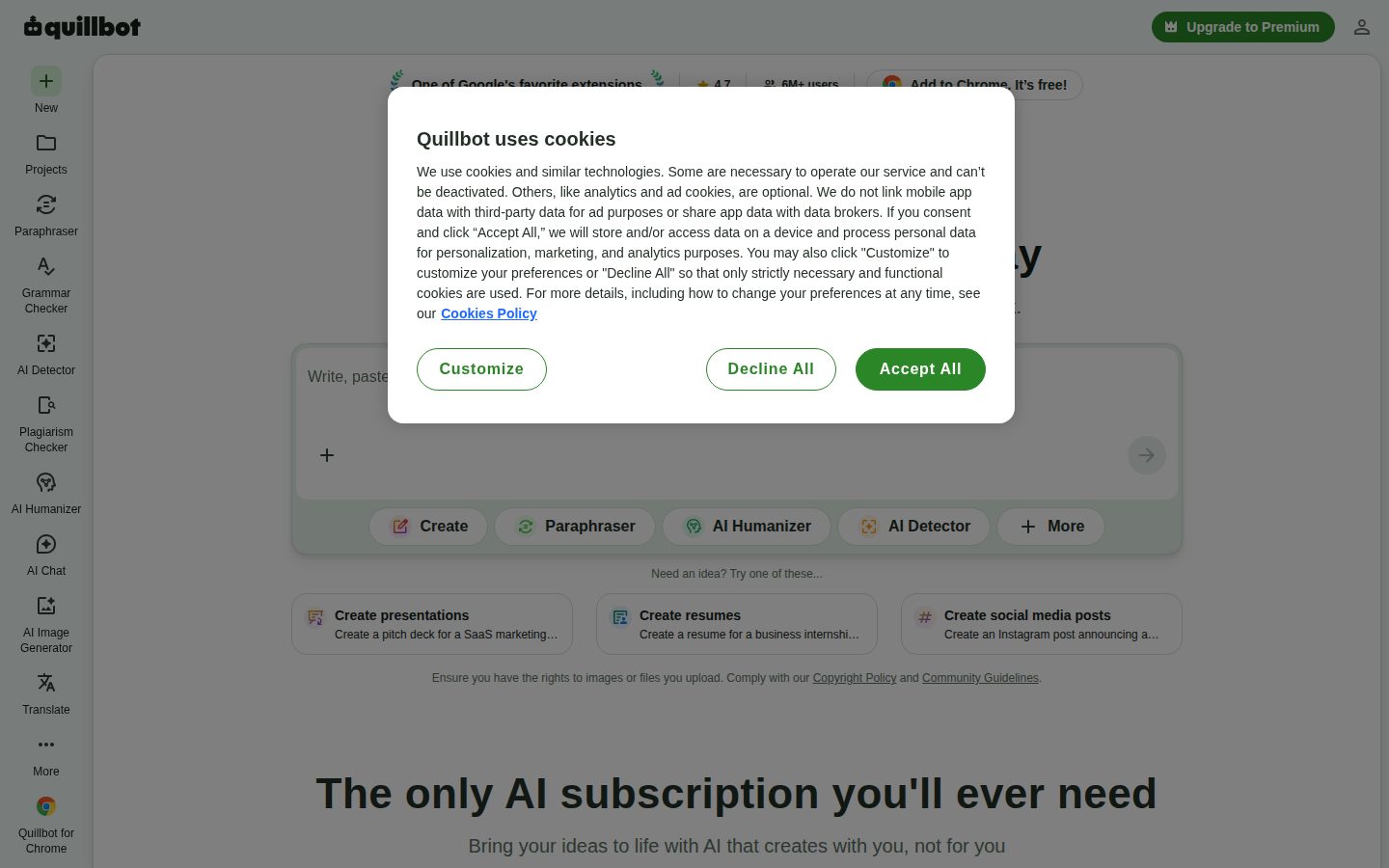
QuillBot desktop previewQuillBot mobile preview

Pricing Plans

Free

Free

For casual writers who want to fix errors, strengthen their work, and get help brainstorming at no cost.

  • Paraphrase up to 125 words
  • Paraphrase in 2 modes
  • Fix basic grammar errors
  • Humanize up to 125 words, 6 uses per day
  • Generate basic summaries
  • Limited AI Detector access
Popular

Premium

$8/yearly

For individual writers who want unlimited rewriting and originality tools; $8.33/month billed annually or $19.95 month to month.

  • Unlimited paraphrasing in unlimited modes
  • Advanced grammar recommendations
  • Unlimited AI Humanizer with human score and tone insights
  • Unlimited AI Detector access and plagiarism prevention
  • 300 AI-generated images per month
  • Unlimited AI Chat

Team Plan

Contact sales

For organizations that want shared Premium access with admin controls; pricing is quote-based.

  • Team usage metrics
  • User management dashboard
  • Centralized billing
  • Data control
  • Priority assistance and account management support

AI Panel Reviews

The Decision Maker

The Decision Maker

Strategic bet, vendor viability, timing, adoption approval
8.3/10

Learneo ownership and originality tools make QuillBot an easy pilot to approve.

QuillBot pairs a mature vendor story — shipping since 2017, owned by Learneo — with an originality suite Grammarly only partly matches. The AI Humanizer needs a policy decision before rollout, but the pilot economics are hard to argue with.

Most writing-tool pitches die in procurement because they duplicate Grammarly. QuillBot's survives on the originality suite — AI Detector, AI Humanizer, Plagiarism Checker — which the incumbent only partly matches.

Vendor risk reads low. The company's been shipping since 2017 and sits inside Learneo next to Course Hero and LanguageTool, so the 3-year survival question is mostly settled. A free tier means the pilot costs nothing, and Premium runs $8.33 a month billed annually — the board won't blink.

One flag, however: an AI Humanizer built to make machine prose pass as human cuts both ways for a brand publishing under its own name. Settle that policy before rollout. Then pilot ten writers for 60 days and standardize only if the upgrade rate earns it.

Competitive Positioning8.2

The AI Detector plus Plagiarism Checker combination is a lane Grammarly only partly covers.

Reputation Risk7.5

The AI Humanizer invites integrity questions a brand should answer before rollout.

Speed to Value8.7

The free tier pilots itself — writers see value on day one at $0.

Strategic Fit8.0

Adds originality screening instead of duplicating existing grammar-checker seats.

Vendor Viability8.6

Shipping since 2017 and owned by Learneo alongside Course Hero and LanguageTool — survival risk is minimal.

Pros

  • Owned by Learneo, Course Hero's parent, so vendor survival risk is low.
  • Freemium ramp makes piloting effectively free.
  • Originality suite differentiates it from grammar-only rivals.
  • Premium at $8.33 a month billed annually clears any budget bar.

Cons

  • The AI Humanizer raises brand and academic-integrity policy questions.
  • Team Plan pricing is quote-based, so scaling costs aren't visible upfront.

Right for

Teams who want an affordable writing toolkit that goes beyond grammar checking.

Avoid if

Organizations who need published team pricing before starting procurement.

The Domain Strategist

The Domain Strategist

Craft and strategy in the product's domain — adapts identity per category, same lens
8.1/10

Strong personal writing instruments for every writer, but the governance layer stays yours to build.

QuillBot equips individual marketers well and gives content ops an originality screening gate. It offers no shared style or voice controls, so governance has to live elsewhere in the stack.

A house style has no home in QuillBot. The Paraphraser, Grammar Checker, and Citation Generator are strong personal instruments, and the quote-based Team Plan wraps them in usage metrics, user management, and centralized billing — administration, not editorial governance.

For a marketing org, that's workable. Writers self-serve at $8.33 a month billed annually, the Word add-in and browser extensions meet them inside existing drafts, and the AI Detector plus Plagiarism Checker give ops a screening gate before anything ships. Writer and Grammarly Business hold the terminology-enforcement ground QuillBot doesn't contest.

The long-term catch is voice consistency. With no shared style layer, brand tone lives in each editor's head rather than the platform, and that gap compounds as the team grows past ten writers. Standardize QuillBot as the individual layer of the writing stack and plan governance somewhere else.

Category Positioning8.3

Sits between Grammarly's checking and Writer's governance, with an originality suite neither leads on.

Domain Fit8.2

Paraphrasing, citations, and plagiarism screening map directly onto marketing content workflows.

Integration Surface7.6

Word add-in and three browser extensions, but no public API for CMS pipelines.

Long-term Implications7.8

Voice consistency stays a manual discipline as the writing team scales.

Strategic Depth8.0

The originality suite is a durable differentiator; the governance layer is intentionally thin.

Pros

  • Covers paraphrasing, grammar, citations, and plagiarism in one subscription.
  • Word add-in and browser extensions fit existing drafting workflows.
  • AI Detector and Plagiarism Checker give ops a pre-publish screening step.

Cons

  • No style-guide enforcement or shared voice controls for teams.
  • No public API for CMS or pipeline integration.
  • Team Plan adds administration, not editorial governance.

Right for

Content teams who want strong individual writing tools without heavy platform commitments.

Avoid if

Content operations who need enforced style-guide governance.

The Finance Lead

The Finance Lead

Money, total cost of ownership, contracts, procurement math
8.2/10

At $99.95 a year per writer, QuillBot undercuts Grammarly Pro by roughly 30%.

Transparent freemium pricing with a steep 58% annual discount and originality tools bundled in. The quote-based Team Plan is the only opaque corner of the model.

QuillBot prices patience. Premium runs $19.95 month-to-month or $8.33 on the annual plan — $99.95 a year, a 58% discount for commitment. All three tiers sit on the pricing page. No sales call for individuals.

The team math favors it. Twenty writers × $99.95 = $1,999 a year. Grammarly Pro lists at $12 a seat billed annually — $2,880 for the same headcount. The free tier absorbs light users at $0, and the AI Humanizer and Plagiarism Checker come inside Premium, not as add-ons.

Two soft spots, however. The Team Plan is quote-based — no published rate, so procurement negotiates blind on the tier built for them. And with no free trial of Premium, the 14-day money-back guarantee is the only exit ramp. Manageable, but read the renewal terms.

Billing & Procurement7.9

Centralized billing arrives with the Team Plan, but its rate requires a sales conversation.

Contract Flexibility7.8

Monthly and annual options exist, but the 58% gap punishes staying monthly.

Pricing Transparency8.5

Individual tiers are fully public; only the Team Plan hides behind a quote.

ROI Clarity8.0

Consolidating paraphrase, grammar, and plagiarism tools into one $99.95 subscription is easy math.

Total Cost of Ownership8.4

$1,999 a year covers twenty writers, with free-tier users costing nothing.

Pros

  • Annual Premium at $99.95 undercuts most per-seat rivals.
  • All individual pricing is public with no sales gate.
  • Free tier absorbs light users at zero cost.
  • Originality tools are bundled, not sold as add-ons.

Cons

  • Team Plan rate is quote-based and unpublished.
  • No Premium free trial — the 14-day refund window is the only test period.
  • Monthly billing costs 2.4x the annual rate.

Right for

Budget owners who want predictable per-writer costs under $100 a year.

Avoid if

Procurement teams who require published volume pricing before negotiating.

The Domain Practitioner

The Domain Practitioner

Daily hands-on reality in the product's domain — adapts identity per category, same lens
8.0/10

The Word add-in keeps rewriting and citations inside the draft, where editing actually happens.

QuillBot puts paraphrasing, grammar fixes, and citation formatting in the same editor an editor already works in. Depth-of-style analysis trails ProWritingAid, but the daily polish loop is tighter.

Editing in QuillBot happens where the draft already lives. The Word add-in and Chrome extension put the paraphrase-and-check loop inside the document, so a polish pass doesn't mean pasting into a second tab and hunting for what changed.

For citation work, the Citation Generator covers APA, MLA, and Chicago — the three styles an editor actually gets handed — and it shares an editor with the Grammar Checker and Summarizer, which keeps a full cleanup pass in one place. ProWritingAid digs deeper on style reports, but QuillBot's rewrite engine is the stronger daily instrument.

The friction lives at the edges. Free-tier paraphrasing caps at 125 words — one paragraph — and there's no public API, so wiring checks into a CMS pipeline is off the table. However, for hands-on-the-draft work, the loop holds up shift after shift.

Day-3 Reality8.3

Paste, pick a mode, compare — the core loop is learnable in one sitting.

Documentation Practitioner-Fit7.7

Consumer-grade help content covers the basics; deep workflow guides are thinner.

Friction Surface7.8

Mode-picking adds a decision per paragraph, and free-tier caps interrupt flow.

Power-User Depth7.6

No API and no custom style rules limit how far a power editor can push it.

Workflow Integration8.4

Word add-in plus Chrome, Edge, and Safari extensions meet the draft where it lives.

Pros

  • Word add-in and browser extensions keep editing inside the draft.
  • Citation Generator handles APA, MLA, and Chicago in the same editor.
  • Paraphraser modes give editors controlled rewrites instead of full regeneration.

Cons

  • No public API for automating checks in a pipeline.
  • Free-tier 125-word cap makes real editing work Premium-only.

Right for

Editors who polish drafts and citations all day.

Avoid if

Teams who need API access to automate checks in a publishing pipeline.

The Power User

The Power User

Daily human experience, onboarding, polish, learning curve, reliability
8.2/10

A whole writing toolbox in one tab, priced like a single-purpose app.

QuillBot's free plan gives you an honest taste and Premium opens a genuinely broad toolkit. It runs everywhere you write, though the pile of modes takes some getting used to.

The free plan is the demo, and it's honest about it. 125 words of paraphrasing, two modes, six AI Humanizer runs a day — enough to feel the tool, not enough to live in it.

Premium at $8.33 a month opens everything, and the spread of places it runs is the quiet win — web, Windows, Mac, iOS, Android, plus a Chrome extension that 6 million people rate 4.7 stars. Wordtune feels smoother sentence by sentence, but QuillBot hands you the whole toolbox.

The three-month win looks like never leaving one tab: summarize a PDF, fix a citation, translate a paragraph, same editor. The catch is choice overload — that many rewriting modes means a stretch of second-guessing before picking one stops feeling like a decision.

Daily Polish8.1

A 4.7-star rating from 6 million Chrome users suggests the daily experience holds up.

Learning Curve8.5

The core loop is one click; only mode selection takes practice.

Mobile Parity7.9

Real iOS and Android apps, though the deep toolset clearly centers on desktop.

Onboarding Experience8.4

Paste text, pick a mode, see the rewrite — the free plan teaches the product itself.

Reliability Feel7.9

A web app mature since 2017 with no notable outage reputation, based on public signals.

Pros

  • One subscription covers rewriting, grammar, summarizing, translating, and PDFs.
  • Runs on web, desktop, mobile, and three browser extensions.
  • Free plan is genuinely usable for light, occasional writing.

Cons

  • Mode overload makes the first week feel indecisive.
  • The 125-word free cap arrives fast on real documents.

Right for

Everyday writers who want one affordable tool for the whole writing job.

Avoid if

Minimalists who want one polished function instead of a dozen decent ones.

The Skeptic

The Skeptic

Contrarian. Watch-outs, deal-breakers, broken promises, category patterns
7.3/10

A survivor with real users, selling both the detector and the thing that beats it.

QuillBot has the survivor profile skeptics respect: nine years old, acquired, still shipping. The detector-plus-humanizer pairing is the honesty question the marketing skips.

Same company, both sides of the trade. The AI Detector catches machine text; the AI Humanizer helps machine text walk past detectors. QuillBot sells the radar and the stealth paint, and the marketing never mentions the tension.

The survival case is real, to be fair. Founded 2017, acquired by Course Hero in 2021 — price undisclosed — and now sitting in Learneo's portfolio next to LanguageTool. 'Trusted by 35 million writers' is vendor math, but a 4.7-star Chrome extension with 6 million users is a countable crowd.

Exit costs: near zero. It's your text — copy it out, cancel, done. The yellow flag is differentiation: Grammarly checks, Wordtune rewrites, every frontier chatbot paraphrases free. If detectors lose the arms race, the originality suite stops carrying the price.

Competitive Differentiation6.8

The originality suite is the only moat; the rest overlaps Grammarly, Wordtune, and free chatbots.

Exit Portability7.5

Plain text in, plain text out — leaving costs nothing but the subscription.

Long-term Viability7.6

Learneo ownership beats startup runway math, if the parent stays committed.

Marketing Honesty6.8

'Trusted by 35 million' is unverifiable vendor math, and the detector-humanizer tension goes unmentioned.

Track Record Match7.6

Nine years of shipping and a 2021 acquisition back up the longevity story.

Pros

  • Nine-year track record with a stable corporate parent.
  • Zero lock-in — text exports by copy-paste.
  • Free tier lets you verify claims before paying.

Cons

  • Sells AI detection and detection-evasion simultaneously.
  • '35 million writers' has no independent verification.
  • Core rewriting faces free competition from every major chatbot.

Right for

Writers who want proven tools they can leave without pain.

Avoid if

Institutions who need their originality vendor to pick a side.

Buyer Questions

Common questions answered by our AI research team

Pricing

How much does QuillBot Premium cost?

QuillBot Premium costs $19.95 per month, or $8.33 per month billed annually ($99.95/year, a 58% discount). New subscribers are covered by a 14-day money-back guarantee, and a permanently free plan handles light use.

Features

What does the free version of QuillBot include?

The free plan paraphrases up to 125 words in 2 modes, fixes basic grammar errors, humanizes up to 125 words at 6 uses per day, generates basic summaries, and gives limited AI Detector access.

Features

Can QuillBot humanize AI-generated text?

Yes. The AI Humanizer rewrites AI-generated text to sound natural; Premium removes word limits and adds a human score with tone insights. A companion AI Detector flags AI-written text, and an AI Image Detector covers images.

Integration

Does QuillBot work in Word and Chrome?

Yes. QuillBot ships a Microsoft Word add-in plus Chrome, Edge, and Safari extensions; the Chrome extension is rated 4.7/5 with over 6 million users. Desktop apps for Windows and macOS and mobile apps for iOS and Android round it out.

Pricing

Does QuillBot offer a team plan?

Yes. The Team Plan layers team usage metrics, a user management dashboard, centralized billing, data control, and priority account management support on top of all Premium features. Pricing is quote-based for organizations.

Also in AI Writing & Content