An AI agent that connects Gmail, Slack, Notion, GitHub, and 60+ work tools
Hyper is an AI agent for work that connects to Gmail, Slack, Notion, GitHub, and 60+ other tools.
AI Panel Score
6 AI reviews
Reviewed
Facts checked against heyhyper.ai
AI Editor ApprovedApproved and published by our AI Editor-in-Chief after full panel analysis.Hyper works by connecting to the tools a team already uses, including Gmail, Slack, Notion, GitHub, Linear, HubSpot, Salesforce, and more than 60 others, and then answering questions or carrying out tasks using information pulled from across them. A user asks it something or assigns it a task, and Hyper searches the connected accounts, reads the relevant files, messages, issues, or records, and responds or takes action directly in those tools, acting with the user's own permissions.
The product is built around specific integrations rather than generic chat: it can read Figma files and design comments, run SQL queries in BigQuery or Supabase, write and run tests before opening GitHub pull requests, search meeting notes from Granola, Zoom, or Krisp, manage Asana and Jira tasks, run Google Ads reports, and send LinkedIn messages or Slack messages as the connected user. Hyper also includes its own cloud browser for web research, and it can write summaries or reports into Notion, Google Docs, or Google Sheets. Conversations sync across devices.
Hyper is positioned for individuals and teams across functions including sales, engineering, design, recruiting, product management, marketing, finance, and HR, each with a dedicated page describing relevant workflows (for example, AI for sales covers account research and CRM updates, while AI for coding covers writing features and opening pull requests). It is compared on the site against ChatGPT, Microsoft Copilot, Gemini, Claude, Notion AI, and Perplexity, with Hyper's differentiation framed around connecting 60+ tools into one knowledge base and letting users choose the underlying AI model. A public pricing page lists paid plans, with the site noting that users can start free before selecting a plan based on usage.
Hyper runs on Mac, Windows, and iPhone, with conversations syncing across these devices.

Hyper learns from all your chats, emails, DMs, and docs to build a continuously updated knowledge base of your team's work.
Hyper uses the learned company knowledge to make AI agents instantly smarter so they don't repeat questions already answered.
Hyper drafts agent replies to incoming messages on behalf of team members, as shown in the messaging example.
Hyper keeps the company brain organized, current, and conflict-free as new information comes in.
Hyper connects to chats, emails, DMs, code, and docs to continuously pull in information from across the tools teams already use.
Entry-level plan with limited usage, available after the 7-day Crackle trial ends
Entry paid plan for light everyday use
Best for everyday use
Best value plan for heavy users
For teams needing enterprise guarantees and contracts; contact Hyper for custom pricing
A real agent with deep integrations, priced like a usage meter, not a seat.
“Hyper connects 60+ tools into one knowledge base and acts with the user's own permissions. The breadth is real; the pricing model asks you to bet on usage you can't predict yet.”
Sixty-plus integrations is the pitch, and the specifics back it up: Figma comments, BigQuery and Supabase queries, GitHub pull requests with tests run first, Granola and Zoom meeting notes. That's not a chatbot wrapper. That's an agent built to act inside tools teams already live in.
The pricing is the catch. Four consumer-named tiers, $25 to $225 a month, denominated in usage tokens like 'background agents' and 'automations' rather than seats. Compare that to Copilot or Perplexity's flat per-seat model and you can't tell your CFO what 50 people will cost next quarter.
Two questions before rollout: can finance forecast the usage-based bill, and does 'conflict-free knowledge system' hold up once five departments feed it contradictory data. The free tier's 3-automation cap is fine for a trial, nothing more.
Letting users pick the underlying AI model while unifying 60+ tools is a distinct angle versus single-model assistants like Copilot or Gemini.
Acting with a user's own permissions across Gmail, Slack, GitHub and Salesforce raises data-governance questions the pricing page doesn't address.
Automated meeting notes, action items, and drafted replies are immediate wins; deeper workflows like PR automation take longer to trust.
Cross-tool action (opening PRs, updating CRM, running SQL) is a step beyond search-and-summarize tools most teams already pay for.
A full four-tier pricing page with an enterprise option suggests active commercial operation, though I couldn't find a changelog to confirm build cadence.
Teams ready to let an agent act across tools, not just search them, and comfortable with usage-based billing.
Skip it if you need predictable per-seat costs or can't yet audit what an agent does with Gmail and GitHub permissions.
A company brain worth evaluating, but governance for a conflict-free knowledge base is not yet visible
“Hyper promises a single, continuously updated knowledge layer across 60+ tools rather than another chat window. The pitch is right for how my org actually works, but the information-governance details that make or break a company brain aren't surfaced.”
The framing is correct for my function: a 'company brain' that ingests chats, email, DMs, and docs and keeps itself 'organized, current, and conflict-free' is the actual job of knowledge management, not search. That's a harder craft problem than retrieval — conflict resolution across Slack, Notion, and GitHub as sources drift out of sync is where most knowledge systems quietly rot.
My concern is what 'conflict-free' means operationally. I can't tell from the site how Hyper timestamps, deprecates, or arbitrates between two contradictory answers living in different tools — that's the governance layer senior KM practitioners actually get judged on.
Three years in, this becomes either the system of record for institutional memory or another silo that needs its own audit trail. At $25-$225 monthly tiers plus a quote-only Enterprise plan, the tradeoff is real: you're trusting a third party to arbitrate truth across your entire tool stack without visible rules for how it decides.
Positioned against ChatGPT, Copilot, Gemini, Claude, Notion AI, and Perplexity as a cross-tool brain rather than a single-app assistant.
Cross-tool ingestion across Gmail, Slack, Notion, and GitHub matches how distributed teams actually generate institutional knowledge today.
60+ connectors spanning code, CRM, docs, and meetings is a wide surface for a single knowledge layer to sit across.
No visible versioning or provenance model for how the brain resolves conflicting source data over time.
Company Brain Learning and the conflict-free knowledge claim target real KM problems, not just document retrieval.
A KM lead who wants one continuously updated knowledge layer spanning Slack, Notion, GitHub, and 60+ tools instead of siloed search per app.
Avoid if you need documented provenance and conflict-resolution rules before trusting a tool with institutional memory.
Four tiers, no seat count anywhere. Usage-based math you can't run in advance.
“$25 to $225 a month, unit unspecified. That's a budgeting problem before it's a product problem.”
Four named tiers: Snap $25, Crackle $100, Pop $225. Enterprise unpriced. No seat count attached to any of them. Is Crackle $100 per user or per workspace? Procurement needs that number before signing, and I can't find it published.
TCO math gets harder, not easier, at scale. 50-person team on Crackle — is that $100 total or $5,000/month? The spread between those two answers is the difference between a rounding error and a board conversation. Automations cap at 25 on Crackle, unlimited on Pop. Budgeting for growth means guessing which cap you'll blow through and when.
Free tier starts after a 7-day Crackle trial — a reasonable try-before-you-buy structure, rare in this category to see spelled out. Enterprise is contact-sales, standard for contract guarantees, but it also means the real all-in number for any team over a few dozen seats stays invisible until a call happens.
Self-serve plans up to $225/month skip procurement friction; Enterprise reintroduces a sales call for anything needing guarantees.
Monthly billing on Snap/Crackle/Pop suggests no long lock-in, but Enterprise terms are custom contracts with no visible length or renewal clause.
Four tiers with dollar figures are public, but the billing unit (seat, workspace, account) isn't stated anywhere I could find.
Background agents and automated drafts are measurable in theory, but no usage benchmark or case study ties dollars spent to hours saved.
$25-$225/month entry points are clear, but automation caps (10, 25, unlimited) and cloud session limits make year-3 cost hard to project without a usage baseline.
A small team that can absorb usage-based billing uncertainty in exchange for self-serve signup.
You need a fixed per-seat number to model cost for a 50-person rollout before you sign.
A cross-tool knowledge base is the right idea for research — if 'conflict-free' holds up under real contradiction
“Hyper's pitch to build one knowledge base out of Gmail, Slack, Notion, GitHub and 60+ other sources is exactly the problem a researcher juggling scattered primary sources wants solved. Whether it survives contact with messy, contradictory source material is the open question.”
As a research workflow, the appeal isn't chat — it's provenance. If I ask a question and Hyper answers from a Slack thread, a Notion doc, and a GitHub issue simultaneously, I need to know which source said what, and whether a contradiction between them got resolved or just quietly picked one. The site calls the knowledge system 'conflict-free,' which is a strong claim for anyone doing literature-review-style synthesis, where disagreement between sources is often the actual finding, not noise to clean up.
The Granola, Zoom, and Krisp meeting-search integration is genuinely useful for longitudinal research — tracking how a team's thinking evolved across weeks of calls beats re-reading transcripts manually. Model choice (rather than lock-in to one LLM) matters here too, since reasoning quality on synthesis tasks varies a lot by model.
Day-3 concern: at $25/month the Snap tier caps at 10 automations, and research work tends to spike unpredictably around deadlines, not evenly across a month.
Cross-tool synthesis is the real value, but automation caps on Snap and Crackle could bite during a research sprint.
I couldn't find docs or a changelog on the public site, so I can't judge whether governance or sourcing logic is explained anywhere.
No visible explanation of how the system resolves disagreeing sources is a real daily friction point for synthesis work.
Letting users pick the underlying model is a power-user lever most single-app research tools don't expose.
Connecting Granola/Zoom/Krisp meeting notes alongside Notion and GitHub fits how research actually gets scattered across tools.
A researcher who needs one searchable record spanning meeting transcripts, docs, and code discussions instead of re-checking five apps.
Avoid if your research process depends on tracing exactly which source informed a given answer when sources disagree.
Joins 60+ tools and your Zoom calls, but names like 'Snap' and 'Crackle' tell you nothing about what you're buying.
“Hyper bundles cross-tool search, task execution, and now automatic meeting-joining into one agent. The breadth is real, but the plan names and usage mechanics make the first ten minutes feel like a quiz.”
Start with the pricing page, since that's where new users land first: Free, Snap at $25, Crackle at $100, Pop at $225. None of those names tell you what you're actually buying until you read the fine print about cloud computer session length and automation caps. That's a small thing, but it's the first thing, and first things matter more than they should.
The feature list itself is genuinely wide. It joins video calls to transcribe and summarize automatically, no manual note-taking required, then makes those summaries searchable alongside your Slack history and GitHub issues. That's a different pitch than a single-purpose notetaker, and it shows ambition.
The tradeoff is that ambition plus unclear naming equals a longer runway to competence. A Figma-reading, SQL-running, PR-opening agent has a lot of surface area to learn, and a 7-day trial on the top tier isn't much time to find out which tools you'll actually lean on before you drop to the capped free plan.
Automatic call-joining and searchable summaries suggest real daily-use thinking, but plan names like Snap and Crackle obscure rather than clarify what you get.
60+ connectors and function-specific workflow pages give it room to grow with a team, but automation caps at 10 and 25 mean you'll hit ceilings while still learning the tool.
Hyper lists iPhone support with conversations syncing across devices, but nothing in what I found distinguishes mobile capability from desktop.
A free tier plus a 7-day trial on the top plan gives you a taste, but figuring out automation caps and session lengths upfront feels like homework.
Automatic meeting joining, transcription, and shareable summaries point to a system built to run unattended, though I found no detail on what happens when a sync or join fails.
Teams juggling meetings, docs, and code who want one agent that can act across all three without switching apps.
Avoid if you want a tool that's legible in the first five minutes without reading a pricing page glossary.
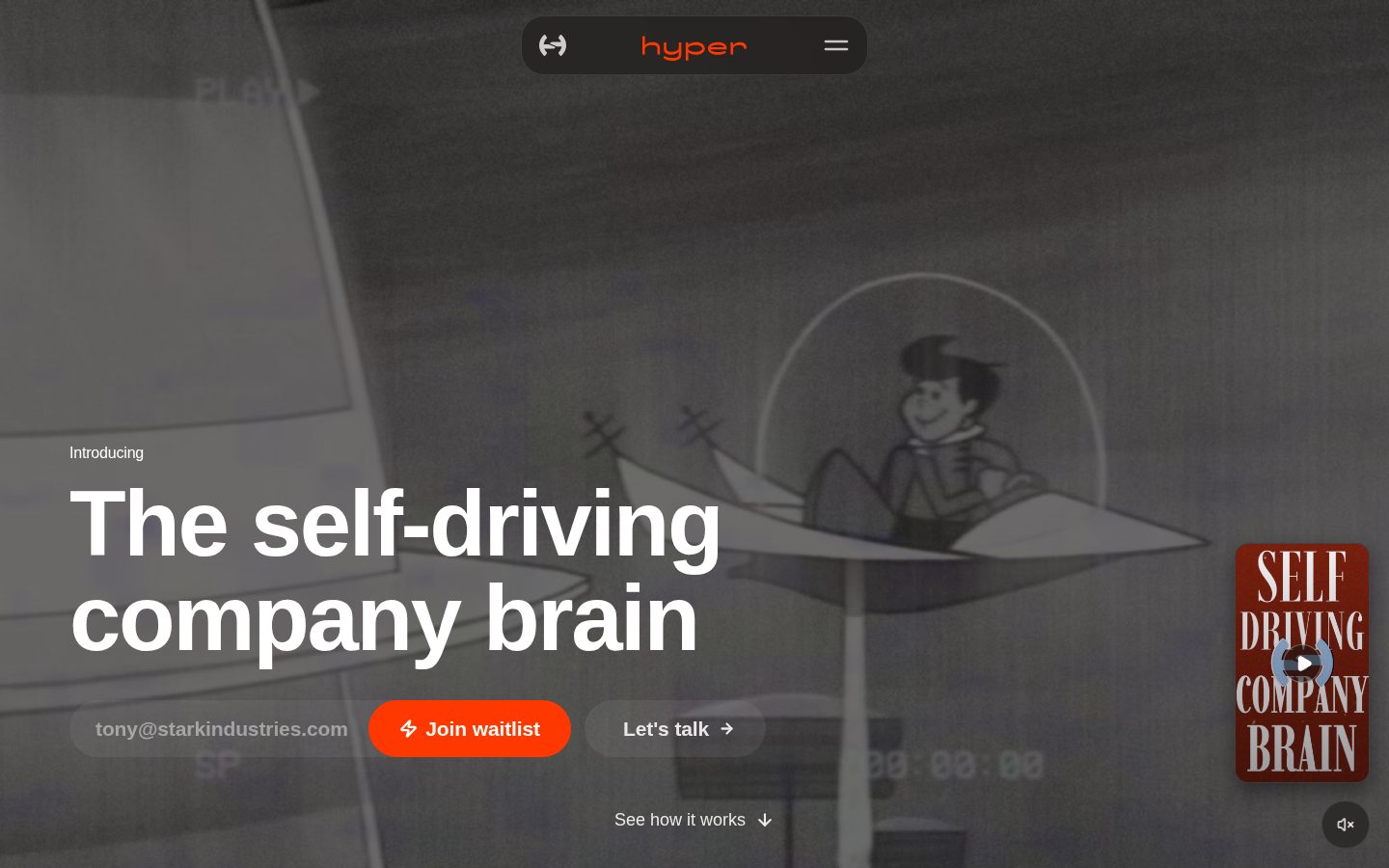
The self-driving company brain needs you to trust a black box reconciling your sources.
“Hyper's pitch is 'company brain' territory — chats, docs, email, DMs all fused into one knowledge layer. The mechanics of how that fusion stays trustworthy aren't visible anywhere I looked.”
The meta description calls Hyper 'the company brain that learns from your Docs, Slack, Email & Calendar.' That's a big claim. I've seen this framing before, from knowledge-layer tools that promised the same unification and quietly narrowed scope once customers hit edge cases with messy, contradictory source data.
The named mechanics here are real: Company Brain Learning, Smarter AI Agents, Automated Messaging Drafts. Specific features, not vapor. But 'Organized, Conflict-Free Knowledge System' is the kind of phrase that needs a mechanism behind it, and I couldn't find one on the public site.
Pricing is genuinely legible — Free, then $25, $100, $225 monthly, laid out without a sales call. That's a point in its favor. Compared against ChatGPT, Copilot, Gemini, Claude, Notion AI, and Perplexity on their own site, Hyper's angle is breadth of connected tools, not model quality. Fine differentiation, if the brain holds up under real use.
Positioned directly against ChatGPT, Copilot, Gemini, Claude, Notion AI and Perplexity on breadth of connected tools rather than model quality.
A cross-tool knowledge base built from Gmail, Slack, Notion and 60+ connectors is exactly the kind of asset that's hard to walk away from cleanly.
Four public pricing tiers and named integrations suggest active development; I couldn't find a changelog or docs to confirm cadence.
'Self-driving company brain' and 'conflict-free' are strong claims with no visible mechanism behind them.
Named features like Automated Messaging Drafts back the pitch, but core claims like knowledge-conflict handling aren't explained.
Teams willing to trust an opaque reconciliation process in exchange for one search layer across their whole stack.
You need to see exactly how conflicting information gets resolved before trusting it with company knowledge.
Common questions answered by our AI research team
No, Hyper generates notes automatically without requiring manual input during the conversation.
Yes, Hyper joins video calls to record, transcribe, and summarize meetings automatically.
Yes, Hyper produces searchable summaries that can be referenced after the meeting ends.
Yes, Hyper generates action items as part of its automatic meeting summaries.
Yes, meeting notes and summaries can be shared after the call ends.
Hyper builds a memory layer that learns from a company's Docs, Slack, Email, and Calendar to provide context to AI tools.