Granola logo

Granola Review

Visit

AI notepad for meetings — your notes guide the summary, no bot required

Granola is an AI-powered meeting notepad for professionals who need private, bot-free transcription and note enhancement.

AI Panel Score

8.2/10

6 AI reviews

Reviewed

AI Editor Approved

About Granola

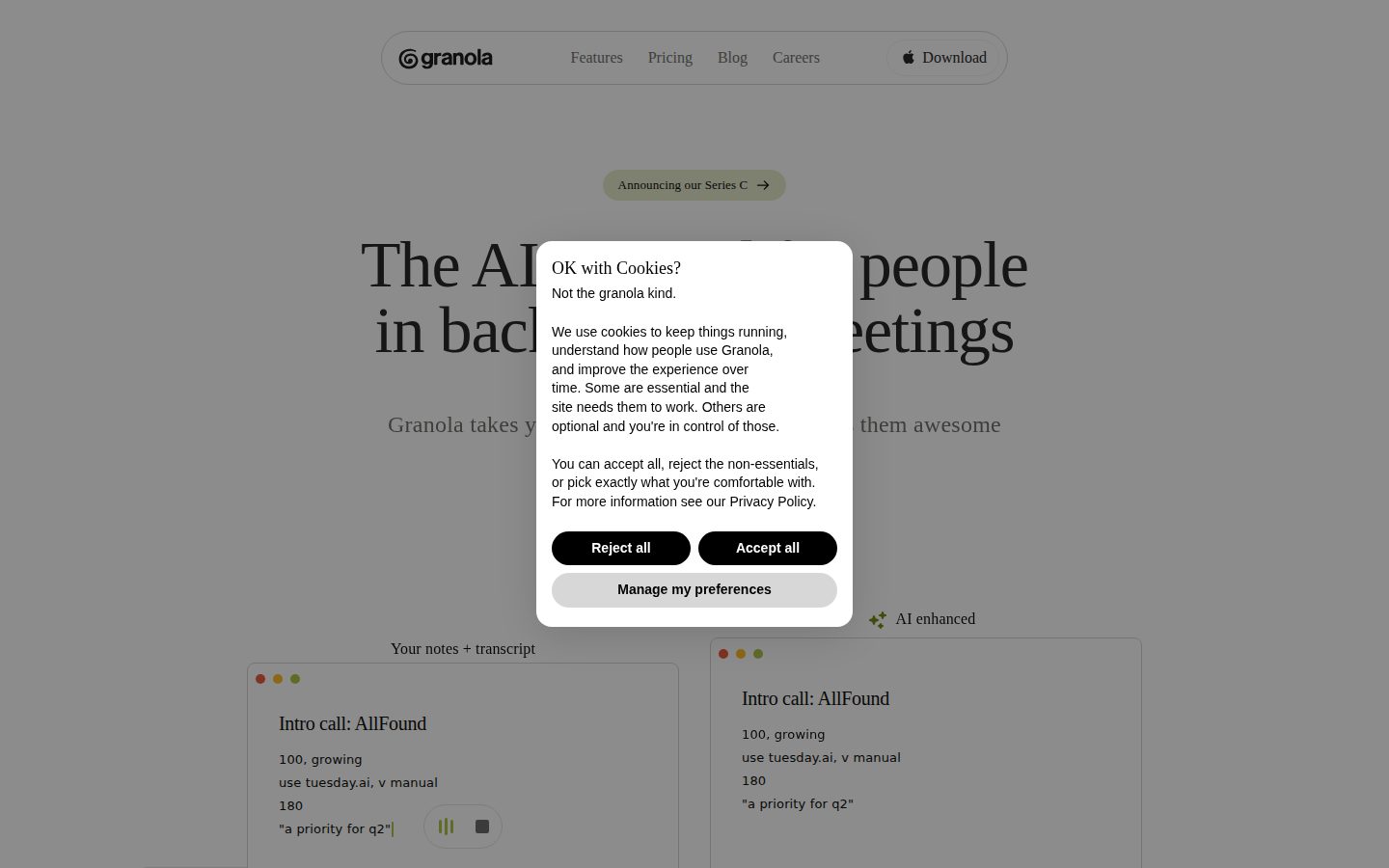
In practice, you open Granola before a meeting and jot brief notes as the conversation happens — a bullet like "Pricing concerns" is enough. After the meeting ends, Granola processes the transcript against your notes and enhances them: your text stays in black, AI-added context appears in gray. The audio is then deleted. You end up with a focused note that reflects what you found important, not an unfiltered wall of transcript.

Beyond individual notes, Granola includes a Chat feature that lets you query across all past meetings — asking questions like "What feature requests came up in enterprise calls this month?" with citations back to specific conversations. Recipes are saved prompts that automate recurring tasks: drafting follow-up emails, extracting action items, generating PRDs, or writing CRM updates. People & Companies views aggregate every note connected to a contact or organization over time. Business-tier users get integrations with Slack, Notion, HubSpot, Affinity, Attio, and Zapier, plus advanced AI models and unlimited meeting history. Enterprise adds SSO, org-wide auto-deletion policies, and model-training opt-out.

Granola targets founders, executives, VCs, executive recruiters, product managers, and sales teams — particularly those in confidential or trust-sensitive meetings where a visible bot would create friction. Over 50% of its user base holds leadership roles. Named customers include Brex, Vercel, Roblox, and Daversa Partners. The free plan covers unlimited meetings with limited history; Business runs $14 per user per month; Enterprise starts at $35 per user per month. Competitors in the category include Fireflies.ai, Otter.ai, and Fathom, all of which use bot-based recording; Granola's primary differentiation is device-level audio capture with no bot participant and no stored audio.

Granola runs on macOS, Windows, and iOS, with Android listed as planned. The app accesses microphone and computer audio natively and works across Zoom, Google Meet, Microsoft Teams, Slack, and WebEx without requiring any calendar or video platform integration. SOC 2 Type 2 and GDPR compliance are in place; HIPAA compliance is not currently offered.

Features

AI

  • AI Enhancement Guided by Your Notes

    Your handwritten notes direct the AI to find relevant transcript sections — writing 'Pricing concerns' causes Granola to surface every pricing discussion, while your notes stay black and AI additions appear gray.

  • Chat With Your Meetings

    Lets you query a single meeting or across folders of meetings with natural language questions, returning answers with citations from specific conversations.

  • Real-Time Transcription

    Audio is transcribed and processed in real time, then the audio file is deleted so no recordings are stored anywhere.

Automation

  • Recipes

    Saved prompts that automatically process meeting content to produce outputs like follow-up emails, feature request lists, PRD drafts, or performance coaching.

Collaboration

  • Team Collaboration & Shared Folders

    Enables shared folders for team use cases like Sales Calls, Customer Feedback, and Hiring Loops, with cross-folder AI querying and citations.

Core

  • Bot-Free Capture

    Accesses microphone and computer audio directly without sending a bot participant into the video call, working with Zoom, Meet, Teams, Slack, and WebEx.

  • People & Companies Views

    Organizes all meeting notes around specific people and companies so you can see the latest context about someone before or after meeting them again.

Customization

  • Templates

    Provides 29+ pre-built templates for specific meeting types including sales calls, 1-on-1s, investor pitches, stand-ups, customer research, and project kick-offs.

Integration

  • CRM Integrations

    Syncs meeting notes and data to HubSpot, Affinity, and Attio on Business and higher plans.

  • Slack & Notion Integrations

    Automatically posts meeting summaries to specific Slack channels and exports meetings as Notion pages on Business and higher plans.

Security

  • Enterprise SSO & Admin Controls

    Enterprise plan includes single sign-on, org-wide auto-deletion, admin controls for sharing, model training opt-out, and usage analytics.

  • SOC 2 Type 2 & GDPR Compliance

    Granola is certified SOC 2 Type 2 and GDPR compliant, with third-party AI providers contractually prohibited from training on user data.

Preview

Granola desktop previewGranola mobile preview

Pricing Plans

Free

Free

Individuals who want unlimited AI meeting notes with bot-free capture at no cost

  • Unlimited meetings
  • AI meeting notes
  • Limited meeting history
  • Shared folders
  • Custom templates
  • AI chat and Recipes
Popular

Business

$14/monthly

Teams needing unlimited history, integrations, and admin controls

  • Everything in Free
  • Unlimited meeting history
  • Slack, Notion, HubSpot, Affinity, Attio, Zapier integrations
  • Admin controls
  • Advanced AI thinking models

Enterprise

Contact sales

Large organizations requiring SSO, compliance controls, and priority support

  • Everything in Business
  • SSO
  • Model training opt-out
  • Org-wide auto-deletion
  • Usage analytics
  • Priority support

AI Panel Reviews

The Decision Maker

The Decision Maker

Strategic bet, vendor viability, timing, adoption approval
8.2/10

Bot-free capture at $14/seat solves a real problem Fireflies never addressed.

Granola wins on discretion. If your meetings involve sensitive conversations where a bot participant creates friction, this is the cleanest solution in the category.

No stored audio. No bot joining the call. For founders and VCs doing sensitive diligence, that's not a feature — it's the whole point. Fathom and Otter.ai can't offer that. Granola's device-level capture works across Zoom, Meet, and Teams without touching the platform's API. Brex and Vercel as named customers means someone with real security standards signed off.

The note-guidance mechanic is genuinely smart. You write 'Pricing concerns' mid-call; Granola surfaces every relevant exchange afterward. Your text stays black, AI additions appear gray. That's the right UX for people who think before they type. The Chat feature querying across past meetings is where the compounding value lives.

The tradeoff: no HIPAA, no Android, no public funding data. Leadership-heavy user base suggests it's not optimized for field sales teams or support orgs. $14/seat for Business is defensible at board level.

Competitive Positioning8.0

Fireflies and Fathom dominate volume but both require bot participants; Granola's device-level approach is a structural differentiation, not just a UI preference.

Reputation Risk8.8

SOC 2 Type 2 and GDPR certified, AI providers contractually blocked from training on data — board conversation is straightforward.

Speed to Value8.6

Free plan includes unlimited meetings with AI notes and Recipes — a team can validate value in days with zero procurement friction.

Strategic Fit8.5

Bot-free capture advances trust in sensitive meetings; this isn't just cost reduction, it's a new capability competitors can't replicate with their architecture.

Vendor Viability7.2

No public funding data available, but named enterprise customers like Brex and Roblox suggest real traction — not a side project.

Pros

  • No bot joins the call — invisible to all participants by design
  • Audio deleted post-processing; SOC 2 Type 2 and GDPR in place
  • Chat queries across all past meetings with citations — compounding value over time
  • $14/seat Business tier with CRM and Slack integrations is easy to defend

Cons

  • No HIPAA compliance — healthcare and clinical adjacent teams can't use it
  • No Android support yet, which limits exec teams on mixed-device environments
  • No public funding data makes 36-month viability harder to assess confidently

Right for

Executives, founders, and VCs running sensitive meetings where a visible bot would erode trust.

Avoid if

Your team is Android-heavy or operates in a HIPAA-regulated environment.

The Domain Strategist

The Domain Strategist

Craft and strategy in the product's domain — adapts identity per category, same lens
8.2/10

Bot-free capture at $14/seat solves a real executive trust problem elegantly.

Granola's device-level audio capture removes the visible-bot friction that kills candor in sensitive meetings. The workflow architecture — notes guiding AI, not replacing judgment — is unusually well-reasoned for this category.

The core operational insight here is real: a bot joining your call changes participant behavior. Granola eliminates that variable entirely by capturing audio at the device layer, then deletes the audio post-processing. For a leadership team running confidential board prep, investor calls, or executive recruiting conversations, that's not a nice-to-have — it's a trust-layer decision. Brex and Vercel as named customers suggest it's holding up in high-stakes environments.

The workflow depth is stronger than most category competitors. Recipes and the cross-folder AI Chat aren't demos — they map directly to how senior teams actually operate across cycles of sales calls, hiring loops, and customer reviews. People & Companies views mean institutional memory doesn't live in someone's inbox. Compared to Fireflies.ai or Otter.ai, this is meaningfully more senior-practitioner-shaped.

The gap is Android and HIPAA. No Android means mixed-device orgs hit a wall on rollout. No HIPAA closes the door on healthcare-adjacent clients. At $35/seat Enterprise, the compliance ceiling matters. If your org runs cross-platform or operates in regulated industries, those are real constraints, not hypothetical ones.

Category Positioning8.0

Bot-free capture is a defensible moat against Fireflies.ai and Otter.ai in the trust-sensitive leadership segment, which represents over 50% of their user base.

Domain Fit8.8

29+ templates, People & Companies views, and Recipes map directly to how founders, VCs, and sales leaders actually run their week.

Integration Surface7.5

HubSpot, Affinity, Attio, Slack, Notion, and Zapier cover the senior practitioner stack well, but all gated behind the $14/seat Business tier.

Long-term Implications7.8

Cross-folder AI Chat compounds in value as meeting history grows, but no API means your institutional memory stays locked inside Granola.

Strategic Depth8.5

Note-guided AI enhancement with visual black/gray distinction reflects genuine product thinking, not just a summarization wrapper.

Pros

  • Device-level audio capture with post-meeting deletion removes both the bot-participant problem and the stored-recording liability in one architectural decision
  • Recipes and cross-folder AI Chat create compounding operational value as meeting volume grows across teams
  • SOC 2 Type 2 and GDPR in place, with contractual prohibitions on AI provider training — enterprise procurement won't stall on that
  • Free plan includes unlimited meetings and AI notes, so org-wide adoption doesn't require a budget fight to prove value

Cons

  • No Android support limits clean enterprise rollout for mixed-device teams
  • No HIPAA compliance closes the door on healthcare and regulated-industry clients at any tier
  • No public API means the institutional memory Granola builds has no programmatic exit path today

Right for

Leadership teams and senior practitioners running sensitive, high-trust meetings where a visible bot participant would create friction or chill candor.

Avoid if

Your organization runs Android devices as standard issue or operates under HIPAA compliance requirements.

The Finance Lead

The Finance Lead

Money, total cost of ownership, contracts, procurement math
8.1/10

$14/seat, no SSO tax until Enterprise — rare pricing discipline in this category

Granola's bot-free architecture solves a real procurement headache: no third-party recording bot means fewer legal sign-offs. Three tiers, all visible without a sales call.

$14/seat/month. Business tier. That's $8,400/year for 50 seats. Add 30% seat creep by year 3 — call it $11K annually, ~$31K over 3 years. No SSO tax at Business, which is unusual. SSO lives at Enterprise, starting at $35/seat — that's $21K/year at 50 seats, $63K over 3 years. Know your compliance requirements before you land on a tier.

Free plan includes unlimited meetings and AI chat. That's a real evaluation window — no 14-day clock. Recipes and CRM integrations (HubSpot, Attio, Affinity) are Business-only. Teams running Salesforce are out entirely, based on their pricing page. Fathom offers a comparable free tier; Fireflies.ai and Otter.ai both deploy bots. Granola's device-level capture is the differentiation — and the reason legal teams in sensitive verticals will approve it faster.

Enterprise pricing isn't published. That's the one friction point — procurement needs a number, not a sales call. Auto-renewal terms aren't documented publicly. Verify the window before signing annual.

Billing & Procurement7.8

Self-serve through Business tier reduces procurement friction; Enterprise requires a sales conversation, which adds onboarding time.

Contract Flexibility6.5

Auto-renewal terms and cancellation policy aren't publicly documented — standard risk, but procurement will ask.

Pricing Transparency8.5

Three tiers publicly visible; Enterprise sticker missing but Free and Business are fully documented on the pricing page.

ROI Clarity7.5

People & Companies views and cross-meeting Chat with citations give measurable outputs; ROI story is concrete for sales and exec use cases.

Total Cost of Ownership8.0

$14/seat Business scales cleanly; no hidden add-ons at that tier, but Enterprise at $35/seat nearly triples cost for SSO-dependent orgs.

Pros

  • $14/seat Business tier — no SSO upcharge at that level
  • Free plan is unlimited meetings, not a trial countdown
  • Bot-free capture reduces legal review friction in sensitive verticals
  • CRM integrations (HubSpot, Affinity, Attio) included at Business, no add-on fee

Cons

  • Enterprise pricing unpublished — procurement can't model without a sales call
  • No HIPAA compliance, limiting healthcare use cases
  • Salesforce integration absent from published integrations
  • Android support still planned, not shipped

Right for

Sales leaders and executives at 10-200 person companies running confidential calls where a visible bot creates friction.

Avoid if

Your org requires HIPAA compliance or mandates Salesforce as the CRM of record.

The Domain Practitioner

The Domain Practitioner

Daily hands-on reality in the product's domain — adapts identity per category, same lens
8.4/10

Bot-free and judgment-shaped: Granola wins the trust problem Otter never solved

Granola captures device audio without a bot participant, then lets your own notes steer the AI summary — the actual workflow gap everyone in sensitive meetings knows. At $14/seat on Business, it's priced right for the knowledge worker who lives in back-to-back calls.

The bot-free capture is the real product. Every Fireflies.ai or Otter.ai review eventually mentions the moment a client asks 'who's that?' about the recording bot. Granola sidesteps that entirely — device audio, no visible participant, audio deleted after processing. That's not a feature, that's a trust architecture.

Day-three reality: you need to build the habit of jotting even a word or two mid-meeting. Writing 'Pricing concerns' is enough — Granola surfaces the full context around it in gray, your note stays black. Skip the notes entirely and you're getting a generic AI summary. The tool rewards the note-taker, not the passive meeting attendee. Recipes and the 29+ templates mean recurring outputs like CRM updates and follow-up emails eventually stop being manual tasks.

The gap worth naming: no Android yet, and HIPAA compliance isn't offered — healthcare-adjacent knowledge workers are out. The Chat-across-meetings feature plus People & Companies views is where the real power-user depth lives, but it takes a few weeks of meeting history before querying across folders feels genuinely useful rather than thin.

Day-3 Reality8.2

The black-vs-gray note distinction makes the AI's contribution visible and correctable daily, but the tool rewards note-takers and punishes passive users.

Documentation Practitioner-Fit7.2

Docs and FAQ cover the workflow basics clearly, but the changelog isn't public and there's no API, so power-user edge cases are underdocumented.

Friction Surface8.0

No bot to manage, no calendar permissions to grant, 29+ templates reduce setup per meeting type — but the habit of jotting mid-call is a real onboarding ask.

Power-User Depth8.1

Recipes, cross-folder Chat with citations, People & Companies views, and CRM integrations on Business give a real progression path beyond basic notes.

Workflow Integration8.5

Works across Zoom, Meet, Teams, Slack, and WebEx without calendar integration — no friction at the platform level, and Slack/Notion/HubSpot sync on Business keeps it inside existing workflows.

Pros

  • Bot-free device audio capture removes the trust friction that kills Otter.ai and Fireflies.ai in sensitive calls
  • AI additions in gray vs. your notes in black keeps human judgment visible and editable
  • Recipes automate recurring outputs — follow-up emails, CRM updates, PRD drafts — without manual reformatting
  • $14/seat Business tier includes Slack, Notion, HubSpot, Attio, and Zapier integrations

Cons

  • No Android support yet — iOS-only mobile, which limits field use
  • HIPAA compliance absent, blocking healthcare-adjacent use cases
  • Chat-across-meetings feature needs weeks of history to feel genuinely useful
  • No public API limits custom workflow builders

Right for

Founders, PMs, and sales leads who run confidential or trust-sensitive calls and need structured notes without a visible bot participant.

Avoid if

Your team needs HIPAA compliance or your users are primarily on Android.

The Power User

The Power User

Daily human experience, onboarding, polish, learning curve, reliability
8.4/10

No bot, no awkward pause — just your notes, made smarter

Granola solves the one thing Otter.ai and Fireflies never could: showing up invisibly. At $14/month for Business, it's priced like a no-brainer for anyone in trust-sensitive meetings.

The bot problem is real. You're in a sensitive founder call or a candidate debrief and a 'Fireflies Notetaker' joins. Everyone pauses. Someone asks. The vibe shifts. Granola skips all of that — device-level audio capture, no participant added, audio deleted after processing. That's not a feature. That's a philosophy.

What I respect is the note-shaping mechanic. You write 'pricing concerns' mid-call, Granola finds every moment pricing came up and fills in the context — your words stay black, AI additions appear gray. That's a team that's actually thought about what a note is for. The Chat-across-meetings feature and People & Companies views suggest this is heading toward something closer to a relationship memory tool than just a transcription app.

The real gap right now: Android is still 'planned,' which means half your mobile world is locked out. iOS exists, but the docs suggest it's limited. For a tool pitching 'always with you' to executives with back-to-back schedules, that's a promise they haven't fully kept yet.

Daily Polish8.5

The black-versus-gray text distinction for your notes vs. AI additions is a genuinely thoughtful detail that signals someone sweated the daily experience.

Learning Curve8.3

Recipes and Chat are power features that reveal themselves naturally over time without blocking the core use case on day one.

Mobile Parity5.5

iOS exists but Android is listed as planned — for a back-to-back meeting tool, missing half the mobile market is a meaningful gap.

Onboarding Experience8.2

29+ pre-built templates for specific meeting types means a new user doesn't face a blank canvas — the first meeting has scaffolding.

Reliability Feel8.0

Real-time transcription plus audio deletion post-processing is a strong trust signal, though no public changelog makes it harder to track how issues get resolved.

Pros

  • Bot-free capture works across Zoom, Meet, Teams, Slack, and WebEx without any calendar integration
  • Note-guided AI enhancement is a genuinely different idea — your judgment shapes the output
  • Chat-across-meetings with citations is the kind of feature that gets addictive by month two
  • Free plan includes unlimited meetings — real value before you spend a dollar

Cons

  • Android is still planned, which is a gap for any exec who travels with non-Apple hardware
  • No HIPAA compliance locks out healthcare buyers entirely
  • No public changelog makes it hard to track how fast the team ships fixes

Right for

Founders, PMs, and sales leads who run sensitive calls where a visible bot would kill the room.

Avoid if

Your team runs on Android or needs HIPAA compliance.

The Skeptic

The Skeptic

Contrarian. Watch-outs, deal-breakers, broken promises, category patterns
7.8/10

Bot-free differentiation is real — viability evidence is thin

Granola fills a specific gap: no bot, no stored audio, your notes guide the output. The differentiation over Fireflies and Otter is concrete, not invented.

Three tells I'd normally flag. One: no changelog visible. Two: no public funding data. Three: Enterprise pricing says 'Free' — probably a contact-us placeholder, but sloppy. That said, the core mechanic is genuinely distinct. Device-level audio capture, audio deleted post-processing, your notes stay black while AI additions show gray — that's not a copy of Otter.ai's pitch.

The $14/month Business tier is competitive. The free plan includes unlimited meetings with limited history — a real hook for individuals. Named customers Brex and Vercel aren't throwaways. Over 50% leadership users suggests real product-market signal, not just a vanity metric.

Exit portability is the quiet concern. No API listed. Your meeting notes live inside Granola's structure. SOC 2 Type 2 helps with enterprise trust, but HIPAA absence caps the addressable market. If they go away, migration requires manual export. Not catastrophic, but not clean either.

Competitive Differentiation8.5

Bot-free device-level capture with audio deletion is a real gap versus Fireflies, Otter, and Fathom — not a manufactured distinction.

Exit Portability5.5

No public API and a proprietary note structure mean your meeting memory is locked in — cleaner than some, but not clean.

Long-term Viability6.5

No public funding data, no changelog visibility, and no HIPAA support cap the signal — could go either way on a 3-year horizon.

Marketing Honesty8.2

The 'no bot, audio deleted' claims are specific and verifiable — not the kind of superlatives that age poorly.

Track Record Match7.0

Named customers like Brex and Vercel are credible signals, but no funding disclosure and no changelog page make cadence hard to verify.

Pros

  • Bot-free capture works across Zoom, Meet, Teams, and WebEx without platform integrations
  • Audio deleted post-processing — a concrete privacy claim, not marketing fluff
  • 29+ templates plus Recipes automation covers recurring workflow needs at $14/month
  • People & Companies views add longitudinal context Otter and Fathom don't surface

Cons

  • No public API — your data has limited portability if direction shifts
  • No changelog visible, making shipping cadence impossible to verify
  • HIPAA not offered, which closes off healthcare and sensitive clinical use cases
  • No free trial — unlimited free plan is the only low-risk entry point

Right for

Founders, executives, and sales teams in trust-sensitive meetings where a visible bot would create friction.

Avoid if

You need HIPAA compliance, a public API, or documented evidence of consistent shipping cadence before committing.

Buyer Questions

Common questions answered by our AI research team

Features

Does Granola work without a bot joining my call?

Yes, Granola transcribes your computer's audio directly with no meeting bots joining your call, so no visible participant appears in your meeting.

Features

Can I use custom templates for different meeting types?

Yes, Granola offers customizable templates for common meeting types including customer discovery calls, user interviews, and 1-on-1s.

Integration

How does Granola share notes to Slack or Notion?

Granola lets you share notes with one click to platforms you already use, including Slack channels (e.g., #meeting-notes), email, Notion, CRM, ATS, and project updates.

Setup

What platforms does Granola support?

Granola works on all platforms, as it captures audio directly from your device rather than relying on platform-specific bots.

Also in AI Meeting Assistants