100+ AI image and video models in one browser-based creative platform
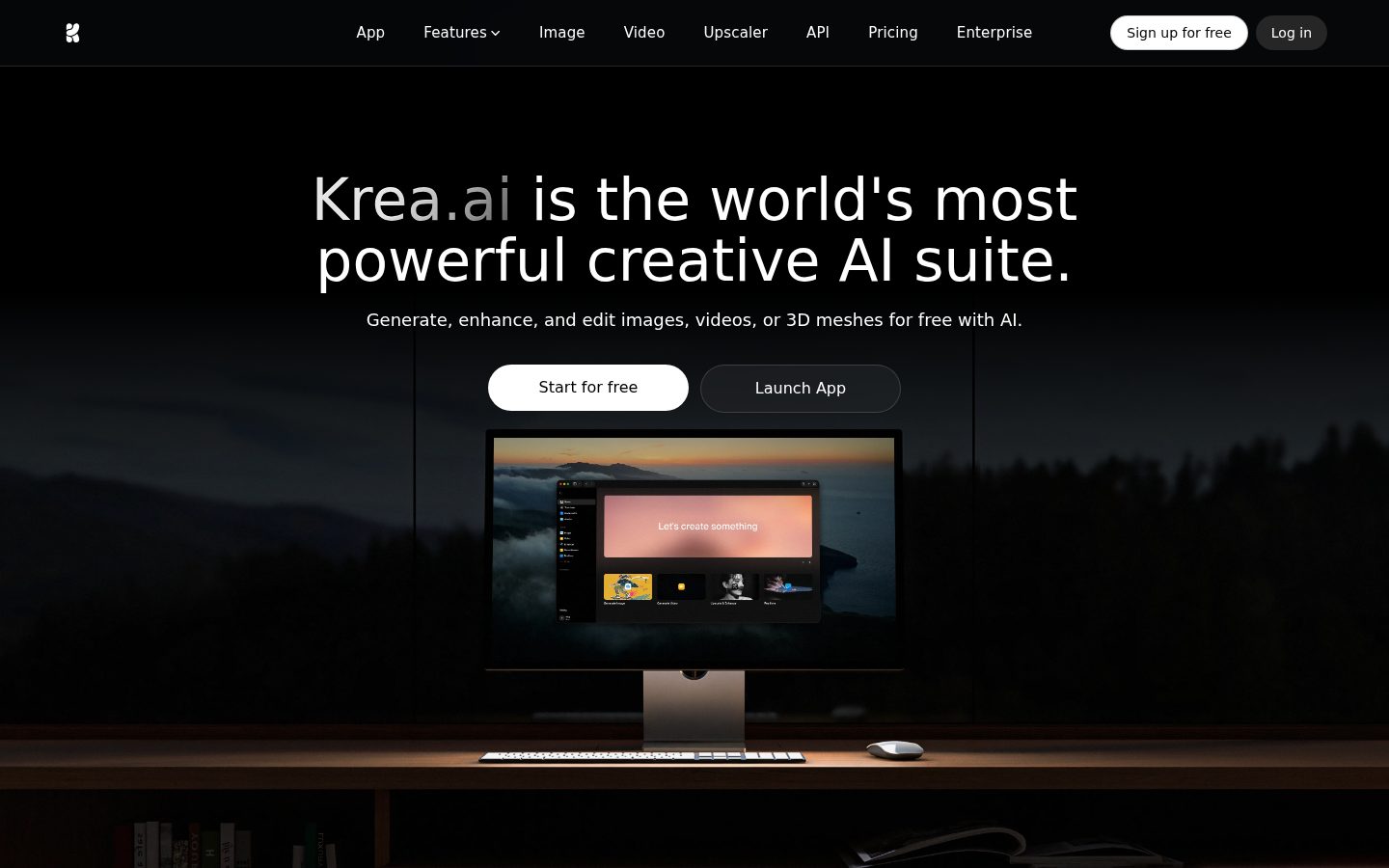
Krea is an AI image and video generation platform for creative professionals, designers, marketers, and everyday users.
AI Panel Score
6 AI reviews
Reviewed
AI Editor ApprovedApproved and published by our AI Editor-in-Chief after full panel analysis.Users access Krea entirely through a web browser with no installation required. The primary workflow involves selecting a tool (image, video, edit, enhance, or realtime), choosing from the available AI models, entering a text prompt or uploading a reference image, and generating output. Free accounts receive daily compute credits, allowing image generation, video creation, and enhancement without a credit card. Paid plans unlock higher volumes, commercial licensing, and advanced features.
Krea distinguishes itself through several specific capabilities not commonly bundled together. Custom LoRA training lets users upload 4–50 photos of a product, character, face, or brand style and fine-tune a model in-browser — the resulting model works across Krea's image and video tools and can be published for community use. Node-based workflows connect multiple AI models into visual multi-step pipelines, which can be published as shareable mini-apps via the App Builder. The enhancement tool supports upscaling from 2x to 16x, reaching 4K+ for images and 1080p for video. The editing canvas includes inpainting, outpainting, background removal, object removal, style transfer, and segmentation masking.
Krea targets a broad range: complete beginners who need a prompt-and-go experience, creative professionals requiring model variety and workflow depth, and enterprise teams needing SSO, custom rate limits, and dedicated support. The free tier is permanent with daily credits. Paid plans start at $7/month (with a commercial license), scaling to $28/month (Pro) and $48/month (Max). Competing platforms include Midjourney, Adobe Firefly, Runway, and DALL-E, each of which offers a narrower set of models or tools compared to Krea's consolidated approach.
Krea runs entirely in the browser with no desktop client or plugin required. It integrates models from Google DeepMind (Veo 3, Imagen 4), OpenAI (Sora 2, ChatGPT Image), Runway, Kuaishou (Kling), ByteDance (Seedance, Wan), xAI (Grok), and others alongside Krea's own proprietary models. New third-party models are typically added on their public launch day.
A conversational AI interface that combines reasoning via ChatGPT with image generation via Krea 1, allowing users to generate images through natural language chat.
Allows users to finetune and train custom LoRA models on their own images (4–50 images per subject) directly in the browser without technical setup, usable across all generation tools.
A live AI canvas powered by the proprietary Realtime 14B model where images generate instantly as users type prompts or draw, with no queue or waiting.
Enables users to publish node-based workflows as shareable mini-apps that others can use, turning multi-step AI pipelines into accessible standalone tools.
A visual node editor for chaining image generation, video, enhancement, editing, and 3D AI models into multi-step pipelines that can be published as shareable mini-apps via the App Builder.
Offers workspace-based collaboration with SSO, custom rate limits, dedicated support, and volume pricing for teams and enterprise customers.
Provides access to over 100 AI models including Flux 2, Veo 3, Sora 2, Kling, Runway Gen-4, and Imagen 4 from a single web interface with no separate subscriptions required.
A canvas-based editor supporting AI-powered inpainting, outpainting, background removal, object removal, text removal, and style transfer with brush controls, layer management, and masking.
Upscales images by 2x, 4x, 8x, or 16x supporting resolutions up to 4K+, and enhances videos up to 1080p with frame interpolation, available free with daily credits.
Supports text-to-video and image-to-video creation across models including Veo 3.1, Sora 2, Kling 3.0, and Runway Gen-4.5, with camera control, audio generation, and resolutions up to 1080p.
Provides free daily compute credits for image generation, video generation, and enhancement with no credit card required, with paid plans starting at $7/month.
Custom trained LoRA models work across both image and video generation tools, including Wan 2.1/2.2, enabling consistent visual styles in generated video content.
Beginners and casual users who want to explore AI image, video, and enhancement tools at no cost
Users who need more than the free tier with a commercial license
Creative professionals who need higher volumes, workflow sharing, and advanced features
Power users and professionals requiring the highest volumes and advanced features
Teams and organizations needing workspace collaboration, SSO, and dedicated support
100+ models, one tab, $7 to start — this consolidation play is real.
“Krea bundles what you'd pay for separately across Runway, Midjourney, and Adobe Firefly into one browser-based platform. The pricing is unusually honest and the free tier actually works.”
100+ models including Veo 3, Sora 2, and Kling in one interface. No installs. Free daily credits with no credit card. Paid plans start at $7/month with a commercial license included. That's a compelling stack before you even open the app. The Real-Time AI Canvas — no queue, instant render as you type — is a genuine differentiator against Midjourney, which still makes you wait.
The node-based workflow editor and App Builder are what push this beyond a model aggregator. Creative teams can chain generation, editing, and upscaling into shareable pipelines. Custom LoRA training from 4–50 images, in-browser, no ML background required — that's brand consistency without an engineering ticket.
The tradeoff: pricing page and buyer Q&A contradict each other on Pro cost ($28 vs $35) and upscaling limits. That inconsistency is a yellow flag, not a red one, but clean your diligence before signing.
Competitors like Runway charge more for fewer models; Krea's consolidated access plus custom LoRA training is a differentiated position for creative teams shipping branded content.
Google DeepMind, OpenAI, and Runway model integrations give this credible provenance; the board won't flinch at the name on the invoice.
Free tier with daily credits and no credit card means a designer is generating commercial-grade output the same afternoon they sign up.
Consolidates Runway, Midjourney, and Adobe Firefly spend into one platform — that's advancement, not just cost savings.
No public funding data, but shipping Flux 2, Sora 2, and Veo 3 on launch day alongside a proprietary Realtime 14B model suggests real engineering capacity — not a thin wrapper.
Creative and marketing teams running multi-model AI workflows who want consolidated tooling under $50/month.
Your team needs deep plugin integration inside Figma or Adobe CC rather than a standalone browser tool.
The aggregator play that finally has enough craft depth to matter.
“Krea consolidates 100+ models — Flux 2, Veo 3, Sora 2, Kling — into a single browser surface with real LoRA training and node-based pipelines. That's not a feature list, that's a design system for AI output.”
The Realtime 14B canvas is the tell. Someone on the product team understands that creative iteration isn't about better outputs — it's about shorter loops between intent and result. Instant rendering with no queue changes how a designer thinks, not just how fast they work. That's craft-level thinking, not just feature packing.
Custom LoRA training on 4–50 images, usable across both image and video tools, is where brand consistency actually lives. Midjourney can't do this in-browser. Adobe Firefly does it with Firefly-only models. Krea's approach lets a creative team build a style model once and propagate it across stills and motion — that's the workflow architecture senior practitioners actually need.
The tradeoff is aggregator dependency. If Runway or Kling changes API terms, Krea's video offering shifts overnight. At $28/month for Pro with node-based workflows and unlimited LoRA, the price is right — but the stack has single points of failure that a three-year commitment has to account for.
At $28/month Pro versus Runway's narrower single-model focus, Krea's consolidated surface is competitively priced and better positioned for multi-modal creative work.
Node-based workflows and App Builder map to how senior creatives actually hand off deliverables and build repeatable systems.
Fully browser-based with API access and no plugin required fits lean creative stacks, though no native Adobe or Figma integration is documented.
Third-party model dependency (Runway, Kling, Veo) means the platform's capability set is partially outside Krea's control over a 3-year horizon.
Real-time canvas plus in-browser LoRA training signals genuine craft investment, not just model aggregation.
Creative teams who need brand-consistent output across stills and motion without managing five separate model subscriptions.
Your workflow is Adobe-native and you need deep plugin integration rather than a standalone browser tool.
$7 entry with 100+ models; compute credit opacity is the real risk
“Krea's freemium stack is genuinely broad — Flux 2, Veo 3, Sora 2 in one browser tab starting at $7/month. The compute credit model hides the real cost curve.”
Three tiers published without a sales call: $7, $28, $48/month. That's procurement-friendly. But the pricing page and buyer Q&A contradict each other — Pro shows $28 in one place, $35 in another. Max shows $48 vs $105. That's a red flag in contract review. Always verify against the invoice, not the landing page.
50 users on Pro at $28 × 12 = $16,800/year. Add 30% seat creep by year 3: call it $22K. Unknown overage rates on compute credits are the real exposure — no published cost per credit unit on the pricing page, which means unpredictable invoices. Runway charges per second of video; Midjourney charges per image. Krea's model is opaque by comparison.
Commercial license starts at $7/month — solid versus Adobe Firefly's tier gating. LoRA training unlocked at Pro is a genuine workflow differentiator. Auto-renewal terms aren't published; assume 30-day standard until contract review confirms otherwise.
No credit card required on free tier; commercial license at $7/month keeps procurement friction low for SMB buyers.
Monthly billing implied by the freemium structure suggests low lock-in, but auto-renewal terms and termination clauses aren't publicly documented.
Three tiers visible without a sales call, but the pricing page contradicts the buyer FAQ on Pro ($28 vs $35) and Max ($48 vs $105) — that's a procurement problem.
100+ models consolidated eliminates parallel subscriptions to Runway, Midjourney, and Kling — measurable cost avoidance for multi-tool creative teams.
$7-$48/month sticker is accessible, but compute credit overage rates aren't published, making 3-year TCO modeling speculative for high-volume teams.
SMB creative teams or agencies wanting one subscription to replace Runway, Midjourney, and standalone upscaling tools.
You need predictable monthly invoices — compute credit opacity makes budget forecasting unreliable at scale.
100+ models, one canvas — Krea is the designer's AI switchboard that actually ships
“Krea consolidates what would otherwise require four separate subscriptions into one browser-based workspace. The real-time canvas alone is a daily workflow changer; the node editor at $28/month is where it gets serious.”
The Real-Time AI Canvas is the first thing that earns trust. No queue, no submit button — you draw or type and the Realtime 14B model responds live. That's a fundamentally different creative loop than waiting on Midjourney's generation queue. For moodboarding and style exploration, it changes the rhythm entirely. Custom LoRA training on 4–50 images in-browser, no Python, no Colab — that's a real win for brand consistency work.
The node-based workflow editor is locked behind the $28 Pro plan. Understandable as a tier gate, but it's also where the platform's actual depth lives. Beginners on the free tier see a very different product than power users do. Discovery of advanced features like the App Builder and segmentation masking will depend heavily on whether the docs are practitioner-written — no changelog is a yellow flag there.
Pricing discrepancies between the pricing page and the buyer FAQ (Pro listed as both $28 and $35) create real friction at the purchase decision. For professional work, you need commercial licensing, which starts at $7/month — fair. But compute credit limits across tiers aren't clearly surfaced, which means you're guessing at your production ceiling before committing.
Real-time canvas and free daily credits make the first week genuinely useful, but opaque compute limits and pricing inconsistencies create friction once the novelty settles.
Docs exist and API is available, but no changelog and inconsistent pricing details in public-facing materials suggest docs lag behind the product's actual pace.
No changelog listed and conflicting pricing data between the pricing page and buyer FAQ are small daily trust erosions for any designer making production decisions.
Node-based workflows, App Builder publishing, unlimited LoRA training at Pro, and 16x upscaling to 4K+ give power users genuine depth that free-tier Krea completely obscures.
Entirely browser-based with no install, LoRA models carrying across image and video tools, and same-day model launches suggest a team building for practitioner cadence.
Brand designers and creative directors who need consistent visual output across image and video without managing five separate AI subscriptions.
Your studio runs plugin-based workflows in Figma or Adobe and you need direct file handoffs rather than browser-exported assets.
100+ models, one tab — Krea is the Swiss Army knife creative AI actually needs
“Krea bundles image, video, editing, and real-time canvas into one browser tab starting at $7/month. The breadth is real, not marketing fluff.”
The real-time canvas is the thing that'll hook you. Images rendering as you type — no queue, no spinner, just instant — that's a genuinely different feeling than anything Midjourney or Runway offers. The Realtime 14B model powering it is proprietary, and you notice. Day three, that feature alone justifies the tab staying open.
The 100+ model roster sounds like a spec sheet until you realize it means Veo 3, Sora 2, Kling, and Runway Gen-4 all living in one place with no separate subscriptions. Custom LoRA training in-browser, node-based pipelines, 16x upscaling — this is a lot of tool for $28/month on Pro. The pricing page and buyer Q&A have some conflicting numbers, which is a small red flag. Teams should confirm current plan limits before committing.
Mobile parity is the honest gap here. Browser-based means it technically runs on your phone, but canvas and node workflows on a small screen aren't a real experience. For solo creatives who live at a desk, this won't matter. For anyone expecting genuine mobile flexibility, temper that expectation.
Real-time canvas with instant rendering suggests real care about feel, though conflicting pricing details between the pricing page and buyer Q&A signals some rough edges in the housekeeping.
Prompt-and-go entry is easy, but node-based pipelines and LoRA training represent a real second tier of complexity that takes time to discover and learn.
Web-only with canvas and node-based workflows means mobile is technically accessible but practically limited for core use cases.
Free tier with daily credits and no credit card required means you're generating images inside five minutes — that's a low-friction welcome.
Browser-based with 100+ third-party model integrations is a complex dependency stack, and no public changelog makes it hard to gauge maintenance discipline.
Solo creatives and small design teams who want one subscription covering image, video, and editing instead of three.
You need a reliable mobile-first creative workflow or expect consistent pricing transparency without doing homework first.
100+ models, one interface — the aggregator bet has failed before, but Krea's own models matter
“Krea bundles Veo 3, Sora 2, Kling, and 97 more models plus a proprietary Realtime 14B canvas into one browser tab starting at $7/month. The aggregator model is historically fragile, but Krea's own infrastructure — LoRA training, node pipelines, App Builder — gives it something to stand on if third-party APIs reprice.”
Three tells worth watching. One: the H1 says 'world's most powerful creative AI suite' — the kind of superlative that ages poorly. Two: pricing data is contradicted between the FAQ ($35/month Pro, $105/month Max) and the pricing page ($28 and $48) — someone updated one and not the other. Three: no changelog listed in capabilities, which makes shipping cadence hard to verify externally.
The differentiation is real, though. Midjourney gives you one model family. Adobe Firefly gives you one ecosystem. Krea gives you Runway Gen-4.5 and Imagen 4 and custom LoRA training in-browser with 4–50 images, all without separate subscriptions. The Realtime 14B canvas — no queue, renders as you type — is a concrete moat, not a reskinned API wrapper.
Exit portability is the honest weakness. Your trained LoRAs, node workflows, and published mini-apps live inside Krea's infrastructure. If they shut down or reprice, you're not carrying much out. Watch that.
No single competitor — not Midjourney, not Runway, not Adobe Firefly — bundles 100+ models with in-browser LoRA training and a no-queue realtime canvas at $28/month.
Custom LoRAs, node workflows, and App Builder outputs are Krea-native — no clean export path visible in docs.
API access and docs exist; no public funding data visible; same-day model launches (Veo 3, Sora 2) suggest active third-party relationships, which is a positive signal.
Contradictory pricing between FAQ and pricing page, plus 'world's most powerful' H1 — grounded in places, sloppy in others.
Aggregator platforms like This Person Does Not Exist-era multi-model tools mostly died, but Krea's proprietary Realtime 14B model and LoRA infrastructure suggest more than a pass-through.
Creative professionals who want one subscription instead of five and don't mind vendor lock-in on custom models.
You need guaranteed SLAs, auditable pricing history, or portable workflow assets.
Common questions answered by our AI research team
The Pro plan costs $35/month and includes 20,000 compute units/month, access to all video models, workflow automation with Nodes and Apps, and upscaling up to 8K.
No. The free tier limits image upscaling; upscaling beyond 4K requires Pro ($35/mo for 8K) or Max ($105/mo for 22K).
Yes. A commercial license is included starting with the Basic plan at $9/month.
Basic LoRA fine-tuning supports up to 50 images. Pro allows more, and Business supports up to 20,000 images. Max allows unlimited LoRA fine-tunings with up to 2,000 files.
Yes. Runway and Kling are both listed among the available AI video models, alongside Veo 3, Hailuo, and Wan.


Krea is a San Francisco-based AI platform for generating, editing, and enhancing images and video using real-time generative models.