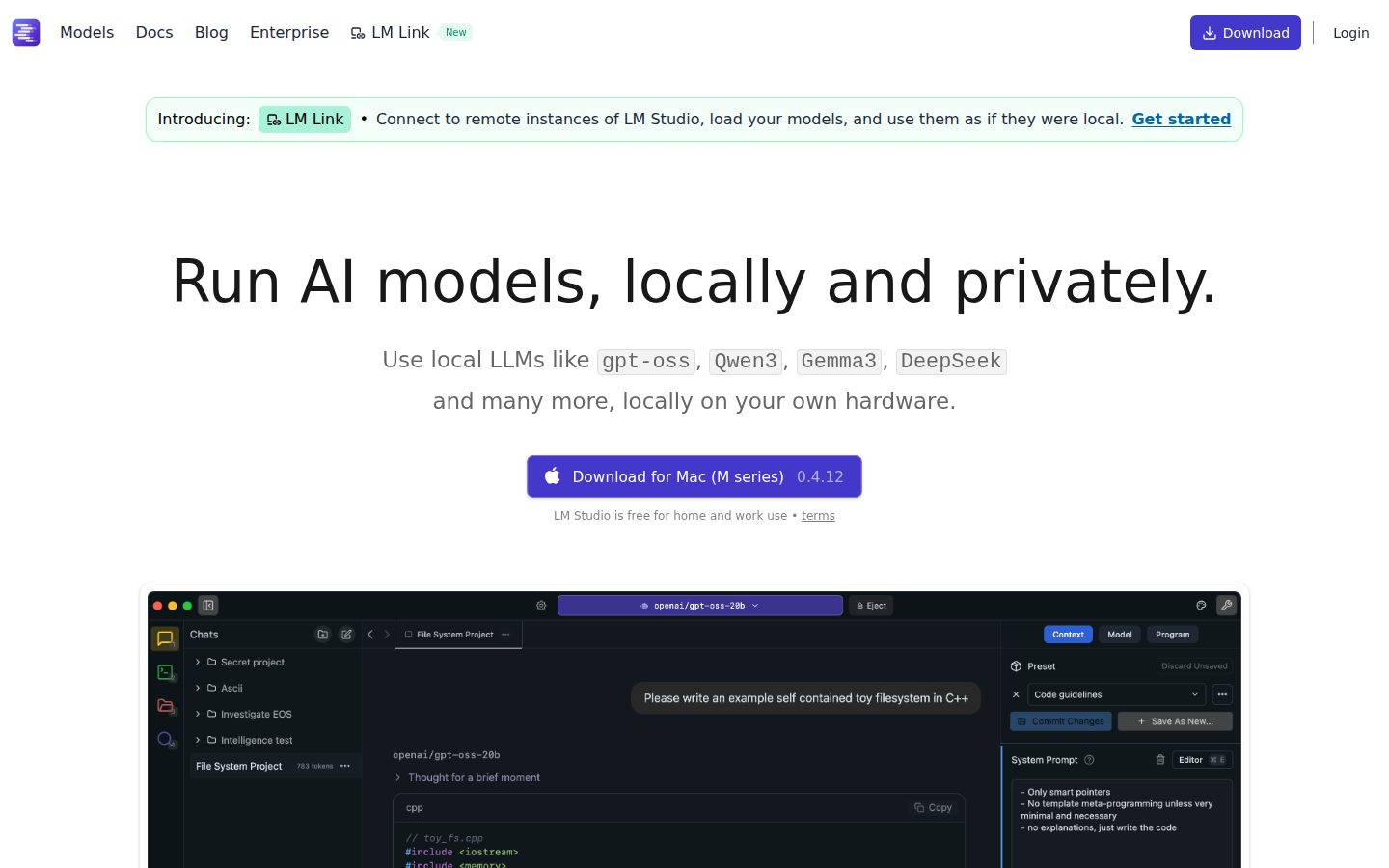
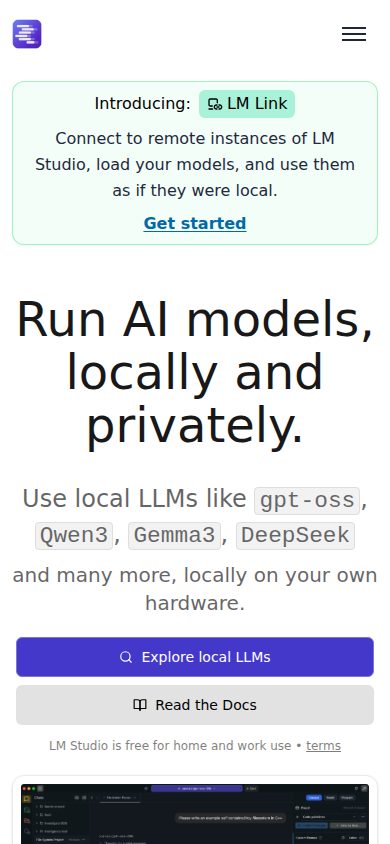
Run LLMs locally on your computer, fully offline
LM Studio is a desktop application for downloading, managing, and running large language models locally on your own hardware.
AI Panel Score
6 AI reviews
Reviewed
In practice, users install LM Studio, browse or search for models in the Discover tab (sourced from Hugging Face), download a model in GGUF or MLX format, load it into memory, and begin chatting through a familiar conversation interface. Documents in .pdf, .docx, or .txt format can be attached to chats, with the app handling retrieval-augmented generation (RAG) automatically when a document exceeds the model's context window. All processing happens on-device; no chat content or documents leave the machine.
LM Studio runs models using llama.cpp on all supported platforms and additionally supports Apple's MLX framework on Apple Silicon Macs. It ships with a local REST server that listens on OpenAI-compatible endpoints, enabling existing apps and scripts written for the OpenAI API to route requests to local models instead. The API supports tool and function calling, idle TTL and auto-evict for loaded models, and separate reasoning_content fields for models like DeepSeek R1. A command-line tool called lms allows model downloads, loading, and configuration from the terminal.
LM Studio targets developers, researchers, and technically inclined users who want to experiment with LLMs without relying on cloud inference. The application is free to download and use. It operates on macOS (Apple Silicon, 13.4+), Windows (x64 and ARM64), and Linux (x64, distributed as an AppImage). No comparable paid tier or subscription is publicly listed on the product site.
System requirements vary by platform: Apple Silicon Macs with 16GB RAM are recommended for macOS; Windows requires AVX2 CPU support for x64 systems; Linux support targets Ubuntu 20.04 or newer. Intel-based Macs are not currently supported. Runtime engines (llama.cpp, MLX) are downloaded separately within the app and can be hot-swapped without a full application update.
Allows users to attach .docx, .pdf, and .txt files to chat sessions; short documents are loaded in full context while long documents use Retrieval-Augmented Generation to extract relevant sections.
For DeepSeek R1 models, returns reasoning content in a separate 'reasoning_content' field within Chat Completion API responses.
Allows setting a TTL in seconds for models loaded via API requests, automatically evicting them from memory after the specified idle period.
A ChatGPT-like chat interface that lets users have back-and-forth conversations with locally running LLMs, with support for conversation threads organized in folders.
Built-in model discovery and download functionality connected to Hugging Face, allowing users to search by keyword, user/model string, or full Hugging Face URL.
A CLI command that lets users download models from the terminal using a keyword or full Hugging Face URL, with an option to filter for MLX-only models.
Supports running GGUF models via llama.cpp on Mac, Windows, and Linux, and additionally supports MLX models on Apple Silicon Macs.
Users can change the directory where models are stored via the My Models tab, and can also sideload models downloaded outside of LM Studio.
Presents multiple quantized versions of each model (e.g., Q3_K_S, Q_8) during download so users can choose between file size and model fidelity.
A local server that listens on OpenAI-compatible endpoints and returns OpenAI-like response objects, enabling apps and scripts to interact with local models via REST API.
Enables any compatible LLM to use Tool Use and Function Calling through the OpenAI-like API.
Core functions including chatting with models, document RAG, and running the local server operate entirely offline with no data leaving the device.
Private, secure AI on your own infrastructure for organizations. Deploy local LLMs with enterprise-grade controls for models, MCPs, and plugins.
Free, offline, OpenAI-compatible local inference that developers will actually use.
“LM Studio runs Llama, DeepSeek, and Qwen3 entirely on-device, zero cloud dependency. It's free, ships an OpenAI-compatible API, and the headless Linux mode means it fits CI pipelines too.”
Element Labs built something developers actually want: a local inference layer that doesn't require rewriting existing OpenAI API calls. The lms CLI, idle TTL auto-evict, and function-calling support aren't table stakes — Ollama gets compared here constantly, and LM Studio's Hugging Face model browser plus MLX support on Apple Silicon is a real differentiator for Mac-heavy teams.
The tradeoff is hardware dependency. A 16GB Apple Silicon machine handles it; an underpowered Windows box won't. That's not a vendor problem, but it limits rollout. No public funding data from Element Labs either, which makes the 36-month viability question harder to answer confidently.
Free for commercial use, headless-capable on Linux, OpenAI-compatible out of the box. For any team running sensitive data through cloud inference today, this pays back in week one.
Ollama is the main comparison; LM Studio's GUI, Hugging Face browser, and MLX runtime support give it a clear edge for developer teams who aren't CLI-only.
Running DeepSeek and Llama locally via an OpenAI-compatible API is a credible, defensible architectural choice any technical board member will understand.
Free download, existing OpenAI API scripts route to local models unchanged — time-to-first-inference is measured in minutes, not sprints.
Replaces cloud inference spend and eliminates data-residency risk simultaneously — that's advancing capability, not just cutting cost.
Element Labs Inc. operates LM Studio with no public funding data disclosed, making runway hard to assess — category traction is strong but longevity is an open question.
Dev or research teams running sensitive data through cloud APIs who want an immediate, zero-cost private alternative.
Your team runs on underpowered hardware or needs enterprise SLA guarantees the vendor can't yet credibly make.
OpenAI-compatible local inference with zero egress risk and serious engineering depth.
“LM Studio gives engineering teams a drop-in local inference layer with an OpenAI-compatible REST API, GGUF/MLX runtime support, and full offline operation. For regulated environments or teams with data residency requirements, this is the fastest path to a working local LLM stack.”
The architecture here is sound. llama.cpp plus MLX as swappable runtime engines means you're not locked into a single inference backend, and hot-swappable runtimes without a full app update is a thoughtful operational decision. The OpenAI-compatible endpoint means existing tooling routes locally with a base URL swap — no SDK changes, no rewrite. That's the right kind of abstraction layer. Idle TTL and auto-evict for loaded models shows someone has thought about memory pressure at scale, not just demo scenarios.
The tradeoff is deployment surface. LM Studio's primary form factor is a desktop GUI, which limits how it fits into headless CI or server infrastructure. The evidence mentions llmster for headless Linux deployments via a curl install, but that's a separate tool with its own maturity questions — not a fully documented enterprise-grade runtime. Compared to Ollama, which is CLI-native and easier to containerize, LM Studio's GUI-first DNA shows in the ops story.
If we adopt this for developer workstations and sensitive data workflows, in 3 years we have a well-supported local inference habit with strong model breadth via Hugging Face integration. The enterprise tier with MCP and plugin controls is still forming — no pricing page exists — so enterprise governance depth is unproven today.
Stronger GUI and RAG story than Ollama, but Ollama's container-native architecture wins in server and CI environments where LM Studio's desktop-first design creates friction.
OpenAI-compatible endpoints and model quantization selection (Q3_K_S through Q8) map directly to how engineering teams actually prototype and deploy local inference.
Drop-in OpenAI API compatibility means zero SDK changes for existing tooling; the lms CLI and headless llmster deployment extend this beyond desktop-only use.
Hugging Face-connected model discovery future-proofs the model selection story, but no public pricing on the enterprise tier leaves governance and fleet deployment costs opaque for 3-year planning.
Swappable llama.cpp and MLX runtimes, separate reasoning_content fields for DeepSeek R1, and tool/function calling API show library-grade engineering, not a thin wrapper.
Engineering teams with data residency requirements who need a local inference layer that drops into existing OpenAI-SDK tooling on developer hardware.
Your deployment target is containerized server infrastructure or CI pipelines where a CLI-native tool like Ollama fits the ops model better.
$0 sticker, hardware is the invoice — 3-year TCO lives in your GPU budget
“LM Studio is free, full stop. The real cost is hardware and the labor to manage local inference at scale.”
$0/seat. No tiers, no SSO tax, no overage line on any invoice. Element Labs publishes an Enterprise tier — also free, custom deployment, contact-based. That's the only pricing ambiguity: enterprise scale terms aren't public. Category norm is a sales call. Budget accordingly.
TCO math for 50 developers: software cost is $0 × 50 × 36 = $0. Real costs are Apple Silicon Macs at $1,999+ each if you're standardizing on MLX, or GPU-provisioned workstations for Windows teams. A 50-person hardware refresh adds $100K–$300K depending on spec. Compare to GitHub Copilot Business at $19/seat × 50 × 12 = $11,400/year — $34,200 at year 3. Local inference wins on unit economics if hardware already exists.
Contract flexibility is near-perfect. No auto-renewal window, no termination clause, no vendor lock on data format. Models live on your filesystem. The tradeoff: no SLA, no guaranteed uptime, no support tier below enterprise. ROI is measurable only if you track inference volume and privacy compliance savings.
Zero procurement friction at the free tier; enterprise requires a sales conversation but no published per-seat billing.
No contract, no auto-renewal, no lock-in; models stored locally in GGUF or MLX format with full portability.
Free tier is fully visible without a sales call; Enterprise terms aren't published but the free baseline is unambiguous.
Inference cost savings vs. OpenAI API are calculable, but require teams to baseline their own usage volume first.
Software TCO is $0, but hardware dependency — 16GB RAM minimum on Apple Silicon — makes 3-year all-in highly variable.
Teams with existing capable hardware who need zero-cost, private LLM inference with OpenAI API compatibility.
Your organization needs a vendor SLA, published support tiers, or lacks the hardware to run 7B+ parameter models locally.
OpenAI-compatible local inference that actually fits a dev's daily workflow
“LM Studio ships an OpenAI-compatible REST server, a `lms` CLI, and llama.cpp/MLX runtimes in one free desktop app. Engineers already writing against the OpenAI SDK can drop in a base_url swap and stay in their existing scripts.”
The OpenAI-compatible endpoint is the real unlock. No SDK rewrite, no new client library — just point your existing code at localhost. `lms get` downloads models from the terminal with a Hugging Face URL or keyword. CLI ships with `--mlx` filtering. That's someone dogfooding their own tool. The idle TTL and auto-evict on loaded models means you're not babysitting memory between runs, which is the kind of thing you only add after someone filed a real complaint about it.
The tradeoff is hardware dependency. On a 16GB Apple Silicon Mac you're fine. On x64 Windows you need AVX2, and Intel Macs aren't supported at all. Model quantization selection (Q3_K_S vs Q8) lives in the download flow, but understanding the performance-quality curve is on you — the docs don't hand-hold it. Compared to Ollama's pure-CLI approach, LM Studio's GUI layer is genuinely useful for model browsing, not just wrapper weight.
Headless deployment via `llmster` with a single curl install opens CI and Linux server use cases. Separate `reasoning_content` fields for DeepSeek R1 responses means you're not regex-parsing chain-of-thought out of the main content. These are practitioner decisions, not marketing checkbox features.
OpenAI endpoint drop-in and idle TTL remove the two biggest daily fights; hardware ceiling is the wall you hit eventually.
Changelog exists and features like reasoning_content and auto-evict are documented with API field names, not just marketing descriptions.
Runtime engines download separately inside the app, which adds a first-run step that catches users off guard.
Tool/function calling API, hot-swappable runtimes, sideloadable models, and headless llmster deployment give real depth beyond the chat GUI.
Existing OpenAI SDK scripts route to local models via base_url swap — zero new habits for most dev workflows.
Engineers who want to run local LLM inference against existing OpenAI SDK code without touching cloud APIs.
Your dev hardware is an Intel Mac or a low-RAM Windows box without AVX2 support.
Finally, ChatGPT on your own machine — and it mostly just works.
“LM Studio does one thing and does it with real care: run open-weight models like Llama and DeepSeek locally, no cloud, no subscription, no data leaving your machine. Free forever changes the math on privacy.”
The Discover tab connected to Hugging Face is the whole pitch in one screen. You search, pick a quantization — Q3 if you're tight on RAM, Q8 if you want fidelity — download, load, and start chatting. That flow is genuinely smooth for a desktop app handling multi-gigabyte model files. Document RAG with .pdf and .docx files is automatic, no config required. That's the kind of thing that takes an afternoon to set up in LangChain and here it's just... there.
The OpenAI-compatible local server is the sleeper feature. Any script already calling the OpenAI API can point at localhost instead. No code changes. That's a real unlock for developers who want to prototype without burning API credits.
The honest tradeoff is this is a power-user product wearing a friendly interface. Intel Mac users are locked out entirely. Windows needs AVX2 CPU support. Mobile doesn't exist — this is desktop-only by design, which makes sense but worth knowing. Compared to Ollama, which is CLI-first, LM Studio has the edge on approachability. But sixteen GB RAM recommended means this isn't everyone's Tuesday.
Conversation threads in folders, model quantization selection during download, and automatic RAG handling suggest a team that's sweated the daily-use details.
The lms CLI, tool and function calling API, and headless llmster deployment give experienced users room to grow, but system requirements across platforms add early friction.
Desktop only — macOS, Windows, Linux — no mobile app exists or appears planned; this is a deliberate category choice, not a gap being closed.
The Discover tab plus one-click downloads from Hugging Face makes first-model setup feel like welcome, not homework — unusual for local LLM tooling.
Idle TTL and auto-evict for loaded models shows memory management is considered; hot-swappable runtime engines without a full app update is a solid reliability signal.
Developers and privacy-conscious power users who want to run Llama, DeepSeek, or Phi locally without writing infrastructure from scratch.
You're on an Intel Mac, under 16GB RAM, or need any kind of mobile access.
3 green flags, 1 real gap — the sustainability question isn't answered yet
“LM Studio does exactly what it says: offline LLM inference, OpenAI-compatible API, clean Hugging Face integration. Marketing is honest. Business model is not.”
Three tells before I open the docs. One: no pricing page. Two: 'Enterprise and Teams' plan exists with no listed price. Three: Element Labs Inc. has no public funding data. Free products that quietly add enterprise tiers are either building toward a raise or quietly flailing. Could go either way.
What works: the OpenAI-compatible local server is genuinely useful — existing scripts route to local models with no rewrites. MLX support on Apple Silicon is a real differentiation vs. Jan.ai and Ollama. The lms CLI and headless llmster deployment show a team that's building past the GUI demo phase. Changelog exists. That matters.
The tradeoff: this is free with no stated sustainability path. Ollama is also free, also has a CLI, also hits OpenAI-compatible endpoints. LM Studio's edge is the GUI and model discovery UX — meaningful for researchers, irrelevant if you're piping to scripts. If Element Labs pivots or stalls, you migrate to Ollama in an afternoon.
MLX support and the Hugging Face model discovery UI are real edges over Ollama's CLI-first approach, but the gap is UX, not architecture.
GGUF models are portable, OpenAI-compatible API means zero lock-in, and Ollama or Jan.ai are drop-in alternatives — exit is an afternoon, not a migration project.
No public funding data, no visible pricing page, enterprise tier with no listed price — the business model is opaque for a product this widely used.
H1 says 'Run AI models, locally and privately' — that's exactly what it does, no superlatives, no 'best-in-class' language.
Pattern matches Ollama's early traction arc; changelog and multi-platform support (Mac/Windows/Linux) suggest sustained shipping, but no public funding round to anchor confidence.
Developers and researchers who want offline LLM inference with a polished GUI and no API rewrites.
You need contractual SLAs, transparent pricing, or are betting a production workflow on a free tool with no visible revenue model.
Common questions answered by our AI research team
LM Studio is free for home and work use, per the terms noted on the homepage.
Yes. LM Studio offers headless deployment via llmster, its core without a GUI, deployable on Linux boxes, cloud servers, or CI environments using a single curl install command.
No. LM Studio runs models locally on your own hardware, keeping data private without sending it to external servers.
Yes. LM Studio exposes OpenAI-compatible API endpoints via a local server.
Supported models include gpt-oss, Qwen3, Gemma3, DeepSeek, Llama, Phi, and Apple MLX models, among others available via Hugging Face.
Company
Element Labs Inc.Founded
2023Pricing
FreeFree Plan
AvailableElement Labs Inc. operates LM Studio, a desktop application that lets users download and run open-source large language models locally on Mac, Windows, and Linux machines.