Ollama logo

Ollama Review

Visit

Run open AI models locally or in the cloud

Ollama is a local and cloud AI model runtime for developers and individuals who want to run open-source models on their own hardware or via managed inference.

Ollama·Founded 2023·From $20/moFree PlanLLM PlatformsAI Agents & AssistantsAI Cloud

AI Panel Score

8.3/10

6 AI reviews

Reviewed

AI Editor Approved

About Ollama

Using Ollama starts with installing the application on macOS, Windows, or Linux, then pulling a model from the library with a single command. From there, users interact with models through the CLI, a local REST API, or any of the supported third-party interfaces. The workflow mirrors how package managers handle software: models are versioned, downloadable on demand, and run entirely on the user's machine unless cloud inference is chosen.

Ollama's model library contains thousands of models, and the platform advertises over 40,000 integrations with external tools. Explicitly named integrations include Open WebUI for chat interfaces, n8n for workflow automation, Claude Code, and Codex for coding assistance. The OpenAI-compatible endpoint means any tool that targets the OpenAI API can be pointed at a local Ollama instance without code changes.

Ollama targets developers, researchers, and technical users who want to run AI models without sending data to third-party APIs or who need offline capability. A free tier exists for cloud inference after account creation; a Pro plan is priced at $20 per month with higher usage limits, and a Max plan is available for heavier workloads. Comparable tools in the local model-running category include LM Studio and llama.cpp, though those do not offer the same managed cloud inference option.

The project is open source and hosted on GitHub. Local execution supports macOS, Windows, and Linux. Cloud inference is accessed through a web account. The REST API covers text generation and chat completions, and OpenAI compatibility documentation is provided separately from the core API reference.

Features

AI

  • Coding Assistant Integration

    Integrates with coding assistants to enable AI-powered code generation and assistance using local or cloud models.

Automation

  • Automation Tool Integration

    Integrates with automation platforms like n8n to enable AI-powered workflow automation using open models.

Core

  • Cloud Inference

    Run models via Ollama's cloud infrastructure with Free, Pro ($20/mo), and Max pricing plans.

  • Cross-Platform Support

    Ollama can be downloaded and installed on macOS, Windows, and Linux operating systems.

  • Local Model Execution

    Run open AI models on your own hardware without sending data to external servers.

  • Model Library

    Browse and download thousands of available models including Kimi, GLM, Qwen, Minimax, and Gemma.

Integration

  • 40,000+ Integrations

    Connects with over 40,000 tools and platforms including OpenClaw, Claude Code, Codex, Open WebUI, and n8n.

  • Chat UI Integration

    Connects with chat UI tools such as Open WebUI to provide a conversational interface over running models.

  • OpenAI API Compatibility

    Acts as a drop-in replacement for the OpenAI API so existing OpenAI-compatible tooling works without modification.

  • REST API

    Provides a REST API for generating text and chat completions from locally or cloud-hosted models.

Preview

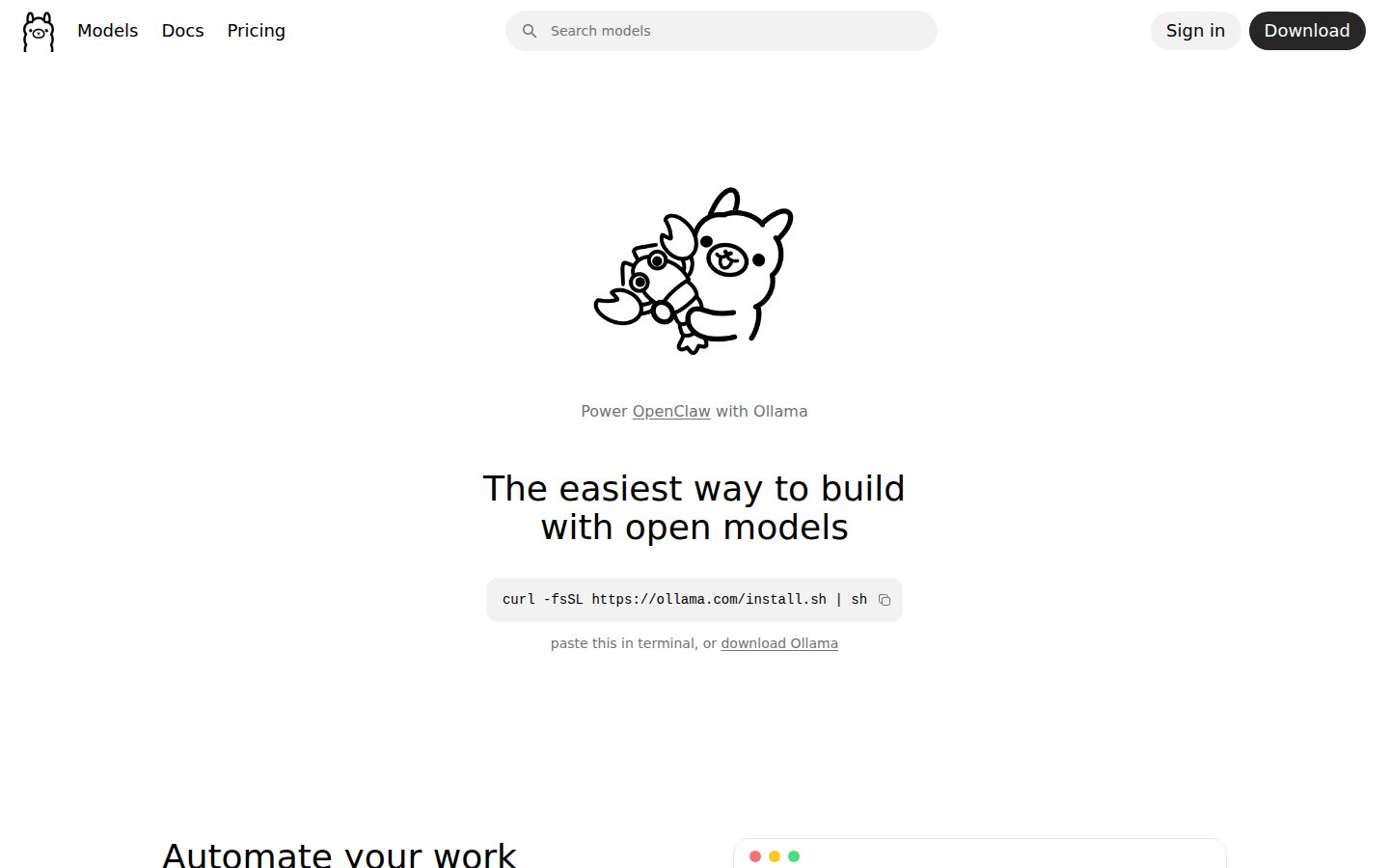
Ollama desktop previewOllama mobile preview

Pricing Plans

Free

Free

For users who want to run open AI models locally or access cloud inference with a free account.

  • Access to cloud inference models
  • Local model running on own hardware
  • OpenAI-compatible REST API
  • 40,000+ integrations

Pro

$20/monthly

For users who need more cloud inference usage beyond the free tier.

  • More cloud inference usage than Free plan
  • Access to cloud models
  • OpenAI-compatible REST API
  • 40,000+ integrations

Max

Contact sales

For users who need even more usage than Pro.

  • Maximum cloud inference usage
  • Access to cloud models
  • OpenAI-compatible REST API
  • 40,000+ integrations

AI Panel Reviews

The Decision Maker

The Decision Maker

Strategic bet, vendor viability, timing, adoption approval
8.2/10

Ollama is the package manager for AI models — developers already know it.

Local model execution with OpenAI API compatibility and 40,000+ integrations. Free tier runs on your hardware; $20/month unlocks cloud inference.

Ollama has become the default runtime for developers who want to run Qwen, Gemma, or Llama locally without standing up infrastructure. The OpenAI-compatible endpoint is the real unlock — existing tooling points at localhost and works. That's not a small thing. Competing tools like LM Studio and llama.cpp don't offer the same managed cloud inference path, so Ollama spans both worlds.

The tradeoff is straightforward: local execution is powerful, but performance caps at whatever hardware the user brings. Enterprise teams with M2 MacBooks will hit limits that GPT-4 class API calls don't. Cloud inference via Pro at $20/month closes some of that gap, but pricing above Pro isn't published — that opacity will surface in board conversations.

No public funding data, so 36-month viability is a real question. But 40,000 integrations and adoption across Claude Code and n8n suggests community momentum that's hard to fake. Pilot it with your dev team before you standardize anything.

Competitive Positioning8.0

LM Studio and llama.cpp don't offer managed cloud inference; Ollama's hybrid model is a real differentiator for teams that need both.

Reputation Risk8.0

Open-source, privacy-forward, developer-beloved — a clean story for any board or security team.

Speed to Value9.0

Single command to pull a model and a drop-in API replacement means a developer can be running in under an hour.

Strategic Fit8.5

OpenAI API compatibility means teams adopt without re-engineering existing tooling — that's genuine advancement, not just cost savings.

Vendor Viability7.0

No public funding data, but open-source roots and 40,000+ integrations suggest durable community backing.

Pros

  • OpenAI-compatible endpoint — zero code changes for existing tooling
  • Thousands of models including Qwen, Gemma, GLM via a single CLI
  • Free tier runs entirely on your own hardware with no data leaving your network
  • 40,000+ integrations including n8n, Open WebUI, and Claude Code

Cons

  • Local performance is hardware-bound — no substitute for frontier model compute
  • Max plan pricing isn't published, which complicates budget forecasting
  • No public funding data makes long-term vendor confidence harder to establish

Right for

Developer teams who need privacy-safe model access and already use OpenAI-compatible tooling.

Avoid if

Your use case requires frontier model capability that local hardware can't support.

The Domain Strategist

The Domain Strategist

Craft and strategy in the product's domain — adapts identity per category, same lens
8.2/10

Ollama is the package manager for LLMs — opinionated, fast, and architecturally honest.

Single-command model pulls, OpenAI-compatible REST endpoints, and 40,000+ documented integrations make this the lowest-friction local inference runtime available. The open-source foundation keeps your architecture portable in a category where lock-in is a real risk.

The OpenAI API compatibility layer is the right call. Pointing existing tooling at a local Ollama endpoint without code changes means zero migration friction — your RAG pipelines, coding assistants, and n8n automations don't know the difference. That's not a nice-to-have; that's the architectural bet that makes local inference actually deployable at team scale.

The model library depth — Qwen, Gemma, GLM, Kimi and thousands more — signals a serious curation operation, not a demo product. If you adopt Ollama, in 3 years you have a versioned, reproducible model registry you control, not a vendor's deprecation schedule. The tradeoff: cloud inference pricing above the free tier tops out at $20/month for Pro, with Max unpriced publicly, so budget predictability at scale is an open question.

Vs. LM Studio, Ollama wins on developer ergonomics and CI/CD composability. Vs. llama.cpp, it wins on abstraction without sacrificing the raw access serious teams need. The package-manager mental model is durable.

Category Positioning8.2

Uniquely straddles local and managed cloud inference where LM Studio and llama.cpp stay local-only, which is a real competitive moat.

Domain Fit8.8

CLI-first, REST API-native, cross-platform — this is shaped exactly like a tool developers actually wire into CI pipelines and internal tooling.

Integration Surface8.5

40,000+ integrations including Claude Code, Codex, and n8n, plus drop-in OpenAI compatibility, covers nearly any modern dev stack.

Long-term Implications8.0

Open-source GitHub foundation means no forced migration if the company pivots, but Max plan pricing opacity creates budget risk at scale.

Strategic Depth8.5

OpenAI-compatible endpoint plus versioned model pulls shows someone who's thought about real engineering workflows, not just local demos.

Pros

  • OpenAI API drop-in compatibility eliminates migration cost for existing tooling
  • Single-command model pulls with versioning — genuine package-manager ergonomics
  • Open-source on GitHub keeps the architecture yours, not theirs
  • Cross-platform support covers every standard dev environment

Cons

  • Max plan pricing isn't published, making cost modeling above Pro tier guesswork
  • Cloud inference is newer than the local runtime — maturity gap likely exists
  • No changelog surfaced in evidence, which makes tracking breaking changes harder for production integrations

Right for

Developer teams who need local inference with data-residency requirements and want OpenAI-compatible tooling without rewriting their stack.

Avoid if

Your workload needs guaranteed SLA-backed cloud inference at enterprise scale — cloud inference here is an add-on, not a core product.

The Finance Lead

The Finance Lead

Money, total cost of ownership, contracts, procurement math
8.2/10

$0 local, $20 cloud — 40,000 integrations, no SSO tax in sight.

Ollama's free tier covers local execution entirely. Cloud inference starts at $20/month flat, with no per-seat math to model.

Free tier is real. Local execution costs $0 — hardware aside. Pro is $20/month, not $20/seat. For a team of 50 running models locally, year-3 TCO is essentially hardware depreciation plus optional $240/year cloud. Compare that to OpenAI API at $0.002–$0.06 per 1K tokens — usage compounds fast. Ollama's local-first model breaks that meter entirely.

Max plan pricing isn't published. That's the gap. "Contact us" territory on the tier that heavy users eventually need. No published overage rate either. Procurement will flag that. The Pro-to-Max jump is structurally opaque — budget accordingly.

OpenAI-compatible endpoint is the TCO multiplier. No retooling cost. Existing integrations point at localhost instead of api.openai.com. 40,000+ listed integrations means migration friction is low. LM Studio competes locally but lacks the managed cloud option. Ollama covers both lanes at a flat rate — rare pricing architecture.

Billing & Procurement8.0

Single flat monthly rate, no per-seat complexity, and self-serve signup reduce procurement friction significantly versus API-billed alternatives.

Contract Flexibility8.0

Monthly billing on pricing page implies low lock-in; no published auto-renewal window or termination clause found, but monthly cadence limits exposure.

Pricing Transparency7.5

Free and Pro tiers are fully visible on the pricing page; Max plan pricing is undisclosed, which creates a ceiling opacity problem.

ROI Clarity8.5

OpenAI API displacement is directly measurable — token costs replaced by $0 local compute or $20/month flat, making savings math concrete.

Total Cost of Ownership9.0

Local execution is hardware-only; $20/month flat cloud tier makes 3-year modeling straightforward — no per-seat or per-token billing on the base plans.

Pros

  • $0 local execution — hardware cost is the only variable
  • $20/month flat cloud tier, not per-seat
  • OpenAI-compatible endpoint eliminates retooling cost
  • Thousands of models including Qwen, Gemma, GLM — no vendor lock on model choice

Cons

  • Max plan pricing is unpublished — budget ceiling undefined
  • No published overage rates for cloud inference tiers
  • Hardware cost for local execution is real but entirely off the invoice

Right for

Developers or teams who want to eliminate API token costs by running models locally on their own hardware.

Avoid if

Your team needs predictable cloud-only inference at scale and can't tolerate an opaque Max tier.

The Domain Practitioner

The Domain Practitioner

Daily hands-on reality in the product's domain — adapts identity per category, same lens
8.6/10

ollama pull llama3 and you're building — that's the whole pitch

Ollama nails the local model runtime workflow with package-manager ergonomics and an OpenAI-compatible endpoint that means zero refactoring for existing tooling. Cloud inference at $20/mo Pro adds flexibility without breaking the local-first mental model.

The install story is a single PowerShell one-liner or a brew install. CLI ships with pull, run, list commands. That's the workflow: pull a model, point your existing OpenAI client at localhost:11434, done. No code changes. The OpenAI-compatible endpoint is the real unlock — any tool already targeting the OpenAI API routes to local inference without touching a line. That's not a marketing claim, the compatibility docs confirm it explicitly.

Day-3 reality: GPU memory management becomes your daily fight. Running Qwen or Gemma on hardware that's borderline will surface context-length limits and swap behavior fast. Ollama abstracts the llama.cpp layer, which is good until something breaks and you're one abstraction removed from the actual error. LM Studio exposes more model config surface; Ollama trades that for cleaner ergonomics.

The 40,000+ integrations number is mostly ecosystem inheritance from OpenAI compatibility, not native connectors — worth understanding before you plan an n8n workflow around it. Docs appear practitioner-written: the OpenAI compatibility page is its own reference, not buried. Power users can mount Modelfiles for custom system prompts and parameter tuning. That depth is there; it's just not the headline.

Day-3 Reality8.2

Package-manager model workflow holds up daily; GPU memory limits and abstracted llama.cpp errors are the recurring friction points.

Documentation Practitioner-Fit8.4

Separate OpenAI compatibility reference and buyer Q&A answers suggest docs written for developers, not marketers.

Friction Surface7.8

Install and pull are frictionless; model config tuning via Modelfiles adds friction for non-obvious use cases.

Power-User Depth8.0

Modelfiles expose system prompts and parameter overrides; advanced config is available but requires digging past the happy path.

Workflow Integration9.1

OpenAI-compatible endpoint means zero refactoring — existing clients, SDKs, and tools like Claude Code and Codex just work.

Pros

  • Single-command model pulls with versioning — mirrors npm/brew ergonomics engineers already live in
  • OpenAI-compatible endpoint eliminates refactoring for any existing OpenAI-targeted codebase
  • Free tier includes local execution and cloud inference with no trial gating
  • Cross-platform: macOS, Windows (PowerShell one-liner), Linux all supported

Cons

  • GPU memory management isn't abstracted away — hardware-constrained setups will fight this on day 3
  • 40,000+ integrations is largely inherited OpenAI API compatibility, not native connectors
  • No changelog visible in evidence — hard to track breaking changes between model runtime versions
  • Cloud inference pricing above Pro tier ($20/mo) has no public Max plan price listed

Right for

Engineers who want local LLM inference with zero OpenAI client refactoring and offline data privacy.

Avoid if

You need fine-grained model parameter control or a GUI-first workflow — LM Studio covers that better.

The Power User

The Power User

Daily human experience, onboarding, polish, learning curve, reliability
8.2/10

One command, your own AI stack — no cloud middleman required

Ollama makes running local open-source models feel like installing an app. Developers who've wrestled with llama.cpp will feel this immediately.

The pitch is dead simple: pull a model, run it, done. Thousands of models in the library, one-liner install on Windows or Mac or Linux, and an OpenAI-compatible REST API that means your existing tooling just works without touching a line of code. That last part is genuinely clever — pointing your stack at a local Ollama instance instead of OpenAI costs zero refactoring. Compared to LM Studio, Ollama skews more toward developers who want CLI and API control rather than a pretty GUI.

The $20 Pro plan is fair if you want cloud inference without the local hardware headache. The 40,000+ integrations number — including Open WebUI and n8n — sounds inflated until you realize OpenAI compatibility basically inherits the whole ecosystem for free. That's smart.

The tradeoff: this is a technical-user product. There's no hand-holding for someone who doesn't know what a REST API is. Mobile is essentially absent for anything real. Day one is smooth for developers; day one for everyone else is homework.

Daily Polish7.5

CLI experience is clean and the OpenAI-compatible endpoint is thoughtfully documented, but no changelog is public and the web presence is thin.

Learning Curve7.0

Discoverable fast for developers via REST API and CLI docs, but the 40,000+ integrations figure without a curated guide can feel overwhelming at month three.

Mobile Parity3.5

Mobile is not a real experience here — Ollama is a desktop and server runtime, and that's the honest truth of it.

Onboarding Experience8.5

Single PowerShell command to install on Windows, model pull in one more command — for developers, this is genuinely fast first-10-minutes.

Reliability Feel7.8

Open-source project on GitHub with active community, but no public changelog makes it hard to judge maintenance cadence from the outside.

Pros

  • OpenAI-compatible API means zero refactoring for existing tooling
  • Cross-platform install is genuinely one command
  • Free tier includes local execution and cloud inference access
  • Thousands of models including Qwen, Gemma, and Kimi available on demand

Cons

  • Not built for non-technical users — no GUI, no hand-holding
  • Mobile parity is basically nonexistent
  • No public changelog makes it hard to track what's being fixed
  • Cloud inference tier limits aren't clearly spelled out beyond Free and Pro

Right for

Developers who want private, offline AI inference without rebuilding their OpenAI-compatible toolchain.

Avoid if

You're not comfortable with a terminal and need a polished GUI or mobile access.

The Skeptic

The Skeptic

Contrarian. Watch-outs, deal-breakers, broken promises, category patterns
8.1/10

40,000 integrations claimed. OpenAI-compatible. Exit story is actually clean.

Ollama does the hard thing well: local model execution with zero API lock-in. The OpenAI-compatible endpoint is the real differentiator — point existing tooling at localhost and go.

Three tells before I dig in. One: 'easiest way' is in the H1 — the kind of superlative that ages poorly. Two: no changelog listed in the evidence. Three: '40,000+ integrations' is a number that smells like it counts npm packages. That said, the core execution is solid. Package-manager workflow for models, cross-platform support, REST API, OpenAI compatibility — that's a coherent product, not vaporware.

The exit story is genuinely good. Open source on GitHub, standard REST API, models you own locally. If Ollama disappears tomorrow, you migrate to llama.cpp or LM Studio with no hostage data. That's rare. Most tools in this category make leaving painful.

Two flags: no public funding data visible, and the Max plan is listed as 'Free' in the pricing — likely a display bug, but sloppy. One watch: the cloud inference tier at $20/month puts them competing with hosted inference players, which is a harder fight than local tooling.

Competitive Differentiation8.3

LM Studio has no managed cloud inference option; llama.cpp has no managed library or integrations layer — Ollama's combination of local + cloud + OpenAI compatibility is a real gap-fill, not a clone.

Exit Portability9.2

Open source, standard REST API, locally-stored models, OpenAI-compatible endpoint — migration to llama.cpp or LM Studio involves near-zero switching cost.

Long-term Viability6.8

No public funding data, no changelog in evidence, and a pricing page with a likely bug on the Max plan — the team is shipping but public signals on sustainability are thin.

Marketing Honesty7.2

'Easiest way' headline and '40,000+ integrations' both strain credibility, but the product description stays factual and specific about what the REST API actually does.

Track Record Match8.0

Mirrors the successful pattern of tools like Homebrew or Docker — package-manager UX applied to a new category — not the pattern of failed AI wrappers that had no local execution story.

Pros

  • OpenAI-compatible endpoint means zero code changes for existing tooling
  • Local execution keeps data entirely on-device — meaningful for regulated or privacy-sensitive use cases
  • Model library with named models like Qwen, Gemma, and Kimi covers modern open-source releases
  • Free tier includes full local execution with no usage caps

Cons

  • No changelog visible — can't verify shipping cadence from public evidence
  • Max plan pricing listed as 'Free' — sloppy presentation erodes trust
  • Cloud inference at $20/month puts them in a fight against better-funded hosted inference players
  • '40,000+ integrations' claim is unverifiable and likely inflated

Right for

Developers who want OpenAI-compatible local inference without data leaving their machine.

Avoid if

You need enterprise SLAs, support commitments, or managed cloud inference as your primary use case.

Buyer Questions

Common questions answered by our AI research team

Setup

How do I install Ollama on Windows?

Run `irm https://ollama.com/install.ps1 | iex` in PowerShell, or download Ollama directly from ollama.com.

Integration

Is Ollama compatible with the OpenAI API?

Ollama's API is a drop-in replacement for the OpenAI API, allowing existing OpenAI-compatible tooling to work without modification.

Features

Which open-source AI models does Ollama support?

Ollama supports open-source models including Qwen, Gemma, GLM, and Kimi.

Features

Does Ollama have a REST API for developers?

Ollama provides both a command-line tool and a REST API for downloading, running, and managing open-source AI models.

Product Information

  • Company

    Ollama
  • Founded

    2023
  • Pricing

    From $20/mo
  • Free Plan

    Available

Platforms

webmacwindowslinux

About Ollama

Ollama is a San Francisco-based tool that allows users to run open-source large language models locally on their own hardware.

Resources

Documentation
Blog

Also in LLM Platforms