Microsoft Designer logo

Microsoft Designer Review

Visit

Graphic design and image editing powered by AI

Microsoft Designer is an AI design app for creating images, social posts, stickers, and cards from text prompts.

AI Panel Score

7.7/10

6 AI reviews

Reviewed

AI Editor Approved

About Microsoft Designer

Users open Designer on the web, iOS, Android, or Windows and describe what they want in plain language. The app returns AI-generated images and ready-to-edit templates for social posts, greeting cards, invitations, monograms, collages, and framed photos, which can then be refined with prompt-driven style suggestions or manual edits.

Designer's feature set spans both creation and editing. Creation tools include the AI image generator, sticker creator, greeting card and invitation builders, and template-based design layouts. Editing tools cover background removal and blur, object and distraction erase, image upscaling and enhancement, creative restyle transforms, and text or crop adjustments. AI actions consume monthly credits, with paid tiers granting larger allowances.

Designer is aimed at consumers, students, and small-business marketers who need fast visual output without a dedicated design tool. It runs on a freemium model: a free tier provides monthly AI credits, while Microsoft 365 Personal ($9.99/month), Family ($12.99/month), and Premium ($19.99/month) subscriptions raise credit limits. It competes with Canva, Adobe Express, and Figma's template-based creation tools.

The app is available on web, iOS, Android, and Windows, and its generation capabilities are integrated into Microsoft 365 Copilot, Word, PowerPoint, and OneDrive for in-app design assistance.

Features

Editing

  • Background blur

    Apply selective blur to image backgrounds while keeping subjects sharp.

  • Background remover

    One-click AI removal of unwanted image backgrounds for clean cutouts.

  • Generative erase

    AI-powered object and person removal that repositions or erases elements from photos.

  • Image restyle

    Transform photos into new artistic styles with AI restyle and transform features.

  • Image upscaler

    Enhance and upscale images to higher resolution with AI enhancement.

Generation

  • AI image generation

    Generate custom images from text prompts using DALL-E powered AI art creation.

  • Sticker creator

    Generate custom stickers from text prompts for messaging and social sharing.

Integration

  • Microsoft 365 integration

    Access Designer directly inside Word, PowerPoint, Photos, OneDrive, and Copilot.

Templates

  • Collage maker

    Build photo collages from personal images with selectable styles and layouts.

  • Greeting card maker

    Create personalized greeting cards with custom imagery and text for any occasion.

  • Social media post designer

    Generate ready-to-share social media posts from a text description.

Workflow

  • Brand kit

    Apply consistent fonts, colors, and logos across designs via saved brand kit.

Preview

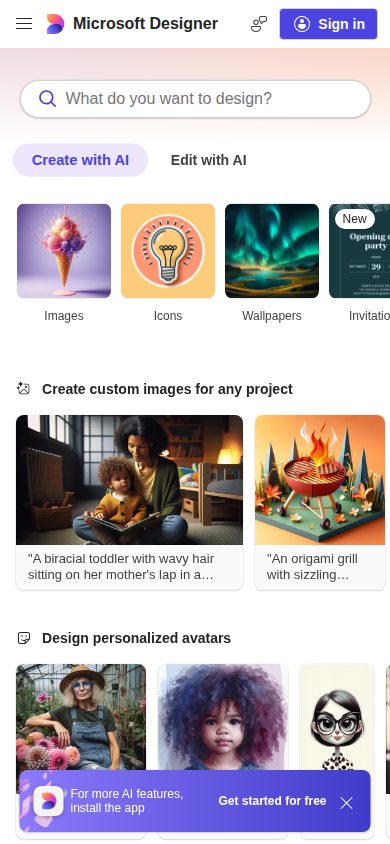
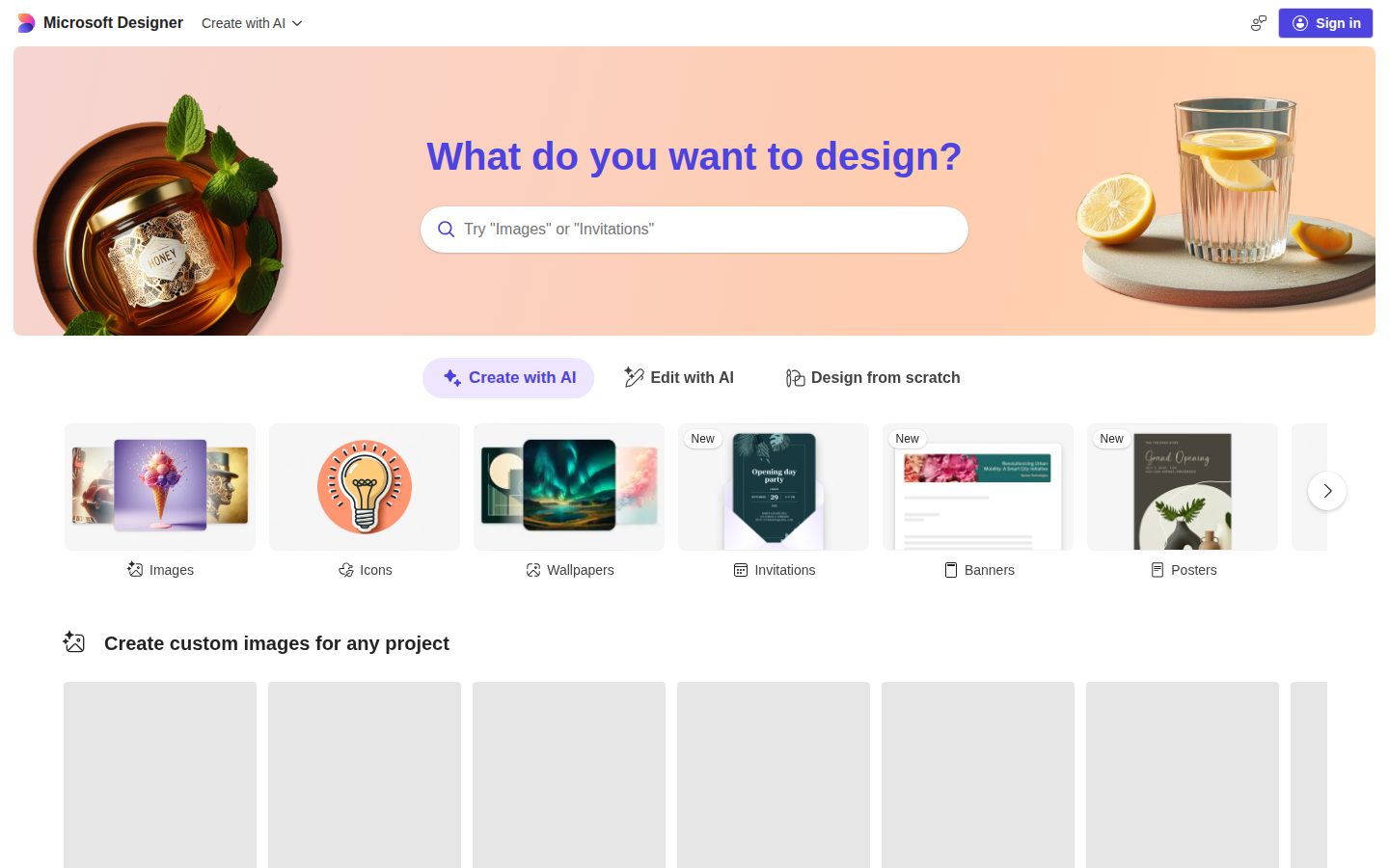
Microsoft Designer desktop previewMicrosoft Designer mobile preview

Pricing Plans

Free

Free

Standalone Microsoft Designer with limited monthly AI credits for image generation and editing.

  • AI image creation (limited monthly credits)
  • Stickers, greeting cards, collages, invitations, emojis
  • Background blur/removal, crop, text, resize
  • Avatars, wallpapers, monograms, clip art

Microsoft 365 Personal

$10/monthly

Designer bundled with Microsoft 365 for one user. Higher monthly AI credits for image creation and editing (approx. 4x free tier).

  • Higher AI credits for Designer image creation/editing
  • Word, Excel, PowerPoint, Outlook, OneNote, Teams, Clipchamp
  • 1 TB OneDrive cloud storage
  • Microsoft Defender + Copilot
  • Up to 5 devices simultaneously (PC, Mac, iPhone, iPad, Android)
Popular

Microsoft 365 Family

$13/monthly

Designer bundled with Microsoft 365 for up to 6 users. Higher Designer AI credits for the subscription owner.

  • Higher AI credits for Designer (subscription owner)
  • 1 to 6 people, individual logins
  • Up to 6 TB cloud storage (1 TB per person)
  • All Microsoft 365 apps + Copilot
  • Family Safety features

Microsoft 365 Premium

$20/monthly

Premium consumer tier consolidating Copilot Pro features. Extensive Designer AI credits and premium-only Copilot features.

  • Extensive Designer AI image creation/editing credits
  • Premium-exclusive Copilot features and models
  • All Microsoft 365 apps
  • 1 TB OneDrive storage
  • Priority access to new AI features

AI Panel Reviews

The Decision Maker

The Decision Maker

Strategic bet, vendor viability, timing, adoption approval
8.1/10

Designer is a Microsoft 365 freebie now — useful inside the bundle, risky as a standalone design bet.

Microsoft Designer reached general availability in July 2024 and now bundles into Microsoft 365 Premium at $19.99/month alongside Copilot. The app is feature-complete for consumers and SMB marketers, but Microsoft already swapped Designer-in-Teams for Copilot — the standalone surface area is at Redmond's discretion.

Microsoft folded Copilot Pro into 365 Premium last year. Designer rode along. You're not really buying Designer, you're buying whatever Microsoft decides Designer becomes inside the $19.99 bundle.

On the merits, the app is real. Generative Erase, Background Remover, Image Restyle, and Sticker Creator cover the consumer and SMB-marketer surface that Canva owns. Designer hit general availability in July 2024 across web, iOS, Android, and Windows. The free tier ships 15 boosts per day.

But the catch is platform risk, not product risk. Microsoft already replaced Designer-in-Teams with Copilot, so the standalone surface is whatever Redmond decides next quarter. Adobe Express remains the safer bet for marketing standardization. Use Designer as a 365 freebie, not a design-system commitment.

Competitive Positioning7.0

Canva still owns the SMB marketing default; Designer is the second pick, not the lead.

Reputation Risk8.5

No procurement board flags adopting a Microsoft-published tool inside an existing 365 subscription.

Speed to Value8.2

Free tier opens instantly via M365 login and Designer is embedded inside Word, PowerPoint, and Copilot.

Strategic Fit7.4

Useful for Microsoft 365 buyers, but does not move the design tooling strategy versus Canva or Adobe Express.

Vendor Viability9.4

Microsoft has been public since 1986 — Designer-the-product can morph but the vendor is not going anywhere.

Pros

  • Designer is included free in any Microsoft 365 subscription — no separate SKU to expense.
  • Generative Erase, Background Remover, and Image Restyle cover everyday SMB marketing use cases.
  • Ships natively on web, iOS, Android, and Windows, plus embedded in Word, PowerPoint, and Copilot.
  • Microsoft as vendor — board will not flag this in any procurement review.

Cons

  • Microsoft already replaced Designer-in-Teams with Copilot; standalone surface area is at Redmond's discretion.
  • Canva and Adobe Express remain the safer category standards for marketing teams.
  • Free tier capped at 15 boosts per day — serious users hit limits fast.

Right for

Microsoft 365 subscribers who need fast AI image creation without buying a separate design tool.

Avoid if

Marketing teams who need a stable multi-year design platform standard.

The Domain Strategist

The Domain Strategist

Craft and strategy in the product's domain — adapts identity per category, same lens
7.8/10

Microsoft Designer is the DALL-E 3 front-door for the 365 install base — not a Figma replacement.

Designer wraps DALL-E 3 image generation and a 12-tool editing stack behind a freemium app embedded across Word, PowerPoint, and the Microsoft 365 Copilot mobile app. The catch is craft ceiling — it's built for consumers and small-business marketers, not for design systems work.

Microsoft Designer's real product isn't the canvas — it's the distribution. DALL-E 3 image generation now lives inside Word, PowerPoint, and the Microsoft 365 Copilot mobile app, which means hundreds of millions of seats already have it. Generative Erase, Image Restyle, and the Sticker Creator are the same primitives Canva and Adobe Express ship.

The Brand Kit feature is where the craft ceiling shows — one saved palette, fonts, and logos is fine for a small-business marketer, but there's no component library or shared design tokens. AI output runs on monthly credits: 15 daily boosts free, roughly 4x more on Microsoft 365 Personal at $9.99/month.

However, the tradeoff is positioning. Microsoft 365 Premium launched October 2025 at $19.99 to consolidate Copilot Pro — Designer is a feature in that bundle, not a standalone craft tool. For senior design teams, Figma stays the system of record.

Category Positioning7.5

A credible challenger to Canva and Adobe Express in consumer/SMB design, not a Figma competitor for product teams.

Domain Fit7.2

Shape matches a small-business marketer running social posts, not a Creative Director managing a multi-brand system.

Integration Surface8.8

Embedded inside Word, PowerPoint, OneDrive, Windows Photos, and the Microsoft 365 Copilot app — best-in-class reach.

Long-term Implications8.2

Microsoft distribution and Microsoft 365 bundling make Designer a durable consumer surface for three years and beyond.

Strategic Depth6.8

Brand Kit holds one palette, fonts, and logos — no component library, design tokens, or layout version history for senior craft work.

Pros

  • DALL-E 3 image generation embedded across Word, PowerPoint, and the Microsoft 365 Copilot mobile app.
  • Generative Erase, Background Remover, and Image Restyle cover the core consumer edit stack one-click.
  • Free tier ships 15 daily AI boosts before any paid subscription is required.
  • Bundled into Microsoft 365 Premium at $19.99/month alongside the full Office app suite.
  • Native apps on web, iOS, Android, and Windows with the same generation surface.

Cons

  • Brand Kit is shallow — no component library, design tokens, or layout version history.
  • Built for consumers and SMB marketers, not for production design systems work.
  • AI output is governed by monthly credits that refresh, not predictable seat-based access.

Right for

Microsoft 365 subscribers who need fast image generation inside Word and PowerPoint.

Avoid if

Senior design teams who need component libraries and design tokens.

The Finance Lead

The Finance Lead

Money, total cost of ownership, contracts, procurement math
7.8/10

Designer's real price is the Microsoft 365 Premium bundle at $19.99 — Copilot Pro got retired October 2025.

Free tier is 15 monthly credits and a hard credit ceiling. Anyone serious pays $9.99 to $19.99 monthly, but the line item is Microsoft 365, not Designer.

Microsoft retired Copilot Pro in October 2025. The replacement is Microsoft 365 Premium at $19.99/month — Designer credits are bundled inside the consumer subscription. Free tier dropped to 15 boosts per the docs. That is the procurement reality.

50 users × $9.99 × 12 = $5,994/year on Personal. That gets each user roughly 4x the free-tier credit pool. Premium at $19.99 takes year-one to $11,994 for credit headroom. Compare Canva Teams at $10/seat — published, predictable, no Office bundle tax. Adobe Express runs $9.99/month standalone.

The catch is you do not buy Designer. You buy Microsoft 365. Credits refresh monthly, no overage rate published, no SKU for Designer-only seats at scale. Brand kit ships but enterprise SSO and admin controls route through M365 licensing. Ask the per-tenant credit pool before signing.

Billing & Procurement8.5

Microsoft 365 billing is pre-paved through existing tenant agreements; near-zero vendor onboarding cost.

Contract Flexibility7.5

Standard Microsoft consumer terms — monthly or annual, cancellation stops renewal but does not refund.

Pricing Transparency8.0

Three consumer tiers published — $9.99, $12.99, $19.99 — visible without a sales call.

ROI Clarity7.0

Credit-based usage with no published overage rate makes heavy-use forecasting difficult.

Total Cost of Ownership7.5

Designer rides inside Microsoft 365; bundle math is fine for households but opaque at team scale.

Pros

  • Three published consumer tiers — $9.99, $12.99, $19.99 — no sales call required.
  • Designer credits bundle inside Microsoft 365 alongside Word, PowerPoint, and 1 TB OneDrive.
  • Procurement rides existing Microsoft tenant agreements with near-zero onboarding cost.
  • Free tier with 15 monthly boosts lets finance buyers test before committing.

Cons

  • No standalone Designer SKU — credit access requires a full Microsoft 365 subscription.
  • No published per-credit overage rate or enterprise credit-pool documentation.
  • Annual cancellation stops renewal but does not refund the unused term.

Right for

Microsoft 365 households who want bundled AI design at no extra SKU.

Avoid if

Design teams who need standalone, per-seat creative pricing.

The Domain Practitioner

The Domain Practitioner

Daily hands-on reality in the product's domain — adapts identity per category, same lens
7.6/10

Generative Erase and Background Remover ship one-click, but the 15-boost daily ceiling clips a real workday.

Microsoft Designer puts DALL-E-class image generation and a clean editor inside Word, PowerPoint, and the Copilot mobile app. The catch is the credit system: 15 boosts per day on free, and after that, generation slows to a crawl.

Background Remover is one click. Generative Erase wipes a person out of a vacation photo without a halo. For a small-business marketer banging out a Tuesday LinkedIn post, that's the daily chore solved, and Brand Kit locks the logo and color across exports. Canva's Magic Eraser does the same job but lives behind Canva Pro at $15/month.

The distribution is the real Microsoft advantage. The same generation engine sits inside PowerPoint and Word, so a slide deck pulls custom imagery without a context switch. Designer on iOS and Android ships the real editor, not a viewer.

But the boost economy bites. Free tier is 15 boosts per day, then the queue throttles. Microsoft 365 Personal at $9.99/month gets roughly 4x, shared across Copilot — so a heavy Word session eats the Designer budget. Docs read marketing-flavored; boost-versus-credit terminology shifts between articles.

Day-3 Reality7.4

One-click Background Remover and Generative Erase handle the recurring marketer chore, but the 15-boost daily cap hits fast.

Documentation Practitioner-Fit6.8

Help pages read marketing-flavored; boost-versus-credit terminology shifts between articles.

Friction Surface7.0

Watermark-free exports help, but credit accounting shared across Copilot makes daily output unpredictable.

Power-User Depth7.2

Generative Erase, Restyle, and Brand Kit go deeper than expected, but no layers, no batch, no API.

Workflow Integration8.4

Embedded inside Word, PowerPoint, Copilot, and OneDrive — no context switch from the deck to the image.

Pros

  • Generative Erase, Background Remover, and Upscaler all run one-click on the free tier without watermarks.
  • Embedded directly inside Word, PowerPoint, OneDrive, and Copilot — no separate app to open.
  • Brand Kit locks fonts, colors, and logos across templates for repeat social output.
  • Native iOS, Android, web, and Windows clients ship the real editor, not a stripped viewer.

Cons

  • Free tier caps at 15 boosts per day; after that generation throttles severely.
  • Credit pool is shared across Copilot AI features, making per-image budgeting unpredictable.
  • No layers, no batch processing, no public API — power-user workflows hit a ceiling fast.

Right for

Small-business marketers who already live inside Microsoft 365.

Avoid if

Daily-driver designers who need predictable unmetered generation.

The Power User

The Power User

Daily human experience, onboarding, polish, learning curve, reliability
7.9/10

Microsoft Designer disappears into Word and PowerPoint, but lives or dies by monthly credits

Microsoft Designer is a DALL-E-powered generation and editing app that hit general availability in July 2024 across web, iOS, Android, and Windows. Free users get 15 boosts per day, and Microsoft 365 Personal at $9.99/month bumps the allowance roughly four times.

Designer doesn't really live in one place. It lives wherever Microsoft 365 already opened a window — inside Word, inside PowerPoint, inside the Copilot mobile app. For somebody who already pays $9.99/month for Personal, the friction to start a social post is basically zero.

The toolset is the modern checklist. AI image generation on DALL-E, Background Remover, Generative Erase, Image Restyle, Image Upscaler, plus the social-post and greeting-card templates everyone needs by Tuesday afternoon. Canva still wins on template library depth and team collaboration. Designer wins on the quiet thing — your file is already in OneDrive.

But the credit math is the catch. Free gives you 15 boosts a day before things slow down, and even Microsoft 365 Personal credits get shared across other Copilot features. Day three the four-app distribution feels like a gift; day thirty you're refreshing the credit counter wondering what burned them.

Daily Polish7.8

Modern consumer Microsoft polish across web, mobile, and embedded surfaces, though the credit-counter UI feels grafted on.

Learning Curve7.5

Templates make day one obvious, but the boosts-versus-credits-versus-Copilot-features distinction takes a month to untangle.

Mobile Parity8.0

Real native iOS and Android apps plus embedding in the Copilot mobile app — not a read-only afterthought.

Onboarding Experience8.2

For the 400M+ existing Microsoft 365 users, Designer requires zero sign-up — the lowest possible first-ten-minutes friction.

Reliability Feel7.7

Microsoft Azure backing and DALL-E integration give a proven cloud stack, with predictable load behavior across the four platforms.

Pros

  • Embedded directly inside Word, PowerPoint, and the Copilot mobile app for zero-friction distribution to existing Microsoft 365 users.
  • Generative Erase, Background Remover, and Image Upscaler cover the daily editing tasks most marketers actually do.
  • Real native iOS, Android, and Windows apps, not a mobile-shaped web wrapper.
  • Microsoft 365 Personal at $9.99/month bundles Designer with Word, Excel, and 1 TB of OneDrive — the bundle math works.

Cons

  • Free tier caps at 15 boosts per day, and AI credits are shared across other Copilot features rather than dedicated to Designer.
  • Canva still wins on template library depth and team collaboration features.
  • No team or business-specific tier — every plan is consumer-shaped, even Premium at $19.99/month.

Right for

Microsoft 365 subscribers who want quick social posts and cards without leaving their existing apps.

Avoid if

Designers who need fine layout control or unlimited generations on a free plan.

The Skeptic

The Skeptic

Contrarian. Watch-outs, deal-breakers, broken promises, category patterns
7.2/10

Microsoft Designer is a credit-metered design surface that mostly exists to keep you inside Microsoft 365.

Microsoft Designer is a freemium AI design app for social posts, cards, and edits, embedded across Word, PowerPoint, and Copilot since the July 2024 GA launch. The catch is positioning — it's a feeder for Microsoft 365 Premium at $19.99/month, not a Canva-killer.

Daily boosts are the meter. 15 free, roughly 100 on a paid tier. That's the actual product Microsoft is selling here.

GA hit July 2024, almost two years after preview. Microsoft 365 Premium consolidated Copilot Pro into the $19.99 tier in October 2025, which is where Designer's larger credit pool now lives. Generative Erase and the sticker creator work. The template library covers the Canva use case at a basic level. Adobe Express does the same thing with a deeper toolkit.

But Designer isn't trying to win standalone. It's trying to be the design surface inside Word and PowerPoint, which works until Microsoft decides which Copilot tier owns it next. Sway shipped, stalled, and now sits in maintenance. Publisher is being retired in 2026. Not betrayal — just Microsoft product cadence. Watch the tier.

Competitive Differentiation6.5

Canva and Adobe Express both ship deeper standalone toolkits in the same template-driven category.

Exit Portability7.5

Outputs are standard PNG/JPG and PowerPoint files with no proprietary asset lock-in.

Long-term Viability7.5

Microsoft will keep some design surface in Copilot, but the brand and tier likely shift again.

Marketing Honesty7.5

Freemium ladder and 15-boost daily limit are stated openly on the pricing page.

Track Record Match7.0

Microsoft has reorged or sunset consumer design tools before — Sway in maintenance, Publisher retiring 2026.

Pros

  • Free tier offers 15 daily AI boosts with no watermark on exports.
  • Generative Erase and background removal handle consumer photos cleanly.
  • Embedded inside Word, PowerPoint, and Copilot for in-flow design without a context switch.
  • Microsoft 365 Premium at $19.99/month bundles Designer credits with Office apps and 1TB OneDrive.

Cons

  • Standalone toolkit is shallower than Canva and Adobe Express for serious design work.
  • Microsoft has reorged consumer design tools before — Sway, Publisher — so the tier could rebrand again.
  • Credit pool is shared across Copilot experiences, not dedicated to Designer.

Right for

Microsoft 365 subscribers who need quick visual output.

Avoid if

Design teams who need brand-consistent production workflows.

Buyer Questions

Common questions answered by our AI research team

Pricing

How much does Microsoft Designer cost?

Microsoft Designer is free with monthly AI credits. Higher usage requires Microsoft 365 Personal at $9.99/month, Family at $12.99/month, or Premium at $19.99/month for extensive AI generation.

Pricing

Is Microsoft Designer included in Microsoft 365?

Yes. Microsoft 365 Personal, Family, and Premium bundle higher Designer usage alongside Word, Excel, PowerPoint, Outlook, OneNote, Clipchamp, and 1 TB of OneDrive storage per user.

Features

How do Microsoft Designer credits and boosts work?

Free users get 15 boosts per day for AI image creation and edits. Microsoft 365 subscribers receive up to 4x more credits, refreshed monthly and shared across Copilot AI experiences.

Features

What can Microsoft Designer create?

Designer generates AI images, stickers, greeting cards, collages, invitations, emojis, monograms, avatars, and social posts. Editing tools cover background removal, object erase, upscaling, cropping, and brand kits.

Integration

Does Microsoft Designer work on iOS and Android?

Yes. Designer ships as a web app and native iOS and Android apps, and is embedded in the Microsoft 365 Copilot mobile app, Windows Photos, Word, and PowerPoint.

Also in AI Image Generation