Napkin AI logo

Napkin AI Review

Visit

Turn typed or pasted text into diagrams, charts, and slides

Napkin AI is a text-to-visual generation tool for creating diagrams, charts, mind maps, and presentations.

Napkin AI·Founded 2022·From $9/moFree PlanAI Design ToolsAI Creative ToolsAI Productivity

AI Panel Score

7.5/10

6 AI reviews

Reviewed

About Napkin AI

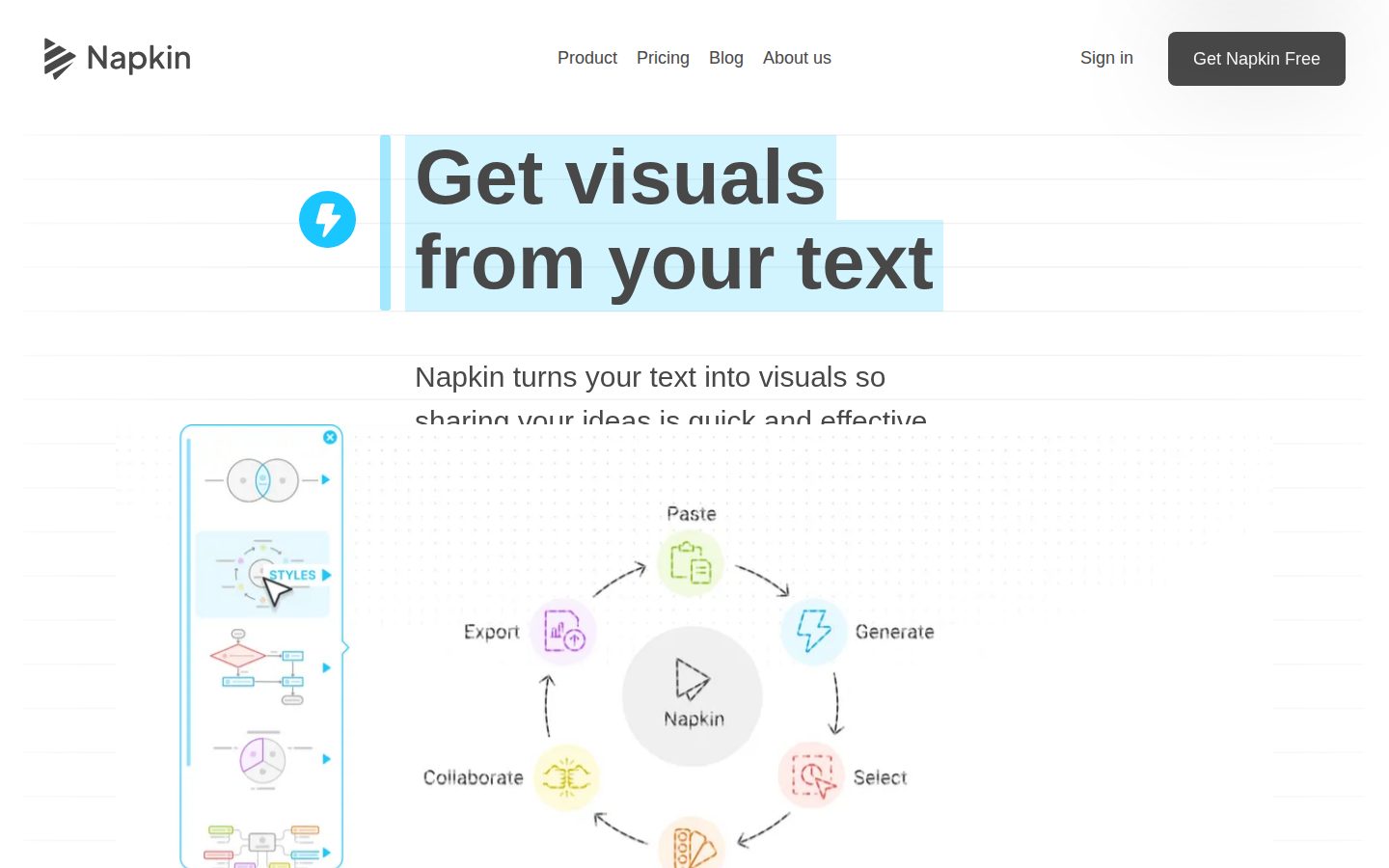
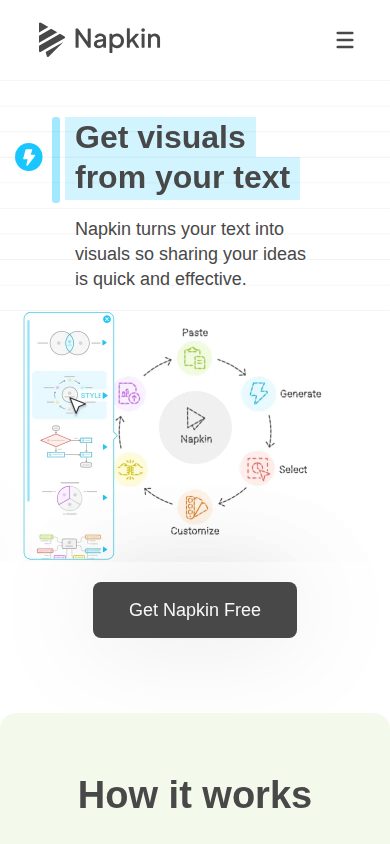
Napkin AI's core workflow starts with pasting or typing text into the app; Napkin analyzes the content and generates a matching visual, such as a diagram, chart, mind map, timeline, or flowchart, with no prompt engineering required. For presentations, the separate Napkin Slides product (currently in beta) first asks about the goal, audience, and content, produces an outline for approval, and then builds a full deck. In both cases, colors, shapes, layout, branding, and copy remain editable after generation, and outputs export to formats including PPT, PPTX, Google Slides, PDF, PNG, or SVG depending on the tool.

The product is split into specific generators built on the same text-to-visual engine: a Timeline Generator that orders notes or milestones into horizontal, vertical, circular, or diagonal layouts; a Chart and Graph Generator that reads pasted text or data and suggests fitting chart types (area, bar, barbell, funnel, Gantt, gauge, line, pie, Sankey, Venn, waterfall, and tables); a Flowchart Generator that works out step order and connections from a process description, in horizontal or vertical layouts with icon or minimal styles; and a Mind Map Generator that can build connected branches from text, notes, a document, a webpage, or a PDF. A developer API is also available, returning generated visuals as SVG, PNG, or PPT files in the built-in style or a custom brand style, and supports 60+ languages.

A privacy policy is published covering data handling, AI-subprocessor use, and a model-training opt-out. An AI Transparency page describes how the product uses AI, what the user remains responsible for, and what machine-readable AI-origin information supported exports can include.

Napkin AI is used for documents, blog posts, social content, presentations, and internal communication, and is aimed at people who need visuals without design skill. Pricing is tiered across Free, Plus, Pro, and Enterprise plans, differing by monthly AI credits, available export formats (PNG/PDF versus PPT/SVG), custom branding, and fonts; exact prices are on the pricing page. Generation and editing happen in the desktop web app; the mobile experience supports only viewing existing Napkins, not creating or editing them.

Features

AI

  • AI Transparency / Origin Information

    Adds machine-readable AI-origin information to supported exports indicating the content was AI-generated.

  • Chart and Graph Generator

    Turns pasted text or data into an editable chart, suggesting suitable chart types (area, bar, barbell, funnel, Gantt, gauge, line, pie, Sankey, Venn, waterfall) or tables without needing a spreadsheet first.

  • Flowchart Generator

    Turns a process, workflow, or list of steps into an editable flowchart by working out the order of steps and connecting them, with horizontal/vertical layouts and icon or minimal styles.

  • Mind Map Generator

    Turns text, notes, a document, a webpage, or a PDF into an editable mind map by working out how ideas relate and building connected branches in multiple layout orientations.

  • Napkin Slides

    An AI presentation agent that asks about goal, audience, and content, produces an approvable outline, and then builds a fully editable presentation deck (currently in beta).

  • Napkin Visuals (Text-to-Visual Generation)

    Converts pasted or typed text into diagrams, charts, mind maps, and icons without requiring prompts or design skill.

  • Timeline Generator

    Turns notes, events, or milestones into an editable timeline, automatically ordering dates and milestones into horizontal, vertical, circular, or diagonal layouts.

Core

  • Multi-format Export

    Exports generated visuals and decks to PPT/PPTX, Google Slides, PDF, PNG, or SVG.

  • Tiered Plans with AI Credits

    Offers Free, Plus, Pro, and Enterprise plans that differ by monthly AI credits, available export formats, custom branding, and fonts.

Customization

  • Custom Branding and Fonts

    Applies custom branding and fonts to generated visuals and slides, available on paid plans.

  • Editable Output

    Keeps every generated element—colors, shapes, layout, branding, copy—editable after generation rather than producing a static image.

Integration

  • Napkin API

    A REST API that accepts text and returns finished diagrams, flowcharts, mind maps, or charts as SVG, PNG, or PPT, supporting 60+ languages and custom brand styling for programmatic use.

Preview

Napkin AI desktop previewNapkin AI mobile preview

Pricing Plans

Free

Free

Free forever plan for individuals with lightweight usage

  • 500 AI credits per week
  • Unlimited visuals editing
  • Unlimited file import (PPT, DOC, PDF, HTML, MD)
  • Unlimited PNG & PDF export
  • Standard icons
  • Napkin branding on visuals
Popular

Plus

$9/monthly

For users wanting more credits and branding options, marked as Popular

  • 10,000 AI credits per month
  • Unlimited PPT & SVG export
  • 3 Brand Styles
  • Bold icons
  • Remove Napkin branding
  • Team management and billing

Pro

$22/monthly

For users needing exclusive designs and advanced custom branding

  • 30,000 AI credits per month
  • Exclusive designs
  • Unlimited Custom Branding
  • Upload your fonts
  • Team management and billing
  • Optional credit top ups

Enterprise

Contact sales

Custom plan for organizations; contact sales for pricing and details

  • Custom solutions for organizations

AI Panel Reviews

The Decision Maker

The Decision Maker

Strategic bet, vendor viability, timing, adoption approval
7.8/10

Paste text, get an editable diagram. Narrow job, done well.

“Napkin AI turns pasted text into diagrams, charts, and decks without prompting. $9 and $22 tiers make the trade-off between credits and branding explicit upfront.”

500 free AI credits a week, no credit card, every element stays editable after generation. That's a real try-before-you-buy, not a locked demo.

Two things stand out. The Chart Generator suggests the right chart type from pasted data, skipping the spreadsheet step. Napkin Slides adds an outline-approval step before building the deck, which beats a black-box generate button.

The gap: generation is desktop-only, mobile just views. Fine for someone at a laptop, annoying if your team drafts on phones. Credits reset weekly on Free, monthly on paid tiers at $9 and $22, so heavy users will hit the ceiling fast and need Pro's 30,000 credits. It won't replace a real design tool, but for turning a messy paragraph into a flowchart, it's a fast, specific win.

Competitive Positioning8.0

The ordering logic for timelines and flowcharts, plus a 60+ language API, is a sharper angle than a generic slide generator.

Reputation Risk7.2

A published privacy policy with a model-training opt-out and AI-origin export tagging is a good sign, though Enterprise terms are quote-only.

Speed to Value8.2

Paste text, get a usable editable diagram immediately with no prompt engineering or design skill required.

Strategic Fit7.5

Solves a real authoring gap (text to visual) rather than just discounting an existing tool in the stack.

Vendor Viability7.6

Docs, API reference, and a dedicated pricing page all exist, plus a beta product (Napkin Slides) actively being built out.

Pros

  • Free tier with 500 weekly credits and unlimited editing, no card required
  • Outputs stay fully editable, not flattened images
  • API returns SVG/PNG/PPT programmatically for 60+ languages
  • Outline-approval step in Napkin Slides before the deck gets built

Cons

  • No visual generation on mobile, viewing only
  • Credits cap usage, heavy users will need Pro at $22/month
  • Napkin Slides is still in beta
  • Enterprise tier has no visible price, requires a sales call

Right for

Anyone who writes a lot of process docs, reports, or decks and needs a quick diagram without opening a design tool.

Avoid if

Skip it if your team needs to generate visuals from a phone or needs guaranteed pricing at enterprise scale.

The Domain Strategist

The Domain Strategist

Craft and strategy in the product's domain — adapts identity per category, same lens
7.6/10

Napkin AI nails the structure-from-text problem but caps out as a drafting tool, not a brand system.

“Napkin AI is best thought of as a visual thinking accelerator, not a design tool with a ceiling for craft refinement. It's a strong first-draft engine that senior practitioners will still want to finish elsewhere.”

Napkin's engine is doing real work: reading a process description and inferring flowchart order, or parsing pasted notes into a Gantt or Sankey chart without a spreadsheet detour. That's a genuinely different interaction model from a blank canvas, and it's aimed squarely at people who think in text, not shapes. The ceiling is structural, though — 'custom brand styles' and font uploads on Pro at $22/month are brand compliance, not brand expression. There's no mention of a component library, no token system, nothing that behaves like a true design system over time.

For a creative lead managing output across a team, the shape fits early-stage ideation and internal comms, not polished client-facing decks. The flowchart and mind map generators replace a whiteboard session, not a Figma file.

Three years in, this becomes a habit for explainer graphics and status updates, with real output still finished in dedicated design tools. The API's 60+ language support and SVG/PNG/PPT return format suggest Napkin is positioning itself as an embeddable layer other products build on, which is a smarter long-term bet than competing directly as a standalone design suite.

Category Positioning7.5

Sits closer to a structured-content engine than a design suite, a distinct lane from general-purpose AI image or slide generators.

Domain Fit7.8

Matches how non-designers actually produce internal visuals from text, less so how senior designers iterate on craft.

Integration Surface8.0

The REST API returning SVG, PNG, or PPT with custom brand styling makes this embeddable into other tools rather than a destination app.

Long-term Implications7.0

Credit-based tiers (500/week free, 10,000/month at $9, 30,000/month at $22) mean usage habits get priced in gradually, not a hard lock-in but a creeping one.

Strategic Depth7.2

Chart and flowchart inference genuinely automates layout decisions, but styling per generator reads shallow next to a true design system.

Pros

  • Chart generator suggests specific types like Sankey, waterfall, and gauge straight from pasted data
  • API output in SVG, PNG, or PPT with brand styling makes it embeddable into other products
  • Plus tier at $9/month and Pro at $22/month both show real numbers, not a sales call

Cons

  • No evidence of a true component or token system, so brand consistency tops out at colors and fonts
  • Napkin Slides, the deck-building agent, is still in beta
  • Enterprise tier has no visible price for teams scaling usage

Right for

A creative lead who needs fast, on-brand first drafts of diagrams and decks without opening a design tool.

Avoid if

You need a design system with deep component and token control for finished client-facing work.

The Finance Lead

The Finance Lead

Money, total cost of ownership, contracts, procurement math
7.6/10

$9 to $22 per seat, credits metered weekly or monthly. Math is clean.

“Four tiers, three with visible numbers. Enterprise is the only black box.”

Free: 500 credits/week, no card. Plus: $9/month, 10,000 credits. Pro: $22/month, 30,000 credits, custom branding. Three tiers, three prices, no sales call needed for anything under Enterprise. Procurement likes that.

Run the math. 50 seats on Plus: $9 × 50 × 12 = $5,400/year. Move half the team to Pro for brand control and exclusive designs: add 25 × ($22-$9) × 12 = $3,900. Year-one all-in lands near $9,300 before Enterprise negotiation. Credit top-ups on Pro are optional but uncapped in cost — that's the line item finance should watch at year 3, not the base seat price.

Tradeoff: Chart and Graph Generator and the API are real capability, but none of it tells you what a deck or diagram is worth in dollars. ROI here is time-saved, not revenue-measured — fine for a $9 tool, harder to defend at Enterprise scale without a quoted number to model against.

Billing & Procurement7.5

Team management and billing included from Plus up, lowering onboarding friction versus seat-by-seat invoicing.

Contract Flexibility6.8

Monthly billing implied by the pricing page; no term-length or renewal language found to assess further.

Pricing Transparency8.5

Free, $9, and $22 tiers are all stated plainly; only Enterprise requires contact.

ROI Clarity6.5

Time-to-visual is the implied value, but nothing on the pricing page quantifies output value in dollars.

Total Cost of Ownership7.8

Credit-based tiers keep base cost predictable, but optional Pro credit top-ups are open-ended.

Pros

  • Three of four tiers have visible, specific monthly pricing
  • Plus tier at $9/month removes branding and unlocks PPT/SVG export, a clean upgrade trigger
  • Team management and billing bundled starting at Plus, not gated to Enterprise

Cons

  • Credit top-up pricing on Pro isn't quoted, making heavy-usage cost hard to model
  • Enterprise has no visible number, so large-team TCO requires a sales call
  • No stated contract term or renewal clause to evaluate lock-in risk

Right for

Teams under 50 seats who can live inside Plus or Pro credit caps without custom contracts.

Avoid if

You need Enterprise-scale pricing locked down before budget approval season.

The Domain Practitioner

The Domain Practitioner

Daily hands-on reality in the product's domain — adapts identity per category, same lens
7.6/10

Fast layout engine, thin canvas control — great for the first draft, not the final polish pass

“Napkin AI nails the blank-page problem by turning pasted text into a working diagram in seconds. The ceiling for pixel-level control is the real question once you're past the first export.”

Paste a process description into the Flowchart Generator and it works out step order and connections on its own. No prompt box, no node-by-node placement. That's a genuine win over starting from a blank Figma frame or a whiteboard tool — the layout decision is made for you, which is exactly the labor I don't want to do for an internal slide.

The gap shows once you want art-direction-level control. Icon or minimal styles, horizontal or vertical — that's the extent of the styling levers I can see. No mention of a layer panel, no nested grouping, no custom snapping behavior. For a quick chart or mind map that's fine. For anything going into a polished deck under brand guidelines, you're editing shapes one at a time after generation, which is a different workflow than designing one.

The API returning SVG/PNG/PPT in a custom brand style is the one piece that suggests real production thinking, not just a demo trick.

Day-3 Reality7.5

Generation is the strong part; once past it you're hand-editing shapes with no stated layer or grouping tools.

Documentation Practitioner-Fit7.5

The AI Transparency page and published privacy/opt-out policy read as written for people actually shipping client work, not just marketing copy.

Friction Surface7.0

Weekly credit resets and generation-only-on-desktop are two small walls you hit repeatedly across a work week.

Power-User Depth7.0

Chart types run deep (Sankey, Gantt, waterfall, Venn) but styling options per generator look limited to a couple of layout/style toggles.

Workflow Integration7.0

Fits a paste-and-export habit well, but no mobile generation means it's a desktop-only step in any workflow.

Pros

  • Flowchart and Timeline generators infer structure without manual node placement
  • Chart generator covers unusual types like Sankey, waterfall, and barbell out of the box
  • API accepts custom brand styling for programmatic, on-brand output

Cons

  • No stated layer panel or grouping controls for fine-grained layout edits
  • Styling options per generator appear limited to a couple of layout/style toggles
  • Visual generation is desktop-only, which breaks flow for anyone sketching on the go

Right for

A PM or marketer who needs a clean diagram or deck fast and can live with light post-edit polish.

Avoid if

You need pixel-precise control over shapes and layout the way you'd expect from a dedicated design tool.

The Power User

The Power User

Daily human experience, onboarding, polish, learning curve, reliability
7.6/10

Paste text, get a diagram that doesn't look like a diagram tool made it.

“Napkin AI takes the busywork out of turning a paragraph into a flowchart or timeline, and the output stays editable instead of landing as a flat image. The seams show once you look for grouping or layer controls, and once you leave your laptop.”

First ten minutes here feels less like software and more like typing a status update and watching it turn into a Gantt chart. That's a genuinely good first-run feeling, not demo glow, because the free tier gives you 500 credits a week to actually test it without a card. No setup wizard, no template gallery to dig through.

Where it gets interesting is month three, when you've generated forty of these and start noticing the gaps. The chart generator handles weird formats like Sankey and waterfall fine, but there's no layer panel for nudging things once the auto-layout gets close but not quite right. You end up re-pasting text and hoping the next pass lands better instead of hand-fixing the one you have, which feels like going around the problem instead of through it.

Reliability-wise there's nothing alarming, outputs are editable not flattened, which matters for trust over time. Napkin Slides is still in beta, so treat deck-building as promising, not finished. At $9 and $22 a month for Plus and Pro, it's priced like a tool you keep open in a tab, not one you schedule time for.

Daily Polish7.6

Auto-ordering timelines and flowcharts from plain text shows real care in the core loop, though per-generator styling is limited to a couple of toggles.

Learning Curve7.8

The text-in, visual-out model scales well from first hour to month three, though lack of fine-grained layout controls caps how far you can push it.

Mobile Parity3.5

Generation and editing are desktop-only; mobile is view-access, which undercuts the pitch for anyone working away from a laptop.

Onboarding Experience8.2

No prompt engineering needed and a free 500-credits-a-week tier means you're producing real output in minutes, not reading docs first.

Reliability Feel7.3

Editable, non-flattened outputs suggest a stable core, but Napkin Slides being in beta means the newer deck-building path is still unproven.

Pros

  • Timeline, flowchart, and mind map generators all infer structure from plain text, no manual setup
  • Free tier gives 500 weekly credits with unlimited editing and file import to actually test before paying
  • API supports 60+ languages and custom brand styling for teams building this into other products

Cons

  • No layer panel or grouping tools for fine-tuning once auto-layout gets close but not exact
  • Napkin Slides, the full deck builder, is still in beta
  • Mobile only lets you view existing work, not generate anything new

Right for

Anyone who regularly turns meeting notes or process docs into visuals and wants to skip the design-software detour.

Avoid if

Avoid if you need to sketch or generate visuals away from a desktop, since mobile is view-only.

The Skeptic

The Skeptic

Contrarian. Watch-outs, deal-breakers, broken promises, category patterns
7.0/10

Text-to-diagram is real. The output format is still a hostage situation.

“Napkin AI does what the tagline says: paste text, get an editable chart or flowchart. The question is what happens to those credits and brand styles the day you want to leave.”

No prompt engineering, just paste text and get a flowchart or Sankey chart. Fine, that's believable — the generator list (Gantt, waterbell, waterfall, gauge) reads like actual engineering, not a marketing wishlist.

What I'd watch: exit. Exports go to PPT, PNG, PDF, SVG — good, those are open formats, not a proprietary lock. But the auto-layout and brand styles live inside Napkin's engine. Leave for another tool and you're rebuilding structure, not just reformatting a file. That's portability on paper, not in practice.

Napkin Slides is still beta — fine, betas ship or die, that's the normal lifecycle, not a red flag by itself. The $9 Plus and $22 Pro tiers are real numbers, which is more honesty than most freemium pages manage. Enterprise is a sales call, standard for that tier. Competitive angle: this replaces manual diagramming inside a doc tool, not a specific named rival — I'd call that a real gap, not a copycat pitch.

Competitive Differentiation7.0

Text-to-visual with no prompt step and a credit-metered API is a distinct mechanic, though I have no named rival in front of me to benchmark it against.

Exit Portability6.0

Exports to PPT/PNG/SVG are open formats, but auto-generated structure and brand styles aren't trivially rebuilt elsewhere if you switch tools.

Long-term Viability6.8

Docs, API reference and a pricing page all exist; I couldn't find a changelog, which just means I can't verify release cadence either way.

Marketing Honesty7.5

The 'no design skill needed' claim is backed by named generators (Timeline, Flowchart, Mind Map) with specific layout options, not vague promises.

Track Record Match7.2

Chart types listed (Sankey, Gantt, waterfall, barbell) are specific enough to check against output, a good sign; Napkin Slides being beta is honestly disclosed.

Pros

  • Chart Generator names unusual types (Sankey, waterfall, gauge, barbell) suggesting real engineering depth
  • AI Transparency page discloses origin-marking on exports, an unusual honesty move
  • Plus and Pro tiers show real numbers ($9, $22), not a gated sales call

Cons

  • Auto-generated structure and brand styles make clean migration to another tool harder than the open export formats suggest
  • Napkin Slides, the deck-building half of the product, is still unproven at full release
  • No changelog turned up in my check, so release cadence is hard to verify from outside

Right for

Someone who needs a flowchart or chart out of raw text fast and doesn't need pixel-level layout control.

Avoid if

Skip it if you need guaranteed portability of your visual structure to another tool down the line.

Buyer Questions

Common questions answered by our AI research team

Pricing

What's the difference between Free, Plus, and Pro plans?

Free is $0/month with 500 AI credits per week, unlimited editing, unlimited file import, and PNG/PDF export but with Napkin branding. Plus is $9/person/month with 10,000 credits/month, PPT & SVG export, 3 Brand Styles, and no branding. Pro is $22/person/month with 30,000 credits/month, unlimited custom branding, exclusive designs, and font uploads.

Features

What file formats can I export visuals to?

Visuals can be exported as PPT, PNG, PDF, and SVG files, ready to drop into PowerPoint, Google Slides, Keynote, Notion, or any other tool.

Features

Can I use Napkin AI on my phone?

You can view existing work on mobile and create and edit presentations directly from your phone, but visual generation isn't available on mobile yet, so desktop remains the best experience for creating visuals.

Security

Does Napkin AI use my data to train its models?

Napkin follows standard data protection practices to keep data encrypted and private, and will not use your data to train its models if you opt out of data sharing. AI subprocessors are contractually prohibited from using customer data to train their models.

Features

Can teams collaborate on the same Napkin project?

Teams can invite members to a shared Teamspace, edit Napkins together in real time, and use built-in commenting and highlighting to share feedback directly on Visuals and Slides.

Also in AI Design Tools