Seafile logo

Seafile Review

Visit

Self-hosted file sync, share, and organization with AI-powered properties

Seafile is an open-source, self-hosted file sync and share platform for teams and organizations that want control over their own data.

AI Panel Score

7.5/10

6 AI reviews

Reviewed

AI Editor Approved

About Seafile

Users deploy Seafile on their own infrastructure, then interact with it through web browsers, desktop sync clients, or mobile apps. The core workflow involves uploading or syncing files, assigning custom properties to those files, and then filtering, sorting, or grouping them across multiple view types. Built-in collaborative documents (SeaDoc) support real-time co-editing, revision workflows, and Markdown, while a Wiki module lets teams build nested, access-controlled knowledge bases.

Seafile's distinguishing capabilities include multi-level file tagging with parent-child relationships, AI-assisted generation of file descriptions and tags, and granular sharing permissions that extend to sub-folders, share link passwords, and expiration dates. Enterprise features include advanced encryption, file history recovery, and audit logs for compliance requirements. The platform supports viewing and editing multiple file formats online, including Office documents.

Seafile targets IT teams, enterprises, and technically proficient organizations that require on-premises or private cloud file management rather than relying on third-party SaaS storage. It competes in the self-hosted file sync category alongside Nextcloud and ownCloud. A Community Edition is available for free; a Pro Edition with additional enterprise features is offered under a paid license. Pricing details are available on the Seafile website.

Seafile provides a public REST API, server documentation, and supports deployment on Linux. Client applications are available for Windows, macOS, Linux, iOS, and Android, enabling file access and sync across all major platforms.

Features

AI

  • AI-Generated File Properties

    AI automatically generates file descriptions and extracts key information to populate custom file properties.

  • AI-Powered File Tagging

    Automatically generates file tags using AI, with support for multi-level parent-child tag relationships for structured categorization.

Collaboration

  • Built-in Collaborative Docs (SeaDoc)

    Enables real-time co-editing with teammates, supporting revision and review workflows, embedded videos and tables, and Markdown export.

  • Collaborative Wiki

    Allows teams to create and share a knowledge base with nested subpages, read-only or edit permissions, embedded elements, and full version tracking.

Core

  • Comprehensive Cloud Storage

    Supports online viewing and editing of multiple file formats including Office and text, with highly efficient file syncing across any device.

  • Flexible File Views

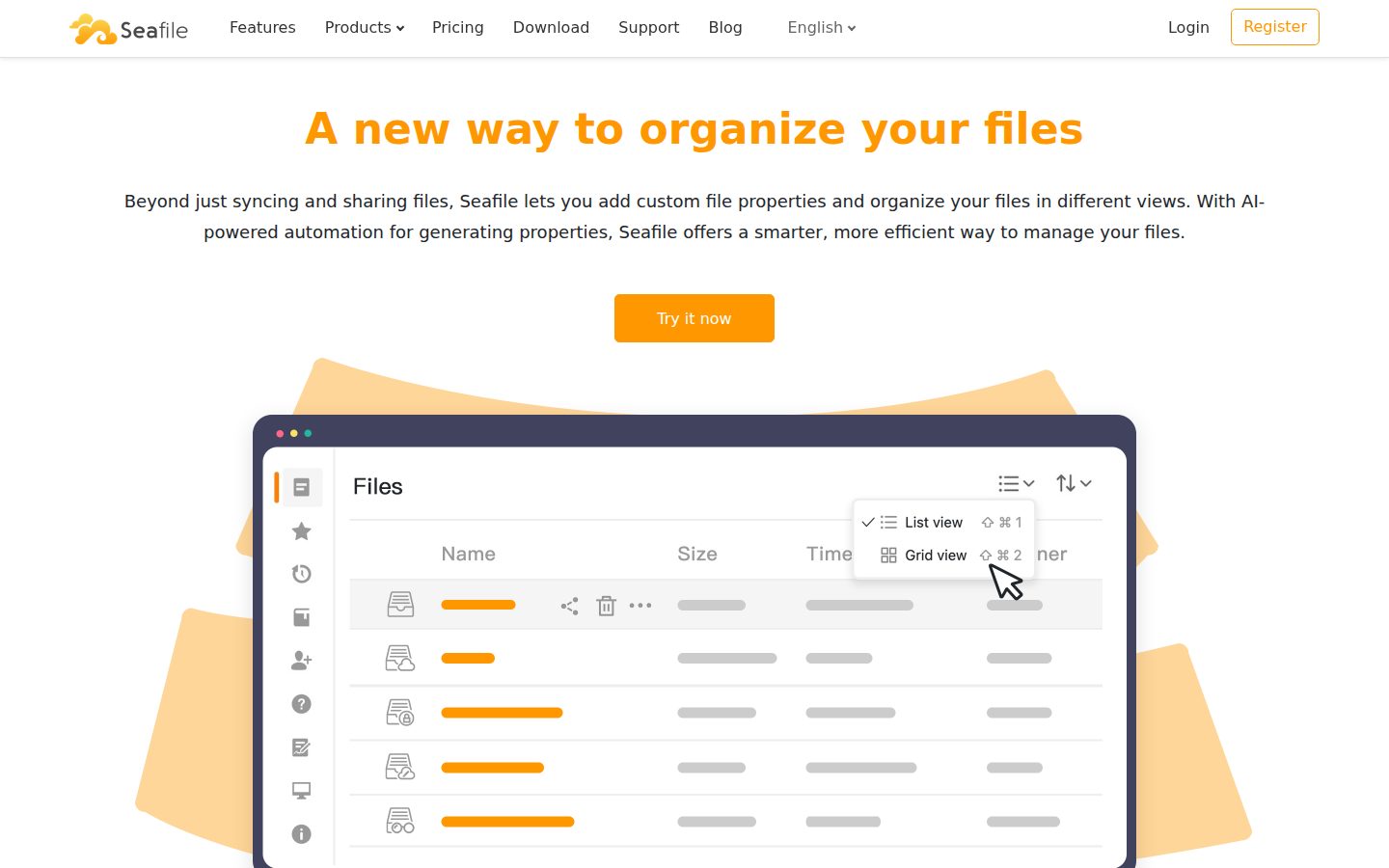
    Organize files into table, gallery, kanban, and map views based on custom file properties, with support for filtering, sorting, grouping, and hiding.

Customization

  • Extensible File Properties

    Assign custom properties to files such as owner, status, and security level, then filter, sort, and find files using those properties.

  • Sub-folder Custom Permissions

    Controls access at every level by allowing custom permissions to be set individually for sub-folders.

Security

  • Enterprise-Grade Security & Compliance

    Provides advanced encryption, backup technologies, file history recovery, and comprehensive audit logs to meet compliance requirements.

  • Flexible Sharing Permissions

    Provides granular permission controls including read/write, read-only, and preview, with password protection, expiration time, and access control for share links.

Preview

Seafile desktop previewSeafile mobile preview

Pricing Plans

Community Edition

Free

Free and open source edition for individuals and organizations who want self-hosted file sync and share.

  • Multi-platform file sync
  • Mobile clients
  • Virtual drive clients
  • Share libraries with groups/users
  • Version control
  • Public link

Pro Edition - 3 Users

Free

Free Pro Edition license for up to 3 users. Includes all Pro features at no cost.

  • File locking
  • Fine-grained folder permission
  • Full text search
  • LDAP/AD authentication
  • Single Sign On (ADFS/Shibboleth)
  • Antivirus integration

Pro Edition - Up to 9 Users

$8/monthly

Special flat-rate offer for small businesses with up to 9 users. $100/year total.

  • File locking
  • Fine-grained folder permission
  • Full text search
  • LDAP/AD sync
  • Role-based account management
  • Audit log
Popular

Pro Edition - 10 to 249 Users

$4/monthly

Per-user annual subscription for teams of 10–249. $48/user/year (educational: $24/user/year).

  • File locking
  • Fine-grained folder permission
  • Full text search
  • LDAP/AD sync
  • Remote wipe
  • OnlyOffice & CollaboraOnline integration

Pro Edition - 1000+ Users

Contact sales

Custom pricing for large organizations with 1000 or more users. Contact Seafile sales for a quote.

  • All Pro Edition features
  • AWS S3 support
  • LDAP/AD sync
  • Single Sign On
  • Antivirus integration
  • Optional paid support plan with remote sessions

AI Panel Reviews

The Decision Maker

The Decision Maker

Strategic bet, vendor viability, timing, adoption approval
7.5/10

The 15-year-old self-hosted alternative to Dropbox that finally added AI properties.

Founded 2009. Open-source community plus paid Pro and Enterprise. The bet: data-residency-first orgs that still want modern file-collaboration features.

Founded 2009 in Beijing. Open-source community edition plus Pro and Enterprise tiers. Fifteen years of self-hosted file sync — outlasted ownCloud's split, outlasted Google Drive's server-side hesitations.

Two things matter for the buying call. One: the only real reason to pick Seafile is data residency or air-gap deployment requirements. If you don't have either, Dropbox or Google Drive ship faster and integrate broader. Two: the new AI-powered file properties — auto-tagging, custom metadata views — pull this product into the modern collaboration era for the first time.

If compliance, sovereign data, or air-gap is the constraint, Seafile is the most credible mature option. Compare Nextcloud: also self-hostable, broader feature set, less mature sync engine. If those constraints don't apply, you're overbuying complexity.

Competitive Positioning7.5

Strongest sync-engine maturity in the self-hosted category; loses on feature breadth to Nextcloud.

Reputation Risk7.0

Solid in compliance and air-gap circles; lower brand recognition than Nextcloud in Western enterprise.

Speed to Value6.5

Self-hosted setup is real DevOps work — not a 30-minute onboarding like SaaS file sync.

Strategic Fit7.0

Strong fit for compliance-driven orgs; weak fit for general-purpose collaboration where SaaS already works.

Vendor Viability8.5

Fifteen years of operation, profitable open-source-plus-paid model — durable across multiple market cycles.

Pros

  • 15 years of profitable shipping puts Seafile past most consolidation events in the category
  • Self-hosted and air-gap deployment options that compliance teams actually accept
  • New AI-powered file properties pull the product into modern collaboration shape

Cons

  • Self-hosted setup is genuine DevOps work — wrong choice if SaaS file sync would meet your needs
  • Western enterprise brand recognition is lower than Nextcloud despite stronger sync technology
  • Feature breadth (chat, calendar, video calls) is thinner than Nextcloud's integrated suite

Right for

Compliance-driven, sovereign-data, or air-gap deployments where self-hosted file sync is non-negotiable.

Avoid if

You have no data-residency or air-gap constraint and Dropbox or Google Drive would just work.

The Domain Strategist

The Domain Strategist

Craft and strategy in the product's domain — adapts identity per category, same lens
7.8/10

A Git-style file sync engine wrapped in modern collaboration UX — the technical core most competitors lack.

Seafile's sync engine is content-addressed and chunked, Git-shaped under the hood. That architectural choice is why it scales where Nextcloud strains.

The architectural call defines the product. Seafile's sync engine treats files as content-addressed chunks, deduplicating across versions and across users. That's a Git-style data model adapted for binary files. Nextcloud uses a more traditional file-based sync model that strains at scale — millions of files in a single library is where Seafile pulls ahead.

If we adopt this for sovereign data, in 3 years our infrastructure looks like a Git server with a collaboration UI on top. The lock-in lives in the sync protocol; the data is filesystem-shaped and exportable. AI-powered file properties extend the schema without compromising the underlying file model — the right architectural choice.

Integration surface is REST API, WebDAV, and S3 backend support. Standard for the category. The Pro tier adds SSO, AD integration, and S3/object storage backends — table-stakes enterprise integration.

Category Positioning7.5

Strongest technical core in self-hosted file sync; loses on integrated-suite breadth to Nextcloud.

Domain Fit8.0

Maps to how IT teams actually run sovereign infrastructure — Linux servers, S3 backends, AD integration.

Integration Surface7.5

REST API, WebDAV, S3 backend support cover standard enterprise integration patterns.

Long-term Implications8.0

Sync protocol is proprietary but data is filesystem-shaped — exit migration is a copy operation.

Strategic Depth8.5

Content-addressed chunked sync is the architectural depth that distinguishes Seafile from file-based competitors.

Pros

  • Content-addressed chunked sync is the architectural shape that scales to multi-million-file libraries
  • S3 backend support means storage cost can be modeled and capped independently from compute
  • AI-powered file properties extend schema without compromising the underlying file model

Cons

  • No integrated chat, calendar, or video stack — Nextcloud bundles these natively
  • Sync protocol is Seafile-specific; client ecosystem is smaller than WebDAV or SMB-compatible tools
  • Self-hosted means your team owns uptime, backup, and DR — significant ongoing operational cost

Right for

Engineering or IT orgs with multi-million file libraries needing self-hosted sync at scale.

Avoid if

Your file libraries are small enough that Nextcloud's broader feature set is the better tradeoff.

The Finance Lead

The Finance Lead

Money, total cost of ownership, contracts, procurement math
7.5/10

Free community edition. Pro at $48/user/year. Cheapest data-residency option in the category by a wide margin.

When data residency is a hard requirement, the comparison isn't Dropbox at $20/seat/month. It's Box Governance at $30+/seat. Seafile lands at $4.\n\n

Pro tier: $48/user/year. Community edition: free for unlimited users, no AD or SSO.

100 users × $48 × 1 = $4.8K/year for licensing. Add infrastructure cost for self-hosting — call it $200-500/month for a meaningful deployment. Year-1 all-in: $7-10K. Compare Box Governance at $30/seat × 100 × 12 = $36K/year, or Egnyte at similar bands. The savings are real once the residency constraint forces you out of mainstream SaaS pricing.

The hidden cost is operational. Self-hosting means you employ or contract someone to run it. Add 0.25-0.5 FTE of sysadmin time at $100K loaded cost. Total Year-1 lands closer to $30-40K. Still cheaper than Box at scale, but not the $4.8K headline.

Billing & Procurement7.0

License purchase is straightforward; ongoing infrastructure billing follows your hosting choice (AWS, on-prem).

Contract Flexibility8.0

Annual or perpetual licensing, no auto-renewal traps documented, community edition is free forever.

Pricing Transparency8.5

Pro tier price is published per user per year; Enterprise tier requires contact-sales — category-typical.

ROI Clarity7.5

Cost savings vs SaaS competitors are direct when residency constraint is real; harder to justify otherwise.

Total Cost of Ownership7.5

Sticker is low but operational cost (self-hosting FTE) is the real TCO line — model both before deciding.

Pros

  • $48/user/year Pro tier is roughly 1/8th of comparable SaaS file sync at the same compliance posture
  • Community edition is free forever for teams not needing AD, SSO, or audit logs
  • No auto-renewal traps and perpetual licensing options give finance teams predictable spend

Cons

  • Self-hosting operational cost (0.25-0.5 FTE) is the real TCO line and is easy to underestimate
  • Enterprise tier pricing requires sales conversation for accurate annual budget modeling
  • Infrastructure costs (compute, storage, backup) sit outside the license line and need separate forecasting

Right for

Compliance-driven orgs with data residency constraints and existing self-hosted infrastructure capability.

Avoid if

Your team has no DevOps capability and the SaaS sticker price comparison is misleading without ops cost.

The Domain Practitioner

The Domain Practitioner

Daily hands-on reality in the product's domain — adapts identity per category, same lens
7.5/10

Self-host with Docker, point at S3, integrate AD — Seafile fits standard IT workflows without surprises.

Day-3 reality: the sync engine is fast and stable, the admin UI is functional. Day-30 reality: AD integration and S3 backend are the features that determine whether you stay.

Docker compose ships in the public docs. Point Seafile at an S3 bucket for storage, MariaDB for metadata, configure AD via LDAP. Standard sysadmin workflow — no exotic dependencies.

Day-three reality: sync feels native. Mac, Windows, Linux, mobile clients all work. The chunked sync protocol means a 50GB library syncs in chunks instead of restarting on connection drops. Compare Nextcloud: still gets that wrong on flaky networks.

Day-thirty fight is the admin UI. It's functional but the design is 2014-era — not the polished SaaS aesthetic IT teams have come to expect. Permissions configuration is granular but configuring 50 libraries with overlapping ACLs takes longer than it should. The new AI-powered file properties feature is genuinely useful for tagging legacy file dumps. Free community edition is all most teams need until SSO becomes a hard requirement.

Day-3 Reality8.0

Sync engine is mature and stable across Mac, Windows, Linux, and mobile — fewer edge cases than Nextcloud.

Documentation Practitioner-Fit7.5

Setup guides include Docker, K8s, and AD examples — written for IT, not for marketing.

Friction Surface7.0

Admin UI is functional but dated; configuring overlapping ACLs across 50+ libraries is real work.

Power-User Depth7.5

AI-powered properties, custom views, granular permissions — depth scales for advanced admins.

Workflow Integration8.0

Docker, S3, MariaDB, LDAP — every dependency is something IT teams already run.

Pros

  • Chunked sync protocol survives flaky networks where Nextcloud restarts large transfers
  • Standard IT dependencies (Docker, S3, MariaDB, LDAP) — no exotic pieces to maintain
  • New AI-powered file properties save real time on tagging legacy file libraries

Cons

  • Admin UI design is 2014-era; SaaS-trained IT teams will feel the dated UX
  • Configuring overlapping ACLs across many libraries is granular but tedious
  • Mobile clients exist but feature parity with desktop is partial

Right for

IT and DevOps teams comfortable running Docker, AD, and S3 — looking for self-hosted file sync at scale.

Avoid if

Your team needs a polished SaaS-grade admin UI without configuration depth.

The Power User

The Power User

Daily human experience, onboarding, polish, learning curve, reliability
7.0/10

A self-hosted Dropbox alternative that does what it says — not glamorous, just reliable.

Once your team is set up, you forget Seafile is there. Which is exactly what you want from file sync.

Seafile doesn't look exciting. The web UI is clean but feels 2018, not 2024. The mobile apps are fine, not delightful. That's the honest first impression. But it stays out of your way — the sync runs, files land in the right places, and you stop thinking about it. That's 80% of what file sync is supposed to do.

The AI-powered file properties feature is the one place the product gets ambitious. You can have it auto-classify documents, generate tags, build kanban or gallery views over your files. That's genuinely useful for any team drowning in unorganized PDFs and screenshots.

The real cost isn't the price — Pro is $48/user/year, which is nothing. It's the setup. If your IT person isn't comfortable with Docker and Linux, this is the wrong choice. If they are, it's the most stable self-hosted file sync you can run. Cheaper than Box, more grown-up than Nextcloud.

Daily Polish6.5

Web UI feels 2018-era; mobile apps are functional; nothing about it feels delightful.

Learning Curve7.5

First hour fiddly with admin setup; daily use becomes invisible after the first week.

Mobile Parity6.5

Mobile apps work but lag desktop in features and UI polish.

Onboarding Experience6.0

Self-hosted setup needs IT capability — first 10 minutes are not welcoming for non-technical users.

Reliability Feel8.5

Sync is genuinely stable across networks; 15 years of refinement shows in the daily reliability.

Pros

  • Sync is genuinely reliable — 15 years of refinement means it just works
  • AI-powered file properties make tagging and organizing legacy file dumps useful
  • $48/user/year is essentially free compared to SaaS file sync alternatives

Cons

  • Web UI design feels years behind modern SaaS aesthetics
  • Self-hosted setup requires IT involvement — non-technical users hit a wall
  • Mobile experience is functional but not on par with the desktop product

Right for

Teams with capable IT support who want reliable self-hosted file sync without SaaS dependency.

Avoid if

You expect a polished modern UI and immediate setup without involving an IT specialist.

The Skeptic

The Skeptic

Contrarian. Watch-outs, deal-breakers, broken promises, category patterns
7.5/10

15 years old, profitable, narrowly differentiated — the rare self-hosted vendor that's already survived.

Three green flags from a category that mostly produced gravestones: Seafile is profitable, has a real technical core, and ships consistently.

Founded 2009. Profitable. Still shipping. Three signals that put Seafile past the survival window where most self-hosted file sync products live and die — ownCloud split, Pydio pivoted, BitTorrent Sync was discontinued.

Green flags. Real chunked sync engine, not a wrapper around rsync. Active changelog with new feature work, including the AI-powered properties addition this year. Pro and Enterprise tiers with actual paying customers signaling business model durability.

One yellow flag worth naming. The Western enterprise brand recognition is lower than Nextcloud, which leads on integrated suite features and won the marketing battle in EU and US enterprise. Seafile is stronger technically but has been quieter strategically. The AI-properties launch suggests they're responding to category modernization pressure. Could go either way over the next 3 years — but the 15-year survival record is the strongest viability signal in the category.

Competitive Differentiation7.0

Strongest sync engine technically; loses brand and feature-breadth war to Nextcloud in Western enterprise.

Exit Portability8.0

Data is filesystem-shaped — exit migration is a copy operation, not a vendor extraction project.

Long-term Viability8.5

Profitable, durable, technical core remains differentiated — most reliable signal set in self-hosted file sync.

Marketing Honesty8.0

Pricing and feature claims are direct; no inflated language about 'reinventing' file sync.

Track Record Match9.0

15 years of profitable shipping in a category where most competitors disappeared inside five.

Pros

  • 15 years of profitable operation is the strongest survival signal in self-hosted file sync
  • Chunked sync engine is real technical depth — not a wrapper around rsync or WebDAV
  • AI-powered file properties addition shows the team is still responding to category pressure

Cons

  • Western enterprise brand recognition is lower than Nextcloud despite stronger technical core
  • Feature breadth (integrated chat, calendar, video) is thinner than Nextcloud's suite story
  • Strategic marketing has been quiet for years — easy to miss when evaluating the category

Right for

Teams who value technical maturity and profitability over feature breadth in self-hosted file sync.

Avoid if

You want the brand-leader pick in the self-hosted category and Nextcloud's suite breadth matters more.

Buyer Questions

Common questions answered by our AI research team

Pricing

How much does Seafile Pro cost for 15 users?

15 users costs $48/user/year × 15 = $720/year. Educational pricing is $24/user, totaling $360/year.

Features

Can Seafile automatically tag files using AI?

Yes. Seafile includes AI-powered automatic generation of file tags as a built-in feature.

Integration

Does Seafile support Single Sign-On with ADFS?

Yes. Single Sign-On with ADFS is a Pro Edition feature, not available in the Community Edition.

Security

Is audit logging available on the free Community Edition?

No. Audit Log is a Professional Edition feature only; the Community Edition does not include it.

Setup

Do I need a license file to run Pro for 3 users?

No license file is needed to run the Pro Edition for up to 3 users.

Also in Communication Tools