Spline logo

Spline Review

Visit

3D design tool for the web, with real-time collaboration

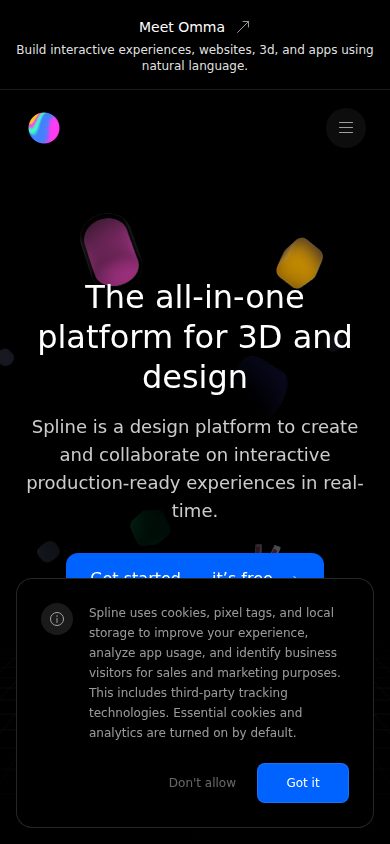
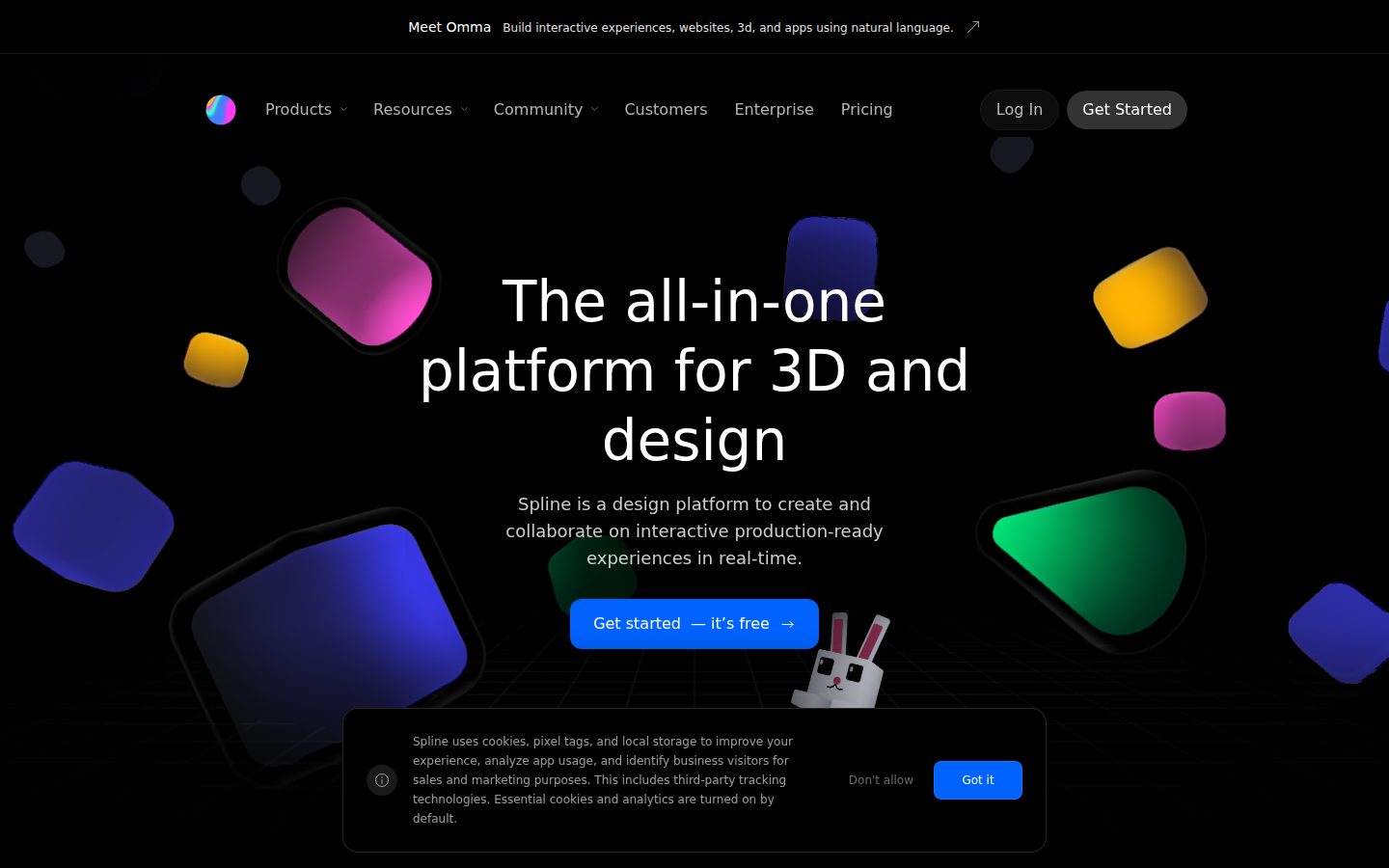
Spline is a browser-based 3D design tool for creating interactive 3D graphics, animations, and scenes for web projects.

AI Panel Score

8.0/10

6 AI reviews

Reviewed

AI Editor Approved

About Spline

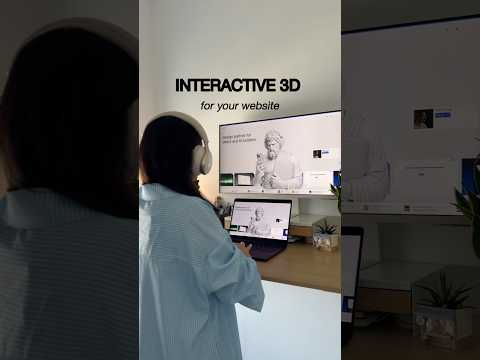
Users work inside a browser-based editor where they can create and manipulate 3D objects, apply materials and lighting, rig animations, and define interactive behaviors triggered by mouse, scroll, or keyboard events. The workflow follows a layer-and-scene structure familiar to users of tools like Figma, lowering the learning curve compared to software such as Blender or Cinema 4D.

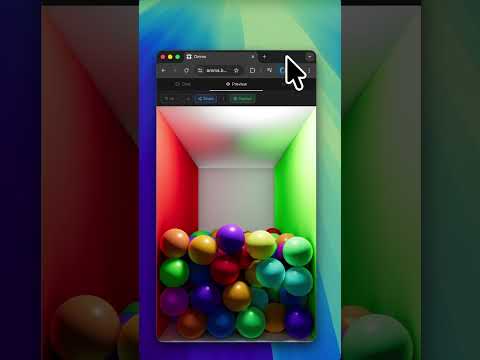
Spline includes a physics engine for simulating gravity and collisions, a parametric geometry system for non-destructive shape editing, and AI-based tools for generating 3D objects from text prompts or images. Finished scenes can be exported as React components, vanilla JavaScript embeds, iframes, video files, or images, with the exported 3D remaining fully interactive in the browser via WebGL.

Spline targets UI/UX designers, front-end developers, and motion designers who need to produce web-ready 3D content without a dedicated 3D pipeline. It offers a permanent free plan with core features and a paid Teams plan starting at around $9 per editor per month billed annually. It competes with Rive for interactive web animation, Jitter for motion graphics, and to a lesser extent with Blender and Cinema 4D for 3D creation, though those tools target different workflows.

The application runs entirely in a web browser with no desktop installation required, though native Mac and Windows apps are also available. Real-time multiplayer collaboration is supported, and the platform provides a public community hub where users can duplicate and remix published scenes.

Features

Automation

  • Variables, Webhooks & APIs

    Connects real-time external data into 3D experiences through Variables, Webhooks, and API integrations.

Collaboration

  • Real-Time Collaboration

    Lets multiple team members work simultaneously on the same design, add comments, and share a live link to the project.

Core

  • Infinite Canvas with Frames & Auto Layout

    Provides an infinite 2D/3D design canvas with frames and auto layout tools for organizing and structuring design compositions.

  • Physics & Particles

    Adds physics simulation and particle effects to scenes for dynamic, lifelike interactive experiences.

  • Primitives & 3D Modeling

    Provides built-in 3D primitives and modeling tools so designers can create and shape 3D objects within the platform.

  • Real-Time 3D Rendering

    Renders 3D scenes in real-time directly in the browser, allowing designers to see changes instantly without offline processing.

  • States & Events System

    Enables interactive experiences by attaching events and state changes to 3D objects, controlling behavior on user input.

  • Timeline Animation

    Provides a timeline-based animation editor for creating keyframed motion sequences on 3D and 2D elements.

  • Vector Networks

    Allows creation of custom 2D shapes using a flexible vector network system within the design canvas.

Customization

  • Layer-Based Materials

    Lets users build unique surface materials using multiple stacked layers or select from a ready-made material library.

  • Visual Effects

    Enhances designs with shadows, blurs, glass effects, and 3D projections applied to elements on the canvas.

Integration

  • Multi-Platform Export

    Exports interactive 3D scenes as embeddable code snippets, web components, or URLs compatible with Web, iOS, and Android targets including Webflow, Framer, Wix Studio, React, Next.js, Swift, and Kotlin.

Preview

Spline desktop previewSpline mobile preview

Pricing Plans

Free

Free

Get started with basic 3D design for free

  • Limited 3D & 2D files
  • Unlimited viewers
  • Web exports with watermark
  • Access to Spline Templates

Starter

$12/monthly

For individuals who need more files and cleaner exports

  • Unlimited 3D & 2D files
  • Upload video
  • No watermark on web exports
  • Higher resolution image exports
  • Spline's material & audio library
Popular

Professional

$20/monthly

For professionals needing full export options and collaboration

  • Unlimited folders and projects
  • Video export
  • Apple & Android exports
  • Unlimited scenes per file
  • Unlimited Variables, APIs & Webhooks
  • No watermark on web embeds

Spline AI Add-on

$5/monthly

Optional AI add-on for Starter or Professional plans

  • 2000 AI credits per seat/month
  • AI 3D Generation
  • AI Texture Generation
  • AI Style Transfer
  • Buy extra credits

Enterprise

Contact sales

Custom pricing for large teams needing advanced security, SSO, and support

  • Centralized licensing and billing
  • Multiple teams with team privacy
  • SAML Single Sign-On (SSO)
  • File version history
  • Custom onboarding and training
  • Priority support

AI Panel Reviews

The Decision Maker

The Decision Maker

Strategic bet, vendor viability, timing, adoption approval
8.1/10

Browser-native 3D at $12/month is a real unlock for design teams.

Spline makes interactive 3D for the web accessible to designers who'd otherwise need a full developer pipeline. The $20 Professional tier unlocks iOS, Android, and API integrations — that's the one to evaluate seriously.

The pricing structure tells the story. Free plan has a watermark. Starter at $12 removes it. Professional at $20 adds Apple and Android exports plus webhooks and API access. The AI features are a $5 add-on, which is the right call — keeps the core pricing clean and lets power users opt in.

The States & Events system and Multi-Platform Export are what separate Spline from Rive in practical terms. Designers can wire up scroll and mouse interactions and ship embeddable WebGL without touching code. That's a real workflow shift, not just a cost save. The tradeoff: complex scenes can get heavy fast, and no public changelog makes it harder to track platform stability before committing a production dependency.

No public funding data, so vendor viability is the open question. The community remixing hub and free tier suggest they're playing for scale. Pilot it on one web project at Professional tier before standardizing.

Competitive Positioning7.8

Rive owns the pure animation segment but Spline's physics engine and 3D modeling depth give it ground Rive doesn't cover.

Reputation Risk8.0

Spline is cited in design circles alongside Figma integrations — Webflow and Framer compatibility makes adoption look current, not experimental.

Speed to Value8.3

Browser-based, no install, free tier with Spline Templates means a designer can produce an embeddable 3D scene same day.

Strategic Fit8.5

Multi-Platform Export to React, Next.js, Swift, and Kotlin advances the product surface area, not just cuts cost on existing work.

Vendor Viability7.2

No public funding data available, but freemium scale play and Spline, Inc. incorporation suggest a real company — not a side project.

Pros

  • Multi-platform export to React, Webflow, Swift, and Kotlin covers the full modern stack
  • Physics engine and States & Events system enable real interactivity, not just decorative 3D
  • Real-time collaboration ships on every paid tier starting at $12/seat
  • AI 3D generation available as a $5/month add-on — priced to test, not to trap

Cons

  • No public changelog makes production dependency harder to justify to engineering
  • Free plan exports include a watermark — client-facing work requires paid tier immediately
  • No public funding data; runway is unknown
  • Complex scenes risk performance issues in production WebGL without careful optimization

Right for

Design teams shipping interactive web or mobile products who want to move 3D asset production in-house without hiring a dedicated 3D engineer.

Avoid if

Your team needs cinema-grade rendering or a stable offline pipeline for complex 3D production work.

The Domain Strategist

The Domain Strategist

Craft and strategy in the product's domain — adapts identity per category, same lens
8.1/10

Spline brings library-grade 3D tooling to designers who've never touched Blender.

Browser-native, Figma-familiar layer structure, and a $20/month Professional tier that unlocks iOS, Android, and web exports. This is a real design system for interactive 3D, not a novelty generator.

The States & Events system is the tell. That's not animation tooling — that's interaction architecture. Someone on the Spline team has shipped production UI before. Combined with the parametric geometry system and layer-based materials, the craft ceiling here is genuinely high for web-targeted 3D work. It won't replace Cinema 4D for cinematic rendering, but that's not the product.

The export surface is what makes this strategically serious: React components, Next.js embeds, Swift, Kotlin, Webflow, Framer — all from one scene file. If we adopt this, in 3 years our design team owns 3D web assets without a handoff bottleneck. The dependency risk is WebGL performance at scale, which the tool can't fully abstract away.

Against Rive, Spline trades vector animation depth for true 3D geometry. That's a real tradeoff depending on your motion language. The AI add-on at $5/month for 2,000 credits is priced as an accelerant, not the core — which is the right call.

Category Positioning8.0

Spline owns a distinct lane — browser-native interactive 3D — that Rive doesn't cover and Blender was never designed for.

Domain Fit8.0

Layer-and-scene structure mirrors Figma's mental model, meaning senior UI/UX designers don't need to re-learn spatial thinking from scratch.

Integration Surface8.5

Native integrations with Webflow, Framer, Next.js, and Kotlin cover the full stack a modern design team actually ships to.

Long-term Implications7.8

Multi-platform export to React, Swift, and Kotlin is a genuine three-year bet on designer-owned 3D assets, but WebGL performance ceilings are a real constraint at production scale.

Strategic Depth8.3

Physics engine, parametric geometry, and a States & Events system signal design-system-level thinking, not a shallow 3D wrapper.

Pros

  • States & Events system enables real interaction design, not just motion
  • Multi-platform export (web, iOS, Android) from a single scene file at $20/month Professional
  • Figma-familiar layer structure dramatically lowers 3D onboarding time
  • Community hub with remixable scenes accelerates team ramp-up

Cons

  • AI generation is a $5/month add-on with credit limits, not embedded in core workflow
  • Free plan watermarks web exports — limits stakeholder previews without upgrading
  • No changelog listed publicly, making it harder to track stability for production dependency
  • Rive still has deeper vector animation control for 2D-dominant motion systems

Right for

UI/UX and motion design teams who need production-ready interactive 3D for web and app without building a separate 3D pipeline.

Avoid if

Your motion language is vector-dominant and 2D-first — Rive's animation depth will serve you better.

The Finance Lead

The Finance Lead

Money, total cost of ownership, contracts, procurement math
7.8/10

$9/seat entry with a clean free tier — AI credits are the bill to watch

Spline publishes 4 tiers without a sales call. The AI add-on at $5/seat/month is the sleeper cost that inflates year-3 math.

Four visible tiers. Free plan exists and isn't fake — unlimited viewers, web exports, just watermarked. Professional at $20/seat/month is the real working tier: unlocks video export, Apple and Android exports, unlimited Variables and Webhooks. 50 editors × $20 × 12 = $12K/year. Add 30% seat creep: year 3 lands near $19K before the AI add-on.

That add-on is the variable. $5/seat/month × 50 × 12 = $3K/year. 2,000 AI credits per seat per month — no published overage rate on extra credits. That's the unquantified exposure. Compare to Rive: no equivalent AI generation add-on, but also no 3D scope. Different budget line.

Enterprise pricing is undisclosed, SSO is gated there — category norm, still a tax. No changelog visible per the evidence. Contract terms aren't public. Procurement should ask about auto-renewal window before signing annual.

Billing & Procurement8.0

Self-serve signup with a free plan and no sales-gated tiers below Enterprise keeps procurement friction low.

Contract Flexibility6.5

No public auto-renewal window or termination-for-convenience clause visible in the evidence — annual billing terms need direct procurement confirmation.

Pricing Transparency8.5

All four paid tiers visible on the pricing page without a sales call; AI add-on is separated and clearly priced at $5/seat/month.

ROI Clarity7.5

Designer-led 3D export eliminating developer dependency is a concrete, measurable headcount savings argument.

Total Cost of Ownership7.0

Professional at $20/seat is predictable, but no published overage rate on AI credits creates an unquantifiable year-3 exposure.

Pros

  • Free plan is functional — unlimited viewers, web exports, no time limit
  • 4 tiers published without a sales call — procurement friction is low
  • Professional at $20/seat includes multi-platform export: web, iOS, Android
  • AI features separated as an add-on — teams that don't need it don't pay for it

Cons

  • No published overage rate for AI credits beyond the 2,000/seat/month allotment
  • SSO gated to Enterprise — undisclosed price, category-standard hostage
  • Auto-renewal and cancellation terms not publicly documented
  • No changelog visible — harder to assess velocity or stability

Right for

UI/UX and motion design teams at 5-50 seats shipping interactive 3D to web without a dedicated 3D pipeline.

Avoid if

Your team needs SSO on a known budget — Enterprise pricing is undisclosed and will require a sales call.

The Domain Practitioner

The Domain Practitioner

Daily hands-on reality in the product's domain — adapts identity per category, same lens
8.1/10

Figma-native 3D for web designers who can't afford a Blender detour

Spline brings 3D object creation, physics, and interactive states into a layer-panel workflow that Figma users will recognize on day one. The free tier watermarks web exports, which forces a $12/month Starter decision earlier than you'd like.

The layer-and-scene structure is the right call. Designers don't want to relearn viewport navigation from Cinema 4D — they want objects, materials, and a timeline. Spline's parametric geometry system and non-destructive editing mean you're not baking yourself into a corner on the first session. The States and Events system for scroll and mouse triggers is genuinely useful for the hero-section 3D that most web design briefs now demand.

The friction shows up at export time. Watermarked web embeds on the free plan push you to $12/month fast, and the Variables, Webhooks, and API integrations are locked behind the $20 Professional tier. Rive handles reactive animation with tighter file-size discipline — if performance budgets matter on your project, that gap is real. The AI 3D generation add-on at $5/month is interesting but sits separate from the core workflow.

For a UI designer who needs to ship interactive 3D to Webflow or Framer without filing a dev ticket, Spline removes real pipeline friction. Power users will eventually hit the limits of browser-based modeling, but for web-targeted 3D, the depth is sufficient.

Day-3 Reality7.8

Familiar layer panel lowers early friction, but watermarked exports on the free plan create a forcing function that surfaces on the first real deliverable.

Documentation Practitioner-Fit7.2

Docs exist and the community hub lets users duplicate and remix scenes, which is practical learning — but no changelog is publicly surfaced, making it hard to track what changed week to week.

Friction Surface7.5

Parametric geometry and real-time rendering reduce iteration friction, but Variables and API integrations require the $20/month Professional plan, fragmenting the feature set.

Power-User Depth7.9

Physics simulation, particle systems, and a States and Events system offer real depth beyond basic primitives, though complex multi-layer materials and advanced rigging will eventually hit browser-based ceiling.

Workflow Integration8.4

Direct exports to React, Next.js, Webflow, and Framer fit the actual handoff chain — designers can ship without a developer intermediary.

Pros

  • Layer-and-scene structure maps directly onto Figma muscle memory
  • Multi-platform export (Web, iOS, Android, React, Webflow, Framer) covers most real-world handoff scenarios
  • Physics and interactive States system enables genuinely dynamic hero sections without dev involvement
  • Permanent free plan lets designers evaluate before committing

Cons

  • Web exports are watermarked until $12/month Starter — free plan is demo-only for client work
  • Variables, Webhooks, and APIs locked behind $20/month Professional tier
  • No public changelog makes it hard to track product velocity
  • Rive competes directly on interactive animation with tighter runtime performance

Right for

UI/UX designers who need to ship interactive 3D to web without a dedicated 3D pipeline or developer dependency.

Avoid if

Your project has strict web performance budgets where Rive's lightweight runtime is a hard requirement.

The Power User

The Power User

Daily human experience, onboarding, polish, learning curve, reliability
8.1/10

3D on the web finally doesn't require a three-month learning spiral

Spline makes browser-based 3D genuinely accessible for designers who'd never touch Blender. The free plan watermarks exports, but $12/month clears that hurdle fast.

The Figma-style layer-and-scene structure is doing real work here. Designers who already live in 2D tools won't spend their first week just figuring out the interface. The States & Events system means you can make things react to scroll and click without writing a line of code. That's not a small thing. That's the whole pitch, and the docs suggest it actually delivers.

The export story is legitimately impressive. React components, iframes, Webflow, Framer, Swift, Kotlin — the Multi-Platform Export feature covers more ground than Rive does out of the box. At $20/month for Professional you're unlocking Apple and Android exports plus Variables and Webhooks. For what you're getting, that's not an aggressive price.

The tradeoff is the browser runtime. Complex scenes pushing WebGL hard will feel different on a $400 Chromebook than on a MacBook Pro, and that's your user's problem, not yours. AI generation is a $5/month add-on with 2,000 credits — useful for rough blocking, not a replacement for real modeling skills.

Daily Polish8.0

Layer-based materials, visual effects, and parametric geometry suggest a team that sweated the editor experience, though no changelog is publicly visible to verify iteration pace.

Learning Curve7.8

The familiar UI lowers entry cost versus Blender or Cinema 4D, but the physics engine, timeline animation, and States system will take real weeks to feel fluent in.

Mobile Parity5.5

No mobile editor is listed anywhere in the evidence — web, Mac, and Windows only — so mobile is a viewer experience at best, not a creation surface.

Onboarding Experience8.3

A Figma-familiar structure plus a free community hub full of remixable scenes means new users have working examples on day one, not a blank canvas anxiety spiral.

Reliability Feel7.5

Browser-based real-time 3D rendering is inherently load-sensitive, and no public changelog makes it hard to assess how aggressively they're chasing stability bugs.

Pros

  • Export to React, Webflow, Framer, Swift, and Kotlin without a developer in the room
  • Free plan lets you build and test before spending anything
  • Physics, particles, and a States & Events system in one browser tab
  • Real-time multiplayer collaboration included on paid plans

Cons

  • Free plan watermarks every web export — you'll notice it fast
  • No mobile editor, which limits on-the-go iteration
  • AI generation is a separate $5/month add-on, not baked in
  • Heavy scenes will perform differently across devices and that's the designer's problem to solve

Right for

UI/UX designers and front-end developers who need interactive 3D on the web without building a full 3D production pipeline.

Avoid if

You need offline-first tools or a mobile editing surface for field work.

The Skeptic

The Skeptic

Contrarian. Watch-outs, deal-breakers, broken promises, category patterns
7.8/10

3 green flags, 2 yellow ones — real product, real gaps

Spline fills a genuine gap: web-ready interactive 3D without a Blender pipeline. The pricing is honest, the feature breadth is real, but missing signals worry me.

Feature list holds up under scrutiny. Physics engine, States & Events, WebGL exports to React/Next.js/Swift — that's not vaporware. The $9-$20/seat range is defensible. Free tier with watermark is a classic land-and-expand move that actually works. Figma-like layer structure lowers onboarding friction versus Cinema 4D. That's a real moat for the UI/UX-to-3D crossover buyer.

Two yellow flags. No changelog listed in the capabilities scan — that's the first thing I check. Shipping cadence is invisible from the outside. No public funding data either. Rive survived because they had clear runway signals. Spline doesn't show those cards.

The exit story is uncomfortable. WebGL embeds and React components are yours after export, but source files are Spline-native. If they disappear, you keep the output, not the edit history. That's not unique to Spline — Figma has the same problem — but worth naming.

Competitive Differentiation8.2

Rive wins on vector animation; Spline owns the interactive 3D-for-web lane with physics, parametric geometry, and native iOS/Android export at $20/seat.

Exit Portability6.2

Exported React components and iframes are portable, but source scene files are proprietary — no open format for the editing layer.

Long-term Viability6.5

No changelog, no public funding signals, no SLA page — the docs exist but the operational transparency a 3-year bet needs isn't visible.

Marketing Honesty7.5

'All-in-one platform' is the kind of superlative that ages poorly, but the feature list on the pricing page matches the claims without obvious padding.

Track Record Match7.0

Matches the Figma-for-X playbook that worked; also matches the browser-based 3D graveyard (see: Clara.io, Vectary near-misses) — could go either way.

Pros

  • WebGL export to React, Next.js, Swift, and Kotlin at $20/seat is genuinely hard to replicate elsewhere
  • Free tier with watermark is a low-friction entry that actually converts — standard freemium playbook done right
  • Physics engine plus States & Events system in a browser editor — that's a Blender workflow compressed to no-install

Cons

  • No changelog visible — shipping cadence is a black box
  • Source files are Spline-native; you own the output, not the editable source
  • AI features gated behind a separate $5/month add-on on top of already-paid tiers
  • No public funding data — runway is unverifiable

Right for

UI/UX designers and front-end developers who need embeddable interactive 3D on the web without learning Blender.

Avoid if

You need long-term source file portability or vendor transparency before committing a production pipeline.

Buyer Questions

Common questions answered by our AI research team

Setup

Can I use Spline without installing any software?

Spline is entirely web-based, so no software installation is required. You design, collaborate, and preview directly in the browser, though desktop apps are also available to download if preferred.

Features

Which platforms can Spline export 3D experiences to?

Spline exports to Web, iOS (Apple), and Android, enabling integration into websites, apps, and digital products across all three platforms.

Integration

Does Spline integrate with Webflow or Framer?

Yes, Spline integrates with Webflow, Framer, Wix Studio, HTML/JS, React, Next.js, Swift, and Kotlin.

Features

Can non-developers add 3D animations to a website with Spline?

Yes. Designers can build and export 3D experiences without developer involvement. As one user notes, before Spline a developer was needed just for 3D integration — now designers handle assets independently.

Pricing

Is Spline free to get started?

Yes, getting started with Spline is free, as stated on the homepage: "Get started — it's free."

Also in AI Design Tools