Traceforce logo

Traceforce Review

Visit

Security for AI agents beyond the browser

Traceforce is an on-device security platform for monitoring and controlling AI agents, MCPs, and CLI tools.

Traceforce·FreemiumFree PlanFree TrialAI SecurityAI Agents & AssistantsAI Analytics

AI Panel Score

7.3/10

6 AI reviews

Reviewed

Facts checked against traceforce.ai

AI Editor Approved

About Traceforce

Traceforce installs on-device rather than operating as a browser extension or network proxy, giving it visibility into AI activity across browser-based AI tools, desktop applications, and command-line agents. It tracks tool calls made by MCPs and CLI agents and can intervene to stop actions it identifies as dangerous, such as an AI agent corrupting records in a system like Netsuite, deleting a production database, or an unvetted third-party MCP exfiltrating production tokens to an external site.

The platform includes TraceGraph, described as incident intelligence that captures prompts, tool calls, reasoning, and outcomes rather than just logging processes the way legacy security tools do. Traceforce also performs automated remediation, patching AI packages on-device under policy with audit logs instead of requiring manually written remediation scripts. It maintains a curated library of over 1,000 vetted MCP connectors and can detect and quarantine malicious MCPs. Deployment connects through existing MDM tools, including Jamf, JumpCloud, NinjaOne, and Iru, with onboarding described as taking under 15 minutes.

Traceforce is built for IT and security teams responsible for securing fleets of devices where employees use AI apps and agents, including organizations that describe themselves as powering Fortune 500 companies. The site offers a free trial and a free-standing open-source MCP scanner, though specific plan names and pricing are not published.

Features

Analytics

  • AI App and MCP Inventory

    Provides a full inventory of what AI apps and MCPs each employee is using across the device fleet in under 30 minutes.

  • TraceGraph Incident Intelligence

    Reveals prompts, tool calls, reasoning, and outcomes behind AI activity, going beyond legacy process logs for incident investigation.

Automation

  • Automated Remediation

    Auto-patches AI packages on-device according to policy, with audit logs, removing the need for manual remediation scripts.

Core

  • 15-Minute Self-Serve Onboarding

    Lets IT teams connect their MDM and secure their device fleet in under 15 minutes without complex custom integrations.

Integration

  • MDM Partner Integration

    Integrates with Jamf, JumpCloud, NinjaOne, and Iru so IT teams can deploy across a device fleet using existing MDM tools.

Security

  • Dangerous Action Blocking

    Tracks every tool call from MCPs to CLIs and stops dangerous actions from being executed in real time.

  • On-Device AI Monitoring

    Runs directly on the device to monitor browser AI, desktop apps, and CLI agents for full visibility instead of relying on network-based inspection.

  • Open-Source MCP Scanner

    Scans and vets MCP connectors to detect and quarantine malicious or unvetted third-party MCPs.

Preview

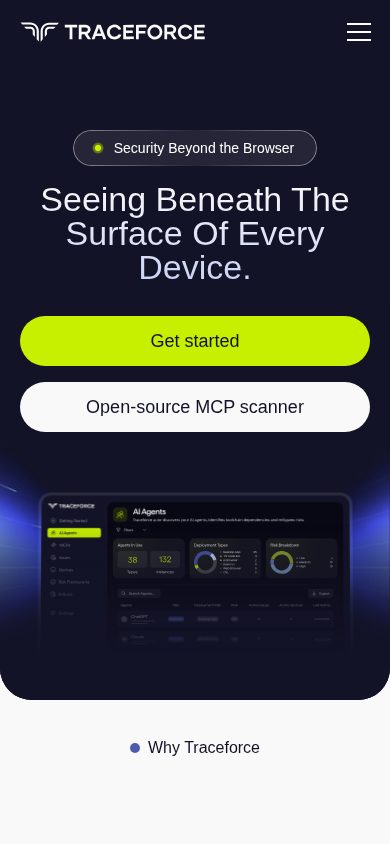
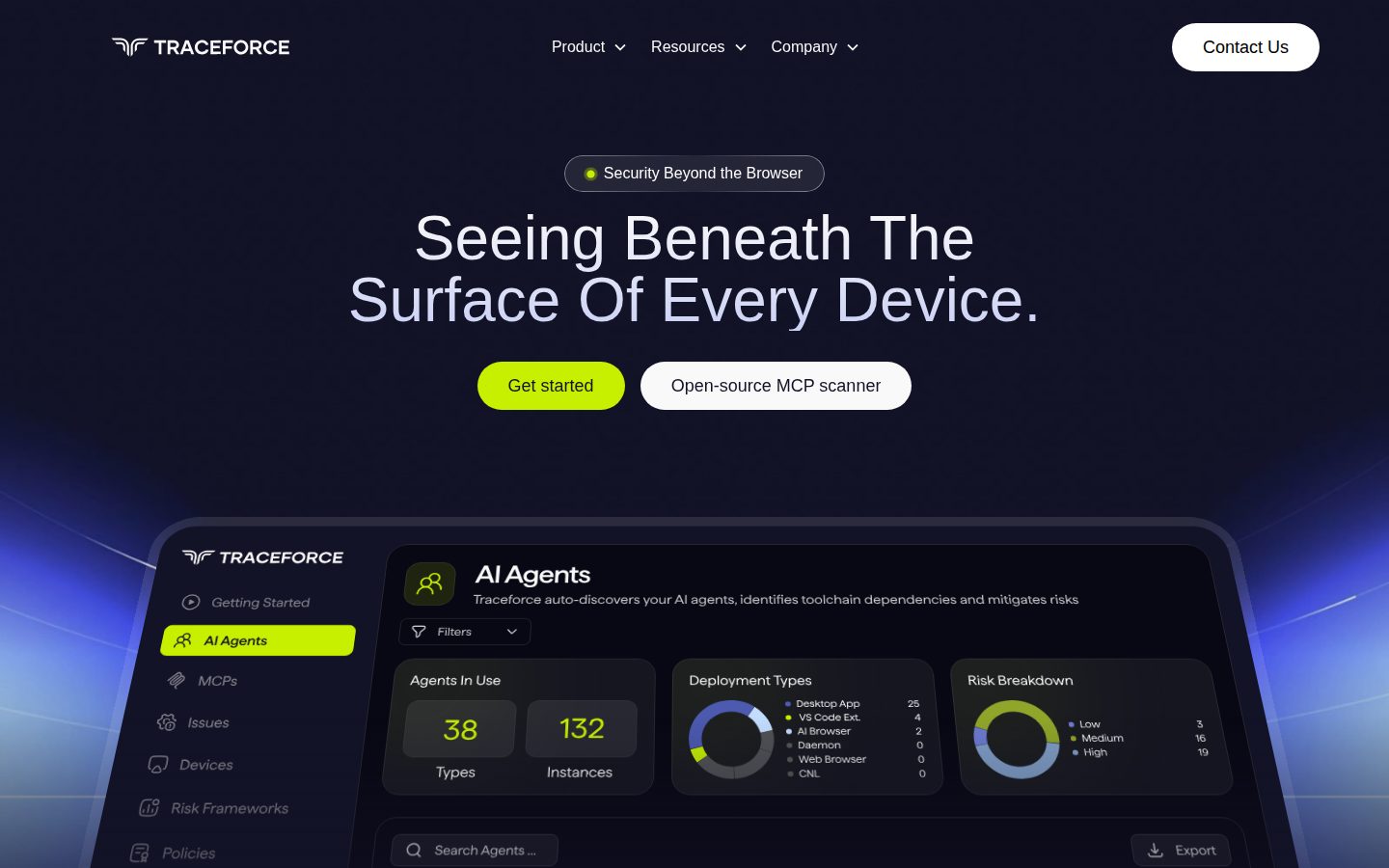
Traceforce desktop previewTraceforce mobile preview

Pricing Plans

Free Trial

Free

For teams wanting to try the product, up to 10 devices for 30 days, no credit card required

  • Risk assessment over 900+ AI apps and MCPs
  • Sensitive data leakage detection in Claude, ChatGPT and Copilot
  • Detect dangerous actions for Claude Code, Cursor and Codex
  • API access to all telemetry
  • Up to 10 devices for free
Popular

Pro Plan

Contact sales

Per device pricing billed monthly or yearly, for organizations needing unlimited devices and runtime control

  • All features in Free Trial
  • Runtime control over Claude Cowork, ChatGPT desktop
  • Admin controls for connectors
  • MCP registry with security approval process
  • Unlimited devices

Enterprise Plan

Contact sales

Custom pricing built for large orgs needing flexibility, scale, and governance; contact sales for details

  • All features in Pro
  • Single sign-on (SSO)
  • Multi-tenant support
  • Dedicated support
  • Onboarding services

AI Panel Reviews

The Decision Maker

The Decision Maker

Strategic bet, vendor viability, timing, adoption approval
7.8/10

On-device visibility into AI agents, CLIs and MCPs that browser extensions physically can't see.

“Traceforce moves past the browser-tab problem most AI security tools stop at. The real question is pricing — both paid tiers are quote-only.”

Most AI security plays watch a browser tab. Traceforce sits on the device and watches Claude Code, Cursor, desktop apps, and CLI agents — the stuff a browser extension never sees. That's a real architectural difference, not a repackaging.

The free trial is generous: 10 devices, 30 days, no card, risk assessment across 900+ AI apps and MCPs, API access to full telemetry. TraceGraph capturing prompts and reasoning alongside tool calls is a genuine step past process logs. The 1,000+ vetted MCP library and quarantine function address a threat model — malicious third-party MCPs — that's barely two years old as a category.

Two gaps. Pro and Enterprise are both contact-sales, so I can't tell you what unlimited devices actually costs. And automated remediation that patches AI packages under policy is powerful — I'd want to see the audit trail before trusting it unattended.

Competitive Positioning8.2

On-device architecture plus a 1,000+ MCP vetting library gives it visibility a browser-extension or network-proxy approach structurally can't match.

Reputation Risk7.0

On-device agents with automated remediation need clear audit and rollback guarantees; the audit log claim is there but contract terms for Enterprise aren't public.

Speed to Value8.0

Under-15-minute onboarding via existing MDM tools like Jamf and JumpCloud means no custom integration work before first value.

Strategic Fit8.0

Covers CLI and desktop agents most security tooling ignores, advancing coverage rather than just cutting cost on an existing browser tool.

Vendor Viability7.5

15-minute self-serve onboarding and a published free trial with real feature depth suggest active building, though I couldn't find a changelog to confirm release cadence.

Pros

  • On-device monitoring covers browser AI, desktop apps and CLI agents in one platform
  • Free trial includes 10 devices and full telemetry API access, no card required
  • TraceGraph captures reasoning and tool calls, not just process logs
  • Native integration with Jamf, JumpCloud, NinjaOne and Iru avoids custom fleet work

Cons

  • Pro and Enterprise pricing both require a sales call, no per-device number published
  • Automated package remediation under policy demands trust in a system I can't fully audit from outside

Right for

IT and security teams managing device fleets where employees already run CLI agents and desktop AI tools.

Avoid if

Skip it if your AI usage is browser-only and a lighter extension-based tool already covers you.

The Domain Strategist

The Domain Strategist

Craft and strategy in the product's domain — adapts identity per category, same lens
7.6/10

An on-device control plane for agentic AI risk that I'd pilot narrow before I'd standardize wide.

“Traceforce addresses a real gap — agent and MCP activity that never crosses a network proxy — with a kernel-level posture most browser-only tools can't match. My hesitation is less about capability and more about what a single always-on agent means for my endpoint risk model three years out.”

Every CISO I know is wrestling with the same blind spot: agents and CLI tools that act locally, off any inspectable network path. Traceforce's answer is to live on the endpoint itself, watching tool calls from MCPs and desktop AI apps before they execute. That's the right threat model for where agentic AI is actually heading, not where it was two years ago.

What I want from a vendor asking for this level of device access is a long governance runway: SSO and multi-tenant support sit in Enterprise, audit logging is built into remediation, and the curated connector library (1,000+ vetted MCPs) gives me a chokepoint for shadow-MCP sprawl. That's a credible control surface for a security architecture review, not just a monitoring dashboard.

My open question is concentration risk. One more privileged agent running on every laptop, patching packages under its own policy engine, is a single point of failure I now have to defend to auditors. The free trial's 10-device, 30-day window with full API telemetry access is the right way to stress-test that trust before signing anything with Pro or Enterprise.

Category Positioning7.5

Sits ahead of network-proxy and browser-extension tools for CLI and MCP coverage, in a category still defining its own boundaries.

Domain Fit8.0

Device-level visibility into CLI agents and desktop AI apps matches how security teams now have to think about agentic risk, beyond the browser perimeter.

Integration Surface7.9

Native hooks into Jamf, JumpCloud, NinjaOne, and Iru mean this slots into existing fleet operations rather than requiring a parallel management plane.

Long-term Implications7.0

A privileged, always-on endpoint agent with auto-remediation authority is a 3-year governance commitment, not a lightweight tool swap.

Strategic Depth7.8

TraceGraph's capture of reasoning and outcomes, not just process logs, pushes past commodity EDR-style telemetry into genuine agent-behavior forensics.

Pros

  • Kernel-level visibility into CLI agents and desktop AI apps that proxy-based tools structurally can't see
  • Curated library of 1,000+ vetted MCP connectors gives IT a real chokepoint against unvetted third-party tools
  • Free trial includes full API access to telemetry across 10 devices for 30 days with no card required

Cons

  • Granting one platform both monitoring and auto-remediation authority on every endpoint raises its blast radius if compromised or misconfigured
  • Enterprise-grade governance features like SSO and multi-tenancy sit behind a sales call with no visible per-device number
  • A young entrant in a fast-moving category means its threat-detection maturity is still being proven against real adversarial pressure

Right for

Security teams who already manage their fleet through Jamf, JumpCloud, NinjaOne, or Iru and need visibility into agentic AI activity outside the browser.

Avoid if

You're not ready to grant a third-party agent standing remediation authority on every managed device in your fleet.

The Finance Lead

The Finance Lead

Money, total cost of ownership, contracts, procurement math
6.8/10

Free tier is priced. The two tiers that matter are not.

“10 devices, 30 days, full telemetry API, no card. The two tiers an actual fleet needs, Pro and Enterprise, both require a call.”

Free Trial has numbers: 10 devices, 30 days, no credit card. Good faith pricing. Then it stops. Pro is 'per device, monthly or yearly' — no digit attached. Enterprise adds SSO and multi-tenant, custom quote.

Run the math nobody can run yet. 50 devices on Pro, unknown per-device rate, times 12, times 3 years — I can't build that model without a number. Compare to a flat per-seat SaaS line item: procurement can model that in an afternoon. Here it's a call, a quote, a negotiation.

Freemium with an unpriced core tier is a specific pattern: land free, meter later. Not dishonest — just opaque at the point finance needs clarity most. The free trial de-risks the pilot. It doesn't de-risk the renewal.

Billing & Procurement6.0

No-card trial lowers procurement friction at pilot stage, but Enterprise add-ons like SSO sit behind a sales cycle that slows larger rollouts.

Contract Flexibility6.0

Monthly or yearly billing is offered on Pro, which at least avoids a forced multi-year lock, but terms beyond that aren't visible to me.

Pricing Transparency5.0

Free Trial is fully specified; Pro and Enterprise both read 'contact sales' with no per-device figure.

ROI Clarity7.0

A 15-minute onboarding claim and a 30-day free trial with API access give a buyer a fast, measurable pilot window before any spend commitment.

Total Cost of Ownership5.5

Unlimited devices on Pro sounds good until you try to price fleet growth at year 3 with no base rate published.

Pros

  • Free Trial specifies exact limits: 10 devices, 30 days, no card
  • Monthly or yearly billing option on Pro avoids an automatic annual lock-in
  • API access to telemetry included even in the free tier, useful for evaluation

Cons

  • Pro plan has no published per-device rate, blocking any real 3-year cost model
  • Enterprise pricing is fully custom with no anchor figure to negotiate against

Right for

IT teams that can get a quote and run their own per-device math before committing budget.

Avoid if

You need a board-ready 3-year cost projection before the first sales call.

The Domain Practitioner

The Domain Practitioner

Daily hands-on reality in the product's domain — adapts identity per category, same lens
7.6/10

Kernel-level agent visibility is real, but policy-writing for auto-remediation needs its own runbook

“Traceforce gives IT a single on-device hook into browser AI, desktop apps, and CLI agents without building a proxy. The question for a security engineer is whether the policy layer governing automated patching is mature enough to trust unattended.”

The pitch that matters to me is tool-call interception before execution, not just logging after the fact. Stopping an agent from corrupting Netsuite records or deleting a production database requires the controller to understand the semantics of the call, not just flag an anomalous process. That's a different engineering bar than most EDR agents clear, and TraceGraph capturing reasoning alongside tool calls gives incident response something to actually read instead of reconstructing intent from timestamps.

Day-3 concern: automated remediation patches AI packages under policy with audit logs. Good instinct, but policy authoring for a tool this new is where I'd expect friction — false positives on a legit MCP update, or a patch pushed fleet-wide before staging. I'd want a dry-run or shadow mode before trusting write access across devices.

Onboarding under 15 minutes via Jamf, JumpCloud, NinjaOne, or Iru is a real integration story, not a glued-together script. No per-device price past the free trial means I can't model the Pro tier's cost against alert-fatigue overhead yet.

Day-3 Reality7.5

Real-time blocking of dangerous tool calls is the differentiator, but tuning policy to avoid false blocks on legitimate CLI workflows is unproven from what I can see.

Documentation Practitioner-Fit6.8

I couldn't find a public docs or API reference page, so I can't judge whether the telemetry schema is documented for engineers writing policy rules.

Friction Surface7.2

On-device agent across mac, windows, and linux is one more endpoint process to manage and version alongside existing EDR.

Power-User Depth7.4

API access to telemetry even on the free trial suggests a path for scripting and custom alerting, but admin controls for connectors are gated to the Pro tier.

Workflow Integration8.0

Native MDM hooks into Jamf, JumpCloud, NinjaOne, and Iru mean IT doesn't restructure fleet management to adopt it.

Pros

  • Intercepts tool calls before execution rather than only logging after the fact
  • TraceGraph ties prompts, reasoning, and outcomes together for incident reconstruction
  • Setup through existing MDM tooling avoids a parallel deployment pipeline

Cons

  • Auto-remediation policy tuning for a brand-new control plane is unproven against real-world false positives
  • No visible docs or API reference to evaluate how deep the telemetry schema goes before signing up

Right for

IT and security teams who already manage fleets through Jamf, JumpCloud, NinjaOne, or Iru and need visibility into CLI and desktop AI agents those tools can't see.

Avoid if

Avoid if you need to model exact per-device cost before a pilot, since Pro and Enterprise pricing stay behind a sales call.

The Power User

The Power User

Daily human experience, onboarding, polish, learning curve, reliability
7.6/10

Fifteen minutes to install, months to actually trust what it blocks

“Traceforce promises a fast MDM-based setup and real-time blocking for AI agents on the device itself. The first-hour experience looks tight, but the long-term feel depends on policy tuning nobody outside the company has lived with yet.”

Onboarding is the easy part to judge here. Connect through Jamf, JumpCloud, NinjaOne or Iru, under 15 minutes, no credit card for the free trial covering 10 devices for 30 days. That's a genuinely low-friction start, and most security tools make you work way harder before you see a single result.

Where it gets murkier is month three. A tool that auto-patches AI packages on-device and blocks tool calls in real time needs really tight micro-copy and clear incident states, because when it stops something, the IT person at 4pm needs to know instantly whether that was the right call or a false alarm eating into someone's workday. TraceGraph's incident view sounds like the right idea for that, reconstructing reasoning and outcomes instead of a raw process log. I just can't tell from the site how noisy or quiet those interventions feel once you're past the demo fleet.

No mobile angle here, which makes sense for a device-security product, not a dock app. The gap that matters more is the jump from Free Trial to Pro, where runtime control over things like Claude Cowork sits behind a sales call with no visible per-device number to plan around.

Daily Polish7.0

TraceGraph's prompt-and-reasoning view suggests real design thought, but I couldn't find detail on how alerts read day to day.

Learning Curve7.5

A curated connector library and MDM-native deployment flatten the early learning curve for IT teams already running those tools.

Mobile Parity6.5

Listed platforms are web, Mac, Windows and Linux; a fleet-security tool living on endpoints rather than phones is a reasonable scope choice, not a gap.

Onboarding Experience8.3

Under-15-minute MDM-based setup with a 10-device, 30-day free trial and no card required is a genuinely low-friction first hour.

Reliability Feel7.0

Audit logs on auto-remediation are reassuring on paper, but real-time blocking behavior under false positives is unproven from what I can see.

Pros

  • Free trial includes full telemetry API access across 10 devices with no card needed
  • 15-minute onboarding through existing MDM tools rather than a separate deployment path
  • TraceGraph reconstructs prompts, tool calls and outcomes for incident review

Cons

  • Pro and Enterprise pricing both require a sales call with no per-device figure to anchor against
  • Day-to-day alert experience under real policy tuning isn't something I could verify from the site

Right for

IT and security teams managing device fleets who want AI agent monitoring without building custom integrations into their existing MDM.

Avoid if

Avoid if you need a visible per-device price to model costs before talking to sales.

The Skeptic

The Skeptic

Contrarian. Watch-outs, deal-breakers, broken promises, category patterns
6.6/10

An on-device agent that patches your systems and quarantines files, priced behind a sales call.

“Traceforce wants endpoint-agent trust before it'll show you a number. That's a lot to ask from a vendor with no visible track record.”

H1 reads 'Seeing Beneath the surface of every device.' That's the kind of superlative that tells you nothing about false-positive rates. The actual feature list — tool-call interception, package remediation, MCP quarantine — is specific and testable. The marketing copy around it isn't.

I've watched endpoint security vendors oversell 'automated remediation' before. CrowdStrike's early Falcon messaging, certain EDR tools mid-2010s — the pitch is always the same: trust the agent, it'll patch things for you. Sometimes that holds. Sometimes the agent itself becomes the incident. Traceforce asking for kernel-level visibility plus remediation authority, with zero published case studies or incident postmortems, is a big ask on faith alone.

Pricing split is the tell: Free Trial is concrete — 10 devices, 30 days, no card. Pro and Enterprise go dark the moment real deployment starts. Fair for a young vendor in a hot category. Doesn't make the bet smaller.

Competitive Differentiation7.0

On-device coverage of CLI tools and desktop apps, not just browser AI, is a real structural gap most proxy-based tools don't claim to fill.

Exit Portability6.0

An on-device agent with remediation authority and its own MCP registry is a deeper hook than a browser extension — unwinding that needs real planning.

Long-term Viability6.5

MDM partnerships with Jamf, JumpCloud, NinjaOne and Iru are concrete; I couldn't find a changelog or docs to gauge update cadence.

Marketing Honesty6.5

Feature claims are specific (TraceGraph, 1,000+ connectors) but the headline voice is aspirational with little proof behind the superlatives.

Track Record Match5.8

Claims of stopping dangerous actions like database deletion are vivid but I found no incident case study or audit confirming it in production.

Pros

  • Free trial gives 900+ app risk assessment with no card required
  • Tool-call interception model is concrete enough to test, not just described
  • Monthly or yearly billing on Pro avoids forced annual commitment upfront

Cons

  • No case study or postmortem showing the remediation engine caught a real incident
  • Headline marketing language outpaces what's independently verifiable
  • Granting one agent both visibility and patch authority is a lot of blind trust for a new vendor

Right for

IT teams already running Jamf or JumpCloud who want AI-specific controls without a second deployment pipeline.

Avoid if

You need a proven incident track record before handing an agent remediation rights across your fleet.

Buyer Questions

Common questions answered by our AI research team

Features

What does Traceforce actually monitor on a device?

Traceforce runs on the device to monitor browser AI, desktop apps, and CLI agents, tracking every tool call from MCPs to CLIs and stopping dangerous actions before they execute.

Integration

Which MDM platforms does Traceforce integrate with?

Traceforce integrates with MDM providers Jamf, JumpCloud, NinjaOne, and Iru, letting IT teams deploy across a device fleet using existing tools.

Setup

How long does it take to onboard Traceforce?

Onboarding is self-serve and takes under 15 minutes, with deployment described as quick via automated setup and minimal IT involvement.

Security

Can Traceforce stop a dangerous AI action in real time?

Yes. Traceforce tracks every tool call and stops dangerous actions from being run, blocking risky AI behavior in real time before it impacts users, data, or systems.

Setup

Does Traceforce require custom integration work for IT teams?

No. Traceforce requires no complex integrations—connect your MDM and secure your fleet in under 15 minutes without building custom integrations.

Product Information

  • Company

    Traceforce
  • Pricing

    Freemium
  • Free Trial

    Available
  • Free Plan

    Available

Platforms

webmacwindowslinux

About Traceforce

Traceforce provides an AI security and control platform that runs on-device to monitor and secure browser AI, desktop apps, and CLI agents.

Resources

Blog

Also in AI Security