WebWork logo

WebWork Review

Visit

Track time, monitor productivity, and manage remote teams

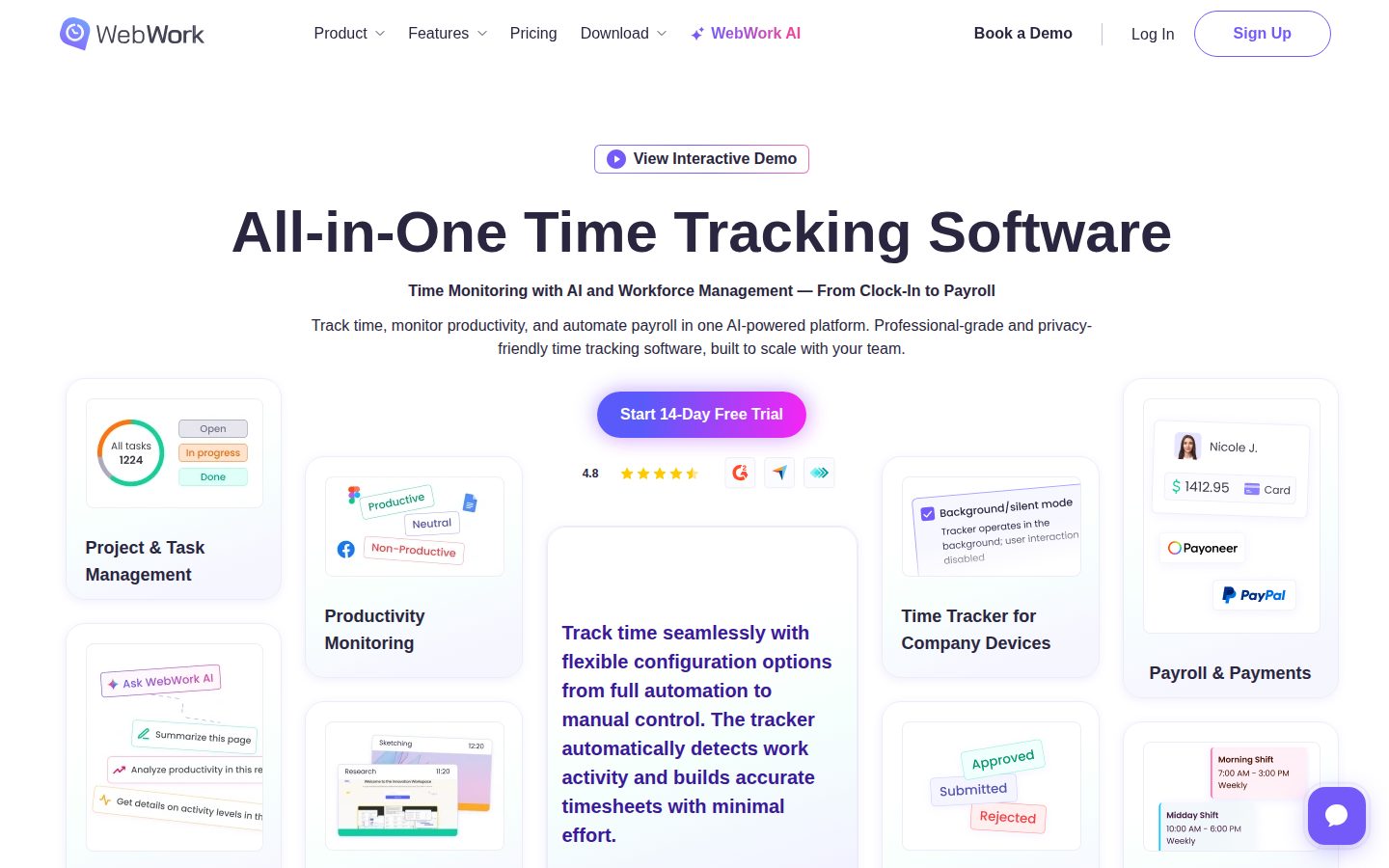
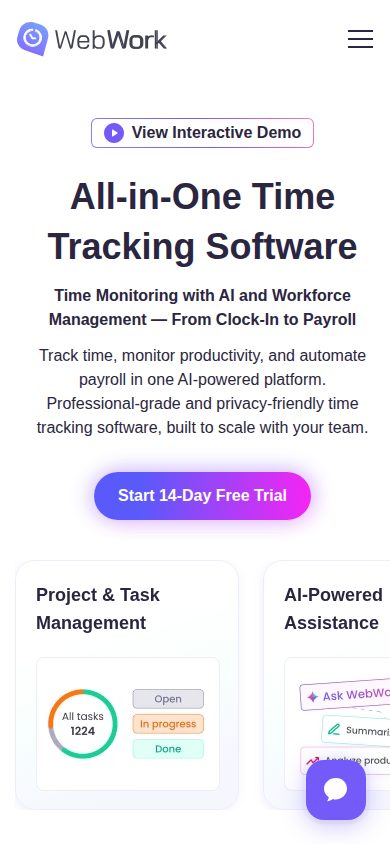
WebWork is a time tracking and employee monitoring software for remote and hybrid teams.

WebWork·Founded 2019·Subscription from 3.99Free TrialAI Workforce AnalyticsAI ProductivityAI Workforce Management

AI Panel Score

6.2/10

6 AI reviews

About WebWork

WebWork is a time tracking platform that records work hours, captures screenshots, and monitors activity levels for employees and freelancers. It provides managers with detailed reports on how time is spent across tasks and projects. The tool is designed for businesses managing distributed or remote workforces.

WebWork is a time tracking and workforce monitoring application built for businesses, agencies, and freelancers who need visibility into how work hours are spent. The software runs as a desktop client on employees' computers and records time against tasks and projects while collecting productivity data such as keyboard and mouse activity levels. One of WebWork's core features is automated screenshot capture, which takes periodic screenshots of employee screens during tracked work sessions. Managers can review these screenshots alongside activity reports to gain a detailed picture of how remote team members are spending their time. Screenshot frequency and monitoring settings are configurable by administrators. The platform supports project and task management features that allow teams to organize work, assign tasks, and tie time entries to specific deliverables. Timesheets are generated automatically from tracked sessions, reducing the manual effort involved in payroll preparation or client billing. WebWork is positioned within the employee monitoring and time tracking software market, competing with tools such as Hubstaff, Time Doctor, and Toggl Track. It targets small to mid-sized businesses with remote or hybrid workforces, staffing agencies, and freelancers who bill clients by the hour and need verifiable time logs. The software offers a web-based dashboard for reporting and team management, alongside desktop clients for Windows, Mac, and Linux, and mobile applications for iOS and Android. Integrations with third-party project management and communication tools extend its functionality within existing workflows.

Features

AI

  • AI-Powered Assistant

    An agentic AI assistant that analyzes team performance data, detects risks like burnout or unusual activity, creates tasks and standups, and sends periodic or event-based emails.

Analytics

  • Productivity Monitoring

    Monitors employee productivity levels to detect workload imbalances and help prevent burnout.

  • Reports & Analytics

    Produces detailed reports on time, activity, app and website usage, billable hours, and project performance for data-driven decision making.

Automation

  • Automated Time Tracking

    Automatically detects work activity and builds accurate timesheets with flexible configuration options ranging from full automation to manual control.

  • Payroll & Payments

    Generates payroll reports and processes direct payments through integrated payment systems including PayPal, Stripe, Deel, Wise, and Payoneer.

Core

  • Employee GPS Tracking

    Tracks employee location via GPS as part of the workforce monitoring suite.

  • Project & Task Management

    Allows creation or import of unlimited projects and tasks with support for subtasks, deadlines, and project budgeting.

  • Screenshot & Activity Monitoring

    Captures screenshots of employee work processes and tracks used apps and websites to monitor employee performance.

  • Shift & Leave Management

    Manages unlimited shifts, holidays, and PTO with built-in attendance tracking and automated scheduling.

  • Timesheets & Approvals

    Generates employee timesheets and provides an approval workflow to ensure accurate payroll processing.

Customization

  • Configurable Monitoring Settings

    Allows administrators to configure tracking visibility, screenshot capture, URL tracking, and blurring options to control the level of employee monitoring.

Security

  • GDPR, CCPA & HIPAA Compliance

    Employs end-to-end encryption, regular security audits, and strict access control to maintain compliance with GDPR, CCPA, and HIPAA standards.

Pricing Plans

PRO

$4/monthly

Professional time tracking for growing teams and remote workers

  • Unlimited time tracking, projects, and tasks
  • Unlimited members and teams
  • Screenshots and activity level tracking
  • App and website usage monitoring
  • Attendance monitoring
  • 1 integration
Popular

PLUS

$6/monthly

Complete business management with payroll and advanced analytics

  • Everything in Pro
  • Payroll automation
  • Shift scheduling
  • Project budgeting and expense tracking
  • Video meetings
  • All integrations and priority support

PREMIUM

$7/monthly

Enterprise-grade features with custom branding and compliance

  • Everything in Plus
  • White label customization
  • HIPAA compliance
  • Single sign-on (SSO)
  • AI-powered time categorization and classification
  • Automatic user provisioning

Custom Plan

Free

Custom pricing for companies with specific enterprise needs

  • Everything in Premium
  • Feature on demand
  • Custom API
  • Concierge account setup
  • Custom dashboard and reports

AI Panel Reviews

The Decision Maker
The Decision MakerStrategic bet, vendor viability, timing, adoption approval
5.8/10

Cheap surveillance tool that will cost you more in trust than it saves.

At $3.99/seat, WebWork undercuts Hubstaff and Time Doctor on price but not on the culture risk. Screenshot monitoring and GPS tracking are features that sound useful until your best engineers read the employment agreement.

Three things stand out. One: $3.99/seat for unlimited members and screenshot tracking is genuinely cheap — cheaper than a Slack add-on. Two: the AI assistant does burnout detection on the base plan, but unusual activity detection is gated to Premium at $7.19. That's a meaningful capability split that'll push cost up the moment you actually need the smarter alerts.

The feature breadth is real. Payroll through PayPal, Stripe, Deel, and Wise. GPS tracking. Shift management. MDM bulk deployment. For a contractor-heavy operation or a BPO shop, this is a complete stack at a price that's hard to argue with. The compliance story — GDPR, CCPA, HIPAA — holds, though HIPAA alignment formally requires Premium.

Here's what I'd take to the board, and it's not a cost question. Screenshot monitoring and keystroke tracking have a reputation problem in 2024. Competitors like Teramind have normalized this in certain sectors. But if your team skews toward senior engineers or knowledge workers with options, deploying this signals distrust. That's a retention risk no dashboard will show you.

No public funding data, no support email listed, no changelog. That's three yellow flags on vendor viability. Pilot it in one contractor-heavy function for 90 days before you consider org-wide rollout.

Competitive Positioning5.0

Undercuts Hubstaff on price but doesn't meaningfully differentiate on the AI layer where Teramind is already further ahead.

Reputation Risk4.5

Screenshot and GPS monitoring at scale is a cultural liability that will surface in Glassdoor reviews faster than the board meeting.

Speed to Value7.5

MDM bulk deployment and automated timesheets mean time-to-operational is days, not months, for contractor teams.

Strategic Fit5.5

Saves cost on contractor oversight but won't advance your company — it optimizes compliance, not capability.

Vendor Viability5.0

No public funding data, no changelog, no support email — hard to assess runway or team size with confidence.

Pros

  • $3.99/seat base tier includes unlimited members and screenshot monitoring — hard to beat on raw cost
  • Payroll payments via Deel, Wise, Stripe, and Payoneer on Plus at $6.39 — genuinely useful for global contractor ops
  • MDM and MSI bulk deployment reduces IT friction for rollout
  • AI burnout detection on the base plan is a meaningful inclusion at this price

Cons

  • Unusual activity detection locked to $7.19 Premium — the feature you'll actually need is upsell bait
  • No public funding data or changelog makes 36-month vendor survival a real question
  • Screenshot and GPS monitoring will damage trust with senior or technical employees who have other options
  • No free trial makes evaluation harder for a category where fit is highly context-dependent

Right for

BPO firms or contractor-heavy operations where time accountability is contractually required and the workforce expects monitoring.

Avoid if

Your retention strategy depends on autonomy and trust signals for knowledge workers or senior engineering talent.

The Domain Strategist
The Domain StrategistCraft and strategy in the product's domain — adapts identity per category, same lens
6.2/10

Operationally dense at $3.99, but the surveillance architecture will cost you talent before year two.

WebWork packs serious operational coverage — payroll, GPS, shift management, AI burnout detection — into a price point that makes budget conversations easy. The monitoring-first DNA, however, creates a workforce trust liability that doesn't show up in the demo but does show up in attrition.

$3.99 per user per month for unlimited time tracking, projects, screenshot monitoring, and attendance is genuinely hard to argue with on a spreadsheet. The Plus plan at $6.39 adds payroll automation with five payment rails — PayPal, Stripe, Deel, Wise, Payoneer — which means a COO managing a distributed contractor workforce can run a full pay cycle without leaving the platform. That's real operational consolidation, not feature padding. MDM/EMM mass deployment support means IT can roll this out at scale without a professional services engagement.

The architecture concern I can't get past is that this is a surveillance platform wearing an analytics jersey. Screenshot capture, GPS tracking, keystroke activity, and live video screenshots on Plus — that's a monitoring stack built for distrust. The docs indicate 'unusual activity detection' sits behind the $7.19 Premium tier, which means the risk signal you actually need for workforce decisions is paywalled above the plan most teams will land on. If you adopt this and your engineering or creative org finds out what's running on their machines, you're not managing a software problem anymore.

Compared to Hubstaff, which runs a similar feature set at comparable price points but has spent more time softening the employee experience framing, WebWork's positioning leans harder into employer control. That's a deliberate product choice, and it has a constituency. For BPO operations, contractor-heavy agencies, or compliance-driven industries, the GDPR/CCPA/HIPAA coverage — formal HIPAA only on Premium — gives legal something to work with. For knowledge worker orgs trying to sustain remote culture, this tool sends a message your retention numbers will eventually reflect.

Category Positioning6.0

Priced below Hubstaff and Time Doctor but the monitoring-forward positioning is moving against the grain of where enterprise workforce analytics is heading — toward outcome data, not activity data.

Domain Fit5.8

Fits BPO and contractor management workflows well; misaligns with knowledge worker orgs where outcome-based management has replaced activity surveillance as the operating model.

Integration Surface7.0

Five payroll payment rails plus API access on Custom plan and MDM deployment support give this real enterprise surface area for ops stacks.

Long-term Implications5.5

If you adopt this at scale, in 3 years you have a monitoring culture baked into your people ops infrastructure that's harder to unwind than the software contract.

Strategic Depth6.5

Payroll-to-monitoring integration shows operational thinking, but AI features are thin — burnout detection on Pro, anomaly detection paywalled to Premium at $7.19.

Pros

  • $3.99 Pro tier makes budget approval trivial for cost-conscious ops leaders
  • Full payroll automation with five payment integrations on Plus at $6.39
  • MDM/EMM mass deployment removes IT friction for distributed rollouts
  • GDPR, CCPA, and HIPAA compliance coverage gives legal a defensible posture

Cons

  • Screenshot, GPS, and keystroke surveillance stack creates measurable workforce trust liability
  • Unusual activity detection — the most operationally useful AI feature — locked to $7.19 Premium tier
  • No free trial means you're buying before validating fit with your employee population
  • Monitoring-first architecture is misaligned with outcome-based performance management trends

Right for

COOs running contractor-heavy, BPO, or compliance-regulated distributed teams who need payroll-to-monitoring coverage in a single low-cost platform.

Avoid if

You're managing a knowledge worker or engineering org where remote culture and autonomy are active retention levers.

The Finance Lead
The Finance LeadMoney, total cost of ownership, contracts, procurement math
7.2/10

$7.19/seat gets SSO — rare at this price point in monitoring software.

Three tiers, all published without a sales call. $3.99 entry is real, but HIPAA and SSO cost $7.19 — budget accordingly.

Three tiers. All priced publicly. $3.99 Pro, $6.39 Plus, $7.19 Premium. No demo wall. Procurement won't complain about that.

50 users on Premium: $7.19 × 50 × 12 = $4,314/year. Add 30% seat creep — standard for growing remote teams — year 3 lands around $16,900 cumulative. That's remarkably low against Hubstaff Business at $14/seat or Time Doctor at $11/seat for comparable monitoring depth. The tradeoff: unusual activity detection — the feature that actually justifies 'AI workforce analytics' — is Premium-only. Pro buyers don't get it. That's a meaningful upsell lever baked into the tier structure.

SSO is Premium. HIPAA is Premium. Both gating practices are category norm, but worth flagging for enterprise buyers who anchor on the $3.99 sticker. No published overage rates, no public contract terms, no changelog visible. Auto-renewal window and termination-for-convenience clauses aren't disclosed on the pricing page — that's the real unknown. Payroll integration hits five processors (PayPal, Stripe, Deel, Wise, Payoneer) at Plus tier. Useful. The ROI story is measurable if you're tracking billable hours against payroll output — that math closes. Burnout detection ROI is softer.

Billing & Procurement7.5

Five payment processor integrations at Plus tier ($6.39) reduce payroll reconciliation friction without requiring Premium.

Contract Flexibility5.5

No public auto-renewal window, termination terms, or minimum contract length disclosed on the pricing page.

Pricing Transparency8.5

All three tiers — $3.99, $6.39, $7.19 — are publicly visible with feature breakdowns, no sales call required.

ROI Clarity6.8

Billable hours vs. payroll math is concrete; burnout and productivity score ROI claims lack published methodology.

Total Cost of Ownership7.0

50-seat Premium 3-year TCO lands around $16,900 including seat creep, well below Hubstaff or Time Doctor at scale.

Pros

  • Full pricing published — no demo required
  • SSO included at $7.19, not a separate add-on charge
  • Five payroll processors supported at Plus tier
  • MDM/MSI bulk deployment supported per docs

Cons

  • Auto-renewal and cancellation terms not publicly disclosed
  • Unusual activity detection locked to Premium — meaningful upsell gap
  • No free trial to validate monitoring accuracy before committing
  • No published overage or storage rates for screenshot data

Right for

Remote-first teams under 100 seats that need payroll-integrated time tracking at under $8/seat.

Avoid if

Your legal team requires HIPAA documentation and auditable contract terms before vendor approval.

The Domain Practitioner
The Domain PractitionerDaily hands-on reality in the product's domain — adapts identity per category, same lens
6.2/10

Solid activity-capture engine, but the surveillance-first framing will cost you trust at day three.

WebWork packs serious monitoring breadth into a $3.99/user starting price, but the day-to-day analyst workflow reveals a tool built for managers watching headcount, not for workforce analysts building workforce intelligence. The AI layer is real but fragmented across tiers in ways that matter.

The pricing architecture tells you something immediately. Burnout detection lands on the $3.99 Pro tier, but unusual activity detection — the signal any workforce analyst actually needs to distinguish gaming the system from genuine overwork — sits gated at $7.19 Premium. That's not a minor upsell. That's the difference between descriptive reporting and diagnostic analysis. Competitors like Teramind put anomaly detection much closer to the base tier.

Screenshot monitoring and GPS tracking are clearly the product's core gravity. For headcount-heavy ops teams managing large remote pools, the MDM/MSI mass deployment support is genuinely useful infrastructure. But workforce analysts don't just need activity capture — they need to interrogate the data. The reporting suite covers app usage, billable hours, and project performance, but the changelog is absent from the public site, which makes it hard to gauge how fast the analytics layer is actually maturing.

The AI-powered assistant promises burnout risk detection and standups, but no free trial means you're committing $3.99/user before seeing how those insights surface in practice. Teramind and Hubstaff both offer trial periods. Skipping that entirely is a friction point before you've even opened the dashboard.

HIPAA compliance requiring Premium at $7.19 is a legitimate enterprise consideration, not just a checkbox. Any healthcare-adjacent workforce analysis engagement will hit that wall fast. The payroll integrations — PayPal, Stripe, Deel, Wise, Payoneer — are legitimately broad and available at Plus, which is a genuine win for distributed-team payroll workflows.

Day-3 Reality5.5

Anomaly detection gated at Premium means the most analytically useful signal requires a tier jump most teams won't anticipate on day one.

Documentation Practitioner-Fit5.5

Docs exist but the changelog absence and API-only capability flag suggest the documentation is feature-announcement oriented rather than workflow-oriented.

Friction Surface5.8

No free trial, no changelog, and a missing support email on the public site are three friction points that compound before the first report is even run.

Power-User Depth6.8

Custom API, SSO, white-label, and configurable monitoring visibility on Premium give power users real levers, but the path from Pro to those features requires two tier jumps.

Workflow Integration6.0

Automated timesheets and payroll integrations fit distributed-team ops workflows, but the monitoring-first UX framing requires cultural change most analyst-led rollouts don't budget for.

Pros

  • Five-gateway payroll integration (PayPal, Stripe, Deel, Wise, Payoneer) at the $6.39 Plus tier is unusually broad for this price point
  • MDM/MSI mass deployment support makes large-scale rollouts operationally viable without IT heroics
  • GDPR, CCPA, and HIPAA compliance framework is in place — rare at sub-$8 per-user pricing
  • Unlimited projects, tasks, and members even at the base Pro tier removes headcount scaling anxiety

Cons

  • No free trial means zero ability to validate AI burnout detection quality before committing budget
  • Unusual activity detection — the core anomaly signal — is Premium-only at $7.19, making Pro-tier analytics incomplete for serious workforce analysis
  • No public changelog makes it impossible to assess product velocity or trust that AI features are being actively developed
  • Surveillance-forward feature set (screenshots, GPS, keystroke tracking) creates employee trust friction that workforce analysts will own, not IT

Right for

Ops managers running large distributed or freelance teams who need time accountability and payroll automation more than deep workforce intelligence.

Avoid if

Your workforce analysis practice depends on anomaly detection, behavioral trend analysis, or HIPAA-compliant data handling without paying Premium rates per user.

The Power User
The Power UserDaily human experience, onboarding, polish, learning curve, reliability
6.2/10

$3.99 buys a lot of watching, but not a lot of trust

WebWork packs serious monitoring muscle into a shockingly low price point. The tradeoff is a product that feels built for the manager staring at the dashboard, not the employee living inside it.

Starting at $3.99 per user per month, WebWork is aggressively priced against competitors like Hubstaff and Time Doctor. Screenshots, app tracking, GPS, activity levels, unlimited projects — all in the base tier. On paper, that's a lot. In practice, the question you have to sit with is: how does this feel to the person being watched? Because that person uses it too, and their buy-in determines whether this works or just creates resentment.

The AI-Powered Assistant feature is the most interesting thing here. Burnout detection, automatic standups, anomaly flagging — that's genuinely useful if it's tuned well. But unusual activity detection is locked to Premium at $7.19. So your AI can tell you someone seems tired, but can't flag when something looks off, unless you pay up. That's a tier wall that undercuts the product's own pitch.

No free trial listed anywhere. No changelog visible. Support email absent from the site. Those three things together make the first week feel a little like signing a lease without walking through the apartment. The compliance story — GDPR, CCPA, HIPAA — sounds solid, but HIPAA alignment requires Premium. Read the fine print before you tell your legal team you're covered.

Month three, the people being tracked either accept it or quietly start looking for other jobs. That's not a WebWork problem specifically. It's the whole category. But WebWork leans hard into monitoring depth, and how that lands depends entirely on the culture you're already running.

Daily Polish5.5

No changelog and absent support email suggest the team isn't sweating the small daily signals that build user confidence.

Learning Curve6.5

Configurable monitoring settings and tiered feature access give power users room to grow, but the tier walls between Pro and Premium create discovery friction.

Mobile Parity5.0

Platform support listed as unknown in the evidence, which for a tool billing itself as remote-first is a real gap in the story.

Onboarding Experience4.5

No free trial means day one starts with a credit card, not a handshake — that's homework before welcome.

Reliability Feel6.0

MDM and MSI bulk deployment support suggests infrastructure seriousness, but no public changelog makes it hard to gauge maintenance cadence.

Pros

  • Genuinely low entry price at $3.99 with unlimited members and projects included
  • Payment integrations — PayPal, Stripe, Deel, Wise, Payoneer — built into Plus at $6.39
  • AI burnout detection on the base tier is a real differentiator versus legacy monitoring tools
  • GDPR, CCPA, and HIPAA compliance stated, with MDM/MSI bulk deployment for IT teams

Cons

  • No free trial means you're committing before you've felt the product for a single real workday
  • Unusual activity detection — arguably the most useful AI feature — locked to the $7.19 Premium tier
  • HIPAA compliance requires Premium, which undercuts the compliance headline for most healthcare buyers
  • No changelog or visible support email makes long-term vendor trust harder to build

Right for

Small to mid-size businesses managing remote teams who need structured time accountability at a price that won't require a budget fight.

Avoid if

Your team culture runs on autonomy and trust, because screenshot monitoring at this depth tends to corrode both over time.

The Skeptic
The SkepticContrarian. Watch-outs, deal-breakers, broken promises, category patterns
5.8/10

Three red flags, two green ones — net result: cautious maybe

WebWork does real things at $3.99/user and the payroll integrations are genuinely useful. But the category graveyard is deep, and some marketing language doesn't hold up on inspection.

No free trial. No support email in the public evidence. No changelog. Three tells before I open the pricing page. The AI-powered framing is the kind of superlative that ages poorly — what's actually visible is screenshot monitoring, activity scoring, and a burnout-detection feature locked to Premium at $7.19. That's fine software. It's not 'AI-powered workforce transformation.'

Hubstaff survived. Teramind survived. Time Doctor is still around. The ones that didn't — Workpuls pivoted into Insightful, StaffCop quietly retreated upmarket — all had roughly this feature set at roughly this price. WebWork's $3.99 entry tier is competitive, and the payroll integrations (PayPal, Stripe, Deel, Wise, Payoneer) on Plus are a real differentiator for distributed freelancer teams. That's not nothing.

The tradeoff nobody mentions: screenshot monitoring products live and die on employer-employee trust dynamics. Regulation in the EU is tightening. GDPR compliance is claimed, but HIPAA requires the $7.19 Premium tier — which suggests compliance is a pricing lever, not a foundation. And no changelog means I can't verify shipping cadence. Could be a quiet, steady team. Could be the last six months before the pivot announcement.

Competitive Differentiation5.0

The five-payment-processor payroll feature on the $6.39 Plus plan is a real gap vs. Hubstaff's narrower payment options, but the core monitoring stack is identical to half the category.

Exit Portability6.5

API exists, and payroll reports are exportable — but screenshot data and activity logs are proprietary, so historical monitoring records likely don't travel clean.

Long-term Viability5.5

No public funding, no support email in evidence, no changelog — based on what's visible, this is a bet on an opaque team with unknown shipping cadence.

Marketing Honesty5.5

The 'AI-Powered' headline oversells what the docs show — burnout detection and unusual activity flags, with the latter gated to Premium at $7.19.

Track Record Match6.0

Pricing and feature set match survivors like Hubstaff more than the ones that shut down, but no public funding data and no changelog are category warning signs.

Pros

  • $3.99 entry tier with unlimited members is genuinely low for the feature set
  • Payroll integrations with Deel, Wise, and Payoneer are useful for distributed freelancer teams
  • MDM/MSI bulk deployment support is a real enterprise tell — not all competitors have it
  • API exists, which at least leaves migration options open

Cons

  • No free trial at any tier — high commitment ask for a category full of alternatives that offer one
  • HIPAA compliance gated to $7.19 Premium makes compliance look like a revenue line
  • No changelog visible — can't verify whether the team ships or coasts
  • Screenshot monitoring products face real EU regulatory headwinds that the marketing doesn't acknowledge

Right for

Small distributed teams paying freelancers internationally who need time tracking and payroll in one sub-$7 tool.

Avoid if

Your team is EU-based, compliance-sensitive, or you need to audit a vendor's shipping history before committing.

Buyer Questions

Common questions answered by our AI research team

Pricing

What is the difference between the Pro plan at $3.99 and the Plus plan at $6.39 — specifically around payroll and screenshot capabilities?

The Pro plan at $3.99 includes standard screenshot monitoring (static screenshots captured at regular intervals) but does not include payroll. The Plus plan at $6.39 adds full payroll automation, the ability to send direct payments to team members, and upgrades screenshots to 'video/live screenshots' — short video-style snippets instead of static images — in addition to everything in Pro.

Features

Does WebWork's AI assistant detect burnout and unusual activity on all pricing tiers, or only on specific plans like Premium?

The AI assistant (WebWork AI) is listed as a feature on the Pro plan, which includes burnout risk detection and insights. However, 'Unusual activity detection' — which spots spikes or irregular patterns — is listed exclusively as a Premium plan feature at $7.19/user/month, not available on Pro or Plus.

Security

Is WebWork compliant with GDPR, CCPA, and HIPAA, and does HIPAA compliance require the Premium plan?

Yes, WebWork states compliance with GDPR, CCPA, and HIPAA standards on the homepage. However, HIPAA compliance as a specific platform feature is listed only under the Premium plan at $7.19/user/month, meaning formal HIPAA-aligned processes require the Premium tier.

Setup

Can the background silent tracker be deployed across company devices in bulk using MDM/EMM systems or an MSI package?

Yes, the content explicitly mentions that the background/silent tracker supports effortless mass installation via MDM/EMM Systems, MSI Package, and Remote deployment, making bulk deployment across company devices supported.

Integration

Which payment platforms are supported for direct team payments through WebWork, and is this feature available on the Plus plan or only Premium?

Direct team payments are supported through PayPal, Stripe, Deel, Wise, and Payoneer. The 'Send payment' feature is listed under the Plus plan at $6.39/user/month, meaning it is available on Plus and does not require the Premium plan.

Product Information

  • Company

    WebWork
  • Founded

    2019
  • Pricing

    Subscription from 3.99
  • Free Trial

    Available

Platforms

webwindowsmaclinuxiosandroid

About WebWork

WebWork is a time tracking and employee monitoring platform based in Yerevan, Armenia, offering screenshot capture, activity monitoring, and workforce management tools.

Resources

API
Blog
Changelog

Built With

Google Analytics

Also in AI Workforce Analytics