Time Doctor logo

Time Doctor Review

Visit

Workforce analytics and time tracking for distributed teams

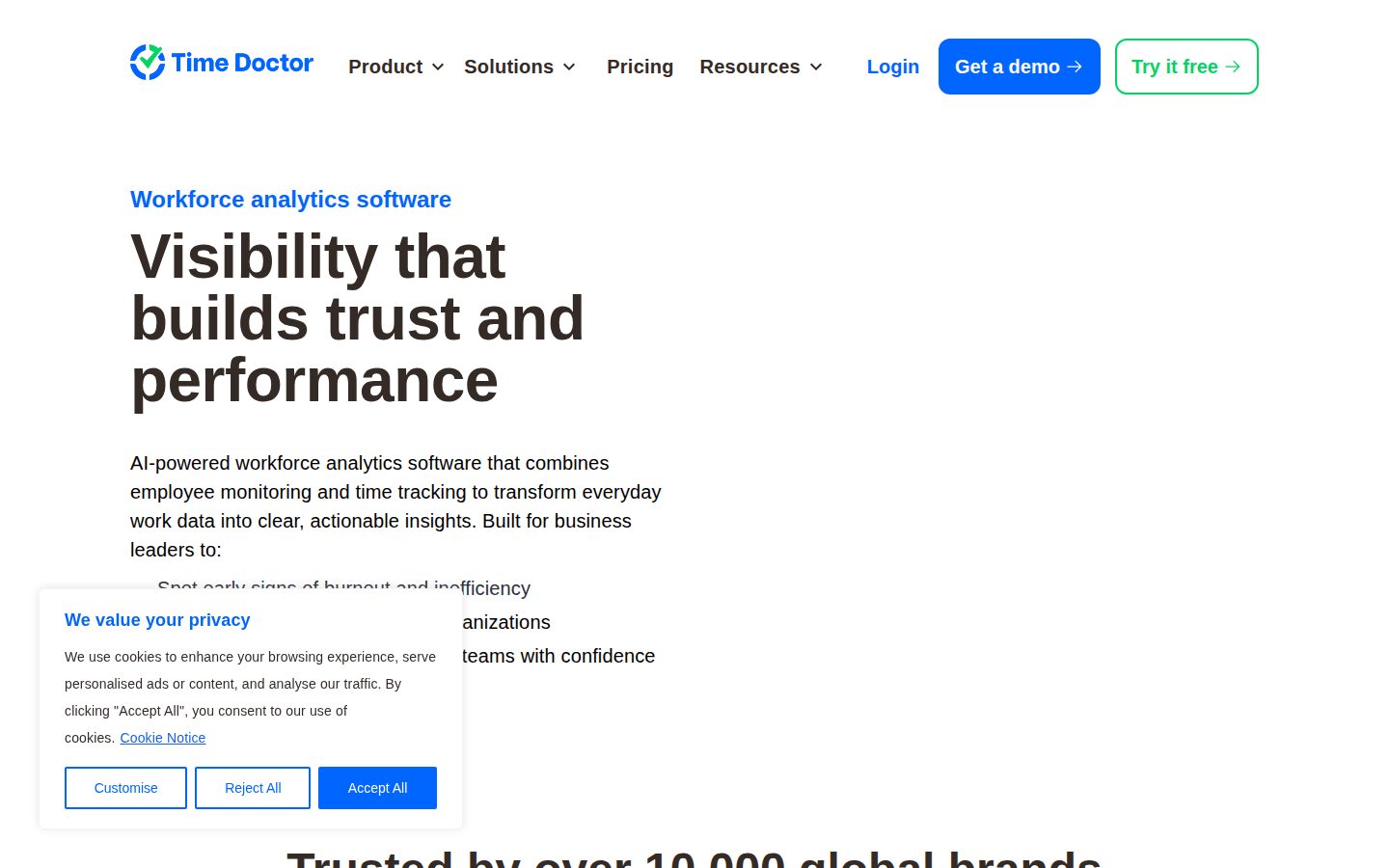
Time Doctor is a workforce analytics and time-tracking platform for distributed and remote teams.

AI Panel Score

8.0/10

6 AI reviews

Reviewed

AI Editor Approved

What is Time Doctor?

Time Doctor is workforce analytics and time-tracking software that helps distributed, remote, and BPO teams see how work actually gets done. HR, operations, and IT leaders use it to track time automatically or manually, monitor web and app usage, capture optional screenshots, and measure productivity across projects and tasks. Pricing is per user and starts at $6.67 per user per month on the annual Basic plan, with Standard and Premium tiers, a custom Enterprise option, and a 14-day free trial of Premium. Core capabilities include real-time and executive dashboards, productivity ratings, attendance and payroll reports, Benchmarks AI peer comparisons, work-life balance metrics that flag burnout, and 60+ integrations with Slack, Jira, Zoom, and Asana. It is a strong fit for managers who need visibility and accountability without sacrificing employee privacy controls. Alternatives worth comparing include Hubstaff, Toggl Track, ActivTrak, Insightful, and DeskTime.

About Time Doctor

Time Doctor runs as a desktop, mobile, and web app that tracks work time automatically or in a manual mode for roles that need it. As people work, it records time spent on projects and tasks, web and app usage, idle periods, and optional screenshots or screen recordings, then rolls the data into activity summaries and timeline reports for managers to review.

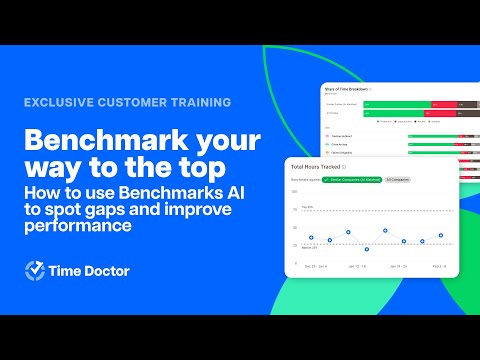
Managers work from real-time and executive dashboards that surface productivity ratings, attendance, and missed hours, with notifications for at-risk deadlines. Benchmarks AI compares an organization against AI-matched peer groups, while the Unusual Activity Report flags irregularities in time data. Work-life balance metrics and wellness reminders help spot early signs of burnout, and Software Cost Insights identifies unused software licenses.

It fits HR, operations, and IT leaders running distributed, remote, or BPO teams that need visibility into how work happens. Pricing is per user across Basic, Standard, and Premium tiers plus a custom Enterprise plan, with a 14-day free trial. Competitors in the category include Hubstaff, Toggl Track, Insightful, ActivTrak, and DeskTime.

The platform offers 60+ integrations with tools like Slack, Jira, Zoom, Asana, and Workday, plus a public API, payroll-ready reports, offline tracking, and role-based access controls. It is SOC 2 and ISO 27001 certified and GDPR and HIPAA compliant, with apps for Windows, macOS, Linux, iOS, and Android.

Features

Analytics

  • Benchmarks AI

    Compares an organization against AI-matched peer groups with similar work patterns to show how it stacks up on performance and focus.

  • Executive Dashboards

    Provides a unified, organization-wide view of performance, focus time, hours, and operational metrics for leadership.

  • Productivity Ratings

    Classifies websites and apps as productive or unproductive to give individual and team-level productivity scores at a glance.

  • Software Cost Insights

    Identifies underutilized or unused software across the team to help cut licensing costs.

  • Unusual Activity Report

    Automatically flags irregularities or inconsistencies in time data so reporting and payroll stay accurate.

Integration

  • 60+ Integrations & API

    Connects with 60+ tools including Slack, Jira, Zoom, Asana, and Workday, plus a public API and custom data exports.

Monitoring

  • Screenshots & Screen Recording

    Optionally captures screenshots and, on Premium, video screen recordings of work, with configurable frequency, blurring, and privacy controls per team.

  • Web & App Usage Tracking

    Shows how time is spent across websites and applications to surface workflow bottlenecks and distinguish productive from unproductive activity.

Wellness

  • Work-Life Balance Metrics

    Flags early signs of overload or imbalance and sends wellness reminders to encourage breaks and sustainable work patterns.

Workflow

  • Automatic & Manual Time Tracking

    Tracks work hours automatically as people work, or switches to a manual mode for roles that need more control, including offline tracking that syncs later.

  • Payroll Reports

    Generates payroll-ready reports from tracked hours and approvals to reduce manual entry errors and speed up pay cycles.

  • Work Scheduling & Attendance

    Plans shifts, captures attendance and missing hours automatically, and compares scheduled versus actual worked time.

Preview

Time Doctor desktop previewTime Doctor mobile preview

Pricing Plans

Basic

$7/yearly

For small teams that need core time tracking and activity monitoring.

  • Time tracking
  • Tasks and projects
  • Activity tracking
  • Unlimited screenshots
  • iOS and Android apps

Standard

$12/yearly

For growing teams needing payroll, integrations, and productivity reporting.

  • Everything in Basic
  • Payroll and 60+ integrations
  • Productivity ratings
  • Work schedules
  • Unusual activity report
Popular

Premium

$17/yearly

For organizations wanting executive dashboards and advanced monitoring.

  • Everything in Standard
  • Video screen recording
  • Executive dashboards
  • Internet connectivity reporting
  • VIP support and concierge setup

Enterprise

Contact sales

For large organizations needing SSO, onboarding, and a custom contract.

  • Everything in Premium
  • Single sign-on (SSO)
  • Dedicated account manager
  • Personalized onboarding
  • Custom contract and support

AI Panel Reviews

The Decision Maker

The Decision Maker

Strategic bet, vendor viability, timing, adoption approval
8.2/10

A bootstrapped 14-year survivor in a category built on trust, worth a scoped pilot before rollout.

Time Doctor is a 14-year-old, founder-led workforce analytics platform that's outlasted most of its category. The vendor risk is low, but the reputation risk of employee monitoring is the real thing to manage.

Fourteen years old, still founder-led, bootstrapped to profitability. In workforce monitoring, a vendor that outlasted its own hype cycle is most of the bet. Rob Rawson and Liam Martin started this in 2012 and never sold out, and that track record survives due diligence.

Benchmarks AI, the peer-group comparison, is the real separator from Hubstaff — it reframes surveillance as operational intelligence a board can defend. But the catch is reputation risk: deploy screenshots clumsily and you'll spend a quarter rebuilding trust instead of reading dashboards.

Speed to value is genuine — 60-plus integrations, payroll-ready reports, and a 14-day trial before anyone commits. Pilot it with one distributed team for 90 days. Don't standardize across the org until you've watched how people react to being measured.

Competitive Positioning8.0

Benchmarks AI separates it, though Hubstaff covers similar ground.

Reputation Risk7.5

Employee monitoring carries morale risk that a clumsy rollout amplifies.

Speed to Value8.2

60-plus integrations, payroll reports, and a 14-day trial shorten setup.

Strategic Fit8.0

Purpose-built for the distributed and BPO operations it targets.

Vendor Viability8.5

Founder-led since 2012, bootstrapped, and profitable after 14 years.

Pros

  • Fourteen years old, founder-led, and bootstrapped to profitability.
  • Benchmarks AI reframes monitoring as defensible operational intelligence.
  • 60-plus integrations and payroll reports mean fast time to value.

Cons

  • Employee monitoring carries real reputation and morale risk.
  • Differentiation is modest against Hubstaff and ActivTrak.

Right for

Operations leaders running distributed or BPO teams who need defensible workforce visibility.

Avoid if

Trust-first cultures who would treat any monitoring as a morale risk.

The Domain Strategist

The Domain Strategist

Craft and strategy in the product's domain — adapts identity per category, same lens
8.2/10

Genuine operational depth for distributed teams, but the surveillance posture is a three-year cultural commitment.

For distributed and BPO operations, Time Doctor turns time and activity data into a real operational ledger with genuine analytical depth. The catch is that building your operating rhythm on monitoring is a cultural commitment, not just a tooling choice.

Run a distributed operation and your problem is capacity accounting — where the hours go versus where the plan said. Time Doctor's Executive Dashboards and Productivity Ratings make that a standing ledger, not monthly guesswork. For a BPO floor of 200 agents, that's the gap between managing shrinkage and finding it in payroll.

The operational depth is real. Benchmarks AI compares your teams against AI-matched peer groups, and the Unusual Activity Report flags time-data anomalies before a client SLA review. That's a layer Toggl Track never attempts — Toggl stops at the timesheet, while 60-plus integrations wire this into Workday and Jira.

The three-year implication is cultural, not architectural. Build your operating rhythm on screenshots and idle scoring, and you inherit a surveillance posture that's hard to reverse. However, per-team privacy controls plus SOC 2 and ISO 27001 give you a defensible middle path most rivals don't document as clearly.

Category Positioning8.0

Clear analytics angle, though several rivals occupy the same space.

Domain Fit8.5

Designed around distributed, remote, and BPO delivery workflows.

Integration Surface8.0

60-plus integrations plus a public API reach Workday and Jira.

Long-term Implications7.6

A surveillance-based operating rhythm is hard to reverse later.

Strategic Depth8.3

Benchmarks AI and the Unusual Activity Report go past simple timesheets.

Pros

  • Genuine analytical depth via Benchmarks AI and the Unusual Activity Report.
  • Built specifically for distributed, remote, and BPO operations.
  • SOC 2 and ISO 27001 with per-team privacy controls.
  • 60-plus integrations wire into Workday, Jira, and Slack.

Cons

  • Building on screenshots creates a hard-to-reverse surveillance posture.
  • Category positioning overlaps heavily with several rivals.

Right for

Ops leaders who manage capacity and utilization across remote delivery teams.

Avoid if

Small in-office teams who don't need activity-level analytics.

The Finance Lead

The Finance Lead

Money, total cost of ownership, contracts, procurement math
8.0/10

Fifty Standard seats run about $7,002 a year, with only Enterprise SSO hidden behind sales.

Three public per-user tiers from $6.67 to $16.70 make TCO easy to model for the first two years. Only Enterprise SSO and custom pricing sit behind a sales call, which is standard for the category.

The ROI story nearly writes itself. Software Cost Insights flags unused licenses; the recovered seats can fund the subscription. Basic is $6.67 per user monthly, billed annually. Standard, $11.67. Premium, $16.70.

Team of 50 on Standard: 50 × $11.67 × 12 = $7,002 a year. Add the 20% headcount creep finance underestimates. Year 3 runs near $8,400. Hubstaff sits in the same band, so price won't decide this.

Payroll Reports trim manual entry — a soft dollar most vendors overstate. The catch is procurement-side: Enterprise pricing and SSO aren't published, so single sign-on likely means a sales call. However, three public tiers and a 14-day trial let you model two years without a quote.

Billing & Procurement8.0

Self-serve tiers and a 14-day trial ease procurement.

Contract Flexibility7.6

Headline prices require annual billing and SSO is gated to Enterprise.

Pricing Transparency8.3

Three per-user tiers from $6.67 to $16.70 are public.

ROI Clarity7.8

Software Cost Insights and Payroll Reports create measurable but soft returns.

Total Cost of Ownership8.0

Predictable seat pricing with no metered overage risk.

Pros

  • Three public tiers from $6.67 to $16.70 per user.
  • Predictable TCO with no metered overage surprises.
  • Software Cost Insights can offset the subscription cost.
  • A 14-day trial before any commitment.

Cons

  • Enterprise pricing and SSO aren't published.
  • Headline prices require annual billing.

Right for

Finance teams who want predictable per-seat pricing without a sales call.

Avoid if

Buyers who need published enterprise and SSO pricing upfront.

The Domain Practitioner

The Domain Practitioner

Daily hands-on reality in the product's domain — adapts identity per category, same lens
7.9/10

Strong data access and anomaly flagging, though productivity scores need quarterly tuning to stay trusted.

A public API, custom exports, and configurable Productivity Ratings give a workforce analyst real room to work. The friction is the monitoring layer's false positives and the quarterly tuning the scores need to stay credible.

For a workforce analyst, everything hinges on getting clean data back out. Time Doctor ships a public API and custom exports across 60-plus integrations, so hours and activity don't stay trapped behind an Executive Dashboard. That alone puts it ahead of ActivTrak for anyone reconciling in a BI tool.

Day to day, the Unusual Activity Report handles the tedious first pass — flagging idle time and timesheet gaps before payroll approval. Productivity Ratings are configurable per team, which matters when a 'productive' site for engineering is noise for support. But the classification needs re-tuning quarterly, or the scores drift and managers quietly stop trusting them.

The friction lives in the monitoring layer. Screenshots and idle detection throw false positives you'll reconcile on Mondays, and offline sync gaps mean some hours land late. Documentation covers the API and payroll flows well, though the analyst-facing report builder is thinner than DeskTime's.

Day-3 Reality7.8

Automatic tracking and anomaly flags reduce daily manual work.

Documentation Practitioner-Fit7.8

API and payroll flows are documented; report-building depth less so.

Friction Surface7.5

Screenshots and offline sync gaps create reconciliation overhead.

Power-User Depth8.0

Benchmarks AI and configurable ratings give analysts real depth.

Workflow Integration8.0

Public API and custom exports across 60-plus integrations move data out.

Pros

  • Public API and custom exports across 60-plus integrations.
  • Unusual Activity Report automates anomaly-flagging before payroll.
  • Productivity Ratings are configurable per team.

Cons

  • Screenshots and idle detection generate reconcilable false positives.
  • Native report builder is thinner than DeskTime's.
  • Productivity classifications need quarterly re-tuning.

Right for

Workforce analysts who reconcile time and activity data in external BI tools.

Avoid if

Analysts who need a deep native report builder out of the box.

The Power User

The Power User

Daily human experience, onboarding, polish, learning curve, reliability
7.9/10

Runs quiet in the background with real mobile apps, but it's still monitoring software at heart.

Time Doctor mostly stays out of your way, with genuine iOS and Android apps and offline sync that survive a bad connection. It's still employee-monitoring software, though, so screenshots and productivity scores set the daily mood.

Most time trackers are one more thing you forget to start, then guess at later. Time Doctor mostly runs quiet in the background and logs the day for you, with a manual mode for the roles that need it. Fewer little decisions, which is the whole point of a tool like this.

Real apps on iOS and Android, not the read-only afterthought a lot of these ship. Offline tracking syncs once you're back online, so a flaky café connection doesn't eat your hours. Fourteen years in since 2012, the Windows, Mac, and Linux apps feel settled, not beta.

The honest part: this is monitoring software, and screenshots plus Productivity Ratings can make a normal Tuesday feel like a performance review. Hubstaff has the same energy, so it's the category, not just them. But the Work-Life Balance Metrics and screenshot blur at least show someone thought about the person being watched.

Daily Polish7.8

Quiet background tracking with a manual mode reduces daily friction.

Learning Curve7.5

Many dashboards and settings take time to master.

Mobile Parity7.8

Genuine iOS and Android apps, not read-only afterthoughts.

Onboarding Experience7.8

A 14-day trial and Premium concierge setup ease starting out.

Reliability Feel8.0

Fourteen years and cross-platform apps read as settled, not beta.

Pros

  • Runs quietly in the background with an optional manual mode.
  • Real iOS and Android apps, not read-only afterthoughts.
  • Offline tracking syncs after a dropped connection.
  • Work-Life Balance Metrics and blur controls soften the monitoring.

Cons

  • It's still monitoring software that can feel like surveillance.
  • Lots of dashboards mean a real learning curve.

Right for

Remote workers and managers who want low-friction automatic time tracking.

Avoid if

People who bristle at screenshots and productivity scoring.

The Skeptic

The Skeptic

Contrarian. Watch-outs, deal-breakers, broken promises, category patterns
7.6/10

Fourteen years bootstrapped and profitable buys real trust, even if the category is crowded.

Bootstrapped and founder-led since 2012, Time Doctor has the track record most monitoring startups never earn. Differentiation is thin against Hubstaff and Insightful, and the durable risk is whether teams tolerate being watched.

No funding round to scrutinize. Bootstrapped since 2012, still founder-led, reportedly profitable. In a category where VC-fueled monitoring startups flare out fast, a vendor paying its own way for 14 years is the strongest signal on the page.

The marketing softens the surveillance. 'Workforce analytics' reads nicer than screenshots and idle scoring, and Benchmarks AI wraps peer-ranking in AI framing. But they don't hide it — the pricing page names screen recording and screenshots plainly. Honest enough.

Exit portability holds up: a public API and custom exports mean your hours leave in CSV, not hostage. Differentiation is the thin part — Hubstaff, Insightful, and DeskTime all do most of this. The real yellow flag isn't the vendor; it's whether your team tolerates being watched six months in.

Competitive Differentiation6.8

Hubstaff, Insightful, and DeskTime cover most of the feature set.

Exit Portability7.8

Public API and CSV exports let data leave cleanly.

Long-term Viability7.8

Profitable and founder-led, with durable category demand.

Marketing Honesty7.5

Softens surveillance in copy but names screenshots and recording plainly.

Track Record Match8.0

Fourteen bootstrapped years back up the reliability claims.

Pros

  • Bootstrapped and profitable for 14 years without VC pressure.
  • Public API and CSV exports keep exit portability clean.
  • Pricing page names screenshots and screen recording plainly.

Cons

  • Differentiation is thin against Hubstaff, Insightful, and DeskTime.
  • Long-term team tolerance for monitoring is the open question.

Right for

Buyers who value a proven, bootstrapped vendor over a funded newcomer.

Avoid if

Teams who want a strongly differentiated tool in a crowded category.

Buyer Questions

Common questions answered by our AI research team

Pricing

How much does Time Doctor cost per user?

Time Doctor is priced per user across three tiers billed annually: Basic at $6.67, Standard at $11.67, and Premium at $16.70 per user per month. A custom Enterprise plan is available, and every account starts with a 14-day free trial of Premium.

Features

Does Time Doctor take screenshots of employees?

Yes. Time Doctor can capture optional screenshots and, on the Premium plan, video screen recordings of work. Screenshots are configurable with privacy controls like blurring, and admins set the frequency or disable them per team.

Integration

What apps does Time Doctor integrate with?

Time Doctor connects with 60+ tools, including Slack, Jira, Zoom, Asana, and Workday, plus payroll and HRIS systems. Integrations are available from the Standard plan up, and a public API supports custom connections and data exports.

Security

Is Time Doctor secure and GDPR compliant?

Yes. Time Doctor is SOC 2 and ISO 27001 certified and is GDPR and HIPAA compliant, with role-based access controls and configurable privacy settings. The Enterprise plan adds single sign-on (SSO) for centralized access management.

Setup

Does Time Doctor work offline and on mobile?

Yes. Time Doctor tracks work time offline and syncs when the connection returns, with desktop apps for Windows, macOS, and Linux plus iOS and Android mobile apps. Time can be tracked automatically or switched to a manual mode.

Also in AI Workforce Analytics