AI Image Editor logo

AI Image Editor Review

Visit

AI image and video generation for production-ready visual content

AI Image Editor is a web-based AI image and video generation platform for creating visual content from text and reference images.

AI Panel Score

7.2/10

6 AI reviews

Reviewed

Facts checked against ai-img-editor.com

AI Editor Approved

About AI Image Editor

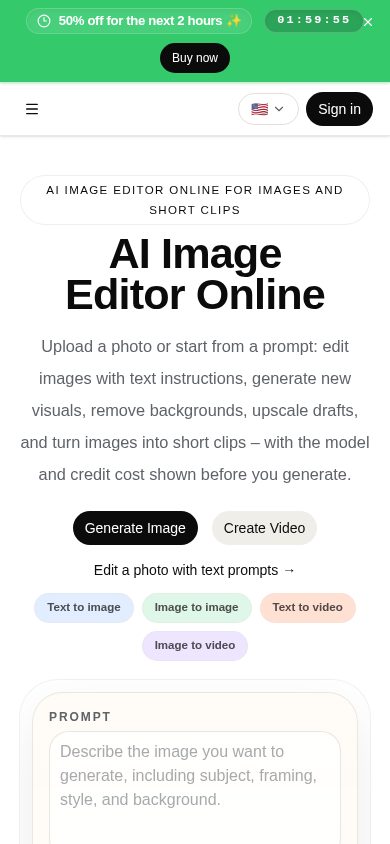
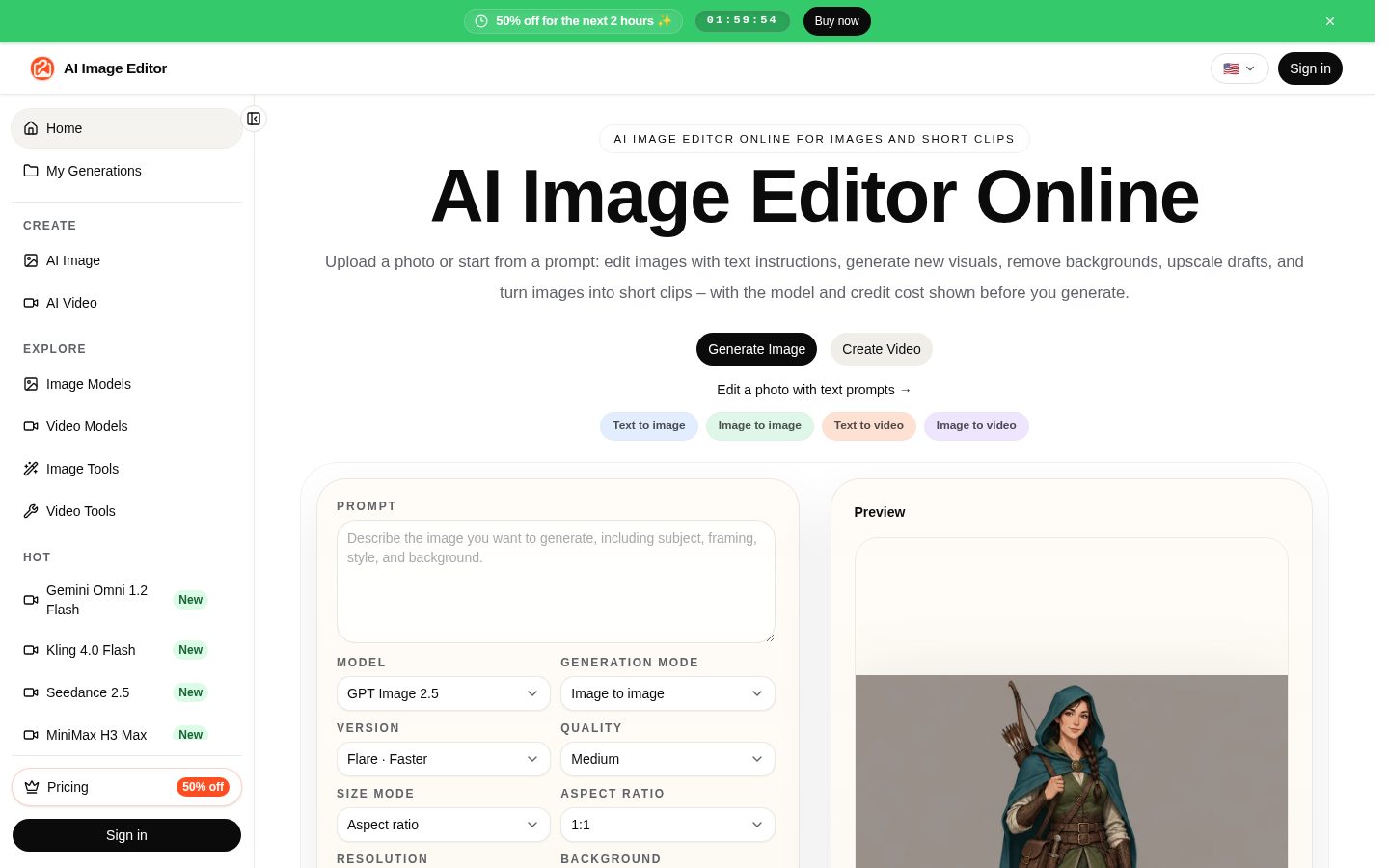
AI Image Editor works through separate image and video creation areas where users enter text prompts or upload reference images to generate new visuals. Dedicated tools exist for specific outputs such as product photos, YouTube thumbnails, posters, social media posts, ad images, and converting photos to anime style, as well as image-to-image, image-to-video, text-to-video, and reference-to-video generation. Additional utilities handle background removal and image upscaling.

The platform distinguishes itself by giving users a choice of underlying generation models rather than a single proprietary engine, including GPT Image 2.5, GPT Image 2, Nano Banana 2, Seedream 5.0 Flash, Seedream 5 Lite for images, and Veo 3.1, Seedance 2.5, Seedance 2.0, Wan 2.7, and HappyHorse for video. A models page lets users compare these options before starting a production. Generated results are kept saved for 30 days, and outputs can be used commercially subject to rights checks.

The tool is built for users who need visual assets for marketing, ecommerce, social media, and video content, such as product photography, ad creatives, posters, and thumbnails. Access is structured around subscriptions or credit packs, though specific plan names and prices are not stated.

Features

AI

  • AI Ad Image Generator

    Generates ad creative images for marketing campaigns.

  • AI Image Generation with Prompt

    Generates images from text prompts within the AI Image Editor workspace.

  • AI Photo Animator

    Animates static photos into moving video content.

  • AI Poster Generator

    Produces movie, event, or campaign poster designs using AI.

  • AI Product Photo Generator

    Creates product photography visuals for ecommerce use from uploaded or generated images.

  • AI Product Video Generator

    Generates product demo or ad videos from product images or prompts.

  • AI Social Media Post Generator

    Creates social media post visuals, including Instagram-style campaign images.

  • AI YouTube Thumbnail Generator

    Generates YouTube thumbnail images optimized for visuals and text.

  • Image-to-Image Generator

    Edits or transforms uploaded images using AI to produce new image variations.

  • Image-to-Video Generator

    Converts a source image into a generated video using AI video models.

  • Photo to Anime AI

    Converts uploaded photos into anime-style images.

  • Reference-to-Video Generator

    Creates video outputs and edits based on reference images or videos on supported models.

  • Text-to-Video Generator

    Generates video content directly from text prompts.

Core

  • Background Remover

    Removes backgrounds from uploaded images.

  • Image Upscaler

    Upscales images to higher resolution for production-ready output.

Preview

AI Image Editor desktop previewAI Image Editor mobile preview

Pricing Plans

Basic

$16.66/monthly

Lower annual cost for steady weekly production

  • 600 Credits Monthly
  • All image models
  • Prompt, edit, and reference tools
  • Results saved for 30 days
  • Commercial use with rights checks
  • Credits reset monthly, no rollover
Popular

Standard

$58.33/monthly

Lower annual cost for teams producing every month

  • 2200 Credits Monthly
  • All image models
  • Prompt, edit, and reference tools
  • Results saved for 30 days
  • Commercial use with rights checks
  • Best value

Pro

$108.33/monthly

Annual scale for always-on creative production

  • 4200 Credits Monthly
  • All image models
  • Prompt, edit, and reference tools
  • Results saved for 30 days
  • Commercial use with rights checks
  • Best price at scale

AI Panel Reviews

The Decision Maker

The Decision Maker

Strategic bet, vendor viability, timing, adoption approval
7.6/10

A model marketplace wrapped in a thumbnail generator, priced by the credit, not the seat.

“600 to 4200 monthly credits across three tiers, with every major image and video model under one roof. The pitch is choice and breadth, not any single best-in-class output.”

$16.66 a month gets you 600 credits and access to GPT Image 2.5, Nano Banana 2, Seedream, Veo 3.1 and a half dozen others, instead of betting on one vendor's engine. That's the real feature here: a models page to compare outputs before you commit credits to a production run.

The tradeoff is real. Credits reset monthly with no rollover, so a slow month burns budget you don't get back, and 30-day result storage means you need to export fast or lose work.

Speed to value is solid for a solo marketer needing thumbnails or product shots today. Harder to defend to a board as a strategic bet versus just a cheaper way to do what Photoshop plugins or a freelancer already cover.

Competitive Positioning8.0

Multi-model access (GPT Image, Nano Banana 2, Veo 3.1, Seedance 2.5) in one workspace is the clear differentiator over a single-engine tool.

Reputation Risk6.9

30-day result storage and 'commercial use subject to rights checks' leaves ownership terms a little vague for ad-campaign use.

Speed to Value8.2

600 credits at $16.66 lets a single marketer test thumbnails, posters, and product shots within a week.

Strategic Fit6.8

Mostly accelerates existing creative output rather than opening new capability; useful but not transformative.

Vendor Viability7.2

Pricing page and API reference are live and specific, but I couldn't find a changelog to gauge release cadence.

Pros

  • Access to 10+ image and video models under one subscription
  • Credit packs don't expire, unlike monthly subscription credits
  • Purpose-built tools for thumbnails, posters, and product photos cut setup time

Cons

  • No credit rollover on subscription tiers means unused capacity is lost monthly
  • Results only kept 30 days, requiring fast export workflows
  • Specific plan unit (seats vs account) isn't stated, muddying team pricing math

Right for

Solo marketers or small ecommerce teams who need varied visual assets fast without picking a single AI model.

Avoid if

Avoid if you need long-term asset storage or guaranteed credit rollover for irregular production schedules.

The Domain Strategist

The Domain Strategist

Craft and strategy in the product's domain — adapts identity per category, same lens
7.2/10

A model aggregator, not a creative tool with a point of view — and that's a strategic question, not a flaw.

“AI Image Editor is a production utility stacked on top of ten-plus third-party models rather than a house style. That makes it fast to adopt and hard to differentiate around.”

No proprietary engine here — the whole pitch is GPT Image 2.5, Nano Banana 2, Seedream 5.0 Flash, Veo 3.1 and friends under one roof, compared on a models page before you commit a production. That's a procurement decision dressed as a creative one. Fine for a studio that wants optionality; thin if you're trying to build a consistent brand look across campaigns.

The tool library — YouTube thumbnail generator, poster generator, product photo and ad image tools — is built for output categories, not for a creative process. It's a vending machine of formats, not a pipeline with layers, revision history, or brand-asset memory. That ceiling shows fast once you're past single-asset requests into campaign-level consistency work.

Three years in, you've standardized on someone else's model roadmap — when GPT Image or Seedream version-bumps, your workflow moves with it, whether you planned for that or not. Credits run $16.66 to $108.33 a month across Basic, Standard, and Pro. Fine for solo operators; I'd want seat-level clarity before scaling a team on it.

Category Positioning7.5

Positioned as the multi-model alternative to single-engine tools, which is a clear and defensible lane even without a flagship house style.

Domain Fit7.0

Purpose-built generators for thumbnails, posters, and product photos match how marketing teams actually brief work, but there's no brand-kit or style-lock layer for repeat use.

Integration Surface6.8

An API reference exists, which is good news for pipeline builders, but I couldn't confirm how deep it goes versus the web workspace.

Long-term Implications6.5

Betting your pipeline on someone else's model lineup (GPT Image, Seedream, Veo) means your output quality shifts on their release schedule, not yours.

Strategic Depth6.8

Breadth of models (10+) is real, but the craft lives in each underlying engine, not in proprietary tooling built on top.

Pros

  • Access to flagship models like GPT Image 2.5, Veo 3.1, and Seedream 5.0 Flash without separate subscriptions
  • Purpose-specific generators (ad images, posters, product photos) reduce prompt engineering for common formats
  • An API reference suggests a path to pipeline integration beyond the web workspace

Cons

  • No proprietary model or house style — output quality is entirely downstream of third-party model choices
  • No visible brand-kit, style-lock, or asset-memory layer for maintaining visual consistency across a campaign
  • Plan pricing unit (seat vs. account) isn't stated, which matters once more than one person touches the account

Right for

Solo marketers or small ecommerce teams who need fast, format-specific visuals without managing multiple model subscriptions.

Avoid if

Avoid if you need a consistent, ownable visual identity across a large campaign rather than one-off assets.

The Finance Lead

The Finance Lead

Money, total cost of ownership, contracts, procurement math
7.3/10

$16.66 to $108.33 monthly, published plainly. The credit math is where it gets interesting.

“Three tiers, no sales call, no hidden floor. But the annual-vs-monthly framing on the pricing page does some quiet work.”

$16.66/month Basic, $58.33 Standard, $108.33 Pro. All visible, no quote-wall. That's rare enough in AI tooling to note.

But look closer. The site quotes $16.66/month billed yearly at $33.32 — that's an annual commitment dressed as a monthly number. 600 credits on Basic, 2200 on Standard, 4200 on Pro. No rollover on any tier. A team burning 2000 credits in week three and sitting idle in week four just lost that capacity. Credit packs persist instead — different product, different math, and the website doesn't say what a credit buys in output terms.

3-year TCO on Standard: $116.65 × 3 = $350 locked-in, assuming the annual price holds and usage doesn't force a Pro upgrade. Add credit-pack top-ups for overage months. No seat count disclosed, so scaling past one user is a guess, not a model. Commercial use needs rights checks per output — a review step, not a cost, but budget the time anyway.

Billing & Procurement7.2

Self-serve subscription plus credit packs, no sales call; account vs. seat billing unit left unstated.

Contract Flexibility6.5

Annual billing implied by the quoted monthly rate, but no term length, renewal, or cancellation terms stated on the page I reviewed.

Pricing Transparency8.0

Three tiers with numbers and credit counts listed; monthly figure is the annual-billed price, not month-to-month.

ROI Clarity7.0

Purpose-built generators for thumbnails and product photos make output easy to count, but credit-to-asset ratio isn't spelled out.

Total Cost of Ownership6.8

No-rollover credits plus undisclosed per-credit output value make real monthly spend hard to pin to a dollar figure.

Pros

  • Three published price points from $16.66 to $108.33 monthly, no sales call required
  • Credit packs persist past the month, unlike subscription credits
  • Commercial use rights built into every tier

Cons

  • Quoted monthly price appears to be the annual-billed rate, not a true month-to-month figure
  • No rollover means unused credits are a sunk cost every 30 days
  • Credit-to-output ratio isn't published, so cost-per-asset takes guesswork

Right for

A solo creator or small shop that can forecast steady monthly credit usage and commit annually.

Avoid if

Your usage swings heavily month to month and you need month-to-month billing without an annual lock-in.

The Domain Practitioner

The Domain Practitioner

Daily hands-on reality in the product's domain — adapts identity per category, same lens
7.2/10

Ten model picker beats one house style, but there's no layer stack underneath it

“Separate generators for thumbnails, posters, and product shots mean less prompt-wrangling per asset type. But there's no single canvas to assemble a campaign — each tool lives in its own silo.”

Switching between the YouTube Thumbnail Generator and the Poster Generator feels like switching apps, not tools in a shared workspace. Each is tuned for its output, which is genuinely useful on day one — no fighting a generic prompt box to get thumbnail-sized text overlays. By day three, though, you notice there's no canvas where a product photo, an ad crop, and a social post live side by side for a client review. You're exporting and re-importing between tabs.

The model picker (GPT Image 2.5, Nano Banana 2, Seedream 5.0 Flash, and others, per the models comparison page) is the real differentiator over a single-engine tool like most competitors in this space. But comparing models before a production run adds a decision step most designers don't want mid-sprint — it's a tradeoff between output control and speed.

I couldn't find dedicated documentation beyond an API reference, so onboarding into the purpose-built generators looks self-serve rather than tutorial-led.

Day-3 Reality7.0

Purpose-built generators save prompt time, but 30-day result retention forces an export habit fast.

Documentation Practitioner-Fit6.5

An API reference exists but I couldn't find task-level docs walking through the purpose-built generators.

Friction Surface6.8

Model comparison before each run and separate tool silos for ad images vs posters add small daily switching costs.

Power-User Depth7.8

Access to 15+ models including Veo 3.1 and Seedream variants gives real range once you know which model suits which job.

Workflow Integration6.5

No shared canvas across the image, video, and utility tools means campaign assembly happens outside the product.

Pros

  • Purpose-built generators cut setup time for common formats like posters and thumbnails
  • Model comparison page lets you pick engines by job instead of being locked to one house style
  • Background remover and upscaler built in as core utilities, no separate tool needed

Cons

  • No shared workspace to assemble multi-asset campaigns across tools
  • Model-picking before each run adds a decision step mid-production
  • Couldn't find task-level documentation beyond an API reference

Right for

Solo designers or small teams producing single-format assets like thumbnails or product photos on a recurring schedule.

Avoid if

Avoid if you need one connected canvas for assembling a multi-asset campaign in a single session.

The Power User

The Power User

Daily human experience, onboarding, polish, learning curve, reliability
7.2/10

Fifteen generator buttons, one workspace, and no idea if it'll feel calm on day thirty.

“AI Image Editor packs ten-plus models and a dozen purpose tools into one web app for $16.66 a month at entry. Whether that variety stays fun or turns into decision fatigue is the open question nobody answers in the first ten minutes.”

First ten minutes here is actually a syllabus. Separate image and video areas, a models page to compare GPT Image 2.5 against Nano Banana 2 or Seedream 5.0 Flash, plus named tools for thumbnails, posters, product shots. That's a lot of doors before you've made one image. Good if you know exactly what you're building, homework if you don't.

The background remover and image upscaler sit there as plain utilities, which is the right call, nobody needs a prompt box for a crop job. But I couldn't find anything describing what happens when a generation fails or runs long, no mention of autosave behavior mid-edit, and that matters more once you're three poster drafts deep and the tab reloads.

Mobile isn't mentioned anywhere I could find, and for a tool whose whole pitch is quick thumbnails and social posts, that's a real gap, not a footnote. At $16.66 to $108.33 a month across three tiers, the pricing is clear. Whether the workflow stays pleasant past week one is the part nobody's shown me yet.

Daily Polish6.8

Purpose-built generators for thumbnails and posters show real thought, but I found no detail on error or failure states mid-generation.

Learning Curve7.4

Dedicated generators for ads, posters, and product photos mean you don't have to learn prompt engineering for common formats.

Mobile Parity5.5

Listed as web-only with no mobile presence I could find, odd for a tool built around fast social and thumbnail turnaround.

Onboarding Experience6.5

A models page to compare engines before you start is helpful, but ten-plus models plus a dozen tools is a lot to parse in the first session.

Reliability Feel6.3

30-day result storage is stated plainly, but nothing I found describes autosave or recovery if a render fails partway.

Pros

  • Ten-plus image and video models accessible from one subscription starting at $16.66/month
  • Dedicated generators for ads, posters, product photos, and thumbnails reduce blank-page prompting
  • Background remover and upscaler built in as standalone utilities

Cons

  • No mobile experience I could find for a tool built around fast social content
  • Nothing describing error states or recovery if a generation run fails
  • 30-day result window means your workflow needs a reliable export habit

Right for

Marketers and ecommerce sellers who want one subscription covering product shots, thumbnails, and ad creative without juggling separate model subscriptions.

Avoid if

Skip it if you need a mobile workflow or want to see how the product handles failed generations before committing.

The Skeptic

The Skeptic

Contrarian. Watch-outs, deal-breakers, broken promises, category patterns
6.8/10

A model-aggregator with no model of its own. That's the whole pitch and the whole risk.

“Fifteen named engines, three price points, zero proprietary edge. Works today, but every bit of its value sits on someone else's API.”

The model list is the pitch: GPT Image 2.5, Veo 3.1, Seedream 5.0 Flash, Nano Banana 2. Fine, until one of those vendors changes terms or pricing upstream. Then this product either absorbs the cost or passes it through. Nothing in the FAQ addresses what happens when a model gets deprecated mid-subscription.

I've seen this shape before — wrapper products riding someone else's model roadmap. Some survive by building a workflow layer deep enough that users don't leave when a model disappears. The AI Poster Generator and YouTube Thumbnail Generator are steps that way. Not proof yet.

$16.66 a month for 600 credits, scaling to $108.33 for 4200, is a real rate card, which counts for something. But the credit-to-output ratio isn't published, so you're guessing at unit economics until you've burned a month's allowance. Commercial rights checks are mentioned, not detailed. Fine for low-stakes creative, riskier for anything brand-sensitive.

Competitive Differentiation6.5

Multi-model access instead of one house engine is the real differentiator, but it's a thin moat if competitors add the same models.

Exit Portability6.0

30-day result storage and no stated export tooling means migration depends entirely on manual download habits.

Long-term Viability6.5

An API reference and pricing page are visible; I couldn't find a changelog, so update cadence is unclear.

Marketing Honesty7.0

Claims ('production-ready') roughly match the feature set shown, but rights-check language is vague enough to watch.

Track Record Match6.5

Named models and tools back the headline claim, but no error-handling or output-quality detail beyond the model list.

Pros

  • Three published price tiers from $16.66 to $108.33 with no sales call required
  • Fifteen-plus named models (GPT Image 2.5, Veo 3.1, Seedream 5.0 Flash) under one account
  • Commercial use language included at every tier

Cons

  • No proprietary model means the product's quality ceiling is set entirely by third parties it doesn't control
  • Credit-to-output math isn't published, so real cost per asset takes trial and error
  • Rights-check language is mentioned but not detailed enough to assess brand risk

Right for

Teams who want quick access to multiple named image and video models without juggling separate subscriptions.

Avoid if

Avoid if you need guaranteed visual consistency or a stable model roadmap you don't have to monitor yourself.

Buyer Questions

Common questions answered by our AI research team

Pricing

What's the difference between Basic, Standard, and Pro plans?

Basic costs $16.66/month (billed yearly at $33.32) with 600 credits monthly, Standard costs $58.33/month ($116.65 billed yearly) with 2200 credits monthly, and Pro costs $108.33/month ($216.65 billed yearly) with 4200 credits monthly. All three include all image models, prompt/edit/reference tools, 30-day result storage, and commercial use with rights checks.

Pricing

Do unused credits roll over to the next month?

No. Subscription credits reset every month and unused subscription credits do not roll over. Credit packs are different — those stay available until used.

Features

Which AI models can I use for image generation?

Image generation models include GPT Image 2.5, GPT Image 2, GPT Image 2.6, Nano Banana 2, Nano Banana 2.1, Nano Banana 2 Lite, Seedream 5.0 Flash, Seedream 5 Lite, Seedream 5.0 Pro, Seedream 5.5, Grok Imagine Image 2.0, Qwen Image 3.0, Midjourney V8.2, FLUX 3 Image, and HappyHorse.

Features

Can I generate videos from a single still image?

Yes. Image-to-video generation turns a still image into a motion draft, and tools like the AI Photo Animator and Image to Video AI Generator are built specifically for animating uploaded images using models such as Veo 3.1, Seedance 2.5, Seedance 2.0, Wan 2.7, Kling 4.0, and Gemini Omni.

Features

How long are generated results saved for?

Generated results are saved for 30 days under the Basic, Standard, and Pro plans.

Product Information

  • Company

    AI Image Editor
  • Pricing

    From $16.66/mo

Platforms

web

About AI Image Editor

AI Image Editor is a web-based photo editing tool that uses AI models to edit images via text prompts, remove backgrounds, and upscale visuals.

Resources

API
Blog

Also in AI Creative Tools