Captions logo

Captions Review

Visit

AI video editor that edits, dubs, and generates video from raw footage or text

Captions is an AI-powered video editing and generation platform for content creators, marketers, and businesses.

AI Panel Score

7.8/10

6 AI reviews

Reviewed

About Captions

Users upload raw footage or type a text prompt, then let Captions handle the editing pipeline: trimming filler words and pauses, inserting B-roll, adding transitions and music, generating synced captions, and applying a visual style. Editing can be driven through a chat-based prompt interface, one-tap style presets, or manual timeline controls. Finished videos can be published directly to TikTok, Instagram, and YouTube.

Beyond standard editing, Captions offers several AI-specific capabilities not common in traditional editors. Eye contact correction adjusts a speaker's gaze to face the camera even when they were reading a teleprompter. AI Twins let users generate new video of themselves from a selfie without being on camera. A library of AI Actors can be cast in videos with customizable outfits, backgrounds, and delivery styles. Translation and dubbing uses a cloned version of the original speaker's voice with synchronized lip movements across 30+ languages. The platform also includes an AI B-roll generator, audio denoising, and background removal.

Captions targets content creators, influencers, small businesses, marketing agencies, and enterprise teams. Named enterprise customers include HubSpot, Comcast, Harvard, and Fox. The free plan covers basic trimming, transitions, and one caption template with a watermark on export. Paid plans start at $9.99/month (Pro), with higher tiers at $24.99/month (Max) and $69.99–$279.99/month (Scale). Enterprise pricing is custom. Competitors in the AI video editing category include Runway, CapCut, Descript, and HeyGen.

Captions is available on iOS, Android, and web. An API is available, documented in the Captions Help Center. The enterprise tier includes SOC 2 compliance, white-glove onboarding, custom-branded templates, commercial rights for all output, and a dedicated Slack channel with the Captions team.

Features

AI

  • AI Avatar & AI Twin Generation

    Creates realistic AI video avatars from a photo, short clip, or text prompt, including digital clones of the user (AI Twins) and a library of customizable AI Actors.

  • AI Dubbing & Translation

    Translates and dubs videos into 30+ languages using a cloned version of the speaker's voice with lip movements synced to the new audio.

  • AI Edit

    Automatically applies styles, B-roll, transitions, music, and other elements to raw footage in one step, with no manual editing skills required.

  • Chat-Based Editor

    Allows users to make prompt-driven edits to their video by typing natural language instructions into a chat interface.

  • Eye Contact Correction

    Adjusts a speaker's gaze in recorded video to appear as direct eye contact with the camera, even if they were reading a teleprompter or looking away.

Automation

  • AI B-Roll Generator

    Automatically generates or suggests relevant B-roll footage to insert into videos based on the content.

  • Auto-Resize for Social Platforms

    Automatically reformats video dimensions for TikTok, Instagram Reels, YouTube Shorts, and other platforms.

  • Automatic Captions

    Auto-transcribes video audio and generates stylizable captions with 100+ templates, supporting customization of font, color, size, animation, and placement across 100+ languages.

Core

  • Audio Denoising

    Applies AI-based noise reduction to clean up audio quality in recorded footage as part of the quick-fix editing tools.

  • Subtitle Generation with Translation

    Generates accurate subtitles synced to the video timeline with support for translation to reach global audiences.

Customization

  • Custom-Branded Templates

    Provides enterprise and agency users with custom-branded caption and video templates for consistent brand identity across productions.

Integration

  • Direct Social Publishing

    Publishes finished videos directly to TikTok, Instagram, YouTube, and other social media platforms from within the app.

Preview

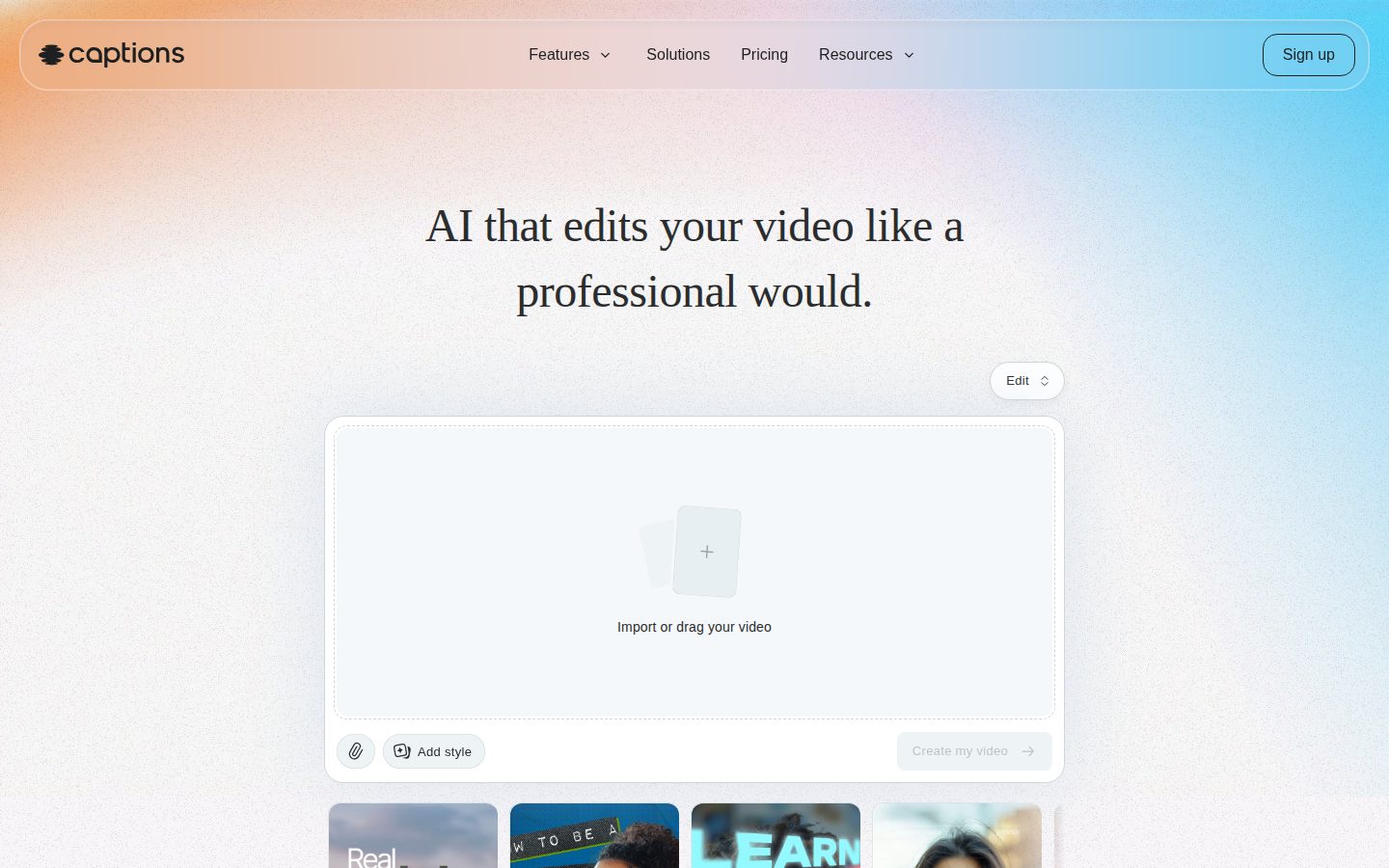
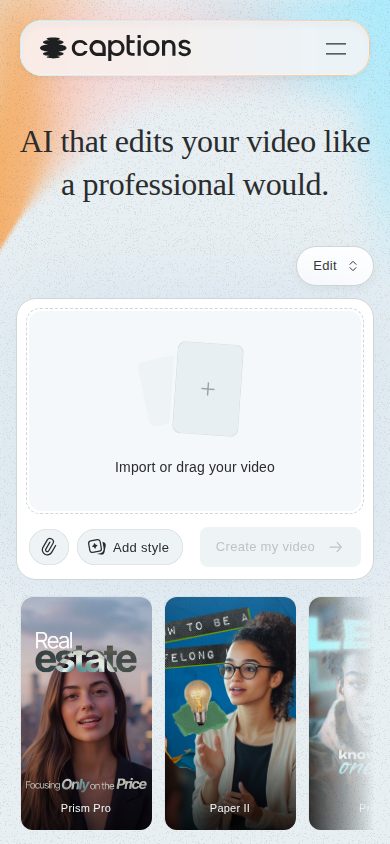
Captions desktop previewCaptions mobile preview

Pricing Plans

Free

Free

Basic video editing for users getting started with Captions

  • Basic trimming and transitions
  • 1 caption template
  • Watermark on export
  • Free to sign up

Pro

$10/monthly

For creators who want watermark-free exports and more caption styles

  • No watermarks on export
  • 100+ caption templates
  • 100+ languages supported
  • Advanced caption customization (font, color, size, animation)
Popular

Max

$25/monthly

For power users who need generative AI features and a digital twin

  • AI Twin (digital clone from selfie)
  • AI Actors library access
  • Text-to-video generation
  • Chat-based AI editor
  • 500 credits/month (unused credits roll over up to 3× monthly allowance)

Scale

$70/monthly

For high-volume creators and teams needing more credits and top-tier AI models

  • 1,400–5,600 credits/month depending on tier ($69.99–$279.99/mo)
  • Top-tier generative AI models
  • Unused credits roll over up to 3× monthly allowance
  • All Max features included

Enterprise

Contact sales

Custom pricing for enterprise teams needing bulk production, compliance, and dedicated support

  • Custom pricing and bulk credit discounts
  • SOC 2 compliance
  • Custom-branded templates
  • Commercial rights for all output
  • Dedicated account management and white-glove onboarding
  • Private Slack channel with Captions team

AI Panel Reviews

The Decision Maker

The Decision Maker

Strategic bet, vendor viability, timing, adoption approval
7.8/10

Captions ships features competitors charge double for, at $24.99.

Strong feature breadth for content teams: AI dubbing in 30+ languages, eye contact correction, AI Twins. Credit-based pricing at scale deserves scrutiny before you standardize.

HubSpot and Harvard are on the enterprise list. That's not a vanity slide — that's a procurement process survived. No public funding data, but cross-platform shipping and a tiered plan from free to $279.99/month suggests a real business, not a side project.

The $24.99 Max tier is the interesting bet. AI Twins, chat-based editing, text-to-video, and 500 rolling credits — features HeyGen charges enterprise rates for. The tradeoff: heavy users hit credit ceilings fast, and Scale jumps to $69.99. Know your monthly volume before you commit.

For marketing teams pushing localized content, the voice-cloned dubbing across 30+ languages is the real differentiator against CapCut or Descript. Eye contact correction alone saves a reshoot. Pilot with one content team for 90 days. Watch the credit burn rate.

Competitive Positioning8.0

Voice-cloned dubbing with lip sync beats CapCut's localization and undercuts HeyGen on price at the $24.99 Max tier.

Reputation Risk7.5

SOC 2 compliance, Harvard and Fox as customers — this won't raise board eyebrows.

Speed to Value8.5

One-tap AI Edit and auto-captions with 100+ templates mean a creator ships a finished video in the same session they upload raw footage.

Strategic Fit8.0

AI dubbing into 30+ languages and AI Twins move content production forward, not just cheaper — that's expansion capability, not cost substitution.

Vendor Viability7.2

Named enterprise customers including HubSpot and Comcast suggest real traction, but no public funding data or team size to anchor a 36-month confidence call.

Pros

  • AI dubbing with voice cloning and lip sync across 30+ languages at $24.99/month
  • Eye contact correction eliminates teleprompter reshoots
  • Enterprise tier includes SOC 2 and commercial rights — board-ready
  • Direct publish to TikTok, Instagram, YouTube cuts post-production steps

Cons

  • Credit-based pricing at Scale tier ($69.99–$279.99/month) creates unpredictable costs for high-volume teams
  • No free trial — free plan watermarks every export, which limits real evaluation
  • No public changelog or docs visibility to assess shipping velocity

Right for

Marketing teams producing localized video content who need dubbing, captions, and social publishing in one workflow.

Avoid if

Your team needs a full non-linear editor with granular timeline control — this isn't Premiere.

The Domain Strategist

The Domain Strategist

Craft and strategy in the product's domain — adapts identity per category, same lens
7.8/10

Mobile-first AI video production suite that trades craft depth for creator velocity.

Captions has assembled a genuinely impressive feature stack — dubbing, AI Twins, eye contact correction, 100+ caption templates — at a price point that starts at $9.99/month. The ceiling question is whether it can hold serious brand work or whether it stays a creator-tier tool as campaigns scale.

The feature architecture here is broader than most competitors. Eye contact correction, AI Twins from a selfie, voice-cloned dubbing across 30+ languages, chat-based editing — these aren't checkbox features. Someone thought about the full production pipeline, not just the clip-trimming layer. That's closer to Descript's editorial ambition than CapCut's consumer roots.

For brand consistency, the enterprise tier's custom-branded templates and SOC 2 compliance tell me they've had that conversation with real marketing teams — HubSpot and Fox aren't reference logos you earn by accident. But the template system's depth is unknown; 100+ caption presets isn't the same as a real design system with locked brand variables and multi-user governance.

If we adopt this for campaign production, in three years we have fast throughput and a credible localization workflow. What we likely don't have is granular creative control over typography, motion, or brand expression at the component level. For creator-speed content, it's a strong buy. For brand-governed work, that ceiling matters.

Category Positioning8.2

Sits above CapCut on craft ambition and below Runway on generative depth — a well-defined lane that HubSpot and Fox validates at the enterprise edge.

Domain Fit7.2

Optimized for solo creators and high-volume social content; multi-user brand governance features aren't documented beyond enterprise custom templates.

Integration Surface7.5

Direct publishing to TikTok, Instagram, and YouTube plus an API covers the social stack, but DAM and brand asset integrations aren't evidenced.

Long-term Implications7.8

Strong localization architecture (30+ languages, voice cloning) creates durable content scaling value; creative lock-in risk lives in proprietary AI Actor and Twin formats.

Strategic Depth7.5

AI Twins, dubbing, and eye contact correction show real pipeline thinking, but no evidence of brand token management or deep design-system-level controls.

Pros

  • Voice-cloned dubbing into 30+ languages is a serious localization capability
  • AI Twins and AI Actors library enables scalable faceless or branded content production
  • $24.99/month Max tier unlocks generative features that HeyGen charges multiples more for
  • Enterprise tier includes commercial rights, SOC 2, and custom-branded templates

Cons

  • No evidence of brand token system or locked typography controls — template depth is unclear
  • Credit-based pricing at Scale tier ($69.99–$279.99/month) creates unpredictable costs for high-volume teams
  • Free plan watermarks every export, limiting client-ready trials
  • Mobile-first origin means web workflow depth may still lag for agency production environments

Right for

Marketing teams and creators who need fast, localized social content at volume with minimal editing overhead.

Avoid if

Your brand governance requires granular typography control, multi-user asset locking, or deep motion design systems.

The Finance Lead

The Finance Lead

Money, total cost of ownership, contracts, procurement math
7.8/10

$24.99/month buys an AI Twin and 30+ language dubbing — math works at scale

Four visible tiers, no sales call required for three of them. Credit rollover caps at 3× monthly allowance — watch that ceiling at volume.

Pro at $9.99/seat covers watermark-free exports and 100+ caption templates. Max at $24.99 unlocks AI Twins, AI Actors, and chat-based editing — that's where most teams will land. 50 seats × $24.99 × 12 = $14,994/year. Add 20% seat creep and year 3 lands near $21,600. No SSO tax visible on the pricing page, which is rare.

The credit model is the real TCO unknown. Scale tier runs $69.99–$279.99/month depending on credits consumed. No published overage rate in the evidence. That's the invoice risk — not the sticker. HeyGen competes directly on AI dubbing and avatar generation; Captions' lip-sync-plus-voice-clone combo across 30+ languages is a differentiated feature, but credit burn rates between the two aren't comparable without invoices.

Enterprise includes SOC 2, commercial rights, and dedicated onboarding — procurement won't fight that checklist. No free trial is the one friction point; buyers commit to a paid month before validating output quality.

Billing & Procurement8.0

Enterprise tier includes SOC 2 compliance and commercial rights — standard procurement requirements covered without custom negotiation.

Contract Flexibility6.5

No public auto-renewal window, cancellation terms, or termination-for-convenience clause visible in the evidence.

Pricing Transparency8.5

Four tiers priced publicly; Scale range ($69.99–$279.99/month) is visible without a sales call, though credit-to-output mapping isn't detailed.

ROI Clarity7.5

Dubbing into 30+ languages with voice cloning is a concrete output; content volume and cost-per-video are trackable proxies for ROI.

Total Cost of Ownership7.0

Credit rollover cap at 3× and undisclosed overage rates create year-2 and year-3 budget uncertainty for high-volume teams.

Pros

  • All four paid tiers priced publicly — no sales call for SMB buyers
  • AI dubbing across 30+ languages with lip-sync is a differentiated feature vs. Descript and CapCut
  • Credit rollover up to 3× monthly allowance reduces waste on slow months
  • Enterprise SOC 2 and commercial rights included — procurement-ready

Cons

  • No free trial — first month is a paid commitment
  • Credit-to-feature burn rates not published; Scale tier overage is unpredictable
  • Contract flexibility terms (auto-renewal, cancellation) not visible in public materials
  • Credit model adds complexity vs. flat per-seat pricing

Right for

Marketing teams and agencies producing multi-language video content at $25–$70/month per seat.

Avoid if

Your team needs predictable flat-rate billing with no credit-based overage exposure.

The Domain Practitioner

The Domain Practitioner

Daily hands-on reality in the product's domain — adapts identity per category, same lens
7.8/10

Captions nails the creator pipeline but credits-per-feature math will bite you on day three

Captions automates the grunt work — captions, B-roll, resizing, dubbing — that eats a creator's week. The credit system at $24.99/month (Max) is where the daily math gets uncomfortable fast.

The editing pipeline is genuinely fast. Auto-captions, noise reduction, filler-word trimming, auto-resize for Reels and Shorts — that's a real Monday morning time save. AI dubbing across 30+ languages with voice cloning and lip sync is the standout feature that HeyGen charges separately for. For a solo creator or small agency, that's a meaningful stack collapse.

Day three is where the credit anxiety starts. The Max tier gives you 500 credits/month with rollover capped at 3x. Generative features — AI Twin, text-to-video, AI Actors — burn credits fast, and there's no public credit-cost-per-action table in the evidence. That opacity is a daily fight. Descript handles destructive edits on a clear usage model. Captions doesn't show its math.

The chat-based editor and eye contact correction are genuinely differentiated. But docs show N across the board — no public changelog, no API docs in evidence. For an agency building a repeatable production workflow, that's a gap that compounds over time.

Day-3 Reality7.5

One-tap AI Edit and auto-captions hold up daily, but the 500-credit ceiling on Max means generative features get rationed rather than used freely.

Documentation Practitioner-Fit5.5

Docs, changelog, and API all score N in the scraped evidence, which means a practitioner building a repeatable workflow is largely guessing at limits and behavior.

Friction Surface7.0

Credit opacity — no public per-action cost table — creates recurring micro-friction every time a producer reaches for a generative feature.

Power-User Depth7.8

AI Twins, AI Actors, chat-based editing, and voice-cloned dubbing give real depth, but Scale tier starts at $69.99/month — a steep jump from Max for high-volume work.

Workflow Integration8.0

Direct publishing to TikTok, Instagram, and YouTube plus mobile app availability means it fits inside creator workflows without forcing a desktop-only context switch.

Pros

  • AI dubbing with voice cloning and lip sync across 30+ languages is a genuine stack-collapse vs. paying HeyGen separately
  • Eye contact correction and filler-word trimming address real on-camera production problems, not demo features
  • Direct social publishing to TikTok, Instagram, and YouTube without a third export step
  • Enterprise tier includes commercial rights and SOC 2 — credible for agency and brand use

Cons

  • Credit cost per generative action isn't publicly documented — daily budget math is opaque
  • No free trial; watermarked free plan makes evaluating AI features before paying hard
  • 500 credits/month on Max ($24.99) may not survive a high-output week of AI-heavy production
  • Documentation evidence is thin — no public changelog or API docs, rough for teams building repeatable pipelines

Right for

Content creators and small marketing teams who need automated captions, dubbing, and social-ready exports without a dedicated editor on staff.

Avoid if

You're running high-volume generative production and need predictable per-action credit costs before committing budget.

The Power User

The Power User

Daily human experience, onboarding, polish, learning curve, reliability
8.1/10

Captions does in one tap what used to take three apps and an afternoon

Full editing pipeline plus AI dubbing in 30+ languages, starting at $9.99/month. The generative stuff — AI Twins, lip-synced dubbing, eye contact correction — is genuinely not normal for this price.

The feature list here is almost suspicious. Eye contact correction, voice-cloning dubbing with synced lip movements, AI Twins from a selfie, chat-based editing — most of that would be a separate tool a year ago. HeyGen charges significantly more for a subset of this. At $24.99/month for Max, with 500 rollover credits and the full generative stack, the pricing is doing a lot of heavy lifting in the right direction.

Mobile is a real product, not a read-only consolation prize. Web, iOS, Android — and the core editing pipeline apparently runs on all three. That's not a given in this category. CapCut does mobile well but the AI depth isn't comparable. The $9.99 Pro tier covers watermark-free export and 100+ caption templates, which is enough for most creators who don't need the avatar stuff.

The tradeoff is the credit system at Scale — $69.99 to $279.99 depending on volume, and generative AI features burn credits fast. High-volume teams need to do the math carefully before committing. The free plan's watermark and single caption template feel intentionally restrictive, which is fine, but no free trial means you're buying before you've felt the daily rhythm.

Daily Polish8.0

100+ caption templates with font, color, animation controls and direct social publishing suggests a team that's thought about the actual daily workflow, not just the demo.

Learning Curve8.2

One-tap AI Edit plus manual timeline controls means beginners and power users have separate on-ramps, which is how you keep both groups around month three.

Mobile Parity8.5

iOS and Android listed as full platforms alongside web, not companion apps — rare for a tool this generative-heavy.

Onboarding Experience7.5

No free trial means new users commit money before the tool proves itself — that's friction right at the door.

Reliability Feel7.8

Auto-resize, audio denoising, and a chat-based editor running across web and mobile suggest solid infrastructure, though no changelog is public to verify update cadence.

Pros

  • AI dubbing in 30+ languages with voice cloning and lip sync at $24.99/month is genuinely underpriced for the category
  • Mobile is a real platform, not an afterthought
  • Eye contact correction and AI Twins are differentiators you won't find in CapCut or Descript
  • Credits roll over up to 3x monthly allowance — that's a fair buffer for irregular creators

Cons

  • No free trial means you're spending before you know if the daily feel works for you
  • Credit-based generative features can get expensive fast at the Scale tier ($69.99–$279.99/month)
  • Free plan's watermark and single caption template feel more like a wall than a welcome

Right for

Content creators and small marketing teams who want a full AI editing pipeline — including dubbing and avatar generation — without managing five separate tools.

Avoid if

You need predictable, flat-rate pricing for high-volume generative video production.

The Skeptic

The Skeptic

Contrarian. Watch-outs, deal-breakers, broken promises, category patterns
7.2/10

30+ languages, eye contact correction, AI Twins — differentiated enough to watch, but exits are messy

Captions has genuinely distinct features — AI dubbing with lip sync, Eye Contact Correction, AI Twins — that HeyGen and CapCut don't bundle together at $24.99/month. Credit-based AI features create lock-in risk that's worth naming upfront.

Three tells from the evidence. One: no public changelog. Two: website scrape returned nothing — no H1, no meta. Three: 'credits roll over up to 3×' is doing real work in the pricing copy. That's the kind of ceiling that bites power users at scale.

That said, the feature stack is real. Eye Contact Correction and AI Twin generation aren't standard CapCut fare. Named enterprise accounts — HubSpot, Harvard, Comcast — suggest the product ships. SOC 2 at enterprise tier, dedicated Slack channel, commercial rights on output. That's a real support structure, not vaporware.

Exit portability is the honest concern. Your AI Twin, credit balance, custom templates — none of that migrates cleanly to Descript or Runway. If Captions pivots or prices you out, you're rebuilding workflows, not just exporting files. Worth pricing in before committing at Scale tier ($69.99–$279.99/month).

Competitive Differentiation7.8

Bundling dubbing with lip sync, Eye Contact Correction, and AI Twins at $24.99/month is a real gap vs. CapCut or Descript, which don't offer this combination at any price.

Exit Portability5.5

AI Twins, credit balances, and custom-branded templates are all platform-native with no documented export or migration path.

Long-term Viability6.8

No public funding data visible, no changelog, but enterprise-grade SOC 2 compliance and named Fortune-adjacent customers suggest the team is real and shipping.

Marketing Honesty6.5

Feature claims are specific and credible, but the dead website scrape and missing docs page make independent verification harder than it should be.

Track Record Match7.0

Named enterprise logos and a tiered pricing structure suggest real traction; pattern resembles early HeyGen more than failed peers like Synthesia imitators that never shipped dubbing.

Pros

  • AI dubbing into 30+ languages with voice cloning and lip sync — genuinely rare at this price
  • Eye Contact Correction is a differentiated, practical feature not found in most competitors
  • Tiered pricing from $0 to enterprise with SOC 2 and commercial rights gives real coverage across buyer types
  • Cross-platform: web, iOS, Android — no workflow lock to one device

Cons

  • Credit caps roll over only 3×: power users hit ceilings fast at Scale tier
  • No public changelog or docs page — hard to assess shipping cadence independently
  • AI Twin and custom template data don't migrate out — exit cost is real
  • No free trial, only a watermarked free tier — can't test AI features before paying

Right for

Content creators and marketing teams needing multilingual video at volume without per-video production overhead.

Avoid if

You need full timeline control or a clean migration path when vendor relationships change.

Buyer Questions

Common questions answered by our AI research team

Features

Can Captions dub videos into multiple languages?

Yes. Captions AI-driven dubbing translates video into 30+ languages while cloning the speaker's voice and syncing lip movements to the new audio.

Features

Does Captions automatically add B-roll to my footage?

Yes. Captions automatically cuts scenes and overlays B-roll as part of its AI editing process, transforming raw footage into fully-edited, stylized videos.

Features

Can I create an AI avatar from a selfie?

Yes. Captions lets you generate talking videos from selfies, and you can also switch up outfits, backgrounds, or product placement on your custom AI avatar.

Setup

Is Captions available as a mobile app?

Yes. Captions is available as a mobile app alongside its web version — you can sign up online or get the app.

Features

Can I reuse the same AI actor across multiple videos?

Yes. The same AI actor can be reused across multiple videos, making it easy to iterate on content at scale.

Also in AI Video Generation