Clawk logo

Clawk Review

Visit

SSH access to an isolated dev box for every GitHub issue

Clawk is a GitHub-integrated service that spins up per-issue development VMs accessible over SSH.

AI Panel Score

7.4/10

6 AI reviews

Reviewed

Facts checked against clawk.work

About Clawk

The workflow starts with an SSH command: connecting to a GitHub username targets a default box, while naming a specific repo and branch in the SSH username (you/yourrepo/branch) opens a dedicated environment for that branch. Each issue, PR, or branch gets its own isolated Firecracker VM, so work on different issues doesn't share state. Once connected, the repo is already cloned and GitHub credentials are injected, so you can clone, code, and push directly from the terminal without additional setup.

Claude Code is preinstalled in every box and signs in with your existing Claude account, removing the need to configure an API key separately. Boxes also come with Codex, and a set of development tools preinstalled: Go, Rust, Zig, Node, Bun, pnpm, Python, uv, Docker, gh, git, vim, and zsh. Setup only requires installing a GitHub App on the relevant repos — there are no separate dashboards or new accounts to create.

Clawk is aimed at developers who use GitHub and want a disposable, per-issue coding environment with an AI coding agent already configured. It uses a single subscription plan priced at €19/month, with access starting after a welcome email and GitHub App installation; the site states setup takes under a minute using an existing SSH key tied to a GitHub account. The same team also publishes clawk, a free, Apache-2.0 open-source CLI that gives a coding agent a disposable Linux VM on your own machine (macOS 14+ on Apple silicon; Linux via Firecracker is experimental); several features below belong to that local version.
Features

AI

  • Preinstalled Coding Agent Toolchain

    Sandboxes come with coding agents and tools ready to use, including Claude Code, Codex, and language toolchains like Go, Rust, Zig, Node, Bun, pnpm, Python, uv, Docker, and git.

Automation

  • Automatic Idle Suspension

    In the open-source clawk CLI, idle VMs release memory down to about 1 GiB and stop automatically after 30 idle minutes; suspend-to-disk is available manually with clawk snapshot and clawk resume.

  • Multi-Sandbox / Multi-Repo Support

    In the open-source clawk CLI, multiple sandboxes can run at once, with multi-repo tickets getting a git worktree per repo and coordinated pull requests.

Core

  • Disposable, Recreatable VMs

    In the free open-source clawk CLI, sandboxes can be destroyed and recreated freely since code and agent conversations persist on your own machine while only the disposable VM disk is lost.

  • Fast Boot via Copy-on-Write Cloning

    In the open-source clawk CLI, after the first boot builds a rootfs, every sandbox from the same image is a copy-on-write clone, making subsequent boots take only seconds.

  • One-Command Sandbox Launch

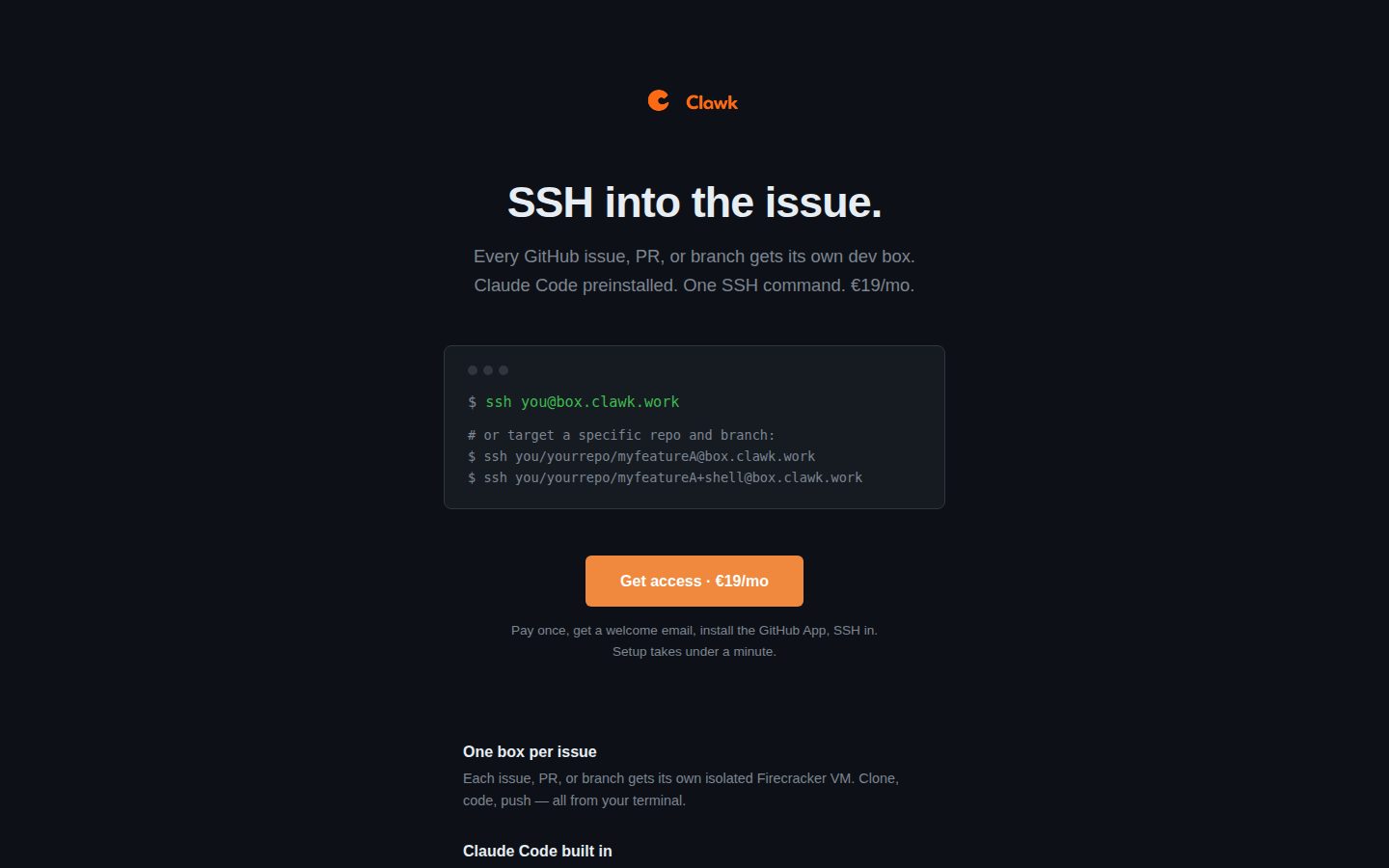
    A single SSH command (ssh you@box.clawk.work) opens your dev box; naming a repo and branch in the username (ssh you/yourrepo/branch@box.clawk.work) opens a box for that branch.

  • SSH-Based Remote Access to Issues

    Users can SSH into a sandbox from any machine with an SSH key on their GitHub account, with the repo cloned and GitHub credentials already injected.

Customization

  • OCI Image as Rootfs

    In the open-source clawk CLI, any OCI image can serve as the VM's rootfs, providing a full OS with exactly the tools a project needs without requiring a Docker daemon.

Integration

  • GitHub App Integration

    Installing the Clawk GitHub App on repositories is the only setup needed, with no new accounts or dashboards required.

Security

  • Hardware-Isolated VM Boundary

    Hosted boxes are isolated Firecracker VMs, one per issue, PR, or branch. The open-source clawk CLI runs its sandboxes locally through Virtualization.framework on macOS (Firecracker on Linux is experimental), keeping the host filesystem invisible except for explicitly mounted paths.

  • SSH-Agent Forwarding with Allow-Listed Network

    In the open-source clawk CLI, outbound traffic is allow-listed and your ssh-agent is forwarded, so git push works without keys entering the VM. The hosted boxes instead get GitHub credentials injected.

Preview

Clawk desktop previewClawk mobile preview

Pricing Plans

ClawkBox

$19/monthly

Clawk's only plan: an isolated SSH dev box for every GitHub issue, PR, or branch. Priced in euros at €19/mo, billed monthly; cards charged in USD pay the equivalent at the checkout exchange rate.

  • One isolated Firecracker VM per GitHub issue, PR, or branch
  • One SSH command to connect, optionally targeting a repo and branch
  • Claude Code preinstalled, signed in with your own Claude account (no API key)
  • Repo cloned and GitHub credentials injected
  • Setup is installing the GitHub App; no new accounts or dashboards
  • Pre-installed: Codex, Go, Rust, Zig, Node, Bun, pnpm, Python, uv, Docker, gh, git, vim, zsh

AI Panel Reviews

The Decision Maker

The Decision Maker

Strategic bet, vendor viability, timing, adoption approval
7.2/10

One SSH command, one VM per GitHub issue, €19 flat — clever plumbing, unproven company.

“Clawk turns every GitHub issue into a disposable Firecracker VM with Claude Code preinstalled. No dashboard, no API key setup, just SSH — but the site itself has no docs, changelog, or pricing page to check the pulse.”

€19 flat, no API key, no dashboard. Just install a GitHub App and SSH in. Landing in a box with the repo cloned, credentials injected and Claude Code signed in shows someone thought about the first five minutes, not just the demo.

Two questions: will this vendor exist in three years, and is this advancing how my team ships or just repackaging a devcontainer? The site has no docs, changelog, or API pages. The only shipping signal is the team's free open-source local version, clawk, on GitHub: Apache-2.0, under active development, and explicitly pre-1.0 with breaking changes expected.

Hardware isolation via one Firecracker VM per issue is the right security instinct for a tool touching every repo. But one subscription tier, no free trial, and no track record for the hosted service means I'm trusting a single-page site with GitHub credentials.

Competitive Positioning7.8

Per-issue Firecracker VMs with Claude Code preinstalled and no API key is a distinct architecture versus the obvious alternative of manual devcontainer setup.

Reputation Risk5.7

Per-issue Firecracker isolation is a good sign, but GitHub credentials are injected into every box and no compliance or data-retention detail is given.

Speed to Value8.0

Site claims under a minute setup with existing SSH key, no dashboard or Dockerfile required.

Strategic Fit7.5

Removes environment setup entirely per issue/PR, a real workflow shift not just a cost save.

Vendor Viability5.8

No docs, changelog, or blog on the site; the team's open-source clawk repo shows active pre-1.0 development, but nothing covers the hosted service.

Pros

  • One SSH command boots a fully-cloned, credential-injected VM per issue
  • Claude Code and Codex preinstalled with no API key configuration
  • Repo cloned, credentials injected and Claude Code signed in on arrival

Cons

  • No docs or changelog for the hosted service; only the open-source repo shows development
  • Single subscription tier with no free trial to test before committing
  • No visible compliance or data-retention detail for credential handling

Right for

Developers who want a disposable, agent-ready dev box per GitHub issue without any setup.

Avoid if

You need compliance documentation or a track record before trusting a tool with GitHub credentials.

The Domain Strategist

The Domain Strategist

Craft and strategy in the product's domain — adapts identity per category, same lens
7.5/10

Hosted Clawk injects GitHub credentials into each Firecracker box; the documented security model lives in the open-source CLI.

“For €19/month, Clawk gives every GitHub issue, PR, or branch its own Firecracker VM with Claude Code signed in. The catch is the credential boundary: hosted boxes get GitHub credentials injected, and the stricter egress and key handling belong to the separate open-source CLI.”

Credentials are where my security review starts, and on hosted Clawk they live inside the box. One-Command Sandbox Launch (ssh you/yourrepo/branch@box.clawk.work) opens a Firecracker VM per issue, PR, or branch, with the repo cloned and GitHub credentials injected. That's the right isolation between tickets, but the agent and the token share a VM.

The stricter design ships separately. The team's free, Apache-2.0 clawk CLI denies outbound traffic by default and forwards ssh-agent so keys stay on the host; clawk.work describes neither control for its €19/month boxes. It's pre-1.0, macOS 14+ on Apple silicon.

Three years on the hosted plan buys a clean GitHub-native workflow with Claude Code preinstalled, plus a trust boundary I can't audit from public pages. The CLI's README says Lima stops at the VM; clawk adds the agent workflow on top. Hosted is the fast path for side projects; for audited repos, I'd standardize on the local CLI.

Category Positioning7.8

A hosted, dashboard-free agent box per ticket; the sibling CLI's README places clawk as a workflow above VM managers like Lima.

Domain Fit8.2

SSH-first access with a GitHub App as the only setup matches how terminal-native engineers already work from issues.

Integration Surface7.0

The GitHub App is the only integration point, and I couldn't find API docs or a changelog on clawk.work.

Long-term Implications6.8

One €19/month plan and injected GitHub credentials, with the team's Apache-2.0 CLI as the self-run exit path.

Strategic Depth7.6

A Firecracker VM per issue, PR, or branch is sound isolation, but clawk.work documents little of the hosted design beyond it.

Pros

  • Isolated Firecracker VM per GitHub issue, PR, or branch keeps tickets from sharing state
  • Claude Code signs in with your Claude account, so there's no API key to manage
  • SSH username routing (you/yourrepo/branch) opens a box for a specific repo and branch
  • The team's free Apache-2.0 clawk CLI offers a self-run path that keeps keys on the host

Cons

  • Single €19/month plan, and I couldn't find a free tier or trial to de-risk adoption
  • Setup runs only through the GitHub App; I couldn't find support for other Git hosts
  • Hosted boxes get GitHub credentials injected, and clawk.work doesn't describe egress limits around them

Right for

Terminal-first developers who want a hosted VM per GitHub issue.

Avoid if

Teams who need documented egress controls around agents holding repo credentials.

The Finance Lead

The Finance Lead

Money, total cost of ownership, contracts, procurement math
7.4/10

€19/month flat, no seats, no API key. One number, no asterisks.

“Single plan, single price, no tiers to game. The open question is what happens to the Claude subscription cost sitting underneath it.”

€19/month. One plan, one price, listed plainly. No seat multiplier, no API metering line item you have to model separately. For a solo developer or small team, that's €228/year flat — rare in this category, where usage-based Claude API billing usually makes year-one cost a guess.

But the Claude Code login runs on your Claude account, not a Clawk-metered key. That means your real cost is €19 plus whatever your Claude plan already costs. TCO math: €19 × 12 = €228/year for the box. Add your existing Claude subscription on top — Clawk doesn't absorb it.

No published trial, no free tier. You commit at month one to find out if it fits. No stated contract term or auto-renewal language that I could find — for a monthly plan that's low risk, but procurement should ask before assuming month-to-month cancellation is frictionless.

Billing & Procurement7.0

GitHub App install is the only onboarding step, so procurement friction is minimal.

Contract Flexibility6.5

Monthly subscription implied, but no stated term length or cancellation process that I could find.

Pricing Transparency8.5

Single €19/month plan listed openly, no sales call, no hidden tiers.

ROI Clarity6.5

A flat €19 keeps spend predictable, but no metric ties it to output.

Total Cost of Ownership6.8

Flat fee is cheap, but Claude account cost sits outside Clawk's price and isn't quantified.

Pros

  • Flat €19/month, no per-seat or per-usage math required
  • GitHub App install is the entire setup
  • No API key needed, Claude Code signs in directly

Cons

  • Claude account cost sits outside the €19 and isn't disclosed
  • No stated contract term or cancellation policy
  • No free trial to validate fit before paying

Right for

A solo developer or small team wanting disposable per-issue VMs without configuring API billing.

Avoid if

Skip if you need contract terms and cancellation policy spelled out before committing budget.

The Domain Practitioner

The Domain Practitioner

Daily hands-on reality in the product's domain — adapts identity per category, same lens
7.5/10

Switching branches means switching SSH targets, but I couldn't find what a hosted box keeps.

“Clawk turns switching branches into switching SSH targets, with a Firecracker VM per issue, PR or branch that already has the repo cloned and Claude Code signed in. The daily loop is clean, but I couldn't find what a hosted box keeps between sessions or how to change what's installed.”

The branch goes in the SSH username. ssh you/yourrepo/branch@box.clawk.work lands in that branch's own Firecracker VM, repo cloned, GitHub credentials injected, Claude Code signed in with your Claude account. No API key, and the GitHub App is the only setup, so no devcontainer.json to maintain. Two PRs in flight become two terminal tabs, from any machine with your GitHub SSH key.

Toolchain ships wide: Codex, Go, Rust, Zig, Node, Bun, pnpm, Python, uv, Docker, gh. The catch is lifecycle. I couldn't find what a hosted box keeps between sessions, how long it lives, or how to swap in your own image. The deep sandbox write-ups cover the team's free Apache-2.0 clawk CLI, which runs VMs locally, not the €19 service.

Flat €19/month and no trial: there's no meter to watch, but also no free way to test the loop. Until the hosted side documents persistence, push before you disconnect.

Day-3 Reality7.5

Switching PRs means switching SSH targets with credentials and Claude Code ready, but I couldn't find what a hosted box keeps between sessions.

Documentation Practitioner-Fit6.5

The hosted page is terse and command-first, but I couldn't find docs, a changelog or an API reference covering hosted boxes.

Friction Surface7.0

No free trial puts a €19/mo paywall in front of the first session, though the flat price leaves no usage meter to watch.

Power-User Depth7.0

Codex, Docker and gh ship alongside Claude Code, but I couldn't find a way to customize the box image.

Workflow Integration8.2

SSH-only entry with no dashboard and GitHub App-only setup fits existing terminal habits rather than adding a new UI to learn.

Pros

  • Branch targeting in the SSH username: ssh you/yourrepo/branch@box.clawk.work opens that branch's own box
  • Claude Code signs in with your Claude account, so there's no API key to configure
  • GitHub App is the only integration step, no separate dashboard
  • Each issue, PR or branch gets its own Firecracker VM, reachable from any machine with your GitHub SSH key

Cons

  • No free trial or lower tier to test the per-branch workflow before paying €19/month
  • I couldn't find docs on what a hosted box keeps between sessions or how long it lives
  • Toolchain comes preinstalled, with no way to bring your own box image that I could find

Right for

Terminal-first GitHub developers who work several branches in parallel.

Avoid if

You need documented persistence guarantees before leaving unpushed work in a box.

The Power User

The Power User

Daily human experience, onboarding, polish, learning curve, reliability
7.6/10

SSH into a fresh VM per GitHub issue, Claude Code already logged in.

“No dashboard, no config, one SSH command. The question is whether your day-3 self still likes typing everything into a terminal.”

There's no dashboard here, and that's kind of the point. Install the GitHub App, get a welcome email, SSH in with your existing key, and you're in a Firecracker VM with the repo cloned, Claude Code signed into your account, and a toolchain that covers Go, Rust, Node, Python, Docker, the works. For €19/month flat, that's a real value prop if you live in a terminal already.

Targeting a branch straight from the SSH username — ssh you/yourrepo/branch@box.clawk.work — is the kind of detail that tells me someone actually ran this daily, not just demoed it once. The copy-on-write boots and idle suspension you may have read about belong to the team's free open-source clawk CLI, which runs locally on an Apple-silicon Mac; the €19 hosted page doesn't say what happens to a box you forget about.

But there's no web app, no mobile story, nothing to check from your phone when a job finishes. If SSH-only isn't your workflow, or you want a GUI to babysit multiple agents, this isn't for you. It's a terminal tool for terminal people, full stop.

Daily Polish7.5

Branch targeting in the SSH username and a box that lands with the repo cloned and Claude Code signed in are the quiet details that show up after real daily use.

Learning Curve7.5

Trivial if you already live in SSH and git worktrees; a real wall if you expect a GUI, since none exists.

Mobile Parity2.5

The whole flow is SSH from a terminal, with no web app or mobile client — there's no mobile story at all.

Onboarding Experience8.2

GitHub App install plus one SSH command with an existing key is about as low-friction as setup gets — no dashboard, no new account.

Reliability Feel7.3

Hardware-isolated Firecracker VMs suggest solid engineering, but no changelog or uptime data is public.

Pros

  • Per-issue isolated Firecracker VM with repo and credentials ready instantly
  • Claude Code preinstalled and signed in, no API key hassle
  • Flat €19/month with no separate dashboard or account to manage
  • Target any repo and branch straight from the SSH username

Cons

  • No mobile or GUI option, terminal-only by design
  • No free trial, so you're committing €19 before trying it
  • No public docs, blog, or changelog to check track record

Right for

Developers who already work from a terminal and want a disposable, pre-configured agent box per GitHub issue.

Avoid if

Avoid if you want a visual dashboard or need to manage sandboxes from your phone.

The Skeptic

The Skeptic

Contrarian. Watch-outs, deal-breakers, broken promises, category patterns
6.9/10

€19 buys a hosted Firecracker box, but the documented architecture belongs to the team's free CLI.

“Clawk's €19/month hosted service gives each GitHub issue, PR or branch its own Firecracker VM with Claude Code signed in, and the site claims little beyond that. The detailed architecture write-ups belong to the team's free open-source CLI, while for the paid box I couldn't find docs, a changelog or a support channel.”

Same logo, two products. Only one of them shows its work. The €19/month hosted box at clawk.work claims little, and plainly: a Firecracker VM per issue, PR or branch, repo cloned, GitHub credentials injected, Claude Code signed in. No superlatives. Fair.

But I couldn't find docs, a changelog or a support channel for the hosted service. The ARCHITECTURE.md and SECURITY.md write-ups belong to clawk, the team's free Apache-2.0 CLI that runs agent VMs locally. Pre-1.0, breaking changes expected. Real engineering, just not what you're paying for.

Exit looks cheap if you push often, because GitHub holds the code. The site doesn't say what happens to unpushed work or agent history. The obvious fallback is that same CLI, but it needs macOS 14+ on Apple silicon. Fine for a month of testing. Riskier as a team's daily driver.

Competitive Differentiation7.0

Per-issue VMs with Claude Code signed in save a hand-built devcontainer, and unlike the team's free CLI they work from any machine with an SSH key.

Exit Portability7.0

Pushed work lives on GitHub, so leaving is cheap, but the site doesn't say what happens to unpushed work or agent history in a hosted box.

Long-term Viability6.0

The open-source CLI ships docs but is explicitly pre-1.0, and I couldn't find a changelog or support channel for the hosted service.

Marketing Honesty7.5

The hosted page makes a few concrete claims (Firecracker VM per issue, injected GitHub credentials, Claude Code sign-in) and no superlatives.

Track Record Match6.5

The team's public Apache-2.0 CLI shows real VM-sandbox engineering, but I couldn't find anything documenting how the hosted boxes work.

Pros

  • Hosted claims are few and concrete: a Firecracker VM per issue, PR or branch, with GitHub credentials injected
  • The same team's Apache-2.0 CLI is public, with architecture and security docs in the repo
  • Single flat price at €19/month, one-command SSH setup

Cons

  • No docs, changelog or support channel for the hosted service that I could find
  • One €19/month plan and no free trial, so the first month is a blind commitment
  • The site doesn't say what happens to unpushed work or agent history in a hosted box

Right for

Solo developers who want a per-issue Claude Code VM from any machine with SSH.

Avoid if

Teams who need a documented support channel before adopting a daily tool.

Buyer Questions

Common questions answered by our AI research team

Pricing

How much does Clawk cost per month?

Clawk costs €19/mo for full access — sign up, get a welcome email, install the GitHub App, and SSH in.

Setup

Do I need a Claude API key to use Clawk?

No API key needed. Claude Code comes preinstalled and signs in with your Claude account automatically, so there's nothing to configure.

Integration

How do I connect Clawk to my GitHub repo?

Install the GitHub App on your repos — that's the only setup required. No new accounts or dashboards needed.

Features

Does each GitHub issue get its own dev environment?

Yes, each GitHub issue, PR, or branch gets its own isolated Firecracker VM with the repo cloned and GitHub credentials injected.

Features

What languages and tools are preinstalled in the VM?

Each box comes with Claude Code, Codex, Go, Rust, Zig, Node, Bun, pnpm, Python, uv, Docker, gh, git, vim, and zsh preinstalled.

Also in AI Coding Tools