DataSnipper logo

DataSnipper Review

Visit

AI audit automation trusted by all top 100 accounting firms

DataSnipper is an AI-powered audit automation platform for accounting and finance teams, built as a Microsoft Excel add-in.

AI Panel Score

8.0/10

6 AI reviews

Reviewed

AI Editor Approved

What is DataSnipper?

DataSnipper is an AI-powered audit and finance automation platform that runs as an add-in inside Microsoft Excel. It is built for external and internal audit teams, tax professionals, and financial controllers who test large volumes of documents, and it is used by all top 100 accounting firms. Pricing is quote-based across three editions — Start, Accelerate, and Elevate — so rates are provided on request rather than published. Core capabilities include Document Matching, which reconciles Excel data against invoices and bank statements; Form Extraction, which converts batches of similar documents into structured tables; DocuMine, which answers questions about large document sets with cited sources; and Excel Agents that run end-to-end tests such as reconciliations and revenue testing while reviewers approve the output. Every figure stays linked to its source evidence for a clear audit trail. It fits assurance and finance teams that live in spreadsheets. Alternatives include MindBridge, Caseware, and Suralink.

About DataSnipper

DataSnipper runs as an add-in inside Microsoft Excel, where auditors and finance teams snip figures directly from PDFs, scanned files, and source documents and link them to spreadsheet cells. Every extracted number stays connected to its underlying evidence, so reviewers can trace any value back to the exact page and line it came from. The Collect, Extract, Match, and Analyze workflow moves a test from raw documents to a documented, referenced conclusion without leaving the spreadsheet.

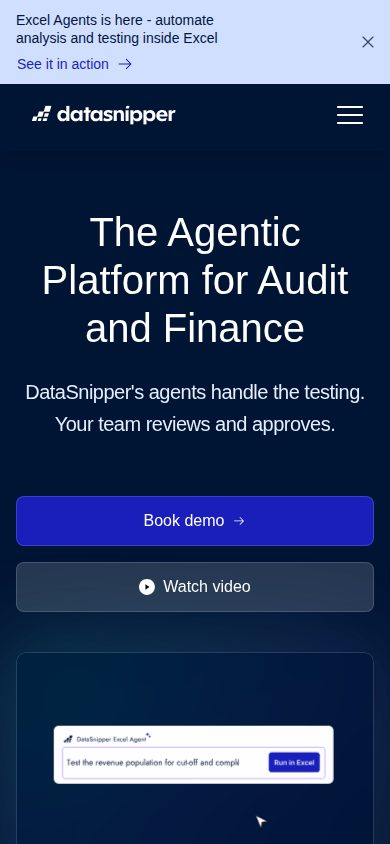
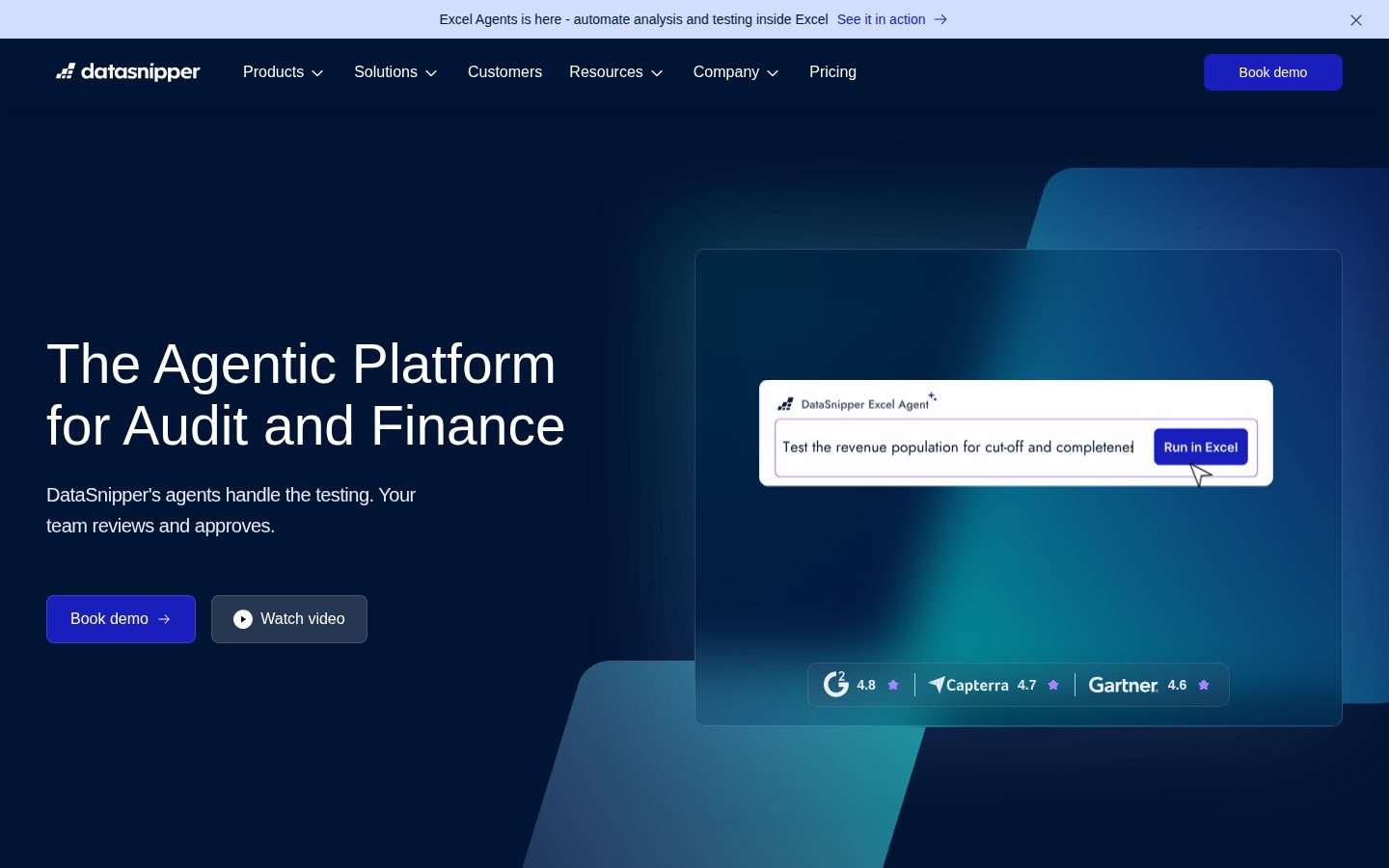
Document Matching reconciles Excel data against invoices, bank statements, and contracts automatically, while Form Extraction turns batches of similarly formatted documents into structured tables from a single snipped example. DocuMine lets teams query large document sets and returns answers that cite the specific numbers and text they came from, and Find all Sums verifies totals against their source. Excel Agents and Disclosure Agents extend this to full workflows such as royalty calculations, revenue testing, and financial statement procedures.

It is built for external and internal audit teams, tax professionals, and financial controllers, and is used by all top 100 accounting firms including BDO, RSM, and Grant Thornton. Pricing is quote-based across three editions — Start, Accelerate, and Elevate — with no public rates. Alternatives in audit and document automation include MindBridge, Caseware, and Suralink.

The platform installs into Excel on Windows and Mac, keeps extracted data within the customer's own environment, and adds enterprise controls such as SAML single sign-on, Directory Sync, document retention, and external guest access for sharing workpapers.

Features

AI Search

  • DocuMine

    AI document intelligence that lets teams query large volumes of documents and returns answers referencing the exact source numbers, text, and sentences.

Automation

  • Disclosure Agents

    AI agents that automate disclosure checking and financial statement testing, keeping reviewers in the loop for approval.

  • Document Matching

    Automatically matches Excel data against invoices, bank statements, contracts, and other source documents to reconcile figures and link them to supporting evidence.

  • Excel Agents

    AI agents that run end-to-end testing workflows such as royalty calculations and revenue testing while the user reviews and approves each result.

Collaboration

  • External Guest Access

    Lets external collaborators securely access shared DataSnipper workpapers without a full internal license.

  • UpLink

    Securely requests and collects supporting documents and confirmations from clients or third parties.

Data Extraction

  • Form Extraction

    Snip data fields from one document and DataSnipper applies the same logic to convert batches of similarly formatted documents into a structured data table.

Security

  • Directory Sync

    Syncs users and groups from your identity provider to automate provisioning and access management.

  • Single Sign-On (SSO)

    SAML-based single sign-on so enterprises can authenticate users through their existing identity provider.

Verification

  • Find all Sums

    Verifies totals and subtotals within documents and references each validated result back to its underlying source.

Workflow

  • Financial Statement Suite

    Automates and documents financial statement procedures directly within the Excel workflow.

  • Version Comparison

    Compares two versions of a document to surface changes between them for faster review.

Preview

DataSnipper desktop previewDataSnipper mobile preview

Pricing Plans

Start

Contact sales

For growing businesses laying the groundwork for document automation.

  • Form Extraction
  • Document Matching
  • Version Comparison
  • Find all Sums
  • Comments and Markup
  • Single Sign-On (SSO)
Popular

Accelerate

Contact sales

For organizations embedding AI throughout their audit and finance workflows.

  • Everything in Start
  • DocuMine
  • Advanced Document Extraction
  • AI Extractions
  • Standard Data Export

Elevate

Contact sales

For enterprises driving consistency and scale across large teams.

  • Everything in Accelerate
  • Advanced Data Export
  • Company Templates
  • Document Retention
  • Directory Sync
  • External Guest Access

AI Panel Reviews

The Decision Maker

The Decision Maker

Strategic bet, vendor viability, timing, adoption approval
8.4/10

Every top-100 accounting firm already cleared DataSnipper, which makes this an unusually easy board call.

A $1B-valuation Excel add-in that all Big Four firms already run for audit testing, with AI agents that keep a human in the approval loop. The only friction is opaque quote-based pricing that forces you to negotiate without a public benchmark.

The unusual part isn't the product. It's that every top-100 accounting firm already runs it, Big Four included. When Deloitte, EY, and RSM have all cleared your security review, the board conversation gets short.

Vendor risk is close to gone. DataSnipper hit a $1B valuation on a $100M Series B in 2024, Index Ventures leading, with Insight Partners already on the cap table since 2022. Excel Agents automate the repetitive testing while a human approves — that's advancement, not just a cheaper version of what you already do.

The catch is pricing: quote-based across Start, Accelerate, and Elevate, no public rates, so you negotiate blind against MindBridge and Caseware. Run a scoped pilot on one audit team before you commit the firm. Then standardize.

Competitive Positioning8.2

Leads document-linked audit automation ahead of MindBridge and Caseware.

Reputation Risk8.4

Every top-100 firm has already run the security review, so defending the choice is easy.

Speed to Value8.0

Installs as an Excel add-in on Windows and Mac, so teams start snipping day one.

Strategic Fit8.3

Excel Agents advance audit testing rather than just digitizing existing manual steps.

Vendor Viability8.6

A $1B valuation, $100M Series B in 2024, and Big Four adoption make survival a near-certainty.

Pros

  • Adopted by all top-100 accounting firms, including every Big Four member.
  • Backed by a $100M Series B and a $1B valuation, so vendor risk is minimal.
  • Excel-native install means near-zero ramp for teams already living in spreadsheets.
  • AI agents keep a human reviewer approving every result.

Cons

  • Quote-based pricing gives buyers no public benchmark for negotiation.
  • Narrow to audit and finance, so cross-department reuse is limited.

Right for

Firms who standardize audit workpapers across large teams.

Avoid if

Solo practitioners who bill only a handful of audits yearly.

The Domain Strategist

The Domain Strategist

Craft and strategy in the product's domain — adapts identity per category, same lens
8.3/10

DataSnipper owns the audit evidence layer, but Excel caps how far its strategy can reach.

As the testing and evidence layer that keeps every figure traceable to its source, DataSnipper matches how audit engagements actually run. It won't serve as the full engagement backbone, so it complements rather than replaces a platform like Caseware.

Every extracted figure stays linked to the exact page and line it came from. For an audit practice that evidence chain is the whole craft — it's what a PCAOB inspector reopens two years later. DataSnipper builds the workpaper around that link, not as an afterthought.

The Collect, Extract, Match, Analyze arc mirrors how an engagement moves from raw documents to a referenced conclusion. DocuMine querying a document set and citing its sources is the strategically deep piece — it turns evidence review into interrogation. Disclosure Agents extend that into financial-statement procedures, where the long-term leverage sits for a firm running hundreds of engagements.

It lives inside Excel, however, so your ceiling is Microsoft's — this won't replace Caseware or Inflo as the engagement backbone. Treat it as the testing and evidence layer on top, not the system of record. For that layer, 2,000-plus firms have already validated the bet.

Category Positioning8.4

Adoption by all top-100 firms establishes it as the default audit-evidence layer.

Domain Fit8.6

The Collect-Extract-Match-Analyze arc mirrors how audit engagements actually progress.

Integration Surface7.9

Runs inside Excel with SAML SSO and Directory Sync, but stays a layer above the engagement backbone.

Long-term Implications8.0

Excel dependency caps the strategic ceiling at what Microsoft's add-in surface allows.

Strategic Depth8.3

DocuMine and Disclosure Agents move evidence review from manual sampling toward automated interrogation.

Pros

  • Evidence-linking model matches how audit engagements are actually inspected and defended.
  • DocuMine turns large document sets into cited, queryable evidence.
  • Category leadership is proven by adoption across all top-100 accounting firms.

Cons

  • Excel dependency caps how far the platform's strategy can extend.
  • Sits above, not inside, the engagement-management system of record.

Right for

Audit firms who need every figure traceable to its source.

Avoid if

Practices who want a single engagement-management system of record.

The Finance Lead

The Finance Lead

Money, total cost of ownership, contracts, procurement math
7.5/10

Every DataSnipper rate is quote-only, so procurement negotiates blind against a $1B-valuation vendor.

Pricing is entirely quote-based across three editions, with no public rate, overage, or contract term to model against. The ROI on automated testing is real, but opaque pricing and top-tier-gated provisioning leave finance negotiating without a benchmark.

Zero public pricing is the finance story here. Three editions — Start, Accelerate, Elevate — every rate quote-only after a demo. Category norm for audit software, but you benchmark blind.

Model it anyway. Assume $1,000 per seat, 50 auditors — that's $50K/year, and seat creep pushes year three past $65K. Directory Sync and Document Retention live only in Elevate, so enterprise provisioning forces the top tier. ROI still pencils: agents automating revenue testing cut billable hours worth more than the license.

Procurement is the weak spot. No public rate, no overage, no published term — you negotiate against a $1B-valuation vendor every top 100 firm already pays. Compare MindBridge, equally quote-based; the whole category hides the sticker. Get the renewal cap in writing.

Billing & Procurement7.2

Quote-based negotiation against a category leader gives buyers limited leverage.

Contract Flexibility7.2

No published term, overage, or renewal detail visible before a sales call.

Pricing Transparency6.8

No public rate on any of the three editions; every price comes from sales.

ROI Clarity8.0

Agents automating revenue testing and reconciliations cut billable hours that cost more than the license.

Total Cost of Ownership7.4

Modelable but unpredictable, with provisioning features gated behind the Elevate tier.

Pros

  • ROI on automated revenue testing and reconciliations is straightforward to justify.
  • Excel-native delivery avoids new platform licensing or infrastructure cost.
  • Enterprise controls like SSO and Directory Sync are included within their tier, not surprise add-ons.

Cons

  • No public pricing on any edition forces every buyer through sales.
  • Provisioning features are gated behind the top Elevate tier.
  • No visible contract term, overage rate, or renewal cap before signing.

Right for

Finance teams who can model TCO without a published sticker.

Avoid if

Buyers who need transparent per-seat pricing up front.

The Domain Practitioner

The Domain Practitioner

Daily hands-on reality in the product's domain — adapts identity per category, same lens
8.2/10

DataSnipper kills the invoice-vouching tedium while keeping every figure one click from its source.

For an auditor, Form Extraction and Document Matching remove the manual vouching and reconciliation that eat a busy season, and every snip stays linked to its evidence. The Excel dependency means your workpaper is a large add-in-heavy spreadsheet, but it spares the team learning a new platform.

Vouching a hundred invoices by hand is the task nobody misses. Form Extraction snips the fields from one document and applies the same logic across the batch, dropping a structured table into the workpaper. Find all Sums then ties totals back to the source, so re-performance stops meaning re-typing.

The daily win is that every snip stays linked to its evidence. Click a cell, land on the exact PDF page — that's the cross-referencing an auditor does five hundred times a busy season. Document Matching reconciles the Excel column against bank statements automatically, which is where Inflo still leaves you clicking.

The friction: it's Excel-bound, so your workpaper is only as stable as a large spreadsheet full of add-in objects. However, staying inside Excel means no new tool to learn mid-engagement. For a first-year testing controls, that's a gentler ramp than Caseware's.

Day-3 Reality8.3

Linked snips and batch Form Extraction hold up under real busy-season document volume.

Documentation Practitioner-Fit8.0

Every figure traces to its exact source page, which is the audit documentation standard.

Friction Surface7.8

Excel-bound workpapers grow heavy with add-in objects on large engagements.

Power-User Depth8.1

Excel Agents and Disclosure Agents extend snipping into full end-to-end test workflows.

Workflow Integration8.4

Living inside Excel matches where auditors already build workpapers.

Pros

  • Form Extraction turns batch vouching into a single snipped example.
  • Every extracted figure stays one click from its source page.
  • Document Matching automates reconciliation against bank statements and invoices.
  • No new platform to learn since it lives inside Excel.

Cons

  • Large engagements produce heavy, add-in-dependent spreadsheets.
  • Workpaper stability is tied to Excel's handling of many linked objects.

Right for

Auditors who vouch and reconcile large document batches every season.

Avoid if

Teams who have already standardized on a non-Excel workpaper platform.

The Power User

The Power User

Daily human experience, onboarding, polish, learning curve, reliability
7.9/10

It lives inside Excel, so DataSnipper skips the worst part of new software entirely.

Because it's an Excel add-in, DataSnipper skips the disorienting first week most tools inflict, and the snip-to-source linking is genuinely satisfying to use. Quote-only pricing means you can't try before a sales call, and the twelve-feature surface takes a while to learn.

The smartest thing DataSnipper did was not build a new app. It's an Excel add-in, so the home screen is the spreadsheet you already stare at all day. That alone erases the worst part of adopting audit software — the week where nothing is where you expect.

The snip-and-link thing is genuinely satisfying. You highlight a number in a PDF, it lands in a cell and stays tied to that page, so months later nobody's hunting for where a figure came from. DocuMine answering questions across a document pile with real citations saves an afternoon.

The rough edge is finding your way through twelve overlapping features — Excel Agents, Disclosure Agents, UpLink — and quote-only pricing means you can't poke around before a sales call. However, once you're in, the curve is gentle because it's still Excel. Mobile isn't a thing here, and that's fine. Trullion looks flashier; this feels lived-in.

Daily Polish8.0

Snip-to-source linking is satisfying and holds up across a full engagement.

Learning Curve7.9

Familiar Excel surface keeps the curve gentle despite a deep feature set.

Mobile Parity7.5

Mobile isn't a use case for desktop audit work, so this is neutral rather than a gap.

Onboarding Experience7.6

Excel-native start is easy, but twelve overlapping features and no trial slow first exploration.

Reliability Feel8.0

Figures stay tied to their source pages months later, which builds trust.

Pros

  • Excel-native design skips the disorienting first week of new software.
  • Snip-to-source linking makes figures traceable months down the line.
  • DocuMine returns cited answers across large document sets.

Cons

  • Twelve overlapping features take a while to learn well.
  • Quote-only pricing blocks any hands-on trial before a sales call.

Right for

Auditors who already live inside Excel every day.

Avoid if

People who want to trial software before talking to sales.

The Skeptic

The Skeptic

Contrarian. Watch-outs, deal-breakers, broken promises, category patterns
7.5/10

The 'all top 100 firms' claim actually holds up, but Excel lock-in is the quiet cost.

The headline superlative about all top-100 firms checks out, and a $1B 2024 valuation backs a real track record. The quiet cost is exit portability, since every snip lives as an Excel add-in object that doesn't travel when you leave.

Checked the load-bearing claim first. 'All top 100 accounting firms' — and it survives; Deloitte, EY, RSM show up by name, not as blurred logos. A $1B valuation on a 2024 Series B backs the story.

So where's the catch. Exit portability. Every snip lives inside Excel as add-in objects — leave DataSnipper and those links don't travel, and you're back to manual referencing. Real lock-in. MindBridge bet on anomaly detection and is still standing; Suralink took the client-request route. Young category, no graveyard yet — mild yellow flag.

Marketing's honest, track record's real. Differentiation is the evidence-linking behind Find all Sums and Document Matching, not the AI label everyone now wears. What I'd watch: quote-only pricing hides how hard renewals bite once you're deep. Nine years old, real revenue. Probably fine.

Competitive Differentiation7.4

Evidence-linking behind Find all Sums separates it from anomaly-detection rivals like MindBridge.

Exit Portability6.8

Snips live as Excel add-in objects that don't travel if you leave.

Long-term Viability7.5

Nine years old with real revenue, though the young category has no shakeout yet.

Marketing Honesty7.8

The 'all top 100 firms' superlative names real firms rather than vague logos.

Track Record Match8.0

A $1B 2024 valuation and Big Four adoption match the marketing claims.

Pros

  • The top-100-firms claim is backed by named firms and a $1B valuation.
  • Nine-year track record with real revenue reduces vendor-death risk.
  • Differentiation rests on evidence-linking, not just an AI label.

Cons

  • Snips live as Excel add-in objects, so exit portability is weak.
  • Quote-only pricing obscures how hard renewals escalate once embedded.

Right for

Skeptical buyers who want a vendor with a proven install base.

Avoid if

Teams who need clean data portability if they switch tools later.

Buyer Questions

Common questions answered by our AI research team

Pricing

How much does DataSnipper cost?

DataSnipper uses quote-based pricing across three editions: Start, Accelerate, and Elevate. Rates are not published and are provided by sales after a demo, scaling with the edition you choose. Accelerate is positioned as the highest-value tier.

Integration

Does DataSnipper work inside Excel?

Yes. DataSnipper installs as an add-in in Microsoft Excel on Windows and Mac, so you extract, match, and verify document data without leaving the spreadsheet. Every extracted figure links back to its source PDF or scanned file.

Features

What can DataSnipper's AI agents automate?

Excel Agents and Disclosure Agents run end-to-end tests such as royalty calculations, revenue testing, and financial statement procedures. They handle repetitive testing while your team reviews and approves each result, keeping a human in the loop.

Features

Can DataSnipper extract data from PDFs?

Yes. Form Extraction converts batches of similar documents into structured tables from a single snipped example, and Document Matching reconciles Excel data against invoices and bank statements automatically. DocuMine answers questions across document sets with cited sources.

Security

Is DataSnipper secure for enterprise data?

Yes. Data stays within your own environment, and the platform supports SAML single sign-on, Directory Sync for provisioning, document retention controls, and external guest access for sharing workpapers securely. A public trust center documents its security posture.

Also in AI Accounting