Legal docket tracking and court analytics for litigation professionals
Docket Alarm is a legal research and docket monitoring platform for attorneys, paralegals, and litigation support teams.
AI Panel Score
6 AI reviews
Reviewed
Users connect to Docket Alarm to monitor live court dockets, retrieve filed documents, and set up automated notifications for specific cases or parties. The primary workflow involves searching for a case by name, docket number, party, or attorney, then downloading documents or subscribing to receive email alerts when new filings are added. Teams can organize monitored cases into folders and share access across accounts.
The platform offers full-text search across court documents—not just docket metadata—which allows users to find specific language, legal arguments, or cited cases within actual filings. Docket Alarm also provides analytics tools that surface judge-specific statistics, attorney win rates, and filing patterns. A bulk download feature and an API allow firms to extract data programmatically for integration into case management systems or internal databases.
Docket Alarm is used primarily by law firms, corporate legal departments, and litigation support vendors that need to track opposing counsel activity, conduct prior art searches, or monitor regulatory proceedings. Pricing is subscription-based and varies by seat count and usage volume; the company offers custom enterprise agreements. Competing products in the docket monitoring and legal research space include Westlaw Dockets, LexisNexis CourtLink, Bloomberg Law, and PACER for federal-only access.
The platform is entirely web-based and does not require software installation. Its API supports JSON output and is documented for integration with practice management tools. Coverage spans PACER federal courts, select state courts, and administrative tribunals including the USPTO's PTAB and TTAB proceedings.

Offers AI-powered API endpoints including 'Ask a Docket' and 'Judgment Extractions' that allow users to extract structured information—such as causes of action—from dockets and documents using natural language prompts.
Allows users to build customized litigation analytics in any jurisdiction—federal, state, or agency—generating reports on motion success rates, average time to trial, judge behavior, and settlement trends, exportable as PDF or Excel.
Analyzes historical court data to predict case outcomes based on specific judge, opposing counsel, case type, and jurisdiction, transforming litigation strategy with data-driven win-likelihood scores.
Enables users to automatically download hundreds of filings at once into a ZIP file and export entire dockets or search results into Excel reports for offline analysis.
Sends instant email notifications for new court filings and docket updates, with documents attached directly to alert emails, checking for new filings up to 40 times per day.
Supports multi-criteria search using basic filters (party, judge, case status) and advanced filters (stock symbol, dollar range, upcoming deadlines), plus Boolean and natural language search across all underlying documents.
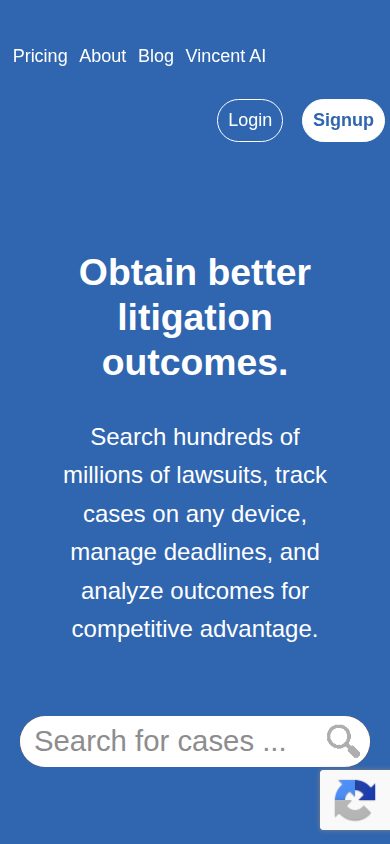
Provides access to over 730 million searchable court documents and dockets across federal, state, and specialty courts (including PTAB, TTAB, ITC, and SCOTUS), with 300,000+ new additions added daily.
Provides 100% coverage of PTAB, TTAB, ITC, and trademark and patent prosecution data, including every U.S. patent application and prosecution history from the PAIR system, in a single platform.
Processes every court document—including image-based filings—with OCR to make the full text of all documents keyword-searchable within the platform.
Automatically extracts deadlines from scheduling orders and local court rules, calculates upcoming due dates, and synchronizes them with Outlook or Google Calendar.
Allows attorneys to securely integrate their ECF account to receive instantaneous alerts on public court documents without incurring PACER fees.
Provides a flexible API that enables developers and organizations to integrate real-time court filings, case data, alerting capabilities, and bulk analytics into internal tools, client portals, or third-party applications.
Supports single sign-on (SSO) for streamlined and secure enterprise authentication, along with role-based access controls and permissions for legal teams.
For individual legal professionals who need full, unlimited access to docket research, alerts, and analytics. Priced per legal professional; law firms with 5+ attorneys or corporates should contact sales for enterprise pricing.
For casual or infrequent users who need only a handful of documents each month. Includes a small monthly base fee plus per-document charges. API integration is available under this plan.
For law firms with 5+ attorneys or corporate legal departments. Minimum seat counts may apply. Pricing requires contacting Docket Alarm sales directly.
730 million documents, real-time alerts, and analytics that PACER can't touch.
“Docket Alarm is a mature, feature-complete litigation intelligence platform with genuine analytical depth. It won't replace Westlaw, but for docket monitoring and IP proceedings it's hard to beat.”
730 million searchable documents plus 300,000 added daily. That's not a startup claim — that's infrastructure. The full-text OCR across image-based filings, combined with 'Ask a Docket' AI endpoints, puts this well ahead of PACER and meaningfully ahead of LexisNexis CourtLink on search depth. Real-time alerts checked 40 times per day with documents attached is the kind of detail that signals a team that actually uses their own product.
The analytics are the sleeper feature. Judge-specific win rates, motion success rates, predictive outcome scores by opposing counsel — that's litigation strategy, not just case tracking. The tradeoff: state court coverage has gaps, and Los Angeles county documents sit behind extra charges even on paid tiers.
At $99/seat flat rate, an individual litigator recovers that in one avoided PACER session. Enterprise pricing requires a call, but the entry point is defensible to any board.
100% PTAB/TTAB coverage and bulk download API differentiate this from PACER and CourtLink, though Westlaw's data breadth remains a ceiling.
Competing against Bloomberg Law and Westlaw Dockets puts this in credible company; no board will squint at a vendor in that reference class.
Real-time alerts with documents attached and automatic deadline calendaring sync to Outlook on day one — payback is immediate for active litigators.
Predictive outcome intelligence and the Litigation Analytics Workbench advance litigation strategy, not just cost-cut existing PACER workflows.
No public funding data, but the product's breadth — 730M documents, API, SSO, Outlook sync — signals a company past scrappy startup phase; category presence alongside Bloomberg Law and Westlaw supports longevity.
Litigation teams running active IP, federal, or multi-jurisdiction matters who need monitoring plus analytics in one place.
Your practice is transactional or you only need occasional federal PACER pulls a few times a month.
730 million documents, real-time alerts, and analytics that actually inform litigation strategy.
“Docket Alarm has built the kind of corpus depth—730 million documents, 300,000 added daily—that makes it a serious infrastructure choice for litigation teams. The analytics layer, particularly predictive outcome scoring by judge and opposing counsel, moves this beyond a docket tracker into actual strategic intelligence.”
Full-text search across underlying briefs and pleadings is the differentiator that separates Docket Alarm from PACER and basic CourtLink access. Most docket tools give you metadata; this gives you the argument. OCR on image-based filings closes the gap that quietly kills search quality in legacy platforms. That's not a minor feature—it's the foundation of the whole research workflow.
The Litigation Analytics Workbench and Predictive Outcome Intelligence features are where a GC's ears should perk up. Judge-specific motion success rates and win-likelihood scores by counsel pairing are exactly the pre-litigation intelligence I'd want before deciding whether to fight or settle. The tradeoff: these analytics are only as reliable as the historical data coverage, and state court depth varies—the pricing page flags that some state courts like Los Angeles require separate pay-per-document charges.
At $99/month flat per attorney for the full suite, the economics hold for individual practitioners and small teams. Enterprise seat licensing requires a direct conversation with sales, which is standard for this category but slows procurement. SSO, role-based access controls, and REST API access make this deployable across a corporate legal department without duct tape.
Positioned above PACER (federal-only, no analytics) and competitive with CourtLink and Westlaw Dockets, with a meaningful edge in IP tribunal coverage—100% PTAB/TTAB/ITC and full USPTO prosecution history is a distinct moat for patent litigation teams.
Rule-based deadline calendaring synced to Outlook/Google Calendar, PACER fee avoidance via ECF integration, and folder-based case organization map directly to how litigation support teams actually structure their daily workflows.
Native integrations with Clio, Salesforce, Zapier, Fastcase, and Google Calendar cover the core legal ops stack, and the documented REST API supports custom builds for firms with internal development resources.
If we embed the REST API into our case management stack, the dependency is real but manageable—the API outputs standard JSON, so migration isn't a full rebuild; the risk is data coverage gaps if Docket Alarm loses court data agreements.
Predictive outcome intelligence combining judge behavior, opposing counsel history, and case type gives litigation teams a genuine pre-filing intelligence advantage that Bloomberg Law and Westlaw Dockets don't match at this price point.
Litigation teams that need to monitor opposing counsel activity, conduct IP prior art searches, and want judge-level analytics to inform settlement versus trial decisions.
Your practice is transactional with no litigation exposure and your team has no need for docket monitoring or court filing retrieval.
$99/seat flat rate buys 730M documents — PACER fees still pass through
“Two published tiers plus enterprise-on-request. Pay-As-You-Go at $39.99 is real, but state court gaps and API exclusions bite.”
$39.99/month entry tier, $99/month flat rate. Three pricing structures visible without a sales call — better than Bloomberg Law or LexisNexis CourtLink, which hide everything. PACER fees passed through at cost on the flat plan, no markup. That's honest. API is excluded from the $99 flat rate; it's a separate line item. Budget accordingly.
50-seat firm on flat rate: $99 × 50 × 12 = $59,400/year. Add 20% seat creep by year 2, API licensing if dev team integrates, and Calendaring as an add-on. Year 3 all-in likely lands at $85K–$95K. Enterprise negotiation available at 5+ seats — that's the lever to pull early.
Real-Time Docket Alerts check up to 40 times per day; that's a concrete, measurable differentiator. Tradeoff: Pay-As-You-Go excludes for-pay state courts like Los Angeles. High-volume state litigators will hit that wall fast and need the flat tier or enterprise.
Pay-As-You-Go with no long-term commitment lowers procurement friction; enterprise minimum seat counts add some friction.
No public auto-renewal window or cancellation terms documented; enterprise contract terms require direct negotiation.
Two tiers published on pricing page with actual dollar amounts; enterprise requires a sales call, which is category norm.
Predictive Outcome Intelligence and judge win-rate analytics produce measurable litigation strategy inputs — ROI story is concrete, not hand-wavy.
API sold separately, Calendaring is an add-on, and PACER pass-through fees are variable — year-3 invoice is hard to model precisely.
Mid-size litigation firms needing multi-tribunal docket monitoring with analytics at a predictable per-seat cost.
Your team runs heavy state court volume in pay-walled jurisdictions and needs API access without a separate contract.
730 million documents, real-time alerts, and PACER fee avoidance — this one's built for the docket.
“Docket Alarm does the core paralegal job — tracking filings, calendaring deadlines, catching new activity — without requiring you to babysit PACER. At $99/month flat, it undercuts CourtLink and Bloomberg Law for individual seats while matching their coverage depth.”
Rule-based deadline calendaring that syncs directly to Outlook or Google Calendar is the feature that matters most on day three. Not the predictive analytics. Not the AI endpoints. The thing that matters is: did the scheduling order get parsed correctly, and did it land on the calendar before anyone had to manually touch it? The docs indicate that's exactly what this does — extracts deadlines from scheduling orders and local court rules automatically. That's real paralegal time back.
The 40-times-per-day alert frequency is notable. LexisNexis CourtLink checks less often; getting documents attached directly to the alert email means you're not logging back in to retrieve a filing. The ECF integration also avoids PACER fees entirely on public documents — small per-document savings that add up fast across a busy litigation docket with 300,000+ daily additions.
The tradeoff: Pay-As-You-Go at $39.99 blocks access to some state courts (Los Angeles is specifically called out), and the API isn't included in the $99 flat rate — that's a separate line item. For a single paralegal tracking federal IP matters, the flat rate is clean. For state-heavy practices, confirm coverage before committing.
Automated deadline calendaring and document-attached alerts suggest the daily workflow runs without constant manual intervention after setup.
No public changelog and no blog signals; docs exist per the evidence but depth for paralegal-specific workflows isn't verifiable from public materials.
State court coverage gaps (e.g., Los Angeles under Pay-As-You-Go) and API as a separate add-on create real friction for teams with mixed federal/state dockets.
Litigation Analytics Workbench, bulk download to ZIP, Boolean and natural language search, and 'Ask a Docket' AI endpoints give experienced users genuine depth beyond basic monitoring.
Clio, Zapier, Google Calendar, and Outlook integrations mean this slots into existing paralegal toolchains rather than demanding a new one.
Litigation paralegals and IP support teams who need multi-tribunal docket monitoring, automatic deadline extraction, and filing alerts without manually checking PACER.
Your practice is primarily state court in jurisdictions with limited coverage and you need API access included in a single flat-rate seat.
730 million documents, one search box — this is the real PACER replacement
“Docket Alarm does the heavy lifting that PACER never bothered with — full-text search, real-time alerts, and analytics that actually change how you prep a case. At $99/month flat for solo practitioners, it's priced like a tool that knows its value.”
The 730 million searchable documents number isn't marketing fluff — it's what separates this from PACER, which is basically a paid filing cabinet with a bad search box. Full-text search inside actual briefs, OCR on image-based filings, alerts checked up to 40 times a day with documents attached to the email. That last part matters more than it sounds. You're not clicking through to find the filing. It's already there.
The analytics workbench is where it gets genuinely interesting. Judge win rates, motion success rates, opposing counsel patterns — exportable to Excel. The predictive outcome scores are ambitious, maybe too ambitious, but the underlying data is real. That's a genuine edge over Bloomberg Law or CourtLink for litigation-heavy teams.
Web-only is the honest limitation. No mobile app means if you're standing in a courthouse hallway needing a quick docket check, you're pinching and zooming on a browser. For a tool this deep in daily workflow, that stings a little.
Folder organization, calendar sync with Outlook and Google, and document-attached alerts suggest a team that sweated the daily repetition — though no changelog makes it hard to track how fast rough edges get smoothed.
Pay-As-You-Go at $39.99/month gives cautious users a low-stakes entry point, but the analytics workbench and API are clearly power-user territory that takes time to unlock.
Web-only platform with no listed mobile app — for a tool that sends real-time alerts, getting the document in your hand anywhere should be table stakes.
Free trial exists, integrations with Clio and Zapier are ready out of the box, but the feature depth — Boolean search, analytics workbench, ECF integration — means day one is probably a lot to absorb.
300,000+ new documents added daily and 40 alert checks per day implies serious infrastructure investment; no public changelog or status page evidence either way.
Litigation teams and IP counsel who live in court dockets daily and need full-text search plus analytics that PACER and CourtLink simply don't offer.
You only need occasional federal docket lookups and won't use the analytics — PACER plus a cheaper alert tool will do it for less.
730 million documents, solid moat, but the exit story needs work
“Docket Alarm fills a real gap between PACER's barebones access and Bloomberg Law's enterprise price point. The analytics layer — judge behavior, win rates, predictive outcomes — is the actual differentiator.”
Three signals worth noting. One: 730 million searchable documents plus 300,000 daily additions — those aren't vague 'millions' claims, those are auditable numbers. Two: 100% PTAB/TTAB coverage in a single platform. That's a specific, verifiable claim, not a superlative. Three: PACER fees passed through at cost with no markup on the $99 flat-rate plan — that's a pricing honesty tell I don't see often.
The AI layer — 'Ask a Docket' and Judgment Extractions via OpenAI endpoints — could go either way. It's genuinely useful or it's a feature badge. No changelog visible, so I can't track shipping cadence. That's a yellow flag on viability.
Biggest tradeoff: API is excluded from the $99 flat rate. That's a meaningful upsell gate for firms wanting integration. CourtLink and Westlaw Dockets bundle access differently. Exit portability is middling — bulk export and API exist, but proprietary analytics don't migrate cleanly.
Full-text search plus predictive analytics plus IP tribunal coverage in one platform carves a real gap vs. PACER's metadata-only access and CourtLink's narrower scope.
Bulk download and REST API with JSON output exist, but proprietary analytics and calendaring sync create real switching friction.
No public funding data, no visible changelog — but SSO, enterprise contracts, and API documentation suggest an org past the 'side project' stage.
Specific numbers (730M documents, $39.99 entry price, 40 daily alert checks) anchor claims — minimal vague superlatives visible.
Docket monitoring is a proven, stable category; Docket Alarm's feature breadth matches what successful niche legal tools look like, not the ones that pivoted out.
Litigation teams that need cross-tribunal monitoring plus analytics and can't justify Bloomberg Law pricing.
You need deep integration via API without moving to a custom enterprise contract.
Common questions answered by our AI research team
Docket Alarm covers federal, state, PTAB, TTAB, and ITC tribunals.
Yes, Docket Alarm provides full-text search across millions of pleadings and briefs.
Yes, Docket Alarm sends automated alerts when new activity occurs in tracked cases.
Yes, cases across federal and state courts can be tracked together in a single searchable interface.
Yes, Docket Alarm covers both PTAB and TTAB proceedings.