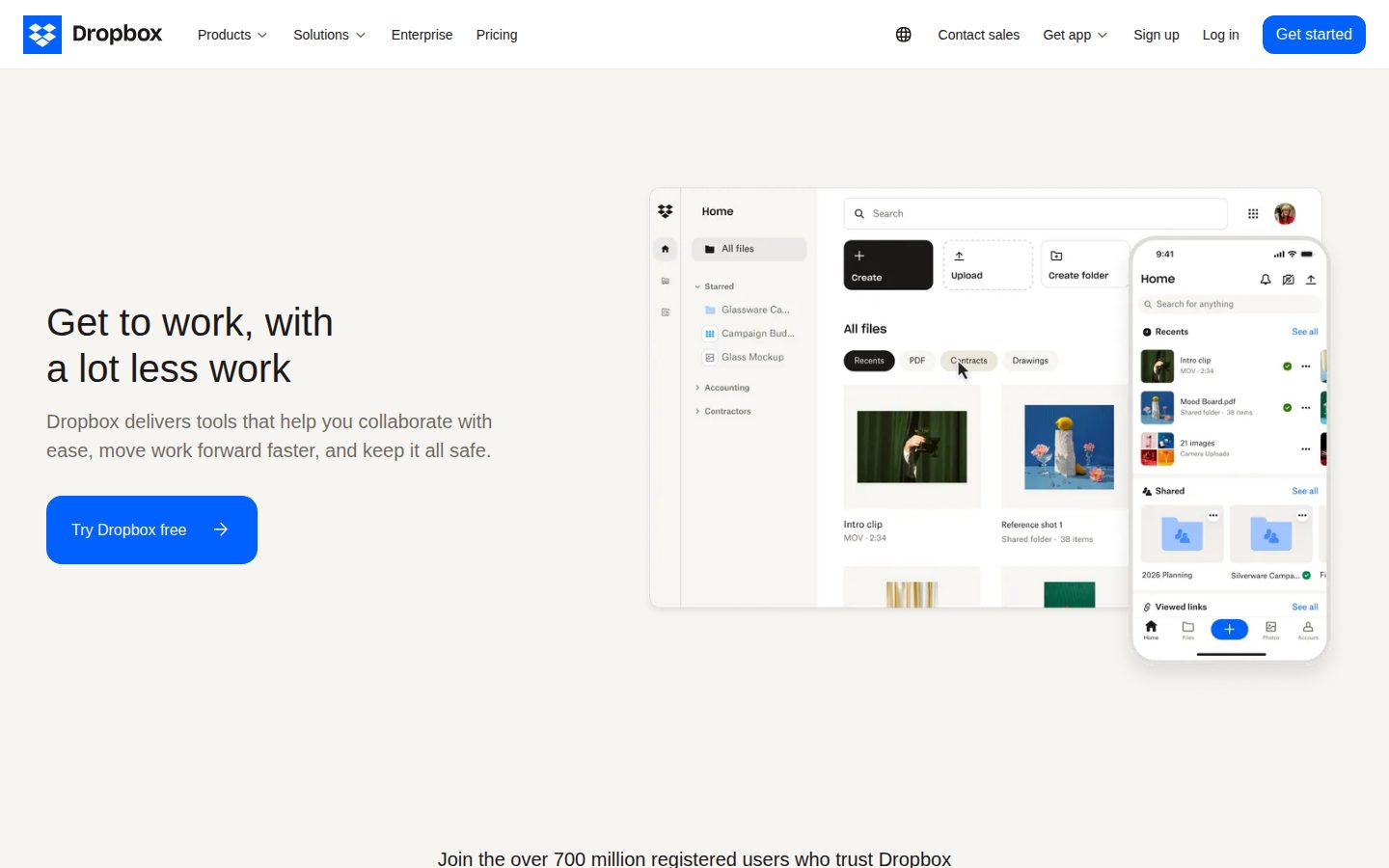
Secure cloud storage and file sync trusted by over 700 million registered users.
Dropbox is a cloud storage and file-syncing platform for individuals and teams that store, share, and collaborate on files.
AI Panel Score
6 AI reviews
Reviewed
AI Editor ApprovedApproved and published by our AI Editor-in-Chief after full panel analysis.Dropbox is a cloud storage and file-synchronization platform that lets individuals and teams store, share, and collaborate on files from any device. It serves freelancers, families, and businesses that need one shared home for documents, media, and project files. Pricing is freemium: the Basic plan is free with 2 GB of storage, Plus starts at $9.99 per month billed yearly for 2 TB, team plans run $15 to $24 per user per month, and Enterprise pricing is quote-based. Core capabilities include file sync across Windows, macOS, Linux, iOS, and Android, Dropbox Dash AI-powered universal search, Dropbox Sign e-signatures, and version history with deleted-file recovery for 30 days to one year depending on plan. It fits teams that want simple, reliable file sharing with admin controls, password-protected links, and large file transfers up to 100 GB. Alternatives include Google Drive, Microsoft OneDrive, and Box.
Dropbox works as a synced home for files: install the desktop or mobile app, drop files into your Dropbox folder, and they stay current across every device and the web. The service previews more than 175 file types in the browser, so teammates can open designs, videos, and documents without owning the source software. Shared links, team folders, and comment threads keep collaborators aligned, while version history and deleted-file recovery (30 days on Plus, 180 days on Standard, one year on Advanced) protect against mistakes.
Beyond core sync, Dropbox highlights a family of named tools. Dropbox Dash brings AI-powered universal search that finds and organizes content across a company's apps. Dropbox Sign handles e-signature requests, DocSend delivers documents with link controls and viewer analytics, Dropbox Replay runs video review and approval, and Reclaim.ai adds AI calendar scheduling. Large file transfers up to 100 GB, PDF editing, password-protected links, and branded sharing round out the day-to-day workflow.
Dropbox is built for freelancers, families, and business teams on a freemium model: the free Basic plan includes 2 GB, Plus is $9.99 per month billed yearly for 2 TB, and team plans (Standard at $15 and Advanced at $24 per user per month billed yearly) layer on admin controls, single sign-on, end-to-end encryption, and compliance tracking. It competes directly with Google Drive, Microsoft OneDrive, Box, and Apple iCloud Drive in the cloud storage category.
On the platform side, Dropbox ships apps for Windows, macOS, Linux, iOS, and Android alongside the web client, and its developer platform at dropbox.com/developers exposes APIs for building file storage, sharing, and sync into third-party applications.

AI-powered universal search that finds, organizes, and protects content across a company's apps and cloud tools.
Centralized team folders with admin tools for managing members, sharing policies, and branded file delivery.
Video review and approval tool for collecting time-coded feedback on video projects.
Synchronizes files and folders across desktop, mobile, and web so the latest version is available on every device.
Restores deleted files and prior versions for 30 days on Plus, 180 days on Standard, and one year on Advanced.
Secure document delivery with link-based access controls and analytics on who viewed each page.
Edits PDFs directly inside Dropbox on paid plans, including e-signature capability on documents.
End-to-end encrypted storage on the Advanced plan for teams with strict confidentiality requirements.
Adds passwords and access permissions to shared links so only intended recipients can open files.
SSO integration on the Advanced plan, alongside tiered admin roles and compliance tracking.
Sends big files to anyone, with transfer limits of 50 GB on Plus and up to 100 GB on team plans.
Built-in electronic signatures for sending, signing, and tracking documents without leaving Dropbox.
Free plan for individuals getting started with cloud storage.
For one person who wants a full personal cloud storage workspace.
For teams that need shared folders, branding, and admin controls.
For larger teams that need advanced security and compliance.
For large organizations that need enterprise-grade security and dedicated support.
Dropbox is a safe vendor bet; the real decision is whether Dash earns platform status.
“Public since 2018 with 700 million registered accounts, Dropbox is one of the safest vendor bets in software. The decision is whether Dash and its workflow acquisitions justify standardizing beyond the storage you already have.”
The board already knows this vendor, which cuts both ways. Nobody asks if Dropbox survives — public since 2018, 700 million registered accounts, profitable. What needs defending is why it beats the Google Drive seats you're already paying for.
They've bought a workflow story instead of pitching storage: HelloSign for $230 million in 2019 became Dropbox Sign, DocSend came for $165 million in 2021, and Dash now fronts the AI-search push. That's a platform bet, and the pieces are real products.
However, cutting 20% of staff in October 2024 says growth stalled while they retool around Dash. Standard at $15 per user won't scare anyone. Pilot Dash with one team, buy the storage today, and keep the term annual until the AI bet proves out.
Best-in-class sync, but Google Drive and OneDrive ship free inside suites Dropbox can't bundle against.
A household brand since 2007 that the board recognizes; nobody gets questioned for choosing it.
Freemium entry, 30-day team trial, and apps users already know mean value lands in week one.
Covers sync, e-signature, and AI search in one vendor, but overlaps suites most orgs already own.
Public since 2018 with 700 million registered accounts; existence risk is close to zero.
Leadership teams who need a storage vendor safe to defend in a board review.
Organizations who already get storage bundled with their Microsoft 365 suite.
Dropbox collapses sync, signatures, and search into one contract outside your productivity suite.
“For an IT director consolidating content tooling, Dropbox bundles sync, Dropbox Sign, DocSend, and Dash under one vendor. The strategic cost is running content outside your Microsoft or Google suite.”
Standardizing on Dropbox means running a content plane outside your productivity suite, and that only pays if sync quality carries it. It does: Windows, macOS, Linux, iOS, and Android clients are all first-class, which OneDrive still can't claim on Linux.
The consolidation math is what an IT director should study. Since the $230 million HelloSign deal in 2019, e-signature (Dropbox Sign), secure document delivery (DocSend), and now Dash's AI search sit under one contract — that's three vendor reviews collapsed into one.
The catch is governance depth: SSO and end-to-end encryption only arrive on Advanced at $24 per user, and Dash competes head-on with Microsoft 365 Copilot's index of the same content. If your identity layer lives in Entra, Dropbox stays a deliberate exception, not the default.
The sync benchmark since 2007, but suite bundling from Microsoft and Google caps its default-choice status.
Cross-platform clients on all five OSes fit heterogeneous fleets better than suite-native storage.
A public developer API and Dash connectors into third-party apps keep the platform open rather than walled.
Core sync is durable, but the 2024 restructuring around Dash means the roadmap center of gravity is shifting.
Sign, DocSend, Replay, and Dash form a real content-workflow portfolio, not a single-feature tool.
IT directors who want one vendor for file sync, e-signature, and document delivery.
IT directors who standardize every workload inside Microsoft 365.
$15 buys the seat; the compliance checkbox costs $24, and that gap is the whole TCO story.
“Pricing is fully public and the yearly rates are honest, with Standard at $15 per user. The 60% jump to Advanced for SSO and encryption is the number procurement should model first.”
Every tier is public. No sales call until Enterprise. Standard: $15 per user billed yearly, $18 monthly — a 20% premium for flexibility. Fifty seats × $15 × 12 = $9,000 a year, honest math.
The security ladder is the real line item. SSO and end-to-end encryption sit on Advanced at $24, so one compliance requirement reprices fifty seats to $14,400 — a 60% jump. Budget Advanced from day one if Okta is mandatory.
Personal tier: Google One sells 2 TB at the same $9.99. Nobody wins on sticker. The edge is what rides along — Dropbox Sign e-signatures and PDF editing on paid plans trim a separate DocuSign line. However, Dash doesn't appear on the published tier grid, and unpriced add-ons are where invoices drift.
Per-seat yearly billing with published monthly equivalents is the easiest procurement pattern to approve.
Monthly billing exists at a visible 20% premium, and a 30-day trial precedes any commitment.
Every tier through Advanced is published with both yearly and monthly rates; only Enterprise hides behind sales.
Bundled Dropbox Sign and PDF editing offset a DocuSign line, though Dash's return is unpriced on the tier grid.
$15 Standard is fair, but compliance needs force the 60% jump to $24 Advanced.
Finance teams who want published per-seat pricing they can model without a sales call.
Budget-capped teams who need SSO at a mid-tier price.
Dropbox gives storage admins legible recovery tiers and sharing controls that shrink the ticket queue.
“For an IT administrator, recovery windows, team folders, and link controls map directly to the daily ticket queue. The security features you actually need for compliance live on the $24 Advanced tier.”
Restore tickets are where storage admins live, and Dropbox makes the answer tier-legible: 30 days of file recovery on Plus, 180 on Standard, a full year on Advanced. That's reading a policy off a chart instead of begging a backup vendor.
The daily console work looks sane. Team folders, tiered admin roles, and password-protected links cover the offboarding and external-sharing loops that fill an admin's queue, and Dash search across connected apps should thin out the where's-that-file tickets. Getting the same sharing audit out of SharePoint permissions is a mapping project, not a checkbox.
The friction is the security ladder: wiring Okta means SSO, and SSO means Advanced at $24 per user, however the sync engine itself — the thing users escalate about — has been the category benchmark since 2007. Fewer 'my file didn't update' tickets is the quiet win.
Sync that users already understand plus a legible admin console means week one is deployment, not firefighting.
Plan limits like 30/180/365-day recovery and 100 GB transfers are documented precisely enough to quote in a ticket reply.
Recovery windows and sharing controls are chart-readable, but SSO waiting at the Advanced tier is a recurring annoyance.
Tiered admin roles, compliance tracking, and a developer API give admins room to script, short of enterprise DLP depth.
Team folders, link policies, and Dash's cross-app search slot into existing provisioning and offboarding loops.
IT administrators who handle restore requests and external-sharing policies every week.
Admins who need SSO and audit depth on an entry-level budget.
The sync still feels like magic; the growing app family asks for more patience.
“Dropbox's core sync remains the most reliable-feeling thing in the category, and paid tiers add real everyday utility. The expanding family of side apps takes some getting used to.”
The free plan syncs three devices, and you'll hit that wall by lunch — phone, laptop, work machine, done. That cap is doing sales work and knows it. Still, 2 GB is enough to find out whether the folder-that's-everywhere habit sticks.
Paying fixes the mood. Plus at $9.99 a month gets 2 TB, previews for 175+ file types, and PDF editing without hunting for Acrobat. Sending a 50 GB file to someone with no account just works — the kind of thing iCloud Drive still makes weirdly ceremonial.
Dash, the AI search layer, is genuinely handy once your stuff sprawls across six apps. But the product family — Sign, Replay, Dash — can feel like three lobbies for one hotel, each with its own furniture. The sync core respects your time; the extras ask for more of it.
In-browser previews for 175+ file types and built-in PDF editing remove the small daily detours.
The folder metaphor is the learning curve; only the newer side apps need actual orientation.
Mature iOS and Android apps carry previews, sharing, and recovery rather than a stripped-down viewer.
Install, drop files in a folder, done — the mental model teaches itself in minutes.
Nineteen years of sync being the whole job means files are simply there when you reach for them.
People who work across several devices every day.
Free-tier users who own more than three devices.
The sync earns trust; the graveyard of Dropbox side projects says audition the rest.
“The core storage business is stable, transparent, and easy to leave, which counts for a lot. Dropbox's history of shuttered side products means Dash has to earn trust separately.”
Storage went commodity years ago. Google Drive and OneDrive give it away inside suites Dropbox can't bundle against. Dash — AI search across your apps — is the escape plan, and cutting 20% of staff in October 2024 shows how much rides on it.
Exit story: about as clean as this category gets. Files are files; you sync down and leave. No proprietary lock, which most vendors here can't say.
The yellow flag is side-project churn. Carousel and Mailbox got big launches, then a shared shutdown notice in December 2015, so Dash inherits some doubt. But the core is public-company boring since 2018 — real revenue, straight $9.99-for-2TB pricing. Take the sync at face value; treat the extras as auditions.
Storage itself is commodity against bundled Google Drive and OneDrive; the differentiation now rests on unproven Dash.
Plain files with no proprietary format means leaving is a sync-down, not a migration project.
Public since 2018 with real revenue, but the 20% workforce cut in 2024 says the growth story needed surgery.
Pricing and limits are stated plainly, though '700 million registered users' counts sign-ups, not people paying.
The sync promise has held since 2007; the side-product promises have a thinner record.
Buyers who want dependable storage from a vendor with nothing to hide on pricing.
Teams who would build critical workflows on Dropbox's newest side products.
Common questions answered by our AI research team
Dropbox Plus costs $9.99 per month billed yearly ($11.99 monthly) for 2 TB. Team plans run $15 per user per month on Standard and $24 on Advanced, billed yearly. A free Basic plan includes 2 GB of storage.
Yes. Dropbox Dash adds AI-powered universal search that finds and organizes content across your company's tools, so you can locate files, docs, and links in one place instead of searching each app separately.
Yes. Team plans add password-protected links, admin controls, and branded sharing, while the Advanced plan includes end-to-end encryption, single sign-on, and compliance tracking for stricter requirements.
Yes. Dropbox team plans come with a 30-day free trial, and the Basic plan is permanently free with 2 GB of storage, so you can test sync and sharing before paying anything.
Yes. Dropbox has a developer platform at dropbox.com/developers with APIs for building file storage, sharing, and sync into your own apps, plus companion products like Dropbox Sign for e-signature workflows.
Company
Dropbox, Inc.Founded
2007Pricing
From $10/moFree Trial
AvailableFree Plan
Available


Cloud storage and collaboration software company based in San Francisco. Its platform spans file sync and sharing, e-signatures, and AI-powered search.