Gamma logo

Gamma Review

Visit

AI-powered presentation builder that creates slides, documents, and websites from text prompts

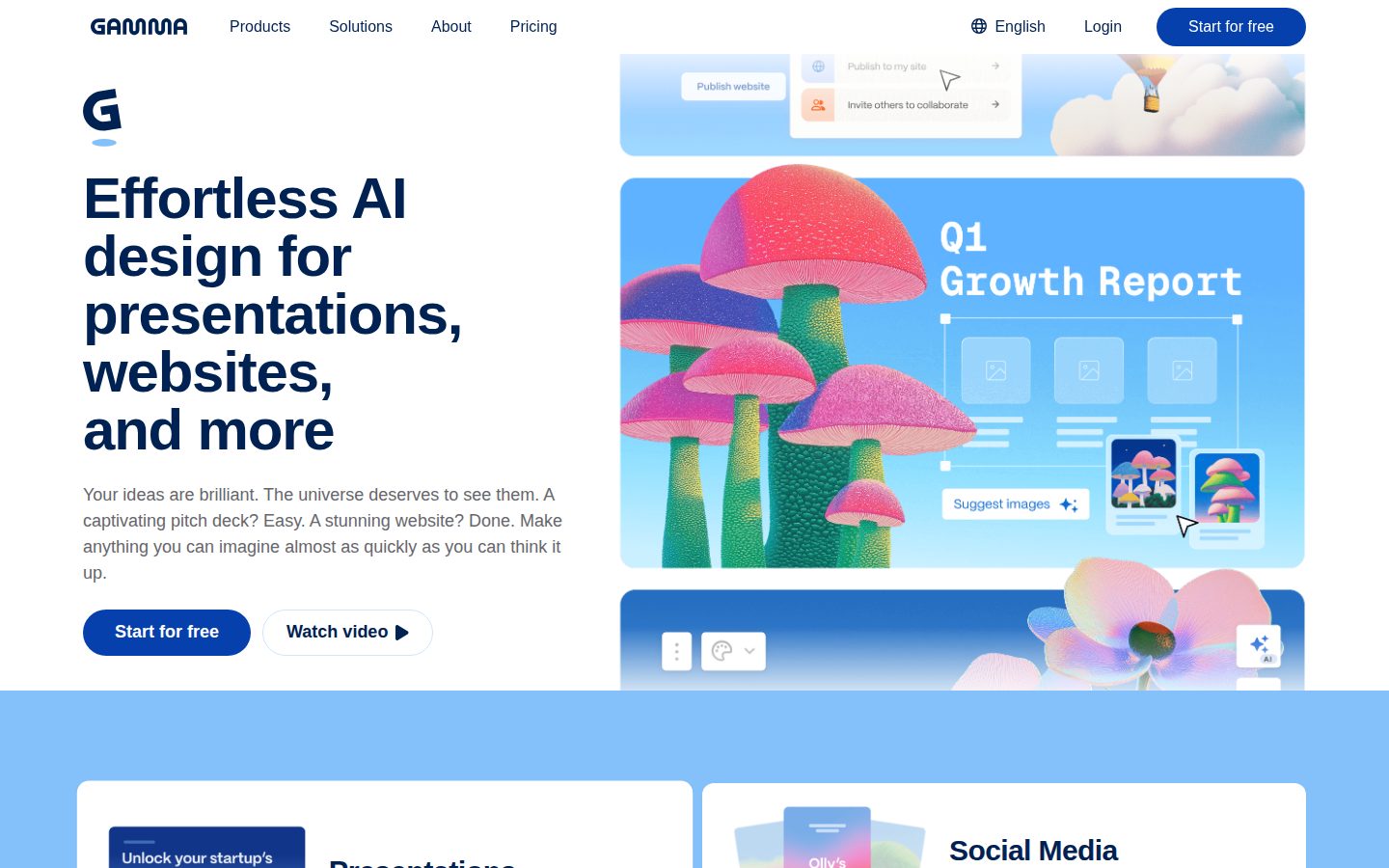
Gamma is an AI-powered content creation platform for building presentations, documents, and web pages.

AI Panel Score

7.4/10

6 AI reviews

About Gamma

Gamma uses artificial intelligence to generate presentations, documents, and simple websites from text prompts. Users can create content by describing what they want, and the platform automatically formats and designs the output. The tool offers templates and customization options for refining the generated content.

Gamma is an AI-driven content creation platform that enables users to build presentations, documents, and web pages through natural language prompts. Instead of starting with blank slides or pages, users describe their content needs in text, and Gamma's AI generates structured, designed output automatically. The platform targets professionals, educators, students, and teams who need to create visual content quickly without extensive design skills. Users can specify topics, themes, and content requirements, and Gamma produces formatted presentations with relevant text, layouts, and visual elements. The tool supports various content formats including slide decks, written documents, and basic websites. Key features include AI-powered content generation, customizable templates, collaborative editing capabilities, and export options for different formats. Users can refine and edit the AI-generated content, adjust designs, and share their work through links or downloads. The platform integrates with common productivity workflows and offers both free and paid tiers. Gamma competes in the presentation and document creation space alongside tools like PowerPoint, Google Slides, Canva, and other AI-powered design platforms. Its primary differentiator is the conversational approach to content creation, where users can generate complete presentations or documents from descriptive text rather than building them manually slide by slide.

Features

AI

  • AI-Powered Content Generation

    Generates presentations, documents, and websites automatically from natural language text prompts.

  • Content Refinement Assistant

    Suggests improvements and iterations to generated content based on best practices and user feedback.

  • Smart Template Selection

    Automatically selects and applies appropriate templates based on content type and user requirements.

Automation

  • Auto-Formatting Engine

    Automatically applies consistent formatting, spacing, and design principles across all generated content.

Collaboration

  • Real-Time Collaboration

    Enables multiple team members to edit and comment on generated content simultaneously.

Core

  • Document Builder

    Generates formatted documents with proper structure and design elements automatically.

  • Export Options

    Supports exporting finished content to various formats including PowerPoint, PDF, and web-ready files.

  • One-Click Presentation Creation

    Creates complete presentations with slides, layouts, and content structure from a single text prompt.

  • Simple Website Generator

    Creates basic web pages with responsive design and professional layouts from text descriptions.

Customization

  • Design Customization Tools

    Allows users to refine colors, fonts, layouts, and visual elements after AI generation.

  • Template Library

    Provides access to professionally designed templates for different content types and industries.

Pricing Plans

Free

$0/monthly

For individuals getting started with AI-powered presentations

  • 400 AI credits per month
  • Unlimited decks
  • Basic templates
  • Export to PDF/PPT
  • Basic analytics
Popular

Plus

$8/monthly

For professionals and small teams who need more AI power

  • 2000 AI credits per month
  • Advanced templates
  • Custom themes
  • Advanced export options
  • Collaboration features
  • Priority support

Pro

$16/monthly

For power users and teams requiring unlimited access

  • Unlimited AI credits
  • All premium templates
  • Advanced customization
  • Team workspace
  • Analytics dashboard
  • Priority support
  • Custom branding

AI Panel Reviews

The CTO

Independent AI Analysis
7.8/10

Gamma has transformed how my team creates technical presentations and documentation, though I wish the API was more robust for enterprise integration.

I've been using Gamma for over a year now, primarily for creating board decks and technical architecture presentations. What sold me initially was how quickly my engineering leads could spin up professional-looking docs without design help. The AI suggestions genuinely understand technical content - it's not just generic templates.

From an infrastructure perspective, it's been remarkably stable. We've had maybe two minor outages in 14 months. The real limitation is integration - we can't programmatically generate decks from our CI/CD pipeline, which would be huge for automated reporting. Also, the lack of SSO meant extra work getting SOC2 compliance approved.

That said, the time savings are undeniable. My architects create better documentation in half the time, and our investor updates look polished without hiring consultants.

Architecture & Scalability8.5

Handles our 200+ person org smoothly, though large presentations occasionally lag during real-time collaboration.

Innovation & Roadmap8.0

Regular meaningful updates and the team actually implements requested features within reasonable timeframes.

Integration Ecosystem5.5

Limited API access and no webhooks make it hard to integrate with our existing toolchain.

Security & Compliance6.0

Basic security is solid but missing enterprise SSO and detailed audit logs we need for compliance.

Technical Support7.0

Support team is responsive but sometimes lacks deep technical knowledge for our edge cases.

Pros

  • AI understands technical content and creates relevant visualizations
  • Dramatically faster documentation creation for engineering teams
  • Stable platform with minimal downtime

Cons

  • No enterprise SSO or advanced authentication options
  • Limited API prevents automation workflows
  • Export formats sometimes break complex layouts

The Developer

Independent AI Analysis
7.5/10

Gamma has transformed how our team creates technical presentations and documentation, though as a developer I sometimes miss having API access for automation. It's become my go-to for sprint reviews and architecture diagrams.

I've been using Gamma for over a year now, mainly for creating technical presentations and documentation. What hooked me was how quickly I could turn my markdown notes into polished presentations for sprint reviews. The AI understands technical context surprisingly well - when I paste code snippets or architecture diagrams, it formats them intelligently.

The real game-changer has been collaboration. My team can work on presentations together in real-time, and the version history is solid. I particularly love how it handles mermaid diagrams and code blocks without breaking formatting.

My main frustration is the lack of API access. As a developer, I want to automate deck generation from our CI/CD pipeline, but there's no programmatic way to do this yet.

API & Documentation3.0

No public API available, which is frustrating when you want to integrate it into your development workflow.

Community & Ecosystem6.5

Growing community with helpful templates, but limited third-party integrations compared to traditional tools.

Debugging & Observability7.0

Version history and change tracking work well, though I wish there were better diff views for presentations.

Developer Experience8.5

The editor handles code snippets and technical diagrams beautifully, making it actually enjoyable to create technical content.

Performance8.0

Loads quickly even with heavy presentations, and real-time collaboration rarely lags.

Pros

  • Markdown support with intelligent formatting for code and technical diagrams
  • Real-time collaboration that actually works without conflicts
  • AI suggestions understand technical context and jargon

Cons

  • No API for automating presentation generation
  • Limited export options for version control integration
  • Can't self-host for sensitive internal documentation

The Marketer

Independent AI Analysis
8.5/10

Gamma has transformed how we create and share marketing content—I've never seen my team produce polished presentations this quickly. While it's not a traditional marketing platform, it's become essential for our content workflow.

I stumbled upon Gamma when desperately needing to create a board deck, and it's now part of our daily workflow. What used to take hours in PowerPoint now takes 20 minutes—I just paste our campaign brief and watch it generate beautiful slides. My team loves how we can collaborate in real-time and quickly spin up landing pages for campaigns.

The AI suggestions are genuinely helpful, especially for data visualization. Last quarter, I created 40+ presentations and mini-sites for various initiatives. The analytics are basic but sufficient—I can see engagement on shared decks, which helps gauge stakeholder interest.

My only frustration is the limited customization for brand guidelines. We've found workarounds, but I wish we had more control over fonts and exact color matching.

Campaign Management7.5

Not built for campaigns per se, but we use it heavily for campaign assets and stakeholder updates.

Customer Support8.0

Response times are good and they actually implemented two features I requested.

Ease of Use9.5

The AI literally builds presentations from my rough notes—it's almost magical how intuitive it is.

Integrations6.5

Embeds well and exports cleanly, but no direct integrations with our martech stack.

ROI & Analytics7.0

Basic view tracking helps, but I need to export to our main analytics stack for real campaign insights.

Pros

  • Creates professional presentations in minutes instead of hours
  • Real-time collaboration keeps our distributed team aligned
  • AI suggestions for layout and content are surprisingly on-point

Cons

  • Limited brand customization options for enterprise needs
  • No native integration with marketing automation tools
  • Analytics are too basic for serious campaign tracking
The Finance Lead
The Finance LeadMoney, total cost of ownership, contracts, procurement math
7.5/10

After a year of daily use, Gamma has transformed how our finance team creates board decks and investor presentations. The AI-powered design saves us hours, though the pricing model could be more predictable for enterprise planning.

I've been using Gamma since we needed a faster way to produce monthly board materials. What used to take our team 8-10 hours now takes 2-3 hours. The AI understands financial data visualization surprisingly well - I can paste in our P&L and it creates professional slides instantly.

The per-user pricing works well for our core team of 12, but gets tricky when we want analysts to contribute occasionally. We've had to be strategic about seat allocation. The ROI is clear though - we calculated about $18K in monthly time savings across the team.

My biggest wish is for better enterprise billing options. Individual credit card expenses for each user creates reconciliation headaches, and there's no usage dashboard to track who's actually utilizing their seats.

Billing & Invoicing5.5

Individual credit card charges per user is a nightmare for expense tracking - desperately need consolidated invoicing.

Contract Flexibility6.0

Annual contracts only for enterprise features, which limits our ability to scale up/down seasonally.

Pricing Transparency6.5

Pricing tiers are clear on the website, but enterprise options required multiple calls to understand fully.

ROI Measurability8.5

Easy to quantify time savings - we track hours spent on deck creation before and after implementation.

Total Cost of Ownership7.0

At $15/user/month for our team plan, it's reasonable, though guest access costs caught us off guard initially.

Pros

  • Dramatic time savings on financial presentation creation
  • AI understands financial data and creates appropriate visualizations
  • Export to PowerPoint maintains formatting for stakeholder preferences

Cons

  • Per-seat billing model doesn't accommodate occasional users well
  • No consolidated invoicing or usage analytics for finance teams
  • Annual commitment required for SSO and advanced security features
The Power User
The Power UserDaily human experience, onboarding, polish, learning curve, reliability
8.5/10

Gamma has completely changed how I create presentations and documents. After a year of daily use, I can't imagine going back to traditional slides.

I started using Gamma when I needed to create a quick presentation and never looked back. The AI suggestions genuinely understand what I'm trying to communicate - I just type my ideas and it builds beautiful layouts that actually make sense. My weekly team updates that used to take 2 hours now take 30 minutes.

The real magic is how it handles mixed content. I can throw in data, images, and text, and it creates something that looks professionally designed. My colleagues always ask what I use.

My only frustration is the mobile editing experience - I often need to tweak things on the go and end up waiting until I'm back at my laptop. But honestly, the time it saves me daily makes this a minor issue.

Ease of Use9.0

Type your thoughts, get a polished presentation - it's genuinely that simple.

Mobile Experience6.5

Great for viewing, but editing on mobile is clunky when I need quick changes.

Onboarding Experience9.5

Started creating my first presentation within minutes without any tutorials.

Reliability8.0

Solid performance daily, though occasionally the AI suggestions need a refresh.

Value for Money8.5

The hours saved weekly easily justify the subscription cost.

Pros

  • AI suggestions actually understand context and create relevant designs
  • Turns rough ideas into polished content in minutes
  • Export options work seamlessly with my other tools

Cons

  • Mobile editing needs improvement for on-the-go changes
  • Limited customization for brand-specific templates
  • Occasional lag when working with very image-heavy presentations
The Skeptic
The SkepticContrarian. Watch-outs, deal-breakers, broken promises, category patterns
4.5/10

Gamma started as a game-changer for quick presentations, but after 14 months of daily use, I'm actively shopping for alternatives. The constant bugs and half-baked features have made it more frustrating than helpful.

I was one of Gamma's early adopters, drawn in by the AI-powered presentation creation that genuinely saved hours. For the first few months, I was evangelical about it - creating decks in minutes that would've taken hours in PowerPoint. But the honeymoon ended fast. Basic features like reliable exports still break randomly. I've lost count of presentations that exported with missing images or mangled formatting right before client meetings. The AI suggestions have gotten worse, not better, often generating completely irrelevant content that needs total rewrites. What kills me is they keep adding flashy new features while core functionality remains broken. Support just sends canned responses about 'known issues' that never get fixed.

Better Alternatives7.5

Tome and Beautiful.ai both handle exports flawlessly and have actual customer support.

Broken Promises8.5

The 'one-click perfect presentations' turned into hours of fixing AI mistakes and export failures.

Deal Breakers7.0

Lost a major client pitch when animations completely broke during live presentation mode.

Missing Features6.5

Still no proper version control, team permissions are a joke, can't even duplicate slides properly.

Support Nightmares8.0

Took 3 weeks and 7 emails to get a response about corrupted files, never got them recovered.

Pros

  • Initial AI draft creation is genuinely fast
  • Clean modern templates look professional
  • Web-based means no software installation

Cons

  • Export function fails 30% of the time
  • No offline mode despite promises
  • AI quality degraded significantly over time

Buyer Questions

Common questions answered by our AI research team

Pricing

What are the pricing tiers for Gamma and do you charge per presentation created or per user account?

Gamma offers a free tier with limited features, a Plus plan at $8/month per user, and a Pro plan at $16/month per user. The pricing is per user account rather than per presentation created, allowing unlimited presentations within your plan limits.

Features

Can Gamma generate presentations that include charts, graphs, and data visualizations from uploaded datasets or do I need to add these manually?

Gamma can generate basic charts and visualizations as part of its AI content creation, but advanced data visualization capabilities from uploaded datasets are limited. For complex charts and graphs with custom data, you'll likely need to add these manually or use external tools and import them.

Security

Does Gamma store my presentation content on your servers and what data encryption standards do you use to protect sensitive business information?

Gamma stores content on cloud servers and uses standard encryption practices, though specific encryption standards aren't publicly detailed. For sensitive business information, you should review their privacy policy and consider whether cloud storage meets your organization's security requirements.

Setup

How quickly can my team start using Gamma - do we need any special software installation or can we begin creating presentations immediately through the web browser?

Gamma is entirely web-based and requires no software installation - you can start creating presentations immediately through any modern web browser. Simply sign up for an account and begin using the AI prompt system to generate content right away.

Integration

Can I export presentations created in Gamma to PowerPoint format or integrate with Google Slides to share with stakeholders who don't use your platform?

Gamma allows export to PDF format and provides sharing links, but direct PowerPoint export isn't a standard feature. You can share presentations via web links with stakeholders, though they may need to view content through Gamma's platform rather than native PowerPoint or Google Slides.

Product Information

  • Company

    Gamma
  • Free Plan

    Available

Panel Scores

CTO7.8
Developer7.5
Marketer8.5
Finance Lead7.5
Power User8.5
Skeptic4.5

Also in AI Design Tools