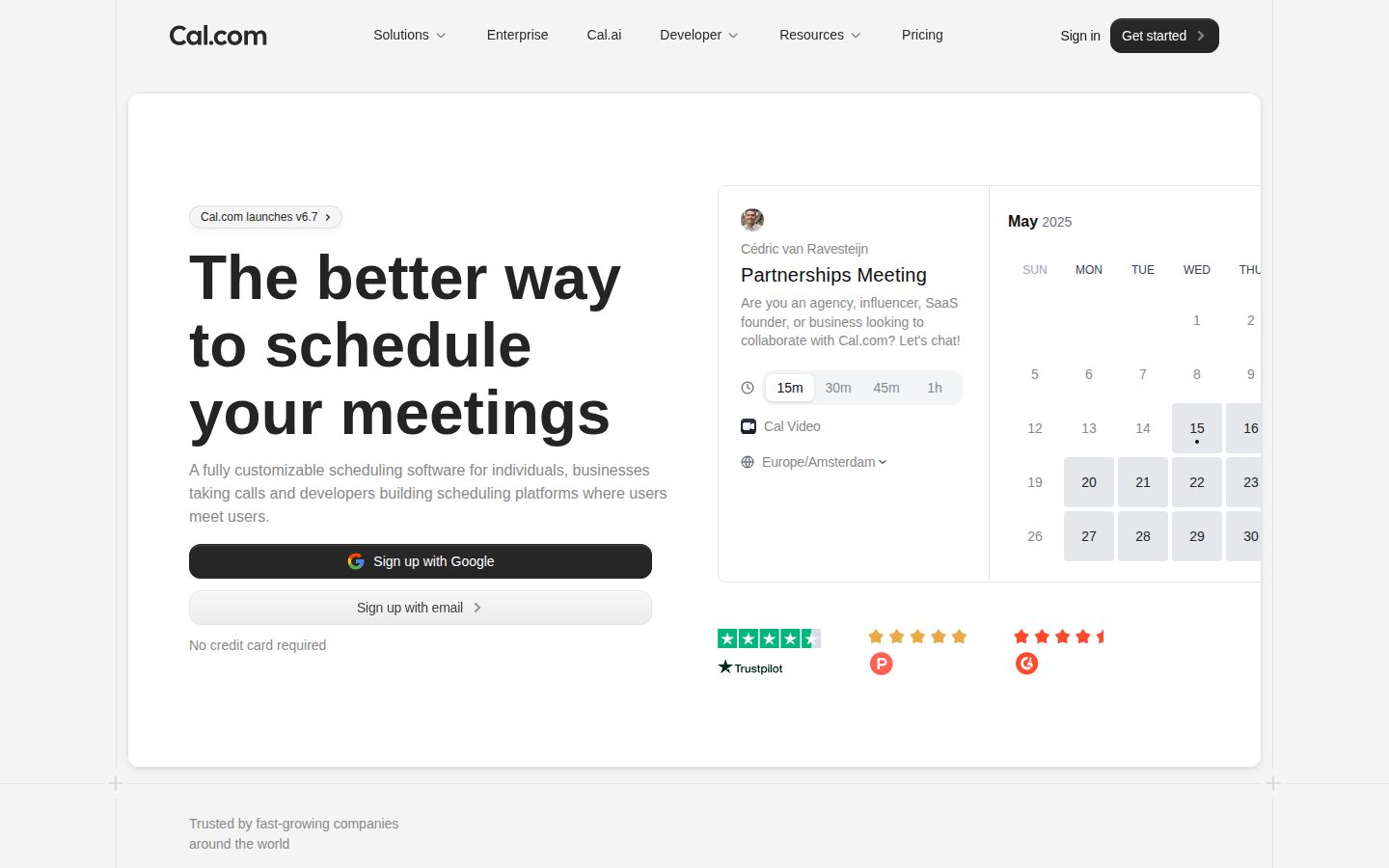
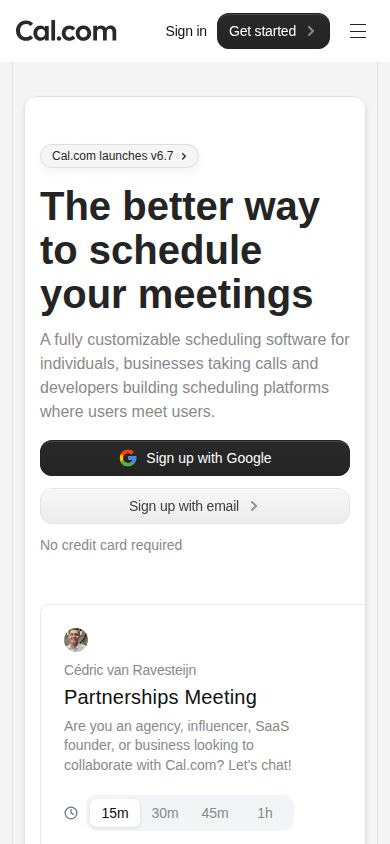
Scheduling infrastructure for individuals, teams, and organizations
Cal.com is a scheduling platform and API for booking meetings, managing calendars, and routing appointments across teams.
AI Panel Score
6 AI reviews
Reviewed
AI Editor ApprovedApproved and published by our AI Editor-in-Chief after full panel analysis.The core workflow starts with connecting a calendar (Google, Outlook/Microsoft 365, Apple Calendar, or ICS feeds) and setting up event types that define duration, location, availability, and booking questions. Invitees use a shared link or embedded booking widget to pick an open slot based on the host's real-time availability, with double-booking prevention, time-zone handling, buffers, and booking limits applied automatically. Teams can extend this to round-robin distribution across reps, collective events requiring multiple hosts, and routing forms that direct invitees to the right person based on attribute rules.
Beyond basic booking, Cal.com includes native video conferencing (Cal Video) with recordings and transcripts, Stripe-based payment collection at booking time, and automated workflows for reminders and follow-ups via email and SMS. Webhooks connect bookings to external systems, and an app store framework covers calendar, video, CRM, and automation integrations, including Salesforce and HubSpot. For developers, a v2 REST API, embeddable React components (Cal Atoms), and a hosted MCP server allow scheduling to be built directly into other applications or connected to AI agents.
Cal.com serves individuals wanting a free personal booking link, sales and recruiting teams needing routing and coordinated interviews, and organizations requiring governance across multiple teams. It competes with Calendly, Acuity/Squarespace Scheduling, and Chili Piper/HubSpot Meetings. The commercial product is priced per user across Free, Teams, Organizations, and Enterprise tiers, with a separate MIT-licensed self-hosted edition called Cal.diy available for those who want to run their own infrastructure.
On the compliance side, Cal.com supports HIPAA (with a Business Associate Agreement available on organization/enterprise plans), SOC 2, ISO 27001, GDPR, and CCPA, along with SSO (SAML, OIDC), SCIM provisioning, and role/permission-based access control for larger deployments. The commercial edition is closed source, while Cal.diy is the separate, self-hostable, MIT-licensed community edition maintained on GitHub.

Enables building AI agents that manage scheduling through the v2 API and MCP server, including AI phone-call event types.
Provides parent/sub-team org structure, organization-wide scheduling, centralized user management, and team/org-level booking analytics and reporting.
Qualifies and routes invitees to the right person or event type using attribute-based routing rules.
Sends automated reminders, confirmations, and follow-ups to invitees via email and SMS.
Distributes meetings across team members automatically or requires multiple hosts to attend together, with auto- or manual reassignment of round-robin bookings.
Provides native meeting links with recordings and real-time transcripts, removing the need for third-party conferencing tools.
Lets users create one-on-one, group, recurring, and instant booking event types, each with its own availability, duration, location, and booking questions, shared via a personal or embeddable booking link.
Lets users mark time off so it automatically reflects in their booking availability.
Collects payment at the time of booking through a built-in Stripe integration.
Two-way syncs with Google Calendar, Outlook/Microsoft 365, Apple Calendar, and ICS feeds to prevent double-booking.
Offers a v2 REST API, embeddable Cal Atoms React components, an embed flow, and a hosted MCP server so developers can build scheduling directly into their own products and AI agents.
Supports HIPAA with BAA, SOC 2, ISO 27001, GDPR, and CCPA compliance along with SSO (SAML/OIDC), SCIM provisioning, RBAC/PBAC, and organization-wide audit logs.
Everything needed for scheduling as an individual.
For small teams and startups with combined scheduling needs (billed yearly, per user/month).
For larger teams needing more control, privacy, and security (billed yearly, per user/month).
The most advanced scheduling for enterprise without limits; custom pricing via sales.
Open-source scheduling with real enterprise polish, priced to win the Calendly rematch.
“Cal.com backs a free tier and a $12/seat Teams plan with SOC 2, HIPAA, and SCIM at the org level. Open-source roots give it a credibility Calendly can't match.”
Free personal tier, $12/seat for Teams, $28 for Organizations with SAML SSO and HIPAA BAAs. That's a real ladder, not a bait-and-switch. Open-source core plus a closed commercial layer is an unusual structure, but it means no lock-in fear if you start on Cal.diy.
Two things stand out: round-robin routing and native video (Cal Video) mean you're not stitching together three tools like you would with Calendly plus Zoom plus a CRM plug-in. The MCP server and Cal Atoms show they're building for the AI-agent future, not just defending the booking-link business.
Competes directly with Calendly and Chili Piper. Calendly has more brand recognition; Cal.com has more technical depth and a cheaper enterprise story. Fine pilot for revenue teams needing routing now.
Directly challenges Calendly and Chili Piper on price and depth, but lacks their market share among enterprise buyers today.
Open-source pedigree reads well to engineering-minded boards; less brand recognition than Calendly with non-technical execs.
Free tier and 14-day trial on Teams mean a rep can be routing leads within a day.
Routing forms and the developer platform (API v2, Atoms, MCP) go beyond cost savings into building scheduling into your own product.
Open-source traction plus paid tiers up to Enterprise suggests real revenue, though no public funding data given.
Sales or recruiting teams needing routing and interview coordination without a Calendly-plus-Zoom stack.
Skip if your board only trusts vendors with decade-long enterprise track records like established calendar incumbents.
Scheduling infrastructure that scales from a solo booking link to org-wide governance without a re-platform.
“Cal.com is priced and built to grow with headcount rather than force a switch at 50 or 500 seats. The open-source lineage and self-hosted Cal.diy option give me exit leverage most SaaS vendors won't offer.”
I underwrite tools by what they cost me to leave, not just what they cost to adopt. Cal.com's tiering — Free, $12/user Teams, $28/user Organizations, custom Enterprise — maps cleanly to headcount growth, and the MIT-licensed Cal.diy self-hosted edition means I'm never fully boxed into their infrastructure if procurement or legal push back later.
Domain fit is strong for how sales, recruiting, and ops teams actually operate: round-robin distribution, routing forms, collective interviews. That's built for coordination at scale, not just a solo calendar link like Calendly's core product.
The compliance stack — SOC 2, HIPAA with BAA, ISO 27001, SAML SSO, SCIM — clears procurement review at the Organizations tier, which matters more to me than any feature demo. Tradeoff: the commercial product is closed source even though the brand trades on "open-source," so governance depth lives behind the paywall, not in the free tier.
Sits between Calendly's simplicity and Chili Piper's enterprise routing, competing on both price and control.
Round-robin, collective events, and routing forms match how sales and recruiting teams actually coordinate.
v2 API, Cal Atoms, webhooks, and Salesforce/HubSpot apps cover most stack needs, though depth per integration is unverified.
MIT-licensed Cal.diy self-hosted option limits vendor lock-in that competitors like Calendly don't offer.
Routing forms, PBAC, and org hierarchy show enterprise-grade scheduling logic beyond basic link-sharing.
Ops leaders who need scheduling to scale from individual reps to multi-team org governance without switching platforms.
Avoid if you need a fully open-source deployment with commercial-grade support baked into the free tier.
$12/seat, billed yearly, and SSO doesn't require a call — rare honesty in this category.
“Teams tier at $12/user/month, Organizations at $28 with SSO and HIPAA bundled in. Math is clean; the org jump is where budgets get tested.”
50 users × $12 × 12 = $7,200/year on Teams. Clean, no SSO tax at that tier — Calendly usually charges more to remove branding and add routing. Add SMS workflow costs, uncertain per-message, and year 3 creeps past $8K.
Organizations tier jumps to $28/seat. That's 133% more, but it buys SAML SSO, SCIM, SOC 2, HIPAA, ISO 27001 — no add-on modules, no separate compliance SKU. Compare to Chili Piper, which routes enterprise buyers to sales before you see a number at all.
Billed yearly for the discount, standard annual lock-in. Free self-hosted option (Cal.diy, MIT-licensed) exists if procurement balks — real leverage in a renewal conversation. Enterprise tier is custom pricing, meaning the usual sales-call opacity kicks in above Organizations.
Per-user monthly billing, no sales call needed until Enterprise custom pricing.
Annual billing for discount is standard lock-in; self-hosted Cal.diy option gives rare exit leverage.
Four tiers with real numbers on the page; only Enterprise hides behind sales.
Booking analytics and org-level reporting give measurable coordination savings, not just a feature checklist.
$12/seat with compliance bundled at $28 avoids the usual SSO surcharge seen at competitors.
Teams under 50 seats that need routing and round-robin without a compliance mandate.
You need SSO and HIPAA on day one but can't clear a $28/seat budget line.
Booking links that just work, plus enough API depth to disappear into your actual stack
“Cal.com replaces the Calendly link-in-bio workflow with something that scales into routing, round-robin, and payments without a rebuild. The free tier is generous enough that most solo knowledge workers never hit a paywall.”
Connect Google or Outlook, set an event type, share the link — the core loop is Calendly-familiar, so there's no relearning curve on day one. Where it earns its keep is week two, once you're juggling recurring 1:1s, buffers, and time-zone chaos across a team. Round-robin and routing forms handle the coordination that used to mean five Slack messages.
Cal Video with built-in transcripts means one less tab, one less tool to context-switch into mid-meeting. That's a real friction reduction versus stapling Zoom links into Calendly invites.
The tradeoff: Organizations tier jumps to $28/user/month for SSO, SCIM, and HIPAA — fine for a regulated team, steep if you just wanted routing forms. Docs cover the API and MCP server thoroughly, which reads like it's written by people who ship code, not just marketing copy. Depth is there; discoverability of workflows/webhooks for non-technical users lags behind Calendly's simplicity.
Core booking loop holds up past the demo; Cal Video and Out of Office reduce daily tool-switching.
v2 API, Cal Atoms, and MCP server docs read as practitioner-written, not marketing gloss.
Free tier covers individuals well; Organizations pricing at $28/user adds friction for teams needing compliance only.
Scales from a $0 solo link to routing forms, RBAC, and AI scheduling agents without forcing a platform switch.
Two-way sync with Google/Outlook/Apple plus webhooks slots into existing calendar habits without retraining.
Sales, recruiting, or ops teams that need round-robin routing and calendar governance beyond what Calendly offers.
You're a solo user who just wants the simplest possible booking link with zero setup decisions.
The scheduling tool for people who'd rather own their stack than trust Calendly forever.
“Cal.com does the booking-link basics well and then keeps going into round-robin, routing forms, and an actual API. The open-source angle is the real differentiator, if you're the kind of buyer who cares.”
Free tier gets you unlimited event types and a mobile app for $0, which already beats a lot of Calendly's free gate. Teams runs $12/user a month billed yearly, and that's where round-robin, routing forms, and booking analytics show up. Organizations at $28 adds SAML SSO, SCIM, and the compliance trifecta (SOC 2, HIPAA, ISO 27001), so it scales into enterprise territory without pretending otherwise.
What sets it apart from Calendly or Chili Piper isn't a feature, it's the MIT-licensed Cal.diy self-hosted edition sitting next to the commercial product. That's a real tradeoff decision for a company to make, not a checkbox.
The part I'd want to poke at before buying: no free trial listed, and the docs-heavy, developer-platform-first pitch (API v2, Cal Atoms, MCP server) suggests this was built by engineers for engineers first, casual users second. Fine if you've got dev resources. Less fine if you just want a booking link by lunchtime.
Native Cal Video with transcripts and Out of Office syncing show attention to the daily grind, not just the demo.
Scales from a solo booking link to org hierarchies with sub-teams and RBAC, but that range means month-three power users and day-one users are having very different experiences.
Mobile app is included even on the free Individuals tier, which is more than some competitors offer at that price.
Calendar connect and event-type setup is standard category stuff, but the developer-first framing (API, Atoms, MCP) suggests some homework before it clicks for non-technical users.
Double-booking prevention, buffers, and booking limits are automated core behaviors, and SOC 2/ISO 27001 certification backs up the infrastructure claims.
Teams and developers who want scheduling logic (routing, round-robin, embeds) they can actually control or self-host.
You just want a dead-simple booking link and don't care about API access or open-source options.
Open-source scheduling with a real moat: the MIT-licensed exit door.
“Cal.com is Calendly with an escape hatch — same booking-link workflow, but the self-hosted Cal.diy edition means you're never fully locked in. That's rare enough in this category to matter.”
$12/user/month for Teams, $28 for Organizations. Free tier includes Stripe and PayPal payments and unlimited event types — generous compared to Calendly's free ceiling. Round-robin, routing forms, HIPAA with BAA on paid tiers. Feature list reads like it actually shipped, not a roadmap.
The differentiation question is real. Calendly's the incumbent, Chili Piper owns enterprise routing, Acuity owns the SMB service-business niche. Cal.com's pitch is open-core plus API plus AI agents via MCP server. That MCP/AI-agent angle is new enough that I can't tell yet if it's a genuine wedge or a keyword.
Exit portability is the standout. MIT-licensed Cal.diy means if the commercial entity stalls, you're not stuck like you would be leaving Calendly. That's a structural advantage, not a marketing line.
Tradeoff: closed-source commercial edition still gates SSO, SCIM, and compliance behind $28/seat. Enterprise pricing is "contact sales" — the usual black box.
Crowded field with Calendly, Acuity, Chili Piper; MCP server and AI agent angle is the newest wedge, unproven.
MIT-licensed Cal.diy self-host option is a genuine, unusual out most competitors don't offer.
SOC 2, ISO 27001, HIPAA BAA, and a full dev platform (API v2, Atoms, embeds) suggest real engineering investment, not a side project.
H1 'the better way to schedule' is soft superlative but feature claims match the pricing page and docs.
Open-core scheduling has precedent (GitLab-style dual licensing) but the category graveyard includes plenty of Calendly clones that didn't differentiate.
Teams who want Calendly-style scheduling but need an open-source exit ramp if the vendor relationship sours.
You just want dead-simple personal booking links and don't care about self-hosting or compliance tiers.
Common questions answered by our AI research team
The Teams plan costs $12 per user/month billed yearly (a 25% savings), and includes a 14-day free trial.
The Organizations plan is SOC 2, HIPAA, and ISO 27001 compliant, and also includes SAML SSO and SCIM.
Yes, Cal.com supports round-robin scheduling, along with one-on-one, group, and collective scheduling formats.
Yes, Cal.com integrates with Stripe and PayPal to let you accept payments for bookings.
Yes, Cal.com offers a Mobile App, included even in the free Individuals plan.
Company
Cal.com, Inc.Founded
2021Pricing
From $12/moFree Plan
Available


Cal.com is an open-source scheduling platform based in San Francisco that provides customizable booking links, calendar integration, and workflow automation.