Incredible logo

Incredible Review

Visit

AI that clicks and types in your browser, files, and apps

Incredible is an AI agent application for Mac and Windows that performs tasks on a computer.

AI Panel Score

7.2/10

6 AI reviews

Reviewed

Facts checked against incredible.one

AI Editor Approved

About Incredible

Incredible runs on a computer and carries out tasks by directly interacting with the browser, files, and applications already installed, clicking and typing in the same way a person would. Rather than connecting to software through APIs, it operates visually and mechanically within the interfaces presented on screen, which lets it work across whatever browser tabs, apps, or files a task requires.

The product is built around the idea of performing tasks across multiple surfaces of a computer in one continuous workflow, moving between browser, apps, and files as needed rather than being confined to a single environment. This positions it as a general task-execution agent rather than a tool limited to one application or service.

Incredible is designed for individuals who want tasks on their computer carried out automatically rather than manually. It publishes pricing on its website, though specific plan names and price points are not detailed beyond that.

Features

AI

  • Dictation

    Transcribes held-key speech into text wherever the cursor is placed in any app, cleaning up false starts and filler words.

  • Screen Awareness

    Sees the page or document currently on screen when activated, letting the user give instructions like 'reply to this' without specifying context.

  • Teach It Your Own Tasks

    Learns a long or complex task by watching the user perform it once while narrating, then repeats the task the same way afterward.

Automation

  • Autopilot

    Runs a task automatically every time a trigger event happens in connected apps, such as handling a back-and-forth email thread to set up a meeting, until switched off.

  • Scheduled and Saved Tasks

    Saves a repeated task so it runs the same way every time, or schedules it to run on a time frame such as a recurring weekly report.

Collaboration

  • Team Sharing

    Shares a saved task, note or vocabulary entry with teammates so the whole team can use the same setup in Incredible.

Core

  • Browser Automation

    Clicks and types in the user's own browser, signed in as them, to work on websites like CRMs, ERPs, PIMs and supplier portals that have no integration, including uploading and downloading files.

  • File Search

    Finds a described file wherever it is saved, including on the user's Mac or in SharePoint, and opens it.

  • File and Document Editing

    Creates, edits and converts files on the user's computer, including Word, PowerPoint, Excel and PDF, making changes directly in an open file based on spoken or typed instructions.

  • Voice and Typed Commands

    Lets the user hold a talk key and speak a task in natural language, or type it into a command bar, to direct Incredible's actions.

Customization

  • Knowledge, Contacts and Vocabulary Settings

    Stores information about the user's work, known contacts and specific terminology so Incredible applies them consistently across tasks without re-explaining.

Integration

  • Connected Apps

    Connects to apps such as Gmail, Slack, Google Calendar and Notion so Incredible can send emails and messages and move information between them.

  • MCP Server Support

    Adds any tool that speaks MCP, like Lovable or a company's internal systems, so Incredible can use it the same way it uses other connected apps.

Security

  • Approval and Control Controls

    Asks for approval before sending, changing or deleting anything, letting the user approve, edit or stop each step of a task.

  • SOC 2 and GDPR Compliance

    Maintains SOC 2 Type 2 audit and GDPR compliance, encrypting data at rest and in transit and contractually prohibiting AI subprocessors from training on user data.

Preview

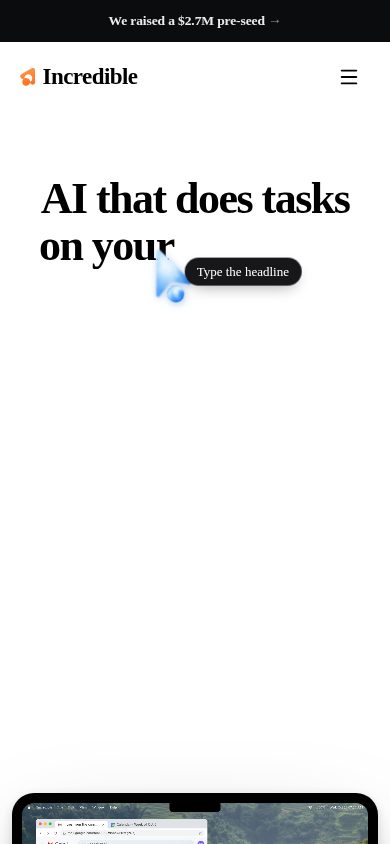
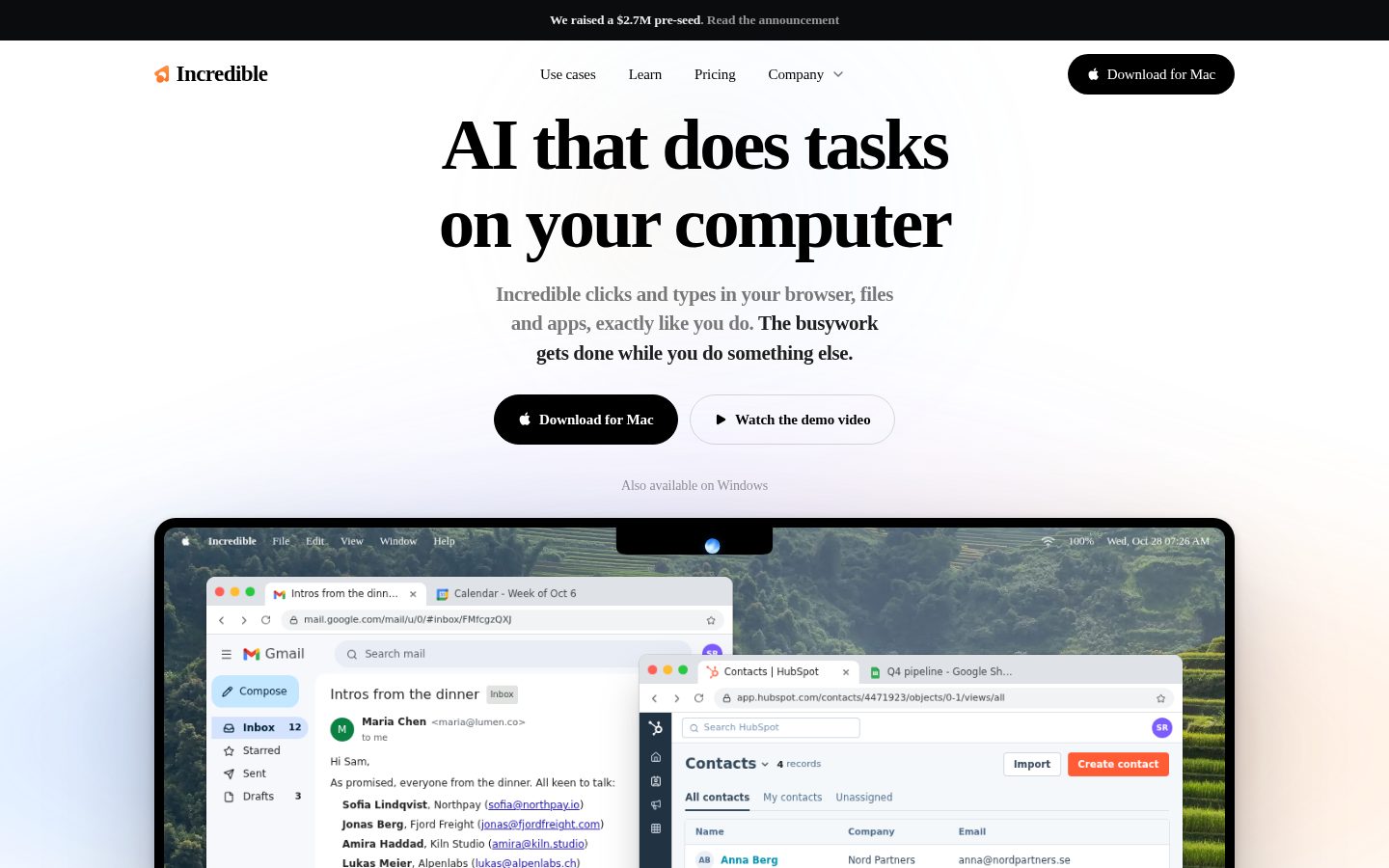
Incredible desktop previewIncredible mobile preview

Pricing Plans

Starter

$25/monthly

For lighter, everyday use

  • Answers from what is on your screen
  • Works in browser and across 3,000+ apps
  • Searches the web
  • No features locked behind higher tiers
  • Email support from the team
  • 7-day free trial included

Pro

$50/monthly

For your everyday tasks

  • 2x the usage of Starter
  • Optional personalized onboarding
  • All core assistant features unlocked
Popular

Max

$179/monthly

For handing off work all day

  • 3x the usage of Pro
  • Priority support
  • Feature requests move up the queue
  • Optional onboarding for your whole team

Ultra

$500/monthly

For the heaviest use

  • 10x the usage of Pro
  • Shared Slack or Teams channel with founders
  • Use in legacy systems like CRM and ERP

AI Panel Reviews

The Decision Maker

The Decision Maker

Strategic bet, vendor viability, timing, adoption approval
7.6/10

A desktop agent that clicks through your actual software instead of waiting for an API.

“Incredible operates your browser, files and apps like a person would, no integration required. The pricing scales from $25 to $500 a month on usage, not features.”

No integrations needed is the pitch here. Incredible clicks and types across browser, files and apps the same way you would, which matters for the CRMs and supplier portals that never got an API built for them.

Every tier unlocks the full assistant. Starter at $25 a month with a 7-day trial, up to Ultra at $500 with a shared Slack channel to the founders. That's an honest pricing structure — you're paying for usage headroom, not gated features.

The tradeoff: acting visually on screen is slower and more brittle than a direct API call, and SOC 2 Type 2 plus GDPR compliance tells me they know enterprise buyers will ask. Teach It Your Own Tasks and MCP server support show real engineering intent. Worth a pilot, not a department-wide rollout yet.

Competitive Positioning7.8

Acting directly on browser, files and apps instead of requiring integrations is a real architectural difference from API-bound automation tools.

Reputation Risk7.0

SOC 2 Type 2 and GDPR compliance with no training on user data covers the baseline, but approval controls on every send or delete suggest the vendor itself expects mistakes.

Speed to Value7.5

Teach It Your Own Tasks learns a workflow after one demonstration, which is a fast path to payback if it holds up on messy real-world screens.

Strategic Fit7.8

It extends what teams can automate into systems with no API, not just cheaper versions of existing integrations.

Vendor Viability7.5

A full pricing page with four tiers and named features like Autopilot and MCP support signals active building, though I couldn't find a changelog to confirm release cadence.

Pros

  • No features locked behind higher tiers, even at the $25 Starter level
  • Works across 3,000+ apps plus anything in a browser, per their own answer
  • SOC 2 Type 2 and GDPR compliance already in place
  • Teach It Your Own Tasks lets you train workflows by demonstration

Cons

  • Visual click-and-type automation is inherently more fragile than API integration
  • Usage limits per tier aren't quantified anywhere I could see, just multipliers
  • Ultra jumps to $500 a month, a steep gap from Max at $179

Right for

Individuals or small teams who need an agent to operate software that has no API, like legacy CRM or supplier portals.

Avoid if

Avoid if you need guaranteed reliability on high-stakes transactions without human approval at every step.

The Domain Strategist

The Domain Strategist

Craft and strategy in the product's domain — adapts identity per category, same lens
7.2/10

A UI-automation agent that trades API stability for universal reach — fine for individuals, a liability for fleet-scale ops.

“Incredible drives your actual screen instead of calling APIs, which gets it into any of 3,000+ apps with zero integration work. That same mechanism is the thing I'd want to stress-test hard before putting it on more than a handful of machines.”

Architecturally this is a different bet than the agent frameworks built around tool-calling and API schemas. Incredible operates the DOM and OS-level UI surfaces directly — clicking, typing, reading screen state. That's the only way to touch CRMs, ERPs, and supplier portals with no API, which is a real capability gap most integration-first agents can't close. The cost is that every UI redesign on a vendor's end is a silent regression risk you don't control and can't patch yourself.

MCP server support is the piece I'd actually build around — it means the vendor isn't betting the whole roadmap on screen-scraping forever, and it gives you a path to swap fragile visual steps for structured calls as your internal tools expose MCP endpoints. That's a sane hedge. Connected Apps (Gmail, Slack, Calendar, Notion) plus Autopilot triggers suggest they know users will want event-driven automation, not just one-shot commands, but the Autopilot failure mode on a misread screen state in an unattended email thread is a support ticket you don't see coming until it's sent.

SOC 2 Type 2 and GDPR compliance are table stakes handled correctly, which matters once this touches production systems. Three years in, you're either migrating these workflows to MCP as it matures, or you're stuck maintaining click-path automations against apps you don't control.

Category Positioning7.5

Sits at the general-purpose computer-use end of the agent spectrum rather than the single-app assistant end, a distinct and defensible lane.

Domain Fit7.5

Matches how individuals and small teams actually work across tools with no IT integration budget — Approval Controls fits that trust model well.

Integration Surface7.5

3,000+ apps plus any browser surface beats hand-built integrations for breadth, per their own connected-apps claim.

Long-term Implications6.5

MCP Server Support gives an exit ramp from fragile click-paths, but adopting Autopilot today means owning UI-drift risk until that migration happens.

Strategic Depth7.0

Teach-by-demonstration and screen awareness are genuinely sophisticated, but visual automation has a lower craft ceiling than structured integration by design.

Pros

  • MCP Server Support gives a structured-integration escape hatch as internal tools adopt the protocol
  • Approval and Control Controls put a human checkpoint on every send, change, or delete step
  • SOC 2 Type 2 and GDPR compliance already handled for teams that need it from day one

Cons

  • Autopilot running unattended on a misread screen state is a failure mode you won't catch until after it fires
  • UI-click automation inherits every redesign risk from the apps it operates, with no API contract to fall back on

Right for

Individuals and small teams who need one agent to operate across browser, files, and unintegrated line-of-business apps without IT involvement.

Avoid if

Avoid if you need deterministic, auditable automation against systems where a misclicked step has real financial or compliance consequences.

The Finance Lead

The Finance Lead

Money, total cost of ownership, contracts, procurement math
7.1/10

Four tiers, flat features, usage multipliers with no units attached.

“$25 to $500 a month, same feature set throughout. Clean pricing page, murky usage math.”

$25 Starter, $50 Pro, $179 Max, $500 Ultra. Billed monthly, per seat. No sales call needed to see the numbers — rare at this price band for an agent product.

But the tiers sell usage multipliers, not usage units. "2x Starter," "3x Pro," "10x Pro" — 10x of what, exactly? No task count, no hour cap, no token figure. A 50-person team modeling year-3 spend can't size seats without guessing. Starter × 50 × 12 = $15K/year if everyone fits the floor tier. Realistically, some seats push into Max at $179, and that model breaks fast: 10 Max seats alone is $21,480/year.

7-day free trial on Starter de-risks the entry purchase. SOC 2 Type 2 audit (Sensiba) helps procurement move faster on security review. What I couldn't find: contract term length, auto-renewal window, or any downgrade path once a team lands on Ultra at $500. Price the meter before you sign, not after the first overage surprise.

Billing & Procurement7.0

Monthly per-seat billing is straightforward; SOC 2 Type 2 and GDPR compliance should ease security review for procurement.

Contract Flexibility6.0

I couldn't find term length or auto-renewal terms on the pricing page I reviewed.

Pricing Transparency8.0

All four tiers and dollar amounts are public, but usage multipliers aren't quantified anywhere I could see.

ROI Clarity6.5

Teach It Your Own Tasks and Autopilot give concrete task-replacement scenarios, but no usage benchmarks to size time saved per tier.

Total Cost of Ownership6.5

Flat feature set across tiers simplifies TCO, but unquantified usage caps make 3-year seat-mix forecasting a guess.

Pros

  • Full pricing published with no sales call required
  • Same feature set at every tier, including the $25 floor
  • 7-day free trial lowers initial commitment risk

Cons

  • Usage multipliers per tier carry no quantified unit
  • Jump from Max ($179) to Ultra ($500) with nothing public in between
  • No visible contract term or auto-renewal details

Right for

A buyer who can estimate their own usage ceiling and wants flat per-seat pricing with no upsell traps.

Avoid if

Avoid if your procurement process requires a quantified usage cap before committing budget.

The Domain Practitioner

The Domain Practitioner

Daily hands-on reality in the product's domain — adapts identity per category, same lens
7.2/10

A general-purpose clicker-typer that lives or dies on selector stability, not model quality.

“Incredible skips the API-integration problem entirely by driving the UI like a person, which is clever until the UI changes under it. The ceiling here is how well it recovers from a bad click, not how smart the model is.”

Screen Awareness and Teach It Your Own Tasks are the interesting bits here — demonstrate a workflow once, narrating as you go, and it replays. That's a reasonable answer to the cold-start problem every RPA tool has faced for a decade. But training-by-demonstration tools have always had a brittle middle: works great on the exact screen state you recorded, degrades the moment a dropdown moves or a modal appears.

Autopilot triggering off connected-app events (Gmail, Slack, Calendar) is the feature I'd actually want running unattended, but it's also the one I'd want logs for — what did it see, what did it click, why. I couldn't find anything resembling a run log or execution trace in what's public, which matters more here than in API-based automation because there's no request/response pair to replay when something goes sideways.

MCP Server Support is the pragmatic hedge: when a workflow matters enough, route it through a real protocol instead of trusting the pointer.

Day-3 Reality7.0

Demonstration-based task teaching is fast to set up but the daily fight is noticing silent failures from misread screen state.

Documentation Practitioner-Fit6.5

I couldn't find docs or a changelog to judge whether the writing speaks to builders or just end users.

Friction Surface6.8

No execution log or trace surfaced publicly, which is friction when an Autopilot run does something unexpected.

Power-User Depth7.0

MCP Server Support gives a real escalation path beyond click-and-type, but depth of that path is unverified from public material.

Workflow Integration7.8

Working across browser, files, and installed apps without requiring integrations fits existing habits better than connector-based tools.

Pros

  • Teach It Your Own Tasks handles long workflows without writing scripts or configuring connectors
  • MCP Server Support means internal tools aren't limited to whatever's visually clickable
  • Screen Awareness cuts down on re-explaining context for every command

Cons

  • No visible run log or execution trace for diagnosing a bad Autopilot click after the fact
  • Can't verify documentation depth without a public docs site to review

Right for

An individual operator who wants one tool clicking across browser tabs, files, and apps instead of stitching together integrations.

Avoid if

Avoid if you need an audit trail of exactly what an unattended agent clicked before it clicked it.

The Power User

The Power User

Daily human experience, onboarding, polish, learning curve, reliability
7.3/10

Clicking and typing like a human is clever until the app redesigns its own buttons.

“Incredible drives your actual apps instead of waiting for integrations, which is genuinely useful. Whether it stays smooth after the first few weeks is the real test, and that part's harder to see from outside.”

First ten minutes: you talk or type a task, it watches your screen, it goes and clicks things. That's a fun demo. The question I keep coming back to is what happens on day fourteen when one of the 3,000+ apps it touches ships a UI update and Incredible's muscle memory for that button is suddenly wrong. There's no run log mentioned anywhere I could surface, so you'd be debugging a silent failure by vibes.

Dictation and Screen Awareness are the parts that'll actually get used daily — holding a key to talk, pointing at whatever's open and saying 'reply to this.' That's low-friction in a way a lot of agent tools aren't.

File and Document Editing working inside actual Word, Excel, PDF files rather than a sandboxed copy is the detail that'll matter most three months in. Approval checkpoints before anything sends or deletes are a nice seatbelt, though a seatbelt matters more the more miles you drive this thing unattended on Autopilot.

Daily Polish7.0

Dictation cleaning up filler words and Screen Awareness reading context both suggest someone sweated the small daily frictions.

Learning Curve7.8

Teach It Your Own Tasks by demonstration means you're not writing scripts to scale past the basics.

Mobile Parity4.5

It's listed for Mac and Windows desktop only, so anyone wanting this on a phone is out of luck for now.

Onboarding Experience7.5

A 7-day trial on the $25 Starter tier with no locked features is a low-homework way to find out if it clicks for you.

Reliability Feel6.0

Approval controls before sends and deletes help, but click-and-type automation has no safety net when a target app changes shape.

Pros

  • Works directly inside Word, Excel, PowerPoint, and PDF files rather than a separate export flow
  • Every tier from $25 Starter up includes the full assistant with nothing gated behind price
  • MCP Server Support lets it plug into internal tools beyond whatever's visually on screen
  • Approval step before anything sends, changes, or deletes gives you a last look

Cons

  • Desktop-only on Mac and Windows, no mobile presence to speak of
  • Visual automation means it inherits every redesign risk from the apps it's clicking around in
  • I couldn't find a changelog, so judging how fast fixes ship is hard from outside

Right for

Someone doing repetitive cross-app busywork on a desktop who wants it handled without writing scripts.

Avoid if

Skip it if you need this working from your phone or want a visible audit trail for every automated action.

The Skeptic

The Skeptic

Contrarian. Watch-outs, deal-breakers, broken promises, category patterns
6.7/10

A $500 top tier with no run log to show you what it clicked.

“Incredible's pitch is RPA for normal people, no integrations needed. The gap between that promise and what you can verify from outside is wide.”

Rabbit R1 promised general computer-use and shipped something closer to a launcher. Incredible's pitch rhymes: click and type anywhere, no APIs, works like a person. Maybe it holds up. The SOC 2 Type 2 audit by Sensiba is a real, checkable claim, which is more than most agent startups offer at this stage.

What's missing is proof of durability. Teach It Your Own Tasks and Autopilot both assume the on-screen layout stays stable long enough to trust unattended. No docs site I could find to check how it handles a broken workflow mid-task.

Exit is the real question. Every saved task, vocabulary entry and taught workflow lives inside Incredible's own format. If you leave, none of that travels with you. Connected Apps and MCP support ease lock-in on the integration side, not on the muscle memory you built inside it.

Competitive Differentiation6.8

The no-integration, 3,000+ app pitch is a real angle against API-bound assistants, though visual automation as a category has a history of reliability complaints.

Exit Portability5.5

Saved tasks, vocabulary settings and taught workflows appear to live entirely inside Incredible's format with no export path mentioned.

Long-term Viability6.5

SOC 2 Type 2 and GDPR compliance are concrete signals; I couldn't find a changelog or docs site to judge maintenance cadence beyond that.

Marketing Honesty7.0

The 'no integrations needed' framing matches the mechanism described, clicking and typing like a person, which is at least an honest description of how it works, not just what it achieves.

Track Record Match6.0

Named features like Autopilot and Teach It Your Own Tasks are specific, but I found no execution logs or case studies showing the click-based approach holds up at volume.

Pros

  • SOC 2 Type 2 audit by a named firm (Sensiba), not just a self-claim
  • Teach It Your Own Tasks offers a real alternative to scripting for one-off workflows
  • MCP Server Support gives a structured path for internal tools, not just screen-clicking

Cons

  • No visible export path for saved tasks or taught workflows if you switch tools
  • Autopilot running unattended on misread screens has no stated recovery process
  • Four tiers from $25 to $500 but no case study showing real usage at the top end

Right for

Individuals who want a desktop agent for recurring browser and file tasks and are comfortable approving each step.

Avoid if

Avoid if you need a portable record of your automations that survives switching vendors.

Buyer Questions

Common questions answered by our AI research team

Pricing

How much does Incredible cost per month?

Incredible has four paid tiers billed per seat per month: Starter at $25, Pro at $50, Max at $179, and Ultra at $500. A 7-day free trial of Starter is available before billing begins.

Pricing

What's the difference between the Starter, Pro, Max, and Ultra plans?

All four plans include the full assistant with no features locked behind higher tiers; the difference is usage volume and support. Pro gives 2x the usage of Starter, Max gives 3x the usage of Pro, and Ultra gives 10x the usage of Pro, with Max and Ultra adding faster, priority support and Ultra including a shared Slack or Teams channel with the founders.

Integration

Does Incredible require integrations with other apps?

No. Incredible works within existing software by clicking and typing across browser windows, files, and installed apps the same way a person would, rather than requiring integrations. It connects directly to more than 3,000 apps, and any other app that opens in a browser also works.

Security

Is Incredible SOC 2 or GDPR compliant?

Yes. Incredible is SOC 2 Type 2 audited by Sensiba and GDPR compliant, with data encrypted at rest and in transit and no training on user data.

Setup

What operating systems does Incredible support?

Incredible is a desktop app available for macOS and Windows, requiring macOS 13 or Windows 10 or later.

Also in AI Agents & Assistants