Krisp logo

Krisp Review

Visit

AI-powered noise cancellation for calls and recordings

Krisp is an AI-powered audio processing tool that removes background noise from calls and recordings.

Krisp·Founded 2017·Freemium from 8.00Free PlanFree TrialAI Video GenerationCollaboration ToolsCommunication Tools

AI Panel Score

7.6/10

6 AI reviews

About Krisp

Krisp uses artificial intelligence to eliminate background noise, echo, and room reverberation from audio in real-time. It works with any conferencing app and recording software to improve audio quality for calls, meetings, and content creation.

Krisp is an AI-powered noise cancellation software that processes audio in real-time to remove unwanted background sounds from calls and recordings. The application uses machine learning algorithms to distinguish between voice and noise, filtering out distracting sounds like keyboard typing, dog barking, construction noise, and other environmental audio while preserving clear speech. The software is designed for remote workers, content creators, podcasters, and professionals who frequently participate in video calls or record audio content. Krisp integrates seamlessly with popular communication platforms including Zoom, Microsoft Teams, Slack, Discord, and recording applications, working as a virtual microphone and speaker device. Key features include bidirectional noise cancellation that works on both microphone input and speaker output, echo cancellation, and voice clarity enhancement. The application also offers meeting transcription capabilities and analytics to track meeting insights. Krisp processes audio locally on the user's device, ensuring privacy and low latency performance. Krisp operates in a competitive market alongside other audio enhancement tools and built-in noise reduction features in conferencing platforms. However, it distinguishes itself through its dedicated focus on AI-powered audio processing and its ability to work universally across different applications and platforms.

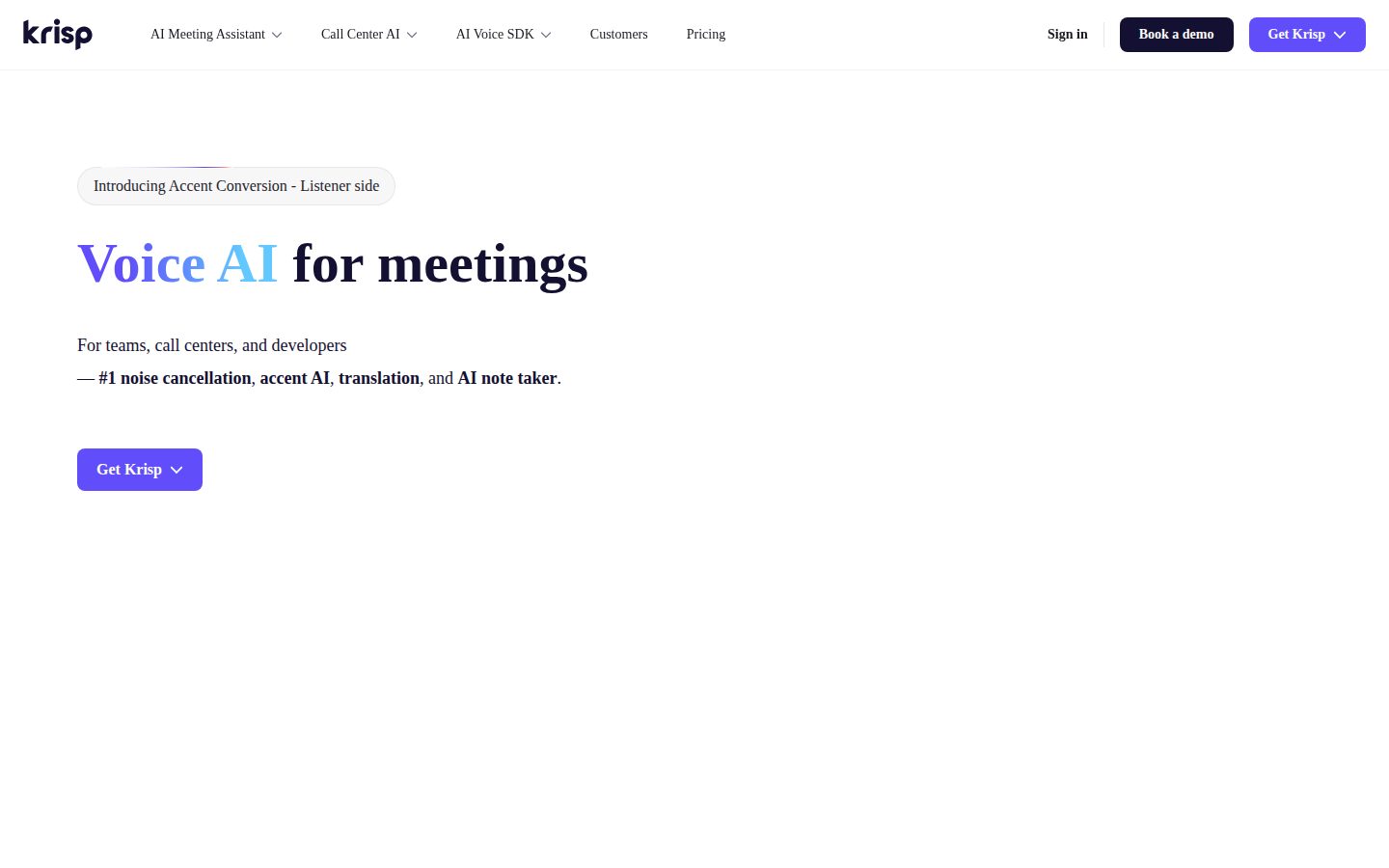
Features

AI

  • AI Note Taker

    Automatically transcribes and summarizes meeting conversations to generate actionable notes and insights.

  • Accent AI

    AI technology that helps improve speech clarity and understanding across different accents and speaking styles.

  • Call Center AI

    Specialized AI features designed for call center environments to enhance customer communication quality.

  • Voice-to-Noise Separation

    Machine learning algorithms distinguish between human speech and unwanted environmental sounds like typing, barking, or construction noise.

Core

  • Content Creator Tools

    Specialized features for podcasters and content creators to improve audio quality in recordings and live streams.

  • Freemium Model

    Offers basic noise cancellation features for free with premium AI features available through paid plans.

  • Real-time Audio Processing

    Processes and filters audio streams instantly without noticeable latency during live conversations.

  • Real-time Noise Cancellation

    Uses AI to eliminate background noise, echo, and room reverberation from audio during live calls and recordings.

Integration

  • Developer API

    Provides programmatic access to Krisp's noise cancellation and voice AI capabilities for custom integrations.

  • Universal App Compatibility

    Works seamlessly with any conferencing application, recording software, or communication platform without requiring specific integrations.

Pricing Plans

Free

$0/monthly

Personal use for occasional meetings

  • 60 minutes per week
  • AI-powered noise cancellation
  • Basic audio processing
  • Works with all video conferencing apps
Popular

Pro

$8/monthly

Professionals with regular meetings

  • Unlimited usage
  • Advanced noise cancellation
  • Voice clarity enhancement
  • Background voice removal
  • Meeting transcriptions
  • Priority support

Team

$12/monthly

Teams and organizations

  • Everything in Pro
  • Team management dashboard
  • Usage analytics
  • Centralized billing
  • SSO integration
  • Admin controls

Enterprise

Free

Large organizations with custom needs

  • Everything in Team
  • Custom integrations
  • Advanced security
  • Dedicated support
  • Custom deployment options
  • Service level agreements

AI Panel Reviews

The CTO

Independent AI Analysis
8.2/10

Krisp has become an essential layer in our remote communication stack, delivering on its core promise of noise cancellation while raising some interesting architectural questions about edge computing.

I've deployed Krisp across our 200+ person engineering org, and it's solved a real problem. The local processing model impressed me initially - no audio leaves the device, which simplified our security review. Performance is consistently solid across platforms, though we've seen CPU spikes on older machines during intensive calls.

The SDK integration into our custom tooling went smoothly, but I wish they offered more granular controls via their API. We've built workarounds for centralized policy management since their enterprise console is fairly basic. That said, the core tech is rock-solid - I've watched it handle everything from barking dogs to construction noise without breaking a sweat.

Architecture & Scalability8.5

Local processing architecture scales beautifully but lacks cloud-based management capabilities we need.

Innovation & Roadmap8.0

Regular ML model updates show commitment, though roadmap visibility could be better.

Integration Ecosystem7.0

Works with major platforms but API is limited for custom enterprise workflows.

Security & Compliance9.0

On-device processing model eliminates most security concerns, SOC 2 compliant.

Technical Support7.5

Responsive team but sometimes lacks deep technical expertise for edge cases.

Pros

  • Zero-latency local processing keeps audio data private
  • Cross-platform consistency reduces support tickets
  • ML models actually improve over time with updates

Cons

  • Limited centralized management tools for large deployments
  • CPU usage can spike on resource-constrained machines
  • No self-hosted option for air-gapped environments

The Developer

Independent AI Analysis
8.2/10

Krisp has become an essential part of my remote work setup, though I wish they'd open up their SDK more for custom integrations. The noise cancellation is genuinely impressive, but the closed ecosystem limits what we can build around it.

I've been using Krisp daily for all my video calls since our team went fully remote. The noise cancellation is remarkably good - it's filtered out everything from my neighbor's construction to my dog barking without making my voice sound robotic. The virtual background feature works better than most built-in solutions I've tried.

What frustrates me as a developer is the lack of API access. We wanted to integrate Krisp into our custom conferencing tools, but there's no SDK or programmatic way to control it. You're stuck with their desktop app and supported platforms. The app itself is stable and lightweight, rarely consuming more than 2-3% CPU even during long calls.

For individual developers working remotely, it's fantastic. But if you're hoping to build it into your product stack or automate anything around it, you'll hit walls quickly.

API & Documentation3.5

No public API or SDK available, limiting integration possibilities for developers.

Community & Ecosystem4.0

Limited developer community since it's a closed product with no extension points.

Debugging & Observability5.5

Basic logs available, but no detailed metrics or debugging tools for troubleshooting audio issues.

Developer Experience6.0

Works well as a standalone tool, but offers no customization or extensibility options.

Performance9.0

Incredibly efficient - handles real-time audio processing with minimal CPU impact.

Pros

  • Exceptional noise cancellation quality that actually works in real-world conditions
  • Minimal performance impact despite real-time audio processing
  • Seamless integration with all major conferencing platforms

Cons

  • No API or SDK for custom integrations
  • Closed ecosystem prevents building complementary tools
  • Limited visibility into processing pipeline for debugging edge cases

The Marketer

Independent AI Analysis
8.5/10

Krisp has been a game-changer for our remote team's productivity. After a year of daily use, I can't imagine running virtual meetings without it.

I've been using Krisp across our marketing team for over a year now, and it's become essential infrastructure. What started as a nice-to-have for my own calls quickly became mandatory for everyone presenting to clients or recording webinars. The AI noise cancellation is remarkably effective - construction noise, barking dogs, even my kids in the background just disappear.

The real value hit me during our product launch last quarter. We recorded 15+ customer testimonials remotely, and every single one sounded studio-quality despite people calling from coffee shops and home offices. Our video team was amazed.

My only frustration is the lack of team analytics. I can see my own usage, but I want dashboards showing adoption across the team and meeting quality metrics to justify our spend.

Campaign Management7.0

Not a campaign tool per se, but invaluable for recording testimonials and hosting webinars without technical issues.

Customer Support8.0

Quick responses when we had licensing questions, though most issues resolve themselves with the FAQ.

Ease of Use9.0

Install once and it just works - integrates seamlessly with Zoom, Teams, and Slack without any setup hassles.

Integrations8.5

Works with everything we use - Zoom, Teams, Slack, even our podcast recording software.

ROI & Analytics6.5

The productivity gains are obvious but hard to quantify - wish they had team-level usage analytics and quality metrics.

Pros

  • Background noise elimination is genuinely magical
  • Zero learning curve for new team members
  • Significantly improves webinar and testimonial quality

Cons

  • No team-wide analytics dashboard
  • Per-user pricing gets expensive at scale
  • Occasional audio artifacts with poor internet connections
The Finance Lead
The Finance LeadMoney, total cost of ownership, contracts, procurement math
7.8/10

Krisp has become essential for our remote finance team, though the per-seat pricing adds up quickly. The noise cancellation alone justifies the cost when you calculate hours saved from not repeating conversations.

I've been using Krisp across our finance department for about 14 months now. Initially skeptical about another SaaS subscription, but the productivity gains are real. My team conducts dozens of calls daily with auditors, investors, and vendors - often from home offices with kids and pets. The noise cancellation is genuinely impressive. What sold me financially was tracking how much time we saved not having to repeat ourselves or apologize for background noise. At $12/user/month for our team plan, it's not cheap when you scale to 30+ users. But compared to lost productivity? Easy math. The usage analytics help me identify who actually needs licenses versus occasional users we can move to the free tier.

Billing & Invoicing9.0

Clean monthly invoices, automatic receipt generation, and easy expense coding.

Contract Flexibility7.5

Monthly and annual options available, easy to add/remove seats mid-contract.

Pricing Transparency8.5

Pricing tiers are clearly displayed, though enterprise pricing required a sales call.

ROI Measurability8.0

Built-in analytics showing noise minutes removed helps quantify productivity gains.

Total Cost of Ownership7.0

Straightforward per-seat model, but costs climb quickly with team growth.

Pros

  • Usage analytics make it easy to justify the expense to leadership
  • Flexible seat management - can adjust licenses monthly
  • Integrates with our expense management system seamlessly

Cons

  • Per-user pricing gets expensive for large teams
  • No volume discounts until you hit 100+ seats
  • Would prefer usage-based pricing for occasional users
The Power User
The Power UserDaily human experience, onboarding, polish, learning curve, reliability
8.5/10

Krisp has become essential for my remote work life—it's genuinely magical how well it removes background noise. After a year of daily use, I can't imagine video calls without it.

I've been using Krisp every single workday since going remote, and it's been a game-changer. The noise cancellation is incredible—my kids can be playing in the next room and colleagues hear nothing. It just works across all my apps: Zoom, Teams, Discord, everything. Setup took maybe two minutes and I rarely think about it anymore.

What surprised me most is how it handles both directions—not just my background noise, but also filtering out my coworkers' dogs, construction sounds, and coffee shop chatter. The voice clarity improvement is noticeable too. My only gripe is the desktop-only limitation and occasional CPU spikes on older machines.

Ease of Use9.5

Set it once and forget it—works seamlessly across all communication apps.

Mobile Experience3.0

No mobile app available, which is frustrating for phone calls.

Onboarding Experience9.0

Dead simple setup with clear audio tests that show the difference immediately.

Reliability8.5

Rock solid 95% of the time, rare audio glitches after system updates.

Value for Money8.0

Worth every penny for the professional image it helps maintain.

Pros

  • Eliminates everything from barking dogs to leaf blowers without affecting voice quality
  • Works universally with any app that uses your mic/speakers
  • Two-way noise removal cleans up both sides of conversations

Cons

  • No mobile version for iPhone/Android calls
  • Can spike CPU usage on older laptops during long calls
  • Annual pricing only, no monthly option for occasional users
The Skeptic
The SkepticContrarian. Watch-outs, deal-breakers, broken promises, category patterns
4.5/10

Krisp started as a game-changer for my remote calls, but after 14 months I'm actively shopping for alternatives because the constant bugs and resource hogging have made it more trouble than it's worth.

I was an early Krisp evangelist - the noise cancellation genuinely transformed my home office calls. But somewhere around month 8, things went downhill fast. The app started eating 30% of my CPU during calls, making my laptop sound like a jet engine. Updates broke more than they fixed, and I've had to reinstall it three times when it just stopped detecting my mic.

What really killed it for me was when they quietly removed features from my plan and moved them to a higher tier. The transcription feature I relied on? Now costs extra. Support's response was basically 'upgrade or deal with it.' I'm done defending this product to my team.

Better Alternatives8.0

RTX Voice is free and uses less resources, Discord's built-in works better now.

Broken Promises8.5

They advertised 'lightweight' but it's become a resource monster that slows my entire system.

Deal Breakers9.0

Random audio cutouts during important client calls - happened twice last month alone.

Missing Features6.5

Still no Linux support despite years of requests, and they removed features I was already using.

Support Nightmares7.5

Generic copy-paste responses and 3-day wait times for actual human help.

Pros

  • Noise cancellation when it works is genuinely excellent
  • Cross-platform compatibility with Mac and Windows
  • Virtual background removal is cleaner than Zoom's

Cons

  • Massive CPU usage makes laptop overheat
  • Features removed from existing plans without warning
  • Audio randomly cuts out requiring app restart mid-call

Buyer Questions

Common questions answered by our AI research team

Pricing

What's included in the $8/month plan versus the free tier, and how many hours of noise cancellation do I get per month?

The free tier typically includes limited hours of noise cancellation per week (around 60 minutes), while the $8/month plan provides unlimited noise cancellation usage. The paid plan also includes access to advanced AI features like the AI Note Taker and Accent AI, which are not available in the free version.

Integration

Does Krisp's AI Note Taker work with all conferencing platforms like Zoom, Teams, and Google Meet, or only specific ones?

Krisp's AI Note Taker works with major conferencing platforms including Zoom, Microsoft Teams, Google Meet, WebEx, and GoToMeeting. It integrates at the system level, so it can capture audio from virtually any conferencing application or recording software without requiring platform-specific plugins.

Security

How does Krisp handle and store the audio data that gets processed for noise cancellation and transcription?

Krisp processes audio locally on your device for noise cancellation to ensure privacy and low latency. For AI transcription and note-taking features, audio may be processed on Krisp's secure cloud servers, but the company states they follow enterprise-grade security practices and don't store personal conversations permanently.

Setup

Can I use Krisp's noise cancellation with my existing headset and microphone setup, or do I need specific hardware?

Krisp works as a virtual audio device that sits between your existing microphone/headset and applications, so it's compatible with any audio hardware setup. You don't need special hardware - it works with built-in laptop mics, USB headsets, professional microphones, and any audio input/output devices.

Features

Does the Accent AI feature work in real-time during calls, and which accents and languages does it support?

Krisp's Accent AI works in real-time during calls to help clarify speech and improve understanding. It supports multiple English accents and variations, though the full list of supported accents and languages isn't publicly detailed - it primarily focuses on making English speech clearer and more understandable for international communication.

Product Information

  • Company

    Krisp
  • Founded

    2017
  • Pricing

    Freemium from 8.00
  • Free Trial

    Available
  • Free Plan

    Available

Platforms

webmacwindowsios

Panel Scores

CTO8.2
Developer8.2
Marketer8.5
Finance Lead7.8
Power User8.5
Skeptic4.5

About Krisp

Krisp is a Voice AI platform that makes meetings clearer and more productive. All offerings run on the same AI voice engine to remove background noise, convert accents, and generate real-time transcripts and notes. Each offering is installed and used separately.

Resources

API
Blog

Built With

WordPress

Also in AI Video Generation