
Massvai Review
VisitTurn a prompt into a production-ready Next.js app
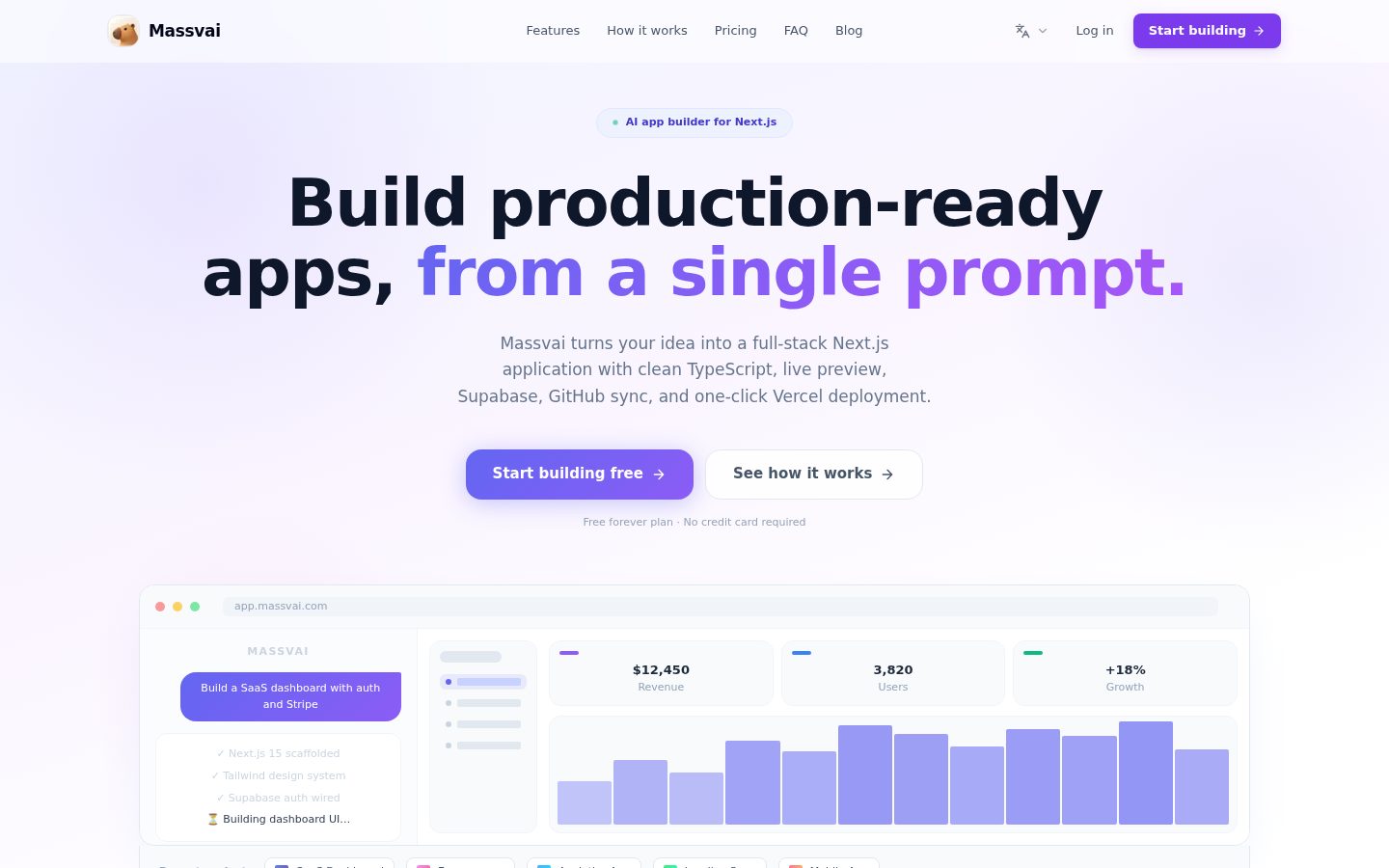
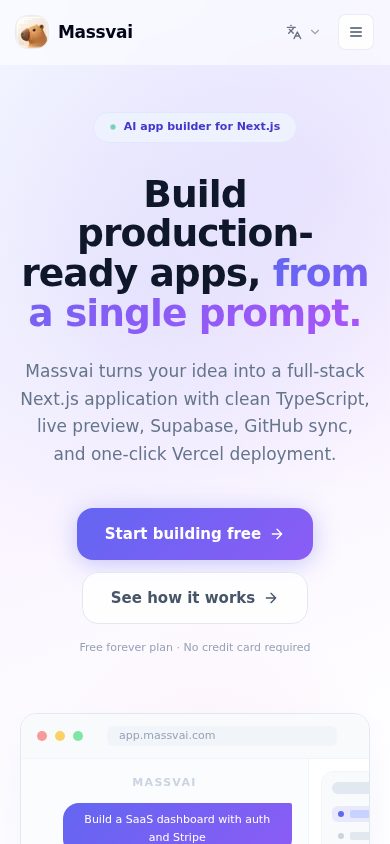
Massvai is an AI app builder for generating full-stack Next.js applications from text prompts.
AI Panel Score
7.2/10
6 AI reviews
Reviewed
Facts checked against massvai.com
Turn a prompt into a production-ready Next.js app
Massvai is an AI app builder for generating full-stack Next.js applications from text prompts.
AI Panel Score
6 AI reviews
Reviewed
Facts checked against massvai.com
With Massvai, a user describes the app they want in plain language, and an AI coding agent generates a full-stack Next.js project in response. A live preview lets the user see the app as it is built, so the workflow moves directly from a text prompt to a working application rather than through manual setup and coding.
The generated projects include Supabase integration for backend and database needs, GitHub sync for version control, and one-click deployment to Vercel for taking an app to production. This combination covers the core pieces of a full-stack app build — frontend, backend, source control, and hosting — within a single generation flow.
Massvai uses a credit-based pricing model with a free tier, making it accessible to people building apps without writing code themselves, as well as developers who want to accelerate initial project scaffolding. The product's blog also compares it to other AI app builders such as Lovable, Bolt, v0, and Replit, positioning it within that category of prompt-to-app tools.
Generates a production-ready full-stack Next.js project from a plain-language prompt describing the desired app.
Deploys the generated Next.js app to Vercel with a single click to make it production-live.
Lets users own and export the full generated codebase rather than being locked into the platform.
Offers a pricing model based on usage credits, including a free tier to start building apps at no cost.
Shows a real-time, interactive preview of the generated app as it is being built.
Syncs the generated codebase with a GitHub repository so changes are version-controlled.
Adds Stripe support to the generated app for handling payments.
Automatically wires up Supabase for authentication and database functionality in the generated app.
For exploring the workspace and building a first project without a card.
For solo builders shipping real MVPs.
For founders and teams building every week.

Prompt-to-deployed-app with real code ownership, priced like a utility not a platform bet.
“Massvai wires Next.js, Supabase, GitHub, and Vercel into one generation flow. The $25 Builder tier is the real test, not the free 100 credits.”
Prompt in, deployed app out. Massvai chains Supabase for auth and database, GitHub sync for version control, and one-click Vercel deploy into a single flow. That's the full stack, not just a UI generator with a preview window.
Code export matters more than the live preview. No lock-in, per their own answer, means you can walk if the AI agent stalls on a complex build. That's the right call in a category where prompt-to-app tools live and die on whether the output is usable past week one.
$25/month for 1,500 credits is the number that decides this. I can't tell from here how fast credits burn on a real app versus a toy demo. The blog names Lovable, Bolt, v0, and Replit as the field — pilot one real MVP before committing a team to it.
Bundles Stripe, Supabase, and deploy flow that rivals named on its own blog (Lovable, Bolt, v0, Replit) don't all combine identically.
Code export and GitHub sync remove the classic lock-in risk of generator platforms.
Live preview plus one-click Vercel deploy compresses prompt-to-production into a single flow.
Speeds up scaffolding for teams already shipping Next.js/Supabase/Vercel stacks rather than replacing a workflow wholesale.
Full pricing tiers and a working feature set point to active building, though I couldn't find a changelog to confirm shipping cadence.
Solo builders or small teams who want a working Next.js app deployed fast without hand-wiring Supabase and Vercel.
You need enterprise compliance detail or a team already deep into a non-Next.js stack.

A clean prompt-to-deploy pipeline for Next.js, but the architecture bets your velocity on someone else's scaffolding conventions.
“Massvai wires Next.js, Supabase, GitHub and Vercel into one generation flow with real code export. The question for a CTO is what happens to that codebase once your own engineers start touching it.”
Stack choice is the whole story here: Next.js plus Supabase plus Vercel is a well-worn, boring-in-a-good-way combination. That's the right call architecturally — no exotic runtime, no proprietary query layer. If the generated code follows standard Next.js project conventions, your team can absorb it into normal CI/CD without a rewrite.
The risk isn't lock-in, it's drift. Code export at $25/month for 1,500 credits solves the exit problem; it doesn't solve the problem of an AI agent making architectural decisions your team didn't review line-by-line as the app scales past MVP. Credits-per-generation also means iteration cost is variable, which is an odd constraint to put on a codebase you're supposed to own outright.
Against the field of prompt-to-app tools, Massvai's bet is full-stack completeness over custom-model depth. If you're spinning up internal tools or client MVPs, that's a fair 3-year trade. If you need a production system your senior engineers will own long-term, treat the output as a first draft, not infrastructure.
Positions itself directly against Lovable, Bolt, v0 and Replit on its own blog, competing on full-stack completeness rather than frontier model quality.
Matches how solo builders and small teams actually ship MVPs today — prompt, preview, deploy — rather than how a platform team maintains systems at scale.
GitHub sync and one-click Vercel deploy slot into a standard pipeline without custom tooling on your side.
Code export and GitHub sync mean you can walk away with the repo, but 3 years in you're maintaining AI-scaffolded code your team didn't design.
Covers frontend, backend, auth, deploy and payments in one flow, but the Pro tier's Supabase hand-holding signals the generated backend isn't fully hands-off.
A CTO greenlighting fast internal tools or client MVPs where the team can review and adopt generated Next.js code as a starting point.
You need a system your senior engineers architect and own from the first commit rather than inherit from an agent.

$25/month buys 1,500 credits. What a credit costs per app, nobody states.
“Three tiers, all priced in public. The unit of billing — the credit — has no published burn rate.”
Free is $0 with 100 credits. Builder is $25/month, 1,500 credits. Pro is $49/month, 4,000 credits. All visible, no sales call, no quote-wall. Procurement should like that.
50-seat team doesn't apply here — this is per-workspace, not per-seat. Real TCO question: how many credits does one production app burn? Unknown from the pricing page. 10 iterations at an unstated cost per prompt could blow through 1,500 fast, pushing a solo builder to $49/month by month two. Year 1 cost could be $300 or $588 depending on usage I can't model.
No term length listed, no auto-renewal window stated — monthly billing implied, not confirmed. Code export limits lock-in risk even if pricing creeps. Supabase, GitHub, Vercel, Stripe all bundled — no separate integration line items to budget. That's a real cost-control feature, not marketing.
Self-serve, card-based, no sales call needed per the pricing page; low procurement friction for a $25-$49 tool.
Monthly billing implied by the pricing page; no stated term length or cancellation terms to evaluate.
All three tiers and prices listed publicly; credit-per-generation cost is the one unstated variable.
Code export and deploy-to-Vercel give a tangible output to measure against spend, but credit cost per working app is unstated.
$25-$49/month base is clear, but credit burn rate per app isn't published, making 3-year cost hard to model.
A solo builder who can tolerate $25-$49/month without needing a 3-year cost model upfront.
Avoid if your finance process requires a fixed per-unit cost before approving a tool.

Scaffolds a real Next.js/Supabase/Vercel stack fast, but the generation loop is a black box.
“Massvai gets you from prompt to deployed app with a stack any Next.js dev already knows. The question is what happens when you need to edit the generated code yourself, every day, after the first demo.”
The stack choice matters more than the marketing copy suggests. Next.js, Supabase, Vercel — that's the same stack a lot of teams already hand-roll, so the generated project isn't some bespoke DSL you have to relearn. Code export means when the agent gets something wrong, you drop into your own editor and fix it like normal code, not like a prompt-retry loop.
But a live preview during generation is a demo feature, not a debugging feature. What I actually want on day three is: can I ask the agent to modify one component without it touching the whole repo? Nothing in the plans mentions scoped regeneration or diff review before a commit syncs to GitHub.
Credits-as-currency changes how you iterate — you start rationing prompts instead of just trying things, which fights against the exploratory loop that makes AI codegen useful in the first place. I couldn't find docs covering agent behavior on edge cases like migrations or schema conflicts, which is exactly where a durable coding agent either earns trust or breaks it.
Exportable standard-stack code means you're not stuck relitigating the generation after day one, but editing workflow post-generation isn't documented.
I couldn't find docs or an API reference covering agent behavior on schema conflicts or partial regeneration.
Credit-metered generation turns iteration into budget math instead of free experimentation.
Version history and restore exist only at the $49/month Pro tier, which caps how deep a Builder-tier user can go before hitting a wall.
GitHub sync and Vercel deploy slot into an existing dev flow rather than inventing a new one.
A solo developer who wants a working Next.js/Supabase/Vercel scaffold fast and is comfortable finishing the edit cycle by hand.
Skip it if you need fine-grained, scoped regeneration on specific files without burning credits on full rebuilds.

Prompt-to-app that actually hands you a live preview while it builds.
“Massvai watches itself build, which beats staring at a spinner guessing what's happening. Whether that feeling survives a messy real project is the open question.”
The live preview is the thing I'd actually judge this on day one. Watching the app assemble in real time beats the usual "generating..." screen that every prompt-to-code tool loves to hide behind. That's a daily-polish win, if it holds up once your prompt gets ambitious instead of a toy demo.
First ten minutes looks genuinely low-friction: free tier, 100 credits, no card, and you're generating against Supabase and GitHub sync out of the gate. That's a real onboarding flow, not homework before the fun starts. Whether 100 credits gets you past a hello-world is anything I can't verify from here.
Reliability is harder to read. I couldn't find anything describing autosave behavior or what happens when a generation fails midway, and that matters more here than in a text editor, since a broken build mid-deploy is expensive. Web-only for now. The stack is standard Next.js, so at least what comes out the other end isn't proprietary mush.
The live preview during generation is a concrete, named feature that addresses the usual dead-air moment of AI build tools.
Code export and GitHub sync mean the learning curve flattens into normal Next.js once you leave the platform, per the Builder plan's deploy flow.
Listed as web-only, so there's no mobile story to evaluate one way or the other.
Free plan with 100 welcome credits and no card required gets a first project moving immediately.
I couldn't find details on error handling or recovery when a generation or deploy step fails mid-process.
Someone who wants to watch an app get built in real time and walk away with exportable, standard Next.js code.
You need a mobile workflow or you need certainty about how the product behaves when something fails mid-build.

Prompt-to-app with Lovable and Bolt named on its own blog as the competition.
“Massvai bundles Supabase, GitHub, Vercel and Stripe into one generation flow at $25/month. The blog's own comparison page is the tell worth sitting with.”
The blog names Lovable, Bolt, v0, Replit as the set it's measured against. That's honest positioning, not a copycat denial, but it also means I'm pricing this against four tools with longer track records and I can't find what makes Massvai's agent better at the actual generation step, just that the stack wiring (Supabase, Stripe, GitHub, Vercel) is bundled.
Code export at every tier is the real asset here — $25 Builder and $49 Pro both get it, so a shutdown doesn't strand you.
I couldn't find a changelog or docs page, which may just be my crawler missing a subdomain, but for a category this fast-moving, that's the thing I'd want to see cadence on before trusting a production deploy pipeline to it.
Their own blog compares them to Lovable, Bolt, v0 and Replit — same lane, and the pitch doesn't name a gap those four miss.
Code export and GitHub sync are available on the $25 Builder tier, not gated behind Pro, which is better than most lock-in stories in this category.
I couldn't find a changelog or docs page; may be a crawl gap, but it's the first thing I'd ask support about before committing.
'Production-ready' is a strong claim but the feature list (live preview, Supabase, Vercel deploy) backs it with named mechanics, not just adjectives.
Credits, deploy flow and integrations are all specific and checkable; I just can't verify generation quality from a pricing page alone.
Solo builders who want a standard Next.js stack scaffolded fast and plan to own the exported code.
You need a documented reason to pick this over the four competitors it names on its own blog.
Common questions answered by our AI research team
The Free plan costs $0 and includes 100 welcome credits, live preview, code export, and community support, so you can explore the workspace and build your first project without a card.
Builder costs $25/month with 1,500 credits, a durable AI coding workspace, live preview and code export, GitHub and Vercel deploy flow, and custom preview domains. Pro costs $49/month with 4,000 credits and adds Supabase setup assistance, version history and restore, and priority product support.
Yes. You can inspect and export every file Massvai generates, sync the repository to GitHub, and use the code in your own workflow with no platform lock-in.
Yes. Generated apps come with Supabase integration for auth and database flows, plus GitHub sync so you can push a reviewed codebase to your repository.
Yes. Massvai offers one-click deployment to Vercel through a guided publishing flow after syncing your code to GitHub.
Massvai is an AI app builder that converts prompts into full-stack Next.js applications, with live preview, Supabase integration, and Vercel deployment.