Offrun logo

Offrun Review

Visit

Run Claude Code, Codex, Antigravity, Grok Build and Muse Code side by side on your Mac

Offrun is a free Mac app for running multiple coding agents side by side in isolated git worktrees.

AI Panel Score

7.6/10

6 AI reviews

Reviewed

Facts checked against offrun.dev

About Offrun

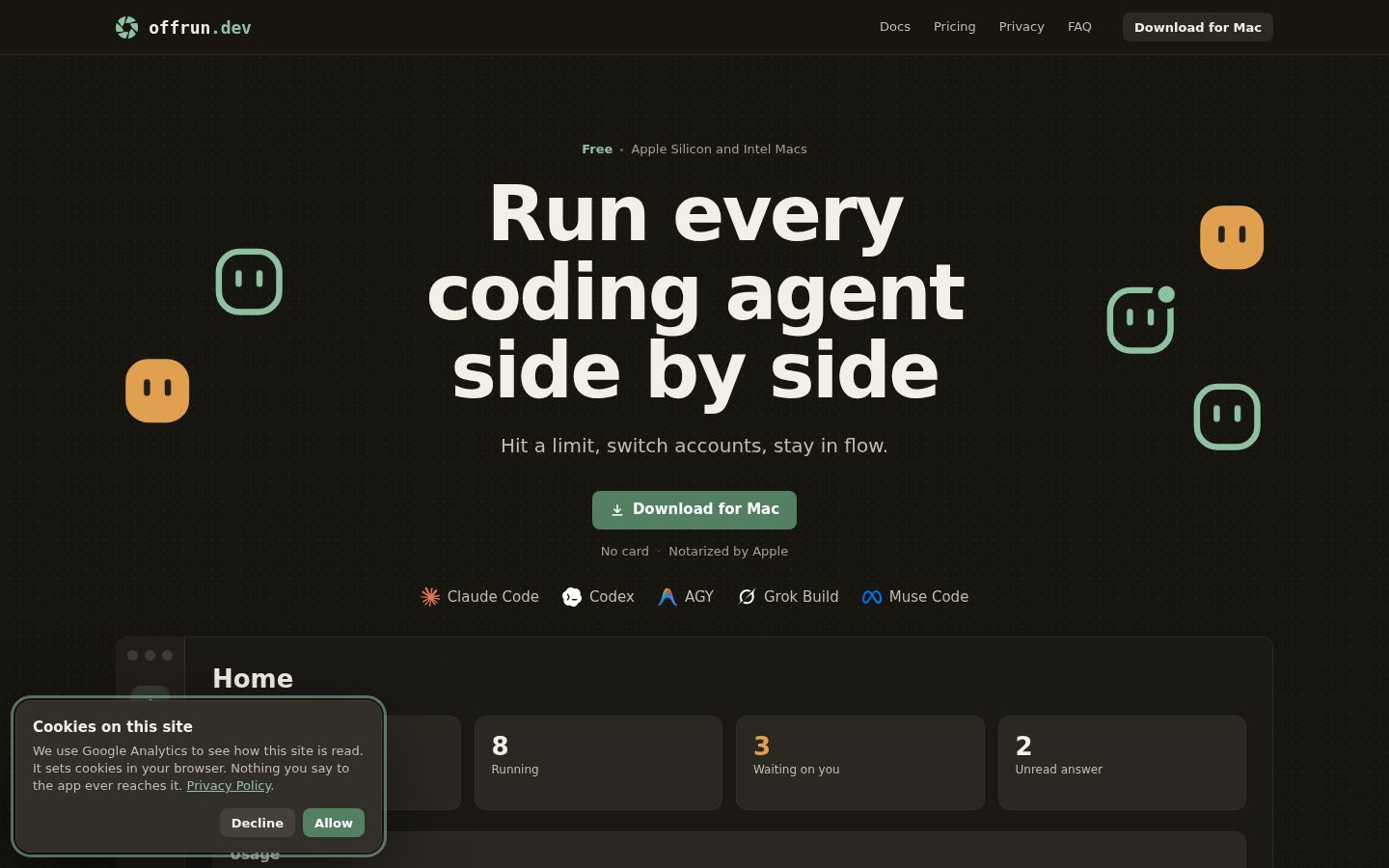
Offrun is a Mac app that opens a project and lets you start one or more coding agents against it, each working in its own git worktree so parallel sessions don't collide with each other. Through tabs, a split view and a Home screen with alerts, you can track several agents working at once and see what each one changed in a given turn before deciding whether to accept it.

A distinguishing feature is peer review: a second agent reads the diff produced by another agent's turn before you accept it. Offrun also supports signing in with several accounts per agent, which matters when an individual account hits a usage limit. It connects to agent CLIs that you install and log into from Settings, covering Claude Code, Codex, AGY, Grok Build and Muse Code, with each agent's own sign-in method documented separately. The app's privacy documentation describes what data stays on the Mac versus what leaves it.

Offrun is aimed at developers who want to run more than one coding agent against the same repository without manual git worktree setup, and at those comparing options like Claude Code and Codex used together. A published comparison page contrasts Offrun with Conductor, another Mac app in the same space.

Features

AI

  • Peer Review by a Second Agent

    Lets a second agent read and review a turn's diff before you accept the changes the first agent made.

Core

  • Git Worktrees Isolation

    Uses git worktrees to keep each agent's changes separate so parallel agents don't collide on the same repository.

  • Multiple Accounts per Agent

    Supports several logins per agent and manages what happens when a usage limit is reached.

  • Parallel Agent Execution

    Runs multiple coding agents such as Claude Code, Codex, Antigravity (agy), Grok Build and Muse Code side by side on one Mac.

  • Projects and Worktrees Management

    Organizes chats within projects and worktrees so agents work in isolated areas of a codebase.

  • Tabs and Split View

    Provides tabs, split view, a Home screen and alerts for monitoring and running multiple agents in parallel.

Integration

  • Connect Your Own Agent Accounts

    Install supported agent CLIs and sign in with your own existing agent accounts from the Settings screen.

  • Supported Agents

    Works with Claude Code, Codex, AGY (Antigravity), Grok Build and Muse Code, each with its own sign-in method.

Security

  • Privacy and Data Controls

    Documents what data stays on the Mac and what leaves it when using agents through Offrun.

Support

  • First Chat Walkthrough

    Guides users through opening a project, starting an agent, and reviewing what it changed.

  • Troubleshooting Guidance

    Offers fixes for common problems and a way to reach support when issues arise.

Preview

Offrun desktop previewOffrun mobile preview

Pricing Plans

Popular

Free

Free

Everything included for anyone running coding agents on their Mac; bring your own agent subscriptions

  • Unlimited agents and projects
  • Unlimited on-device dictation
  • Up to 100 on-device schedules
  • Unlimited connected coding agent accounts
  • Free limited credits for 1400+ connected apps
  • Unlimited agent monitoring and reviews

AI Panel Reviews

The Decision Maker

The Decision Maker

Strategic bet, vendor viability, timing, adoption approval
7.8/10

Free Mac app that turns parallel coding agents into a managed workflow, not a git headache.

“Offrun wraps git worktrees around Claude Code, Codex, Antigravity, Grok Build and Muse Code so they can run side by side without colliding. Zero price, but you still pay every agent vendor directly.”

Zero dollars, unlimited agents and projects, up to 100 on-device schedules. That's the free tier, in full, no seats to count. The catch: you bring your own Claude Code, Codex or Grok Build subscriptions, so Offrun saves you orchestration pain, not actual spend.

The real feature is peer review — a second agent checks the first agent's diff before you accept it. Pair that with git worktree isolation and multi-account failover on usage limits, and you've got a tool solving a problem anyone running two agents on one repo already has. There's a published comparison against Conductor, so Offrun knows exactly who it's chasing.

Tradeoff: this is a Mac-only coordination layer, not a model or an agent. If your agent subscriptions lapse or a provider changes auth, Offrun's value drops with it. Worth a pilot, not a rebuild of your toolchain.

Competitive Positioning8.0

Peer review between agents and multi-account failover on usage limits aren't standard in the obvious alternative, Conductor, per Offrun's own comparison page.

Reputation Risk7.5

Privacy documentation states code goes directly from Mac to provider with no server in the path, a strong portability and data-handling story.

Speed to Value8.2

No manual git worktree setup and a guided first-chat walkthrough mean payback is close to immediate for anyone already running multiple agents.

Strategic Fit8.0

Directly advances how teams already use Claude Code and Codex rather than replacing spend, per the multi-account and worktree features.

Vendor Viability7.0

Docs and a changelog exist and the app covers five distinct agent integrations, suggesting active maintenance, though I couldn't find funding or team size signals.

Pros

  • Completely free with unlimited agents, projects and connected accounts
  • Peer review lets one agent check another's diff before you accept it
  • Multi-account failover keeps a chat running when one login hits its usage limit
  • Supports five agents including Claude Code, Codex, Antigravity, Grok Build and Muse Code

Cons

  • Mac-only, requires macOS 14 Sonoma or later
  • You still pay separately for every agent subscription it orchestrates
  • Value is entirely dependent on third-party agent CLIs staying stable and accessible

Right for

Developers already juggling Claude Code and Codex on the same repo who want peer review and no worktree babysitting.

Avoid if

Skip it if you only run a single agent or you're not on a Mac.

The Domain Strategist

The Domain Strategist

Craft and strategy in the product's domain — adapts identity per category, same lens
7.6/10

A coordination layer over five vendor CLIs — useful, but architecturally thin by design.

“Offrun doesn't run models itself, it orchestrates git worktrees and sign-ins across five agent CLIs. The value is real but the moat is shallow.”

Offrun's architecture choice is the whole story: no server in the code path, code goes Mac-to-provider directly, and state lives as folders under .offrun and .worktrees in your own repo. That's the right call for a trust-sensitive dev tool — no vendor lock-in on your source, no new attack surface to audit. But it also means Offrun has almost no defensible IP of its own; the git worktree isolation and peer-review pattern are workflow glue, not infrastructure.

The real dependency risk isn't Offrun's code, it's the five CLIs it wraps — Claude Code, Codex, AGY, Grok Build, Muse Code. Each ships its own sign-in flow and update cadence that Offrun doesn't control, documented separately in Settings. If any of those vendors changes auth or deprecates CLI access, Offrun absorbs that breakage on your behalf, repeatedly.

For a team standardizing on one or two agents long-term, this is a low-risk, zero-cost way to parallelize work across macOS 14+ without owning worktree scripting. For anyone betting on a single-agent future, it's integration overhead you may not need by 2027.

Category Positioning7.6

Sits beside Conductor per its own comparison page, in a narrow but growing lane of multi-agent orchestration tools for macOS.

Domain Fit8.2

Matches how senior devs actually parallelize work today — multiple agents against one repo, reviewed before merge, no custom worktree scripts needed.

Integration Surface7.8

Clean handoff model — direct Mac-to-provider, state stored in your repo folders — but Mac-only caps it out of mixed-OS team stacks.

Long-term Implications7.0

Zero-cost adoption with no lock-in on your code, but the roadmap is hostage to five third-party CLIs' sign-in and API stability.

Strategic Depth7.0

Git worktree isolation and peer-review diff-checking are solid engineering patterns, but the app's core value is orchestration, not original capability.

Pros

  • No server in the code path — code goes directly Mac to provider, nothing stored remotely
  • Supports five distinct agent CLIs with separately documented sign-in flows
  • State lives as plain folders in your repo (.offrun, .worktrees), not a proprietary database

Cons

  • Architecturally thin — the product's moat is orchestration, not a defensible technical capability
  • Fully dependent on five external vendors' CLI stability and auth behavior staying consistent
  • Mac-only on macOS 14 Sonoma or later, so it doesn't fit mixed-platform engineering teams

Right for

Mac-based developers already running two or more coding agent CLIs who want worktree isolation without writing the scripts themselves.

Avoid if

Avoid if your team is standardized on a single agent and platform or if you need this to work outside macOS.

The Finance Lead

The Finance Lead

Money, total cost of ownership, contracts, procurement math
8.1/10

$0 sticker, but the real line item is five separate agent subscriptions stacked underneath.

“Offrun itself costs nothing. The TCO question is entirely about what you're already paying Anthropic, OpenAI, Google and xAI.”

One tier: Free. Unlimited agents, unlimited projects, up to 100 on-device schedules, no card required. Rare to see a true zero-tier with no seat cap and no usage meter on the orchestration layer itself.

But price the whole stack, not just the app. You bring Claude Code, Codex, Antigravity, Grok Build, Muse Code subscriptions — each billed separately, each with its own renewal terms Offrun doesn't touch. Five vendor invoices instead of one. Finance sees no consolidated bill, no single procurement contact, no master agreement to negotiate. That's the real cost: coordination overhead, not software spend.

ROI math is cleaner than most AI tools. No seat count, no per-agent fee, so the only variable is whether running agents in parallel saves engineer hours versus running them one at a time. Measurable, if you track turns-to-merge. Peer-review-before-accept adds a QA step with no separate charge — good math, assuming you were paying for those agent accounts anyway.

Billing & Procurement7.5

No invoice, no card, no vendor onboarding cost on Offrun's side; procurement friction moves to the five CLI vendors instead.

Contract Flexibility8.5

No term, no auto-renewal clock on Offrun itself since there's no paid plan to renew.

Pricing Transparency9.0

One free tier, fully listed, no quote-gated feature wall anywhere on the pricing plan.

ROI Clarity7.8

Peer review and multi-account failover are measurable workflow gains, but the baseline requires owning agent CLIs already.

Total Cost of Ownership7.0

App is $0, but year-3 cost is really five stacked agent subscriptions Offrun doesn't control or discount.

Pros

  • Free tier includes unlimited agents, projects and connected accounts with no seat math required
  • No invoicing or procurement cycle for Offrun itself since there's no paid plan
  • Peer review step adds QA value without adding a separate line item

Cons

  • Real 3-year cost lives in five separate agent subscriptions billed outside Offrun entirely
  • No consolidated invoice across Claude Code, Codex, Antigravity, Grok Build and Muse Code

Right for

Teams already paying for multiple agent subscriptions who want one free Mac app coordinating them.

Avoid if

Avoid if you want a single vendor invoice covering both orchestration and the underlying agent costs.

The Domain Practitioner

The Domain Practitioner

Daily hands-on reality in the product's domain — adapts identity per category, same lens
7.8/10

Worktree orchestration done right, but you're still at the mercy of five CLIs' auth quirks

“Offrun handles the git worktree plumbing so parallel agent sessions don't stomp each other, which is the actual daily problem it solves. The ceiling on usefulness is set by how reliably Claude Code, Codex, AGY, Grok Build and Muse Code behave under the hood, not by Offrun itself.”

The core workflow win here is real: opening a project, spinning up a worktree per agent, and watching diffs land in tabs instead of manually running `git worktree add` five times and losing track of which branch is which. That's the kind of setup tax that kills momentum on day one, and Offrun removes it.

Where I'd expect friction by day three: five separately-documented sign-in flows means five separate places things can break, and when Codex changes its CLI auth or Antigravity ships a breaking update, Offrun's split view is only as good as whatever's underneath it. The docs cover the first-chat walkthrough and troubleshooting, which reads like it was written by someone who's actually hit the common failure modes, not just a marketing pass.

Power-user depth is harder to judge — up to 100 on-device schedules and unlimited connected accounts sound generous, but I couldn't find how deep the split-view and alert system goes once you're running four or five agents at once instead of two.

Day-3 Reality7.5

Worktree isolation solves the real collision problem, but reliability tracks five external CLIs Offrun doesn't control.

Documentation Practitioner-Fit7.8

The first-chat walkthrough and troubleshooting guidance read as written from actual failure cases, though I couldn't find an API reference to judge depth.

Friction Surface7.0

Each of the five agents has its own sign-in method per the docs, which is five separate places a Monday morning auth error can originate.

Power-User Depth7.3

100 on-device schedules and unlimited accounts suggest headroom, but advanced split-view behavior at 5-agent scale isn't clearly documented.

Workflow Integration8.0

Projects/worktrees structure and a Home screen for monitoring map onto how engineers already think about branches and reviews.

Pros

  • Automates git worktree setup per agent instead of leaving you to script it by hand
  • Peer-review step gives a second agent's read on a diff before you commit to accepting it
  • Free tier has no seat limits on agents, projects, or connected accounts

Cons

  • Five separately-documented sign-in flows mean five independent points of auth failure
  • Mac-only on macOS 14 Sonoma, so no path for mixed-OS teams
  • Couldn't confirm how the split-view UI holds up once you're running more than two or three agents at once

Right for

A solo Mac developer or small team already paying for Claude Code and Codex who wants worktree isolation without hand-rolling git scripts.

Avoid if

Avoid if your team works across Linux or Windows machines, or if you need a single vendor to be accountable when an agent CLI breaks.

The Power User

The Power User

Daily human experience, onboarding, polish, learning curve, reliability
7.6/10

A free Mac traffic controller for your coding agents, not a coding agent itself.

“Offrun doesn't write code, it organizes the chaos of five agents trying to. The first-run walkthrough does the heavy lifting of explaining a concept most devs have never had to think about before.”

Ten minutes in, the idea clicks fast: open a project, point an agent at it, Offrun stashes it in its own git worktree so a second agent doesn't trip over the first. The 'First Chat Walkthrough' feature exists specifically because this is a new mental model, not just a new app, and it shows they knew that.

What I can't tell from the outside is how the Home screen's alerts behave once you're five tabs deep and two agents hit errors at once. A Home screen with alerts is a good instinct for daily use, but alert fatigue is exactly the kind of thing that only shows up in month three, not minute ten.

The tradeoff is real: you're trusting your workflow to five separately-maintained CLIs you don't control, wrapped in an app with no changelog I could find to track how fast it keeps up when one of them changes its auth flow.

Daily Polish7.5

Tabs, split view, and a Home screen suggest real daily-use thinking, though I can't see how it holds up under heavy multi-agent load.

Learning Curve7.5

The worktree-and-peer-review model is easy to grasp in an hour but the ceiling on managing many parallel agents is untested from what I can see.

Mobile Parity1.0

This is Mac-only with no mobile presence mentioned anywhere I looked.

Onboarding Experience8.0

A dedicated first-chat walkthrough tackles the genuinely new concept of worktree-per-agent head on.

Reliability Feel7.0

Troubleshooting guidance and documented sign-in flows per agent are reassuring, but five external CLIs is five places for things to break quietly.

Pros

  • Peer-review workflow and dedicated onboarding walkthrough lower the barrier to a genuinely new mental model
  • Home screen with alerts gives one place to monitor multiple running agents
  • Troubleshooting guidance and per-agent sign-in docs suggest real support thought

Cons

  • Desktop-only, with nothing for checking in on agents away from your Mac
  • No changelog I could find, which matters when five separate vendor CLIs can shift under you

Right for

A solo developer or small team comfortable running several coding agent subscriptions who wants one Mac app to keep their diffs from colliding.

Avoid if

Skip it if you need to monitor or manage agents from anything other than a Mac sitting in front of you.

The Skeptic

The Skeptic

Contrarian. Watch-outs, deal-breakers, broken promises, category patterns
6.9/10

Free orchestration layer for five agents you still pay for separately.

“Offrun is a Mac shell around CLIs it doesn't control, built on git worktrees it doesn't own. That's a sound bet if the underlying agents stay stable — and a thin one if they don't.”

No pricing page to parse here because there's no pricing: free, unlimited agents, no card. Fine. The real question is what Founderly, Inc. is actually selling if not seats — and the answer is orchestration: git worktrees, peer review, tabs.

I've seen this shape before. Thin coordination layer over someone else's API, pitched as a category of its own. Some survive by becoming the default interface (think Oh My Zsh for terminals). Most get absorbed when one of the five vendors ships the same split-view natively. Nothing here says Offrun can't be first — but nothing says the agents it depends on won't just build this themselves.

The comparison page against Conductor is a decent sign — means they know their actual competitive set, not an imagined one. Peer review via a second agent reading the diff is the one feature that's hard to copy casually. Everything else is plumbing.

Competitive Differentiation6.5

A published comparison against Conductor shows they know the lane, but orchestration-over-CLIs is an easy shape to replicate.

Exit Portability7.0

Chats and worktrees sit as plain folders (.offrun, .worktrees) in your own repo rather than a proprietary store — clean enough to walk away from.

Long-term Viability6.5

Docs and a first-chat walkthrough exist; a single-company Mac app orchestrating five external vendors has five separate points of failure outside its control.

Marketing Honesty7.5

The free-tier claims on the pricing page match the feature list line for line — no asterisks on seat limits I could find.

Track Record Match6.8

Specific mechanics like worktree isolation and multi-account failover are documented in detail, which is more than most free tools bother with.

Pros

  • Peer-review step where one agent checks another's diff before you accept it
  • No seat math on the free tier — unlimited projects and connected accounts
  • State stored as plain folders in your own repo, not a proprietary database

Cons

  • Depends entirely on five outside vendors' CLIs and auth flows staying consistent
  • Mac-only, requiring macOS 14 Sonoma or later
  • The product's core value is coordination, not a technical moat competitors can't replicate

Right for

A solo Mac developer already paying for two or more agent CLIs who wants them running in parallel without hand-rolling git worktrees.

Avoid if

Avoid if your team needs a single invoice or a non-Mac setup for coding agent access.

Buyer Questions

Common questions answered by our AI research team

Pricing

Is Offrun actually free to use?

Offrun is entirely free with every feature included, no seats to count, and no card required: unlimited agents and projects, unlimited on-device dictation, up to 100 on-device schedules, unlimited connected agent accounts, and unlimited agent monitoring and reviews. You bring your own agent subscriptions (Claude Code, Codex, etc.), which Offrun doesn't charge for.

Features

Does Offrun support multiple Claude Code accounts?

Yes. Add each login in Settings, then Agents. When one account hits its usage limit, the chat automatically moves to the next login and tells you, so you just send your message again and the new login picks up the whole conversation.

Features

Can Claude Code and Codex edit the same repo?

Yes, at the same time. Give each agent its own git worktree and branch so they never edit the same files, and one agent can review the other's diff while both work on the same repository in parallel.

Security

Does Offrun see or store my code?

No. Offrun has no server in the code path and never handles your keys — your code goes directly from your Mac to whichever provider (Anthropic, OpenAI, Google, or xAI) you're signed into. Chats, memory, and worktrees are stored as folders in your repo under .offrun and .worktrees, and Offrun keeps no copy.

Setup

What are the system requirements to run Offrun?

Offrun requires a Mac running macOS 14 Sonoma or later, on either Apple Silicon or Intel, plus at least one agent CLI you already use. Dictation specifically needs Apple silicon and macOS 26.

Also in AI Coding Tools