Opa Opa AI logo

Opa Opa AI Review

Visit

Turns one portrait photo into a 10-second bouncy hair video

Opa Opa AI is a web-based AI video generator for turning a single portrait photo into a short selfie-style hair motion video.

AI Panel Score

6.4/10

6 AI reviews

Reviewed

Facts checked against opaopaai.com

About Opa Opa AI

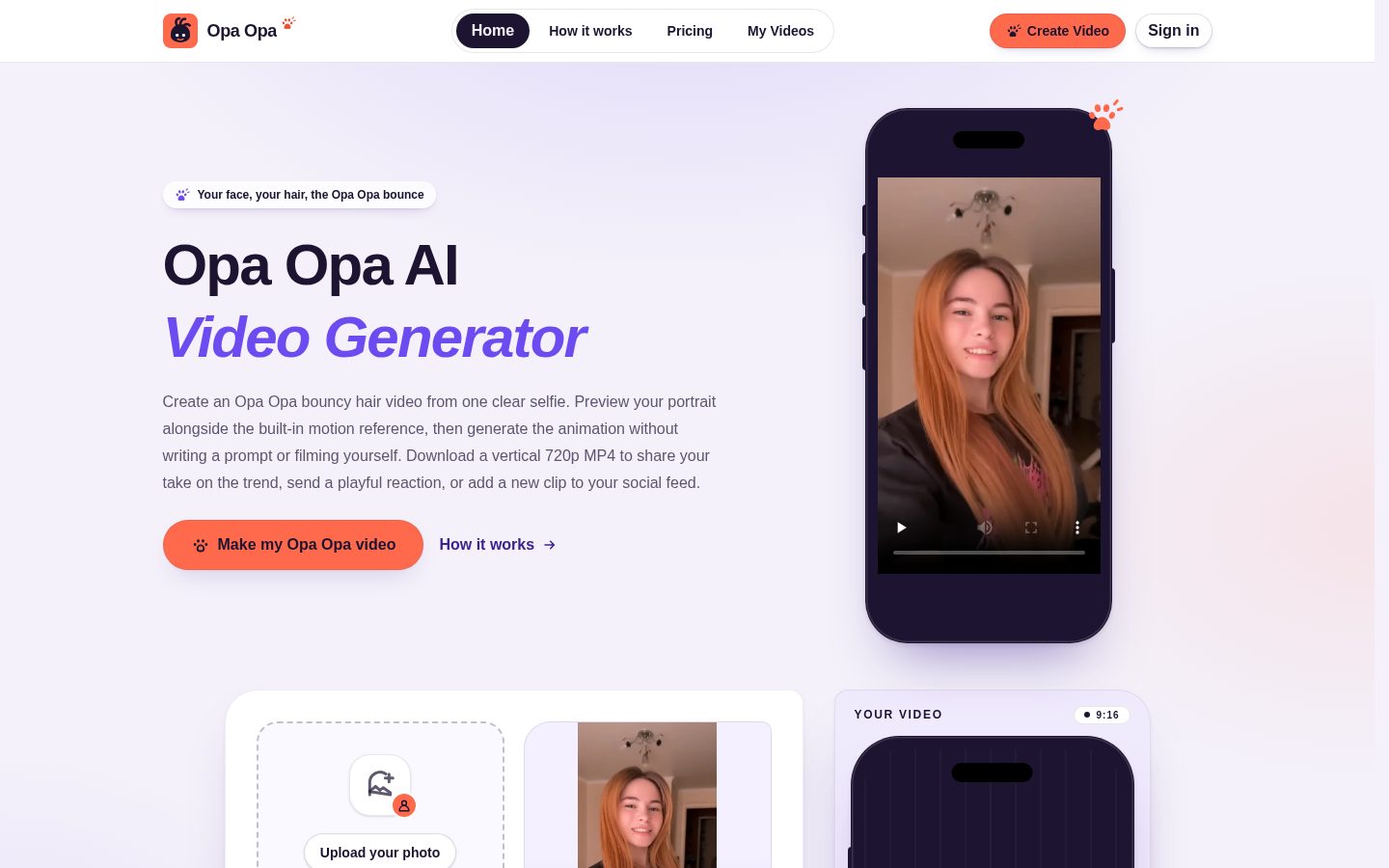
Opa Opa AI works by having a user upload a single portrait photo, which the system animates into a short selfie-style video emphasizing bouncy hair movement. The platform supplies the motion reference and prompt itself rather than requiring the user to write one. Photo selection and preview are free of charge, but generating the actual video requires signing in, verifying an email address, and having sufficient credits in the account.

Each finished video runs approximately 10.5 seconds, is formatted vertically at 9:16, and renders at 720p. The underlying model produces silent visuals; afterward, the original soundtrack from the reference clip is layered onto the output, with the video timeline stretched or trimmed to match the music's length without changing its tempo or pitch. The reference preview shown on the site is an original TikTok clip by creator @limonovai and is explicitly not a generated customer example. The service notes that facial details, hair movement, hands, and timing can vary between generations, and it does not offer a dedicated pet or anime mode. It also does not grant music rights for the added soundtrack, so users are responsible for following the posting platform's music licensing and AI-labeling rules.

Opa Opa AI is built for individuals who want a quick, personalized short-form video for social platforms like TikTok. Pricing is credit-based with no subscription: a Single pack costs $9.90 for 250 credits (one video), a Trio pack costs $24.90 for 750 credits (three videos), and a Party pack costs $49.90 for 1,750 credits (seven videos), since each generation consumes 250 credits.

Generated videos and their status can be reviewed in an authenticated 'My Videos' library, which supports playback, task status tracking, and MP4 downloads.

Features

AI

  • Ready-Made Motion Reference

    Applies a preset motion reference (modeled on a TikTok clip) to drive the animation so users don't need to create or write their own prompt.

  • Reference Soundtrack Syncing

    Adds the original reference soundtrack to the silent generated visuals, aligning the video timeline to the music's length without altering its tempo or pitch.

  • Single-Portrait Bouncy Hair Video Generation

    Converts one uploaded portrait photo into a short selfie-style video animating bounce, hair movement and playful expressions using a server-provided motion reference and prompt, no filming or prompt writing required.

Core

  • Credit-Based Generation System

    Uses a credit system (250 credits per generation) sold in Single, Trio and Party packages, with no subscription required.

  • Free Photo Selection and Preview

    Allows users to select and preview a photo without spending credits; credits are only consumed upon actual generation.

  • My Videos Library

    Provides an authenticated page to view playback, check task status and download generated MP4 videos.

  • Photo Upload

    Accepts JPG, PNG or WebP portrait images up to 8 MiB for use as the source image for video generation.

  • Vertical MP4 Export

    Produces a downloadable MP4 approximately 10.5 seconds long, in vertical 9:16 format at 720p resolution.

Security

  • Account Sign-In and Email Verification

    Requires users to sign in and verify their email, along with having sufficient credits, before generation can proceed.

Preview

Opa Opa AI desktop previewOpa Opa AI mobile preview

Pricing Plans

Single

$9.90/one_time

One-time purchase for users who want to try a single bouncy hair video generation

  • 250 credits
  • 1 video generation
  • ~10.5 second MP4, vertical 9:16 at 720p
  • No subscription required
Popular

Trio

$24.90/one_time

One-time credit pack for users wanting a few videos at a lower per-video cost

  • 750 credits
  • 3 video generations
  • ~10.5 second MP4, vertical 9:16 at 720p
  • No subscription required

Party

$49.90/one_time

Largest one-time credit pack for users generating multiple videos at the best value

  • 1,750 credits
  • 7 video generations
  • ~10.5 second MP4, vertical 9:16 at 720p
  • No subscription required

AI Panel Reviews

The Decision Maker

The Decision Maker

Strategic bet, vendor viability, timing, adoption approval
6.2/10

One trick, done cleanly, priced like a novelty not a tool.

“Opa Opa turns a selfie into a 10.5-second bouncy-hair clip for $9.90. It's a single-feature product, not a platform, and the price per video reflects that.”

This isn't a video generator. It's one effect: upload a portrait, get a 10.5-second vertical 720p MP4 of bouncy hair, synced to a reference TikTok soundtrack. No prompt writing, no pet or anime mode, no editing. That's the whole product.

$9.90 for one video, down to $7.13 per video at the Party tier. Fine for a single viral post, expensive if you're producing content regularly. Compare that to general-purpose AI video tools charging similar money for far more creative range.

Credit system is simple, free preview before you pay is a nice touch, and the My Videos library with status tracking covers the basics. But it does one thing, and the reference clip shown is someone else's TikTok, not their own generated output. That's a trust gap on the one piece of proof that matters most.

Competitive Positioning6.0

No-prompt simplicity is a real edge, but 7.13 to 9.90 dollars per clip is steep next to broader-purpose video generators.

Reputation Risk5.5

Vendor explicitly disclaims music licensing responsibility, pushing platform compliance risk onto the user.

Speed to Value7.5

Free photo preview plus a 10.5-second turnaround means you know what you're getting before you spend a credit.

Strategic Fit5.0

A novelty single-use-case generator, not a tool that advances a broader content or video strategy.

Vendor Viability6.5

Clean pricing page and working credit system, but I couldn't find docs or a changelog to gauge build pace.

Pros

  • No prompt writing required, motion reference is preset
  • Free photo preview before spending any credits
  • Simple one-time credit packs, no subscription lock-in

Cons

  • Single use case only, no pet or anime mode
  • Vendor doesn't grant music rights for the added soundtrack
  • Showcased reference clip is a third-party TikTok, not an actual generated example

Right for

Someone who wants one polished bouncy-hair clip for a single TikTok post.

Avoid if

Skip it if you need varied video styles or regular content output.

The Domain Strategist

The Domain Strategist

Craft and strategy in the product's domain — adapts identity per category, same lens
5.4/10

One effect, one output format, zero room to build a visual identity around it.

“Opa Opa is a single-trick generator — bouncy hair, 9:16, 720p, 10.5 seconds, every time. There's no craft ceiling here because there's no craft surface to build on.”

There's exactly one template: server-supplied motion reference, server-supplied prompt, one output shape. For a Creative Director that's the whole conversation — no camera angle control, no style variation, no way to art-direct the result beyond which portrait you upload. 720p vertical is a starting resolution, not a finishing one; nothing in the generation pipeline suggests an upscale path.

The credit system ($9.90 for one video, down to $7.13/video at the $49.90 Party pack) tells me this is priced as a novelty purchase, not a production tool — no account-level asset library beyond a basic 'My Videos' playback page, no batch generation, no brand kit. Three years of using this teaches your team nothing transferable: no prompt literacy, no reusable style assets, no muscle that carries to the next tool.

It does the one job — hands-off hair-bounce animation from a single photo — competently and cheaply. But it's a vending machine, not a studio instrument, and it won't grow with you.

Category Positioning6.0

Narrowly positioned as a single-effect novelty generator against the much broader field of general-purpose AI video tools.

Domain Fit4.5

Fits a casual social-posting workflow; doesn't match how a creative team iterates on look or format.

Integration Surface4.8

A 'My Videos' library with MP4 download is the only hook into a broader stack — no API, no export presets beyond the one format.

Long-term Implications4.0

Credit packs up to $49.90 for 7 videos keep cost low, but nothing about the tool builds reusable skill or assets over time.

Strategic Depth3.2

One preset motion reference and one 720p/9:16 output format is a fixed ceiling, not a growing one.

Pros

  • No prompt-writing skill required to get a usable output
  • Cheap entry point at $9.90 for a first video
  • Fast, legible single-purpose workflow for a specific social format

Cons

  • Fixed 720p vertical output with no quality tier to grow into
  • No batch generation or brand-level asset management for repeat use
  • Single visual effect means no creative range to direct

Right for

Someone who wants one quick, personalized hair-bounce clip for a single TikTok post without learning any video tool.

Avoid if

Avoid if you need format flexibility, resolution upgrades, or a tool that builds reusable creative assets over time.

The Finance Lead

The Finance Lead

Money, total cost of ownership, contracts, procurement math
7.6/10

$9.90 for one video. No subscription. Math is clean, no traps to find.

“Three one-time packs, no auto-renewal clause to hunt for. Per-video cost drops from $9.90 to $7.13 at the top tier, honest volume discount.”

No subscription here. That simplifies the TCO model a lot. Single pack: $9.90 for 1 video. Trio: $24.90 for 3, or $8.30 each. Party: $49.90 for 7, or $7.13 each. 36% discount at top tier. Straightforward.

Compare to a monthly plan with seat creep and auto-renewal windows — that math gets messy at year 3. This stays flat. Buy credits, burn credits, done. No term length, no cancellation process, because there's no contract to cancel.

Tradeoff: one-time packs mean no negotiation room at volume. A studio generating 500 videos a year pays retail each time, no enterprise tier to graduate into. Credits don't appear to expire per the pricing page, but I'd confirm before bulk buying. Email verification and sign-in required before spend — minor friction, not a cost.

Billing & Procurement7.2

Simple one-time card payment per pack; no invoicing or PO process visible for larger buys.

Contract Flexibility7.8

One-time purchase model means no auto-renewal or term length to negotiate at all.

Pricing Transparency8.8

All three packs, prices and credit counts sit on the pricing page, no sales call required.

ROI Clarity6.5

Value is one social video per 250 credits, but no metric ties spend to actual engagement or outcome.

Total Cost of Ownership8.0

Flat per-video cost of $9.90 down to $7.13 at volume, no seat fees or hidden add-ons found.

Pros

  • No subscription, no auto-renewal clause to track
  • Clear per-video cost at every tier, down to $7.13 at Party pack
  • Low entry price at $9.90 removes approval friction for individual buyers

Cons

  • No enterprise or bulk tier beyond $49.90 pack
  • No negotiation room since pricing is fixed and public
  • Credit expiration policy not stated on pricing page

Right for

Individuals or small creators who want predictable per-video cost with zero contract overhead.

Avoid if

Avoid if you need volume pricing beyond seven videos or formal invoicing for procurement.

The Domain Practitioner

The Domain Practitioner

Daily hands-on reality in the product's domain — adapts identity per category, same lens
6.2/10

One gag, one output size, nothing to direct past upload — fine for a single delivery, not a tool you open twice a week.

“Opa Opa AI is a one-shot generator with no settings to tune and nothing resembling a project panel. As a producer's toolkit it's a vending machine, not a workstation.”

There's no editor here, which is the point and the limit. Upload, preview, spend 250 credits, get a 10.5-second 720p vertical MP4 back. On day three that's not a workflow, it's a transaction — there's no scene list, no batching across multiple source photos in one session, nothing like a project library beyond the 'My Videos' playback/status page. Compare that to how a Runway or Pika session lets you iterate a shot five times before picking a take; here you're paying per roll of the dice at $9.90 a pop with facial detail and timing explicitly variable between runs.

There's no documentation layer to speak of beyond pricing copy and a buyer-FAQ — fine for a consumer impulse buy, useless if you're trying to brief a client on repeatable output. Power-user depth is basically zero: one motion reference, one aspect ratio, one resolution, no tiering to grow into as your needs scale. For a single delivered asset it's fast and cheap. For a working production pipeline it's a dead end.

Day-3 Reality5.8

Upload-preview-generate loop never changes session to session, so repeat use feels identical to the first try with no accumulated efficiency.

Documentation Practitioner-Fit6.0

The buyer Q&A covers upload specs and photo framing tips clearly, but I couldn't find anything deeper like a changelog or usage guide for recurring work.

Friction Surface6.5

Sign-in plus email verification plus credit purchase before the first render adds steps a producer has to clear just to test the output quality.

Power-User Depth4.5

One motion reference, one 9:16 720p export, 1,750 credits is the ceiling — nothing to unlock as a user's needs grow more complex.

Workflow Integration5.0

No batch upload, no project organization beyond the My Videos library, so it sits outside any multi-asset production process.

Pros

  • Free photo preview removes guesswork before committing credits
  • Clear per-pack cost breakdown with no hidden subscription terms
  • MP4 downloads and status tracking live in one authenticated library

Cons

  • No batch processing across multiple portraits in a single session
  • Fixed 720p/9:16 output with no quality or format tier to scale into
  • Facial detail and timing vary run to run with no seed or retry control visible

Right for

A social media manager who needs one quick novelty clip for a single TikTok post and won't touch the tool again that week.

Avoid if

Avoid if you're producing multiple branded shorts per week and need batching, format options, or a repeatable creative process.

The Power User

The Power User

Daily human experience, onboarding, polish, learning curve, reliability
6.4/10

Does one trick well, but there's barely anything to learn after your first upload.

“Opa Opa AI is a single-purpose generator: upload a face, get bouncy hair, done. The whole experience lives or dies in the first ten minutes, because there's no deeper layer waiting for you later.”

There's not much of a 'month three' story here, because there's not much product to grow into. You upload a portrait, the site hands you a preset motion reference and prompt, and out comes a 10.5-second vertical MP4 at 720p. That's the whole app. No dials, no settings to master, nothing to get better at. First hour and hundredth hour look identical.

That's not automatically bad. The free photo preview before you spend any of your 250 credits is a smart piece of friction removal, the kind of thing that saves you from buying the $9.90 Single pack blind. The My Videos library handles playback and status tracking in one place, which at least feels tidy rather than scattered across tabs.

What worries me is reliability feel over repeated runs. The vendor itself flags that facial detail, hair motion and timing vary between generations, which means your $8.30-per-video Trio pack result could be a dud with no visible retry logic. For a one-trick tool, that variance matters more than it would somewhere with range to fall back on.

Daily Polish6.0

The free preview-before-paying flow shows care, but with one output type there's little daily surface to polish.

Learning Curve5.0

A single fixed effect at 720p means almost nothing new to discover after the first generation.

Mobile Parity6.5

It's web-only with vertical 9:16 output clearly built for phone viewing, but I couldn't confirm a dedicated mobile app experience.

Onboarding Experience7.5

No prompt writing and clear photo guidance (facing camera, loose hair, even lighting) make the first ten minutes genuinely simple.

Reliability Feel5.5

The vendor's own note that facial detail, hair movement and timing vary run to run undercuts confidence before you even spend credits.

Pros

  • No prompt-writing step thanks to the preset motion reference
  • Authenticated library keeps playback, status and downloads in one place
  • Entry cost is low enough to test with one $9.90 purchase

Cons

  • Vendor-acknowledged variance in facial detail and timing between runs with no visible retry control
  • One fixed effect means nothing to master or explore past the first video
  • Email verification and credit purchase both required before you see a real result

Right for

Someone who wants one quick, personalized bouncy-hair clip for a TikTok post without learning any video tools.

Avoid if

Skip it if you want creative control, consistent repeatable output, or more than one visual effect to work with.

The Skeptic

The Skeptic

Contrarian. Watch-outs, deal-breakers, broken promises, category patterns
6.3/10

One effect, one price, one TikTok clip that isn't even theirs.

“A single-purpose hair-bounce generator at $9.90 a video, with a reference preview that's borrowed, not made. Fine for a one-off post, thin as a business to bet on.”

The reference preview on the site is an original TikTok clip by @limonovai, explicitly not a generated example. That's an honest disclosure — I'll give them that — but it also means I have zero verified samples of actual output before paying. $9.90 buys one video at 720p, 9:16, roughly 10.5 seconds. Fair entry price. Thin proof.

No pet mode, no anime mode, one effect: bouncy hair. That's not a platform, it's a feature. The obvious risk is a bigger video tool shipping this as one preset among fifty, which kills single-trick apps fast — I've watched it happen to filter apps before.

Exit is trivial: download the MP4, done, no lock-in, no subscription. That's the strongest thing here. Music rights aren't granted, so you're on your own for TikTok's licensing rules. No changelog or docs turned up in my look, which may just be my search, not theirs.

Competitive Differentiation5.0

One preset effect, no pet or anime mode, in a generation category where broader tools routinely offer many motion styles.

Exit Portability7.8

MP4 downloads via the My Videos library and a one-time credit model mean no subscription to unwind and nothing to migrate.

Long-term Viability5.5

I couldn't find a changelog or docs page, and the only public page I found was pricing — may be my crawl, not their absence.

Marketing Honesty7.0

Disclosing that the showcased clip is a third-party TikTok and not a generated sample is unusually candid for a landing page.

Track Record Match5.8

The vendor itself admits facial detail, hair motion and timing vary run to run, with no sample generation shown to verify the claim.

Pros

  • Clear one-time pricing from $9.90 to $49.90, no subscription
  • Free photo preview before any credits are spent
  • Simple MP4 export with status tracking in one library

Cons

  • Showcased example is a third-party TikTok clip, not a generated sample
  • Single effect with no pet or anime variant to broaden appeal
  • No music rights granted despite syncing a reference soundtrack

Right for

Someone who wants one quick TikTok-style hair video for under ten dollars and doesn't need a repeatable creative tool.

Avoid if

Skip it if you want proof of real output quality before paying or need more than one visual effect.

Buyer Questions

Common questions answered by our AI research team

Pricing

How much does Opa Opa AI cost per video?

Each Opa Opa video uses 250 credits. One-time packs cost $9.90 for 250 credits (1 video), $24.90 for 750 credits (3 videos, $8.30 per video), or $49.90 for 1,750 credits (7 videos, $7.13 per video). There is no subscription.

Setup

What file formats can I upload for my photo?

You can upload a JPG, PNG or WebP portrait up to 8 MiB in size.

Features

How long is the final generated video?

The finished video is approximately 10.5 seconds long, delivered as a vertical 9:16, 720p MP4.

Setup

What's the best type of photo to upload?

Use a clear portrait of one person facing the camera, framed from head to chest, with loose visible hair and even lighting against an uncluttered background. Avoid group shots, sunglasses, heavy filters, hats, hoods, tight buns or cropped hair.

Pricing

Is there a free trial before buying credits?

Choosing and previewing your photo in your browser is free with no account or purchase needed, but generating the actual video requires 250 credits from a purchased pack starting at $9.90.

Product Information

  • Company

    Opa Opa
  • Pricing

    $9.90 one-time

Platforms

web

About Opa Opa

Opa Opa is an AI tool that generates bouncy hair animation videos from a single selfie photo.

Also in AI Video Generation