OpenArt logo

OpenArt Review

Visit

All-in-one AI studio for images, video, and consistent characters

OpenArt is an AI creative platform for generating images, videos, audio, and consistent characters from text and reference images.

AI Panel Score

7.8/10

6 AI reviews

Reviewed

AI Editor Approved

What is OpenArt?

OpenArt is an all-in-one AI creation platform for generating images, videos, audio, and consistent characters from text or reference images. It is built for content creators, marketers, filmmakers, and social media teams who want studio-grade visuals without editing software. New users get 40 free trial credits to test it, and paid subscriptions start at $14 per month for the Essential plan, scaling to Advanced at $29, the popular Infinite at $56, and Wonder at $240 for high-volume work. Core capabilities include the Director storyboard tool for multi-shot video, a Character Builder that keeps characters consistent across scenes, One-Click Story Creation, an in-canvas Image Editing Suite, AI voiceover and music, and OpenArt MCP for generating from Claude, ChatGPT, and Cursor. It draws on 100+ models such as Sora 2, Kling, Veo 3, and Nano Banana 2. OpenArt fits creators comparing Midjourney, Leonardo AI, and Runway for combined image and video work.

About OpenArt

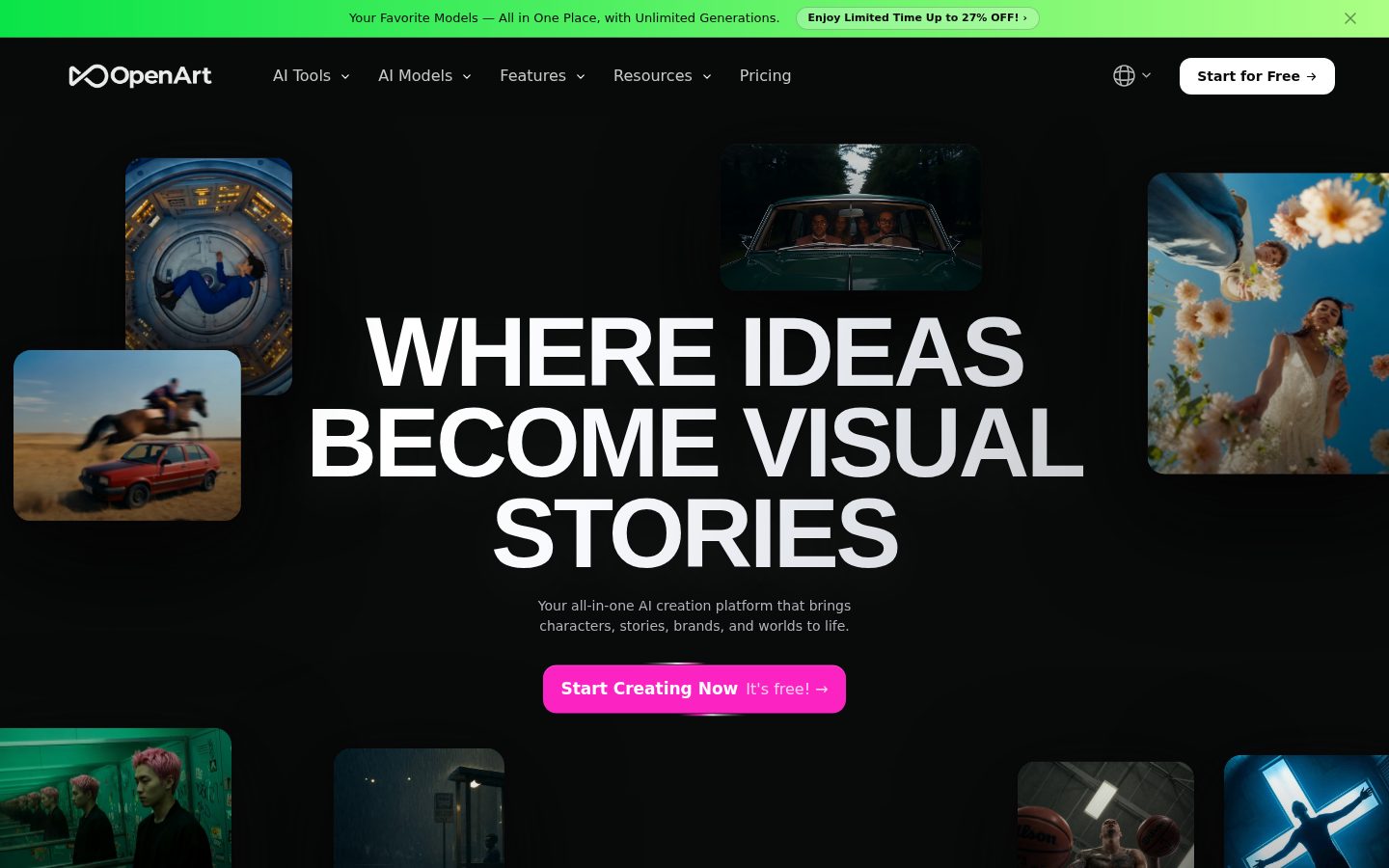
OpenArt starts from a text prompt or a reference image and turns it into finished visuals inside one browser workspace. You generate images, animate them into video, edit on an in-canvas board, and layer in voiceover, music, and sound effects without switching tools. The Director view lets you lay out a multi-shot storyboard, refine individual shots, and keep audio and lip-sync in step across the sequence.

The platform routes every request across 100+ models, including Sora 2, Kling, Veo 3, and Seedance for video and Nano Banana 2 and GPT Image 2 for stills. A Character Builder locks a character's face and style so it stays consistent across scenes, One-Click Story Creation drafts an entire narrative from a single idea, and Personalized Models let you train the platform on your own subjects. Smart Shot, Motion Sync Video, Camera Angle Control, and 4K upscaling handle finer cinematic edits.

OpenArt suits creators, marketers, and small studios producing short films, UGC ads, music videos, and social content. It sells on monthly subscriptions from $14 (Essential) to $240 (Wonder), with commercial-use rights from the Advanced tier and 40 free trial credits to start. Creators typically weigh it against Midjourney, Leonardo AI, Adobe Firefly, and Runway, with OpenArt's pitch being image, video, character, and audio work in a single account.

For automation, OpenArt MCP connects the same generation engine to Claude, ChatGPT, and Cursor, so agents can create images, run image-to-video workflows, and pull from your asset library through one connection.

Features

Audio

  • AI Voiceover & Music

    Generate voiceovers in 30+ languages, original music, and sound effects, including voice cloning.

Automation

  • One-Click Story Creation

    Generate a full multi-scene story from a single idea or prompt in one step.

Creation

  • Character Builder

    Create characters that stay visually consistent across every image and video in a project.

Customization

  • Personalized Models

    Train custom models on your own subjects or style for repeatable, on-brand outputs.

Editing

  • Camera Angle Control

    Reframe and rotate shots with camera angle sliders while preserving continuity.

  • Image Editing Suite

    Erase, expand, swap backgrounds, and restyle images directly on an in-canvas board.

Enhancement

  • 4K Upscaling

    Upscale generated images and video to 4K resolution.

Integration

  • OpenArt MCP

    Generate images and run image-to-video workflows from Claude, ChatGPT, and Cursor through one connection.

Video

  • Motion Sync Video

    Retarget motion from a reference video onto your generated character or subject.

  • Smart Shot

    Auto-generate multi-angle cinematic cuts from a single scene.

  • Video Generator

    Produce clips up to 15 seconds at 4K using models like Sora 2, Kling, Veo 3, and Seedance.

Workflow

  • Director

    Storyboard multi-shot videos, refine individual shots, and keep audio and lip-sync aligned across the sequence.

Preview

OpenArt desktop previewOpenArt mobile preview

Pricing Plans

Essential

$14/monthly

For individuals starting out with AI image and video creation.

  • 4,000 credits/month (~50 videos)
  • 100+ premium models
  • Director and OpenArt MCP access
  • One-Click Story Creation
  • Image Editing Suite
  • 8 parallel generations

Advanced

$29/monthly

For creators who need higher volume, more control, and commercial rights.

  • 12,000 credits/month (~150 videos)
  • 40 consistent characters
  • 16 parallel generations
  • Commercial use rights
  • Add-on credits available
Popular

Infinite

$56/monthly

For professional creators who want full-speed, uninterrupted creation.

  • 24,000 credits/month (~300 videos)
  • 80 consistent characters
  • 32 parallel generations
  • Priority support
  • Nano Banana 2 Lite Unlimited
  • Commercial use rights

Wonder

$240/monthly

For power users and teams producing at the highest volume.

  • 106,000 credits/month (~1,300 videos)
  • Unlimited Creation
  • 353 consistent characters
  • 10% off credit packs
  • Priority support
  • Nano Banana 2 Lite Unlimited

AI Panel Reviews

The Decision Maker

The Decision Maker

Strategic bet, vendor viability, timing, adoption approval
8.1/10

OpenArt bundles image, video, and voice generation into one $14 login, but owns none of its models.

OpenArt consolidates a full creative stack — image, video, character, and audio — into one subscription starting at $14, backed by a fresh $30M Series A. The strategic risk is that its models come from OpenAI, Google, and Kuaishou, making orchestration its only real moat.

Most teams already pay for a video generator, an image tool, and a voiceover app on three separate cards. OpenArt folds all of it into one login that starts at $14 a month.

The vendor math looks sound. Founded 2022 by two ex-Google engineers, with a $30M Series A led by Canaan Partners this January. That's a defensible 36-month bet on a fast-moving vendor, though the category resets every quarter.

The catch is dependency: OpenArt routes to Sora 2, Veo 3, and Kling rather than owning models, so its edge is orchestration, not research. Against Runway, which owns its stack, that's a real strategic question. Pilot Character Builder and Director on the $29 Advanced tier for a quarter before you standardize.

Competitive Positioning8.0

Breadth beats single-purpose rivals like Runway, though it owns none of its models.

Reputation Risk7.8

Commercial-use rights from the Advanced tier help, but consumer-grade branding and model dependency add risk.

Speed to Value8.4

Browser app, 40 free credits, and One-Click Story Creation produce output almost immediately.

Strategic Fit8.2

Consolidates image, video, audio, and character work into one workspace for lean teams.

Vendor Viability8.0

A $30M Series A led by Canaan Partners and ex-Google founders signal solid runway.

Pros

  • One subscription replaces separate image, video, voiceover, and character tools.
  • A fresh $30M Series A and ex-Google founders signal real runway.
  • 40 free trial credits and a browser-only app make evaluation cheap.
  • Commercial-use rights arrive at the $29 Advanced tier.

Cons

  • OpenArt owns none of the underlying models it routes to.
  • No enterprise SLA or self-hosting story is visible.
  • The $240 Wonder tier signals heavy users pay steeply.

Right for

Lean creative teams who want one account instead of four separate AI subscriptions.

Avoid if

Enterprises who need vendor-owned models and signed SLAs.

The Domain Strategist

The Domain Strategist

Craft and strategy in the product's domain — adapts identity per category, same lens
8.1/10

OpenArt's Character Builder gives brand teams a real consistency library, but leans on models it doesn't own.

For a creative director, OpenArt's strength is consistency at scale: named characters, trained Personalized Models, and Director-sequenced storyboards under one roof. The strategic caveat is that its output quality lives or dies with third-party models like Sora 2 and Veo 3.

Character Builder holds up to 353 consistent characters on the top tier and 40 on Advanced. In a category where Midjourney still fights face drift shot to shot, that's a brand-asset library, not a party trick.

The craft ceiling is real. Personalized Models let you train on your own subjects, and Director sequences multi-shot storyboards with audio and lip-sync in step — that's editorial control most single-image tools never reach. Someone who has run a real production pipeline designed this.

However, the strategic exposure sits in the model layer. OpenArt's quality tracks Sora 2, Veo 3, and Nano Banana 2, so your house style is only as durable as third-party APIs it doesn't control. Against Adobe Firefly's owned, indemnified model, that's the long-term bet you're making.

Category Positioning8.1

Breadth positions it between Midjourney's stills and Runway's video.

Domain Fit8.4

Consistency and multi-shot control are exactly what creative teams lack in single-purpose tools.

Integration Surface8.0

OpenArt MCP wires generation into Claude, ChatGPT, and Cursor through one connection.

Long-term Implications7.6

Output quality is hostage to the roadmaps of third-party models like Sora 2 and Veo 3.

Strategic Depth8.2

Director, Character Builder, and Personalized Models form a genuine production pipeline, not a demo.

Pros

  • Character Builder scales to 353 consistent characters for real brand libraries.
  • Director sequences multi-shot storyboards with synced audio and lip-sync.
  • Personalized Models train on your own subjects for on-brand output.
  • OpenArt MCP integrates generation into Claude, ChatGPT, and Cursor.

Cons

  • Output quality depends entirely on third-party models OpenArt doesn't own.
  • No owned or indemnified model like Adobe Firefly offers.
  • Web-only, with no desktop asset-management client.

Right for

Creative directors who need one character to stay on-model across scenes.

Avoid if

Brand teams who require an owned, legally indemnified generation model.

The Finance Lead

The Finance Lead

Money, total cost of ownership, contracts, procurement math
7.8/10

OpenArt spans $14 to $240 a month, but credit burn makes the real invoice hard to predict.

Sticker pricing is transparent across four tiers from $14 to $240, with commercial rights landing at $29. The unpredictable variable is credit consumption, which shifts per model and has no published per-generation rate.

Forty free trial credits get you in the door. They won't get you a finished video. Real evaluation starts at $14 a month for 4,000 credits — roughly 50 videos on Essential.

The math scales on volume, not seats. A small studio on Advanced pays $29 for 12,000 credits, about 150 videos, plus commercial rights. Push to daily output and Infinite at $56 or Wonder at $240 for 106,000 credits is where heavy users land. Year one on Advanced runs $348.

The catch is the credit itself. Every model burns a different rate, and there's no published per-generation price, so the invoice moves with your prompt mix. Nano Banana 2 Lite Unlimited on Infinite caps one line item; the rest float. Against Runway's clearer per-second billing, procurement gets less to forecast.

Billing & Procurement7.9

Self-serve tiers clear procurement, though overage rates aren't published.

Contract Flexibility7.8

Month-to-month subscriptions with add-on credits and no visible annual lock-in.

Pricing Transparency8.0

Four tiers show prices and credit counts with no sales call required.

ROI Clarity7.5

Credit-to-video estimates help, but real cost depends on prompt mix.

Total Cost of Ownership7.4

Credit burn varies by model, making year-three spend hard to model.

Pros

  • Four self-serve tiers are fully priced without a sales call.
  • Commercial-use rights start at the $29 Advanced tier.
  • Month-to-month billing with add-on credits avoids annual lock-in.
  • 40 free trial credits let procurement test before spending.

Cons

  • No published per-generation or overage rate makes invoices hard to forecast.
  • Credit burn varies by model, so TCO shifts with usage.
  • The $240 Wonder tier is a steep jump from $56 Infinite.

Right for

Studios who can forecast their monthly output volume.

Avoid if

Finance teams who need a fixed, predictable per-generation cost.

The Domain Practitioner

The Domain Practitioner

Daily hands-on reality in the product's domain — adapts identity per category, same lens
7.9/10

OpenArt gives designers slider-based camera control and an in-canvas editor, but stops short of pixel-final precision.

OpenArt earns its keep for designers with slider-driven Camera Angle Control, an in-canvas Image Editing Suite, and up to 32 parallel generations. It trades away layer-level precision and caps video at 15 seconds, so it's a storyboard-and-ship tool, not a pixel-final editor.

Camera Angle Control ships as sliders, not another round of prompt roulette. For a designer, reframing a shot by dragging instead of re-describing it is the difference between control and gambling. The Image Editing Suite keeps erase, expand, and background-swap on one in-canvas board, which is where the day-to-day happens.

Throughput holds up — 8 parallel generations on Essential, 32 on Infinite, so you're not queued behind your own renders. Smart Shot auto-cuts angles from one scene, and Motion Sync retargets motion from a reference clip onto your subject. That's depth Leonardo AI doesn't try to match.

The friction is the ceiling on precision. Video caps at 15 seconds, exports finish at 4K, and there's no layer stack or vector control — restyle happens to a whole image, not a selected path. However, for storyboard-to-social output rather than pixel-final art, that's a fair trade against a dedicated editor like Krea.

Day-3 Reality8.0

Slider controls and in-canvas editing hold up well past the demo.

Documentation Practitioner-Fit7.7

Feature depth is clear, though deep practitioner docs aren't evidenced.

Friction Surface7.6

The 15-second cap and missing layer stack limit precise work.

Power-User Depth8.2

Smart Shot, Motion Sync, and 32 parallel generations reward heavy use.

Workflow Integration7.8

One board covers generate, edit, and animate without tool-switching.

Pros

  • Camera Angle Control uses sliders instead of prompt re-rolls.
  • Image Editing Suite keeps erase, expand, and restyle on one canvas.
  • Up to 32 parallel generations keep you from queueing behind renders.
  • Smart Shot and Motion Sync add real cinematic depth.

Cons

  • No layer stack or vector control for precise editing.
  • Video output caps at 15 seconds.
  • Restyle applies to whole images, not selected paths.

Right for

Designers who storyboard and ship social video fast.

Avoid if

Illustrators who need layer stacks and vector precision.

The Power User

The Power User

Daily human experience, onboarding, polish, learning curve, reliability
7.7/10

OpenArt crams images, video, and voice into one tab, but the credits and missing mobile app sting.

OpenArt's real appeal is doing image, video, character, and voice work in one browser tab instead of juggling four apps. The daily friction is a credit meter that drains fast and no proper mobile app to match Canva.

Most AI tools make you pick a lane — images, or video, or voiceover. OpenArt does all of it in one browser tab, and that changes how a creative afternoon feels. One-Click Story Creation is the flashy front door; you type an idea and get a multi-scene draft back.

Day one, the demo glow carries you. The real test is day thirty, and the credit system is the quiet mood-killer — 40 free credits vanish fast, and heavy sessions eat your monthly 4,000 before you notice. Director and Character Builder are the parts you'd keep coming back for.

The catch is there's no real mobile app — it's a browser on any device, which on a phone means pinching around a laptop-sized canvas. Next to Canva's mobile flow, that's a gap if you create on the go. On desktop, though, it feels built by people who actually make things.

Daily Polish8.0

The one-tab workflow across media feels genuinely cohesive.

Learning Curve7.9

Templates ease entry, but the full toolset takes time to master.

Mobile Parity6.8

No dedicated app, just a browser that's awkward on a phone.

Onboarding Experience7.8

One-Click Story Creation and 40 free credits get you moving fast.

Reliability Feel7.7

Parallel generations suggest stability, though model routing adds variance.

Pros

  • One browser tab covers images, video, characters, and voice.
  • One-Click Story Creation turns a single idea into a draft.
  • 40 free trial credits let you start without paying.
  • Director and Character Builder reward repeat use.

Cons

  • The credit meter drains faster than it feels like it should.
  • No dedicated mobile app, only a browser.
  • Free trial credits run out quickly.

Right for

Solo creators who want one tab for everything visual.

Avoid if

People who create mostly from their phone.

The Skeptic

The Skeptic

Contrarian. Watch-outs, deal-breakers, broken promises, category patterns
7.3/10

OpenArt owns none of its 100+ models, but a $30M Series A buys real staying power.

OpenArt is a well-funded router over other companies' models, which makes orchestration its moat rather than the models themselves. The fundamentals are solid — a $30M Series A and ex-Google founders — but exit and model dependency are the things to watch.

OpenArt doesn't own a single model it sells. Sora belongs to OpenAI. Veo to Google. Kling to Kuaishou. It's a router with a good interface, and the '100+ models' headline is '100+ other people's models.'

That's not fatal, and the fundamentals are stronger than the pitch. Founded 2022, a $30M Series A led by Canaan Partners this January, ex-Google founders. The Character Builder and Personalized Models are things they actually built, not just resold. Higgsfield is chasing the same space.

The watch item is exit. Your trained characters live inside OpenArt, and if a model provider pulls access — the way it shifts in this category — your house style can move without warning. Leonardo AI got absorbed by Canva; consolidation is the pattern. The catch: you're renting the engine, so decide whether the interface alone is worth the lock-in.

Competitive Differentiation7.0

Orchestration and Character Builder differentiate, but wrappers are many.

Exit Portability6.8

Trained characters and library are locked inside OpenArt.

Long-term Viability7.5

A $30M Series A and ex-Google founders signal staying power.

Marketing Honesty7.2

The '100+ models' claim is real but glosses over that none are owned.

Track Record Match7.4

Features match the pitch, and a $30M raise backs the claims.

Pros

  • A $30M Series A and ex-Google founders back the roadmap.
  • Character Builder and Personalized Models are genuinely built in-house.
  • Pricing and tiers are transparent with no sales call.
  • 100+ models under one interface is real breadth.

Cons

  • Owns none of the underlying models it resells.
  • Trained characters and library create real lock-in.
  • Model-provider dependency can shift output quality without warning.
  • The wrapper category is crowded and consolidating.

Right for

Skeptical buyers who value one polished interface over owned models.

Avoid if

Teams who need portable output and provider-independent generation.

Buyer Questions

Common questions answered by our AI research team

Pricing

How much does OpenArt cost per month?

OpenArt runs on paid subscriptions: Essential is $14/month for 4,000 credits, Advanced $29, Infinite $56 (the most popular tier), and Wonder $240 for 106,000 credits. New users get 40 free trial credits, plus 50 more for joining the Discord.

Features

Can OpenArt keep the same character across scenes?

Yes. The Character Builder locks a character's face and style so it stays consistent across images and videos. Essential covers about 13 consistent characters, Advanced 40, and Infinite 80, so you can reuse the same character throughout a story.

Integration

Does OpenArt connect to Claude and ChatGPT?

Yes. OpenArt MCP connects your account to Claude, ChatGPT, and Cursor, letting you generate images and run image-to-video workflows without leaving the chat. It exposes the full model catalog and your creative library through one connection.

Features

Which AI video and image models does OpenArt include?

OpenArt gives access to 100+ models, including Sora 2, Kling, Veo 3, and Seedance for video, plus Nano Banana 2 and GPT Image 2 for images. Video generations run up to 15 seconds at 4K with native audio and lip-sync.

Setup

Do I need to install software to use OpenArt?

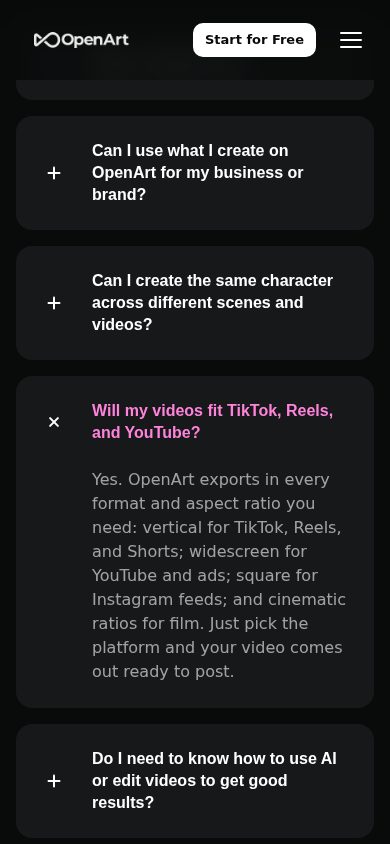
No. OpenArt is a browser-based web app that runs on any device with no download, and 40 free trial credits let you start immediately. For automation, agents connect through OpenArt MCP instead of a local install.

Also in AI Image Generation