Picsart logo

Picsart Review

Visit

The AI creative platform for 130M+ creators

Picsart is an AI creative platform for generating and editing images and video.

AI Panel Score

7.9/10

6 AI reviews

Reviewed

AI Editor Approved

What is Picsart?

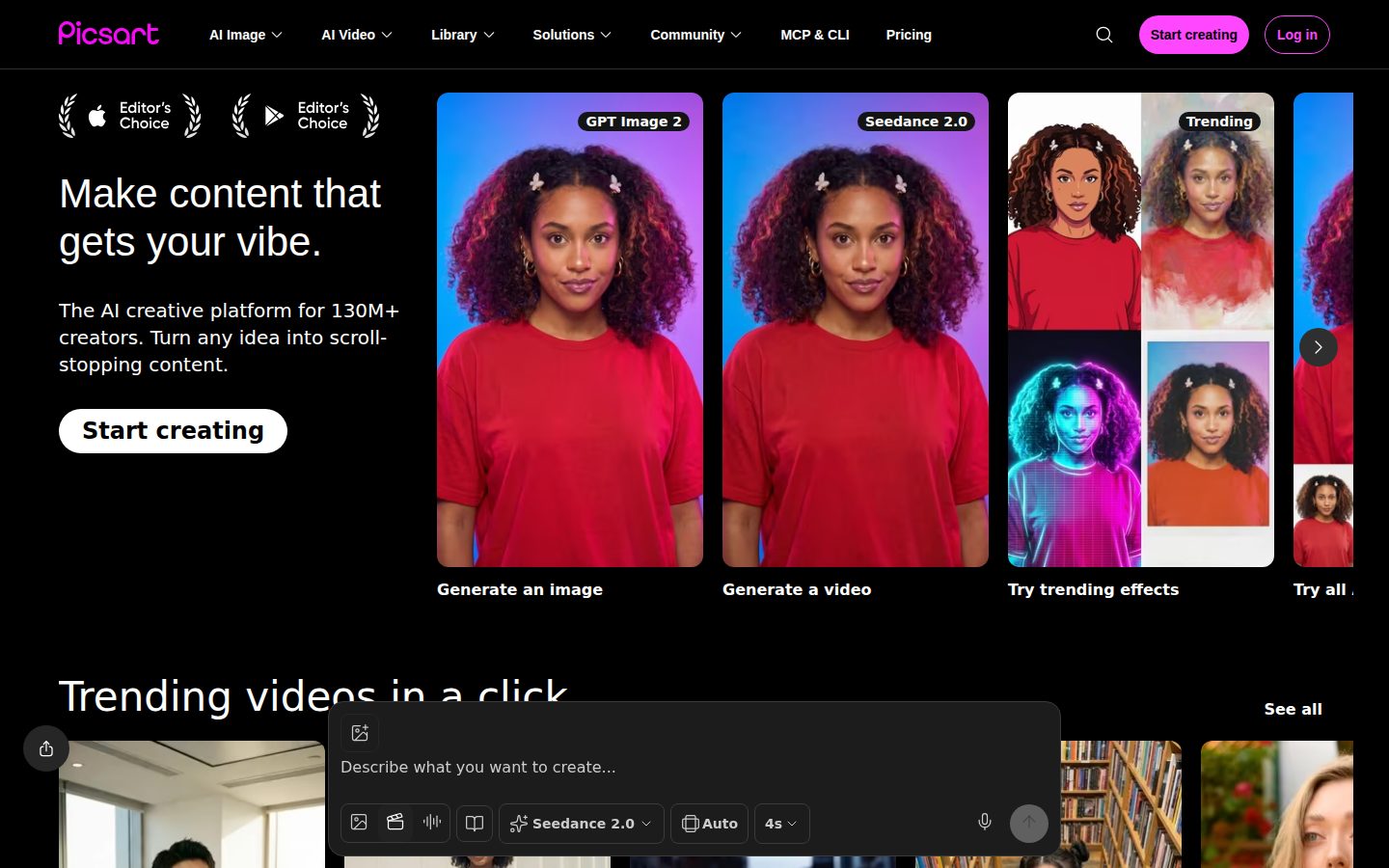
Picsart is an AI creative platform for generating, editing, and designing images and video from a single workspace. It suits social media creators, marketers, and small teams who produce on-brand visual content at volume across web, iOS, Android, and Windows. Pricing is freemium: a free plan with weekly credits, a Pro plan starting at about $7 per month billed annually, an Ultra tier for teams, and custom Enterprise plans. Users can generate images, videos, avatars, and audio through 134 AI models from 27 providers, remove backgrounds, enhance and expand photos, build repeatable workflows with Picsart Flow, and edit by prompt with Picsart Aura. The library adds 71,000+ templates and 168,000+ assets, while a Picsart CLI and MCP integration connect to Claude, Cursor, and ChatGPT. It fits creators who want generation and editing together rather than separate tools. Alternatives include Canva, Adobe Express, Fotor, and Pixlr.

About Picsart

Users start from a text prompt or an uploaded photo and generate images, videos, audio, or avatars, then refine the result inside the same editor. Editing tools include background and object removal, a one-tap enhancer, an image extender that expands the frame, and prompt-based edits through Picsart Aura, so a single asset can go from raw generation to finished post without switching apps.

The platform routes work across 134 AI models from 27 providers — including Seedance 2.0, Veo 3.1, Kling 3.0, Flex.2 Klein, and Nano Banana Pro — through an AI Playground. Picsart Flow chains steps into repeatable creative workflows, Picsart Persona builds AI twins from 100+ personas, Storyline turns scripts into voiced animations, and ComicMe converts portraits into comic panels. A Picsart CLI and MCP integration connect these tools to Claude, Cursor, and ChatGPT.

Picsart is built for social creators, marketers, and small teams who need on-brand visuals at volume, with brand kits, bulk editing, and ad variation tools on paid tiers. Pricing is freemium: a free plan with weekly credits, Pro at about $7 per month billed annually, an Ultra tier for teams, and custom Enterprise plans with SDKs and APIs. It competes with Canva, Adobe Express, Fotor, and Pixlr.

It runs on web, iOS, Android, and Windows, and exposes APIs, SDKs, and white-label options for enterprise integration, plus 168,000+ library assets and 71,000+ templates.

Features

Automation

  • Creative Agents

    Assigns creative tasks to 15+ AI agents that produce content on your behalf.

  • Picsart Flow

    Chains editing and generation steps into repeatable creative workflows you can rerun on new inputs.

Editing

  • AI Image Enhancer

    Upscales and sharpens images in a single tap to improve resolution and clarity.

  • Background Remover

    Removes backgrounds and unwanted objects from photos in one tap with automatic subject detection.

  • Image Extender

    Expands the frame of a photo by generating new content beyond the original borders.

  • Picsart Aura

    Edits images by typing a prompt, applying changes without manual masking or tool selection.

Generation

  • AI Playground

    Runs prompts across 134 AI models from 27 providers, including Seedance 2.0, Veo 3.1, and Kling 3.0, from one interface.

  • Picsart Persona

    Creates an AI twin from 100+ personas to generate on-character portraits and content.

Integration

  • Picsart CLI & MCP

    Connects Picsart tools to Claude, Cursor, and ChatGPT through a command-line interface and MCP server.

Video

  • AI Video Generation

    Generates video clips from text or images using models like Seedance 2.0, Veo 3.1, and Kling 3.0.

  • Picsart Storyline

    Turns a script into a narrated, animated video with voiceover and generated scenes.

Workflow

  • Brand Kits

    Stores logos, fonts, and colors so generated assets stay on-brand, with multiple kits on paid tiers.

Preview

Picsart desktop previewPicsart mobile preview

Pricing Plans

Free

Free

For casual users trying core editing and AI tools.

  • 5 weekly AI generation credits
  • Basic photo & video editing
  • Access to templates & asset library
  • 50+ free quicktools for file conversion
Popular

Pro

$7/monthly

For solo creators who want all editing and AI generation features; $7/month billed annually or $15 month-to-month.

  • All photo & video editing features
  • Unlimited image generations with Flex.2 Klein
  • Advanced background & object removal
  • 100 GB cloud storage
  • 15+ creative AI agents
  • Picsart CLI + MCP integration

Ultra

$25/monthly

For teams needing every AI model, brand controls, and ad tools; about $24.50/month per seat billed annually.

  • Everything in Pro
  • 140+ AI video, image & audio models
  • Early access to advanced AI features
  • 10+ brand kits & team seats
  • Ad variations, localization & performance tracking
  • 300 GB cloud storage per seat

Enterprise

Contact sales

For organizations needing SDKs, APIs, white-label options, and dedicated support.

  • SDK & API access
  • White-label options
  • Enterprise support
  • Custom AI integrations

AI Panel Reviews

The Decision Maker

The Decision Maker

Strategic bet, vendor viability, timing, adoption approval
8.2/10

A fourteen-year survivor betting model breadth against Canva's templates, cheap enough to pilot without board friction.

Picsart pairs 14 years of survival with unicorn-grade funding and a genuinely broad AI toolset, making it a low-risk consolidation bet for creator-heavy teams. The strategic question is differentiation, not viability, since it undercuts Adobe and out-features Canva without decisively owning either position.

Fourteen years in a category that eats startups whole. Picsart hit unicorn status in 2021 on a $130M Series C from SoftBank Vision Fund 2, and it's still shipping — 134 models across 27 providers now live in AI Playground. That's not a demo. That's a durable vendor.

The board question is whether this advances us or just consolidates tools we already pay for. Canva owns the template-first creator, and Picsart's answer is model breadth plus a real workflow layer. For a marketing team drowning in point tools, that consolidation is the pitch.

The catch is positioning: Picsart sits below Adobe on trust and beside Canva on price, without fully owning either lane. At $7 a month, the downside is small and the switching cost is smaller. Pilot it with the social team for a quarter before you standardize.

Competitive Positioning7.8

Sits between Adobe on trust and Canva on price without owning either.

Reputation Risk8.0

Established brand with SoftBank backing carries low reputational risk.

Speed to Value8.2

Freemium web access means value lands without procurement or install.

Strategic Fit8.0

Consolidates point tools into one workspace for creator-heavy marketing teams.

Vendor Viability8.4

Fourteen years, a 2021 unicorn round, and 150M users signal a vendor that lasts.

Pros

  • Fourteen years and unicorn-grade SoftBank funding make vendor risk low.
  • AI Playground consolidates 134 models across 27 providers into one workspace.
  • At $7 a month, the pilot cost is trivial to approve.

Cons

  • Positioning is squeezed between Adobe on trust and Canva on price.
  • Consolidation value depends on your team actually using the breadth.

Right for

Marketing teams who produce social visuals at high volume.

Avoid if

Enterprises who need Adobe-grade brand governance.

The Domain Strategist

The Domain Strategist

Craft and strategy in the product's domain — adapts identity per category, same lens
8.1/10

Deep asset library and Brand Kits give content teams a real design system, not just AI toys.

Picsart's 71,000 templates, six-figure asset library, and Brand Kits give volume-focused content teams genuine design-system depth at a fraction of Adobe's cost. The strategic ceiling is house-style consistency, since routing every asset through 134 different models trades brand cohesion for creative breadth.

Judge a creative platform by its asset spine, and Picsart's is unusually deep: 71,000 templates, a 168,000-asset library, and Brand Kits that pin logos, fonts, and colors so generated output stays on-brand. Ultra gives you 10+ kits and team seats. For a studio producing at volume, that's the difference between a design system and a folder of PNGs.

Where it gets strategically interesting is Picsart Flow, which chains generation and edit steps into reusable pipelines. That's a real craft primitive — repeatable output, not one-off magic. Adobe Express has the brand muscle but treats AI as an add-on; Picsart built the workflow around the models.

The long-term risk is aesthetic ceiling: routing 134 models through AI Playground gives breadth, but a consistent house style is harder when every asset comes from a different engine. Still a strong three-year bet for content teams, weaker for identity-critical agencies.

Category Positioning8.0

Strong mid-market slot beneath Adobe and beside Canva.

Domain Fit8.2

Purpose-built for marketers and creators producing on-brand visuals at volume.

Integration Surface8.0

CLI, MCP, APIs, and 27 providers give a wide integration footprint.

Long-term Implications7.8

Multi-model routing risks house-style drift over a three-year horizon.

Strategic Depth8.0

Picsart Flow and Brand Kits show genuine creative-systems thinking, not demo features.

Pros

  • Brand Kits and a 168,000-asset library give real design-system depth.
  • Picsart Flow turns one-off generation into reusable creative pipelines.
  • Model breadth across 27 providers keeps output options fresh.

Cons

  • Routing 134 models makes a consistent house style harder to enforce.
  • Not built for tightly governed, identity-critical brand systems.

Right for

Content teams who ship on-brand social assets at scale.

Avoid if

Agencies who need tightly governed, identity-critical brand systems.

The Finance Lead

The Finance Lead

Money, total cost of ownership, contracts, procurement math
8.0/10

$7 a month annually, $15 monthly, but premium models still draw from an unpriced credit pool.

Picsart's tiers are fully public — $0 free, $7 Pro annually, about $24.50 Ultra per seat — so procurement clears it without a sales call. The unpriced variable is credit consumption on premium models like Veo 3.1, which is the only real line-item risk in an otherwise transparent stack.

Free plan hands out 5 AI credits a week. Not a trial — a permanent floor. That's a real acquisition funnel, and it means most solo users never see an invoice.

Pro is the number that matters: $7/month billed annually, $84/year. Pay monthly and it's $15 — more than double the annual rate. Ultra runs about $24.50 per seat annually for teams needing the full 140+ model library. A 10-seat team lands near $2,940/year. Canva Teams sits close; Adobe Express undercuts on some tiers but caps AI generation harder.

The catch is credit metering. 'Unlimited image generations' on Pro applies to Flex.2 Klein only — premium models like Veo 3.1 draw from a credit pool with no published overage rate. Procurement won't fight the sticker. The variable model cost is the line item to watch.

Billing & Procurement8.2

Self-serve tiers clear procurement without negotiation.

Contract Flexibility7.6

Steep annual discount and monthly option, with no long-term lock-in.

Pricing Transparency8.4

All four tiers are published with no gated sales call.

ROI Clarity7.8

Clear value for volume creators at $84 a year.

Total Cost of Ownership7.8

Cheap sticker, but variable credit consumption clouds the true bill.

Pros

  • All tiers are public with no sales call to see a price.
  • Pro at $84 a year undercuts most paid creative suites.
  • Free plan with weekly credits keeps most solo users off the invoice.

Cons

  • Monthly billing costs more than double the annual rate.
  • Premium models draw from a credit pool with no published overage rate.

Right for

Finance teams who want public pricing they can approve fast.

Avoid if

Buyers who need predictable costs on premium video generation.

The Domain Practitioner

The Domain Practitioner

Daily hands-on reality in the product's domain — adapts identity per category, same lens
7.9/10

Picsart Aura makes prompt editing fast, but designers needing pixel-level control will miss a real layers panel.

For fast social composites, Picsart Aura and Image Extender let a designer skip manual masking and edge-cloning, which is a genuine daily speed-up. The friction shows up in precision work, where prompt-based editing and model-to-model style drift make pixel-exact retouching harder than in a dedicated editor.

The tool that earns a designer's trust here is Picsart Aura — prompt-based editing that skips manual masking entirely. Type the change, skip the lasso and the feather. For quick composites that's genuinely faster than roping paths in Photoshop, and the Background Remover's one-tap subject detection backs it up.

Image Extender is the other daily win, generating canvas beyond the original frame instead of cloning-stamping edges by hand. Where the workflow shows its age is precision. Prompt-based editing is great until you need pixel-level control over a single hue, and there's no evidence of a proper layers-and-masks panel for fine retouching. That's fine for social, thin for print.

168,000 library assets mean you rarely start from a blank canvas, but routing across 134 models makes output style drift run to run. Matching two hero images takes real fiddling. Canva's editor is more consistent; Picsart's is more powerful.

Day-3 Reality7.8

Fast for social composites; precision retouching shows gaps by day three.

Documentation Practitioner-Fit7.5

Broad feature docs, but depth for pro retouching is unproven.

Friction Surface7.6

Style drift across models and no layers panel create friction.

Power-User Depth7.8

134 models and Picsart Flow give serious depth for those who want it.

Workflow Integration8.0

Generate-to-edit in one canvas plus CLI and MCP hooks.

Pros

  • Picsart Aura skips manual masking for fast composite edits.
  • Image Extender and one-tap Background Remover cut routine busywork.
  • 168,000 assets mean you rarely start from a blank canvas.

Cons

  • No evidence of a proper layers-and-masks panel for fine retouching.
  • Model-to-model style drift makes matching hero images fiddly.

Right for

Designers who produce high-volume social visuals on tight deadlines.

Avoid if

Retouchers who need pixel-exact control for print work.

The Power User

The Power User

Daily human experience, onboarding, polish, learning curve, reliability
7.9/10

Opens in a browser and feels like a busy studio, but week one is genuinely a lot.

Picsart nails the small daily wins — one-tap enhancing, no-download browser access, and genuinely full mobile apps that sync 100 GB across devices. The price is a steeper learning curve than Canva, because 134 models and a dozen tools make the first week feel crowded before it clicks.

Five AI credits a week on the free plan is either generous or a tease. Enough to kick the tires, not to actually finish anything. But Picsart doesn't gate you behind a download — the browser version just opens and works.

The thing that feels good day to day is one-tap: the AI Image Enhancer, the Background Remover, the instant enhance. No menu-diving. Picsart Persona is the fun one — build an AI twin from 100+ personas and it stops feeling like a chore. Where Canva feels like a tidy office, this feels like a busy studio with a lot of doors.

Mobile is real here, not an afterthought — full iOS, Android, and Windows apps with 100 GB syncing across them. The catch: 134 models and a dozen tools mean the learning curve is steeper than it looks, and week one is a lot. Give it three days.

Daily Polish8.0

One-tap enhancer and remover feel good in daily use.

Learning Curve7.4

134 models and a dozen tools make week one steep.

Mobile Parity8.2

Full iOS, Android, and Windows apps with 100 GB sync deliver real parity.

Onboarding Experience7.6

No-download browser start is smooth, though the toolset feels crowded.

Reliability Feel7.8

A mature platform with 150M users feels dependable.

Pros

  • No-download browser access lowers the barrier to start.
  • One-tap tools like the AI Image Enhancer feel good daily.
  • Full iOS, Android, and Windows apps with 100 GB sync.

Cons

  • The learning curve is steeper than Canva's minimal editor.
  • Five weekly free credits barely cover finishing one project.

Right for

Everyday creators who want one-tap edits without opening Photoshop.

Avoid if

People who want a tidy, minimal tool they learn in an hour.

The Skeptic

The Skeptic

Contrarian. Watch-outs, deal-breakers, broken promises, category patterns
7.5/10

Fourteen years and unicorn funding are real, but the user count shifts 20 million between two pages.

Picsart's track record is genuinely strong — founded 2011, a 2021 unicorn on SoftBank's $130M Series C, and still shipping while rivals folded. The watch items are marketing slippage on user counts and thin exit portability, since Flow pipelines and Persona twins don't leave with you.

First tell: the user count won't hold still. The tagline says 130 million creators, the company blurb says 150 million. Twenty million people is a rounding error only in marketing. Small thing, but it's the kind of slippage that tells you which numbers are load-bearing.

Now the fair part. Founded 2011, unicorn in 2021 on a $130M Series C from SoftBank Vision Fund 2. Fourteen years is longer than most of this graveyard's residents lasted. Fotor and Pixlr have hung on too, but neither has Picsart's model breadth or funding.

Exit portability is the yellow flag. Your assets export fine, but Picsart Flow pipelines and Persona twins don't travel — rebuild them from scratch. And 134 models from 27 providers means you're renting capability you don't control. Reasonable bet for a durable vendor. Just don't mistake breadth for a moat.

Competitive Differentiation7.4

Model breadth beats Fotor and Pixlr, but it's rented not owned.

Exit Portability7.0

Assets export, but Flow pipelines and Persona twins don't travel.

Long-term Viability8.0

SoftBank funding and 150M users point to durability.

Marketing Honesty7.0

Tiers and features are honest, but user counts slip between pages.

Track Record Match8.0

Fourteen years and delivered features back up the claims.

Pros

  • Founded 2011 and a 2021 unicorn — a real, durable track record.
  • Model breadth across 27 providers outruns Fotor and Pixlr.
  • Assets export cleanly, so raw work isn't trapped.

Cons

  • User counts shift 20 million between the tagline and company blurb.
  • Flow pipelines and Persona twins don't travel if you leave.
  • 134 rented models are breadth, not a defensible moat.

Right for

Cautious buyers who want a funded vendor with a real track record.

Avoid if

Teams who need portable, self-owned creative pipelines.

Buyer Questions

Common questions answered by our AI research team

Pricing

How much does Picsart cost per month?

Picsart has a free plan with 5 weekly AI credits. Pro costs $7 per month billed annually (or $15 monthly) for all editing and unlimited image generation, and Ultra runs about $24.50 per seat for teams with 140+ AI models.

Features

Does Picsart generate AI videos?

Yes. Picsart generates video from text or images using models like Seedance 2.0, Veo 3.1, and Kling 3.0, and Storyline turns a script into a narrated, animated clip. Video generation runs alongside the built-in editor.

Integration

Can I use Picsart with Claude or ChatGPT?

Yes. Picsart offers a CLI and an MCP integration that connect its tools to Claude, Cursor, and ChatGPT, so you can generate and edit images from those assistants. CLI access is included on the Pro plan.

Setup

What devices does Picsart work on?

Picsart runs on the web plus iOS, Android, and Windows apps, and projects with up to 100 GB of cloud storage sync across devices. The browser version needs no separate download to start editing.

Features

Can Picsart create AI avatars of me?

Yes. Picsart Persona builds an AI twin from 100+ personas to generate on-character portraits and content, and you can animate a portrait with Kling 3.0. Avatar and persona tools are part of the AI generation suite.

Also in AI Image Generation