Pipedrive logo

Pipedrive Review

Visit

CRM software designed to help sales teams organize leads and close more deals

Pipedrive is a customer relationship management (CRM) software for sales teams.

AI Panel Score

7.3/10

6 AI reviews

About Pipedrive

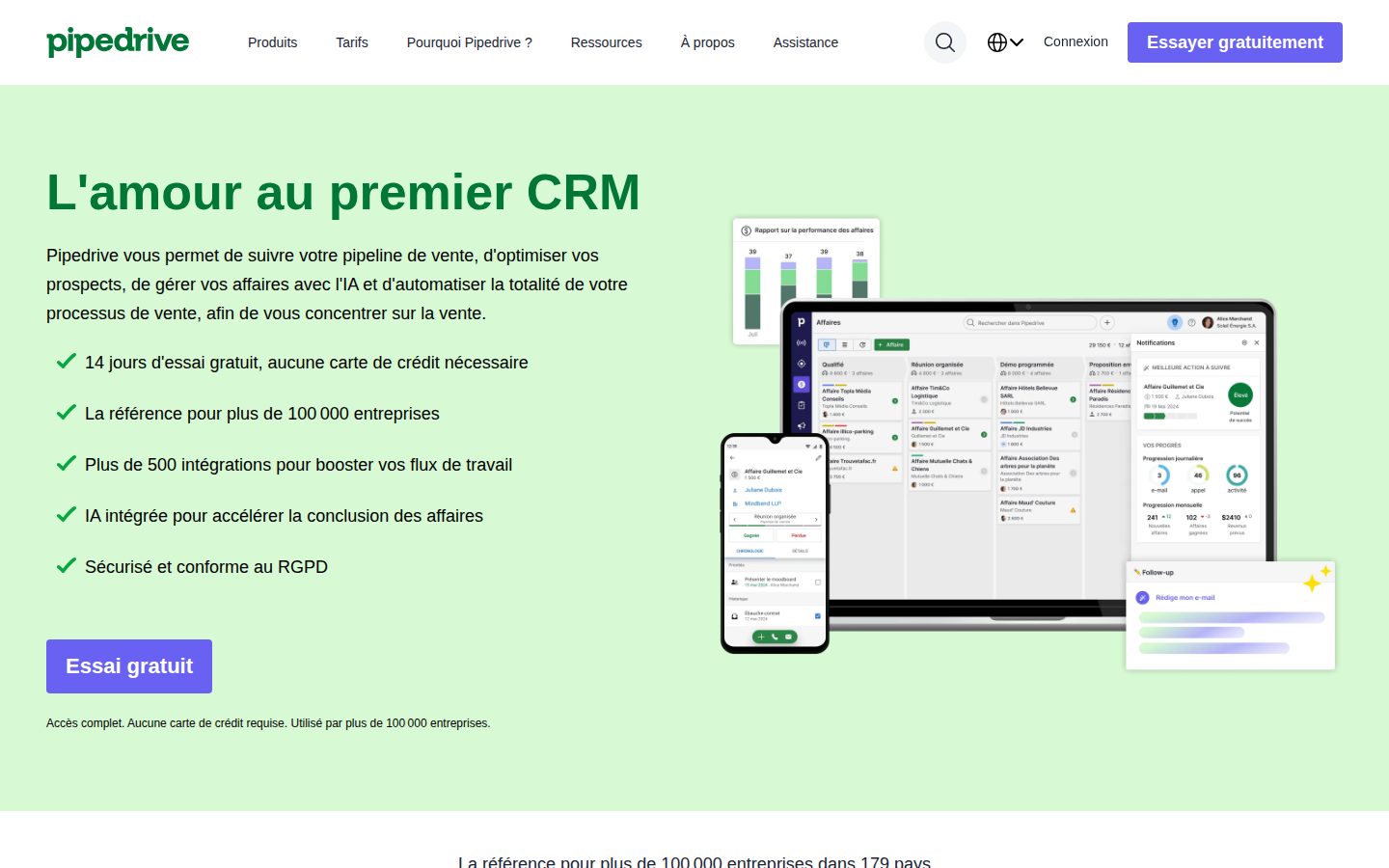
Pipedrive is a CRM platform that helps sales teams track leads, manage customer interactions, and organize sales processes. The software provides pipeline management tools, contact databases, and sales reporting features designed to streamline sales activities.

Pipedrive is a customer relationship management (CRM) software platform designed specifically for sales teams and organizations. The software provides tools for managing sales pipelines, tracking leads through various stages of the sales process, and maintaining customer relationship data in a centralized database. The platform offers pipeline visualization features that allow users to track deals through customizable stages, from initial contact to closed sales. Users can manage contact information, schedule follow-up activities, track email communications, and generate reports on sales performance. The software includes automation capabilities for routine tasks like sending follow-up emails and updating deal statuses. Pipedrive targets small to medium-sized businesses, sales teams, and individual sales professionals who need to organize their sales processes. The platform integrates with various third-party applications including email clients, marketing tools, and business software. It offers mobile applications for iOS and Android devices to enable sales activity management on the go. The CRM market includes competitors like Salesforce, HubSpot, and Zoho CRM. Pipedrive positions itself as a user-friendly alternative focused on visual pipeline management and ease of use. The company offers different pricing tiers based on feature sets and user counts, with options ranging from basic CRM functionality to advanced sales intelligence and automation tools.

Features

Analytics

  • Sales Reporting and Dashboards

    Pre-built and custom reports with visual dashboards to track sales performance, conversion rates, and team metrics.

Automation

  • Workflow Automation

    Automated task creation, follow-up reminders, and deal progression triggers to streamline repetitive sales processes.

Collaboration

  • Team Collaboration Tools

    Shared pipelines, deal notes, and team visibility features for coordinating sales efforts across team members.

Core

  • Activity Scheduling

    Built-in calendar and task management for scheduling follow-ups, calls, meetings, and other sales activities.

  • Contact and Lead Management

    Centralized database for storing and managing customer contact information, communication history, and lead details.

  • Deal Tracking

    Comprehensive deal management system to monitor deal progress, values, and expected close dates.

  • Visual Sales Pipeline

    Provides a drag-and-drop visual interface to track deals through customizable sales stages from lead to close.

Customization

  • Custom Fields and Pipeline Stages

    Ability to create custom data fields, deal stages, and pipeline structures to match specific sales processes and industry requirements.

Integration

  • Email Integration

    Two-way email sync with Gmail, Outlook, and other email providers to track communications within the CRM.

  • Third-party App Integrations

    Connects with 400+ apps including marketing tools, accounting software, and communication platforms through native integrations and Zapier.

Mobile

  • Mobile CRM App

    Full-featured iOS and Android apps for managing sales activities, updating deals, and accessing contact information on-the-go.

Support

  • 24/7 Customer Support

    Multiple support channels including live chat, email, phone support, and extensive knowledge base with video tutorials.

Pricing Plans

Essential

$15/monthly

For small teams getting started with sales pipeline management

  • Up to 3,000 contacts and organizations
  • Up to 1,000 open deals
  • Customizable pipelines
  • 100+ integrations
  • Email integration and templates
  • Mobile app
  • Reports and insights
Popular

Advanced

$28/monthly

For growing teams that need more advanced features and automation

  • Everything in Essential
  • Up to 15,000 contacts and organizations
  • Up to 5,000 open deals
  • Email sync for all team members
  • Group emailing
  • Advanced reporting
  • Automations
  • Smart contact data

Professional

$50/monthly

For established teams requiring advanced customization and insights

  • Everything in Advanced
  • Up to 100,000 contacts and organizations
  • Up to 30,000 open deals
  • Revenue forecast
  • Project management
  • Team management
  • Custom fields
  • Multiple pipelines per user

Power

$65/monthly

For data-driven teams that need the most advanced features

  • Everything in Professional
  • Unlimited contacts and organizations
  • Unlimited open deals
  • Campaigns
  • Advanced permissions
  • Security dashboard
  • Enhanced automation
  • Advanced integrations

Enterprise

$99/monthly

For large organizations requiring enterprise-grade security and support

  • Everything in Power
  • Enhanced security controls
  • Dedicated customer success manager
  • Unlimited customization
  • Advanced user management
  • Enhanced support

AI Panel Reviews

The CTO

Independent AI Analysis
7.5/10

Pipedrive has proven to be a solid CRM choice for our sales organization, with excellent API reliability and a well-thought-out integration ecosystem. While not perfect for complex enterprise needs, it delivers consistent performance and has scaled well with our growth.

I've been overseeing our Pipedrive implementation for 14 months now, and it's become a critical part of our sales infrastructure. The API has been rock-solid - we've built several internal tools against it, and I can count on one hand the number of incidents we've experienced. Their webhook system is particularly well-designed, making real-time integrations straightforward.

What impressed me most is how they handle database performance at scale. We're pushing about 300K deals through the system, and query performance remains snappy. The architecture clearly benefits from good indexing and caching strategies.

My main frustration is the limited customization depth. While the field customization is decent, we've hit walls trying to implement complex workflow automation that our enterprise clients expect. Their security posture is solid but not exceptional - SOC 2 compliant, but lacking some advanced features like field-level encryption.

Architecture & Scalability8.0

Handles our 300K+ deals without performance degradation, though bulk operations could be faster.

Innovation & Roadmap7.5

Regular feature releases and they actually listen to technical feedback, though pace could be faster.

Integration Ecosystem8.5

Excellent API design and documentation, plus native integrations with most of our stack.

Security & Compliance7.0

SOC 2 certified with good baseline security, but missing advanced enterprise security features like BYOK.

Technical Support6.5

Developer support is knowledgeable but response times for complex issues can stretch to days.

Pros

  • API reliability and webhook architecture are enterprise-grade
  • Performance remains consistent even with large datasets
  • Clean, well-documented REST API makes custom development straightforward

Cons

  • Limited workflow customization compared to enterprise CRMs like Salesforce
  • No field-level encryption or bring-your-own-key options
  • Bulk data operations via API have restrictive rate limits

The Developer

Independent AI Analysis
7.8/10

Pipedrive's API has been solid for our sales automation needs, though I've hit some frustrating limitations with rate limits and webhook reliability. It's well-documented and mostly predictable, which I appreciate after dealing with flakier CRM APIs.

I've been integrating Pipedrive into our internal tools for over a year now, mainly building custom reporting dashboards and automating lead flows. The REST API is clean and follows predictable patterns – once you understand their data model around deals, persons, and organizations, everything clicks. Their API reference is actually helpful, with real examples that work.

What bugs me is the aggressive rate limiting – 80 requests per 2 seconds sounds fine until you're trying to bulk update deals. I've had to build elaborate queuing systems just to stay under limits. Webhooks occasionally go silent without warning, forcing us to build backup polling mechanisms. Still, compared to Salesforce's complexity or HubSpot's pricing, Pipedrive hits a sweet spot for mid-sized teams who need programmable CRM without the enterprise overhead.

API & Documentation8.5

Clear docs with working examples, though some edge cases around custom fields could use more detail.

Community & Ecosystem7.2

Forums exist but aren't super active – you'll figure most things out from docs alone.

Debugging & Observability6.8

API logs are basic and webhook failures often happen silently without proper error callbacks.

Developer Experience7.5

Clean REST patterns and decent SDKs, but rate limits force awkward workarounds in production.

Performance8.0

Response times are consistently fast, rarely see timeouts even with complex filters.

Pros

  • Consistent REST API design makes building integrations predictable
  • Webhook events cover nearly every data change you'd care about
  • Sandbox environment available for testing without messing up production data

Cons

  • Rate limits of 80/2sec are painful for bulk operations
  • No GraphQL option means overfetching data constantly
  • Webhook delivery can fail silently without retry mechanisms

The Marketer

Independent AI Analysis
8.2/10

Pipedrive has transformed how our marketing and sales teams collaborate, though I wish it had more native marketing automation features. It's become our single source of truth for pipeline visibility and revenue attribution.

I've been using Pipedrive daily for about 14 months now, and it's honestly changed how we approach revenue operations. The visual pipeline is what sold me initially — our sales team adopted it instantly, and I finally had real-time visibility into deal flow without chasing down spreadsheets.

What I appreciate most is how it bridges the marketing-sales divide. I can track which campaigns generate qualified leads, see conversion rates through each stage, and actually prove marketing's impact on revenue. The activity tracking helps me understand where deals get stuck.

My main frustration? It's clearly built for sales first. I've had to bolt on other tools for email marketing and lead scoring. But for aligning marketing with sales outcomes and having data-driven pipeline conversations, it's been invaluable.

Campaign Management6.5

Basic campaign tracking exists, but I rely on integrations for actual campaign execution.

Customer Support8.0

Support team knows their product well — they've helped me build custom reports multiple times.

Ease of Use9.0

The visual pipeline is intuitive — even our least tech-savvy reps picked it up within days.

Integrations8.0

Connects well with our Mailchimp and Slack, though the Zapier dependency gets expensive.

ROI & Analytics8.5

Revenue attribution reporting is solid, though I sometimes need to export data for deeper marketing analysis.

Pros

  • Visual pipeline gives instant visibility into deal flow and bottlenecks
  • Excellent mobile app lets me check pipeline health anywhere
  • Custom fields and deal rotting features help maintain data quality

Cons

  • Limited native marketing automation requires additional tools
  • Advanced reporting often needs data exports to Excel
  • Email tracking credits run out quickly with a larger team
The Finance Lead
The Finance LeadMoney, total cost of ownership, contracts, procurement math
7.5/10

Pipedrive has been a solid investment for our sales team, though the pricing structure can feel inflexible when scaling. After a year of daily use, I appreciate the predictable costs and clear ROI tracking, but wish there was more flexibility in user tiers.

I've been managing Pipedrive's costs for our 45-person sales team since we migrated from Salesforce. The per-user pricing model is straightforward, which I appreciate when budgeting. We pay around $59 per user monthly, and the costs have been predictable. What really sold me was being able to directly tie pipeline metrics to revenue - I can show the board exactly how our $2,600 monthly spend translates to closed deals. The billing is clean, invoices are detailed, and there's no surprise charges. My main frustration is the rigid user tiers - we often have seasonal contractors who need access for just a few months, but we're locked into annual contracts to get decent pricing. Also, some critical features like advanced analytics require jumping to the next tier, which adds significant cost.

Billing & Invoicing8.0

Monthly invoices are detailed and accurate, with clear breakdowns of users and add-ons.

Contract Flexibility6.0

Annual contracts offer best rates but make it hard to adjust for headcount changes mid-year.

Pricing Transparency8.5

Pricing is clearly displayed on their website, though some add-on costs only become apparent during implementation.

ROI Measurability9.0

Built-in revenue tracking and deal analytics make it easy to justify the spend to leadership.

Total Cost of Ownership7.0

Base costs are reasonable, but necessary integrations and higher-tier features can push the total up 40-50%.

Pros

  • Clear per-user pricing model makes budgeting straightforward
  • Excellent reporting tools to demonstrate ROI to stakeholders
  • No hidden fees or surprise charges in 14 months of use

Cons

  • Locked into user counts with annual contracts, costly to adjust mid-year
  • Feature gating between tiers forces expensive upgrades for single features
  • Limited options for temporary or part-time user access
The Power User
The Power UserDaily human experience, onboarding, polish, learning curve, reliability
8.2/10

Pipedrive has become my daily command center for managing deals and client relationships - it's intuitive enough that I rarely think about the tool itself, just getting my work done.

I've been using Pipedrive every morning for the past 14 months, and it's transformed how I track my sales pipeline. The visual deal stages make perfect sense - I can see exactly where each opportunity stands with a quick glance. What really sold me was how fast I could set it up; within an hour I had my pipeline customized and deals imported.

The mobile app deserves special mention. I update deals right after client meetings while details are fresh, and everything syncs instantly. My only real frustration is the reporting - I often need to export to Excel for the specific metrics my manager wants. But for day-to-day deal management? It just works.

Ease of Use8.5

The drag-and-drop pipeline is so intuitive that new team members pick it up in minutes.

Mobile Experience8.0

The app is genuinely useful for quick updates, though bulk actions still need desktop.

Onboarding Experience9.0

Had my entire pipeline set up and running within an hour - the setup wizard actually helped.

Reliability8.8

In over a year, I've experienced maybe two brief slowdowns - it's rock solid.

Value for Money7.5

At $15/user it's reasonable, but advanced features jump to $29 which adds up fast for teams.

Pros

  • Visual pipeline makes it impossible to lose track of deals
  • Email integration that actually works - tracks conversations without me thinking about it
  • Mobile app is legitimately useful for field updates

Cons

  • Built-in reports are too basic - I export to Excel weekly
  • Can't bulk edit custom fields which slows down quarterly cleanups
  • Email templates could use more formatting options
The Skeptic
The SkepticContrarian. Watch-outs, deal-breakers, broken promises, category patterns
4.5/10

After 18 months with Pipedrive, I finally switched to HubSpot. The constant UI changes that broke our workflows and the inability to properly customize fields without enterprise pricing drove me away.

I loved Pipedrive initially - the visual pipeline was intuitive and my team adopted it quickly. But around month 10, things went downhill. They kept 'improving' the interface, moving buttons and changing workflows that we'd trained everyone on. The custom fields limitation on Professional tier became a dealbreaker as we grew.

The final straw was when they removed the bulk email feature from our plan and wanted us to pay extra for their campaigns add-on. Support just kept pushing upgrades instead of fixing bugs. Their mobile app still crashes when switching between deals, something I reported countless times. For a CRM that promises simplicity, they've made it unnecessarily complex and expensive.

Better Alternatives8.5

HubSpot's free tier has more features than Pipedrive's paid plans, and Copper integrates better with Google Workspace.

Broken Promises7.5

The 'simple CRM' promise disappeared with constant feature bloat and UI overhauls that nobody asked for.

Deal Breakers8.0

Custom field limits on paid tiers and removing features to sell as add-ons killed it for us.

Missing Features7.0

No proper reporting without paying extra, can't customize deal stages per pipeline, weak automation.

Support Nightmares6.5

Support responds quickly but solutions are always 'upgrade your plan' or 'we'll consider it for future updates'.

Pros

  • Visual pipeline view is genuinely excellent
  • Fast performance when it works
  • Good activity tracking and reminders

Cons

  • Constant UI changes break established workflows
  • Feature removal to create paid add-ons
  • Mobile app crashes frequently

Buyer Questions

Common questions answered by our AI research team

Pricing

What are the different pricing tiers for Pipedrive and how many deals can I track in each plan?

Pipedrive offers four main pricing tiers: Essential ($14.90/user/month), Advanced ($27.90/user/month), Professional ($49.90/user/month), and Enterprise ($99/user/month). All plans allow unlimited deals, contacts, and activities - there are no deal tracking limits based on the pricing tier. The main differences between plans are advanced features like workflow automation, reporting capabilities, and integrations.

Features

Can Pipedrive's pipeline management handle multiple sales processes simultaneously, and can I customize the stages for different product lines?

Yes, Pipedrive supports multiple sales pipelines simultaneously and you can create separate pipelines for different product lines or sales processes. Each pipeline can have fully customized stages with different names, requirements, and automation rules. You can easily switch between pipelines and move deals between them as needed.

Security

Does Pipedrive offer two-factor authentication and what data encryption standards do they use to protect customer information?

Yes, Pipedrive offers two-factor authentication (2FA) for enhanced account security. They use enterprise-grade security including AES-256 encryption for data at rest and TLS encryption for data in transit. Pipedrive is also SOC 2 Type II compliant and follows GDPR requirements for data protection.

Setup

How long does it typically take to migrate existing contact data and sales history from another CRM into Pipedrive?

Data migration to Pipedrive typically takes 1-3 business days depending on the volume and complexity of your data. Pipedrive offers free data migration assistance for most plans, and they can import contacts, deals, activities, and notes from CSV files or directly from many popular CRMs. The actual import process is usually completed within hours once the data is properly formatted.

Integration

Does Pipedrive integrate with popular email marketing platforms like Mailchimp or HubSpot, and can it sync with accounting software like QuickBooks?

Yes, Pipedrive integrates with Mailchimp, HubSpot Marketing Hub, and many other email marketing platforms through native integrations or Zapier. It also connects with QuickBooks Online and QuickBooks Desktop, along with other accounting software like Xero and FreshBooks. Most integrations are available on Advanced plans and above, with some basic integrations included in lower tiers.

Product Information

  • Company

    Pipedrive
  • Founded

    2010

Panel Scores

CTO7.5
Developer7.8
Marketer8.2
Finance Lead7.5
Power User8.2
Skeptic4.5

About Pipedrive

Pipedrive is a New York-based sales CRM and pipeline management tool aimed at small and medium-sized sales teams.

Resources

Documentation
API
Blog

Built With

Next.js

Also in AI Sales Tools