
Reactor Review
VisitInfrastructure for real-time generative video models
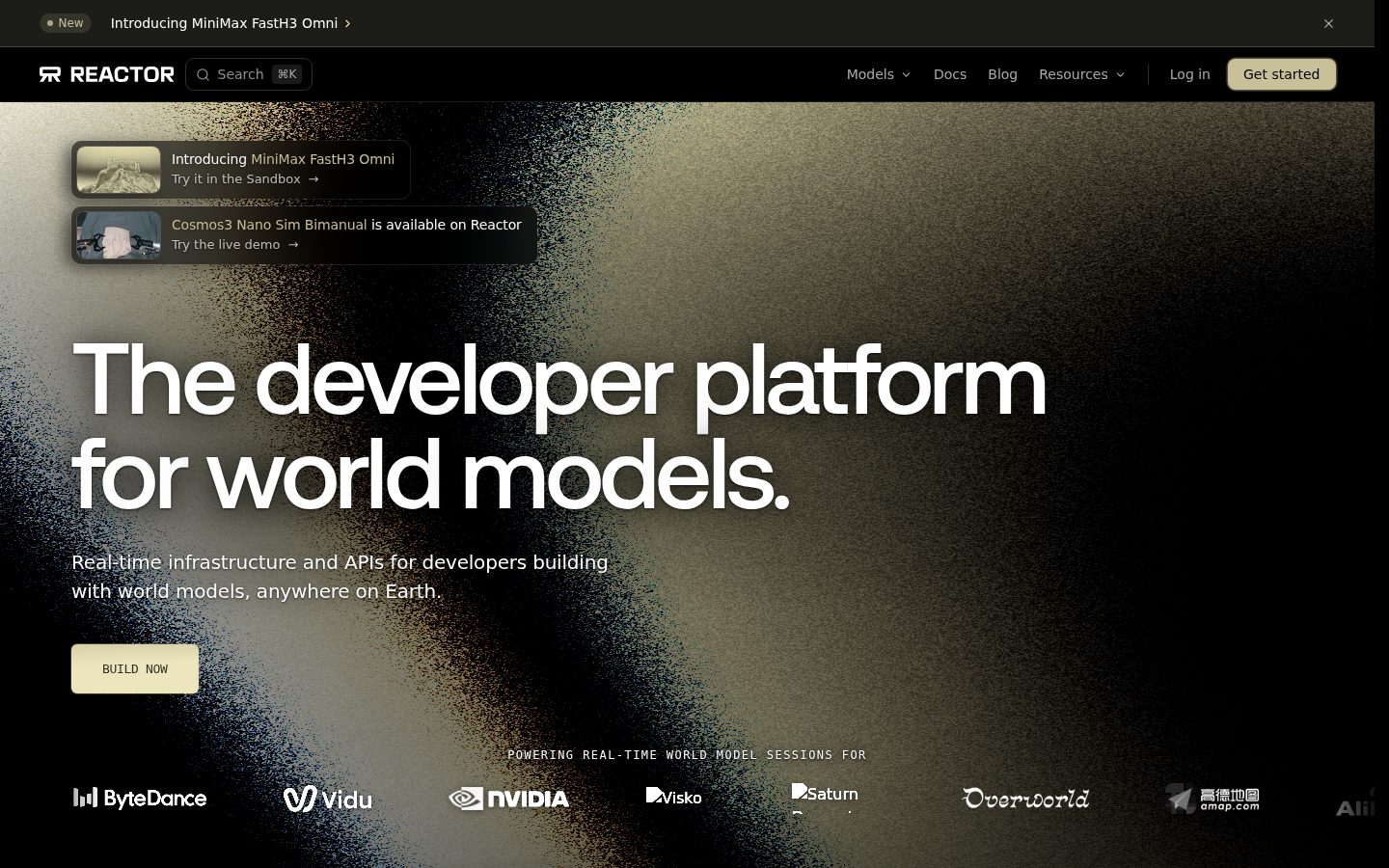
Reactor is a developer platform for building real-time AI video and world-model experiences.
AI Panel Score
7.5/10
6 AI reviews
Reviewed
Facts checked against reactor.inc
Infrastructure for real-time generative video models
Reactor is a developer platform for building real-time AI video and world-model experiences.
AI Panel Score
6 AI reviews
Reviewed
Facts checked against reactor.inc
Reactor provides a hosted inference layer for real-time world models - AI systems that generate interactive video rather than static outputs. Developers connect to these models through a JavaScript SDK (with React components and hooks, plus an imperative API) or a Python SDK (async, decorator-based). The typical workflow starts with the `create-reactor-app` CLI to scaffold a working app pointed at a specific model, or by installing `@reactor-team/js-sdk` or `reactor-sdk` into an existing project. Connections follow a defined lifecycle - DISCONNECTED, CONNECTING, WAITING, READY - and authentication is handled by exchanging an API key for a short-lived JWT server-side before the client connects.
The platform aggregates models from a range of outside labs onto one API, each with a production endpoint rather than a research demo. Examples include ByteDance's Helios for infinite-streaming interactive video, NVIDIA's LongLive 2 for multi-shot generation with hard cuts, MiniMax's FastH3 and FastH3 Omni for real-time video with synchronized audio, Lightricks' LTX-Avatar for voice- and lip-synced portrait animation, Vidu's S2-Avatar and S2-Editing for live character and video editing from a single reference image, and Ant Group's LingBot and LingBot World 2 for high-fidelity interactive environments. Reactor also publishes engineering work behind the scenes, such as optimizing the Wan VAE decoder to cut per-chunk processing time from 133.8 ms to 60.2 ms, and building kernel-level techniques for running real-time autoregressive diffusion on AWS Trainium hardware.
Reactor is built for developers working in media and entertainment, physical AI, and robotics who need to embed interactive, real-time video generation into applications rather than call a single-shot generation API. The site does not publish specific pricing plans or tiers.
Exposes a sendCommand API (e.g., 'start') for driving model behavior interactively once a connection is ready, enabling real-time control of video generation.
Scaffolds a ready-to-run starter app pre-configured with a chosen model via a single npx command, removing manual setup.
Manages streaming sessions through defined states (DISCONNECTED → CONNECTING → WAITING → READY) so apps know when a model is ready to receive commands.
Provides React components/hooks and an imperative API (ReactorProvider, ReactorView, Reactor class) for connecting applications to live, streaming AI video.
Runs each supported model as a hosted, production API on Reactor's cloud infrastructure so developers don't need to provision or manage GPUs.
An async, decorator-based SDK (installed via pip) for connecting Python applications to Reactor's real-time video models.
Delivers generated video as live media tracks via event callbacks (trackReceived) that can be attached directly to an HTML video element's srcObject.
Hosts real-time generative video models from multiple labs (Tripo, MiniMax, Vidu, Visko, Lightricks, XMAX, Alibaba, Ant Group, ByteDance, NVIDIA) behind a single inference API, so developers can call any model without managing GPUs.
Serves clean markdown versions of any page when requested with an Accept: text/markdown header, for token-efficient consumption by LLMs and tooling.
Offers dedicated API endpoints and documentation pages for 16 named models (e.g., Helios, EdenLive, LongLive 2, Happy Oyster) each with its own llms.txt API context.
Lets developers exchange an API key server-side for a short-lived JWT with scoped authorization details (e.g., model access, max sessions), avoiding exposing keys in client code.
For developers and enterprises building real-time generative video and world model applications via Reactor's SDK/API. No subscription, minimum spend, or seat fee — billed per session-second of GPU usage, with free trial credits for new accounts.
For studios, media, gaming, and robotics companies needing custom volume pricing, dedicated GPU capacity, or enterprise terms; requires contacting Reactor's sales team.

A real-time video model aggregator billed per GPU-second, not a single model you bet the roadmap on.
“Reactor sits between your app and a dozen-plus real-time video labs, charging by session-second instead of a seat fee. The pitch is infrastructure neutrality, which only matters if the underlying models stay good.”
16 named models behind one API — Helios, LongLive 2, LingBot World 2, FastH3 Omni — is the real pitch. You're not betting on one lab's roadmap, you're betting on Reactor's aggregation layer staying ahead of whoever ships next. That's a different risk profile than picking a single vendor, and it's the right one for 2026.
Pricing is usage-based: 10,000 credits per dollar, $1,000 max per transaction, LingBot World 2 at $0.42/minute. No subscription or seat fee is good discipline, but the enterprise tier — dedicated capacity, sub-40ms latency — is quote-only, so real cost at scale is a sales call away.
The engineering detail is credible: cutting VAE decode time from 133.8ms to 60.2ms, Trainium kernel work. That's a team solving hard infra problems, not reselling API keys.
A unified API across labs like ByteDance, NVIDIA, and MiniMax beats integrating each model's own endpoint separately, which is the obvious alternative.
Short-lived JWT auth is sound security practice, but enterprise contract terms and data handling across 16 third-party model providers aren't spelled out publicly.
The create-reactor-app CLI and free signup credits mean a working prototype in an afternoon, not a procurement cycle.
For teams building interactive video features, this replaces GPU provisioning entirely rather than just discounting it.
Documented engineering work (133.8ms to 60.2ms decode optimization, Trainium kernels) signals active building, though I couldn't find a changelog.
Teams building interactive video or world-model features who want model choice without managing GPU infrastructure.
Skip it if you need a fixed, predictable monthly cost rather than per-session-second billing.

A production rack for other labs' video models, not a creative instrument of its own.
“Reactor is infrastructure, not a tool a director touches directly — it's what your engineering team builds on so you never have to think about GPUs. The craft question isn't Reactor's taste, it's whether it gets out of the way of the models' taste.”
No creative director opens Reactor and makes a shot. You open it and your dev team wires a connection lifecycle — CONNECTING to WAITING to READY — so that whatever model you've picked, say LTX-Avatar for lip-sync or LingBot World 2 for an environment, can actually stream into a product. That's the right shape for this job: the craft lives upstream, in the labs, and Reactor's job is plumbing, not opinion.
The ceiling here is borrowed. Reactor doesn't generate anything itself — it hosts sendCommand-level control over other people's models. If NVIDIA's LongLive 2 or ByteDance's Helios improves, you inherit that improvement without a rebuild; if a lab's model has a weak aesthetic, no SDK elegance fixes that for you.
The tradeoff is real: you get model breadth and fast prototyping via the create-reactor-app CLI, but you give up the deep, opinionated creative control you'd get from building a single-model pipeline yourself. For teams doing interactive character work or live world-building, that's the correct bet. For teams chasing one signature look, it's the wrong layer to build taste into.
Positions itself as the aggregation layer for real-time world models, a different lane from single-shot generation APIs entirely.
Connection-lifecycle and command-based control match how interactive video and robotics teams actually build, not how single-shot generation tools work.
JS SDK with React hooks plus an async Python SDK covers both front-end interactive builds and backend pipelines cleanly.
Three years in, you're structurally dependent on which labs keep production endpoints live on Reactor's catalog rather than pulling their own API.
Engineering depth is real (VAE decode optimization, Trainium kernel work) but the creative ceiling belongs to the hosted labs, not Reactor.
Teams building interactive character, avatar, or world experiences who need engineering infrastructure under a creative product, not a creative tool itself.
You want hands-on creative control over a single, consistent visual style rather than access to many labs' models through one API.

Billed per session-second, capped at $10K balance. Math works until it doesn't.
“Usage-based pricing with no subscription floor is honest. But a $10,000 max balance and quote-only enterprise tier mean the real number stays hidden past a certain volume.”
Pay-as-you-go: 10,000 credits per dollar, $1 minimum, $1,000 max per transaction, $10,000 max balance. LingBot World 2 at $0.42/minute. That's a real rate, not a teaser. For a prototype or low-volume app, this is clean procurement — no seat fee, no minimum spend, free signup credits to test before a card's on file.
Year 3, production scale, is a different question. $10K balance cap means frequent top-ups or a graduation to Enterprise, which is quote-only with no visible floor. TCO math breaks down the moment usage crosses that ceiling — you're back to a sales call.
No term length or auto-renewal language I could find for the Enterprise tier. Pay-as-you-go looks month-to-month by nature, which is the right default. Billing friction is low at small scale, unknown at large scale.
Credit purchase caps ($1,000/transaction) keep self-serve simple but push high-volume buyers into sales-led onboarding.
No subscription or minimum spend on the usage tier, but Enterprise terms are undisclosed.
Per-minute rates like $0.42 for LingBot World 2 are posted; Enterprise tier is quote-only with no floor.
Per-session-second billing ties cost directly to usage, making unit economics traceable per model call.
$10,000 max balance held creates a hard ceiling that forces a pricing conversation at scale.
Teams prototyping real-time video features who can stay under a $10,000 monthly credit ceiling.
Avoid if you need a fixed, predictable number for production-scale volume without a sales negotiation.

The connection lifecycle finally gives streaming video a state machine instead of a prayer
“Reactor treats real-time video generation like a real client-server problem, not a REST call that happens to return frames. The CLI and lifecycle states will click fast; the model-specific quirks underneath won't disappear just because the API is unified.”
What stands out on day one is that Reactor models the actual problem: streaming video isn't request-response, so they built DISCONNECTED → CONNECTING → WAITING → READY as a first-class concept instead of making you poll a status field. trackReceived wiring straight into srcObject is the kind of detail that tells me someone building this has shipped WebRTC before.
Day three is where it gets interesting. Sixteen models from Helios to LongLive 2 to LingBot World 2 behind one API sounds clean until you're debugging why sendCommand behaves differently on a lip-sync model versus an infinite-streaming one. The unified API abstracts the transport, not the model's actual behavior — that gap is where real production time goes.
The Python SDK being async/decorator-based while the JS SDK leans on React hooks tells me they built for two very different teams, not one afterthought port. Enterprise terms for 60+ FPS and sub-40ms latency workloads suggest they know robotics and gaming teams have different tolerances than a chat-avatar demo.
The connection lifecycle and track-streaming callbacks hold up past the demo, but per-model behavioral differences under sendCommand are where debugging time will actually go.
Markdown content negotiation via Accept headers and per-model llms.txt context pages read like docs written by people who actually feed their own tooling into LLMs, not marketing copy.
Short-lived JWT auth and the CLI scaffold cut setup friction, but switching between 16 models likely means relearning quirks per lab, not one clean abstraction.
The imperative Reactor class alongside the declarative React components gives a real beginner-to-power-user ramp, though engineering notes like the Wan VAE decoder optimization suggest the deepest tuning levers aren't exposed to app developers at all.
React hooks plus an async Python SDK means it drops into existing front-end and backend stacks rather than forcing a new framework.
A product team embedding live, interactive AI video into a real app who wants to swap models without rewriting the streaming layer.
You need a single, predictable model behavior across your whole app rather than a grab-bag of labs with their own quirks.

Solid plumbing for real-time AI video, but this is a dev tool, not a product you feel day to day.
“Reactor's the kind of thing you install, wire up, and forget about if it works. The real test is whether it keeps working quietly at 2am when a model vendor changes something upstream.”
This isn't a tool you open every morning, it's a dependency you install once with create-reactor-app and then only think about when something breaks. That changes what 'polish' even means here. There's no dashboard mood to assess, no empty state to screenshot — just an SDK and whether the connection lifecycle (CONNECTING to READY) behaves the way the docs say it will.
The lifecycle states themselves are a good sign. Explicit states instead of a vague 'loading' promise means your app can actually show the user something true, which is rarer than it should be in streaming APIs. Pricing by session-second with no seat fee is also refreshingly honest for infrastructure billing.
Where I'd worry three months in: 16 models from different labs means 16 different personalities under one API surface, and when LongLive 2 behaves differently than FastH3 Omni, you're debugging someone else's model through Reactor's wrapper. That's the tradeoff of aggregation — convenience up front, mystery later.
Connection lifecycle states and trackReceived callbacks show real attention to developer experience, even if there's no visual product to sweat over.
One unified API across many labs lowers the first-hour cost, but per-model command behavior like sendCommand means month-three mastery is still per-vendor homework.
Listed as web-only, and streaming real-time generative video to mobile browsers is a much harder problem than desktop, so parity is an open question.
The create-reactor-app CLI scaffolding a working app pointed at a chosen model is as close to welcome-not-homework as dev infra gets.
Short-lived JWT auth and explicit WAITING/READY states suggest careful session handling, but I couldn't find public uptime or error-rate data to confirm it holds under load.
Developer teams building interactive video or world-model features who want one API instead of integrating six labs separately.
Skip it if you need a mobile-native experience or a creative-facing tool your non-engineers can touch directly.

Aggregating 16 labs behind one API is a bet those labs keep licensing through Reactor.
“The engineering is legible and the pricing page actually has numbers on it. The dependency on outside model providers is the kind of structural risk that doesn't show up until one of them walks.”
No pricing tiers hidden behind a 'book a demo' wall here — $0.42/minute for LingBot World 2, a $10,000 credit ceiling, that's real. I've seen aggregator plays before. Middleware layers that sit between you and someone else's model tend to die one of two ways: the labs cut them out, or the labs change terms and the layer eats the cost. Reactor doesn't control Helios or FastH3 Omni. It resells access to them.
The meta tag claims 'fastest inference anywhere.' That's the kind of superlative that invites a benchmark nobody's run publicly yet. The VAE decoder optimization is specific enough to believe; the blanket superlative isn't.
Migration off Reactor means rebuilding against each lab's native API individually — the unification is the product, and it's also the lock-in.
No single competitor named in its own materials, but aggregating ByteDance, NVIDIA, MiniMax, and Ant Group behind one API is a distinct lane versus single-model generation APIs.
Unified SDK means leaving means rebuilding per-model integrations individually against each lab's own API.
Docs and blog are live and per-model llms.txt context suggests ongoing investment, but no changelog or company details are visible to gauge pace.
Meta description claims 'fastest inference anywhere' with no benchmark attached, though the VAE decoder numbers (133.8ms to 60.2ms) are concrete.
Named endpoints for 16 models and a defined connection lifecycle back the core claim; real-world consistency across labs is unverified.
Dev teams who want one integration surface across multiple real-time video labs and can tolerate some lock-in to get it.
Avoid if you need guaranteed long-term access to a specific model independent of Reactor's licensing relationships.
Common questions answered by our AI research team
Yes, Reactor hosts real-time generative video models from multiple labs behind a single API.
Reactor offers JavaScript and Python SDKs for connecting applications to live, streaming AI video.
No, Reactor lets developers stream video without managing GPUs themselves.
Reactor authenticates API access using short-lived tokens.
Yes, Reactor provides a CLI for scaffolding apps.