Rowboat logo

Rowboat Review

Visit

Open-source, local-first desktop AI coworker with a memory of your work

Rowboat is an open-source, local-first desktop app that indexes your email, meetings, notes and chats into a knowledge graph and uses that context to get work done on your machine.

AI Panel Score

7.4/10

6 AI reviews

Reviewed

About Rowboat

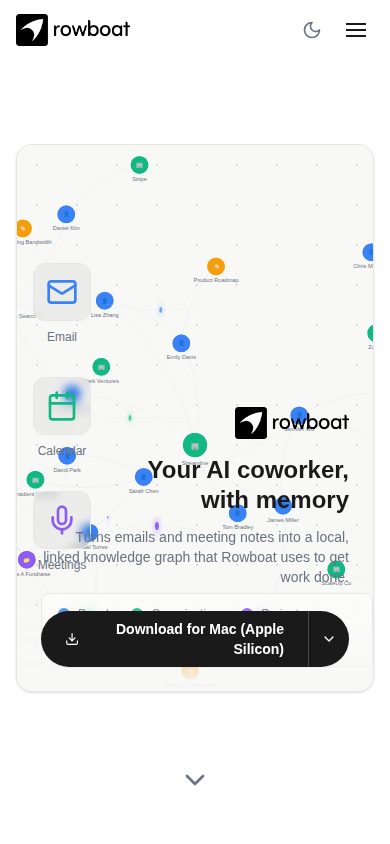
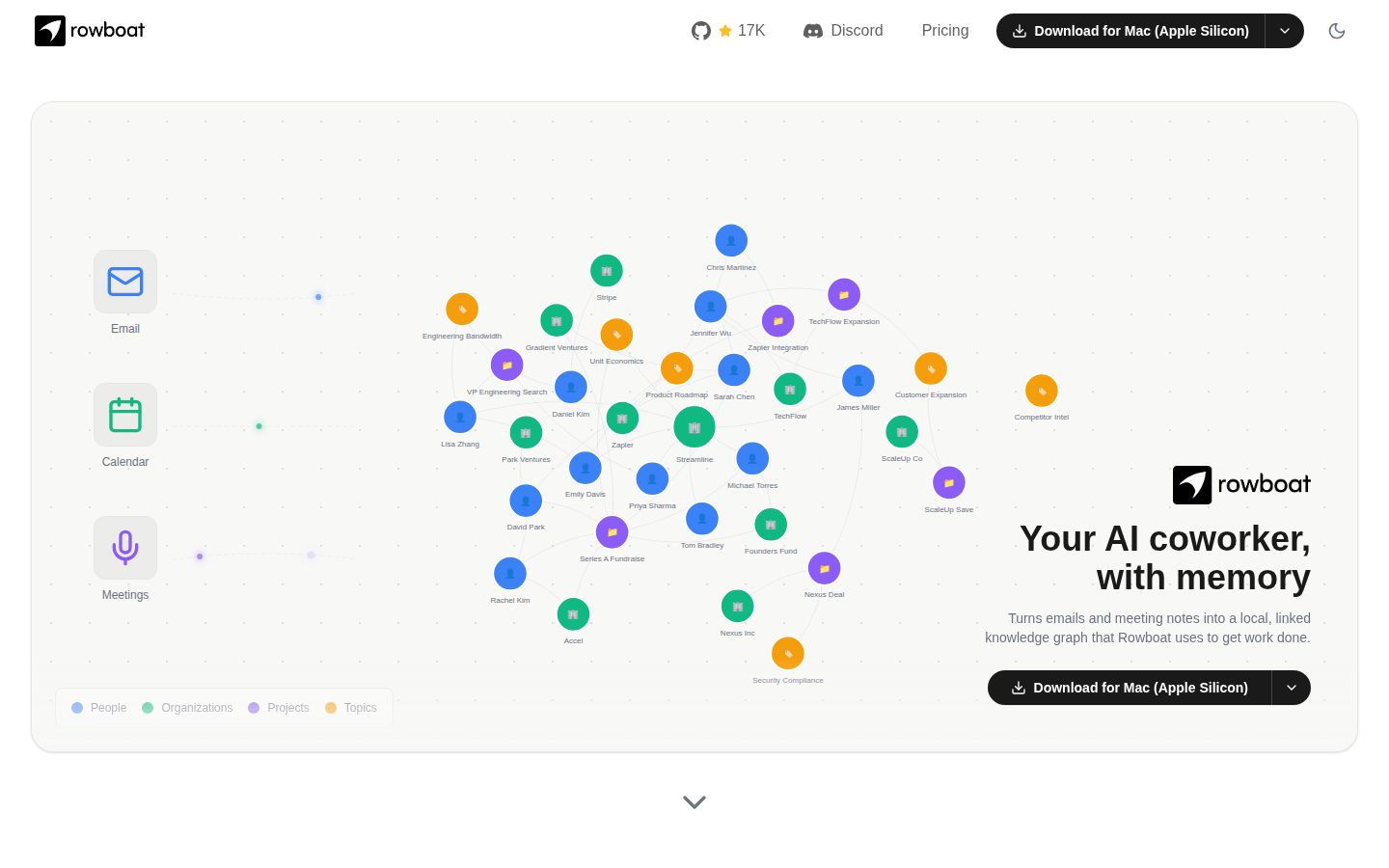
Rowboat runs as a desktop app on Mac, Windows and Linux. It connects to your email, calendar and chat tools and distills what flows through them — email threads, meeting transcripts, Slack messages and assistant conversations — into plain Markdown notes stored on your own disk. Those notes are backlinked into what Rowboat calls the Brain: a self-updating knowledge graph of the people, companies, projects and topics in your work.

Several work surfaces sit on top of that context. An email client sorts incoming mail into Important and everything else and drafts replies using your notes and past threads, learning from your edits. A meeting note-taker listens through the local microphone and speaker rather than sending a bot into the call, producing a live transcript and a Markdown summary with action items. Background agents fire on events, such as a new email or a finished meeting, or on a schedule, and can search the web, drive the built-in isolated browser, call connected tools or write code. Code Mode spins up Claude Code or Codex agents from your work context and returns a reviewable diff, and Apps lets a copilot build small local web apps, such as a fundraise CRM or a runway tracker, that your agents keep updated.

Rowboat is model-agnostic: you can bring your own API key for a hosted model or run local models through Ollama or LM Studio. External tools connect over MCP (Model Context Protocol) and Composio. Optional API keys add voice input through Deepgram, voice output through ElevenLabs and web search through Exa. The codebase is published under the Apache 2.0 license, so it can be inspected or self-hosted.

Alongside the free self-hosted option, Rowboat sells a cloud subscription: Starter from $5 to $25 per month with a 7-day free trial, Pro from $50 to $200 per month for heavier usage, and a custom Enterprise tier with shared memory and server-side background tasks. It is aimed at people whose work lives in email, meetings and chat and who want an assistant that already knows that work rather than a chat window that starts from zero.

Features

AI

  • Code Mode

    Spins up parallel coding agents (Claude Code or Codex) driven by the user's work context, turning decisions from meetings or customer issues into a code branch with a reviewable diff.

  • Email Triage & Auto-Draft

    Sorts incoming emails into Important and everything else, and auto-drafts replies using context from notes, meetings, and past threads, learning from user edits over time.

  • Meeting Note-Taker

    Uses the local mic and speaker (no bot joins the call) to produce a live transcript during meetings and a markdown summary with action items afterward, refreshing related Brain notes automatically.

Automation

  • Background Agents

    Persistent agents that trigger on events (new email, meeting ended) or on a schedule to search the web, drive a built-in browser, connect to tools, or write code for tasks like triage and investor updates.

Core

  • Brain (Knowledge Graph)

    Distills email, meeting transcripts, Slack, and assistant chats into linked, plain-markdown notes that form a self-updating knowledge graph of people, companies, projects, and topics stored locally on disk.

Customization

  • Apps (Copilot-Built Work Surfaces)

    Lets users describe a personal app (e.g., fundraise CRM, runway tracker) to a copilot, which builds a small local web app that stays continuously updated by the user's agents and data.

Integration

  • Connections

    Connects Rowboat to apps the user already uses so it can pull context from and take action within those external tools.

Security

  • Local-First, Bring-Your-Own-Model

    Runs entirely on the user's machine with data stored as local markdown files, supporting user-supplied API keys or local models via Ollama or LM Studio for full data privacy.

Support

  • Interactive Demo / Guided Tour

    Provides a clickable, guided walkthrough of the app so users can explore its features before downloading.

  • Open Source Codebase

    Publishes Rowboat's code under an Apache 2.0 license so users can inspect it or self-host the platform themselves.

Preview

Rowboat desktop previewRowboat mobile preview

Pricing Plans

Starter

$5/monthly

Entry-level plan with a 7-day free trial, ranges from $5-$25/month

  • Unlimited notes
  • Meeting note taker
  • Voice mode
  • Access to latest models
  • Knowledge graph context
  • MCP server access
Popular

Pro

$50/monthly

For users needing effectively unlimited usage, ranges from $50-$200/month

  • Everything in Starter
  • Direct access to the team
  • More usage

Enterprise

Contact sales

Custom pricing built for organizational needs; contact sales for details

  • Everything in Pro
  • Shared memory
  • Server background tasks
  • Dedicated support

AI Panel Reviews

The Decision Maker

The Decision Maker

Strategic bet, vendor viability, timing, adoption approval
7.6/10

A local knowledge graph turned into an email drafter, note-taker and coding agent for $5 a month.

Rowboat indexes your email, meetings and chats into a local Markdown graph called the Brain, then lets agents act on it. Open source and self-hostable, which is rare in this category.

Most AI assistants start from zero every conversation. Rowboat's pitch is the opposite: index email, meeting transcripts, Slack and assistant chats into a backlinked Markdown graph on your own disk, then let an email client, meeting note-taker and background agents work off that context. Code Mode spinning up Claude Code or Codex from your actual work context is a genuinely different move than a generic coding assistant.

Apache 2.0 licensing and local-first storage answer the data-portability question before the board asks it. Model-agnostic support for Ollama, LM Studio or your own API key is a real hedge against vendor lock-in.

Starter's $5-25/month range is cheap enough to pilot without a purchase order. I couldn't find docs or a changelog, so shipping cadence and integration depth are unverified. Pilot with a handful of knowledge workers for a quarter before touching Enterprise.

Competitive Positioning7.7

Code Mode driven by work context and a self-hosted knowledge graph are architecture choices the obvious cloud-assistant alternative does not offer.

Reputation Risk8.2

Local-first storage, Apache 2.0 code and bring-your-own-model materially reduce lock-in and data-portability risk versus a closed cloud assistant.

Speed to Value7.3

Email triage and meeting notes can show value within days at $5/month, but the Brain graph needs time to accumulate before drafts and agents get useful.

Strategic Fit7.8

Moves beyond a chat window that starts from zero toward an assistant with standing context, which is a real capability shift, not just cost savings.

Vendor Viability7.0

Pricing page and feature set look complete but I couldn't find docs, API reference or a changelog to confirm active shipping cadence.

Pros

  • Local-first Markdown storage with Apache 2.0 self-hosting option
  • Model-agnostic: local models via Ollama/LM Studio or your own API key
  • Background agents trigger on events or schedule across email, browser and code
  • Starter tier at $5/month with a 7-day free trial lowers pilot cost

Cons

  • No docs, API reference or changelog visible to verify integration depth
  • Enterprise pricing is custom, so cost at scale is unclear
  • Meeting note-taker relies on local mic/speaker, which may miss remote-only calls

Right for

Knowledge workers and small technical teams who want an assistant with standing context over email, meetings and code, not a blank chat window.

Avoid if

Skip it if you need verified enterprise security documentation or a proven multi-year shipping track record before rollout.

The Domain Strategist

The Domain Strategist

Craft and strategy in the product's domain — adapts identity per category, same lens
7.8/10

Local-first knowledge graph is the right bet, but the Brain's conventions are Rowboat's own, not a standard.

Rowboat's Apache 2.0 license and local-disk storage solve the lock-in problem that kills most AI assistant adoptions. The open question is whether the Brain graph format and background agent runtime become a dependency you can live with in year three.

Storing the Brain as backlinked plain Markdown on local disk is the correct architectural call. If your knowledge graph lives in files you can grep, diff, and version, then Rowboat never becomes the single point of failure that hosted-only assistants do. MCP and Composio for integrations, plus Ollama/LM Studio for local inference, means you're not locked into one model vendor.

Code Mode driving Claude Code or Codex agents off your actual work context, with a reviewable diff, is a sane trust boundary for anything touching your codebase. But background agents that fire on schedule and drive a built-in browser autonomously are a different risk class — I'd want audit logs and rollback before letting one write code unattended against production.

Pricing scales from $5 to $200+/month plus a free self-hosted tier, so cost isn't the gate. The gate is whether your team wants a second runtime — desktop app, local models, MCP servers — sitting alongside your existing agent stack for the next three years.

Category Positioning7.6

Sits between chat-first assistants and full agent frameworks by combining persistent memory with actionable work surfaces, an under-served middle ground.

Domain Fit8.2

Indexing email, meetings, and Slack into persistent context matches how knowledge workers actually operate, not a blank chat window.

Integration Surface7.8

MCP and Composio support plus bring-your-own-API-key model coverage make it composable with an existing stack rather than a walled garden.

Long-term Implications7.5

Apache 2.0 and local Markdown storage avoid data lock-in, but the Brain schema and agent runtime still create a migration cost if you leave.

Strategic Depth8.0

Knowledge graph plus multi-surface agents (email, meetings, Code Mode) is deeper than a single-purpose assistant, though the ceiling depends on graph quality at scale.

Pros

  • Local-first storage with Apache 2.0 license removes vendor lock-in risk
  • MCP and Composio integration keeps it compatible with existing tool stacks
  • Code Mode produces reviewable diffs rather than unattended commits
  • Model-agnostic: local models via Ollama/LM Studio or your own API key

Cons

  • Background agents driving a browser and writing code unattended need real audit and rollback tooling before production trust
  • Brain's Markdown graph schema is still a proprietary format to migrate away from
  • I couldn't find public docs or a changelog to assess release cadence and stability
  • Enterprise tier is custom-quoted with no visible pricing floor

Right for

Engineering leads and technical founders who want agent memory to live in files they control rather than a vendor's database.

Avoid if

Avoid if your team needs vetted audit trails and rollback guarantees for autonomous agents before you'll trust background automation.

The Finance Lead

The Finance Lead

Money, total cost of ownership, contracts, procurement math
7.6/10

$5-$25 Starter, $50-$200 Pro. Wide bands, but every number's on the page.

Free self-hosted option, Apache 2.0. Cloud tiers priced in ranges, not points — unusual, but honest ranges beat hidden ones.

$5/month Starter to $200/month Pro. That's not one price, that's two bands. 50 seats at Pro-band-high, $200 × 12 × 50 = $120K/year. At Starter-band-low, $5 × 12 × 50 = $3K/year. Forty-times spread on the same tier name. Procurement needs the exact number, not the range.

Self-hosted is free. Apache 2.0, run it on local hardware, no seat math at all. That's the real TCO lever — skip the cloud tier, add local compute cost instead. Ollama or LM Studio, bring your own hardware.

Enterprise is 'contact sales.' Shared memory and server-side background tasks gated behind a call — standard for that tier, still a procurement delay. 7-day trial on Starter, no free trial listed for Pro. No published auto-renewal terms, no stated overage rate. That's the invoice risk, not the sticker.

Billing & Procurement7.2

Self-serve for Starter and Pro; Enterprise requires a sales call for shared memory and dedicated support.

Contract Flexibility6.5

No stated term length or auto-renewal window found; monthly billing implied but not confirmed.

Pricing Transparency7.0

Tiers are public with no sales call, but $5-$25 and $50-$200 ranges aren't real prices.

ROI Clarity6.8

Email triage and meeting notes are measurable time-savers; background agent value is harder to quantify without usage data.

Total Cost of Ownership7.8

Free self-hosted Apache 2.0 option caps downside; cloud year-3 cost swings 40x depending on where in-band you land.

Pros

  • Free, self-hosted Apache 2.0 path with no seat cost
  • Starter tier at $5/month with 7-day trial
  • Bring-your-own-model avoids vendor lock on inference spend

Cons

  • Pricing given as ranges, not fixed numbers, per tier
  • No published overage rate for heavy background-agent usage
  • Enterprise pricing and terms require a sales call

Right for

Technical teams comfortable self-hosting who want to avoid per-seat cloud math entirely.

Avoid if

Avoid if your procurement process needs a fixed quote, not a $5-$25 range.

The Domain Practitioner

The Domain Practitioner

Daily hands-on reality in the product's domain — adapts identity per category, same lens
7.6/10

A local knowledge graph plus Claude Code hooks — interesting, but the daily surface area is huge.

Rowboat wires email, meetings and chat into a local Markdown graph, then lets background agents and Code Mode act on it. The scope is ambitious enough that day-3 reliability, not day-1 demo, is the real question.

The Brain concept is the sell: backlinked plain Markdown on disk instead of a vendor-owned vector store, Apache 2.0 licensed so I can actually read what's indexing my email. Code Mode driving Claude Code or Codex off meeting context into a reviewable diff is the part I'd actually adopt first — it's a narrow, checkable output, unlike auto-drafted email replies which need trust built over weeks of edits.

Workflow fit depends on how much you already live in email/Slack/meetings versus a ticket queue or repo. Background agents on schedules and events are good primitives, but five work surfaces (email client, note-taker, browser, Code Mode, Apps) is a lot to context-switch between before habits form.

I couldn't find docs, API reference or a changelog, which matters more here than usual — MCP server config and local model setup (Ollama, LM Studio) are exactly the steps that go wrong first. Pricing scales oddly: $5 to $25 for Starter, $50 to $200 for Pro, both ranges rather than fixed numbers.

Day-3 Reality7.0

Email auto-draft and background agents need weeks of edits to trust; Code Mode's diff-based output is verifiable from day one.

Documentation Practitioner-Fit6.5

I couldn't find docs, API reference or a changelog beyond the pricing page and an interactive demo tour.

Friction Surface7.0

Local model setup via Ollama/LM Studio and MCP server connections are exactly the kind of steps that fail quietly without visible docs.

Power-User Depth8.0

Code Mode, Apps (copilot-built local web apps), and MCP/Composio integrations give real depth for developers beyond the base email/notes flow.

Workflow Integration7.5

Fits knowledge workers whose day is email/meetings/Slack, per the product's own framing, but asks them to adopt five new surfaces at once.

Pros

  • Local-first storage as plain Markdown, self-hostable under Apache 2.0
  • Code Mode turns meeting/context decisions into a reviewable diff via Claude Code or Codex
  • Model-agnostic: bring your own API key or run local models through Ollama/LM Studio
  • Background agents support both event triggers and scheduled runs

Cons

  • No docs, API reference or changelog turned up publicly, which hurts self-serve setup for MCP and local models
  • Pricing given as ranges ($5-$25 Starter, $50-$200 Pro) rather than fixed tiers, unclear what drives the jump
  • Five distinct work surfaces to learn is a lot of surface area before habits stick

Right for

Knowledge workers or developers whose work is concentrated in email, meetings and Slack and who want local control of that data.

Avoid if

Avoid if you need vendor docs and a public API reference before you'll trust an agent with your inbox.

The Power User

The Power User

Daily human experience, onboarding, polish, learning curve, reliability
7.2/10

A local-first coworker with a real memory, but you have to build trust in it slowly

Rowboat indexes your email, meetings and Slack into a local knowledge graph and puts real work surfaces on top of it. Interesting idea, but it's asking for a lot of access on day one for something without much of a public track record.

The pitch here is genuinely different: instead of a chat box that forgets you exist between sessions, Rowboat builds a Markdown knowledge graph — the Brain — out of your actual email, meeting transcripts and Slack history, stored on your own disk. That's a real answer to the thing that makes AI assistants feel disposable. Email triage, a meeting note-taker that listens locally instead of sending a bot into your call, and Code Mode kicking off Claude Code or Codex agents are concrete, specific features, not vague promises.

Day one is going to feel like homework, though. You're granting access to email, calendar, chat and meetings before the tool has proven anything to you, and the value only shows up once the graph has enough material to be useful — that's a week-three payoff, not a ten-minute one.

Pricing starts at $5/month Starter, jumps to $50 Pro, with no listed free trial on the paid tiers despite a free self-hosted option. Being Apache 2.0 and model-agnostic (Ollama, LM Studio, your own key) is the real trust move here.

Daily Polish7.0

Named features like email triage and meeting note-taking sound considered, but I couldn't find details on empty states or how it feels before the graph has data.

Learning Curve7.5

Code Mode, Apps, and background agents give real room to grow into, and the Apache 2.0 codebase means power users can go as deep as they want.

Mobile Parity3.5

Listed platforms are Mac, Windows and Linux desktop only — no mobile story at all, which matters for anything calling itself an always-on coworker.

Onboarding Experience6.0

Connecting email, calendar and chat before seeing value is a heavier ask than most assistants, offset somewhat by the guided interactive demo.

Reliability Feel7.0

Local storage as plain Markdown files feels durable and inspectable, but I couldn't find public info on error handling or sync conflicts.

Pros

  • Local-first storage as plain Markdown you actually own and can inspect
  • Model-agnostic — bring your own API key or run Ollama/LM Studio locally
  • Meeting note-taker works off local mic/speaker, no bot joining your calls
  • Open source under Apache 2.0, so it can be self-hosted or audited

Cons

  • No mobile platform listed — desktop only
  • Requires deep access to email, calendar and chat before proving its value
  • No free trial listed on paid cloud tiers despite the free self-hosted route
  • Public docs, changelog and blog weren't findable, so the roadmap is unclear

Right for

Knowledge workers and developers who live in email and meetings and want an assistant that remembers context across both.

Avoid if

Skip it if you need mobile access or aren't comfortable connecting your email and calendar to a newer tool.

The Skeptic

The Skeptic

Contrarian. Watch-outs, deal-breakers, broken promises, category patterns
6.8/10

A local knowledge graph plus a $50-a-month cloud tier is an odd couple.

Local-first and Apache 2.0 is a genuinely good story for data trust. But the pricing structure and missing docs make me wonder what happens when the free option isn't enough.

Local-first, Markdown-on-disk, Apache 2.0. That's a real answer to the privacy question every AI coworker pitch dodges. Bring your own Ollama model, keep everything on your machine — fine, I believe that part, it's a specific architectural claim, not marketing fog.

But the pricing confuses me. Free and self-hosted exists, yet Starter runs $5-25/month and Pro jumps to $50-200 for 'effectively unlimited usage' — vague band pricing is the kind of superlative that ages poorly when you're trying to budget. No docs page or changelog I could find, but there is a blog. Could be there and just not surfaced. Could also mean a two-person team shipping fast and not writing it down yet.

Code Mode driving Claude Code or Codex is a nice differentiator versus a plain chat assistant. Exit is clean on paper — it's your Markdown files — but a self-updating graph tied to app-specific linking logic isn't a one-click export once you've lived in it a year.

Competitive Differentiation7.5

Local-first plus a persistent knowledge graph plus Code Mode is a distinct combination versus a standard cloud chat assistant.

Exit Portability7.0

Local Markdown storage and Apache 2.0 code mean no lock-in on paper, though the backlinked graph structure is app-specific to unwind.

Long-term Viability6.0

There's a blog, but I couldn't find a docs page or changelog, so active maintenance signals are thin even though a small team is expected at this stage.

Marketing Honesty7.0

Claims are architecturally specific (Markdown, MCP, Ollama) rather than superlative-heavy, which is a good sign, but 'effectively unlimited' pricing language is vague.

Track Record Match6.5

Named features like the meeting note-taker and Brain graph are concretely described, but I found no usage numbers or case studies backing them.

Pros

  • Local-first storage with Apache 2.0 code you can inspect or self-host
  • Model-agnostic: local models via Ollama/LM Studio or your own API key
  • Code Mode ties work context directly to a reviewable code diff

Cons

  • Pricing bands ($5-25, $50-200) are wide and vague for budgeting
  • A blog exists, but no docs or changelog I could find
  • Meeting note-taker needs local mic/speaker access, which some won't want running

Right for

Knowledge workers who want their email and meeting context indexed locally without sending it to a cloud vendor.

Avoid if

You need firm, predictable pricing or a documented support trail before committing a team to it.

Buyer Questions

Common questions answered by our AI research team

Features

How does Rowboat build its knowledge graph?

Rowboat indexes your email, meeting transcripts, Slack messages and assistant conversations into a backlinked Obsidian-style graph of plain Markdown files stored locally on your machine.

Features

Can I run Rowboat's agents on a schedule?

Yes. Background agents trigger on events such as a new email arriving, or on a schedule such as every day at 8am, and can search the web, drive the built-in browser, call tools, or write code via Claude Code or Codex.

Integration

Does Rowboat support MCP servers for integrations?

Yes. Rowboat connects to external tools and data sources through MCP (Model Context Protocol) servers, alongside Composio integrations.

Integration

Can agents connect to external tools and data?

Yes. Rowboat's background agents can call external tools and data sources through MCP server integrations and the built-in browser.

Features

Is Rowboat built for developers or non-technical users?

Rowboat is a desktop app for knowledge workers, with extra depth for developers — Code Mode drives Claude Code or Codex agents, and the Apache 2.0 codebase can be inspected or self-hosted.

Also in AI Agents & Assistants